Search

Your Notifications (0)

There are currently no notifications. You're all set!

What's New

Explore recent and historical product updates for Revvity Signals' Cloud Native SaaS Software 

Clear All Collapse All

16 releases — this page expanded. Collapse

Revvity Signals™ One, including Signals Notebook, Update

What’s New

We are delighted to release our new version of Signals, 26.7.

The following improvements are available for users, administrators and developers on the Signals platform. Certain features may only be available with appropriate licensing and/or with enablement by an administrator.

  • Fundamentals
    - Register Assays and their Variants in the new Assay Library (beta)*
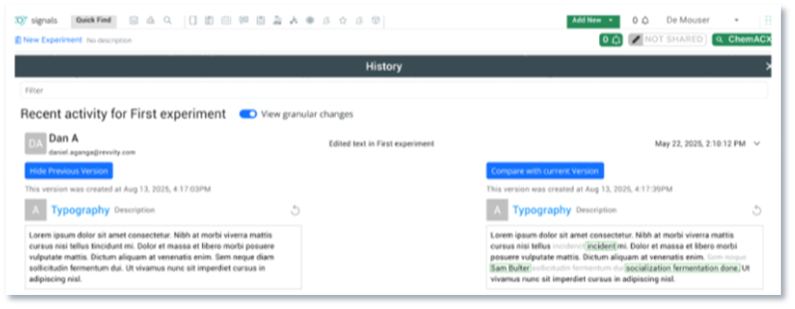
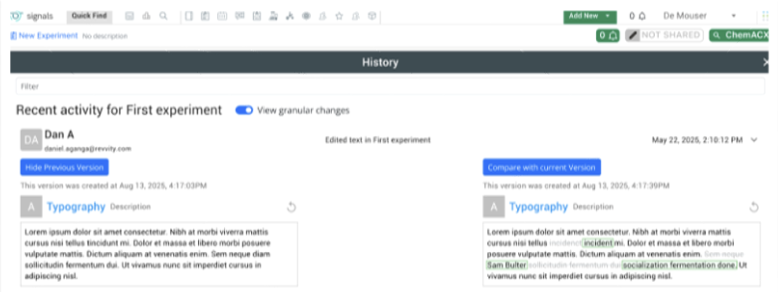
    - Audit trail displays highlighted granular changes for layout changes
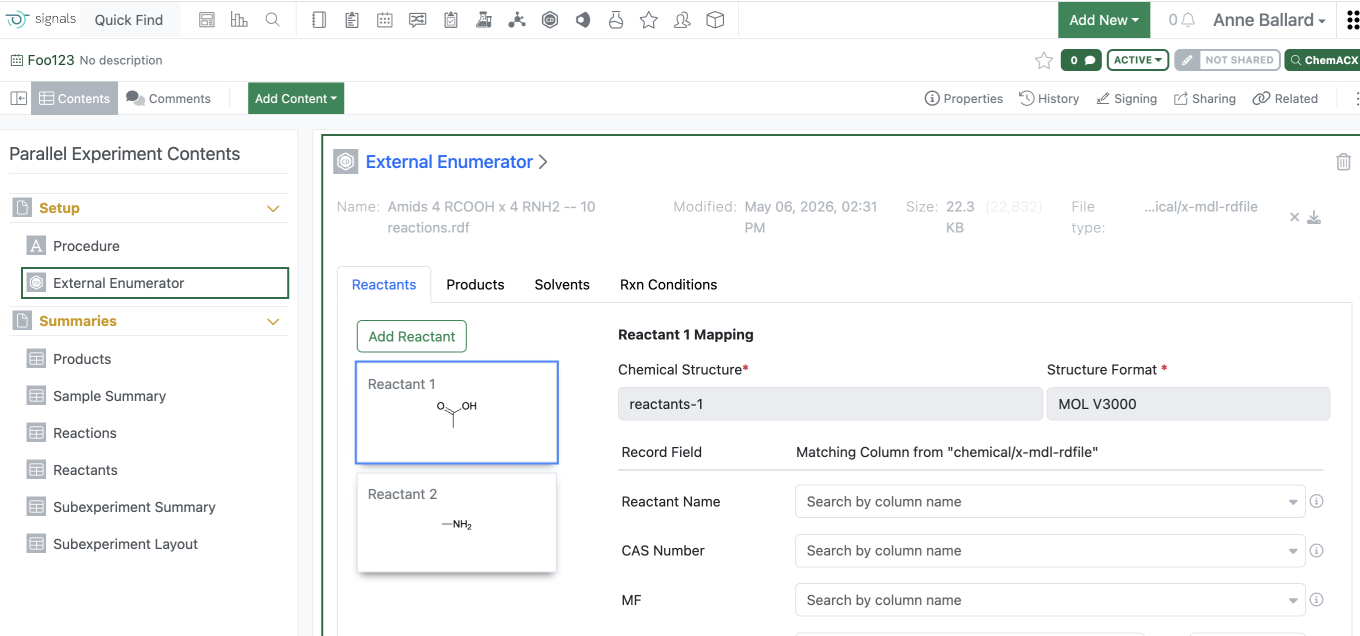
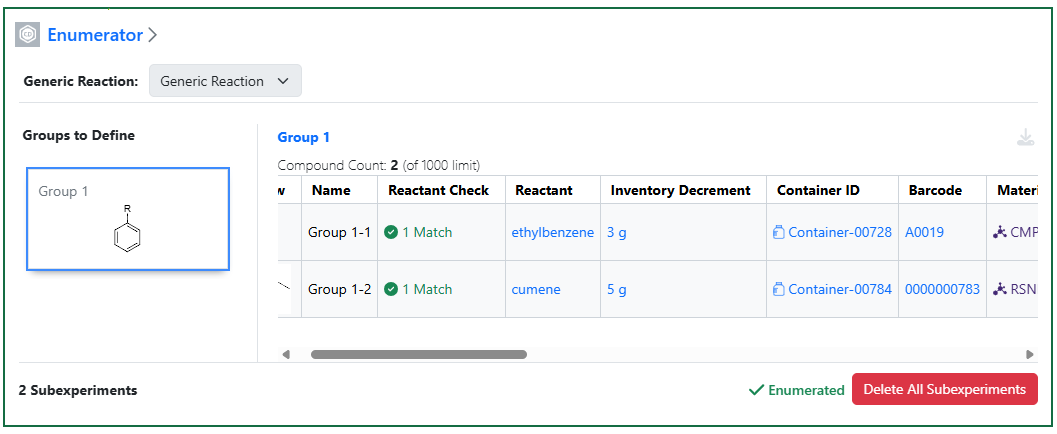
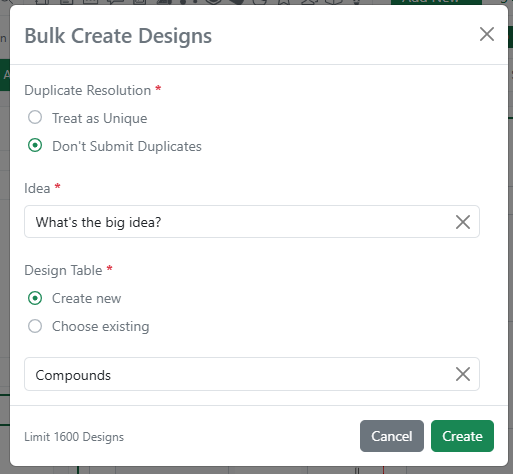
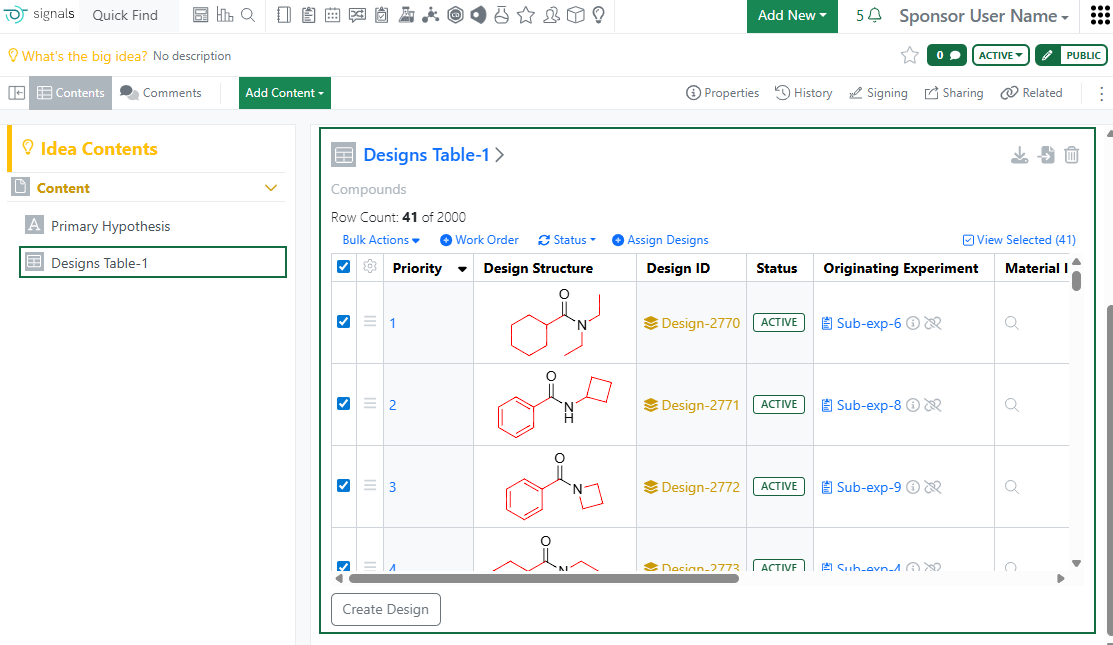
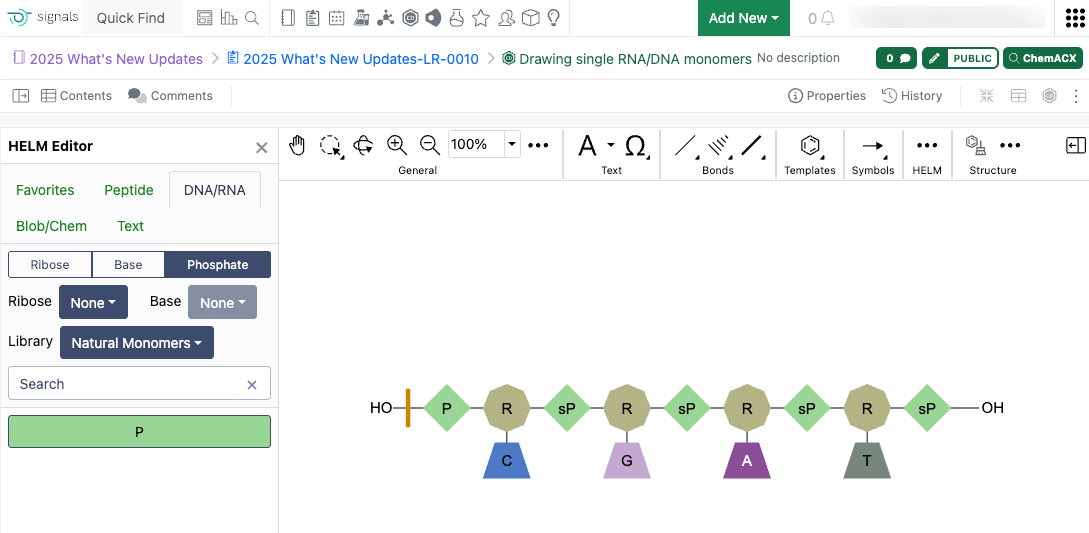
    - Performance improvements to Parallel Experiments External Enumeration
  • AI*
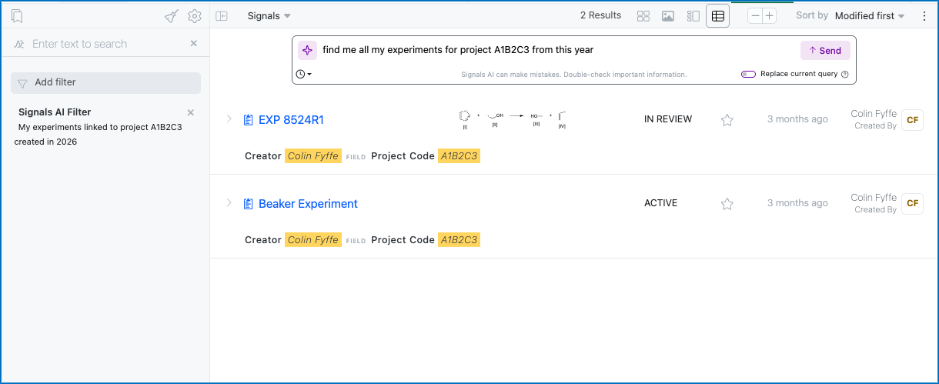
    - Prompt-to-Filter is available to all systems
    - AI Explorer (Beta)
  • Data Workflows & Analytics*
    - Additional set of plate, batch and curve-based metrics
  • SAR & Decisioning*
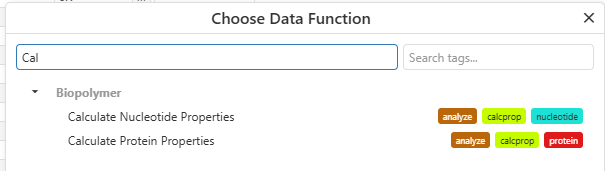
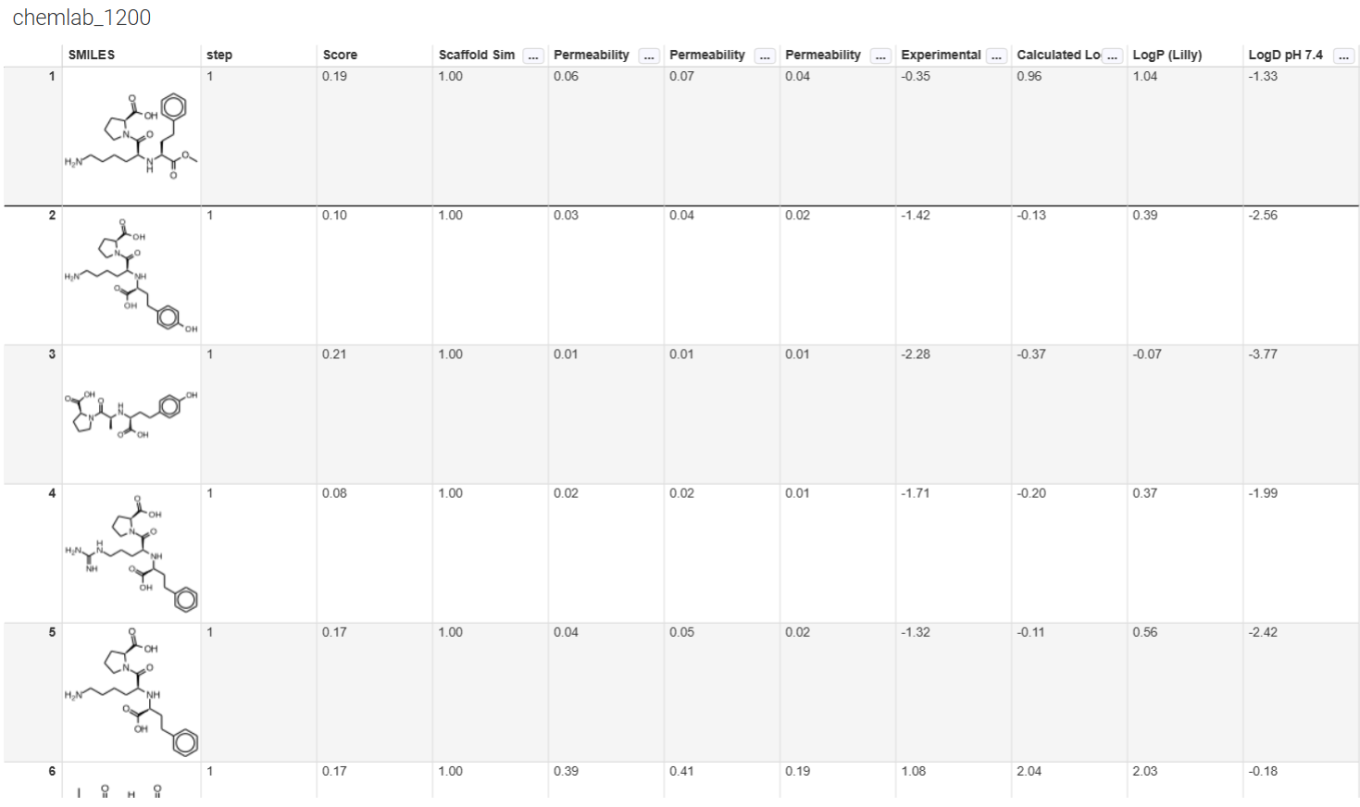
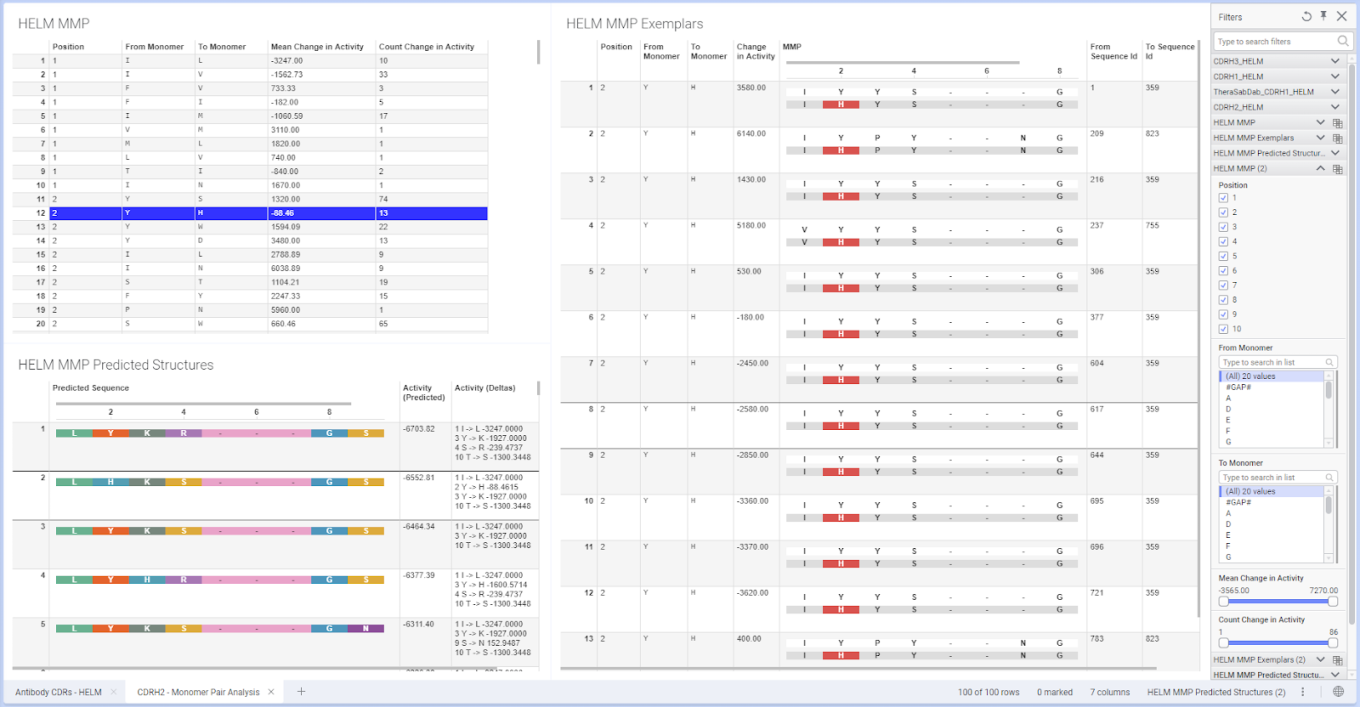
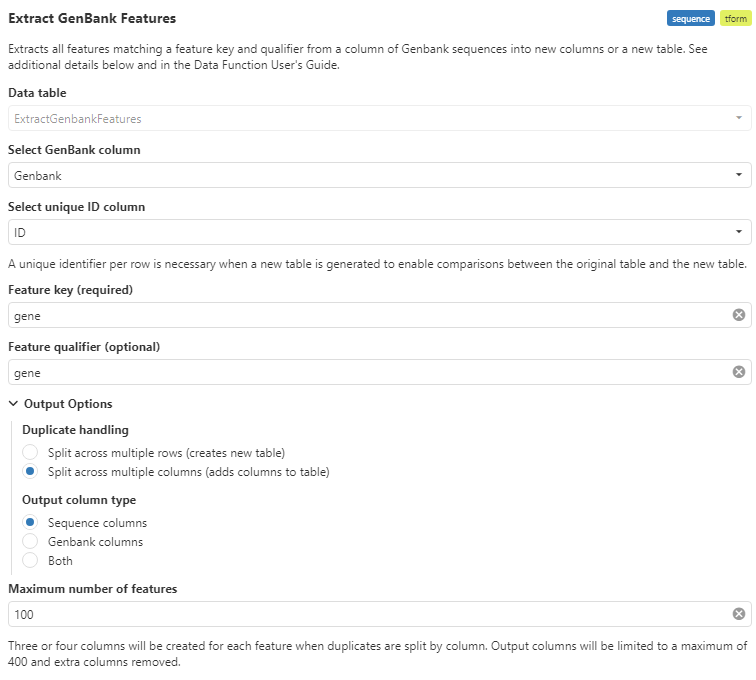
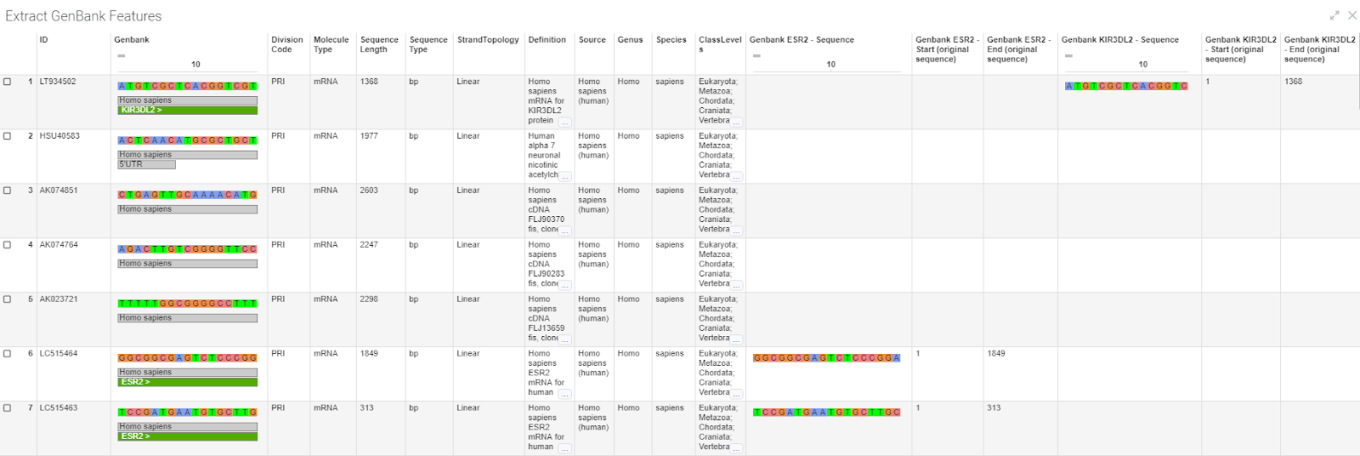
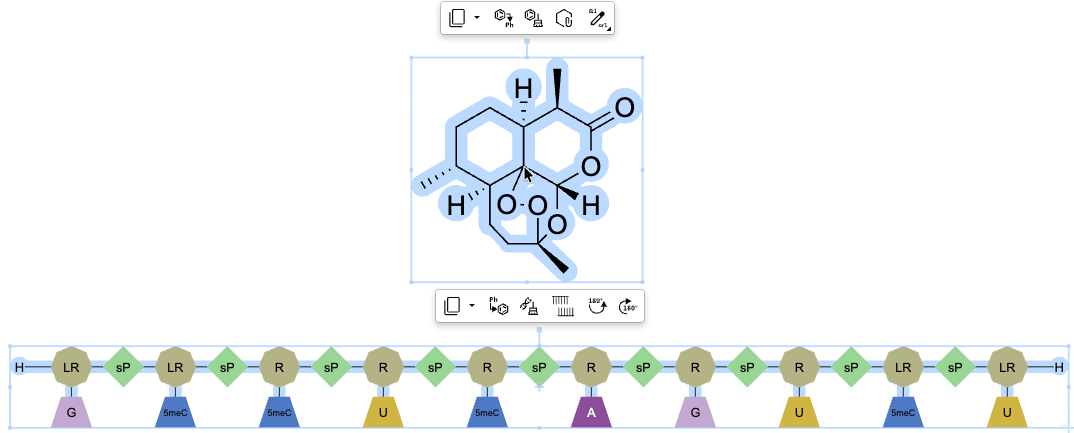
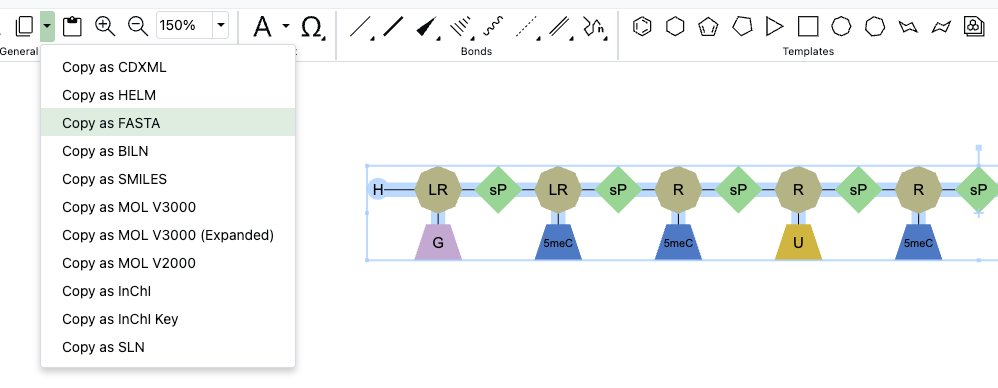
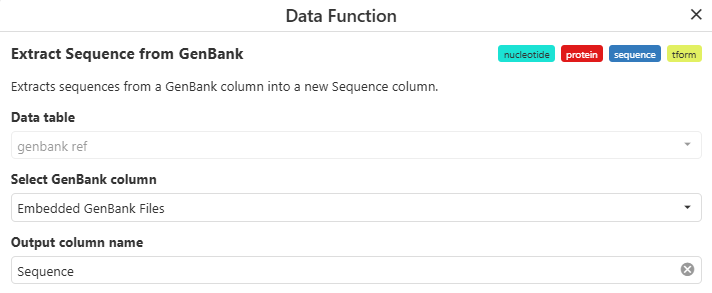
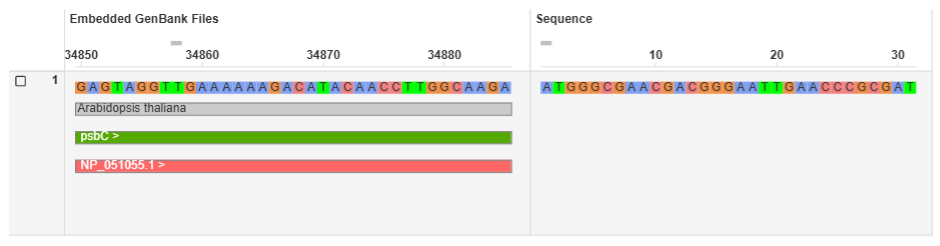
    - Use new ChemCharts data functions to convert structures to HELM, and to calculate nucleotide and protein properties
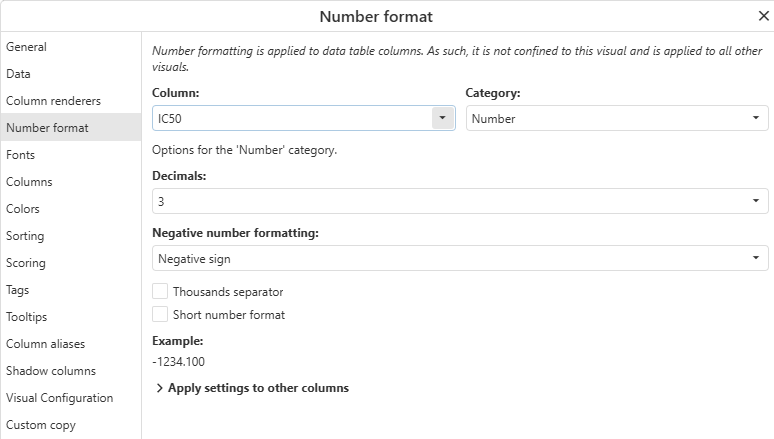
    - Define number formatting directly within ChemCharts visualizations
  • Synergy†
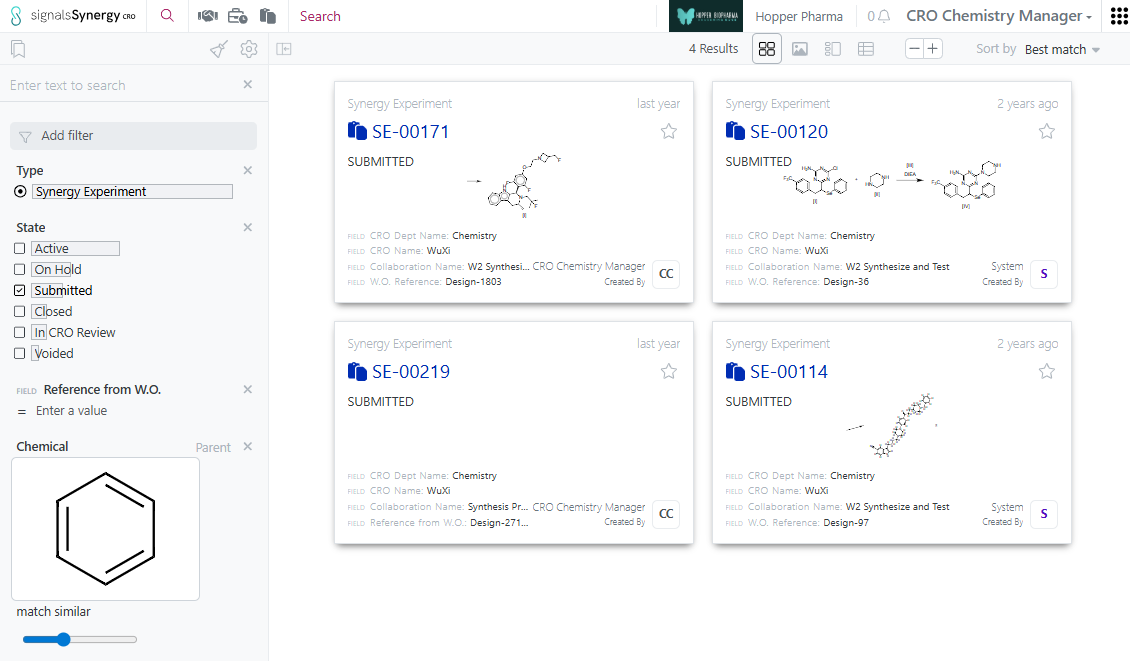
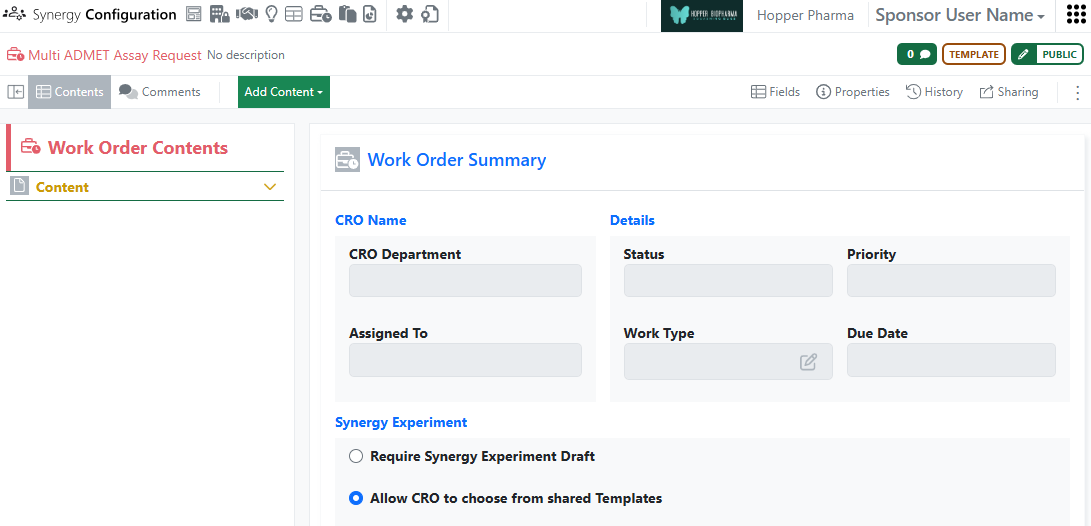
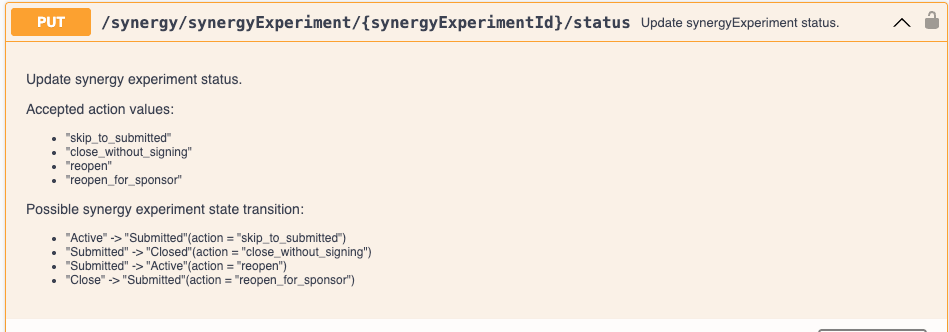
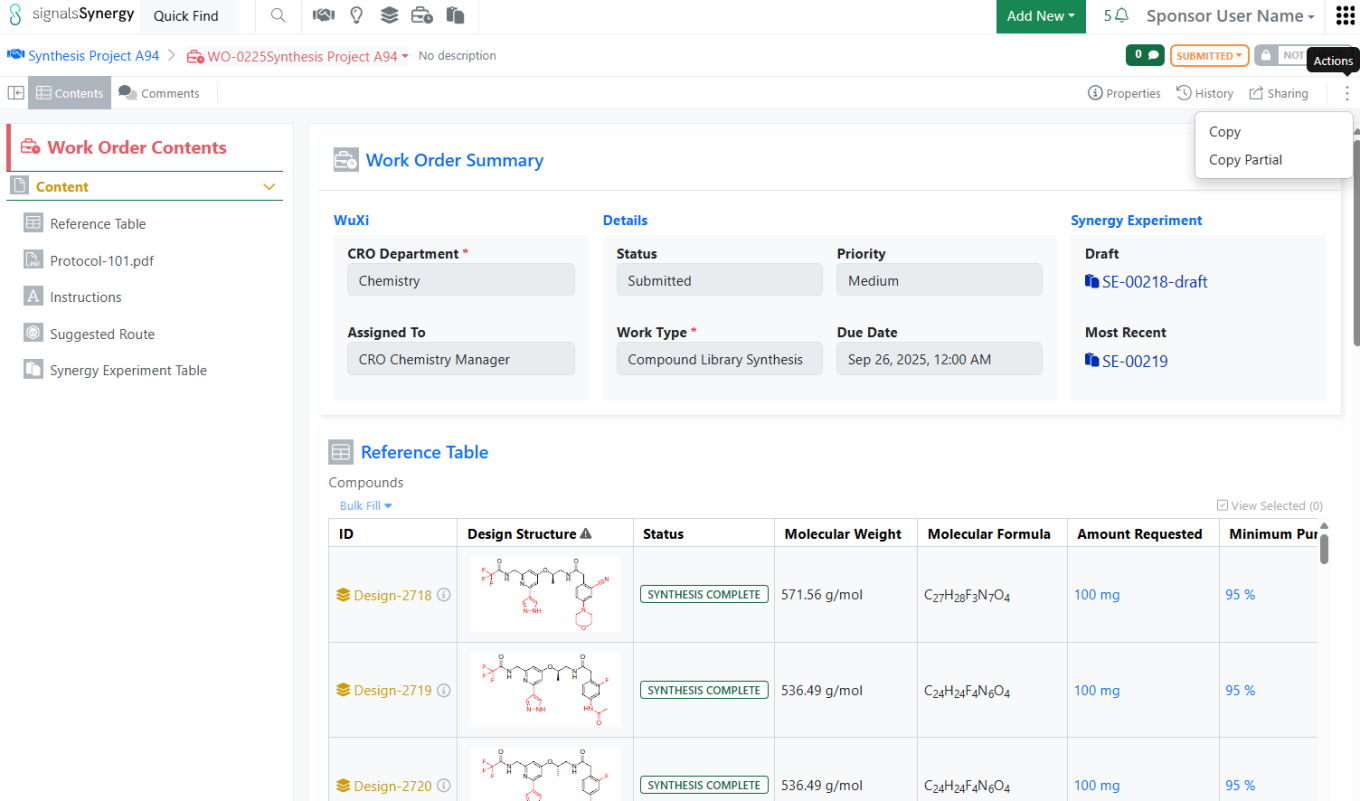
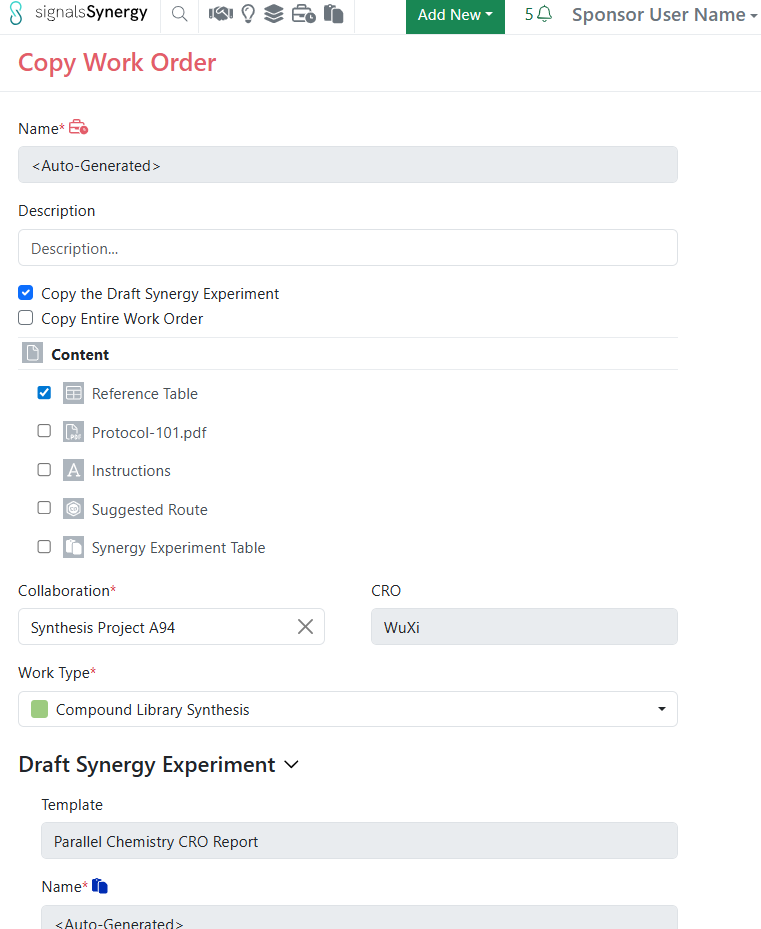
    - Workflow and privilege options to allow CRO users to Close and/or Reopen their Synergy Experiments
    - Global auto-numbering controls for Work Orders
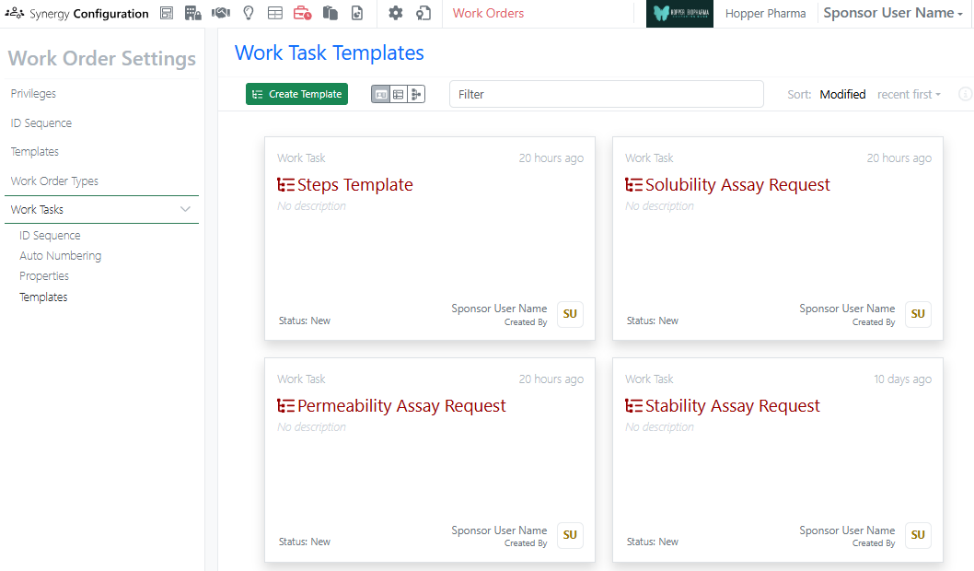
    - Work Tasks in Work Orders is available to all systems
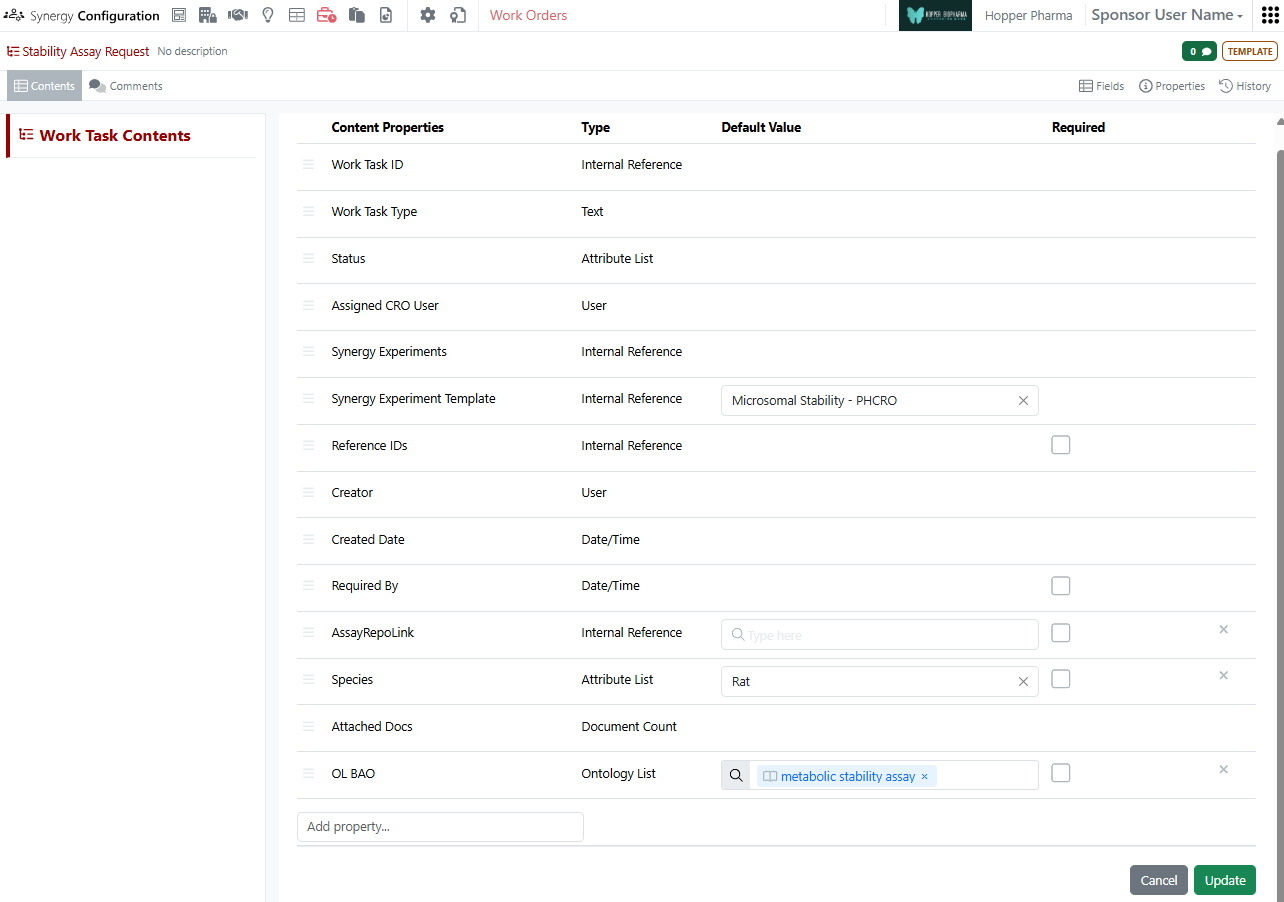
    - Define default values, including Synergy Experiment Template, on Work Tasks Templates is available to all systems
    - Notification to Sponsor administrators when a CRO admin adds or deactivates a CRO user
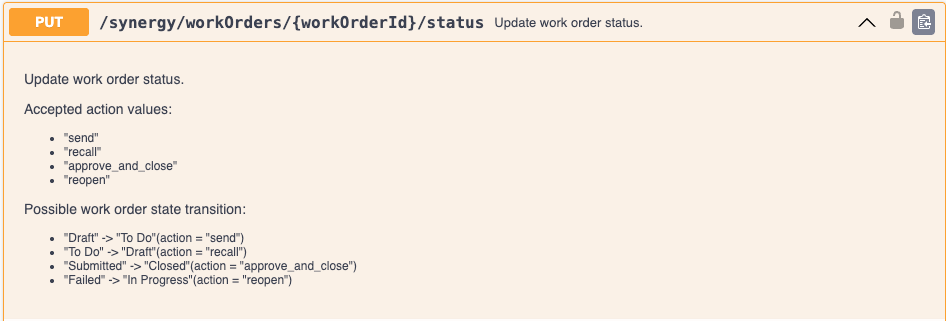
    - Notification to CRO user when a Work Order is recalled
    - Publish Data Exchange Results Tables from Synergy Experiments (beta)
  • Chemistry
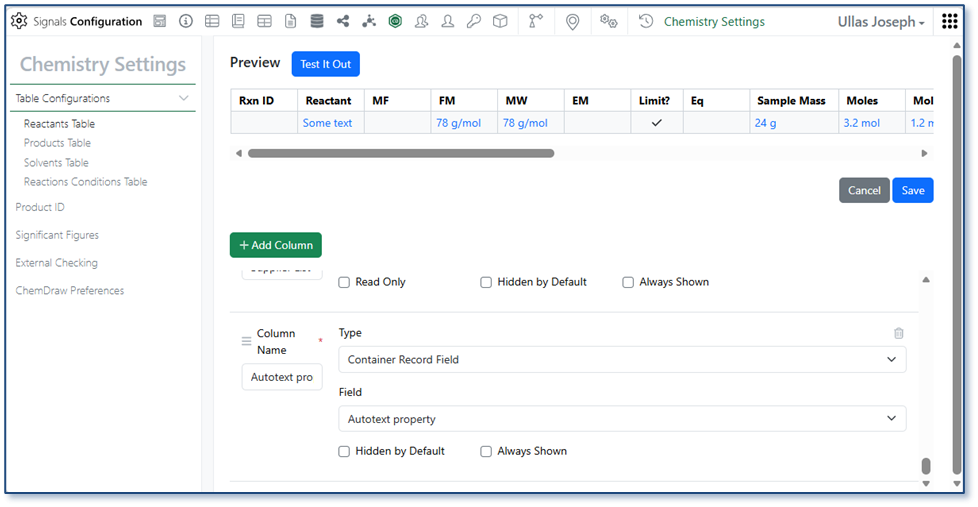
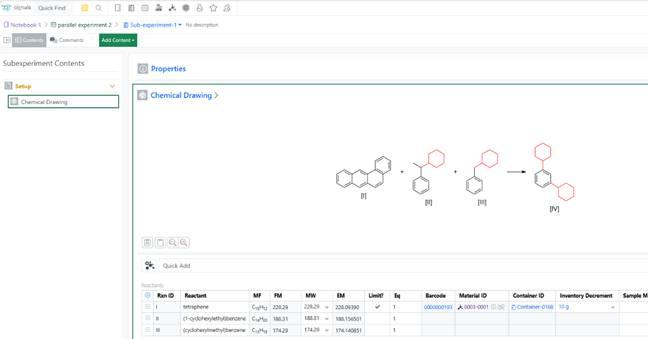
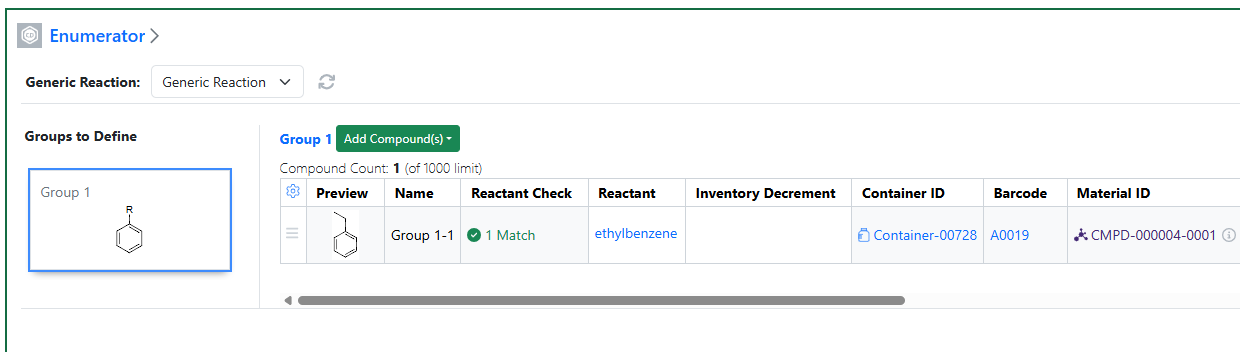
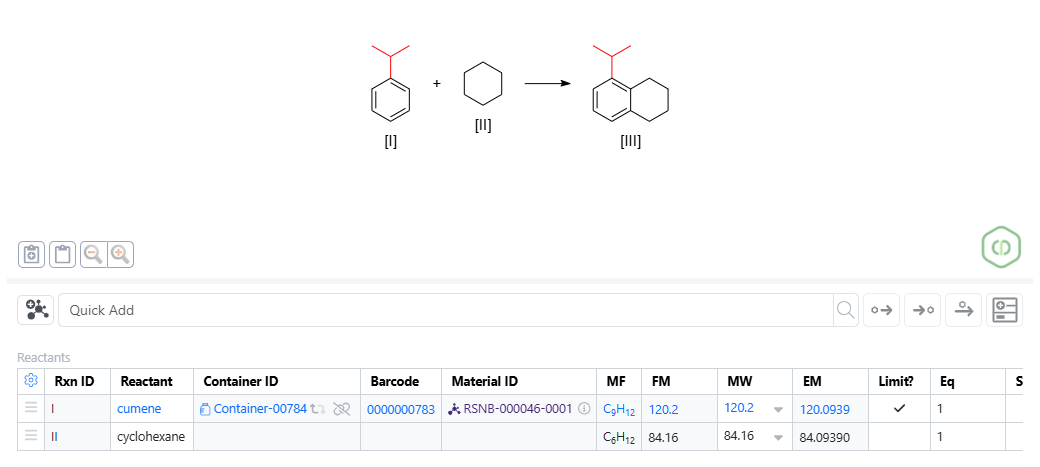
    - Copy individual structures from Reactants or Products tables
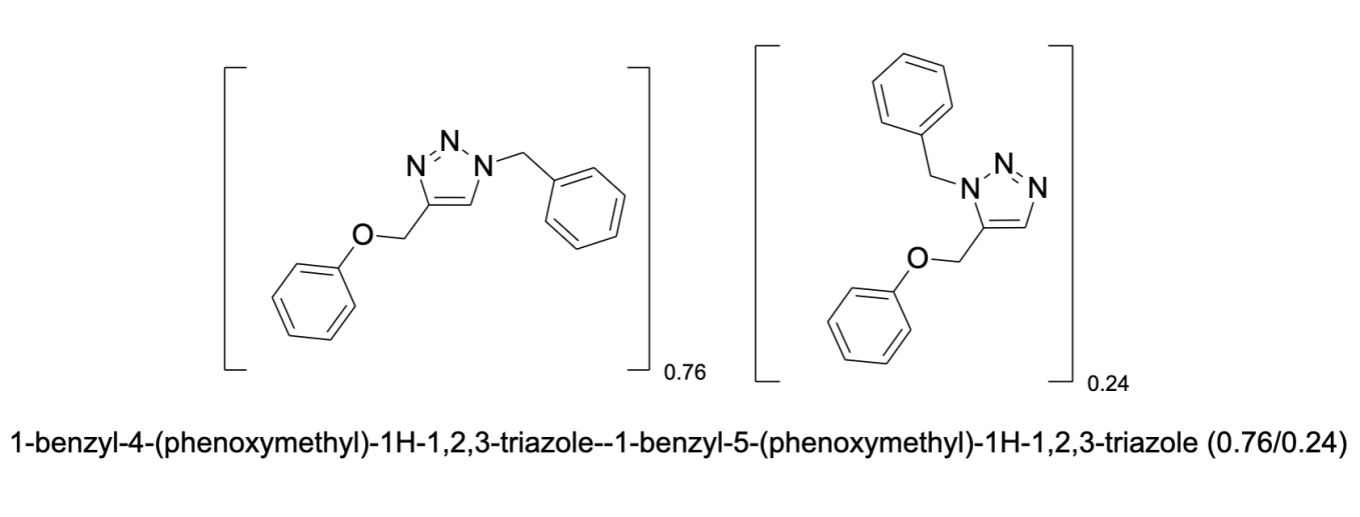
    - Naming of mixtures now reflects component ratios
  • Tables
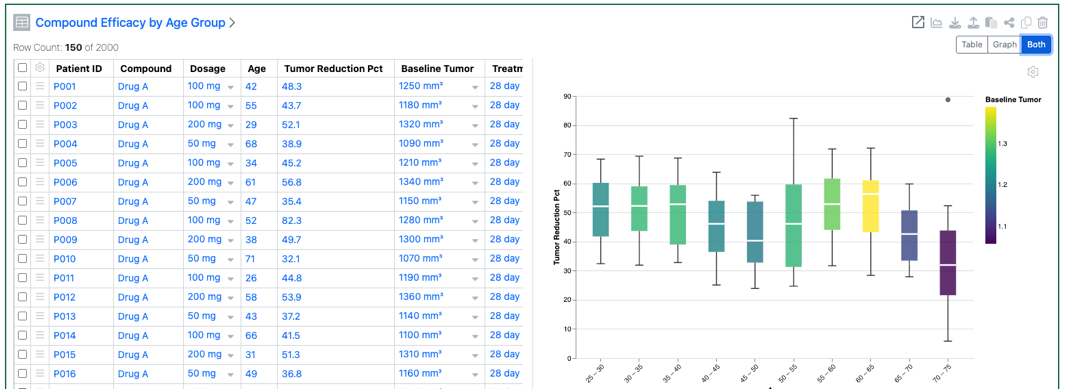
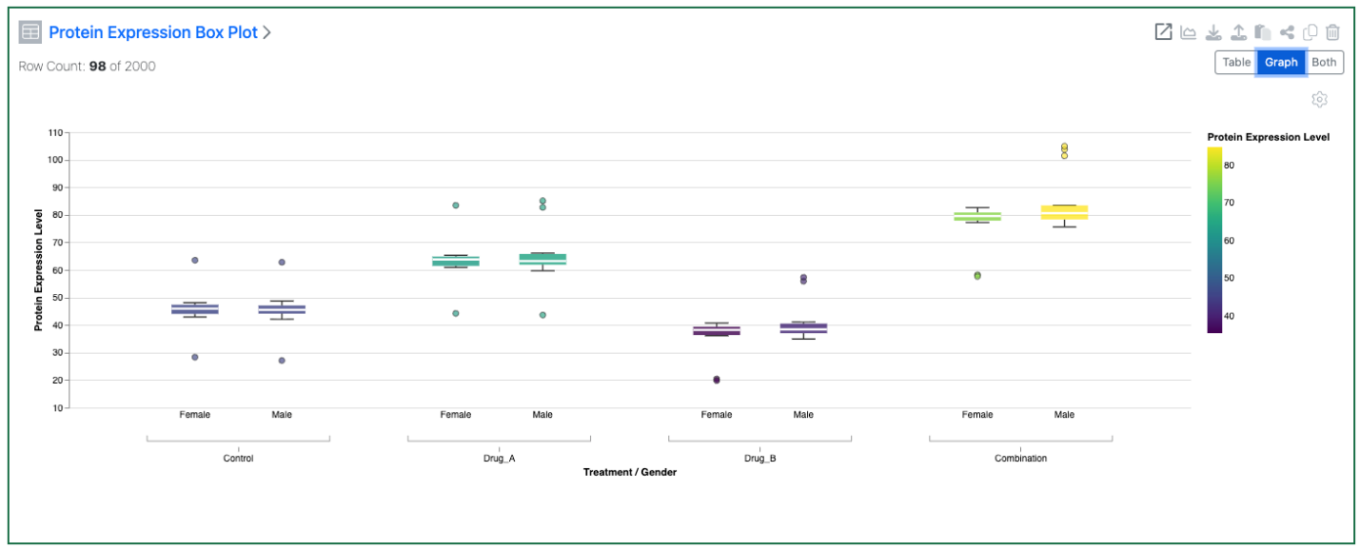
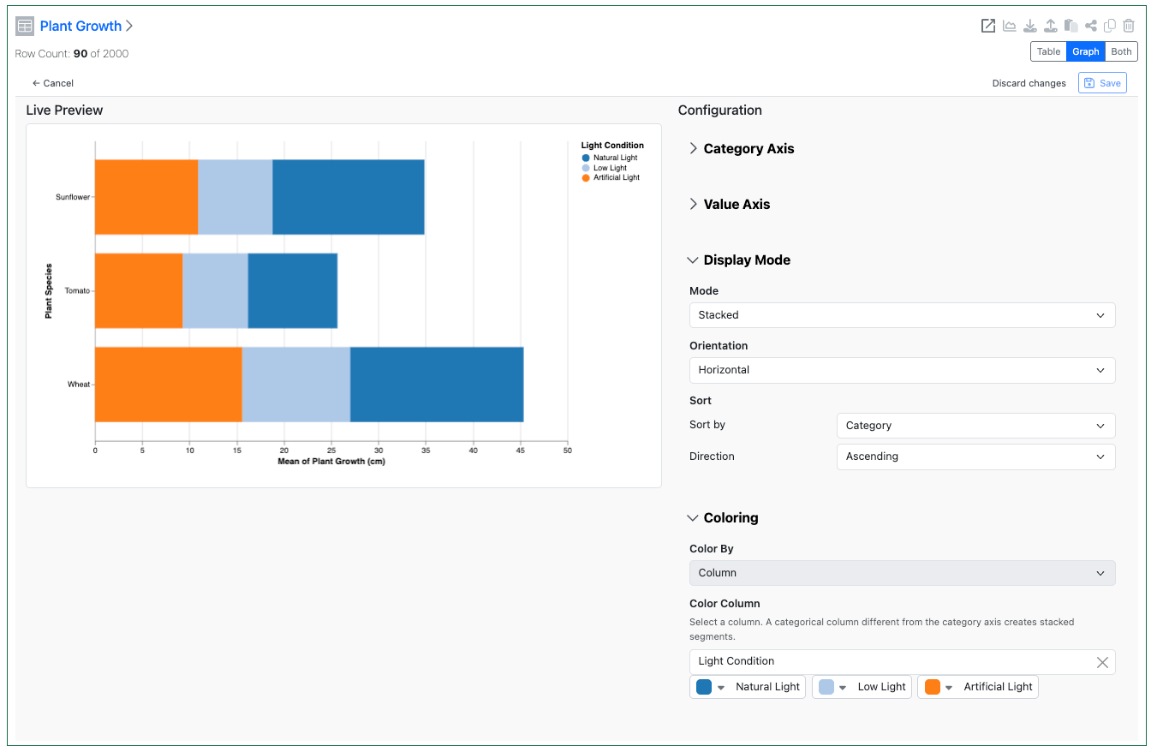
    - Bucketed numerical column can be used for Categorical axis on a Box Plot*
    - Color Box Plots by aggregated numerical values*
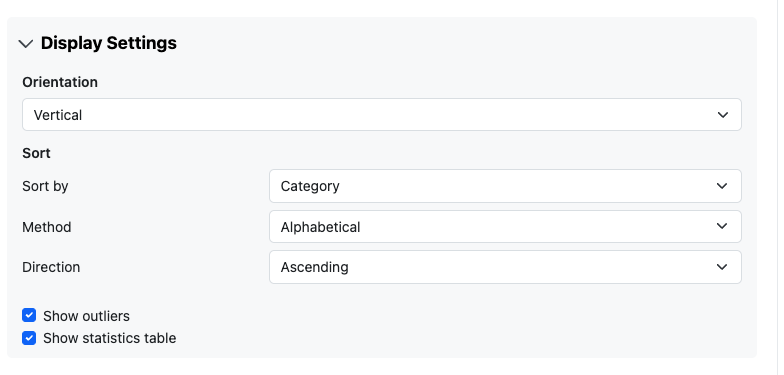
    - Define if outliers are displayed in a Box Plot*
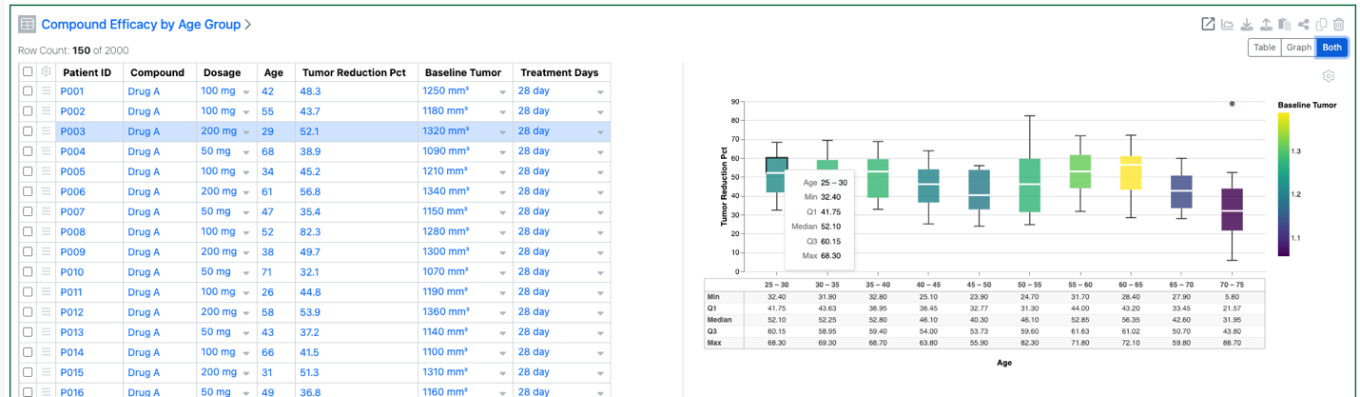
    - Hover over segments in Box Plots to see associated rows*
    - Add a second property to the Categorical axis of Box Plots*
    - Display secondary data of a Box Plot in a table*
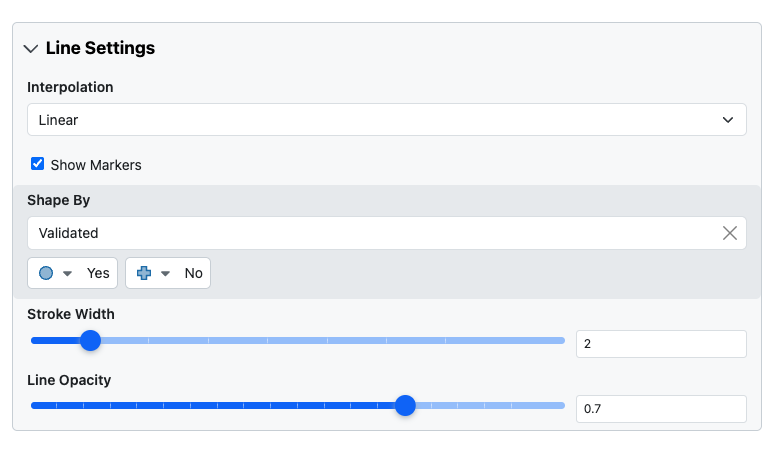
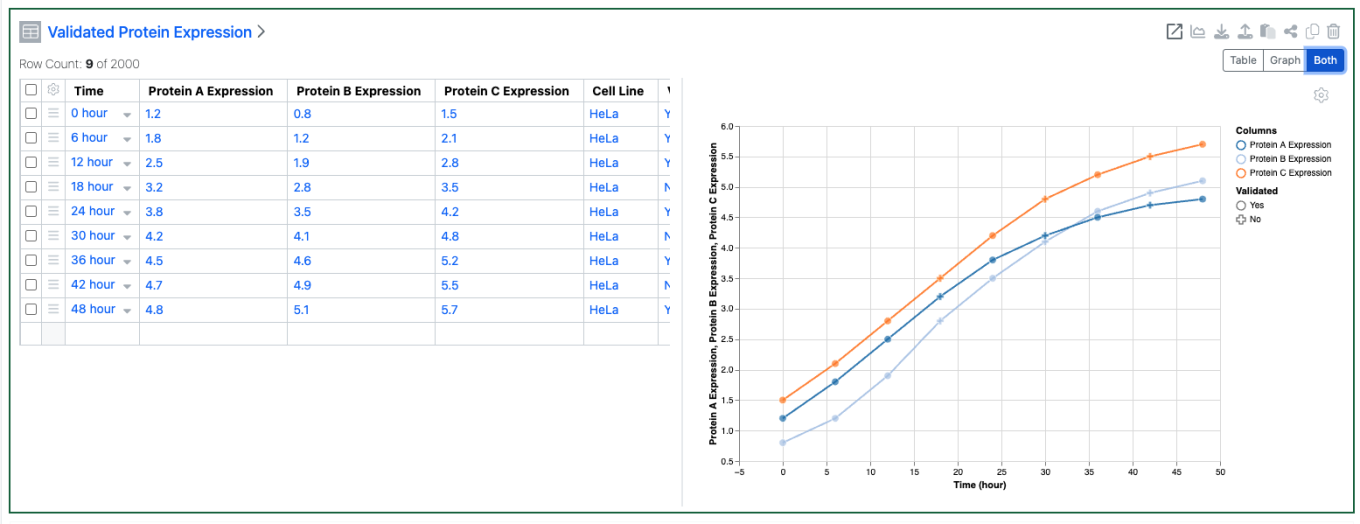
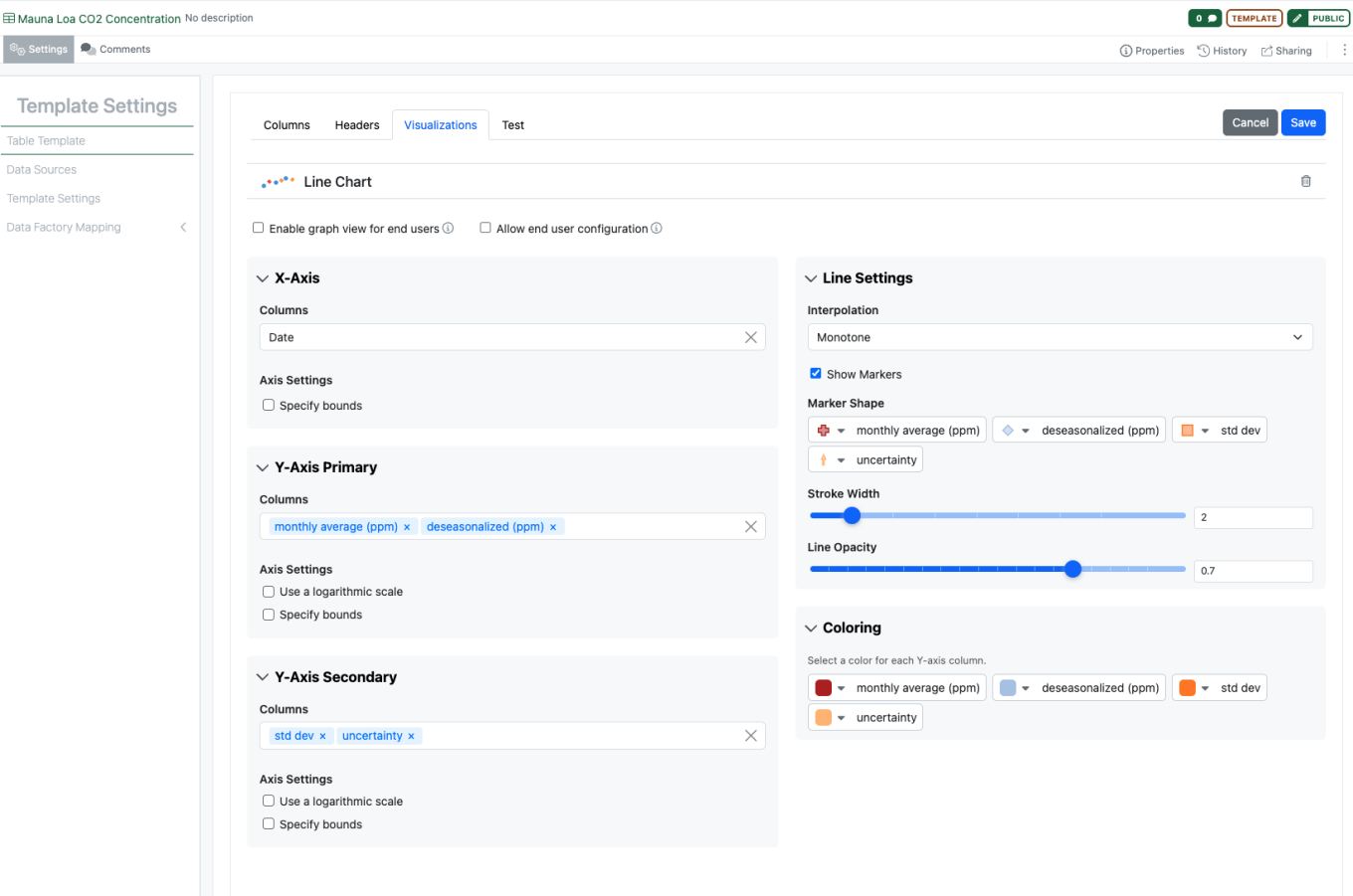
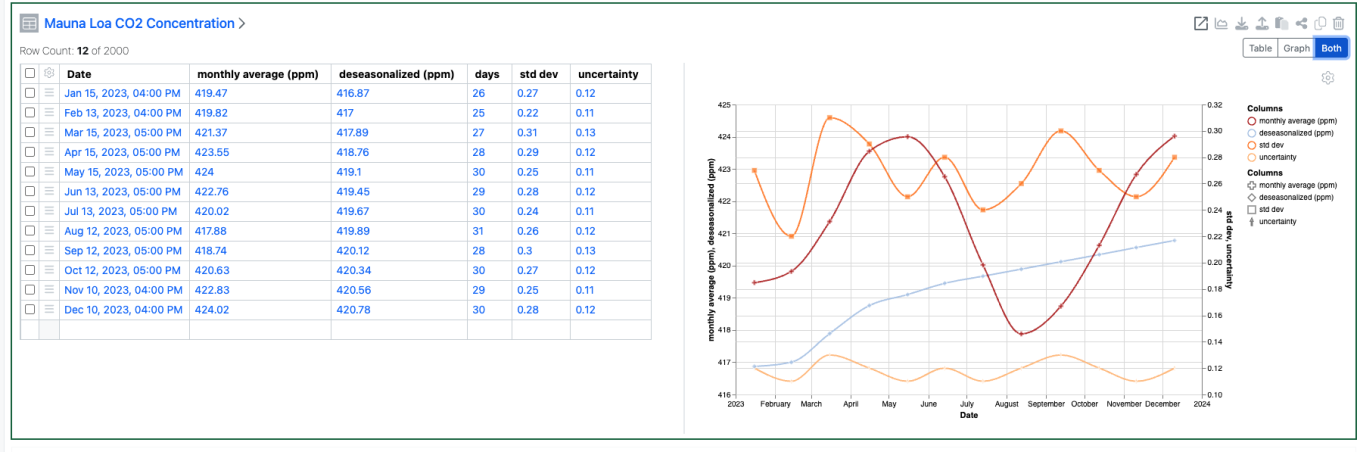
    - Define a categorical column for markers in a Line Chart*
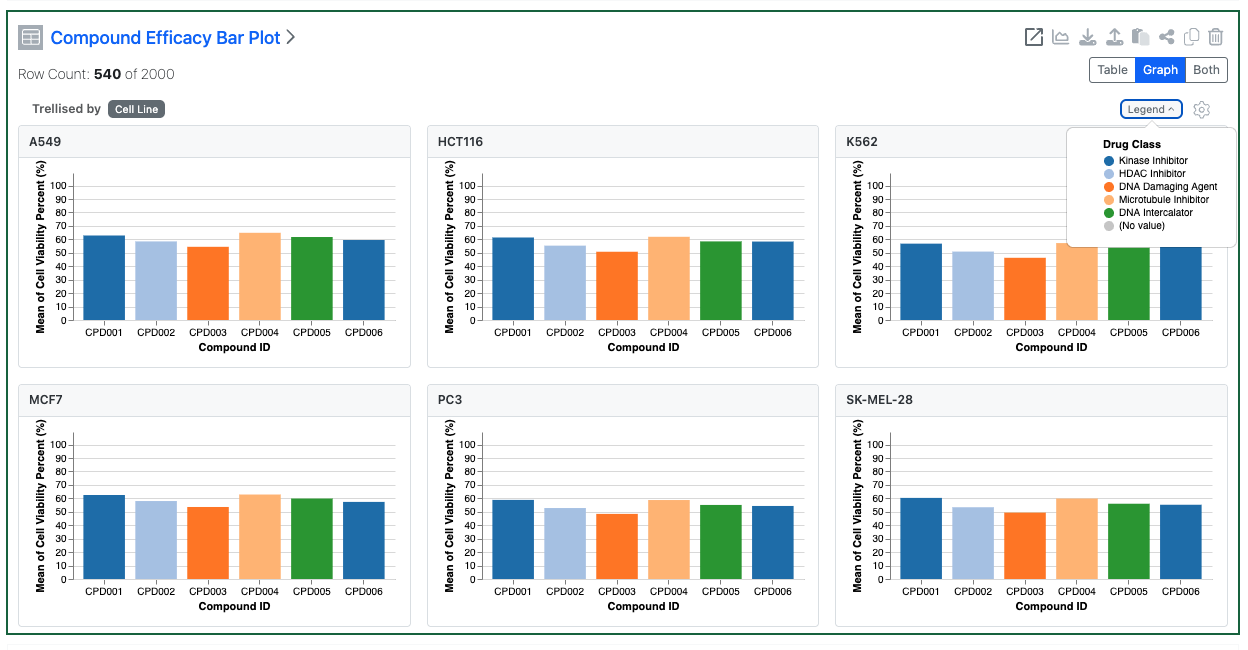
    - Trellis Charts*
  • Inventory
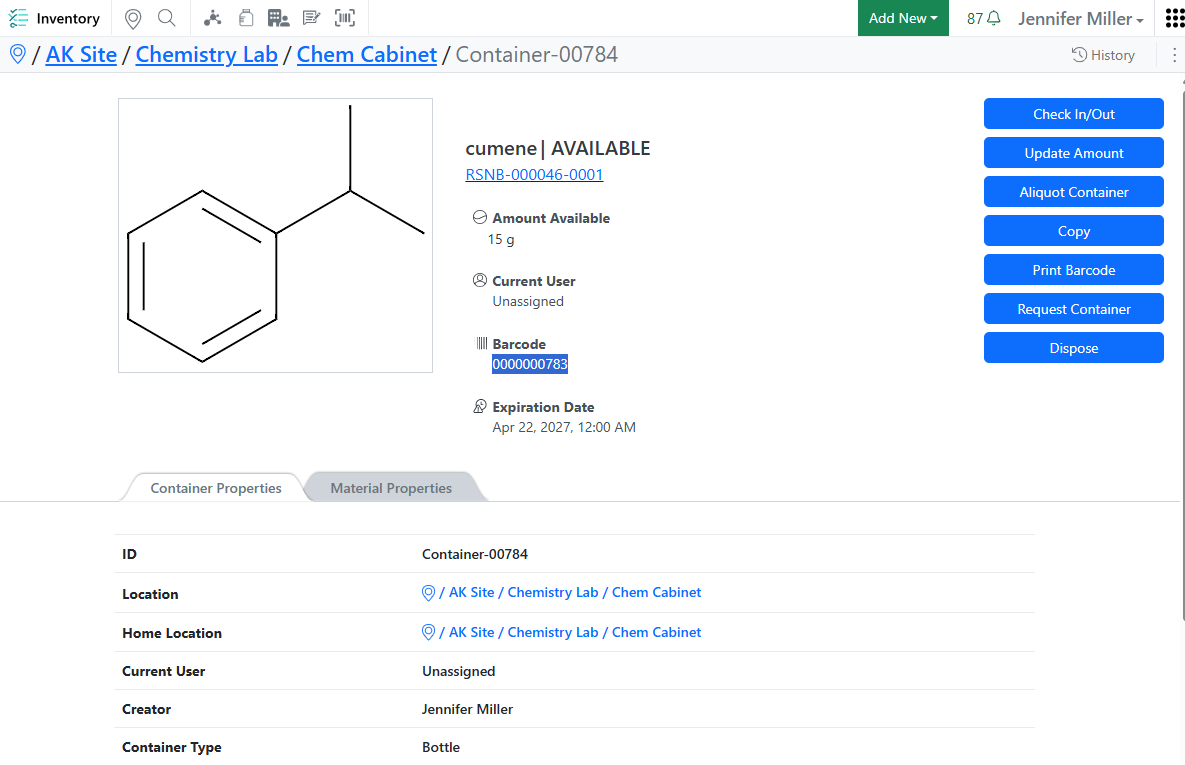
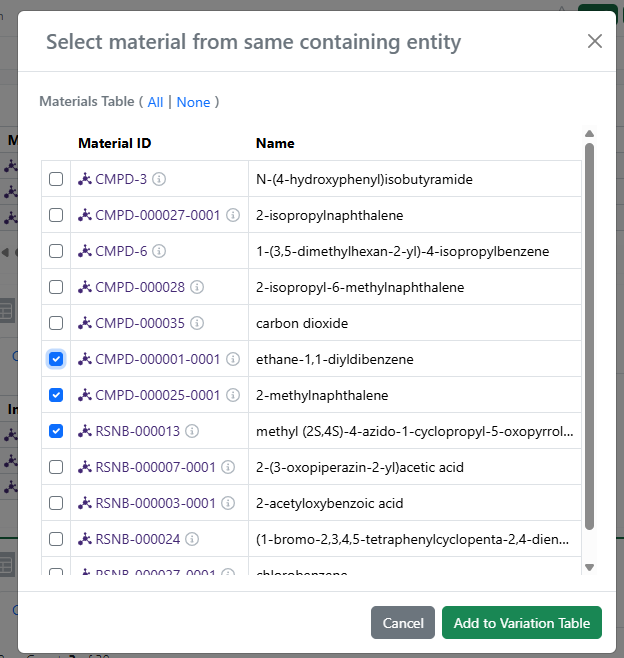
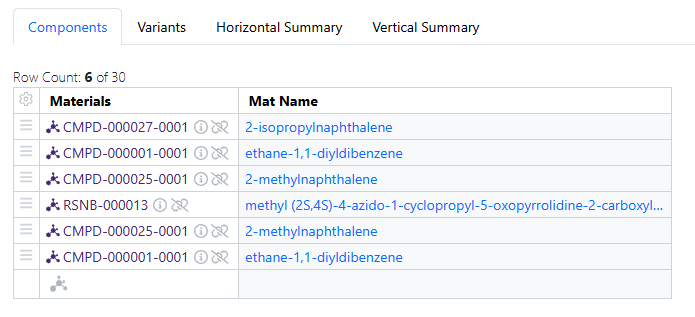
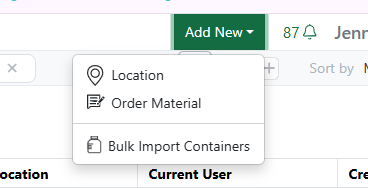
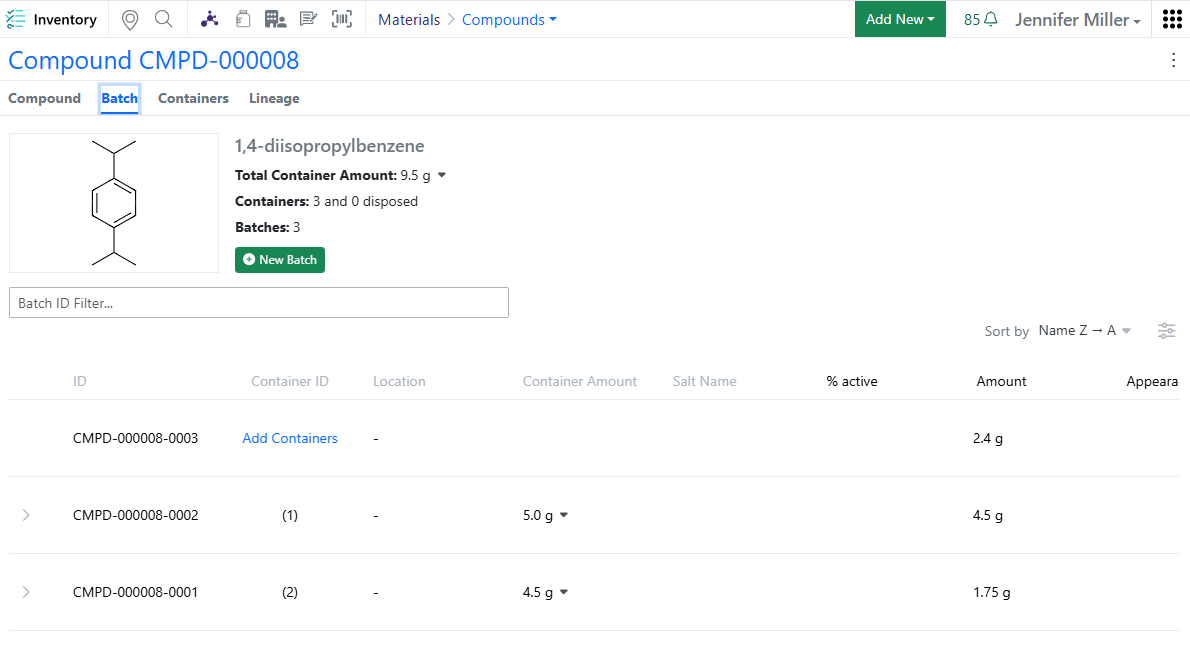
    - View Container Location Details in Stoichiometry and Materials tables
    - Bulk Edit Home Locations with Blank Home Location Support
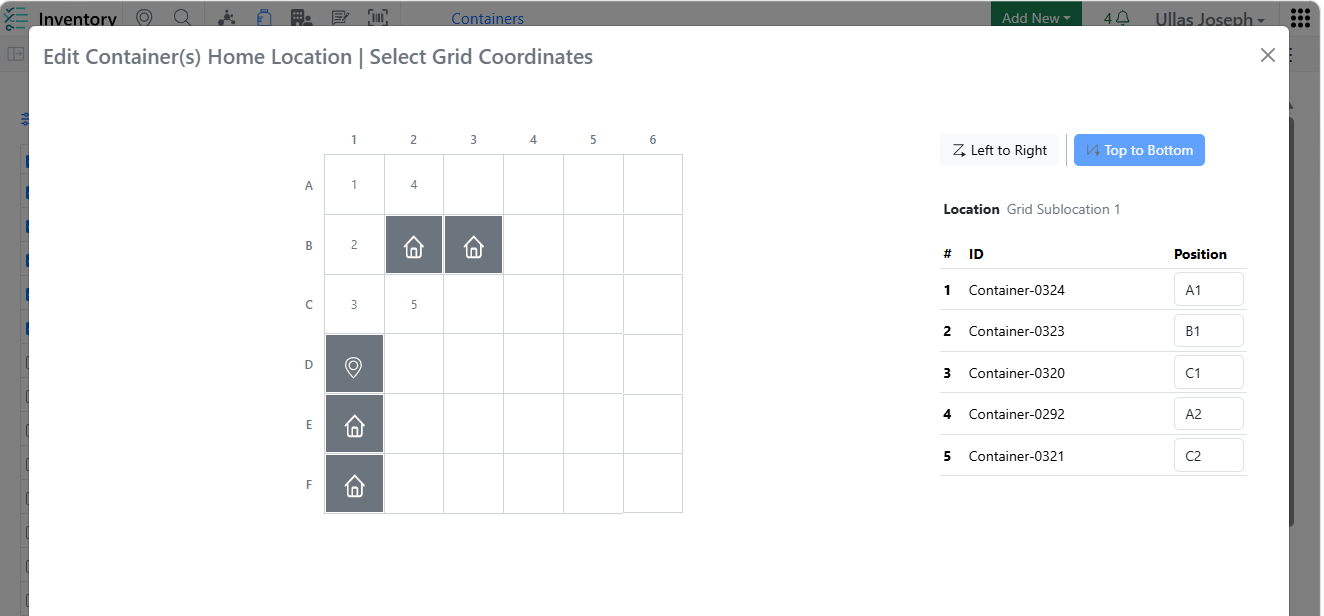
    - Home Location Assignment Enhancements in Create/Edit Grid Location and Bulk Edit workflows with visual indicators and validation to ensure Home Location uniqueness
    - Improved Auto Fill Grids logic to automatically select occupied grid cells and skip only cells that are already assigned as Home Locations
    - Added row-level warning indicators in Inventory Decrement Auto Fill to clearly identify containers that are ineligible for inventory decrement
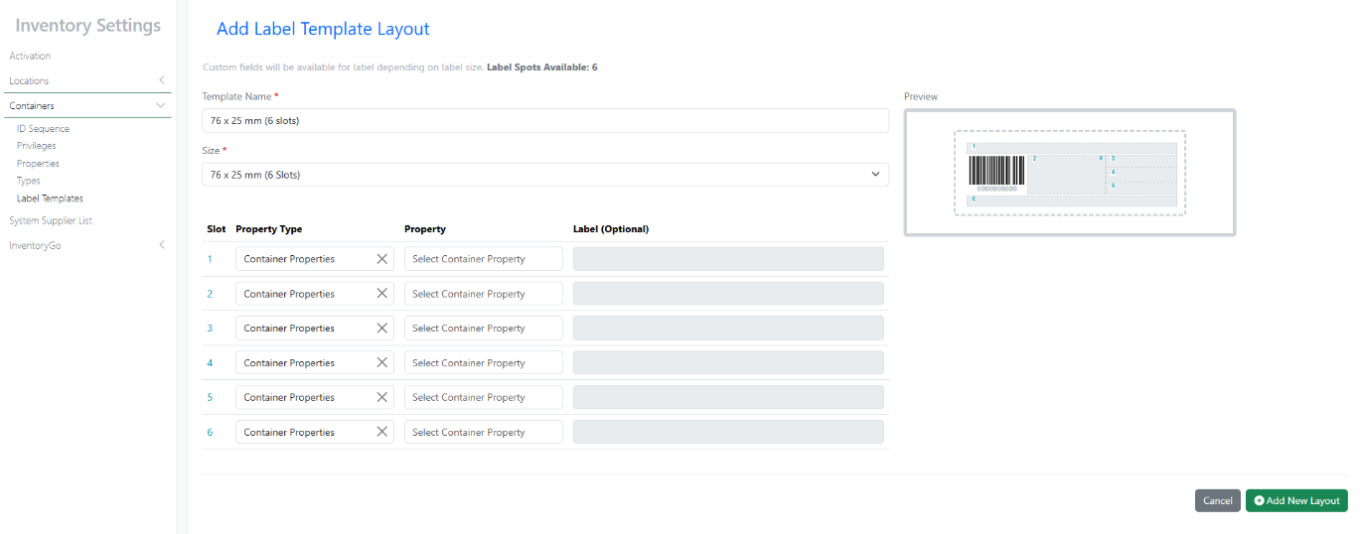
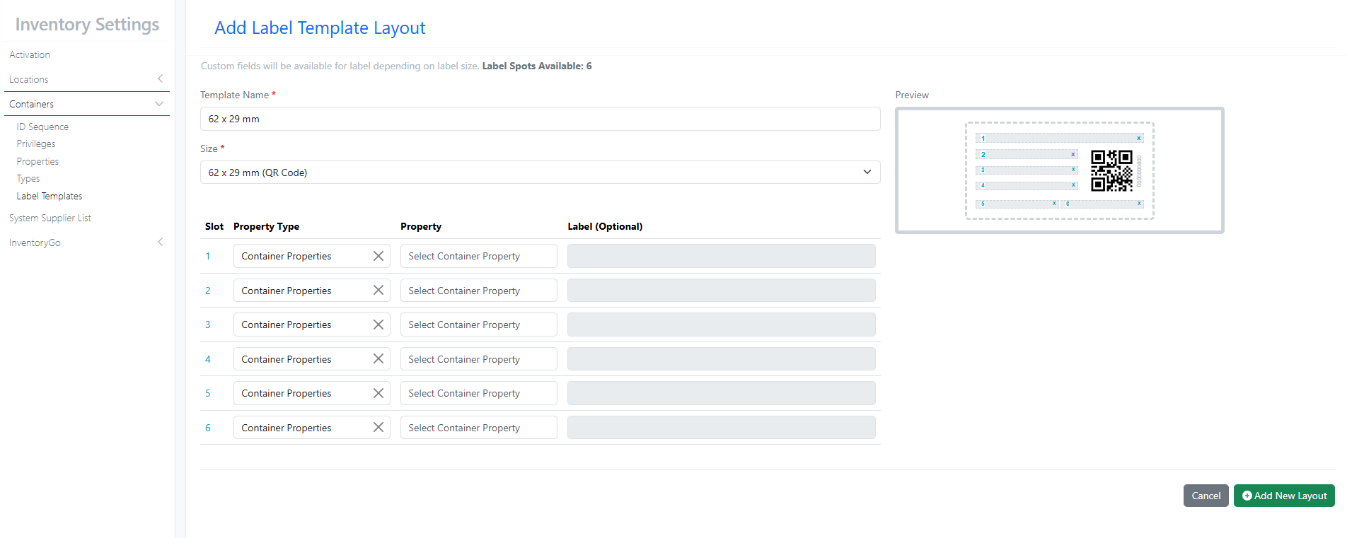
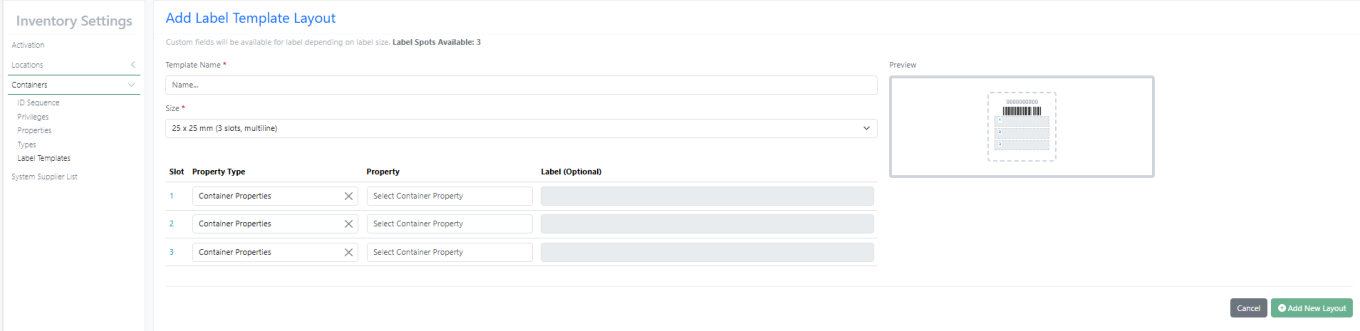
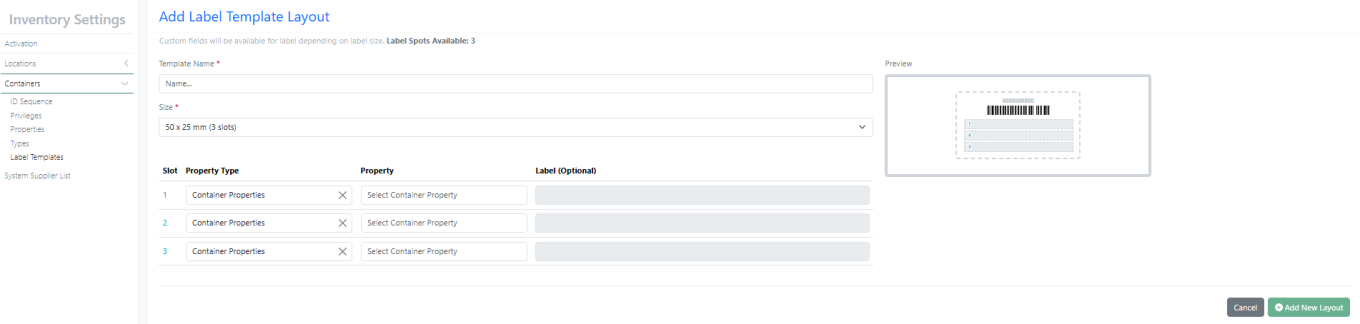
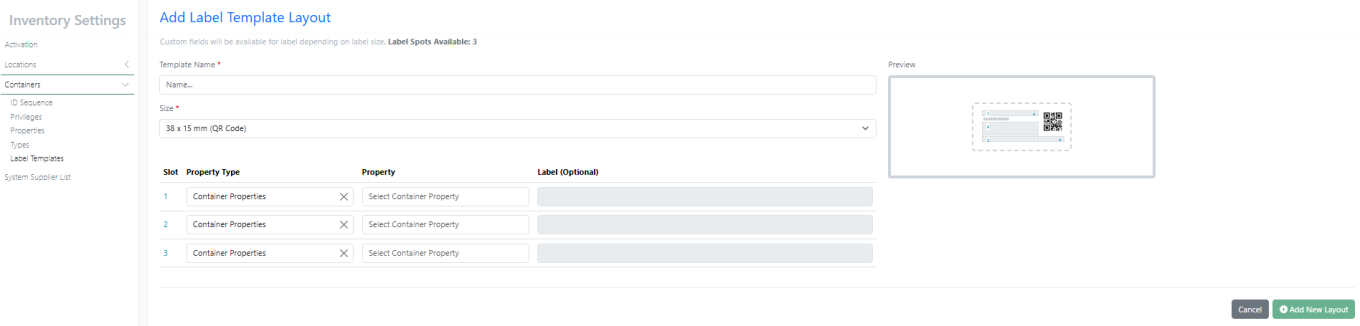
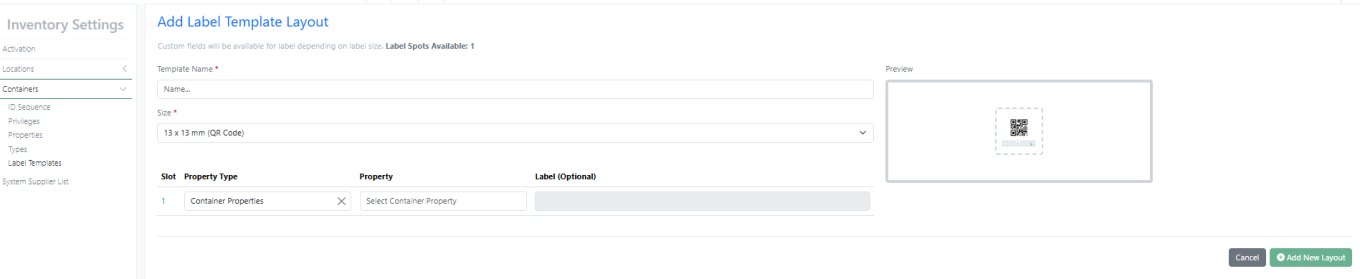
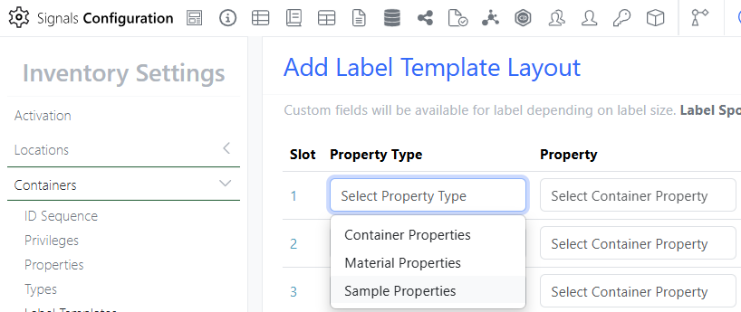
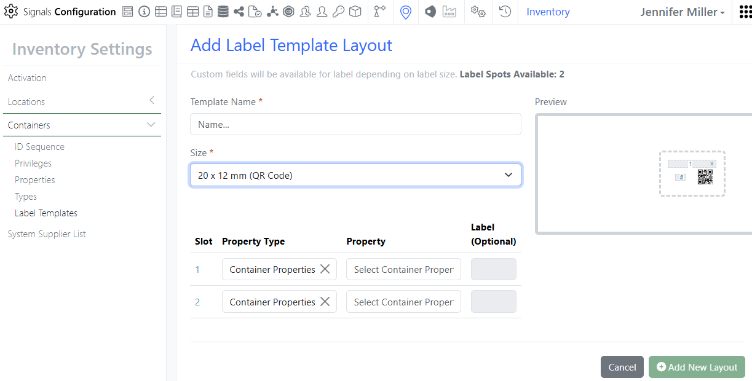
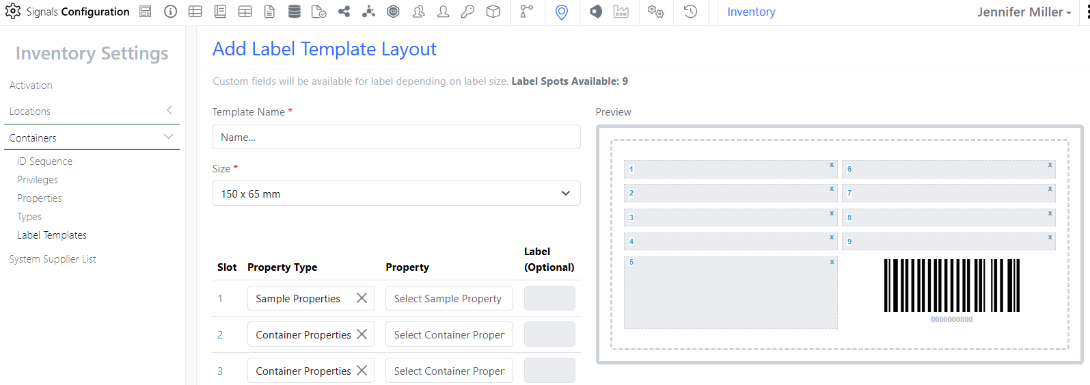
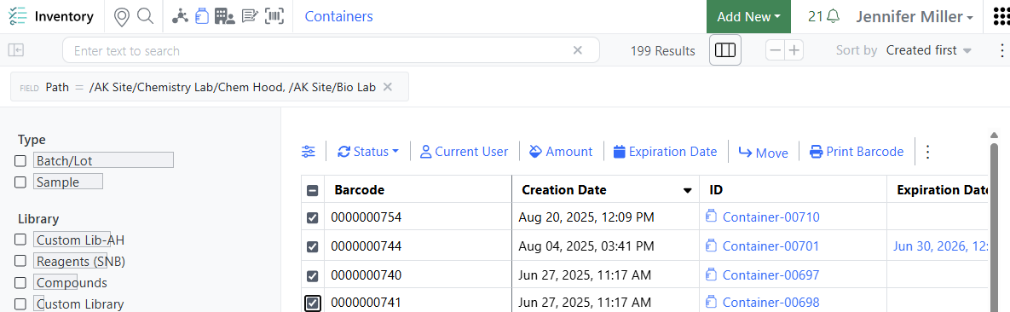
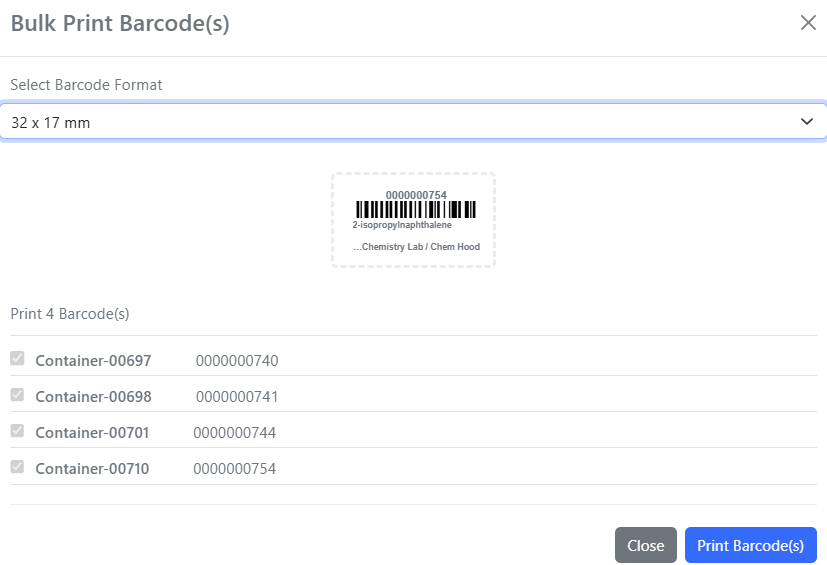
    - New Label Templates (76×25 mm (6 slots) & 62×29 mm QR)
  • InventoryGo ‡
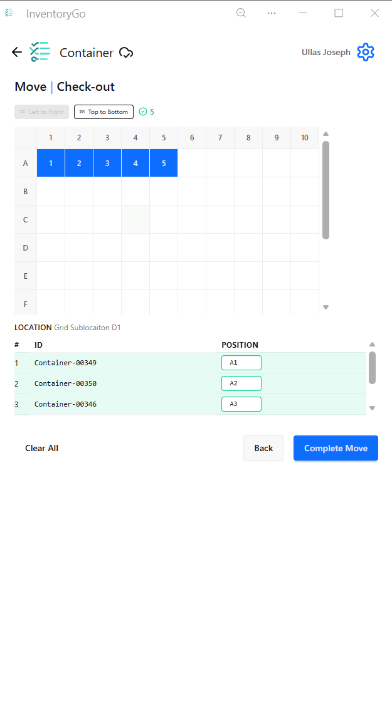
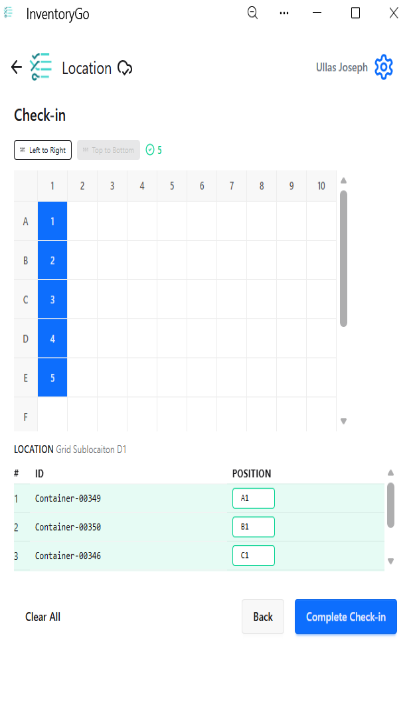
    - Grid Position Selection During Check In/Out
    - Material ID & Expiration Date in Reconciliation Reports
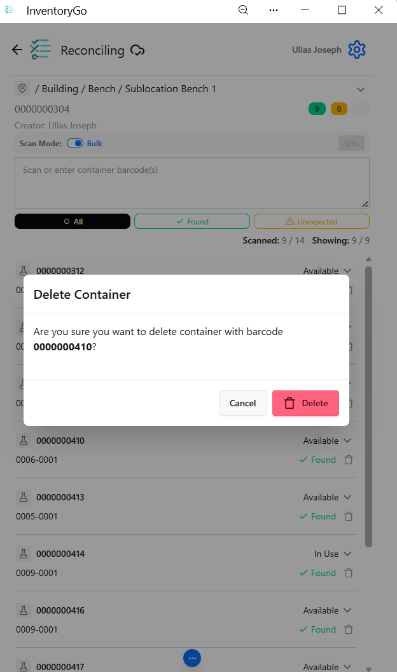
    - Confirmation Prompts for Delete in Reconciliation Actions and Consume workflow
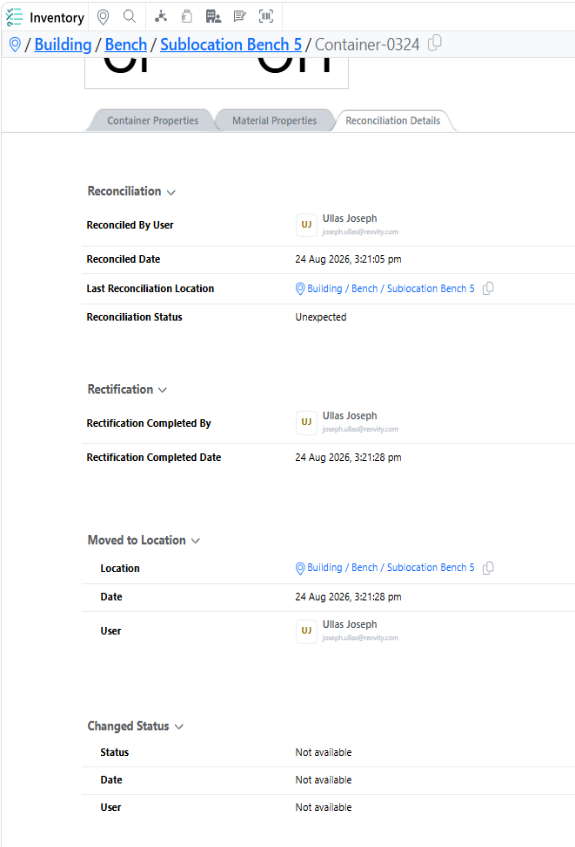
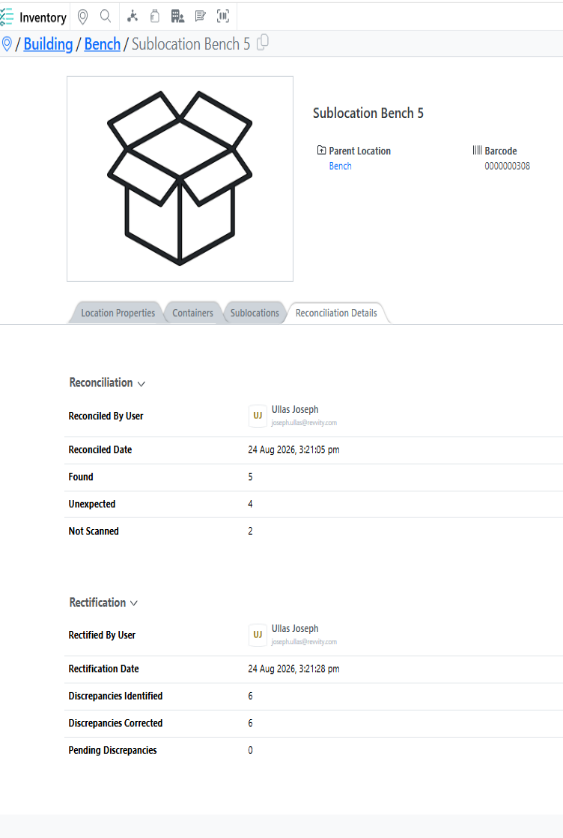
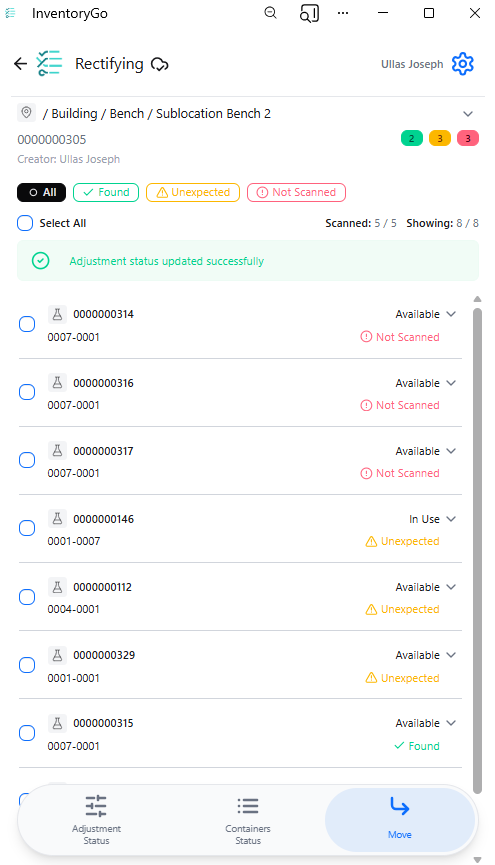
    - Reconciliation Details in Inventory Application for both Locations and Container
  • Tasks and Requests
    - Complete Task within same experiment
  • Administration
    - Access Data Factory audit events from the Signals audit log*
    - Selective export for configuration migration is available to all systems
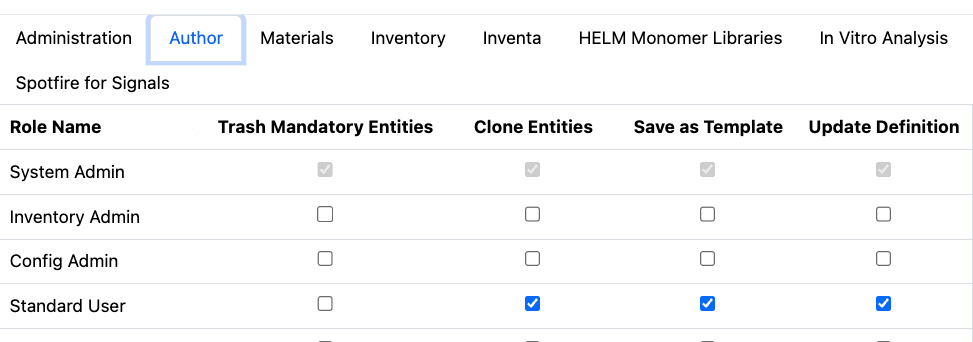
    - A matching Configuration Report (PDF) generates based on selective configuration export is available to all systems
  • Integrations & APIs
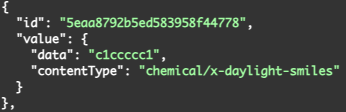
    - Revoke Bearer tokens AP
    - Expanded Chemical Structures output for Material Fetch API
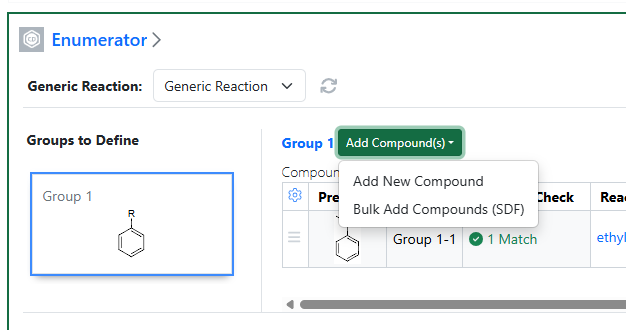
    - RDF Files support for External Enumerator API 
    - Fetch Parser Definitions API
  • Xynthetica* 
    - ChemCharts access for RDKit, Percepta, and Tunelab models (beta)

* Requires Signals One license

† Requires Signals Synergy license

‡ Requires InventoryGo license

We also fixed several small bugs in this release. Details of the enhancements are described below.

The following OnDemand videos for Signals Synergy are now available

  • Configuring Initial & Ongoing Signals Synergy Needs
  • Understanding Fundamental Concepts for Signals Synergy

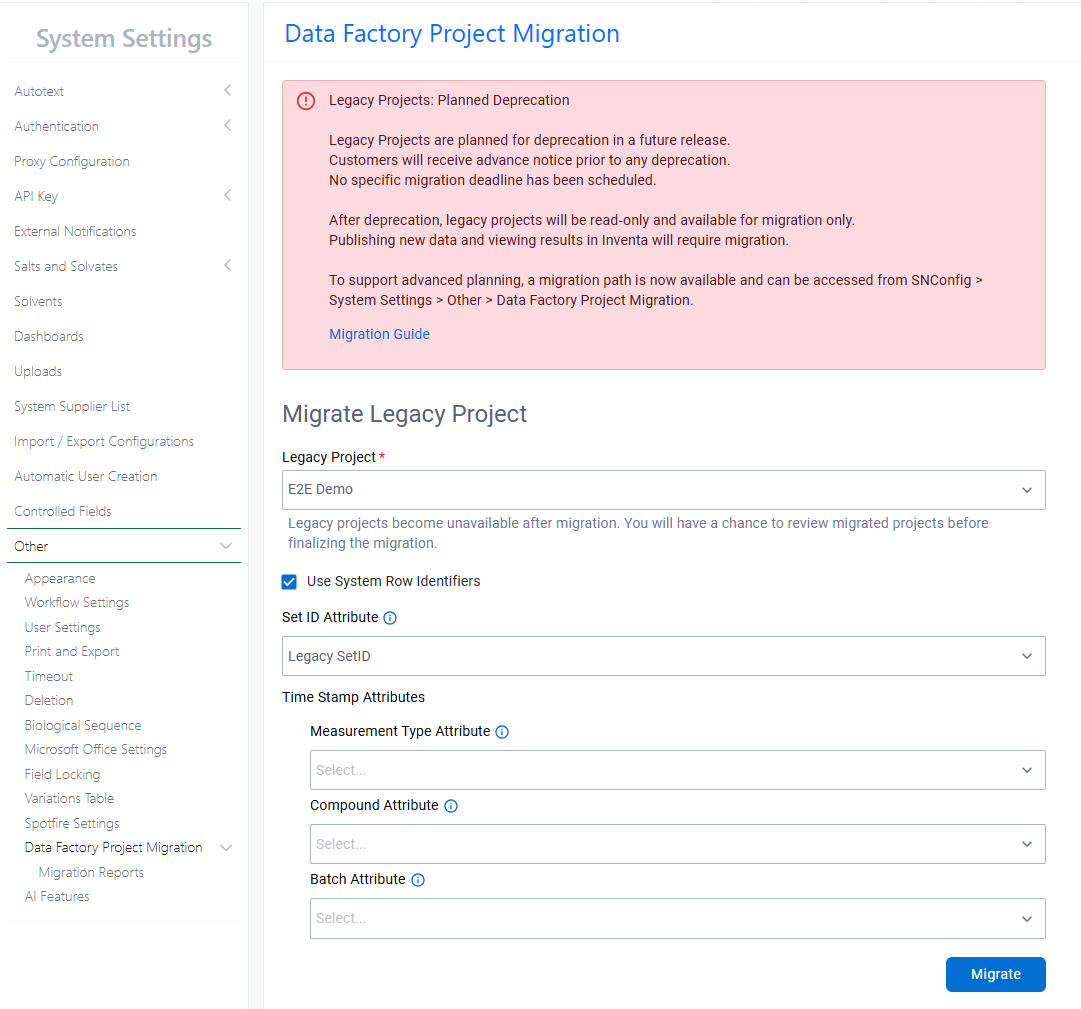
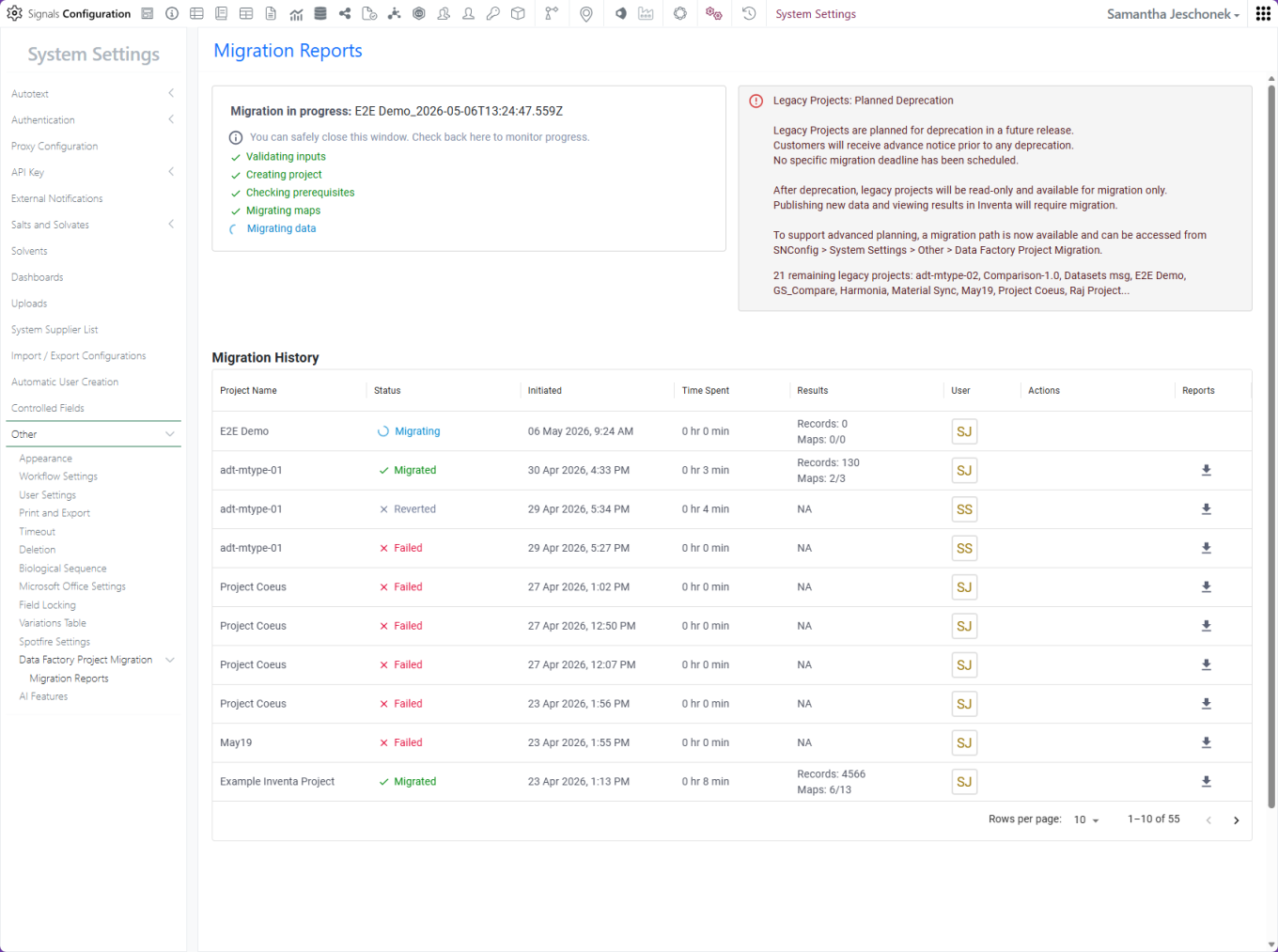
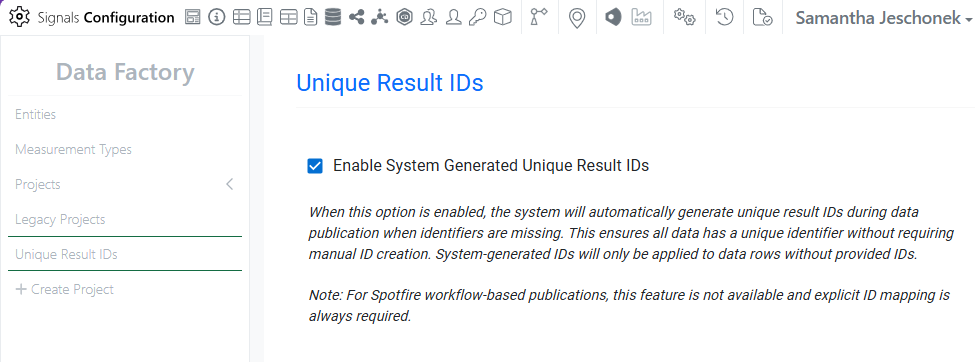
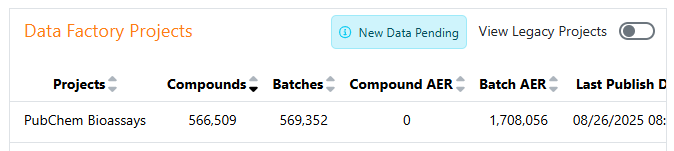
Data Factory Administrators should complete migration of legacy data factory projects before 27.4; after this, legacy projects will become read-only and no longer support data publication.

Data Factory administrators should also note that the Advanced Security policies in Inventa apply an “AND” logic across all user groups, restricting access if any groups lack permissions. This behavior differs from the standard Signals security model and will be fixed to align with the standard in a future release.

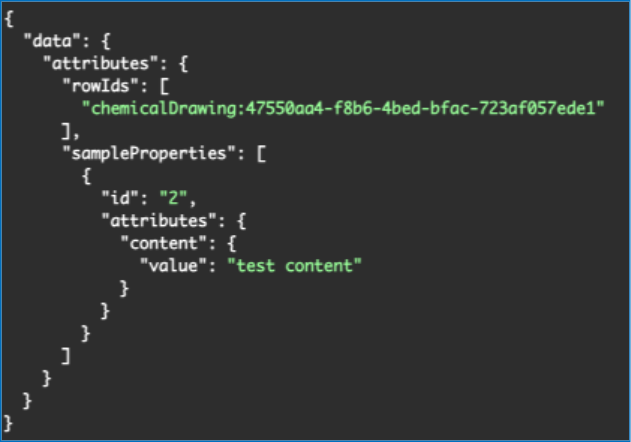
Developers should note that starting in the upcoming 26.8 release, fetching structure data will no longer provide the InChI property for new chemicalDrawing records. Instead, a new property, SMILES, will be provided. Please update any downstream integrations to prepare for using the SMILES field instead of InChI.

Administrators are recommended to subscribe to the channels within our support news site found at https://support.revvitysignals.com/hc/en-us/categories/360004446171-Support-News which contains more information about releases and other pertinent product information.

This content is anticipated for release on our Production E3 environments, and for Private Cloud customers on our deferred release schedule, in March 2027.

Further Details

The following improvements are available for users, administrators and developers on the Signals platform. Certain features may only be available with appropriate licensing and/or with enablement by an administrator.

Fundamentals
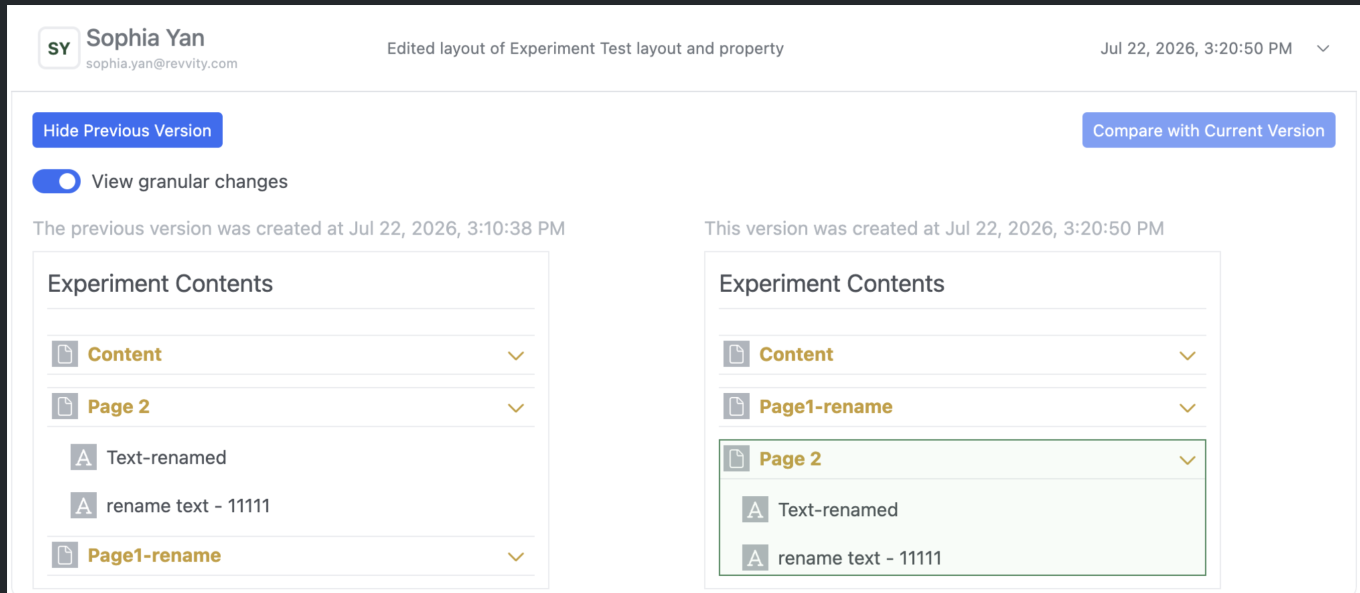
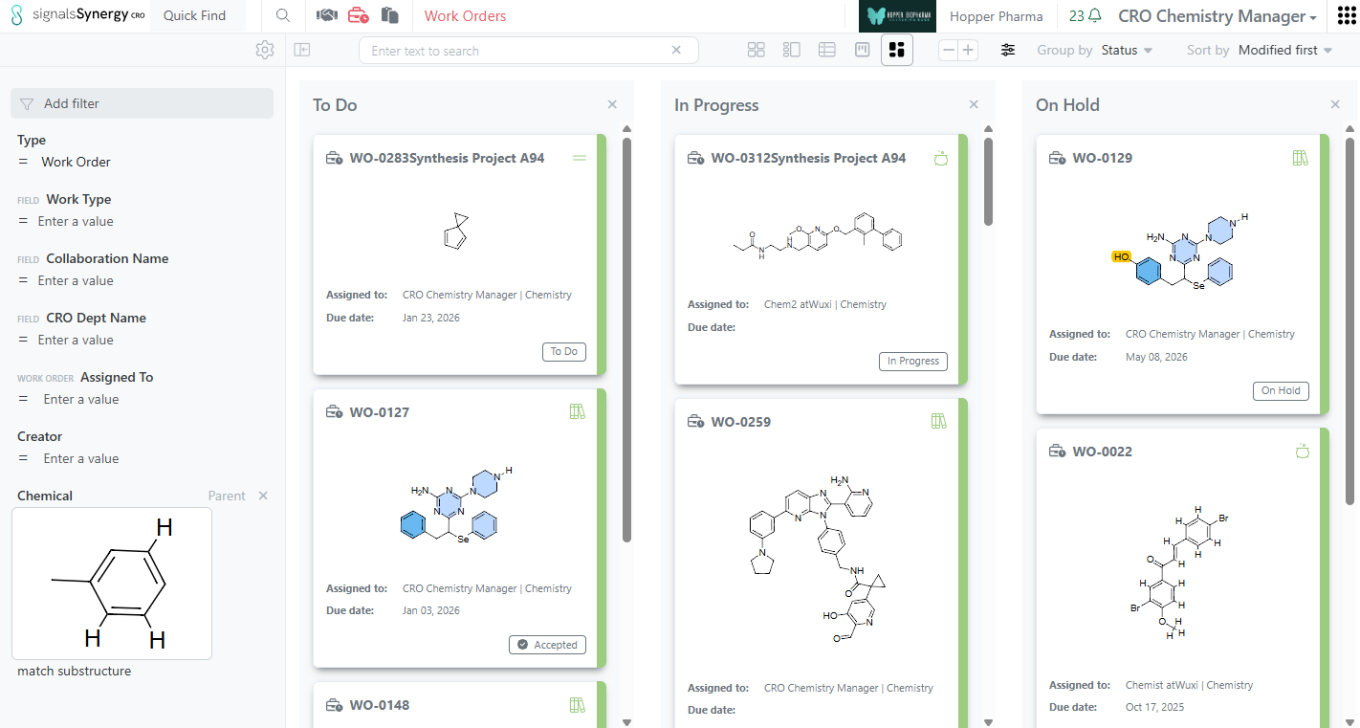
Image 1 from What's New 26.7_finalupdatedv2.docx
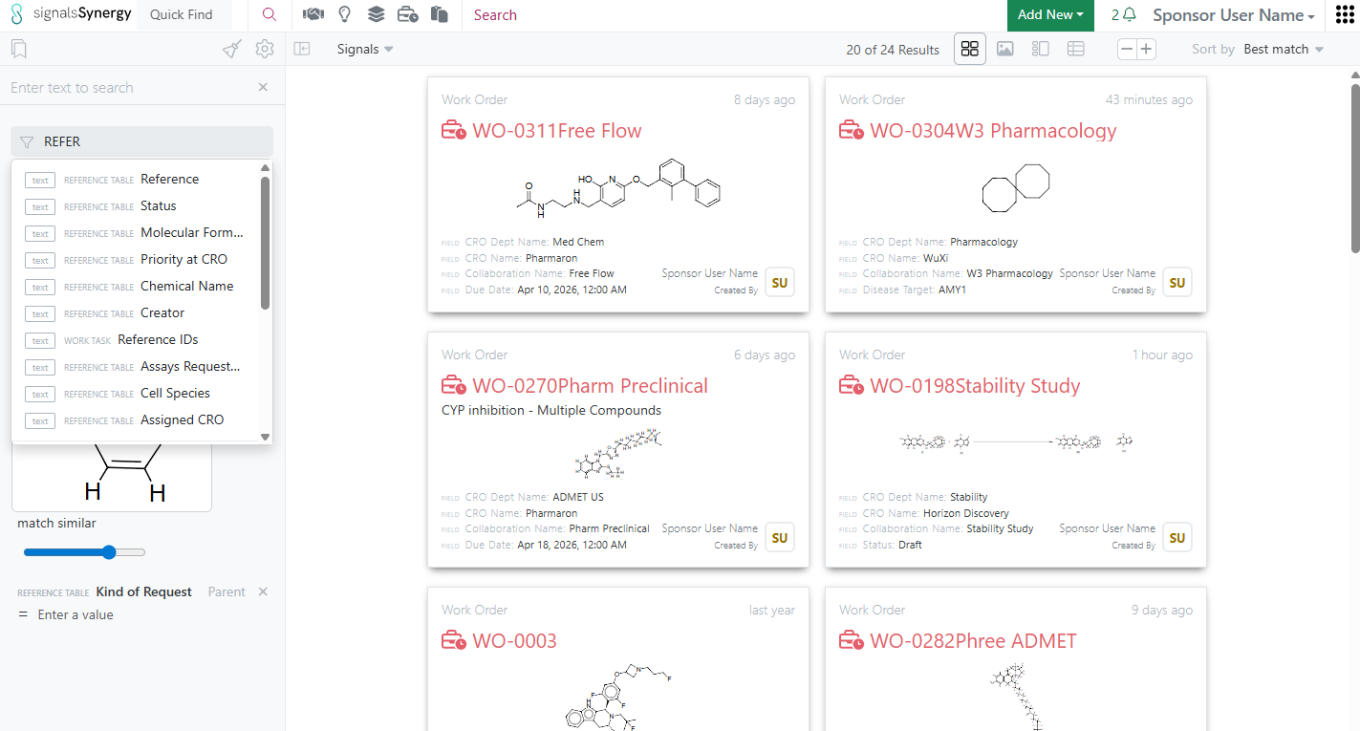
Image 2 from What's New 26.7_finalupdatedv2.docx

Performance improvements to the External Enumerator were completed. Performance for large enumerations was drastically improved.

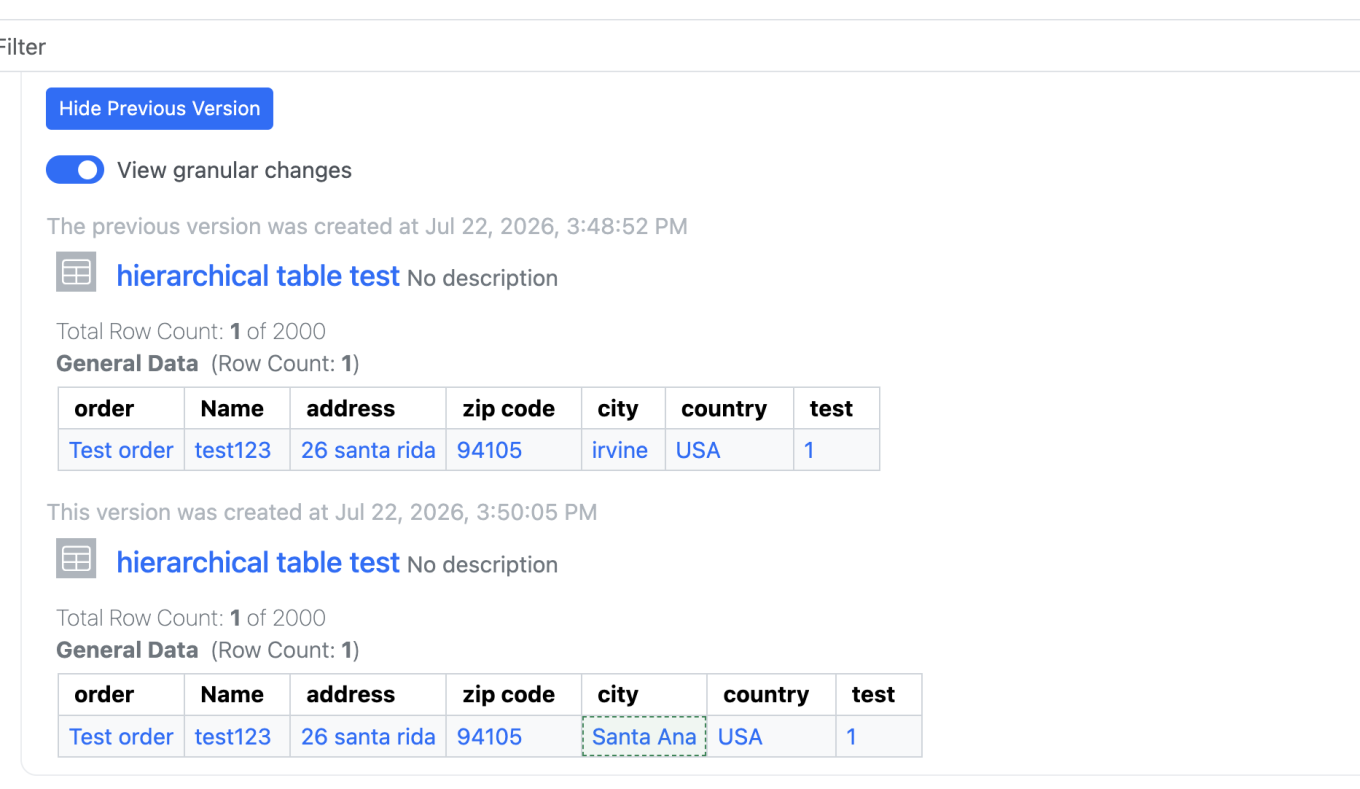
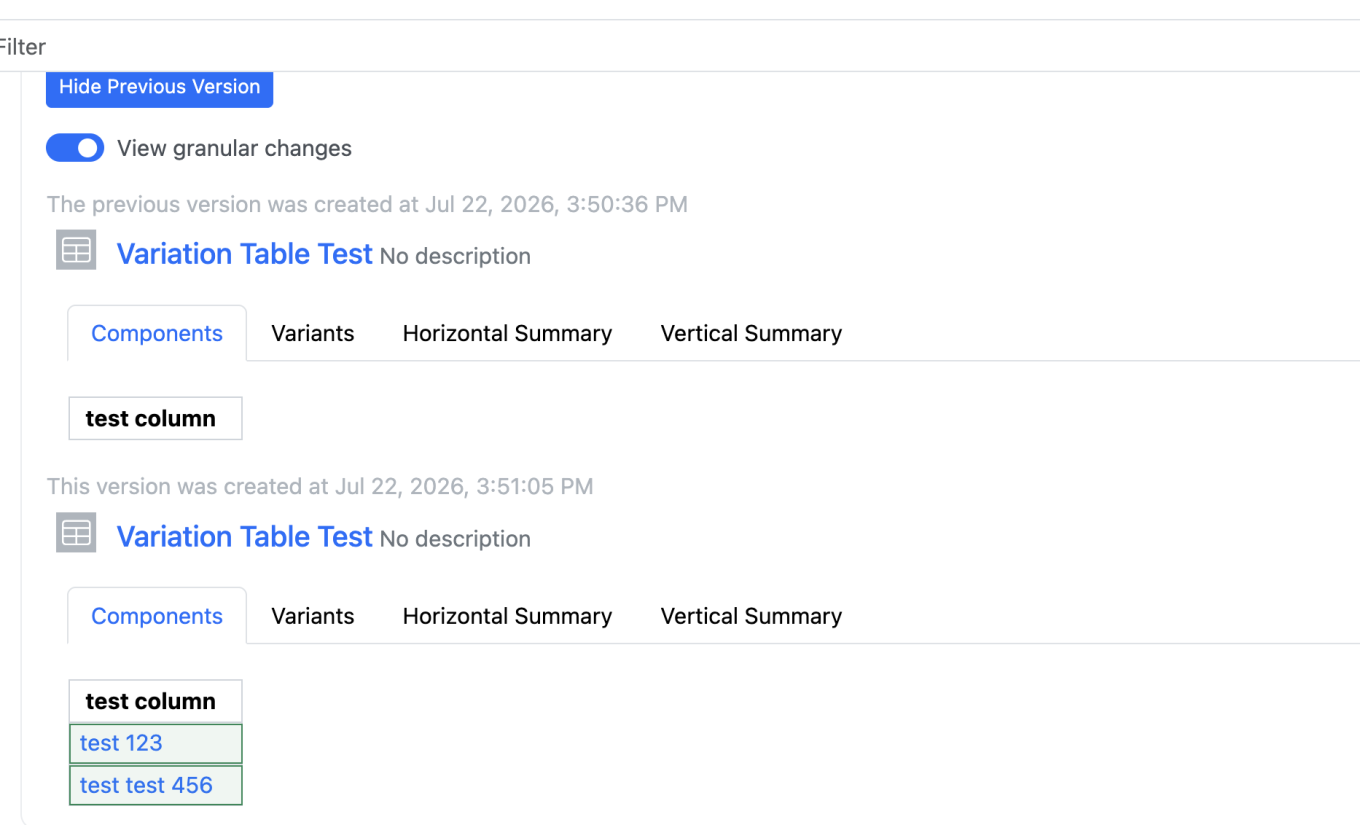
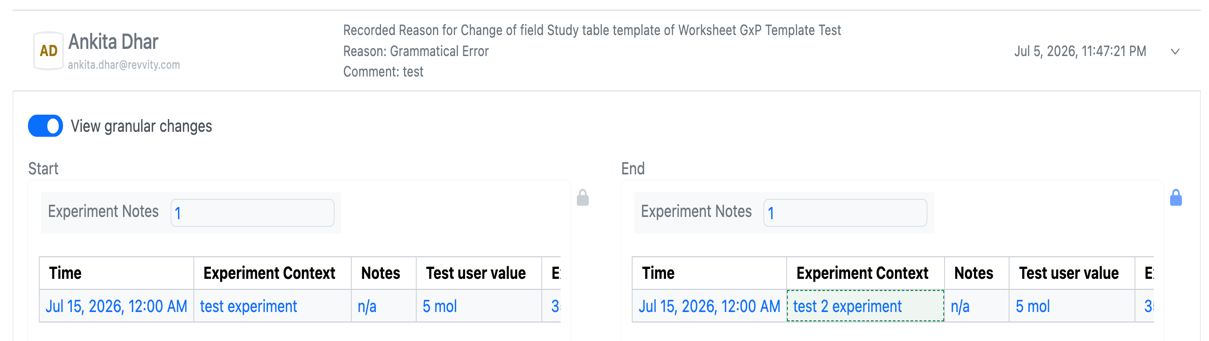
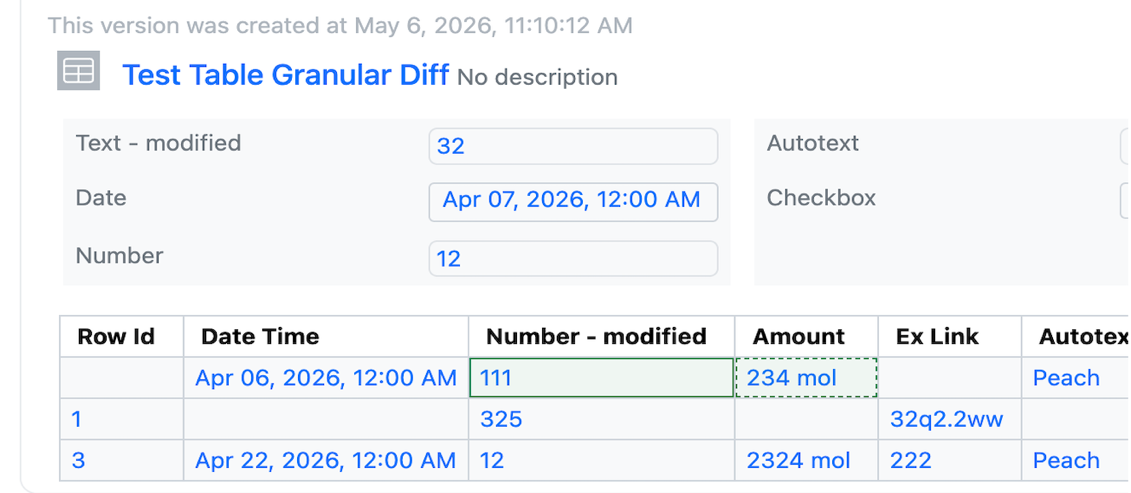
Audit trail displays highlighted granular changes for layout changes. This feature applies to adding, deleting, moving, or renaming a page/element within experiment-like objects, tasks, requests, samples, synergy, work orders/tasks, etc.

AI

Image 3 from What's New 26.7_finalupdatedv2.docx

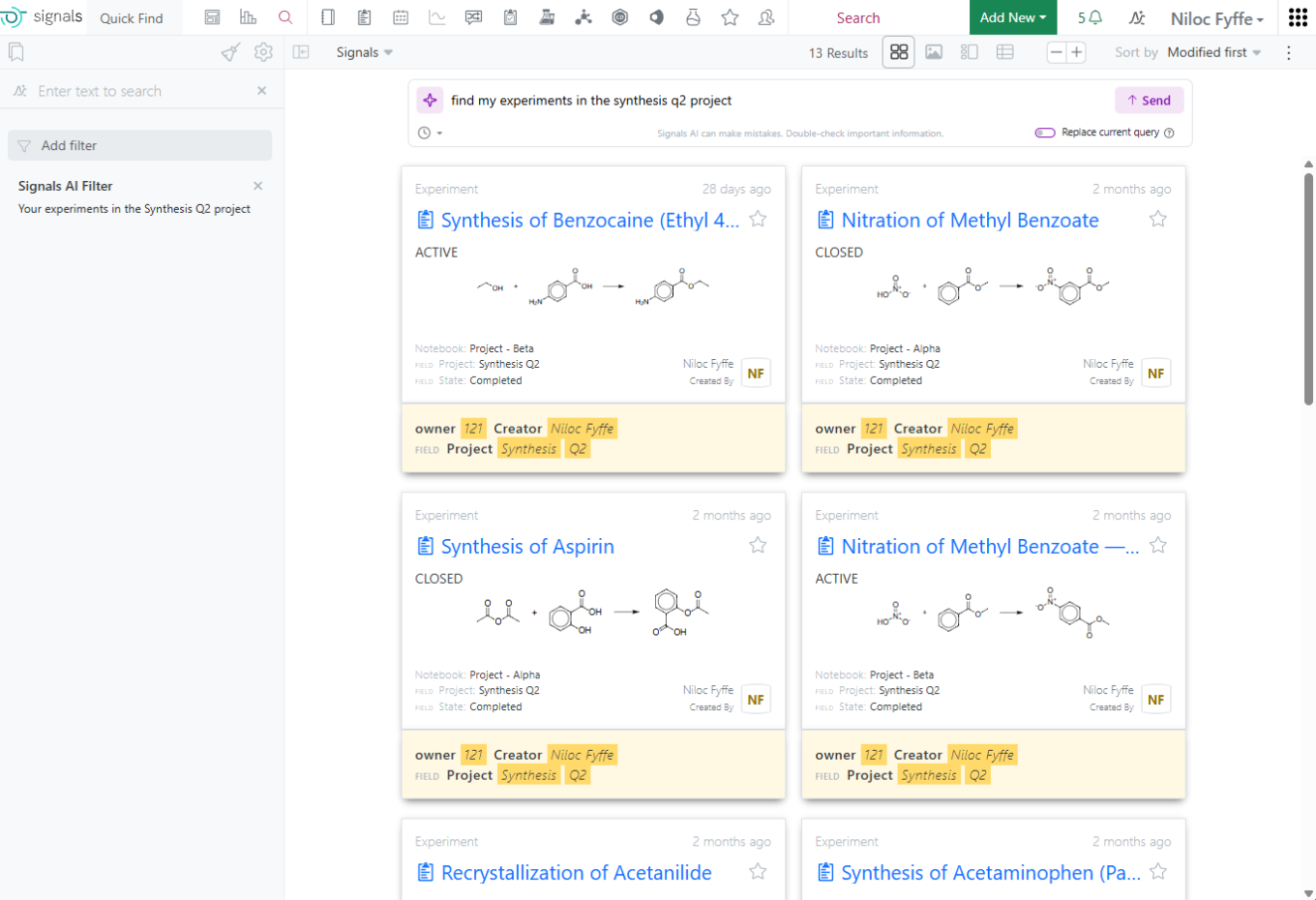
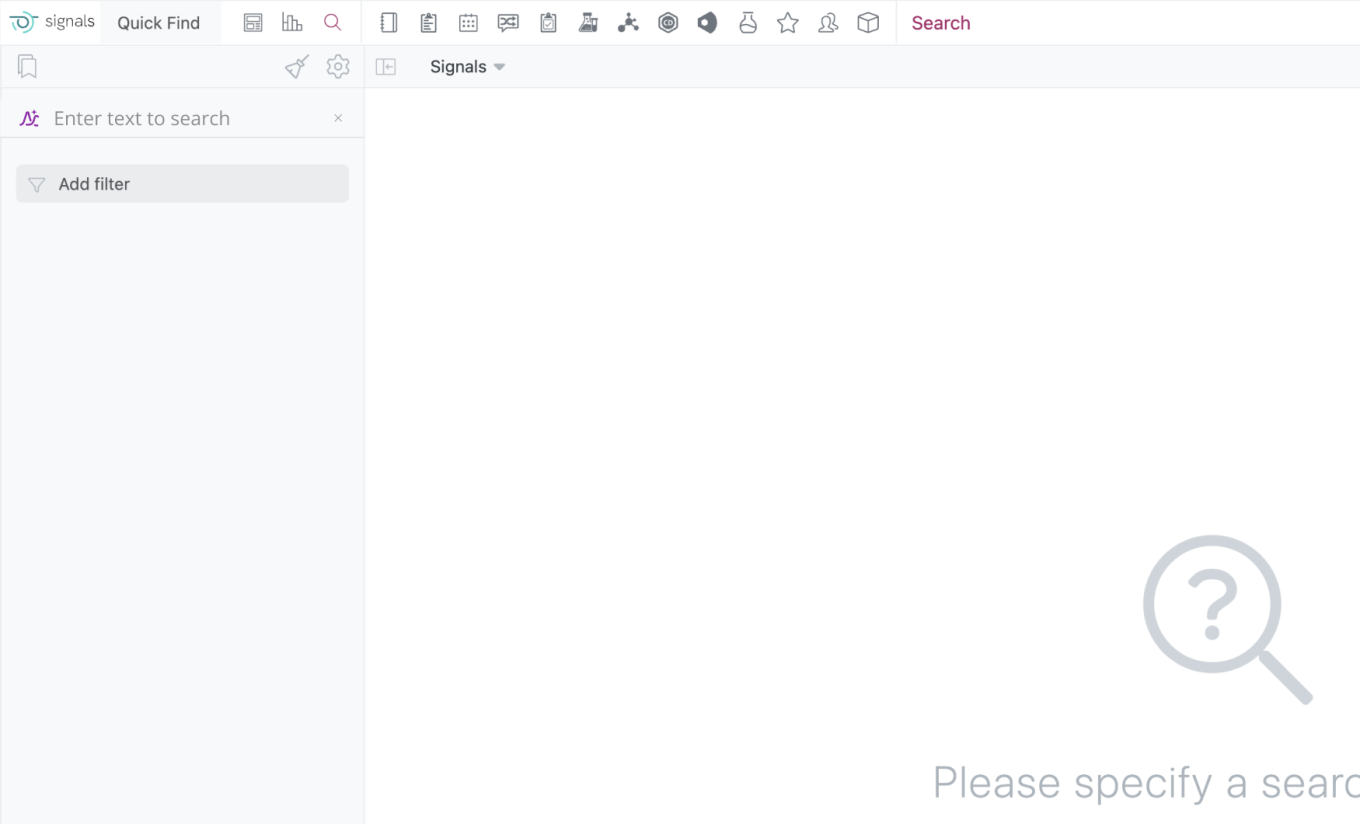
Prompt-to-Filter is available to all systems.

Data Workflows & Analytics

Image 4 from What's New 26.7_finalupdatedv2.docx

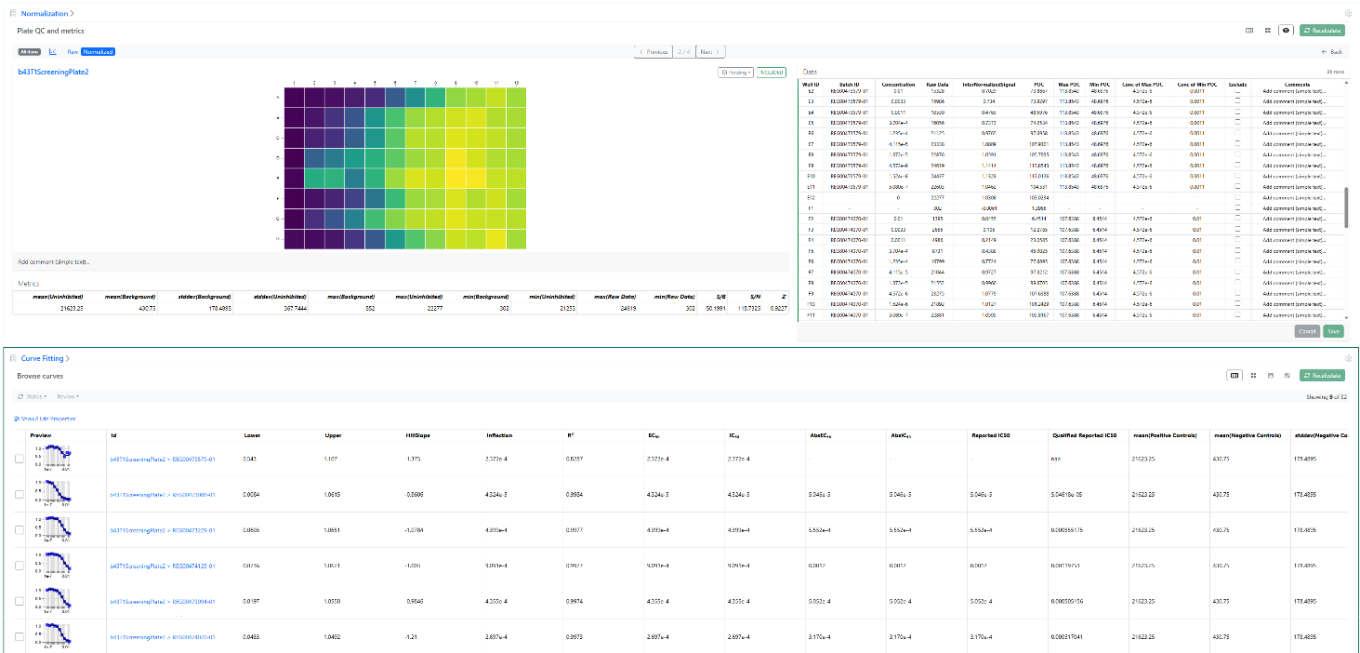
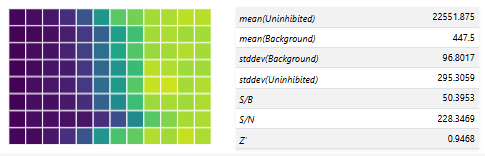
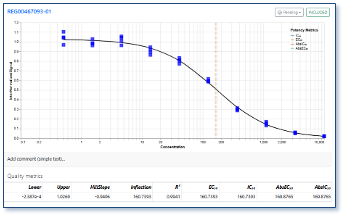
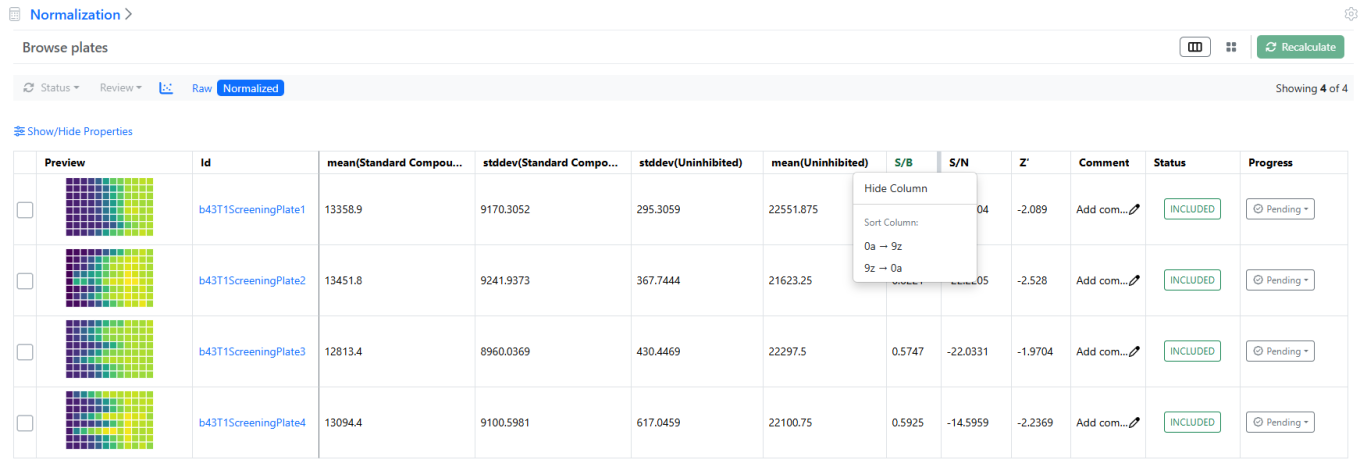
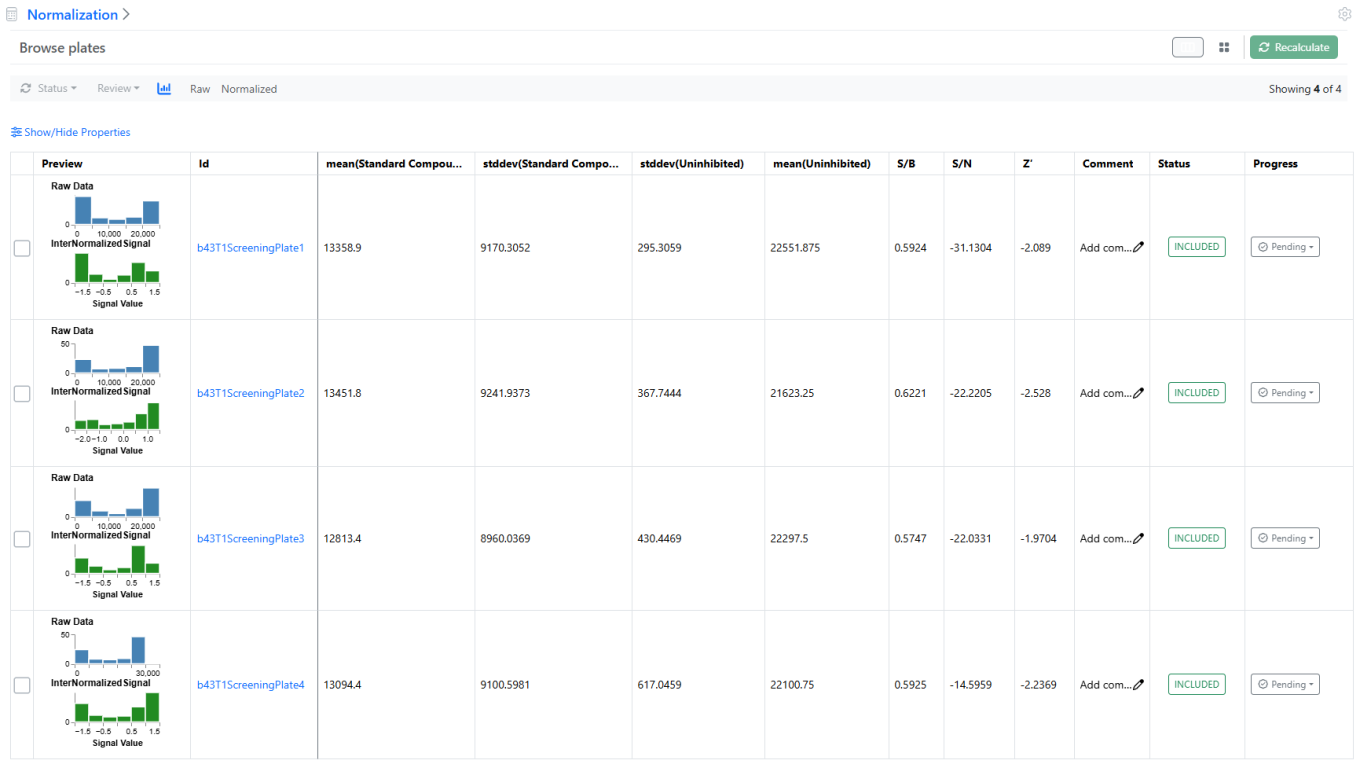
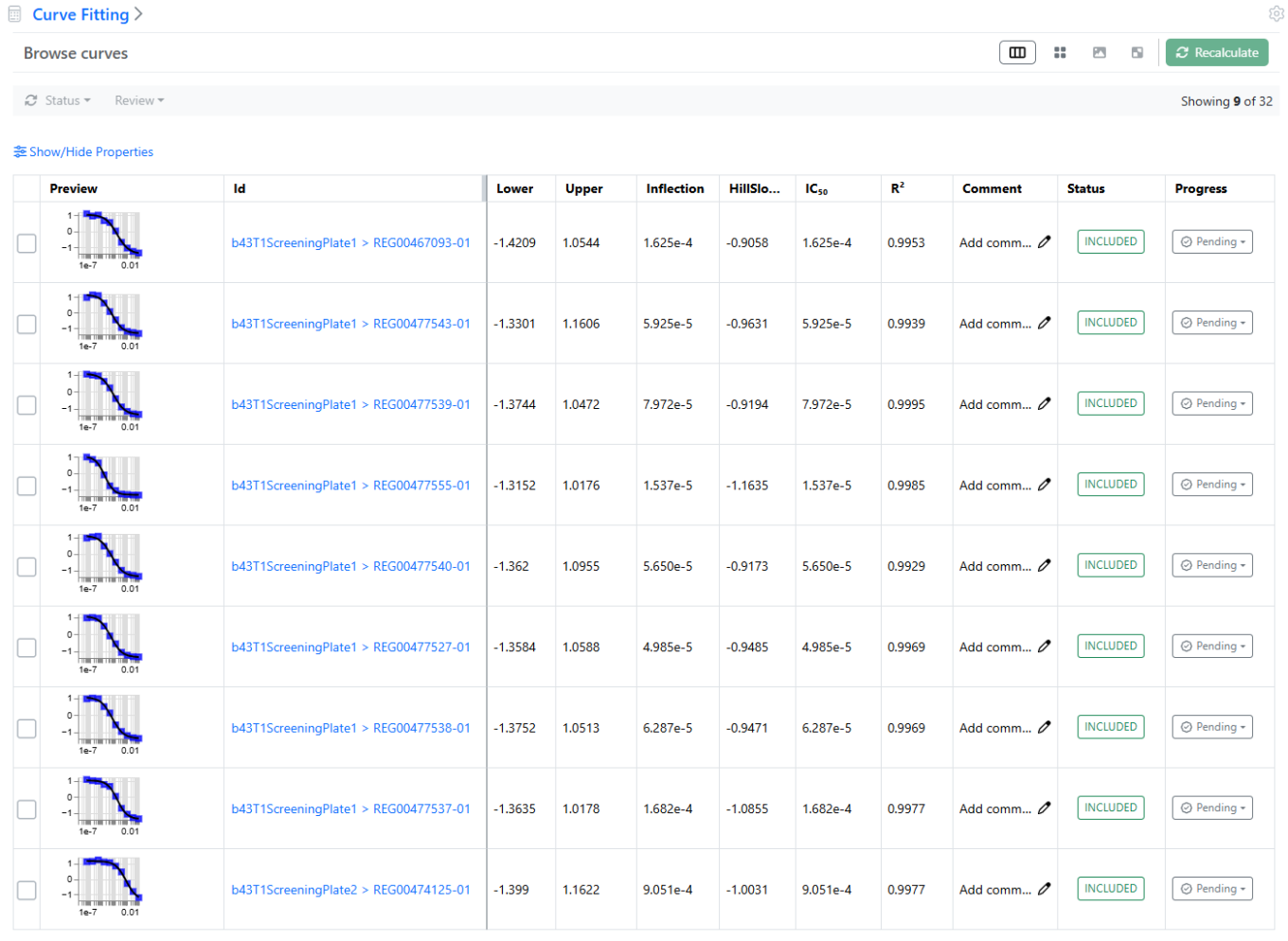
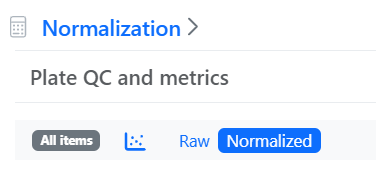
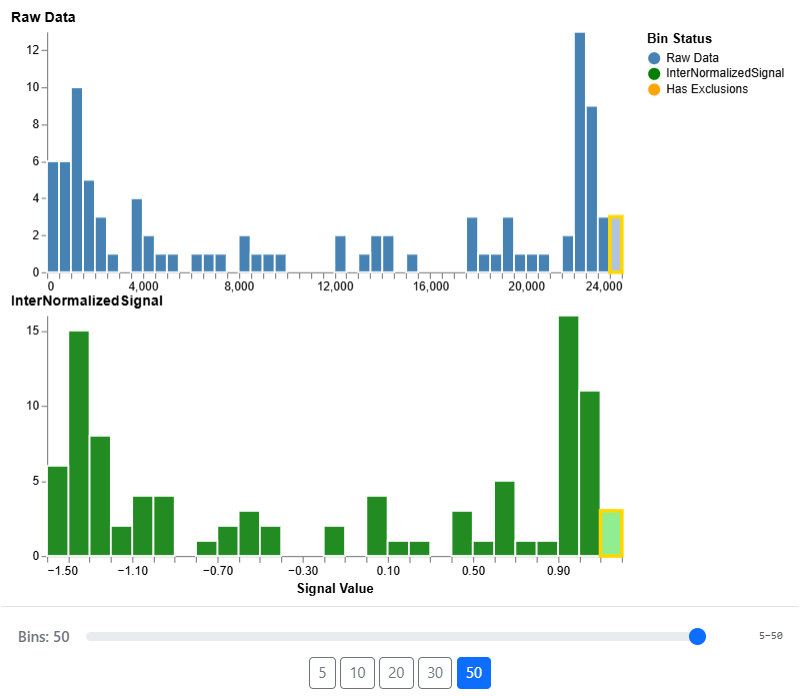
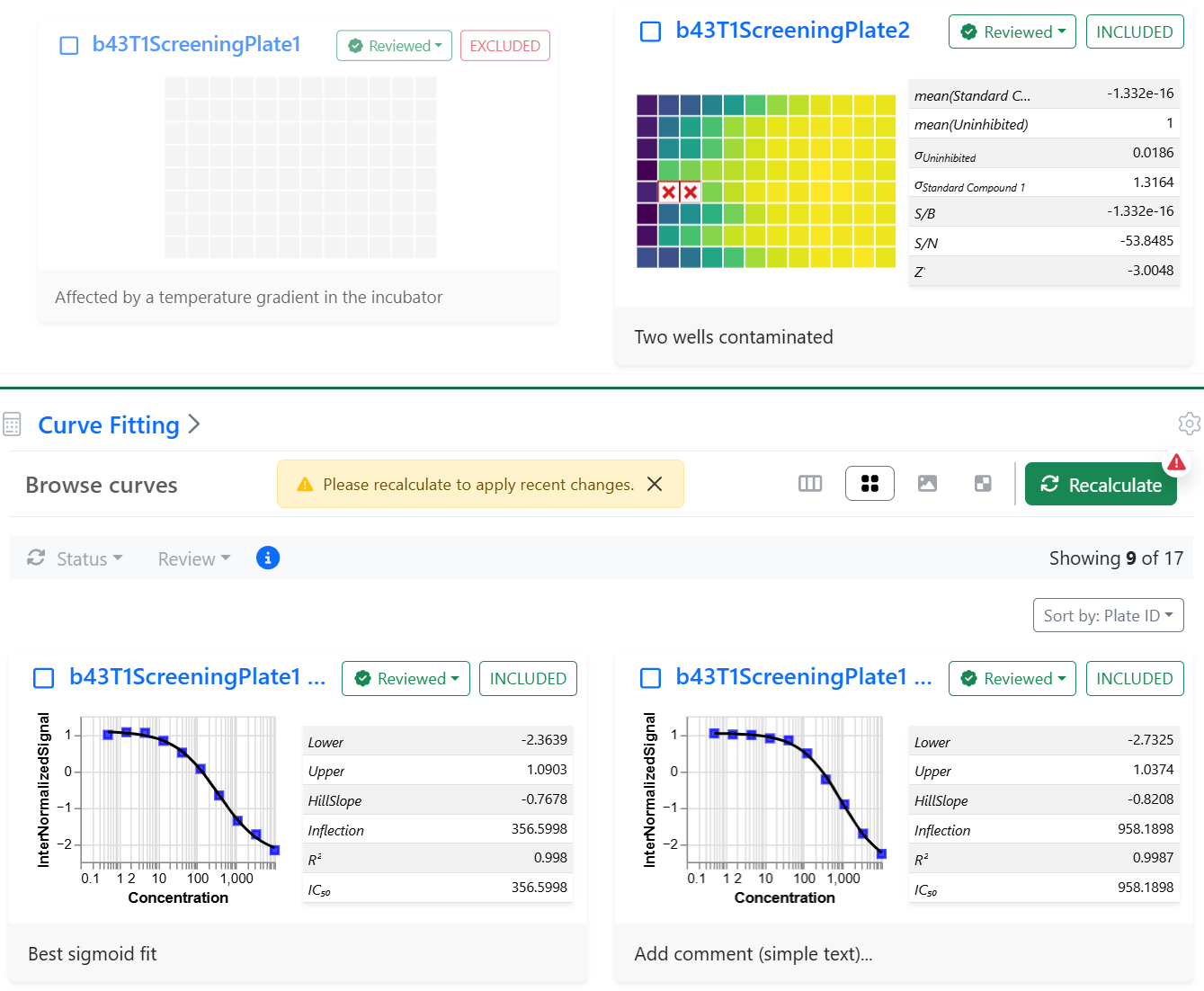
Additional QA/QC Metrics are now available at the level of plate wells (batches) as well as curve fits and can be visualized using the detailed views or the table view of the curve fits.

These new metrics include for each curve a Qualified Reported IC50, based on the maximum and minimum Percentage of positive Control (POC) and the respective dose associated, which can be published and used for decision making.

SAR & Decisioning

Image 5 from What's New 26.7_finalupdatedv2.docx
Image 6 from What's New 26.7_finalupdatedv2.docx

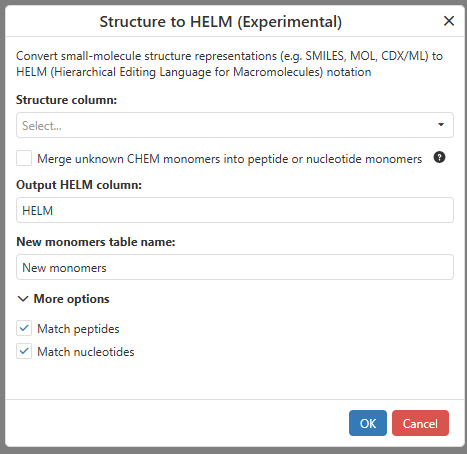
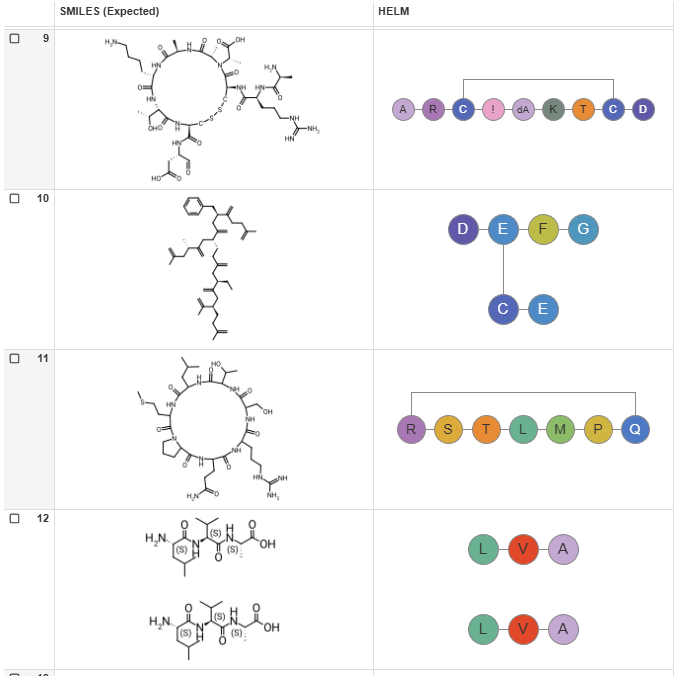
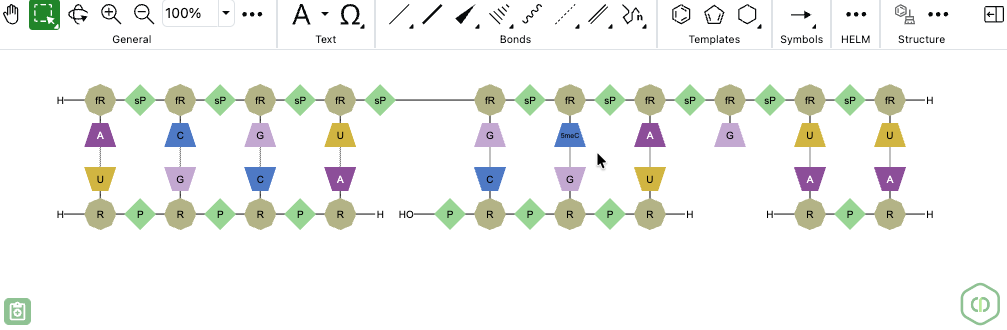
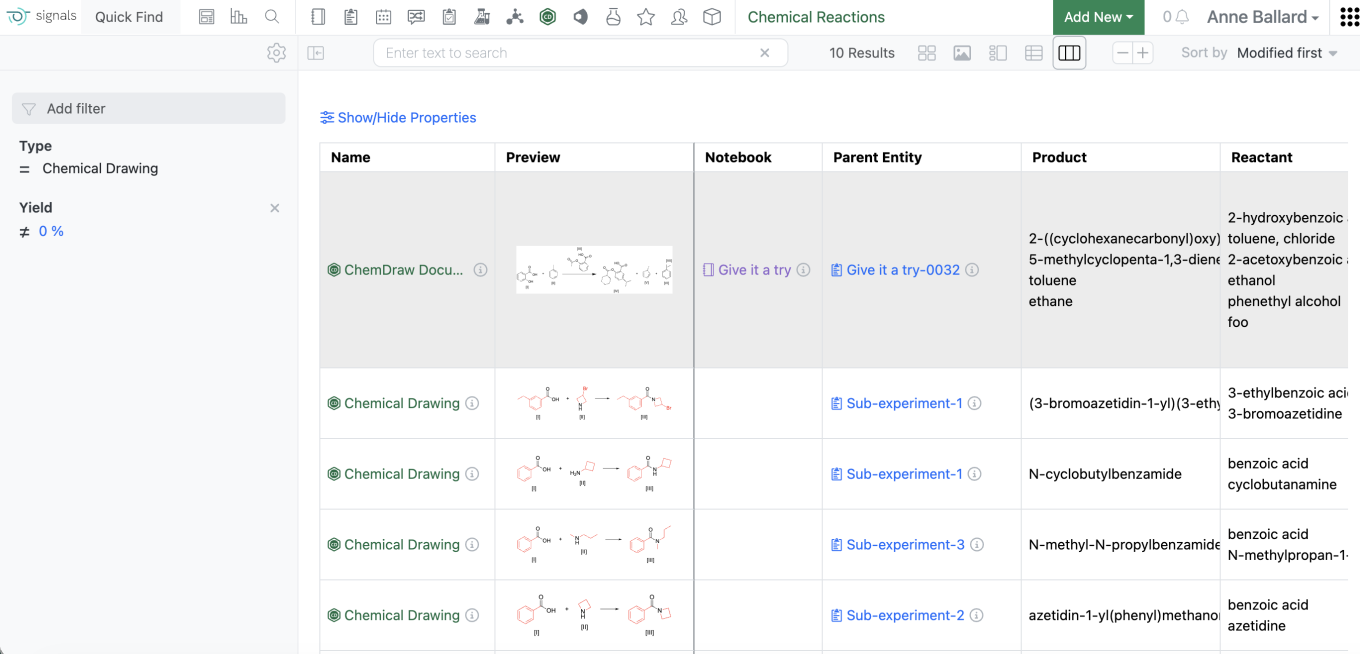
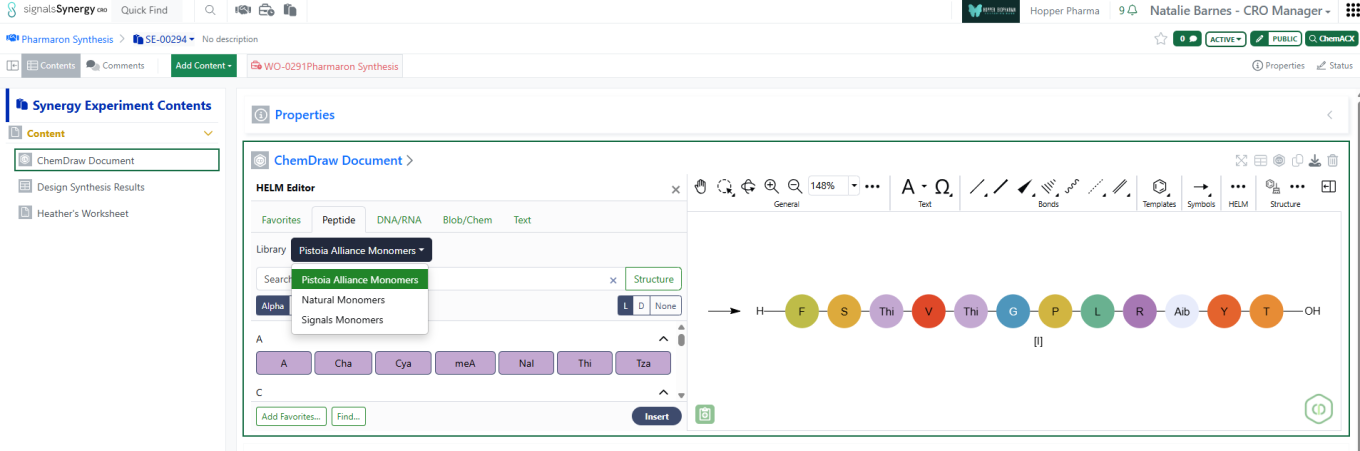
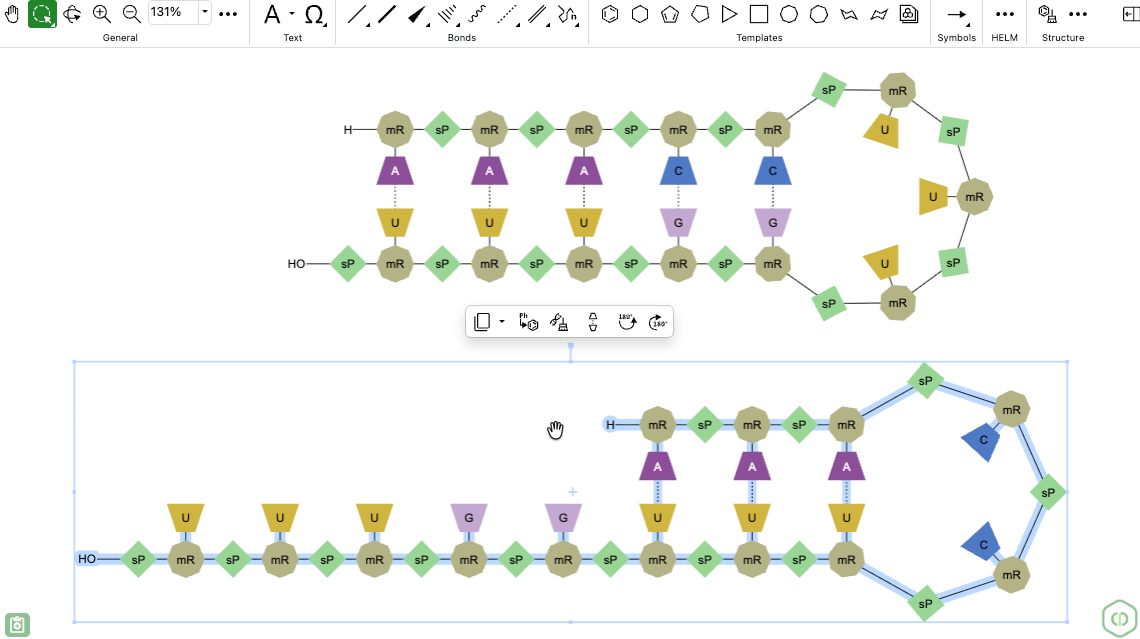
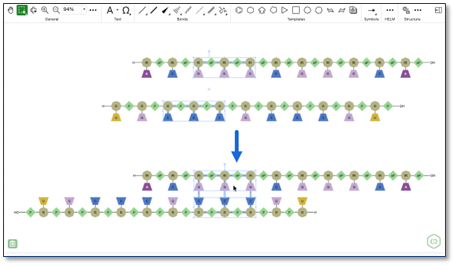
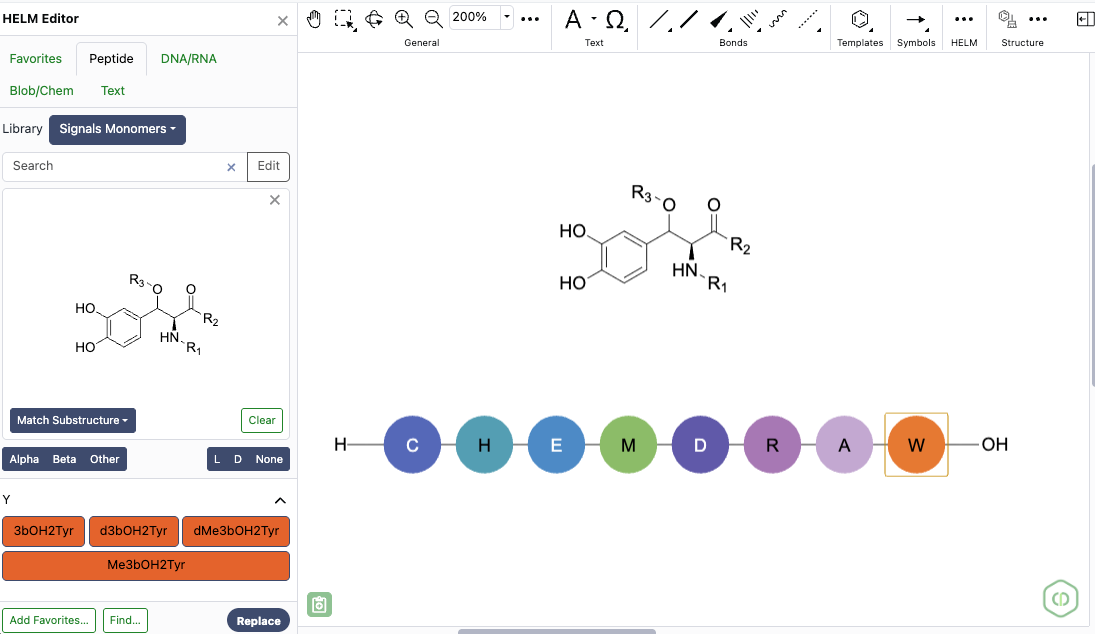
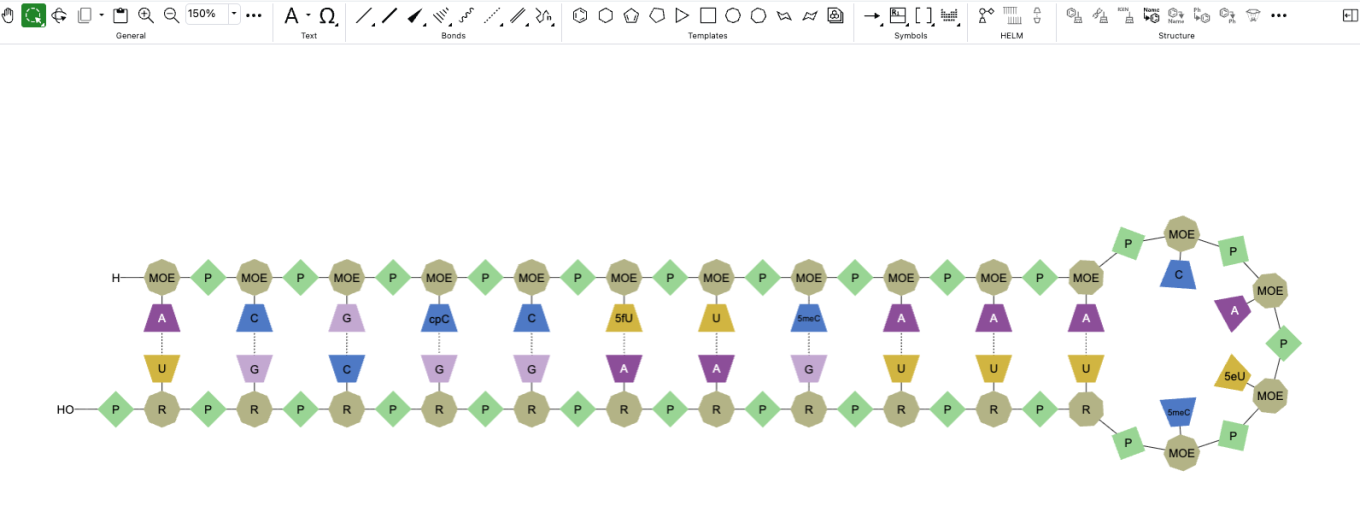
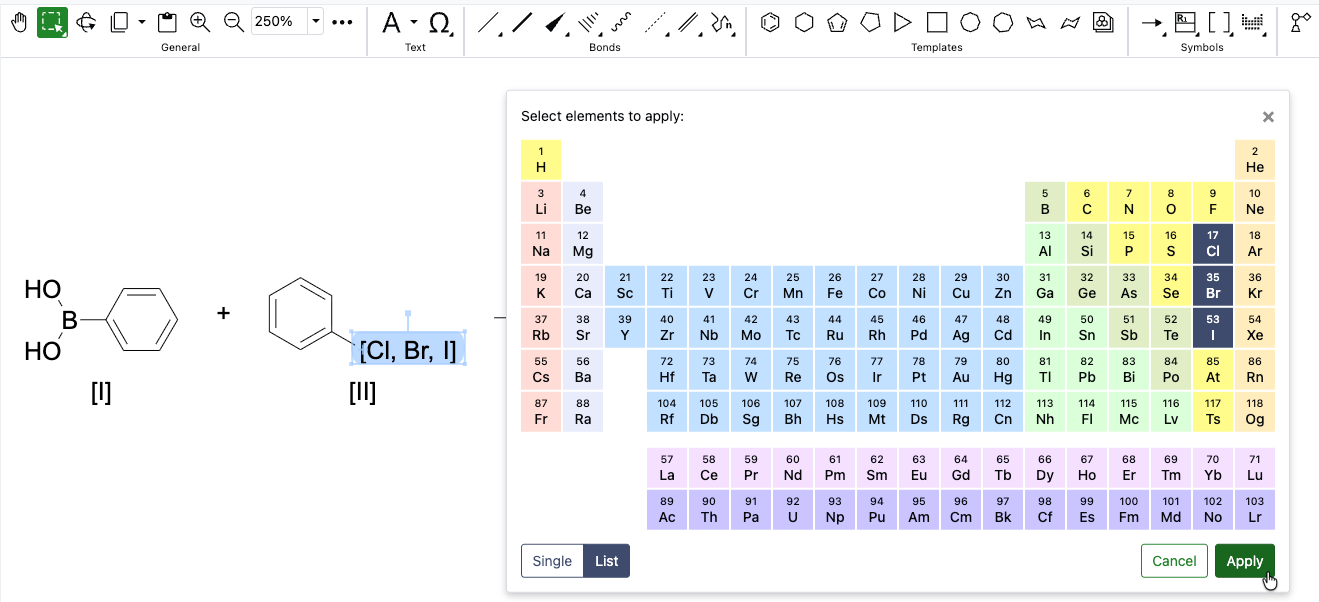
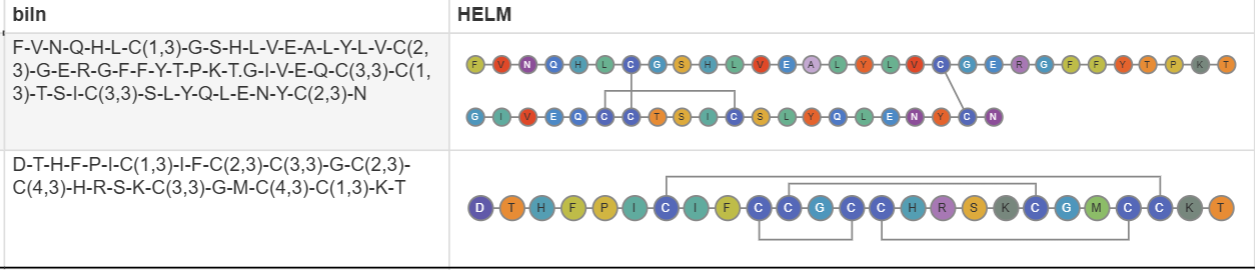
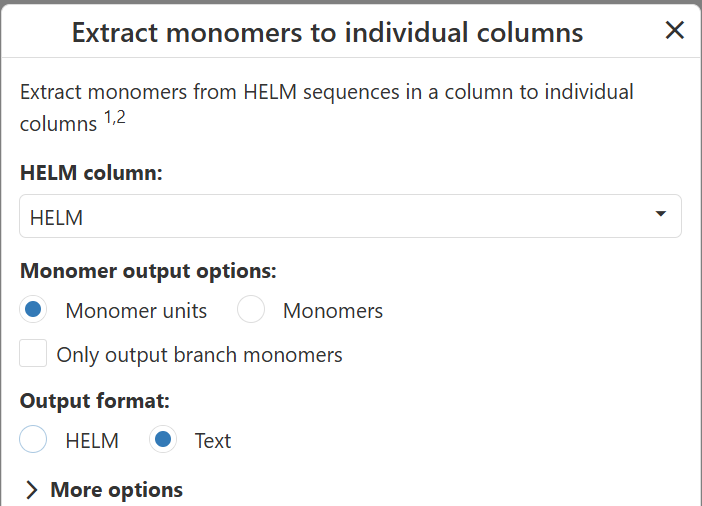
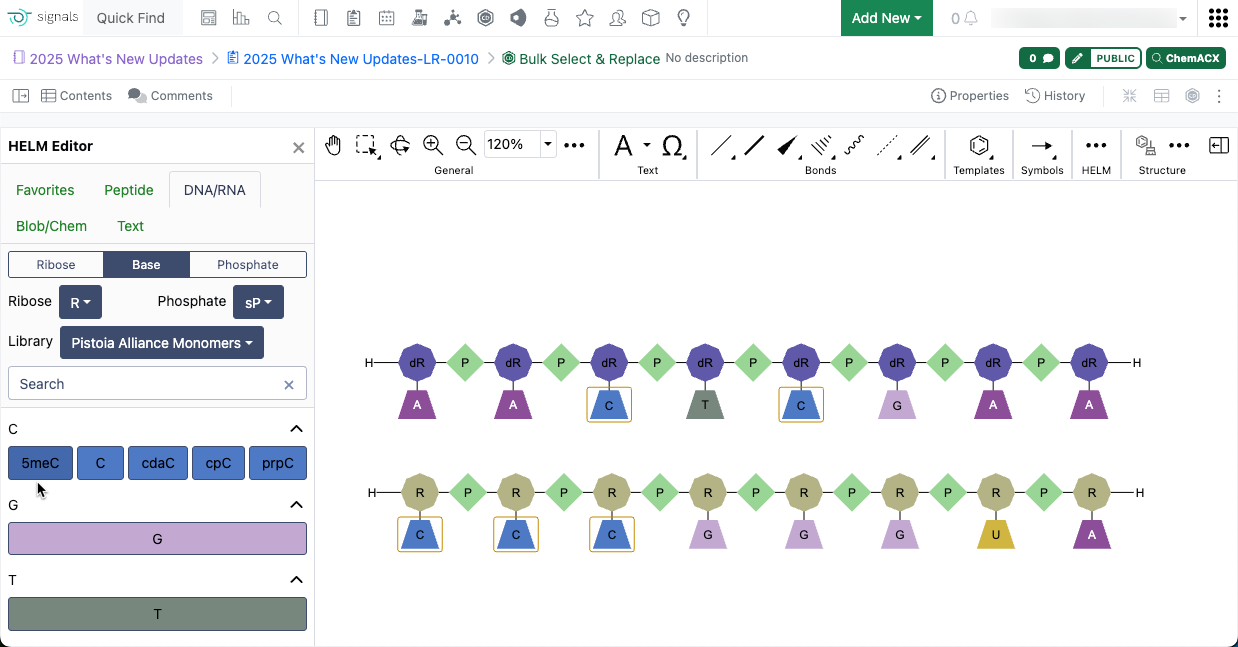
ChemChart’s Structure to HELM data function allows users to convert molecular structures from common chemical formats into HELM notation.

Image 7 from What's New 26.7_finalupdatedv2.docx

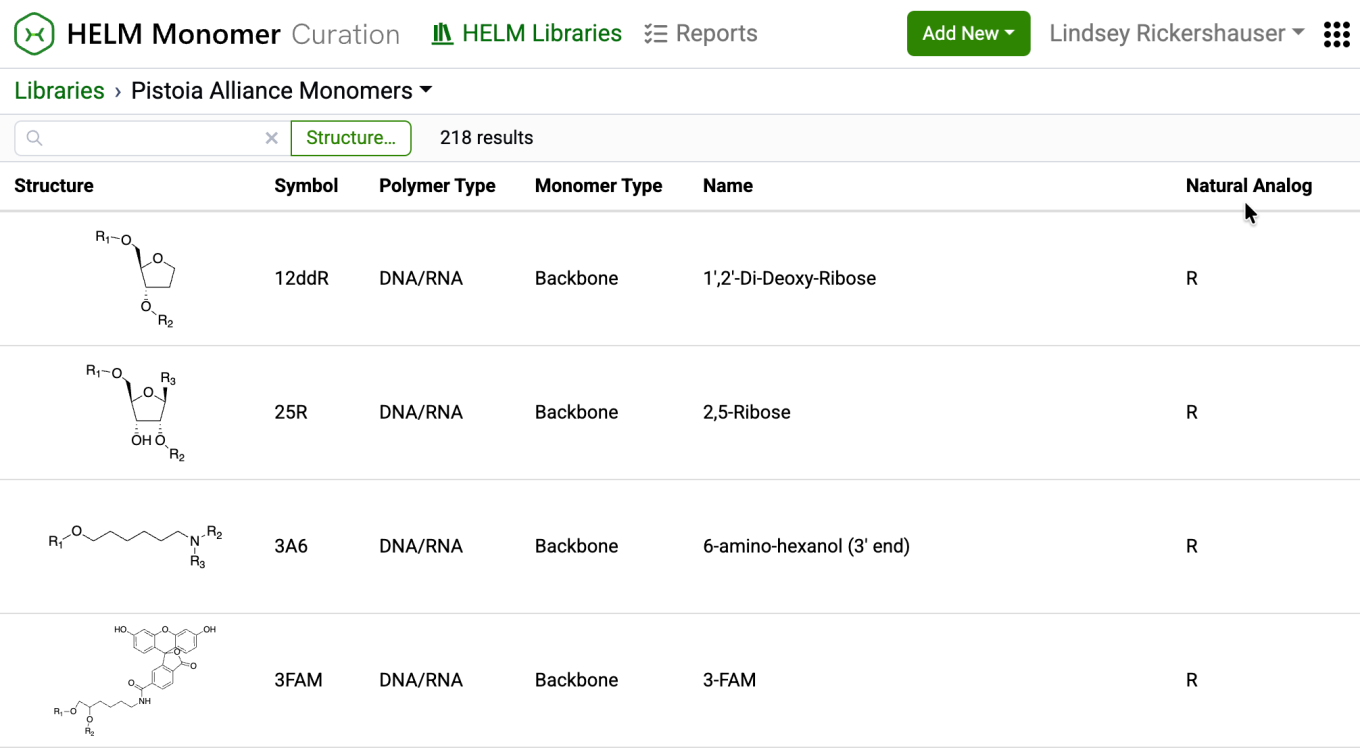
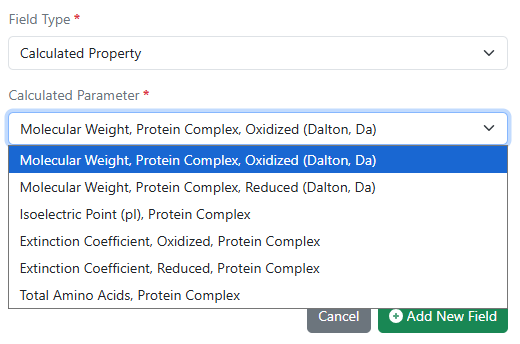
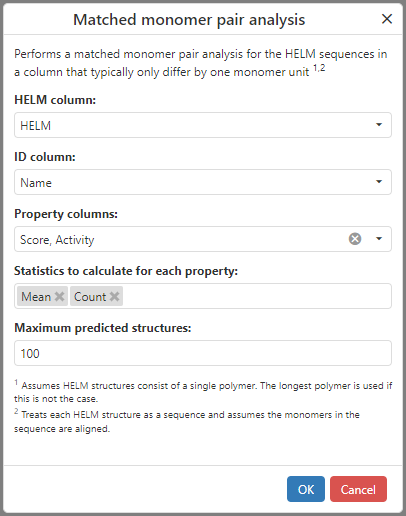
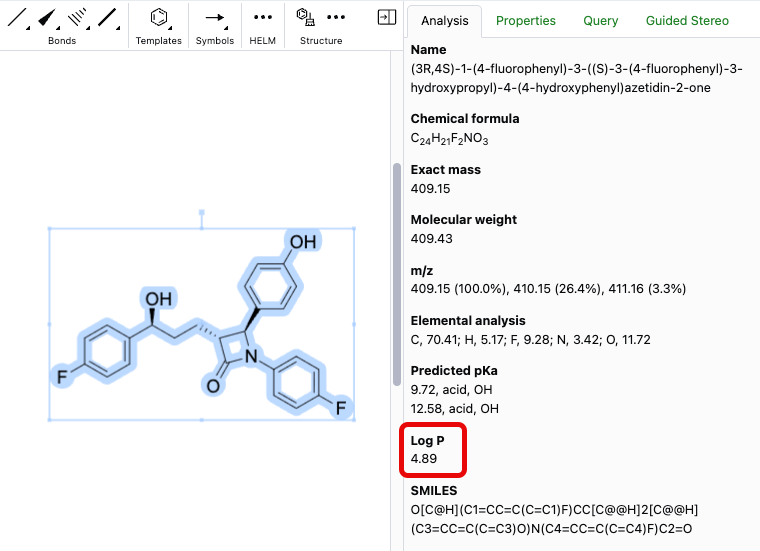
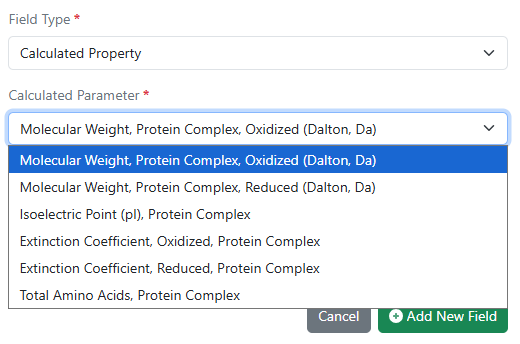
Users can now calculate nucleotide and protein properties directly within ChemCharts. Supported calculations include sequence composition, molecular weight, isoelectric point, aromaticity, extinction coefficients, and other commonly used nucleotide and protein metrics.

Image 8 from What's New 26.7_finalupdatedv2.docx

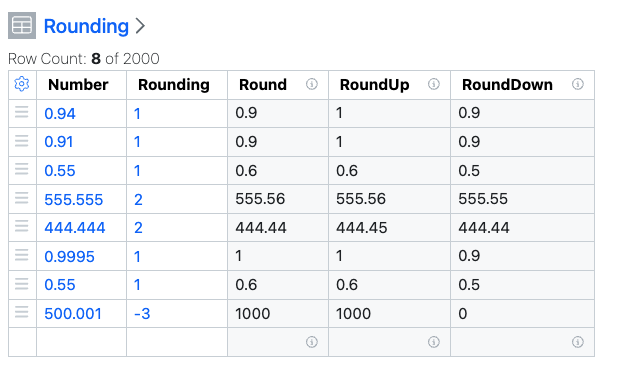
Users can now configure numeric column formatting directly from ChemCharts including decimal precision, scientific notation, and other details. Formatting settings can also be applied to multiple numeric columns at once for consistent data presentation across visualizations.

Synergy

Image 9 from What's New 26.7_finalupdatedv2.docx
Image 10 from What's New 26.7_finalupdatedv2.docx
Image 11 from What's New 26.7_finalupdatedv2.docx

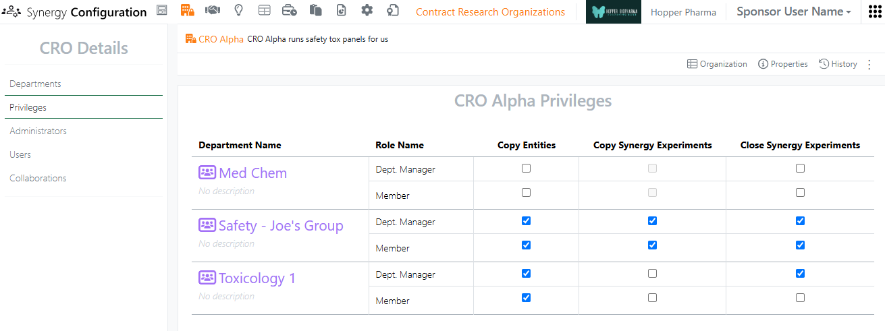
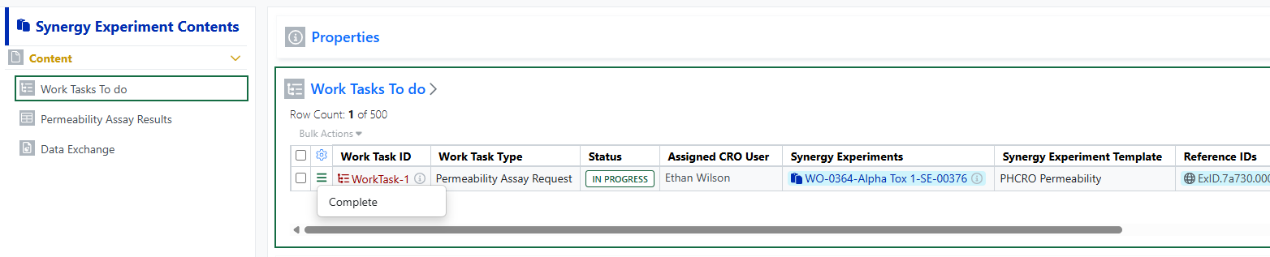
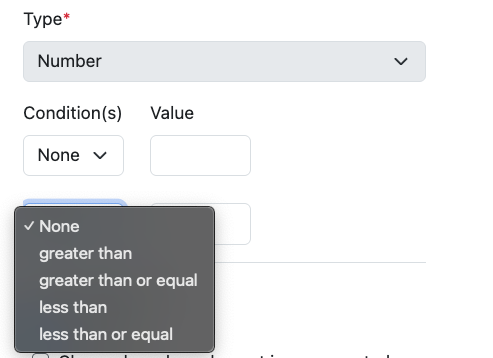
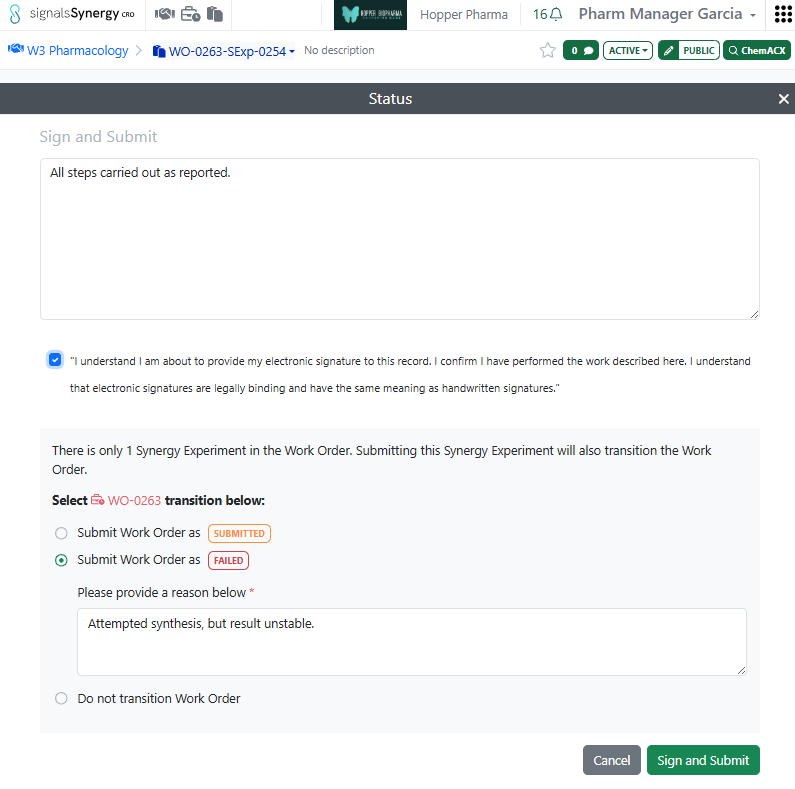
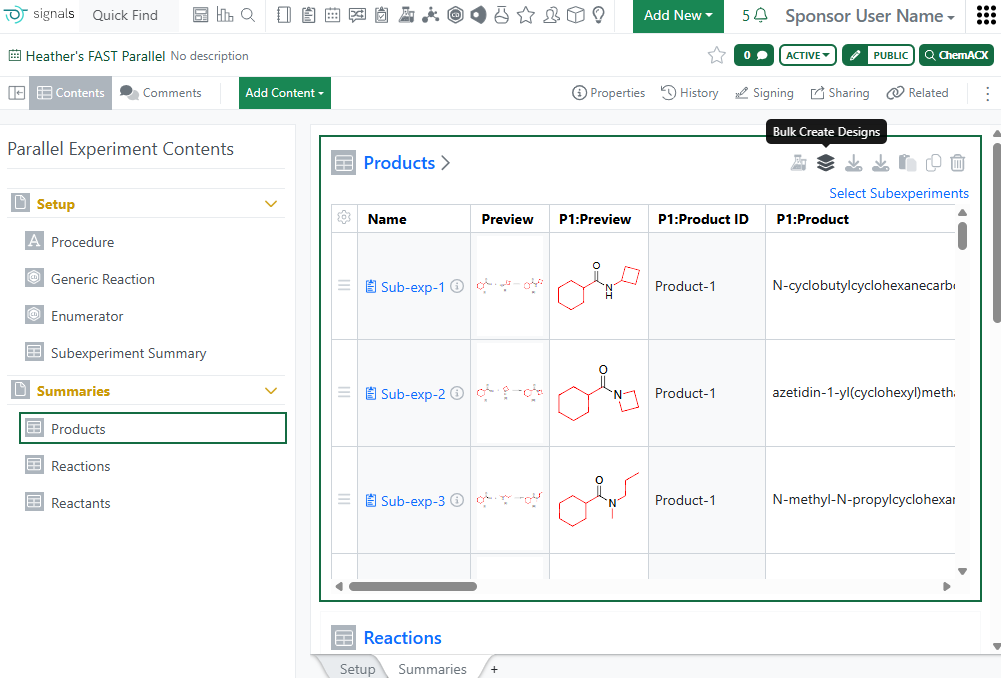
Release 26.6 introduced the concept of CRO privileges in Synergy Configuration. This release introduces a new CRO privilege for Close Synergy Experiments. By default, the Sponsor user is responsible for closing Synergy Experiments after they are submitted by the CRO. However, there are cases where the CRO closing their own Synergy Experiments may be more efficient without compromising necessary oversight. Now, the Close Synergy Experiments privilege is granted to CRO users on a per CRO Department basis, either to all members of the Department or only CRO Department Managers.

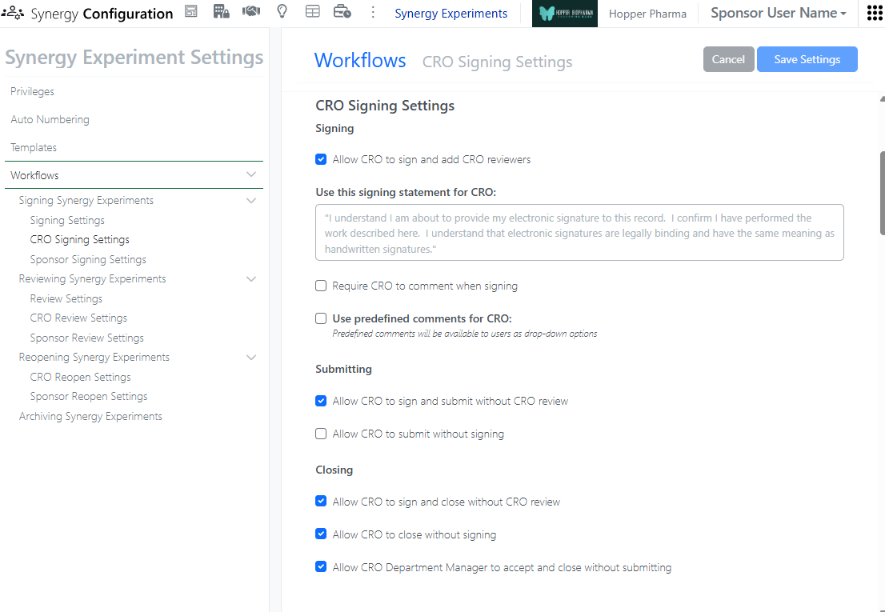
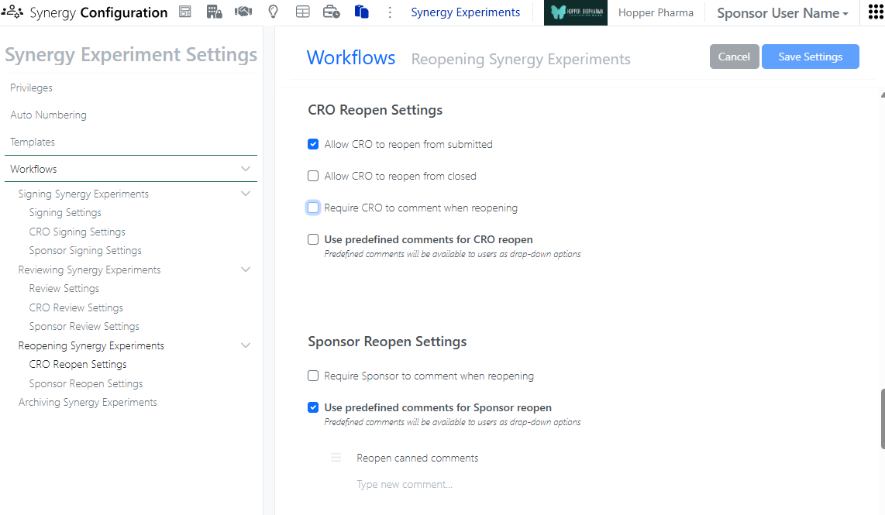
In order to allow privileged CRO users to Close their own Synergy Experiments, the Synergy Experiment Workflows (under Synergy Configuration > Synergy Experiments > Workflows) must also be configured to (i) Allow CRO to sign and close without CRO review, (ii) Allow CRO to close without signing, or (iii) Allow CRO Department Manager to accept and close without submitting. If Allow CRO to sign and close without CRO review is enabled, privileged CRO users will be able to transition a Synergy Experiment from Active to Closed using a Sign and Close option. If Allow CRO to close without signing is enabled, privileged CRO users will be able to transition a Synergy Experiment from Active to Closed using a Close option (no signing required). If Allow CRO Department Manager to accept and close without submitting is enabled, privileged CRO Department Manager will be able to transition a Synergy Experiment from In CRO Review to Closed using an Accept and Close option, when they are assigned as a Reviewer. If all the options are enabled, all options will be available to the CRO users.

Image 12 from What's New 26.7_finalupdatedv2.docx

In addition, Synergy Experiment Workflows now provides options to allow CRO users to Reopen their experiments.

Image 13 from What's New 26.7_finalupdatedv2.docx

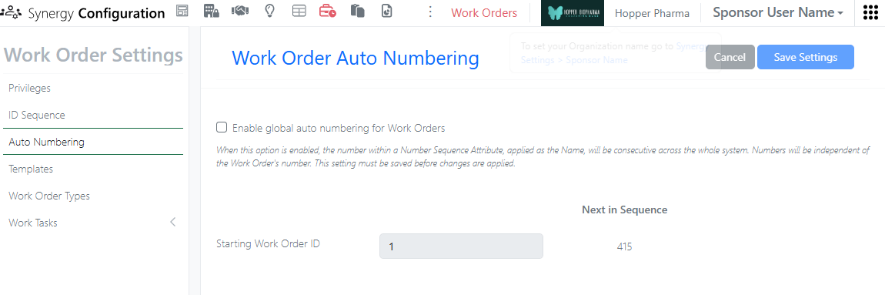
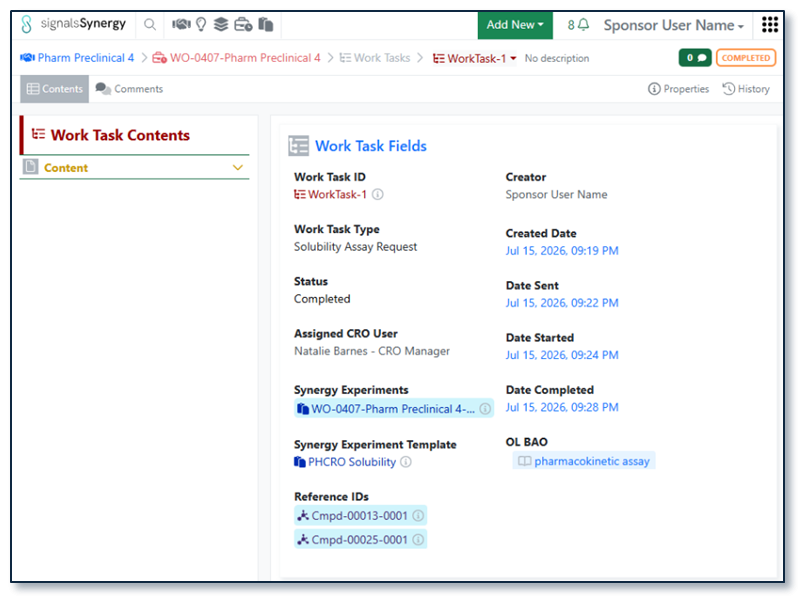
In Synergy Configuration, a Sponsor administrator with the privilege to Administer Synergy can now turn Work Order global auto numbering on or off. By default, Work Order global auto numbering is enabled; each new Work Order will take the next number in sequence, regardless of the Work Order ID sequence and regardless of the location. This is the recommended setting to ensure that Work Order naming is always unique. When Work Order global auto numbering is turned off, a new Work Order will take the next number in sequence in a given Collaboration. This allows sequential numbering of Work Orders within each Collaboration, but does not ensure unique Work Order naming. If global auto numbering is turned off, we recommend including the Collaboration Name in the Work Order ID sequence for clarity.

Image 14 from What's New 26.7_finalupdatedv2.docx

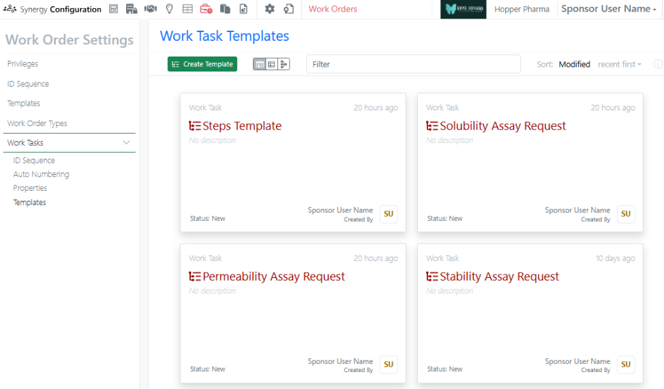
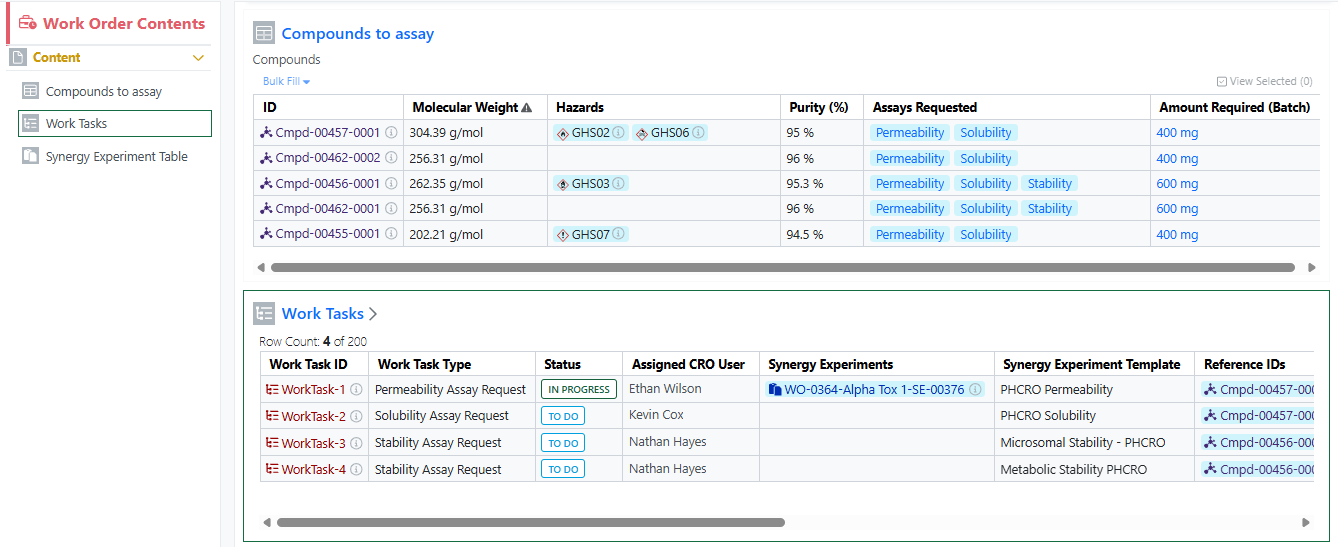
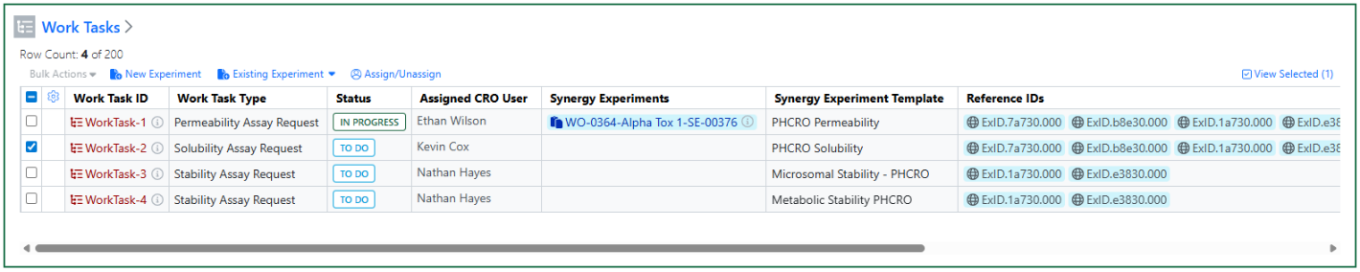
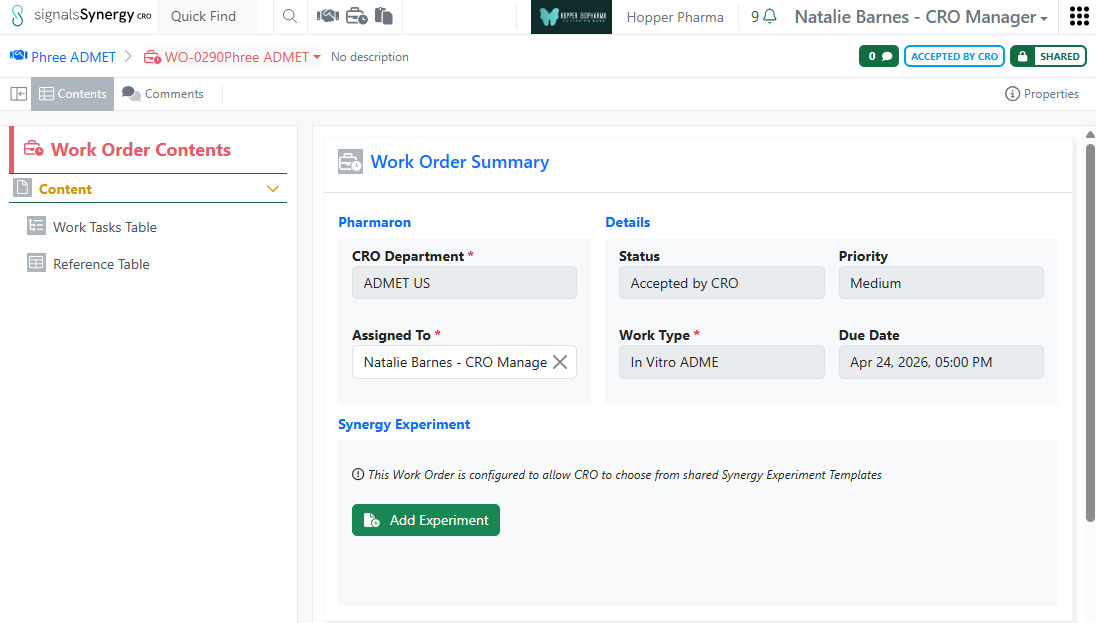
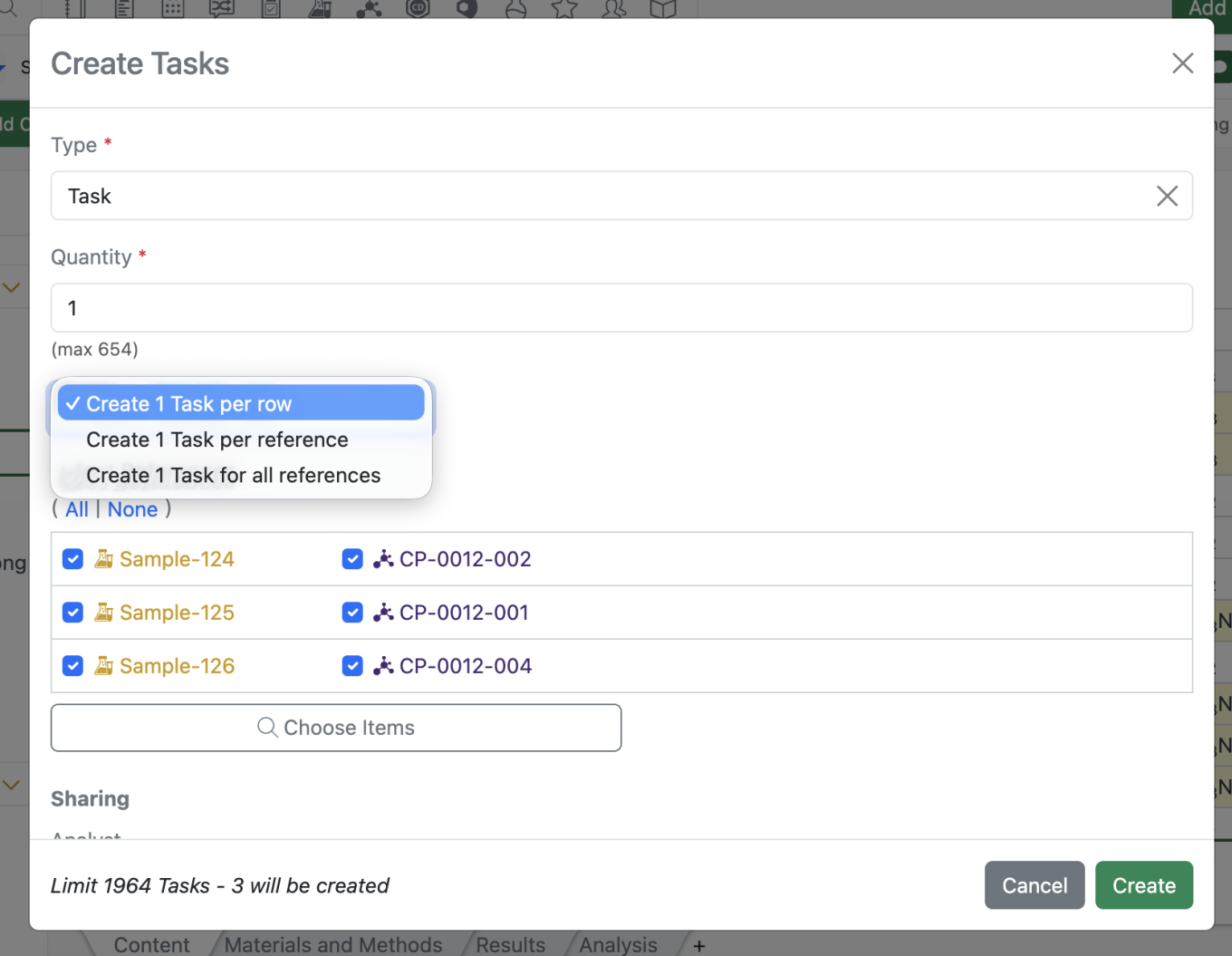
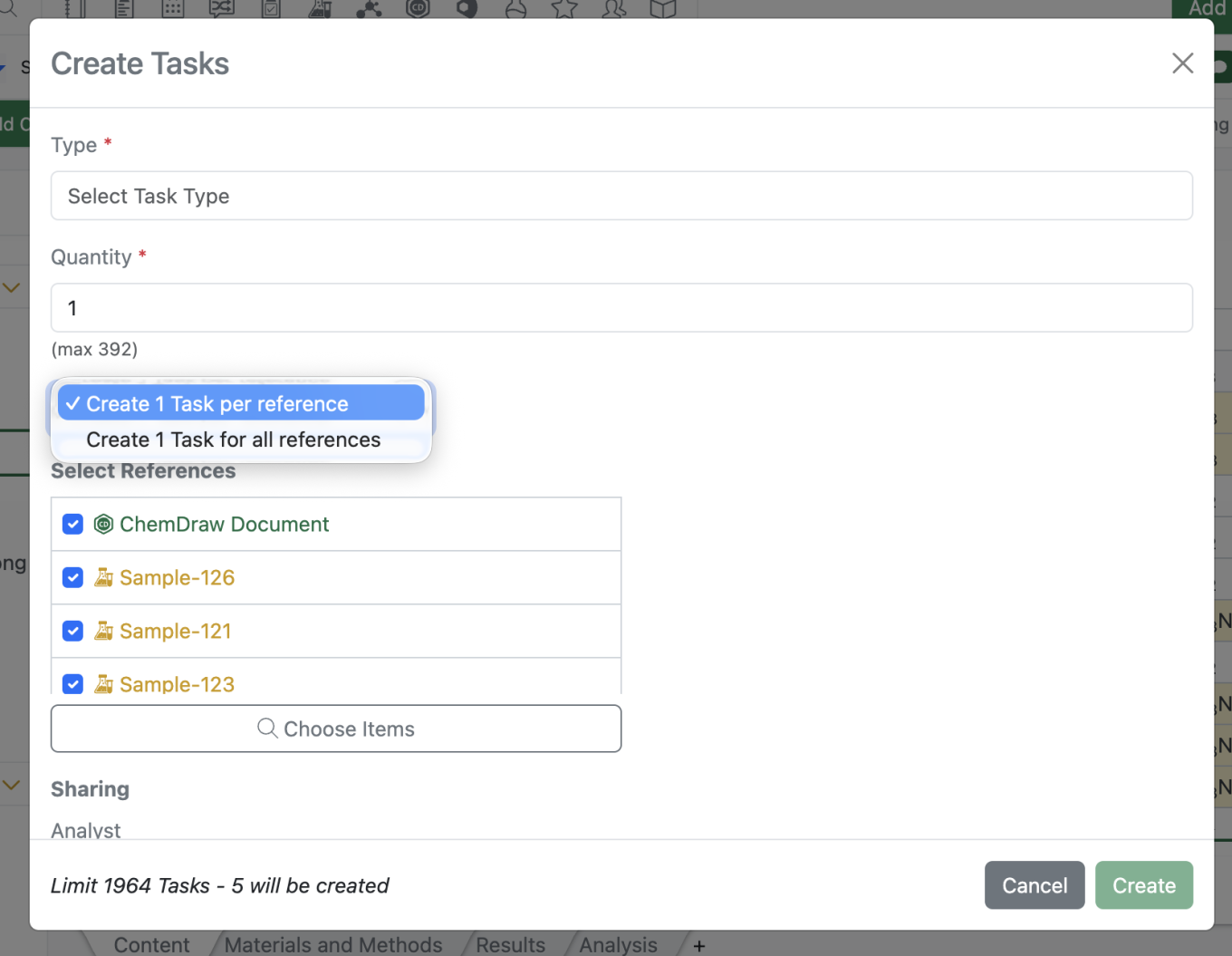
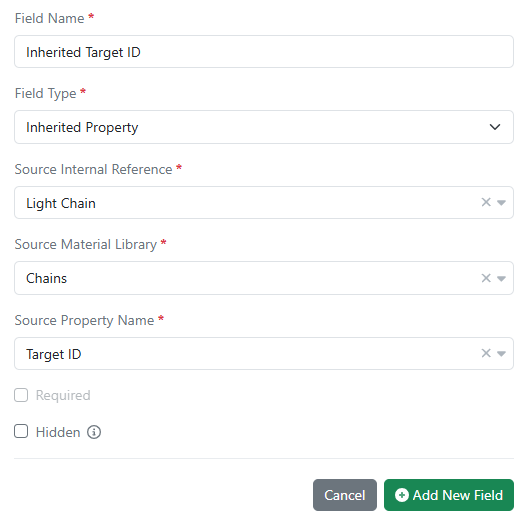
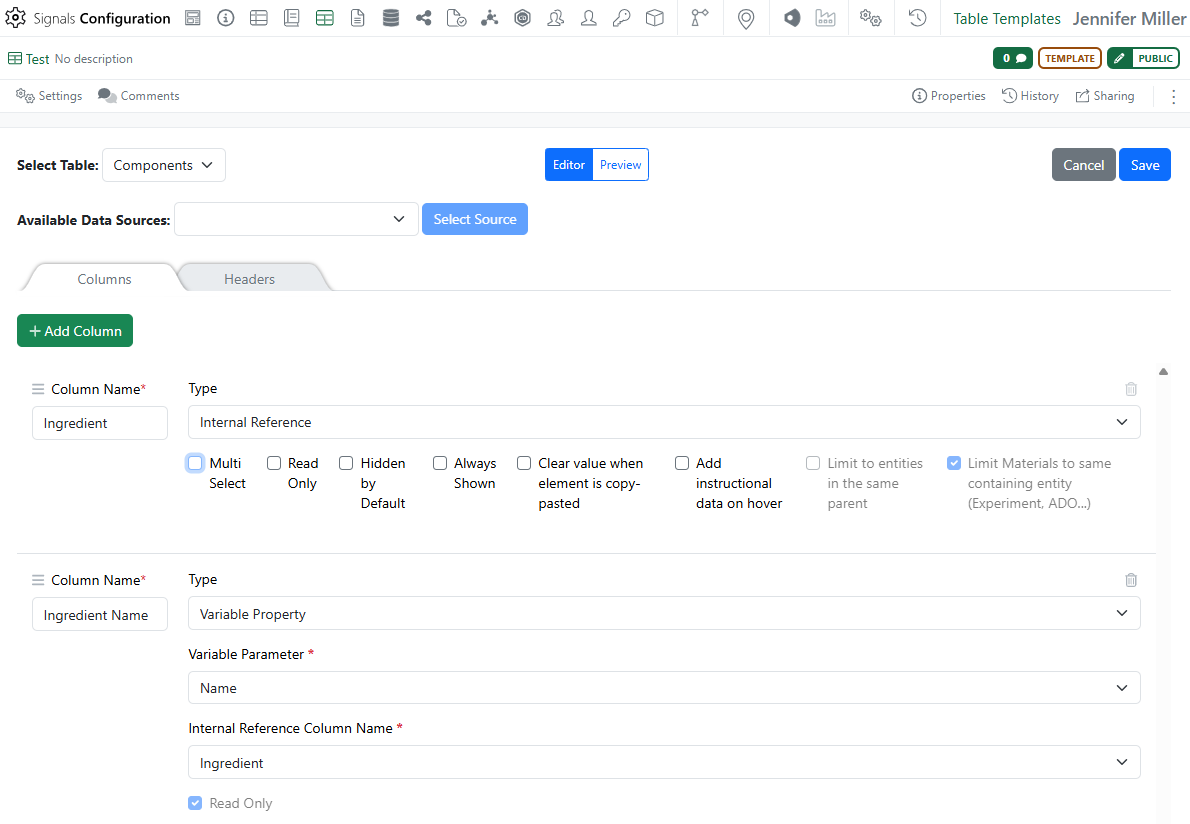
Work Tasks, which can be added to Work Orders, are now available to all systems. Work Tasks create a series of trackable, assignable, and templateable sub-tasks for a Work Order. Work Tasks can be configured in Synergy Configuration > Work Orders > Work Tasks.

Image 15 from What's New 26.7_finalupdatedv2.docx

Work Tasks can be associated with specific References (Reference IDs), specified Synergy Experiment Templates, and assigned to different CRO users. Note: When specifying a Synergy Experiment Template for a Work Task, Work Tasks can be added to Work Orders using Add Content or directly from a set of selected References in the Reference Table (new this release). For additional details about Work Tasks, please review What’s new content from 26.5 ad 26.6 or refer to the Help Center.

Two new notifications have been added related to Synergy. First, System and Synergy Administrators can now receive a notification when a CRO Administrator adds, removes (deactivates), or bulk uploads CRO users to their CRO. This allows the Sponsor to manage any required IdP changes (As a reminder, a CRO Administrator is a CRO user granted the Role CRO Admin. The CRO Administrator role is completely optional, but allows the Sponsor to delegate the responsibility of CRO user management to a trusted person(s) at the CRO). Second, CRO users can now receive a notification when a Work Order is recalled by the Sponsor. For both Sponsor and CRO users, notifications are configured under the User Name menu.

Chemistry

Image 16 from What's New 26.7_finalupdatedv2.docx

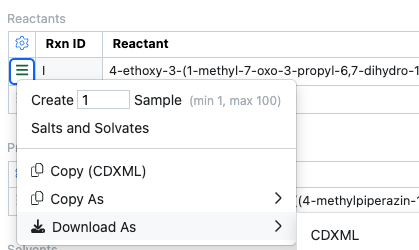
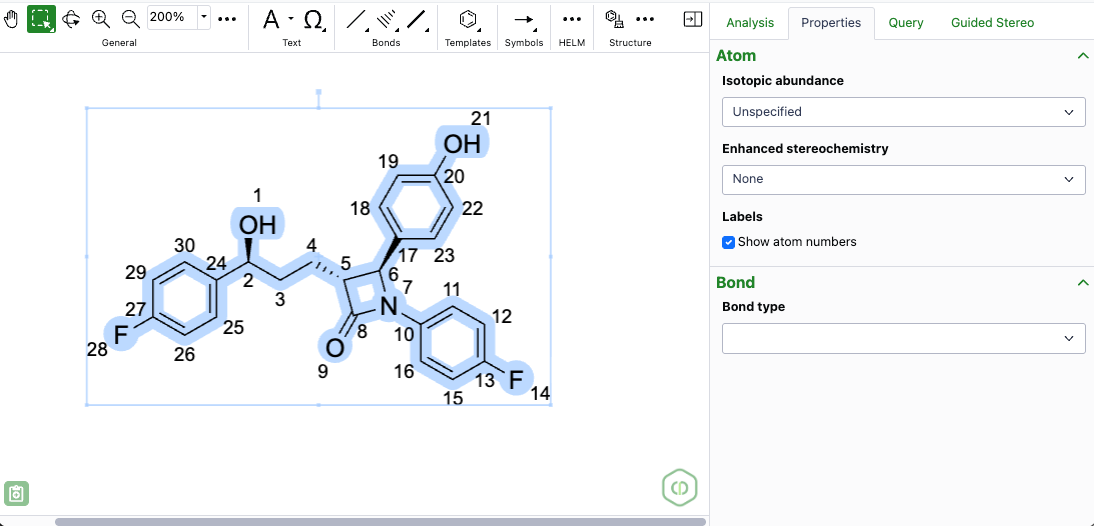
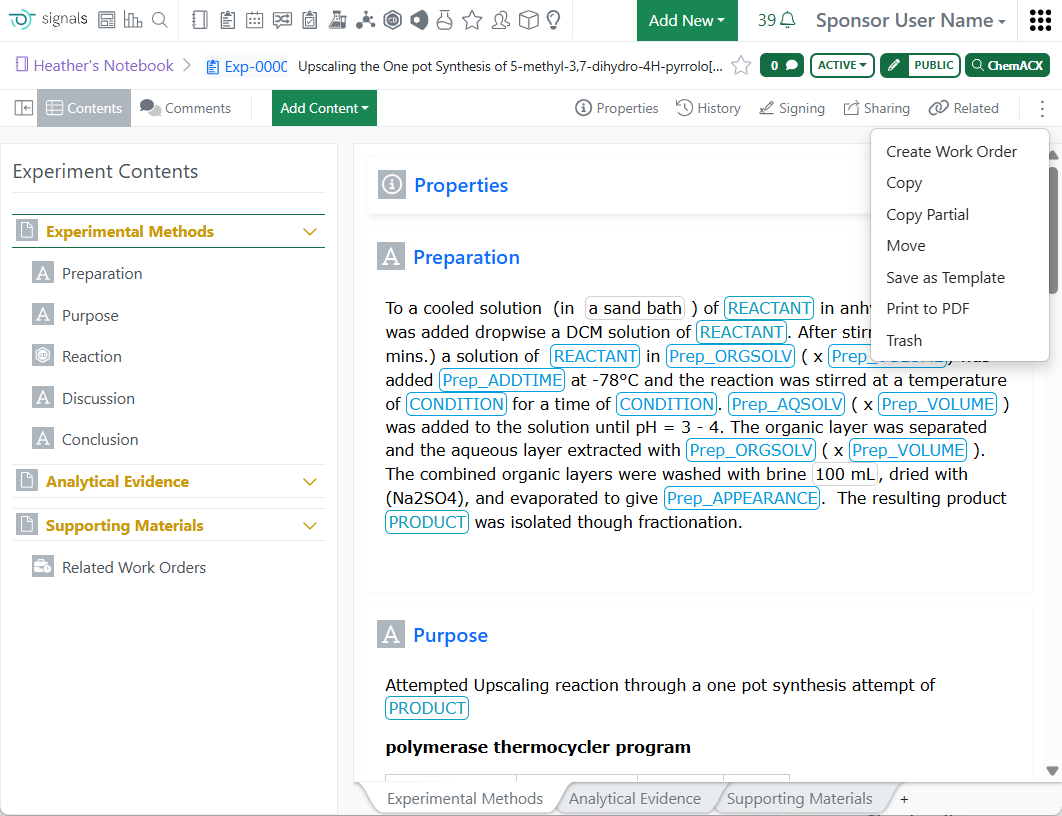
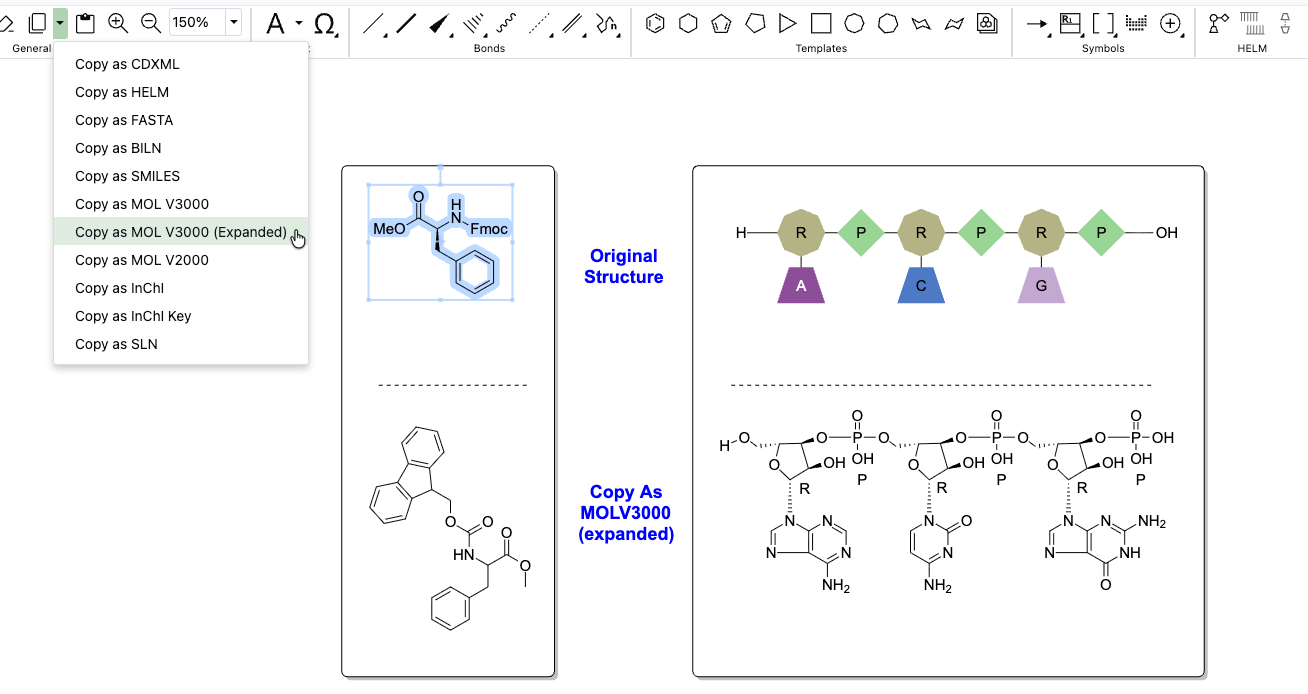
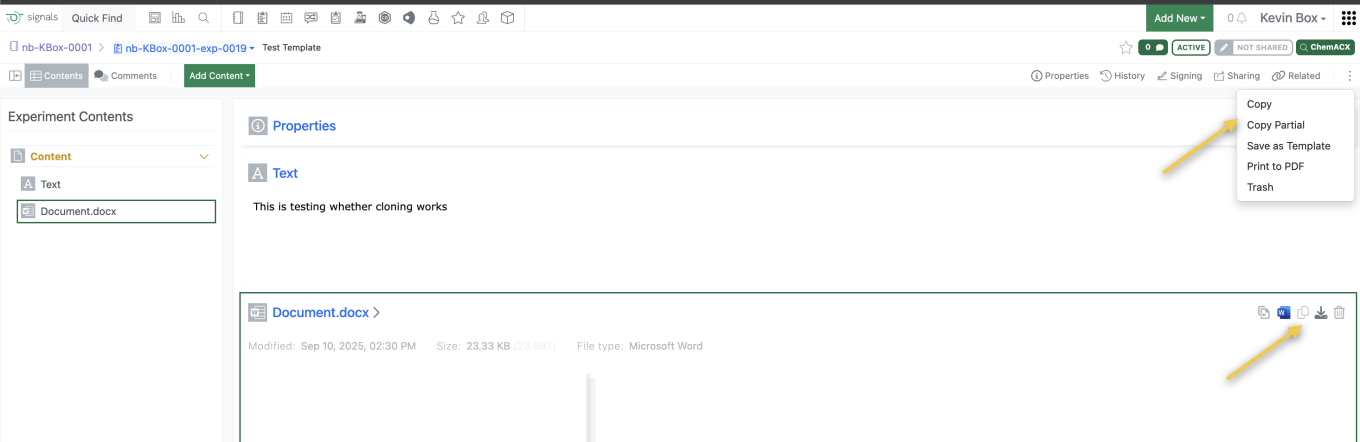
Chemists can copy or download individual chemical structures in CDXML or other chemical formats directly from the Reactants or Products tables. This is also available in content that is not editable such as Closed experiments.

Image 17 from What's New 26.7_finalupdatedv2.docx

Mixture names in ChemDraw now reflect the assigned component ratios, ensuring generated names display the actual ratio values when custom ratios are defined.

Tables

Image 18 from What's New 26.7_finalupdatedv2.docx

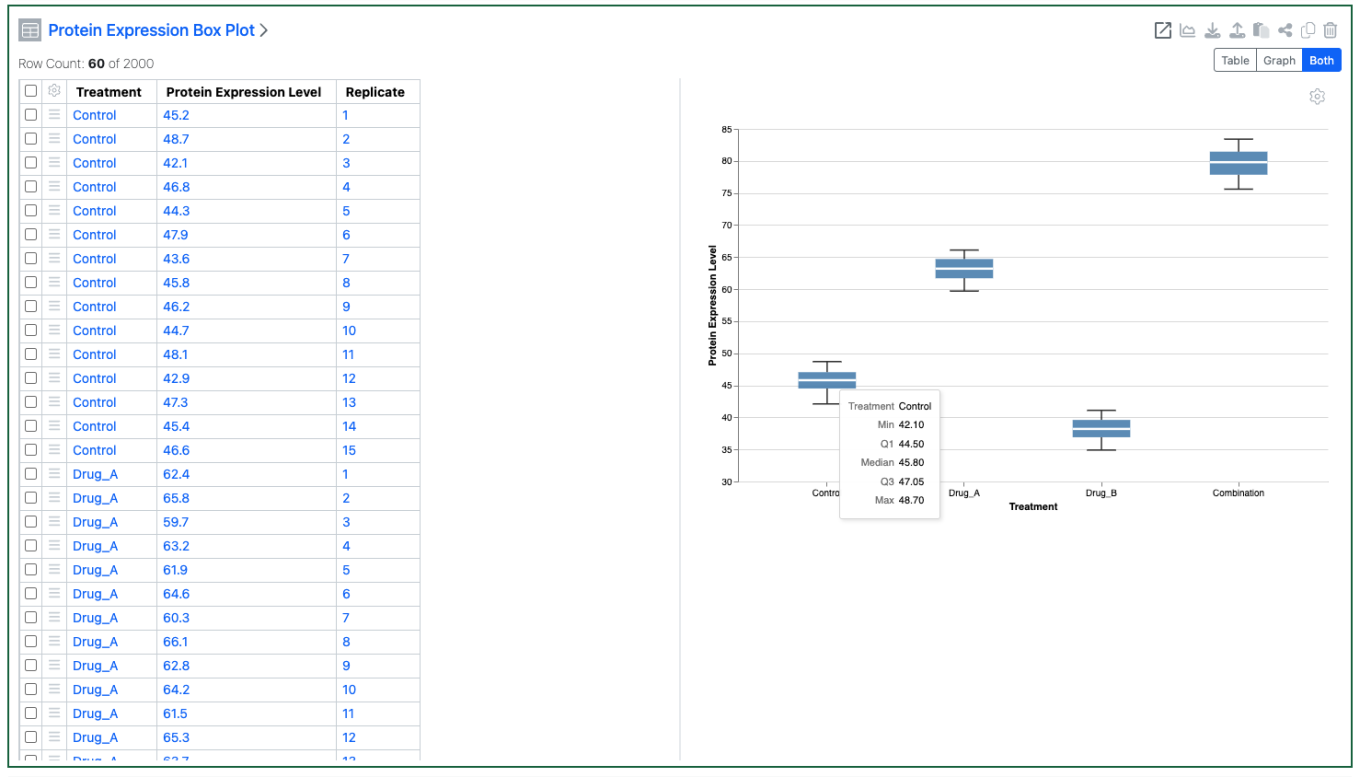
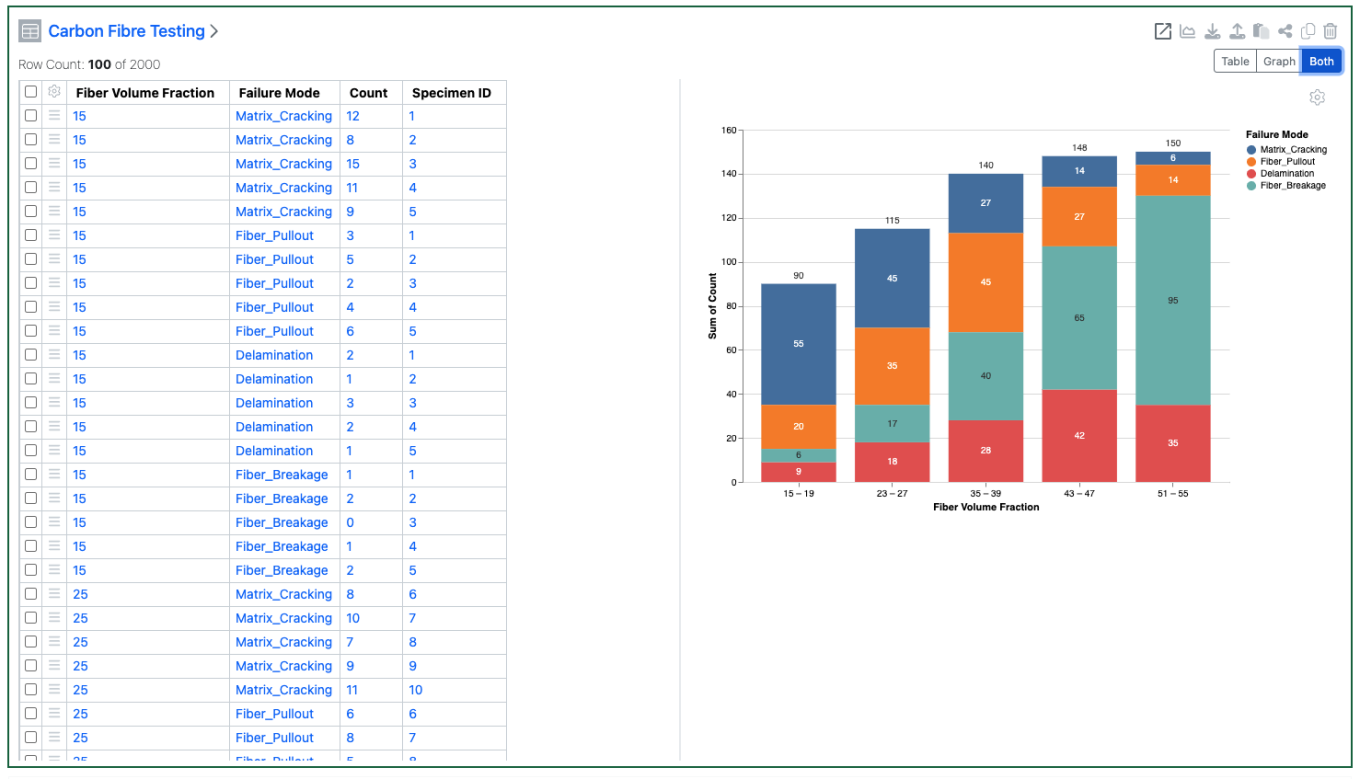
Numerical properties can now be bucketed and used on the categorical axes of a Box Plot. A numerical property can also be used to define the colors of the Box Plot

Image 19 from What's New 26.7_finalupdatedv2.docx

Box Plots can also be configured to show or hide outliers. They can also be configured to show a summary table of the statistics. The statistics table is only available for a vertical oriented box plot.

Image 20 from What's New 26.7_finalupdatedv2.docx

Hovering over a quadrant of the box plot will now highlight the associated rows, and visa-versa.

Image 21 from What's New 26.7_finalupdatedv2.docx

A second categorical property can also be added to the Categorical axis on Box Plots

Image 22 from What's New 26.7_finalupdatedv2.docx
Image 23 from What's New 26.7_finalupdatedv2.docx

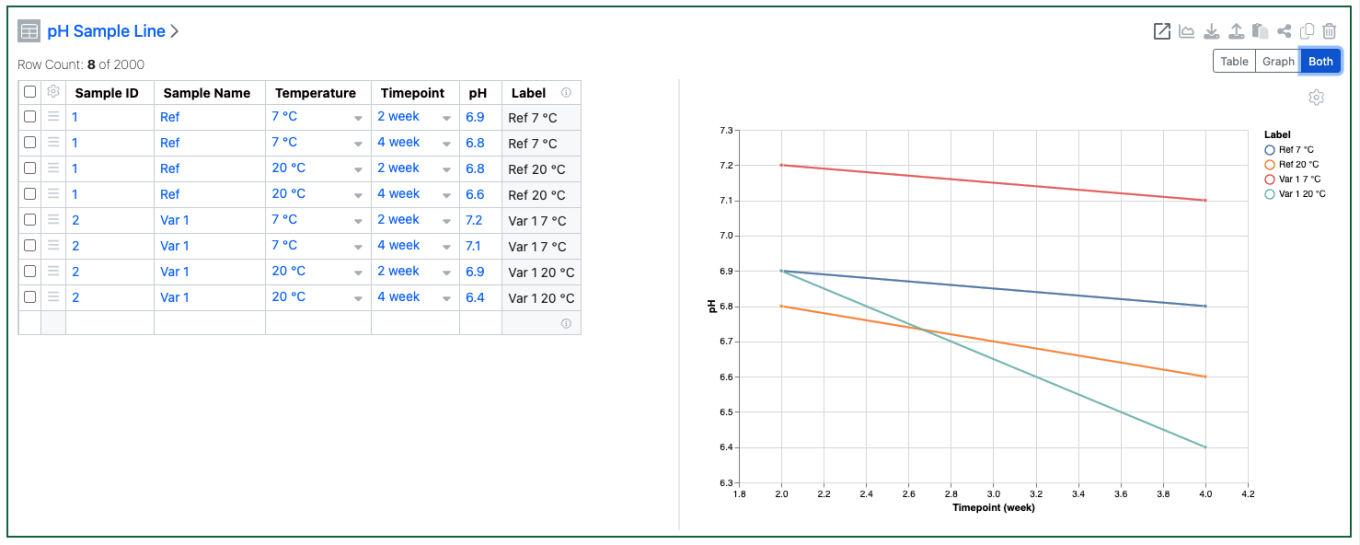
Markers on Line Charts can now be set by values in a categorical column. This option is only available if the Y axes are not aggregated.

Image 24 from What's New 26.7_finalupdatedv2.docx

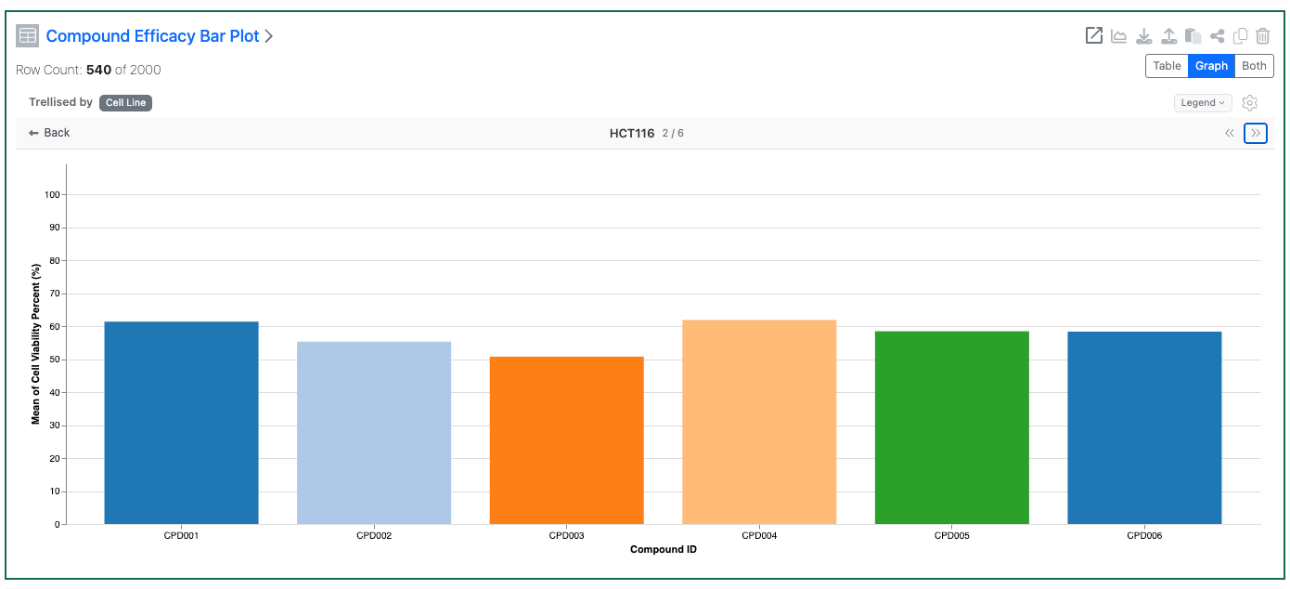
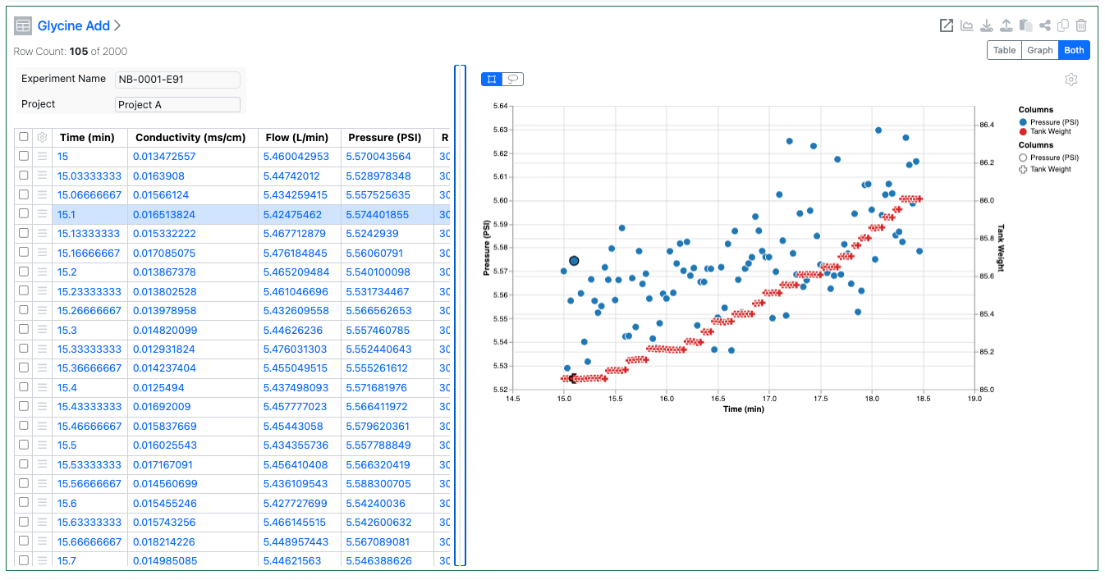
Tables can now be configured to display multiple charts, trellised via a categorical column. Configuration options include optionally setting the number of columns and setting if the trellised charts have synchronized axes.

Image 25 from What's New 26.7_finalupdatedv2.docx

The user can choose to focus on a single trellised chart in more detail and iterate through the charts.

Inventory

Image 26 from What's New 26.7_finalupdatedv2.docx
Image 27 from What's New 26.7_finalupdatedv2.docx

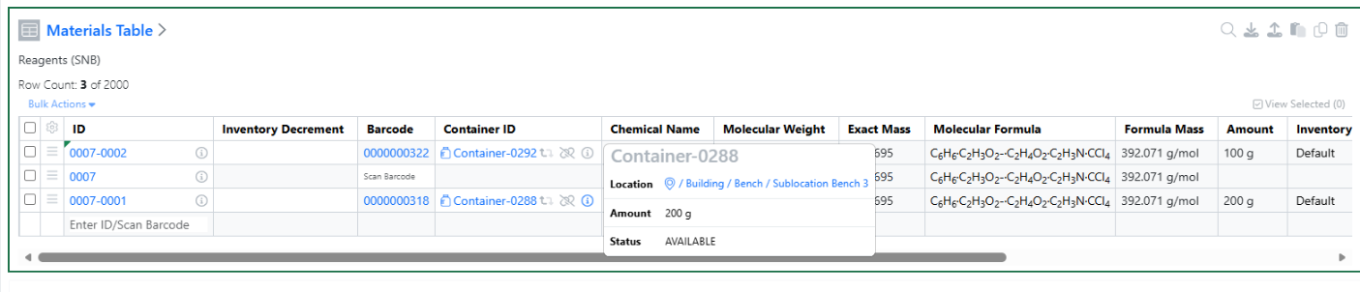
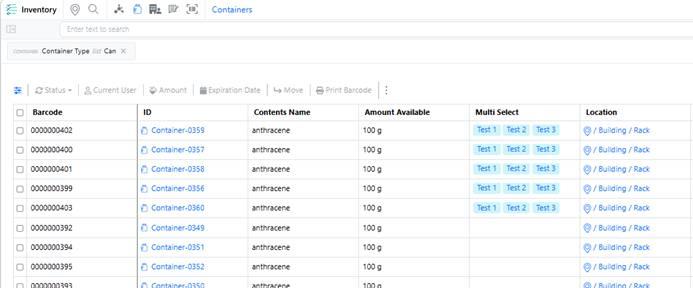
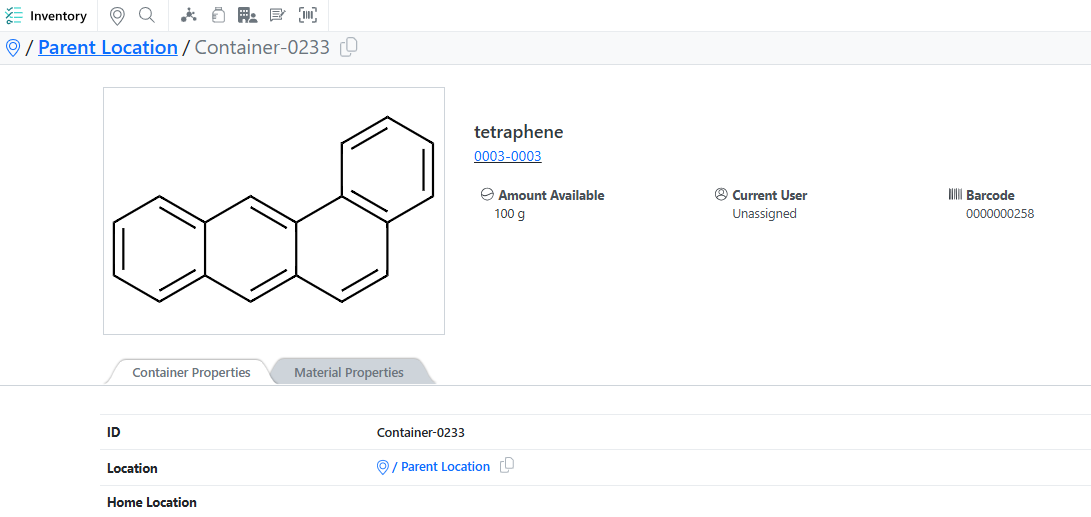
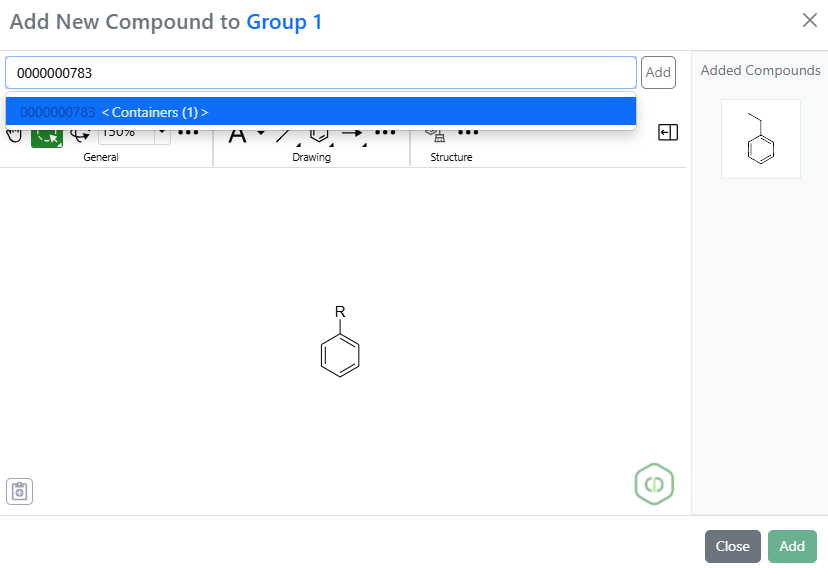
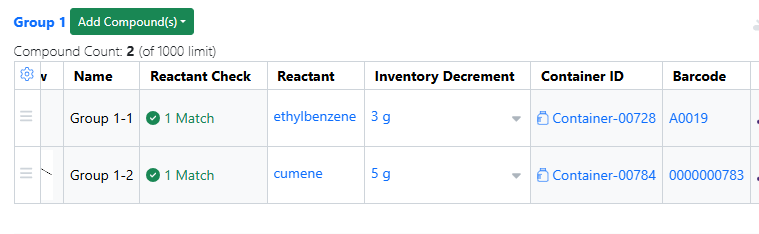
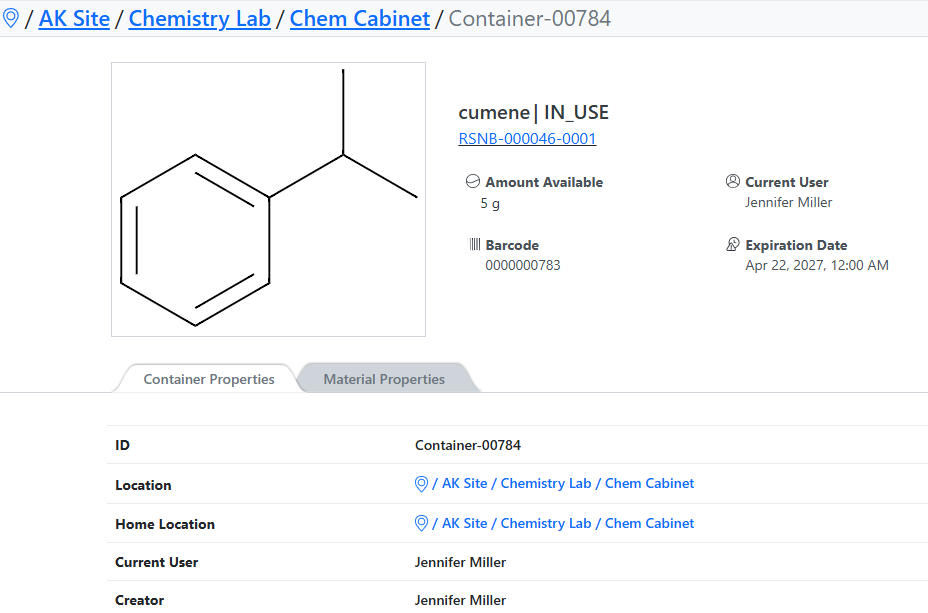
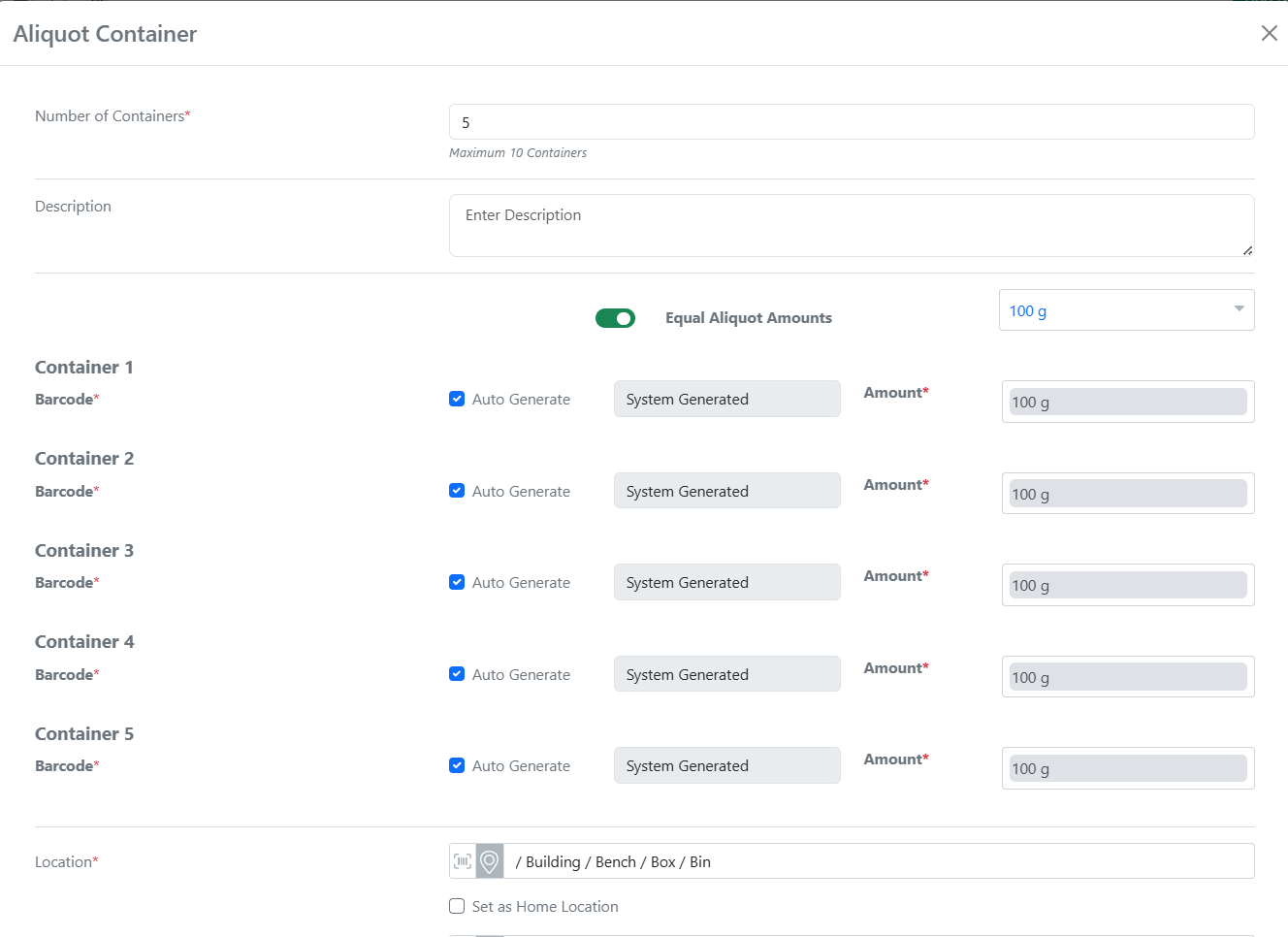
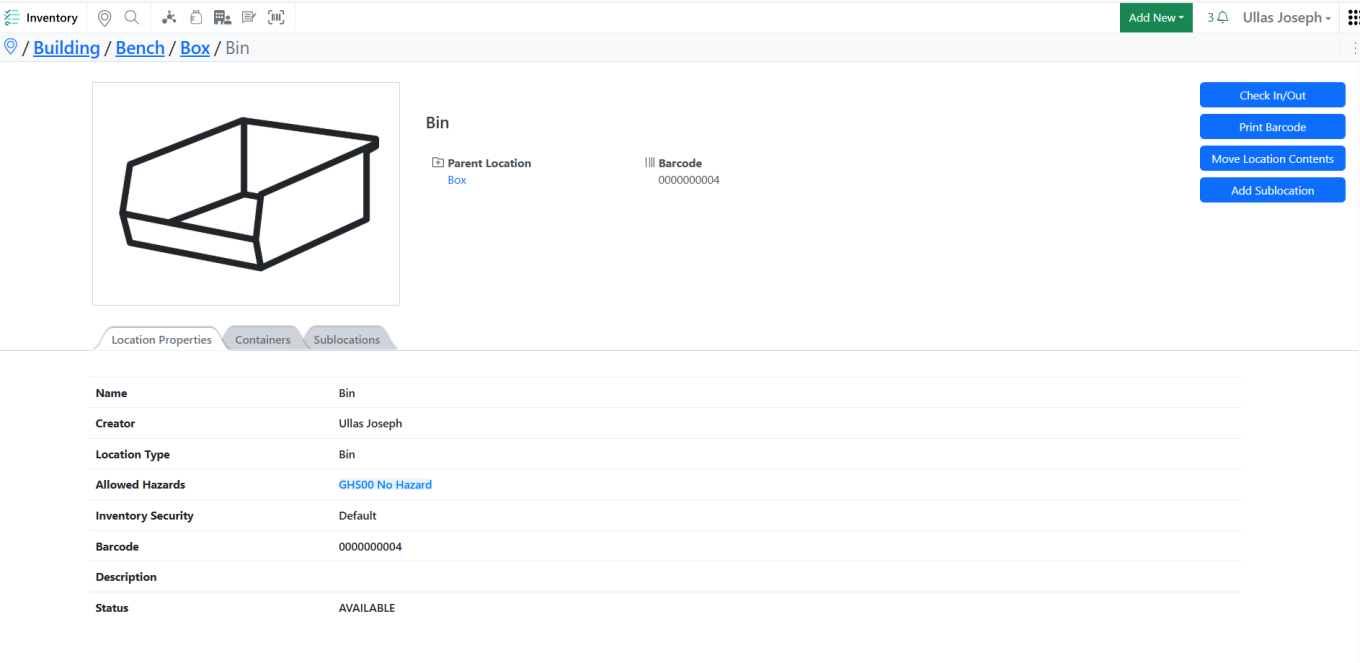
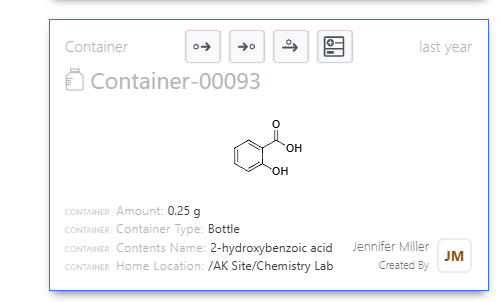
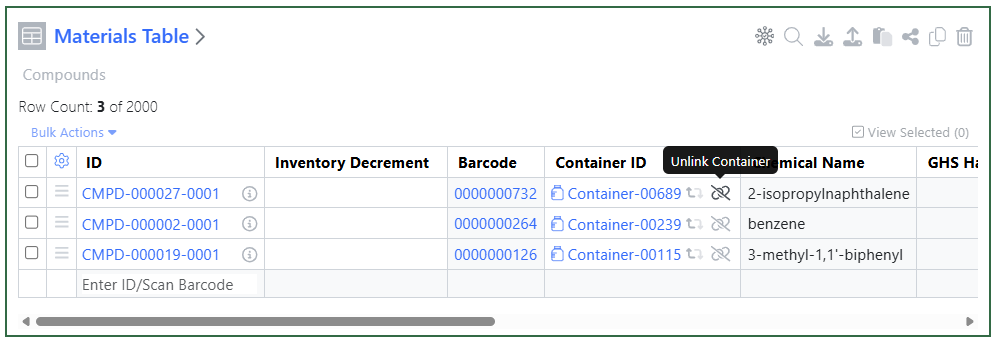
Added quick access to container location details directly from the Stoichiometry and Materials tables, allowing users to verify container information without leaving their current workflow.

Image 28 from What's New 26.7_finalupdatedv2.docx

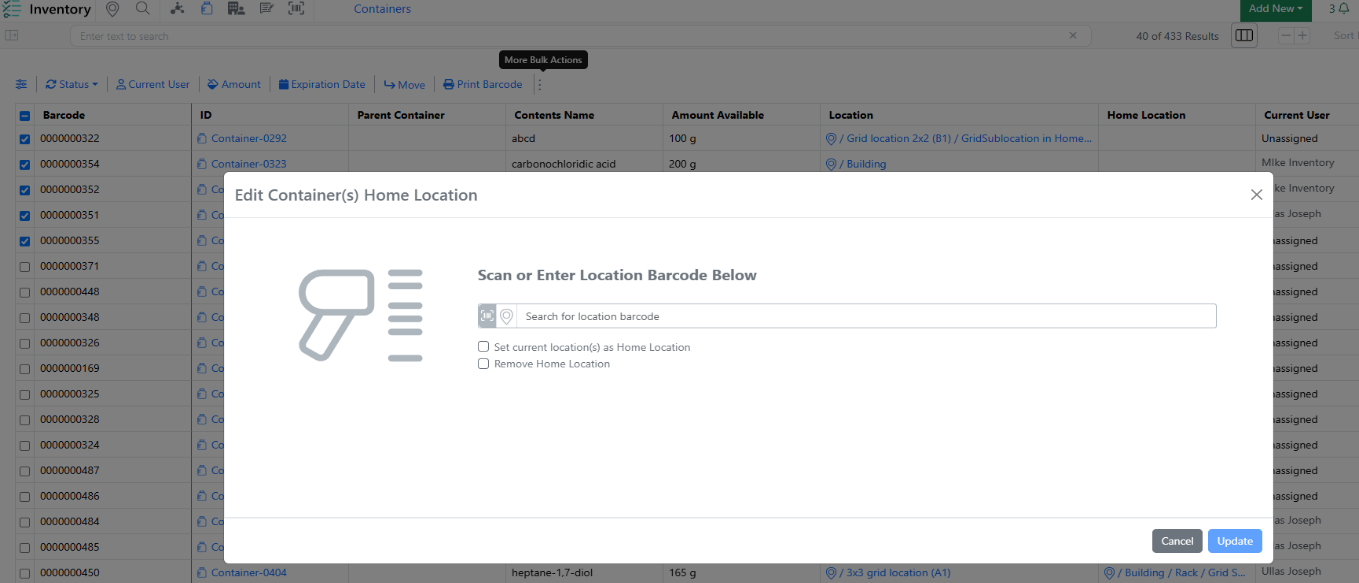
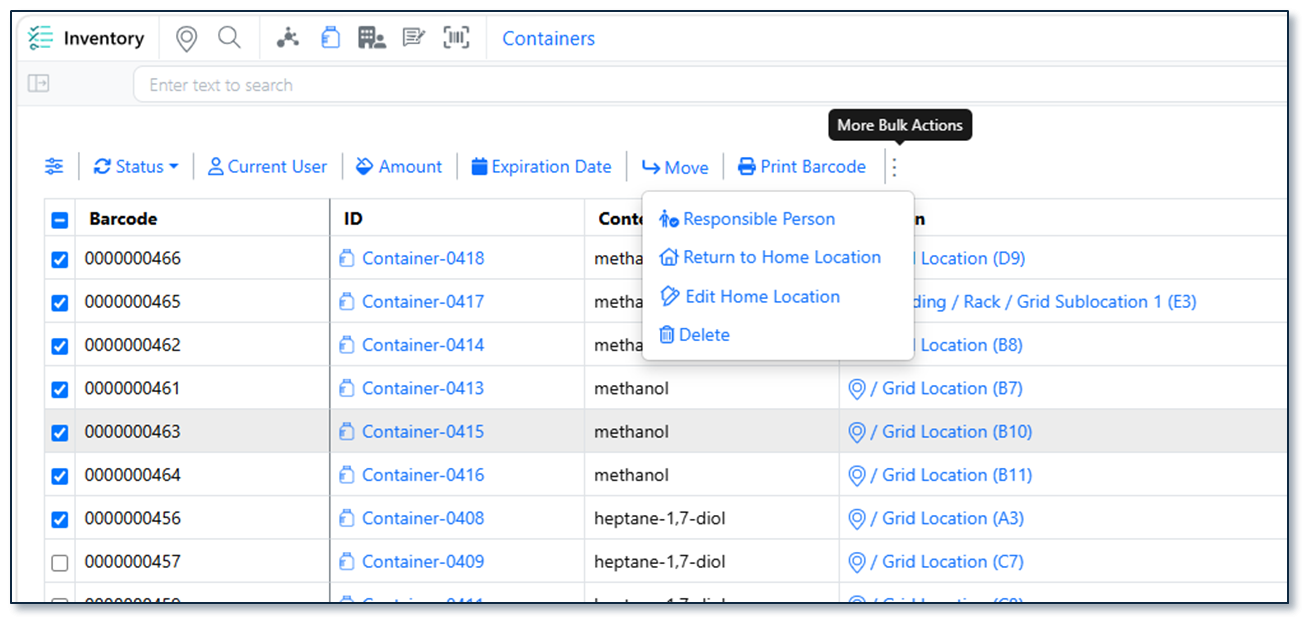
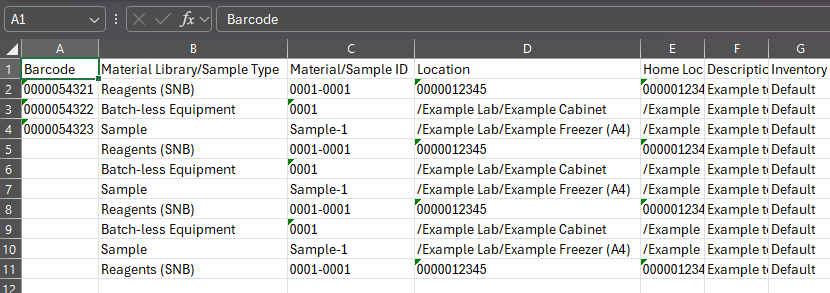
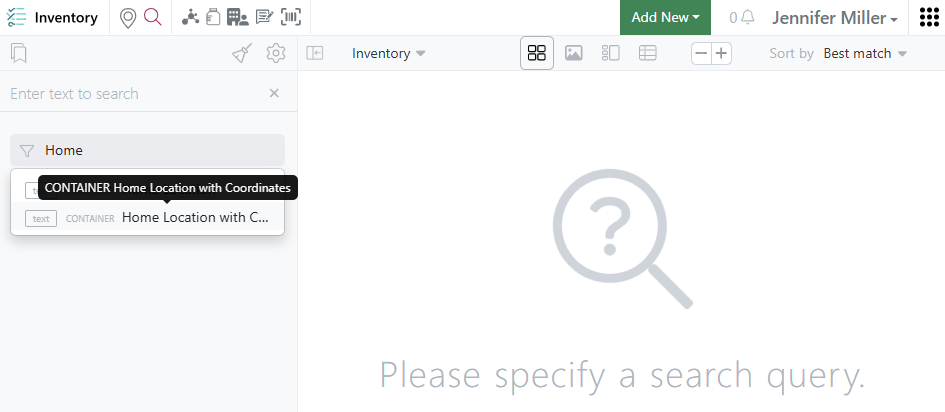
Bulk Edit Home Locations now supports blank Home Location values, providing greater flexibility when updating container location assignments. Users can now clear or leave Home Location values blank during bulk updates, simplifying location management and reducing manual effort.

Image 29 from What's New 26.7_finalupdatedv2.docx

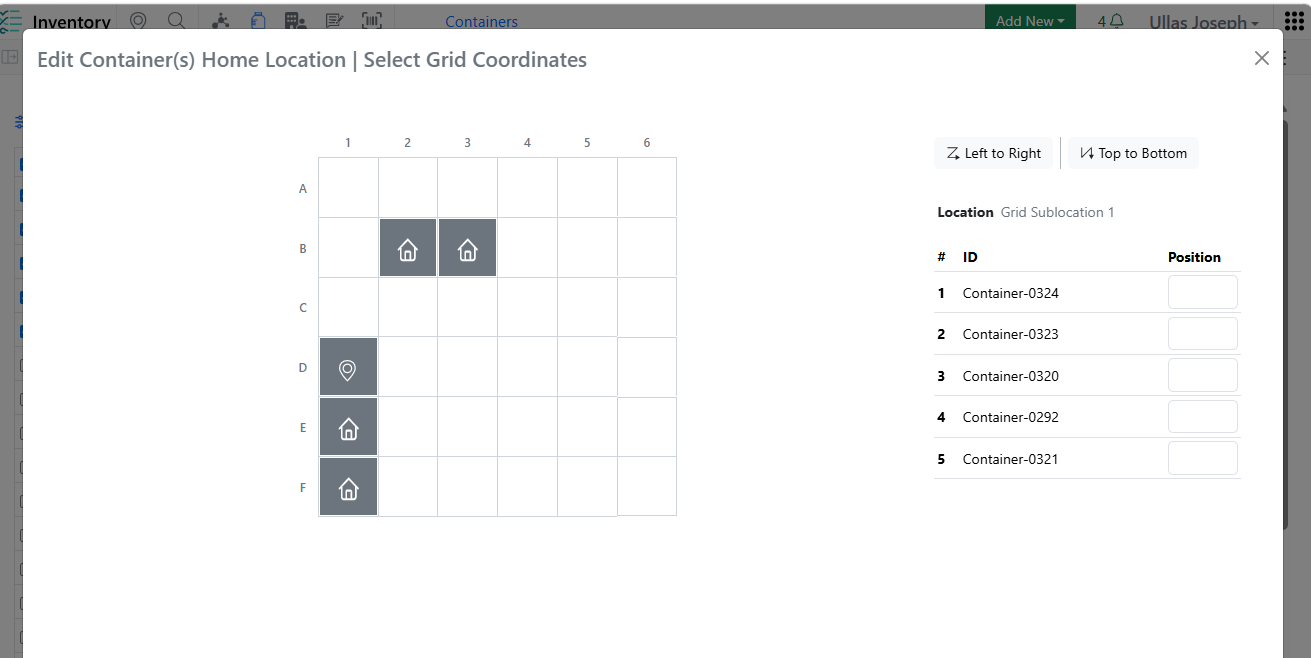
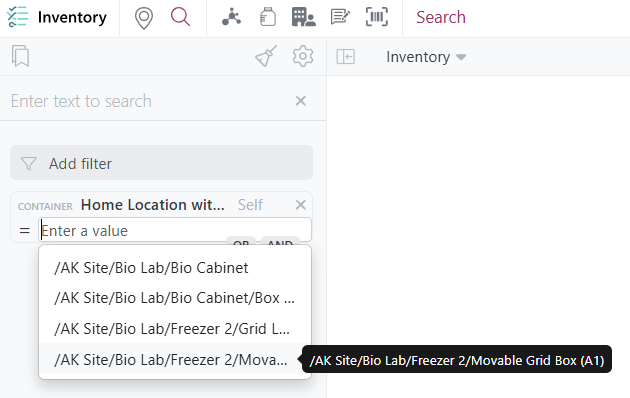
Enhanced Home Location assignment across Create/Edit Grid Location and Bulk Edit workflows with visual indicators and validation rules to ensure Home Location uniqueness and improve data accuracy.

Image 30 from What's New 26.7_finalupdatedv2.docx

Improved the Auto Fill Grids logic to automatically select occupied grid cells while skipping only those designated as Home Locations, making container assignments faster and more intuitive.

Image 31 from What's New 26.7_finalupdatedv2.docx

Added row-level warning indicators in Inventory Decrement Auto Fill to clearly identify containers that are not eligible for inventory decrement, helping users avoid errors while maintaining workflow efficiency.

Image 32 from What's New 26.7_finalupdatedv2.docx

New Label Templates 76×25 mm (6 Slots)

Image 33 from What's New 26.7_finalupdatedv2.docx

New Label Templates 62×29 mm QR

InventoryGo

Image 34 from What's New 26.7_finalupdatedv2.docx
Image 35 from What's New 26.7_finalupdatedv2.docx

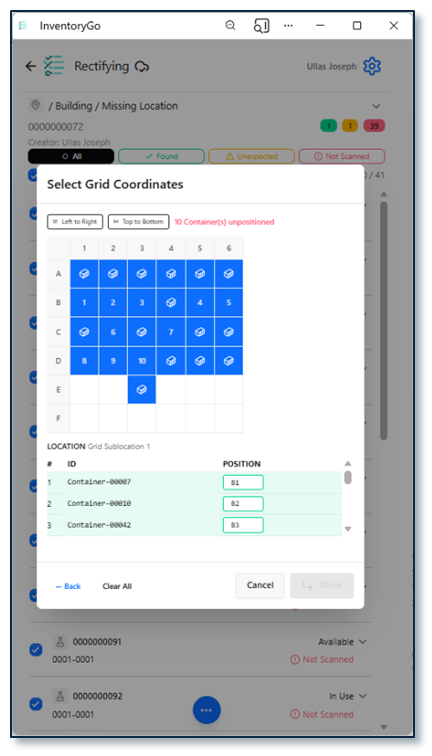
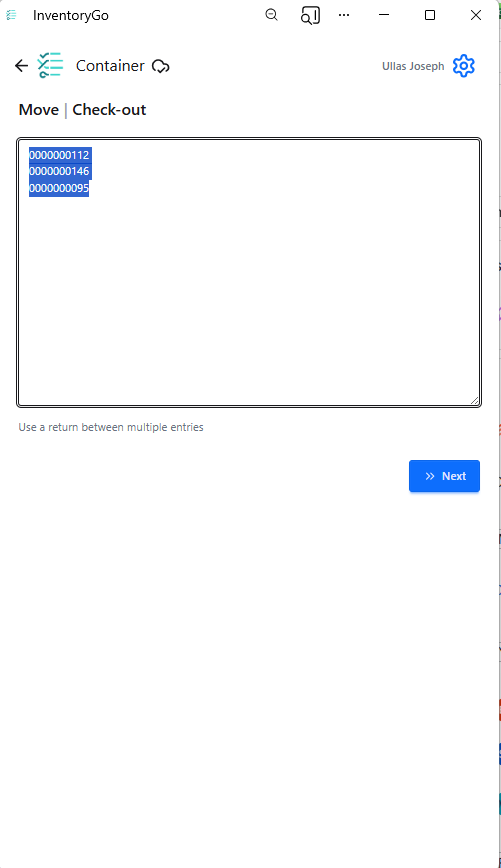
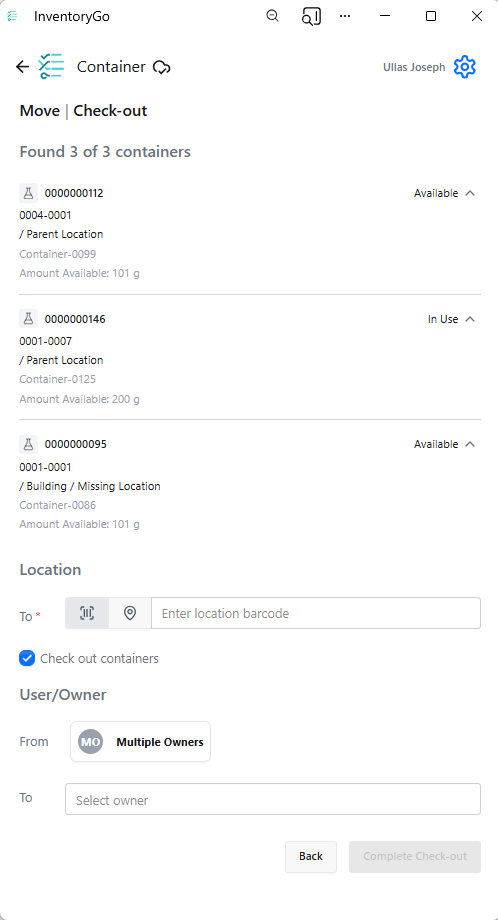
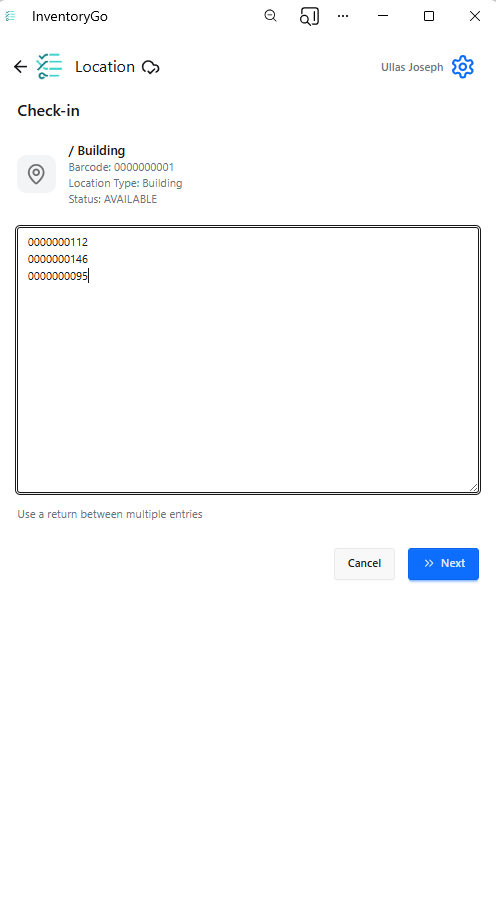
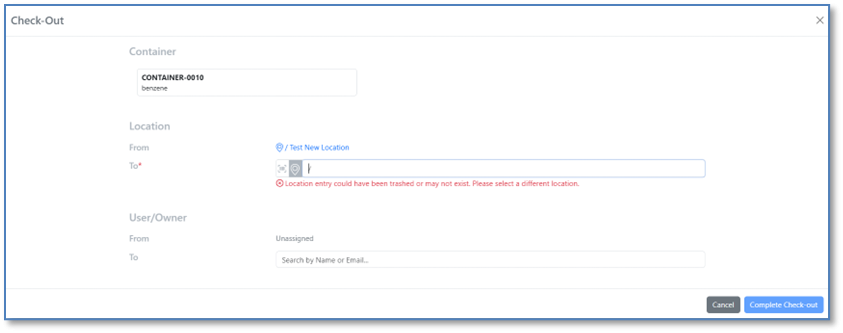
Users can now select a specific grid position during Check In and Check Out operations, providing greater control over container placement and improving location accuracy.

Image 36 from What's New 26.7_finalupdatedv2.docx

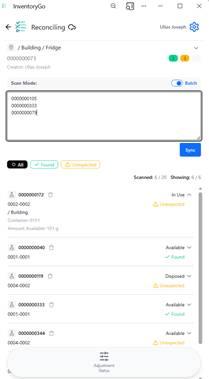
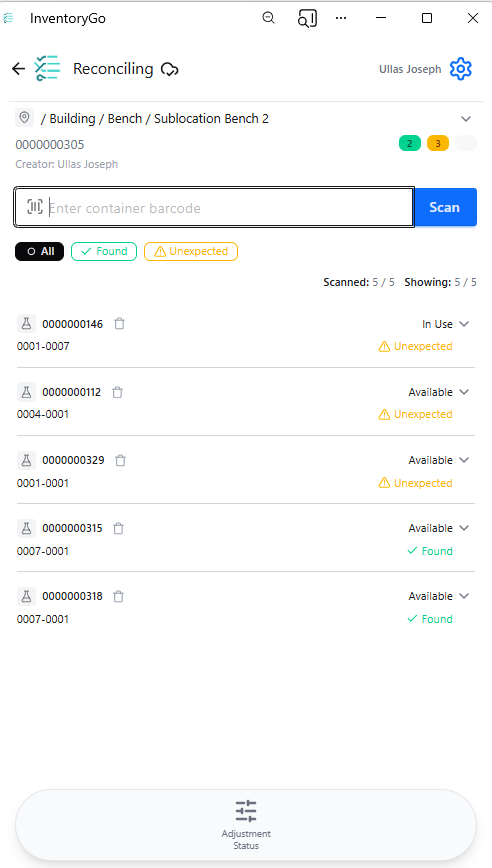
Reconciliation reports now include Material ID and Expiration Date information, providing better traceability and supporting more effective inventory audits and reviews.

Image 37 from What's New 26.7_finalupdatedv2.docx

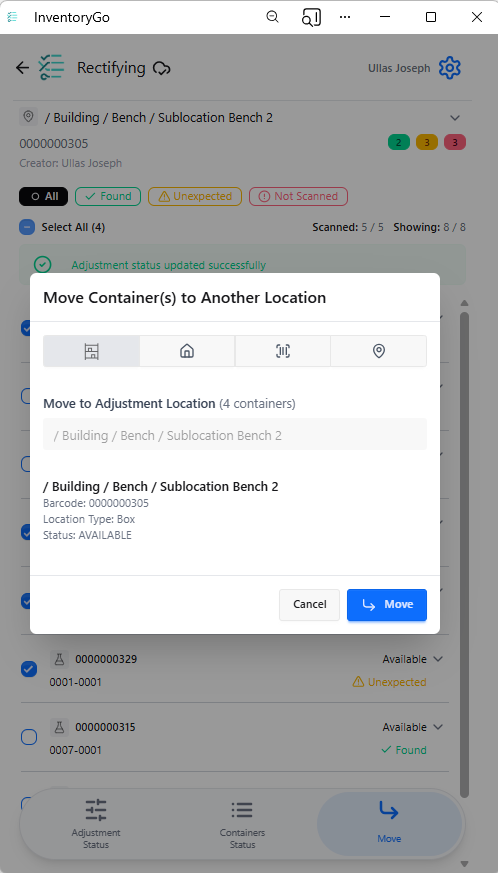
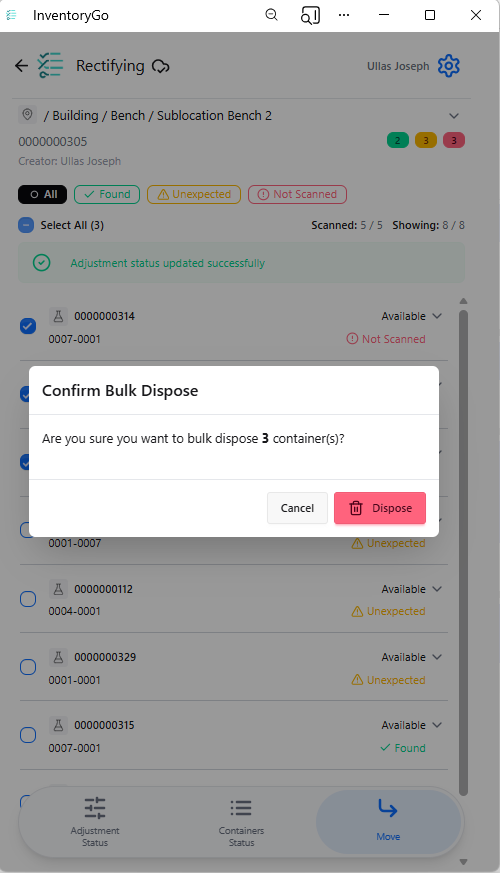
Added confirmation prompts for delete actions in Reconciliation and Consume workflows to help prevent accidental data changes and improve user confidence.

Image 38 from What's New 26.7_finalupdatedv2.docx
Image 39 from What's New 26.7_finalupdatedv2.docx

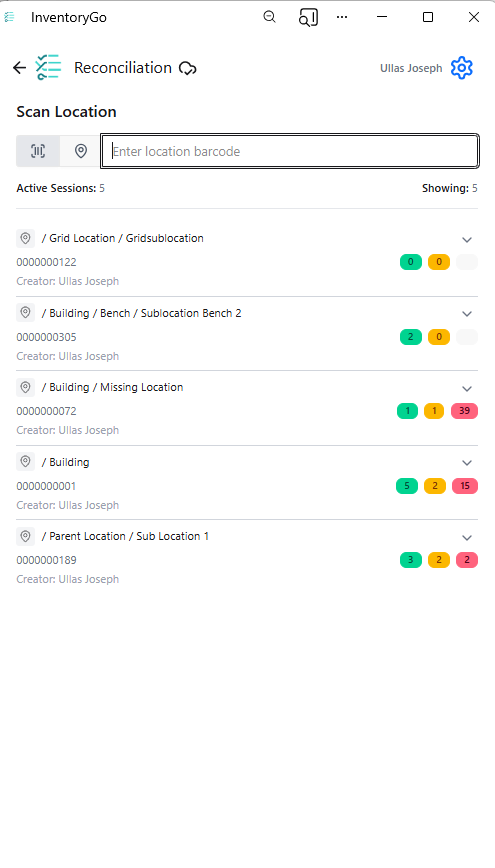
Reconciliation details are now available directly within the Inventory application for both locations and containers, providing greater visibility into reconciliation activities without leaving the inventory workflow.

Tasks and Requests

Image 40 from What's New 26.7_finalupdatedv2.docx

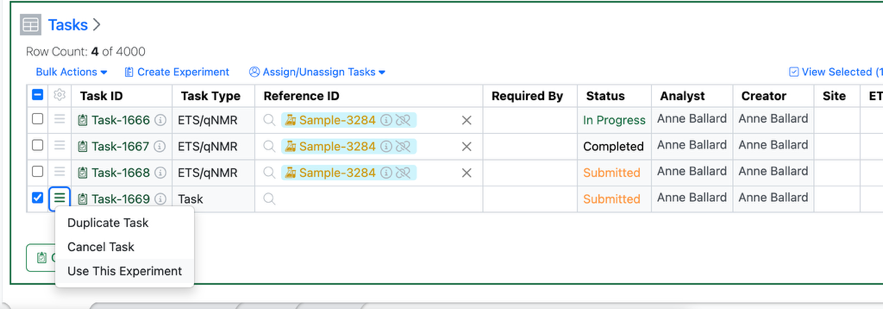
Users will now have the option of completing a Task within the originating experiment assuming the user 1) has write access to the task’s originating experiment and 2) the user in question is assigned the task.

Image 41 from What's New 26.7_finalupdatedv2.docx

If both of these criteria are met, the new “Use This Experiment” option will be available under the hamburger menu and the Bulk Actions menu.

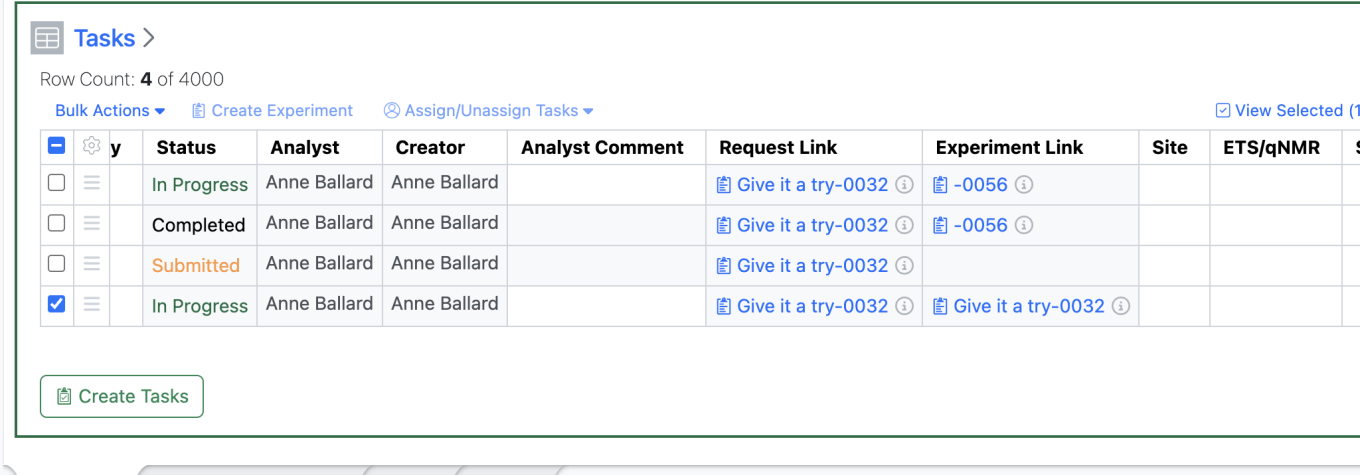
Selecting “Use this Experiment” updates the Task Status to “In Progress” updates the “Experiment Link” to the same Experiment as the “Request Link” and opens up the Analyst fields for the user to update in the Task Table.

This will also allow the analyst/user to transition the Task to “Closed” from this same table allowing the user to complete their task workflow within the same experiment.

Administration

Image 42 from What's New 26.7_finalupdatedv2.docx
Image 43 from What's New 26.7_finalupdatedv2.docx

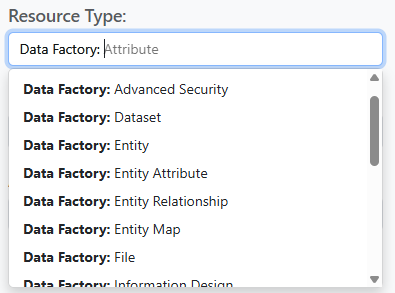
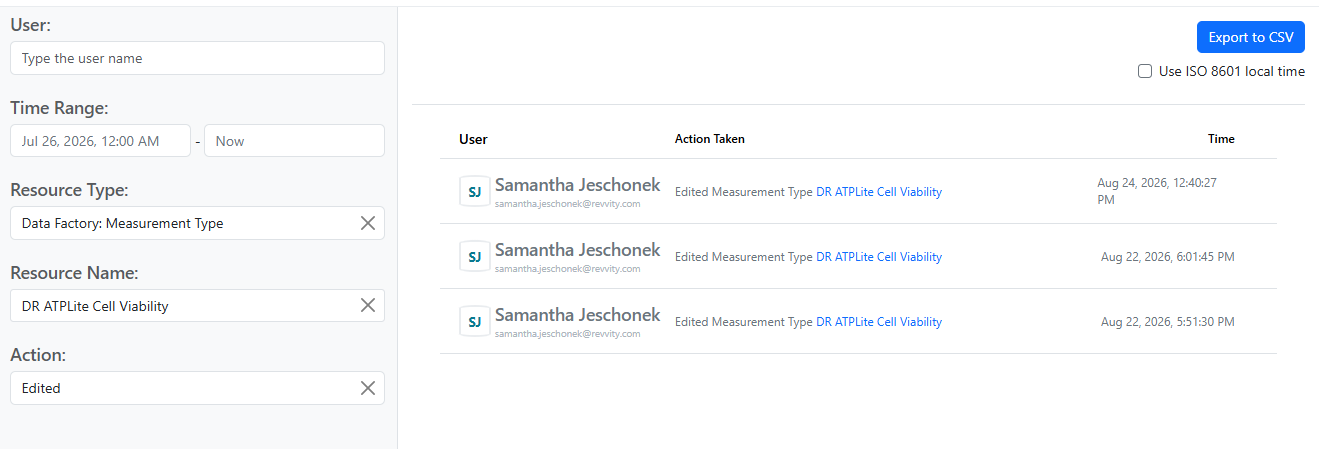
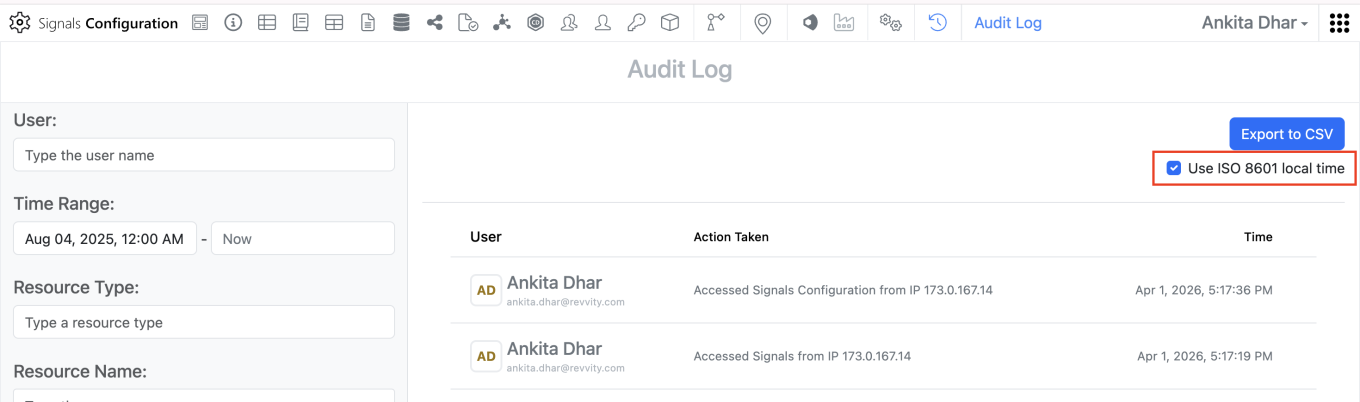
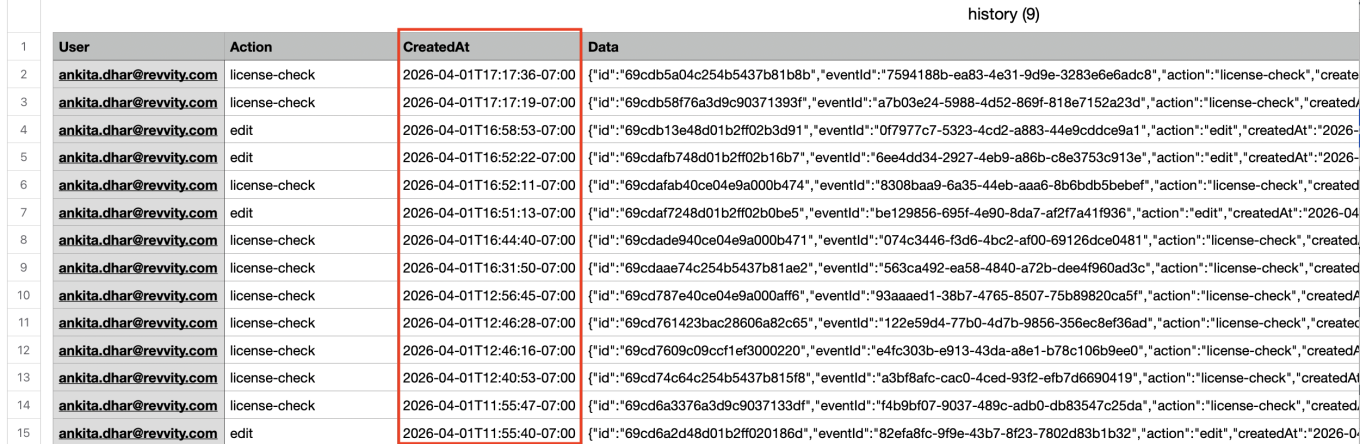
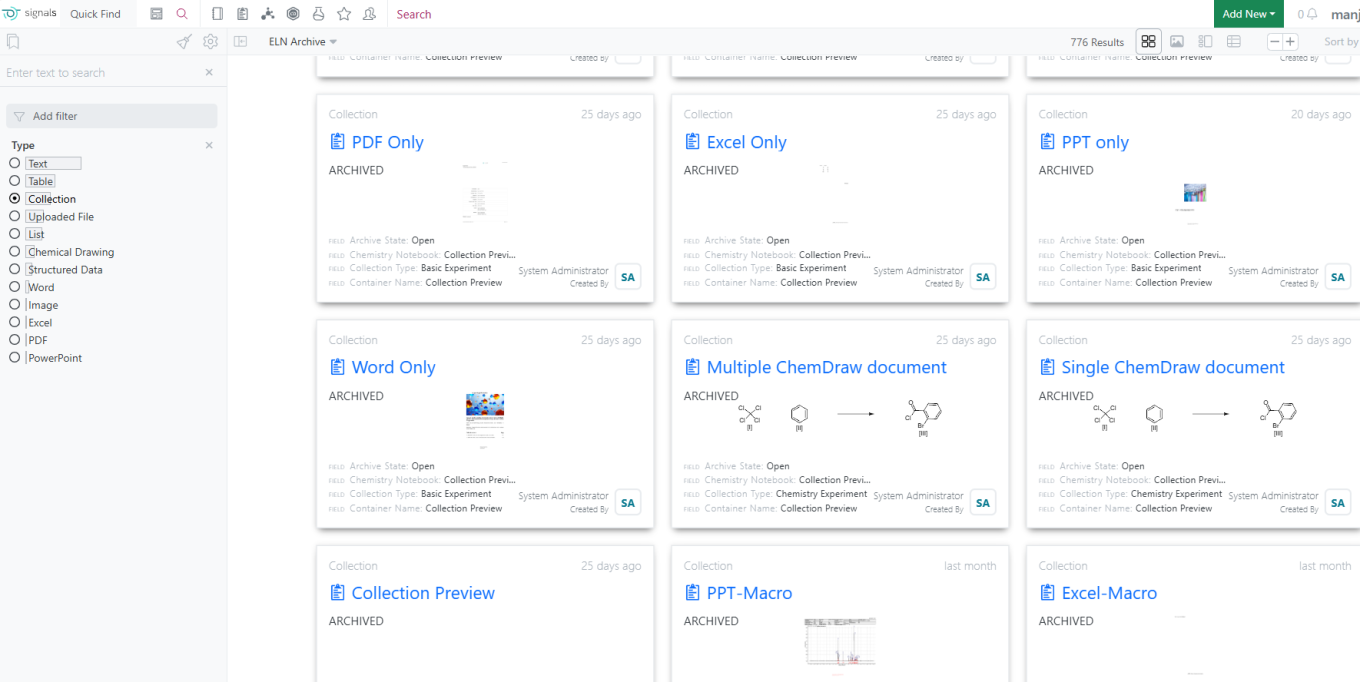
Data Factory audit events are now accessible from the Signals Audit Log. Data Factory actions are organized by Resource Type, and can be further filtered by Resource Name and Action.

Integrations & APIs

Image 44 from What's New 26.7_finalupdatedv2.docx

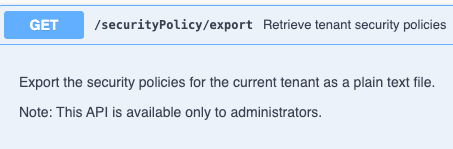
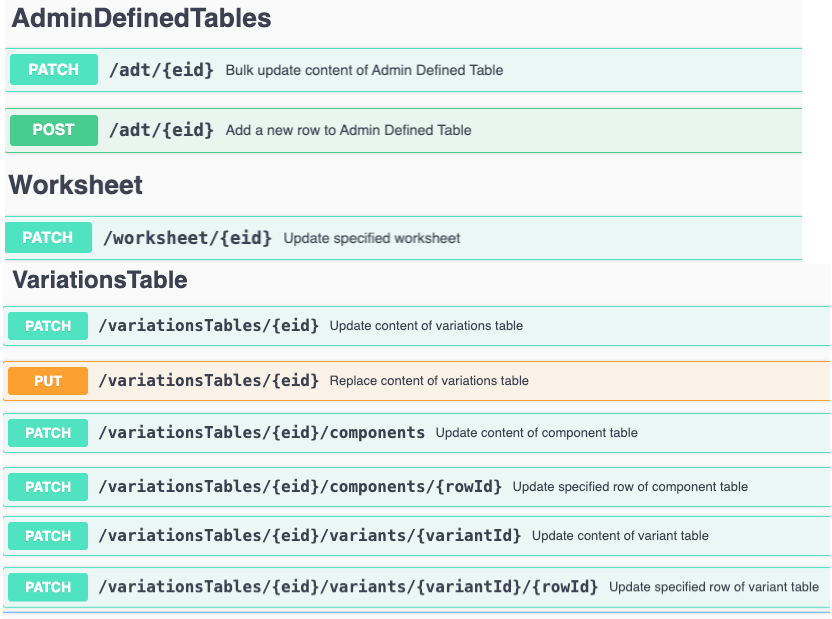
We have added new APIs to revoke bearer tokens via API. Bearer tokens can be revoked by email or for all users simultaneously.

Image 45 from What's New 26.7_finalupdatedv2.docx


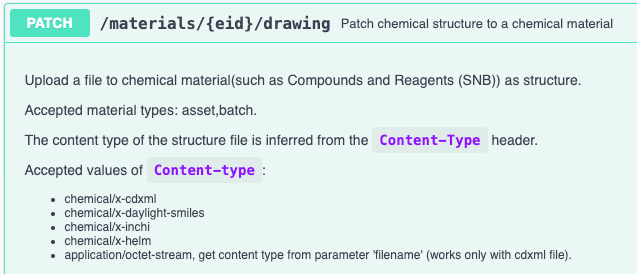
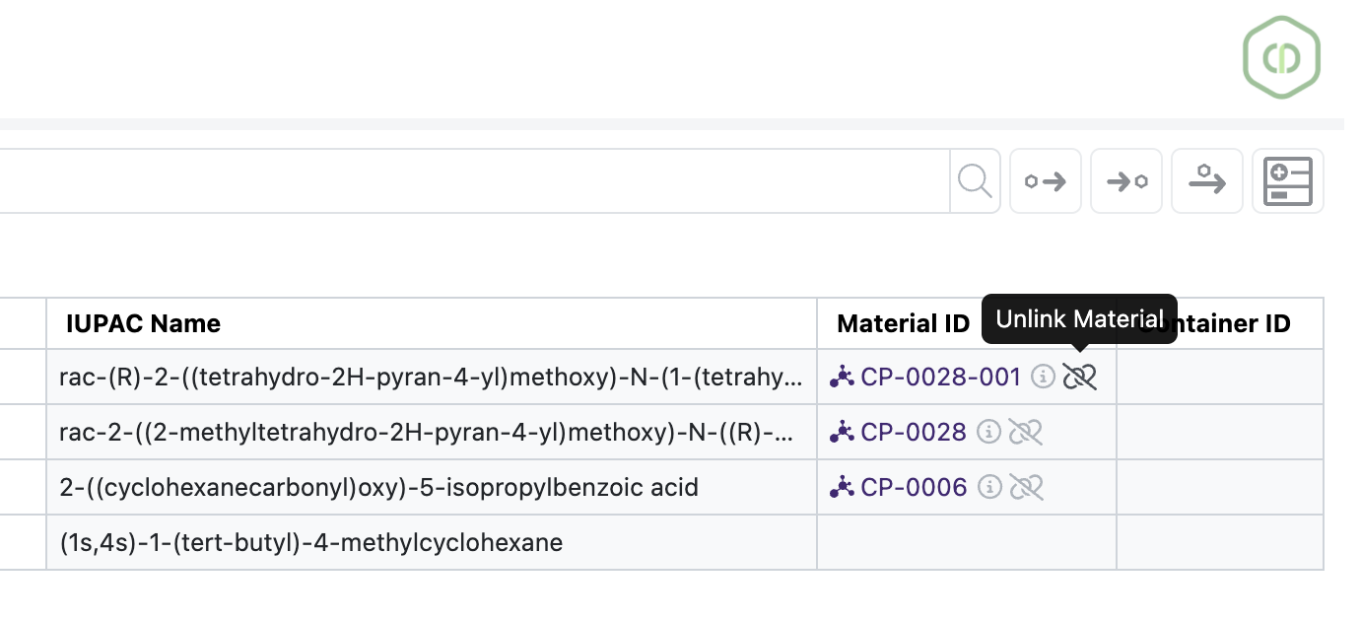
We have enhanced the Material Fetch APIs to support expanded Chemical Structures output. A new URL parameter “structureFormat” is optionally available. The structure is returned as json encoded strings.

Image 46 from What's New 26.7_finalupdatedv2.docx

We have enhanced the External Enumerator APIs to support RDF files. The “Content-Type” header must best set to “chemical/x-mdl-rdfile".

Image 47 from What's New 26.7_finalupdatedv2.docx

We have added a new API to fetch JSON formatted parser definitions.

The following capabilities are in beta and are available for users, administrators and developers on the Signals platform upon request. Please contact your account representative or our support team if you would like access to the following features.

Fundamentals

Image 48 from What's New 26.7_finalupdatedv2.docx

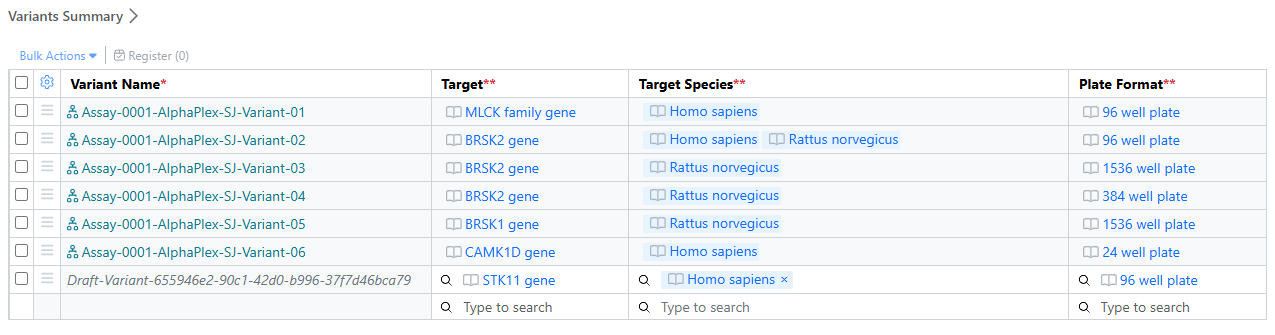
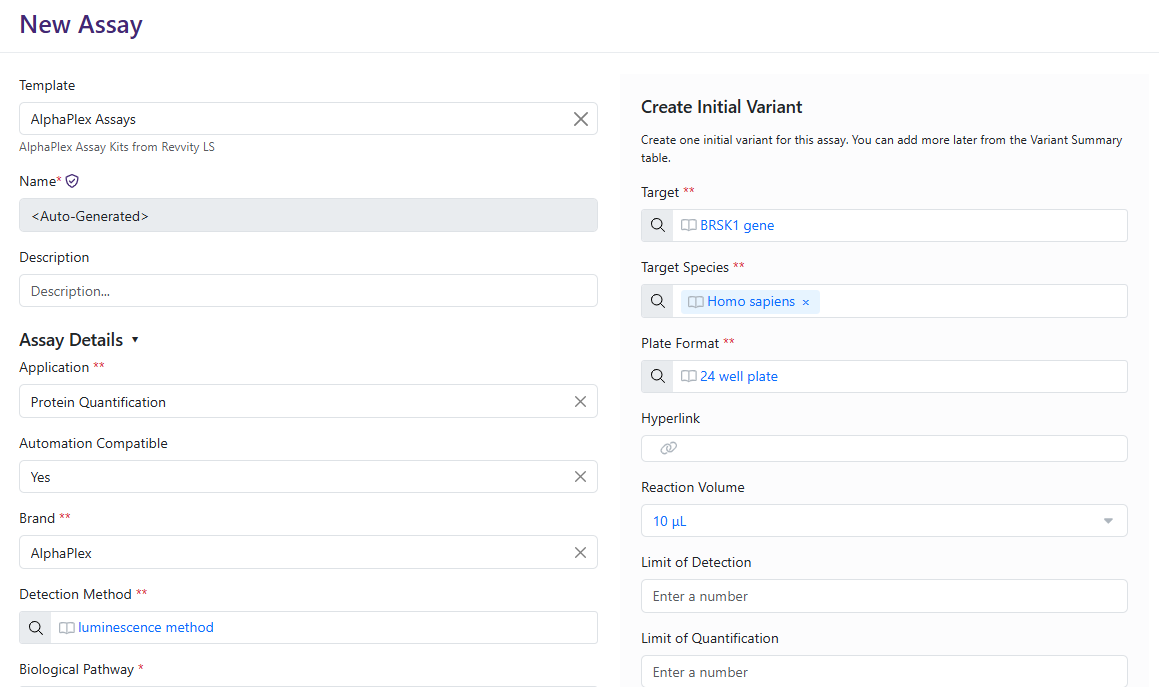
The Assay Library (beta) enables organizations to register unique Assays and their associated Variants in a centralized repository. Assay and Variant metadata are captured in structured templates, helping standardize assay definitions and improve consistency.

Assays include one or more Variants, allowing users to represent planned experimental differences such as target, cell line, plate format, or other assay conditions while maintaining a clear relationship to the parent assay.

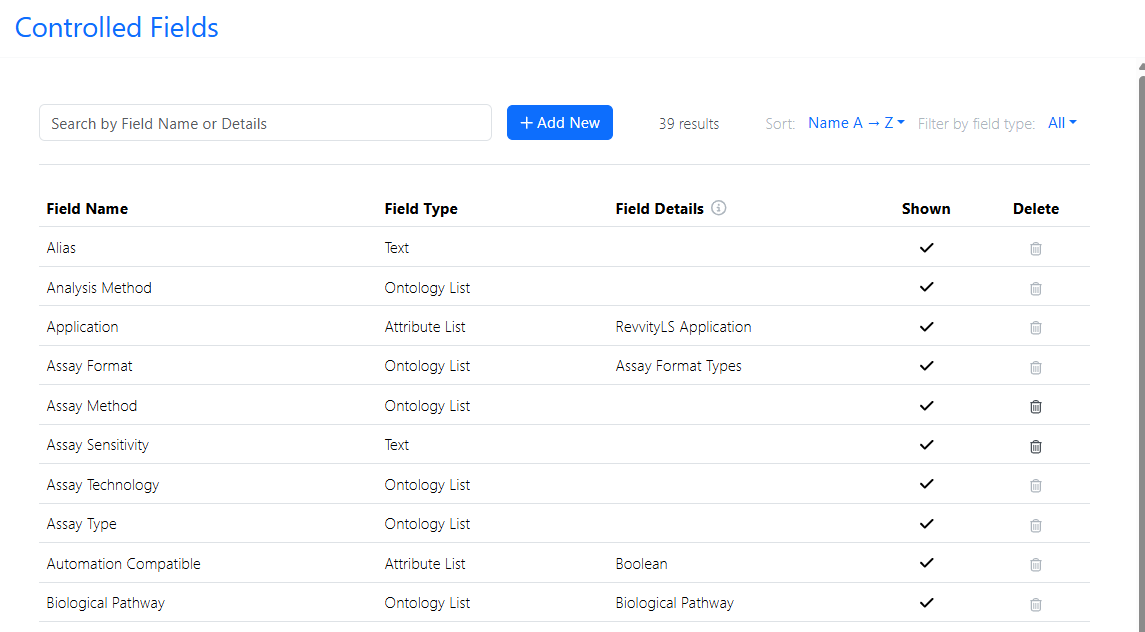
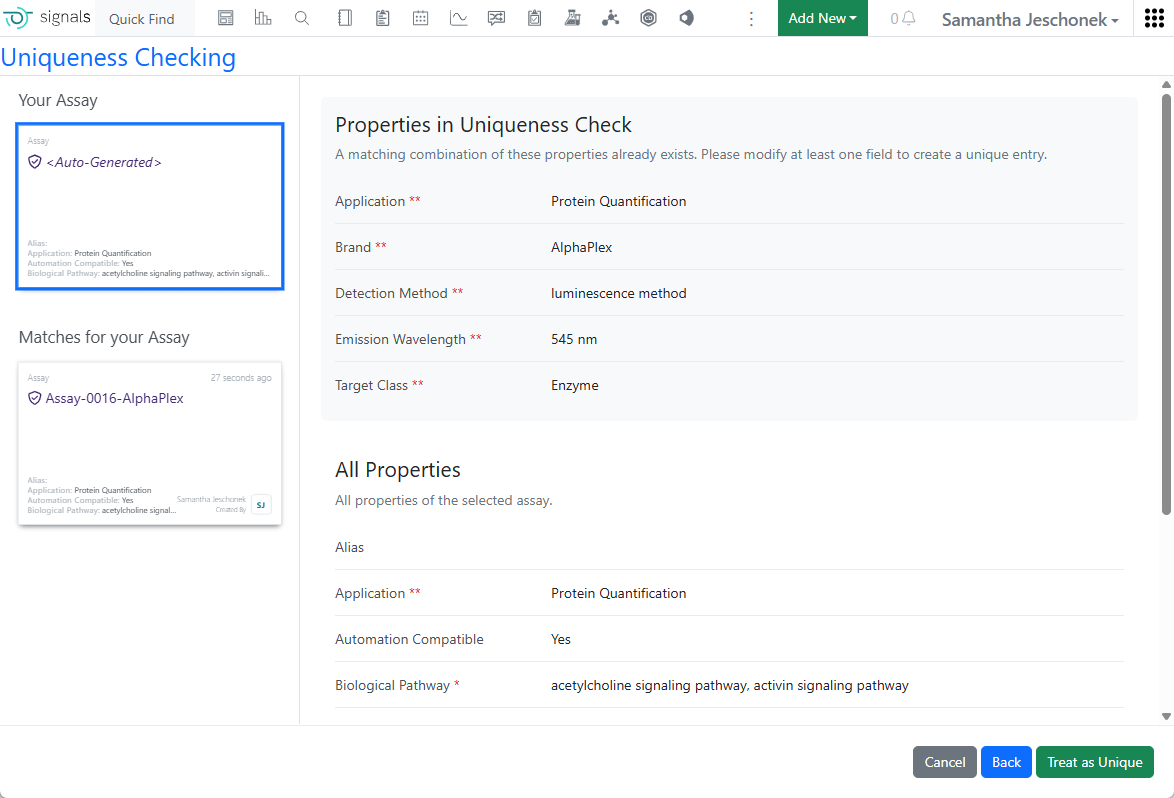
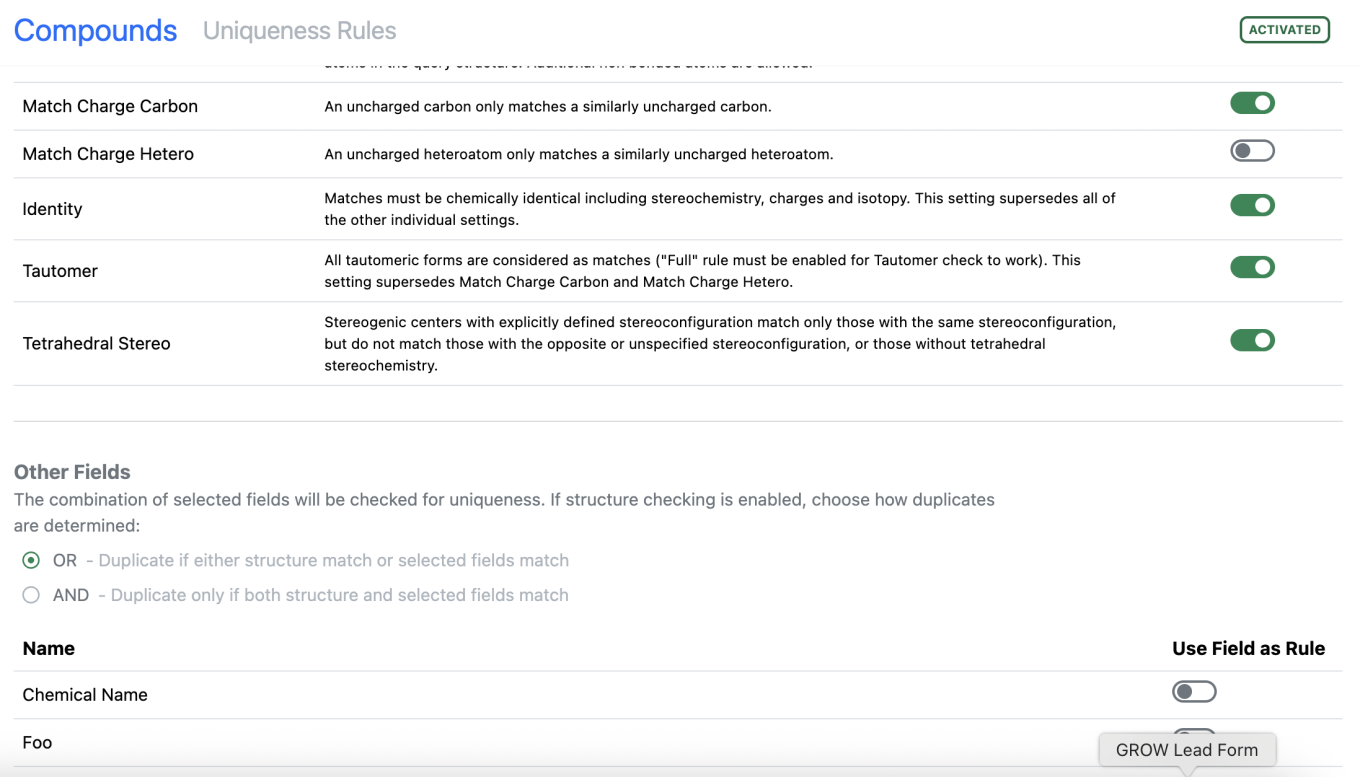
Administrators configure reusable Controlled Fields to enforce standardized terminology across assay registrations. As part of the Assay Template, these fields can also be designated for uniqueness checking.

When registering a new assay, the system automatically evaluates configured uniqueness criteria and alerts users when a potentially duplicate assay already exists.

Assays provide a structured overview of key metadata, supporting content, and registered variants within a single record.

Image 49 from What's New 26.7_finalupdatedv2.docx

The Variant Summary provides a consolidated view of assay variants and their key attributes, making it easier to compare experimental conditions.

Image 50 from What's New 26.7_finalupdatedv2.docx

Controlled Fields allow organizations to standardize terminology across different assay templates, which encourages better data governance and discoverability.

Image 51 from What's New 26.7_finalupdatedv2.docx

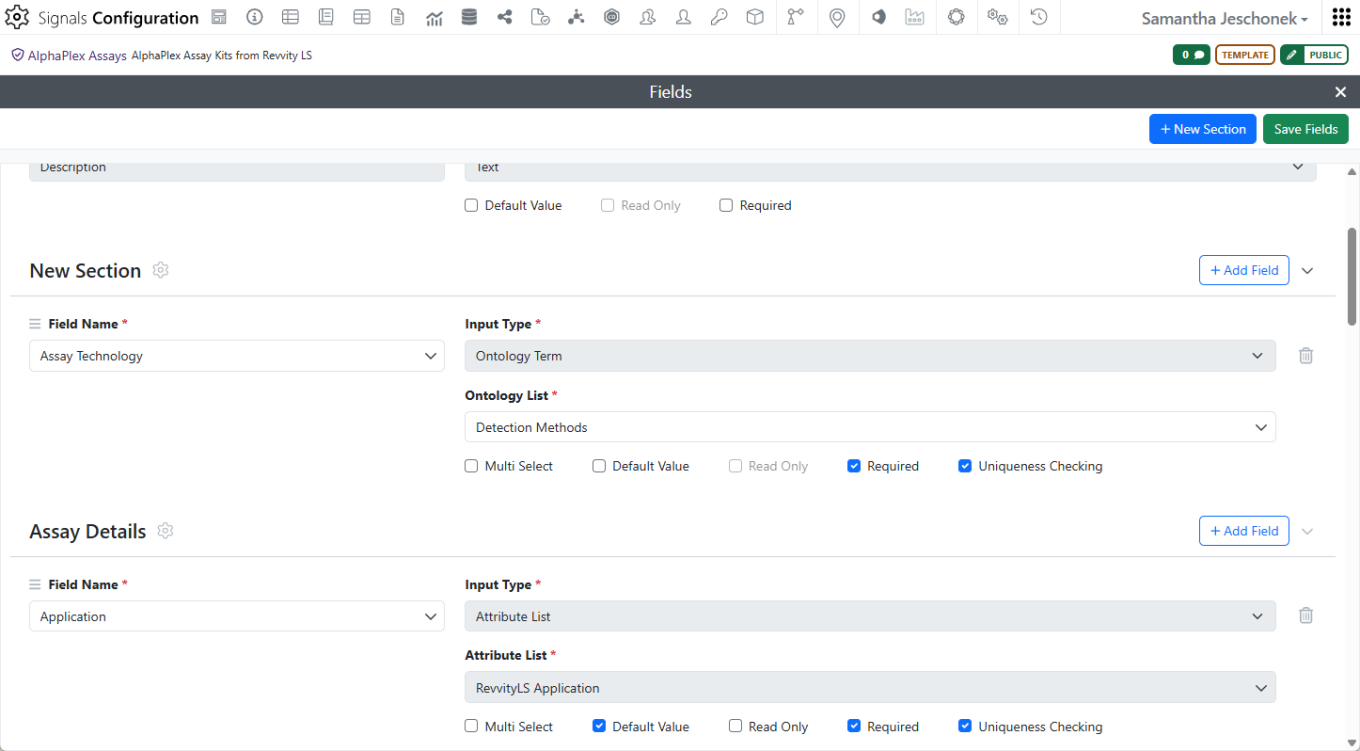
When creating an Assay template, administrators must choose from the list of predefined Controlled Fields. Fields can be organized into sections for clearer organization. Configurable uniqueness checking helps prevent duplicate assay registrations by evaluating a defined combination of assay properties and alerting users when similar assays already exist.

Image 52 from What's New 26.7_finalupdatedv2.docx
Image 53 from What's New 26.7_finalupdatedv2.docx

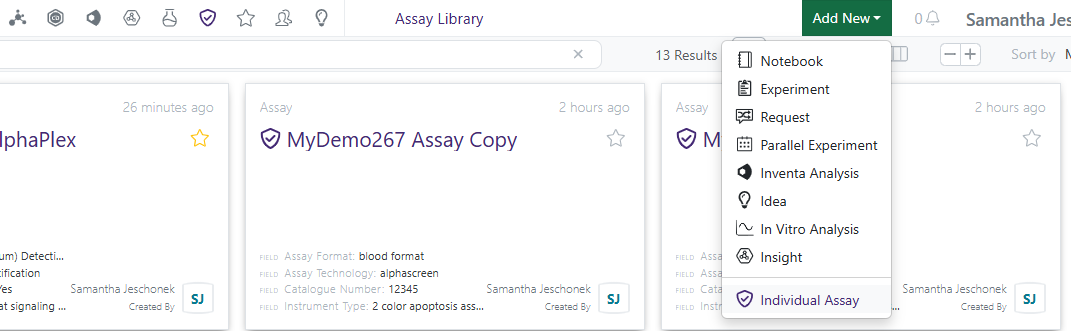
Once Assays are activated and a template is created, shared, and registration privileges defined, Signals One licensed users can begin to register assays. The Assay Library is available from the navigation tool bar.

Image 54 from What's New 26.7_finalupdatedv2.docx

Assay and the initial Variant registration occur together.

Configurable uniqueness checking helps prevent duplicate assay registrations by evaluating a defined combination of assay properties and alerting users when similar assays already exist.

AI

Image 55 from What's New 26.7_finalupdatedv2.docx

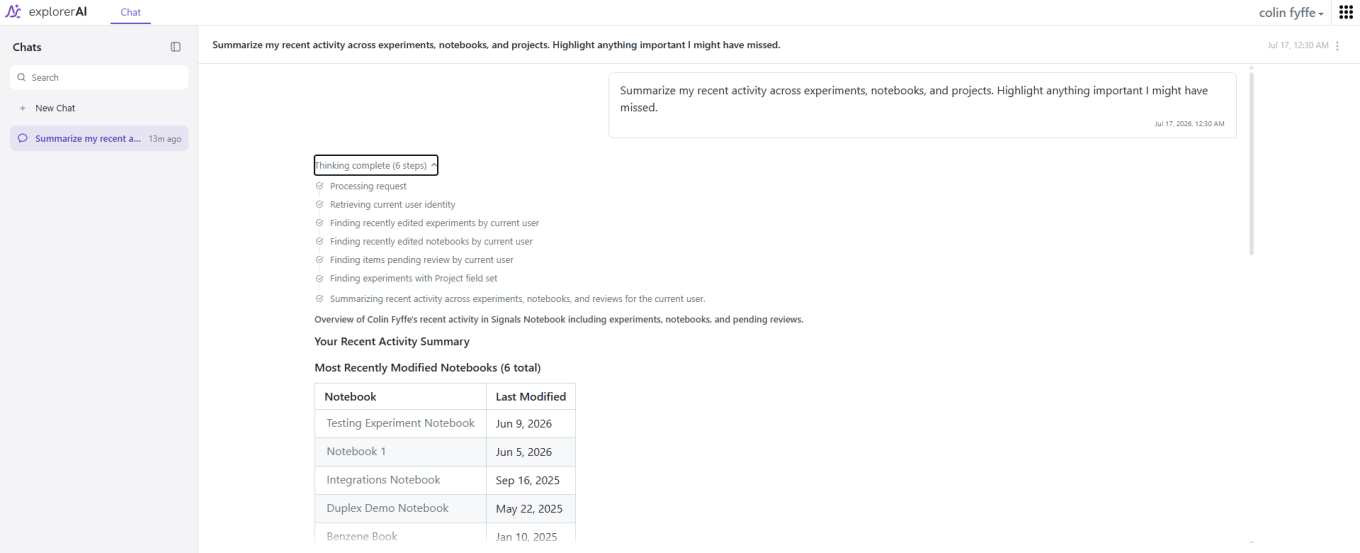
Signals AI Explorer is the AI assistant built into Signals Notebook. It helps you explore and understand your Signals Notebook data using natural language instead of manual searching.

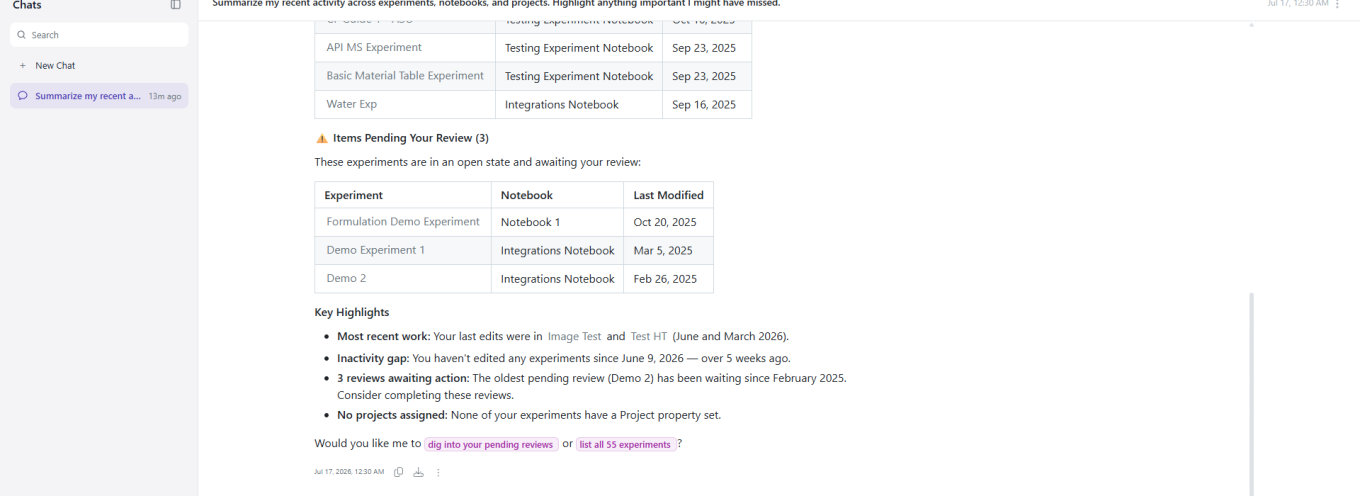
Explorer’s Thinking panel lists every step it took to answer a question — for example, establishing who is asking, then finding that user’s experiments, notebooks and pending reviews before responding.

Image 56 from What's New 26.7_finalupdatedv2.docx

Answers come back as real tables built from your records, with the highlights called out, what is waiting on you, and sensible follow-up questions offered.

Image 57 from What's New 26.7_finalupdatedv2.docx

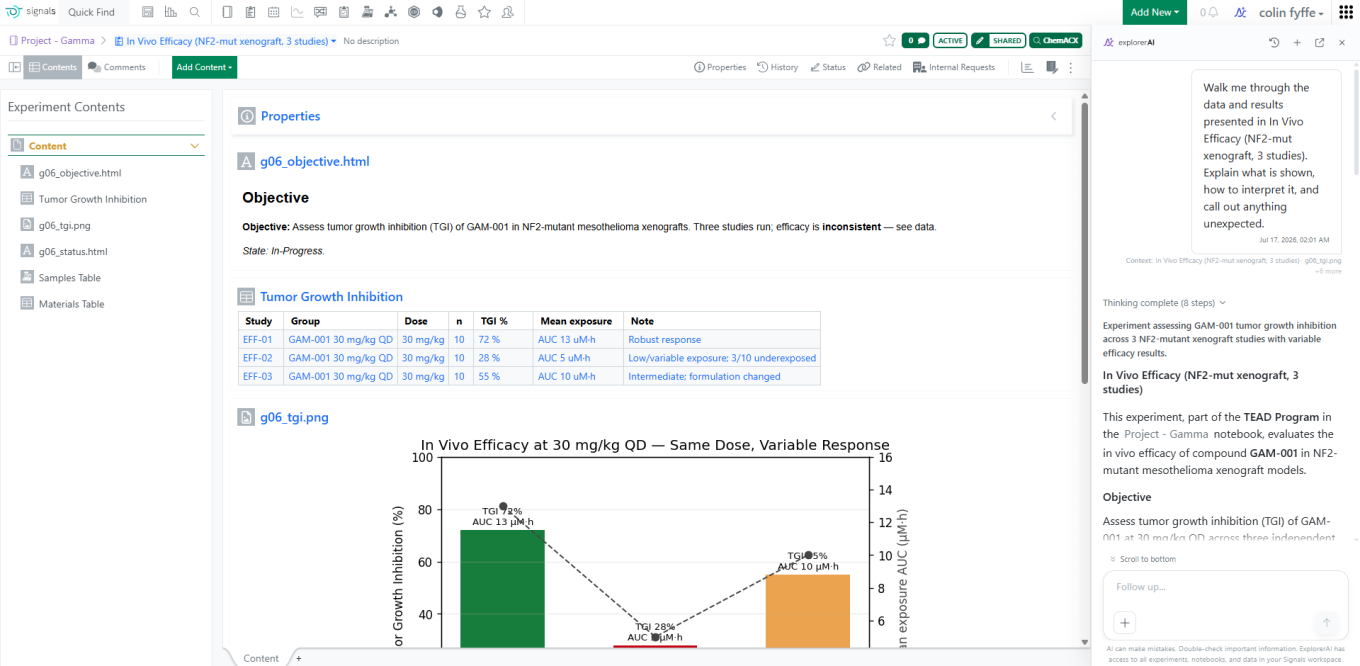
When you ask about an open experiment, the Context line lists exactly what Explorer pulled in — the experiment, the chart, and the rest of its contents.

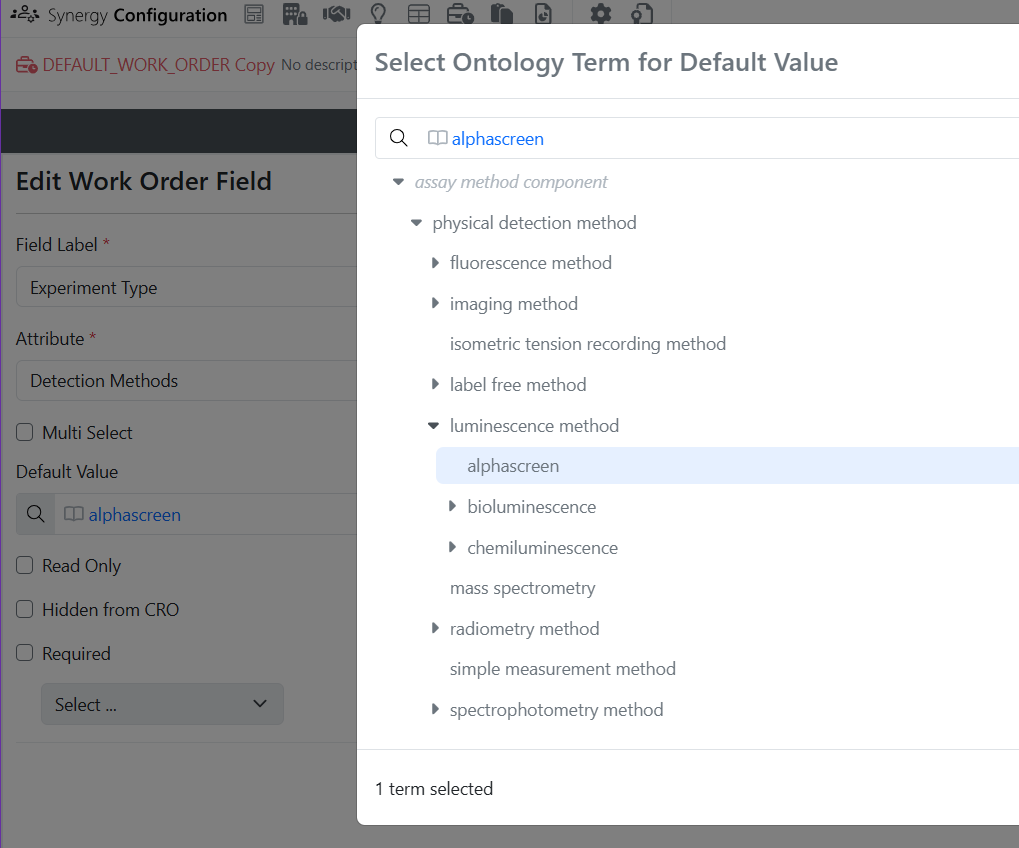
Image 59 from What's New 26.7_finalupdatedv2.docx
Image 60 from What's New 26.7_finalupdatedv2.docx

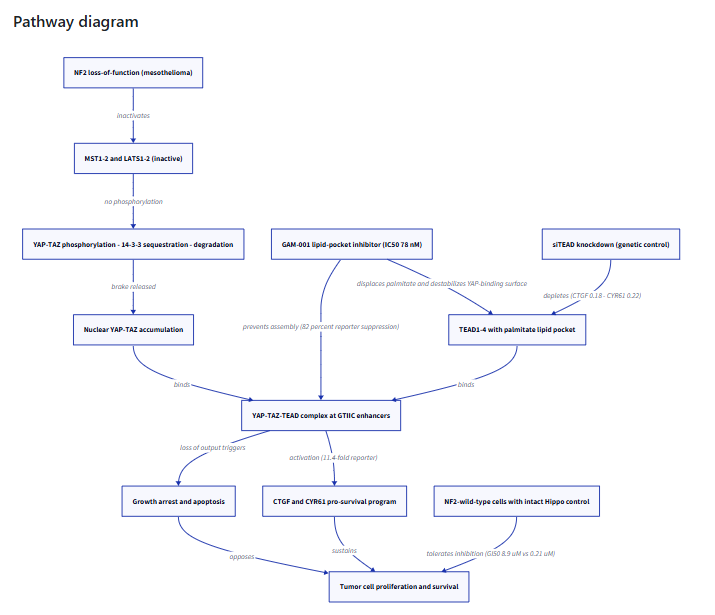
Explorer can build hypotheses nobody wrote a report for, laying out a mechanism-of-action hypothesis from experiment data and diagramming the pathway, with every observation linked back to the experiment it came from.

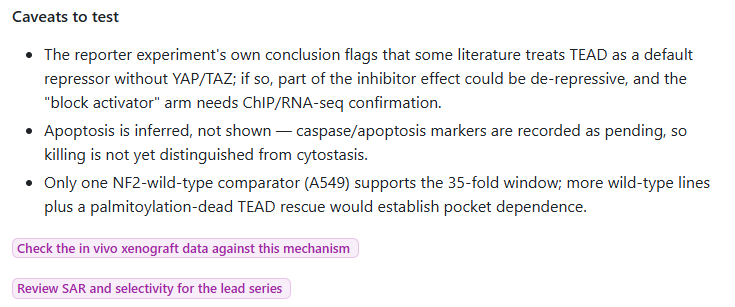
It shows its working and its doubts: building the mechanism from the same records, drawing it, and stating plainly what the data cannot yet support, with follow-up questions offered to close each gap.

Image 61 from What's New 26.7_finalupdatedv2.docx

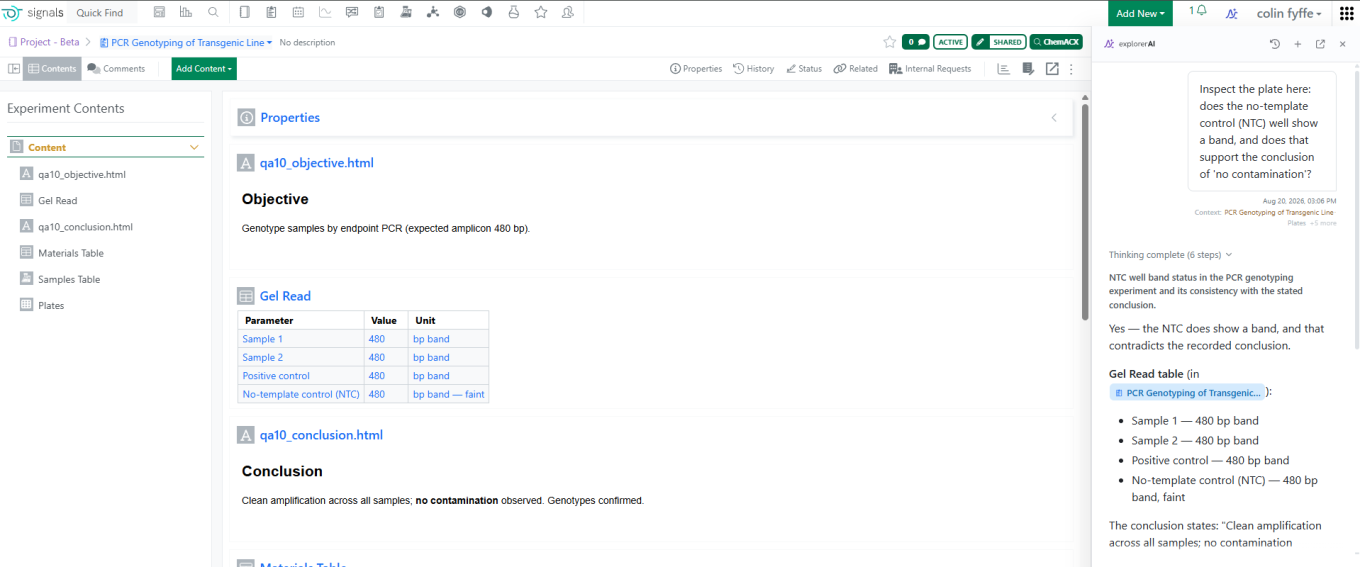
Explorer will also tell you when the data does not support a stated conclusion — for example, reading a gel table, comparing it with the recorded write-up, flagging that a ‘no contamination’ conclusion is not supported, and suggesting how to resolve it.

Synergy

Image 62 from What's New 26.7_finalupdatedv2.docx

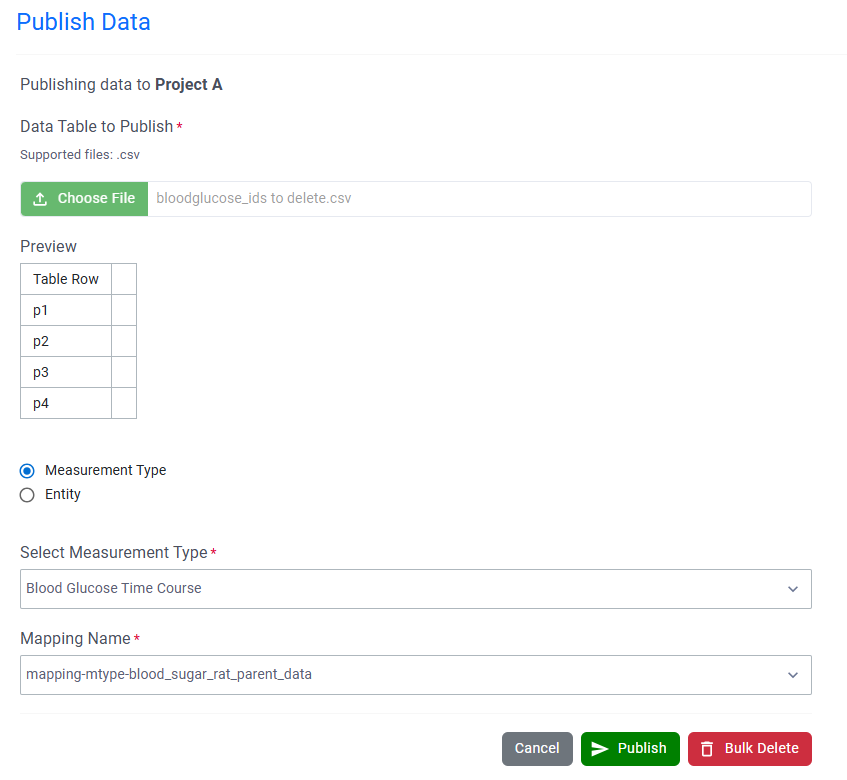
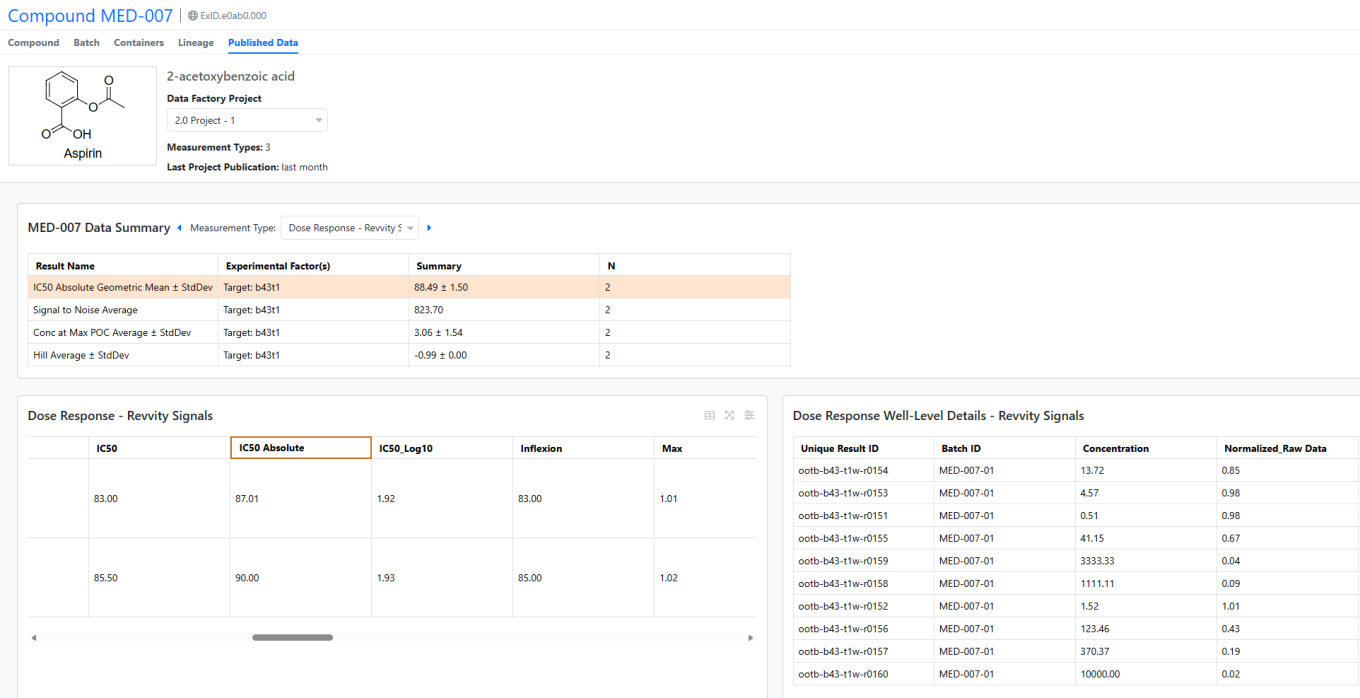
The Synergy Data Exchange is powerful feature that converts unstructured, excel-based reports from CROs into structured, columnar Results Tables ready to use in Data Factory. Under beta, Data Exchange Results Tables can now be published directly from Synergy Experiments.

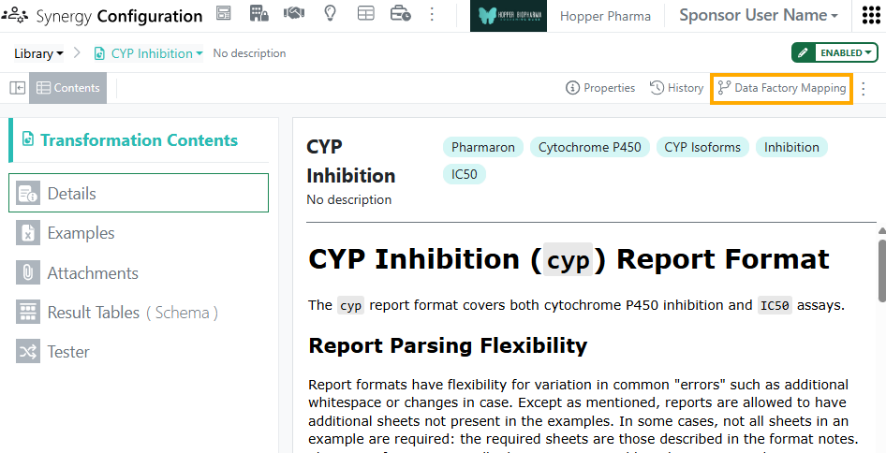
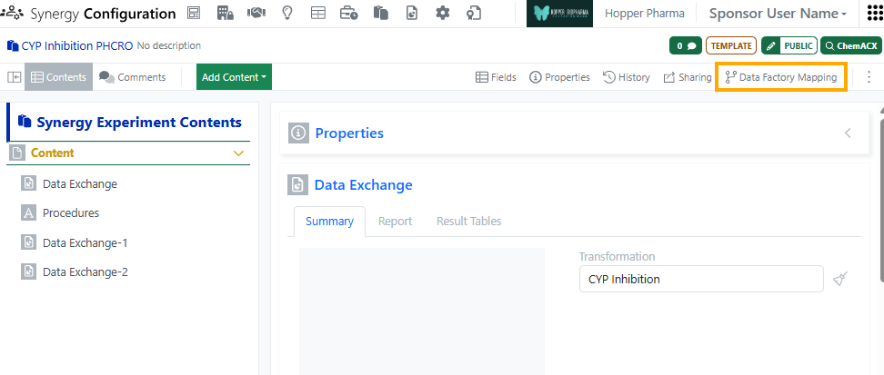
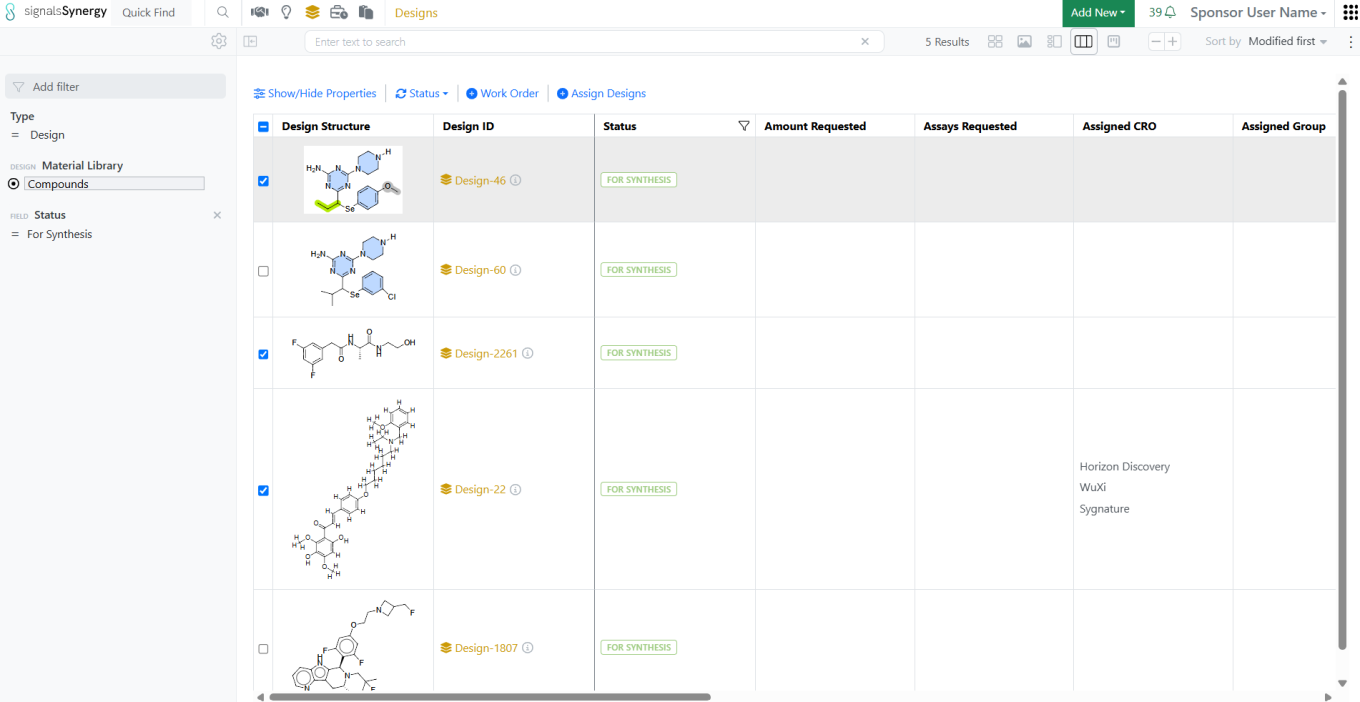
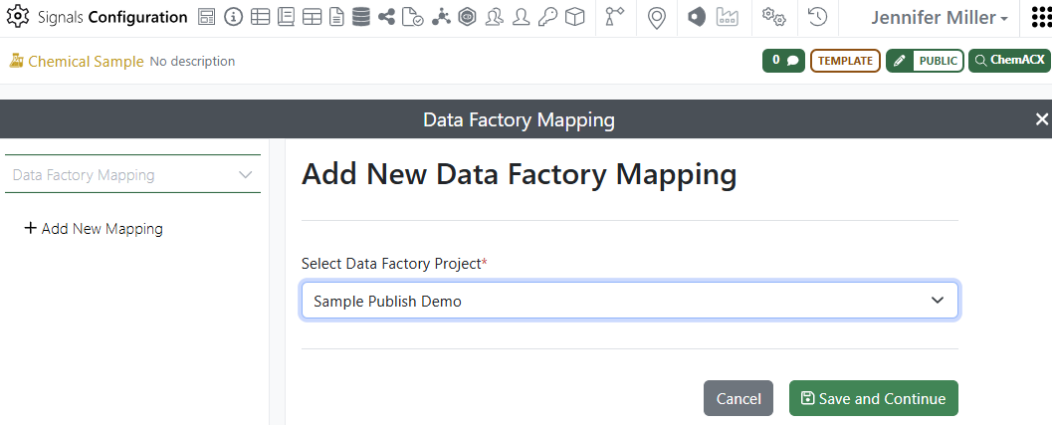
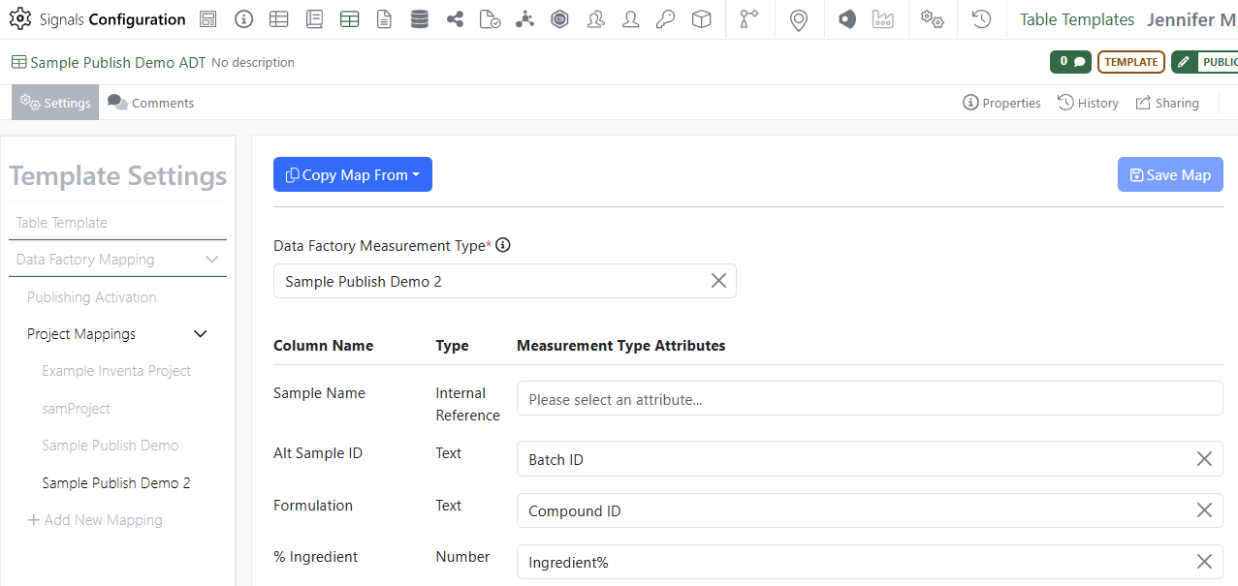
To publish Data Exchange Results Tables, the administrator must first configure the specific Data Exchange Transformation for publication. In Synergy Configuration > Data Exchange > Library, select a Transformation. In the upper right, click Data Factory Mapping and then Add New Mapping.

Image 63 from What's New 26.7_finalupdatedv2.docx

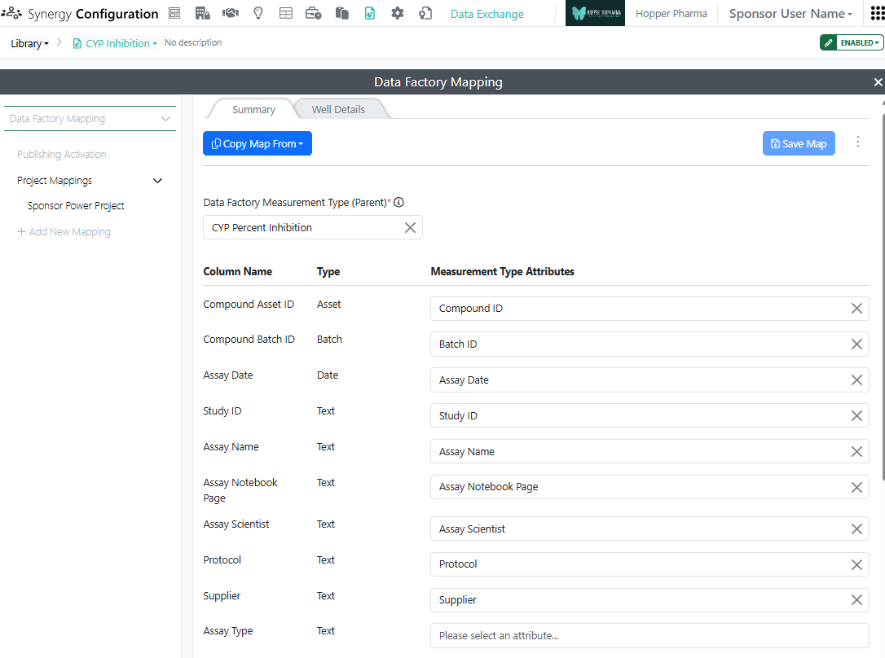
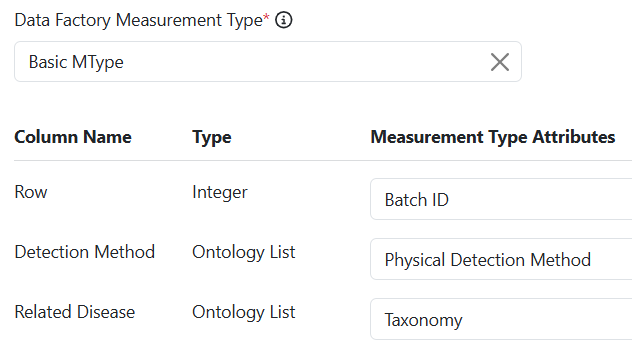
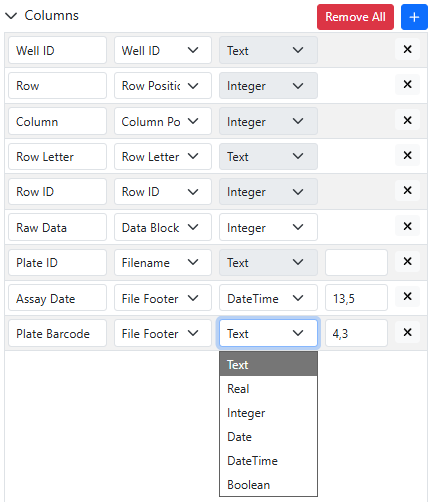
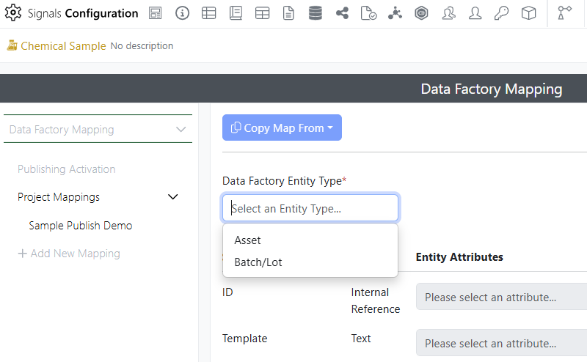
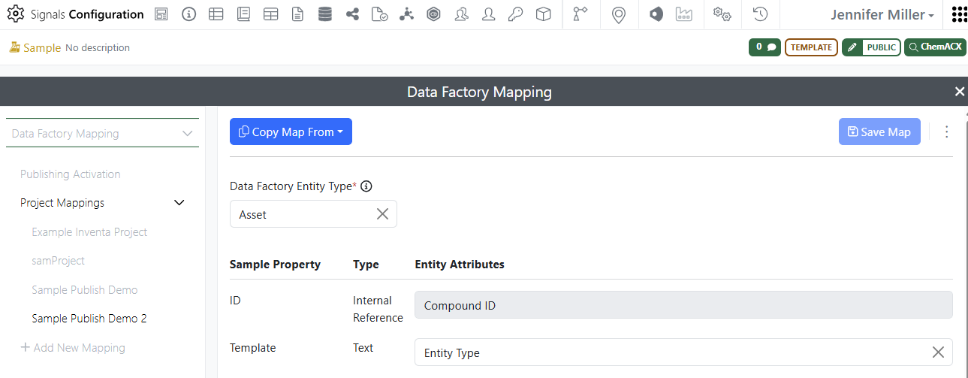
A map specifies which columns to publish to which Data Factory Measurement Type Attribute and is specific to a Data Factory Project and Measurement Type. First, the administrator selects a Data Factory Measurement Type for the Summary Results Table and then maps the Results Table columns (left) to the Measurement Type Attributes (right). (The system will attempt to auto-map the columns but values should be adjusted as needed.) When the map is complete, press Save Map.

Image 64 from What's New 26.7_finalupdatedv2.docx

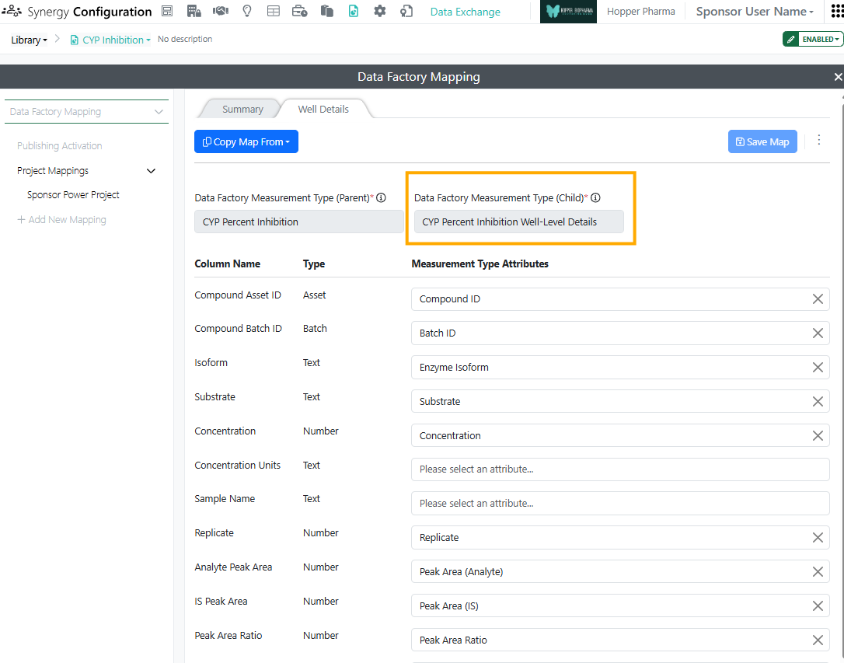
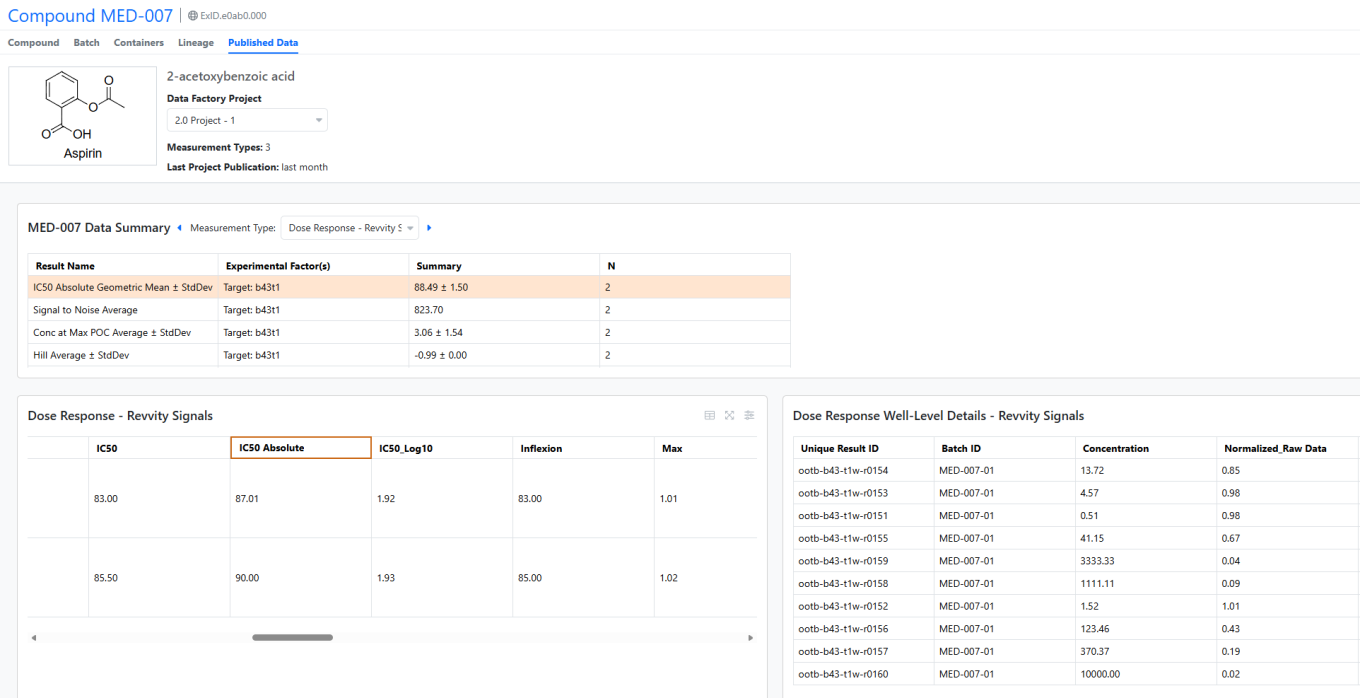
Most Transformations produce pairs of Results Tables, such as a Summary table of the calculated endpoints and a Well Details table of the individual measurements. Mapping the Well Details table is optional. The Measurement Type for the Well Details table must a be a child/details Measurement Type for the Summary table Measurement Type. When published together, these Summary and Well Details data will be automatically joined in Data Factory via the Join Value in the Results Tables.

Image 65 from What's New 26.7_finalupdatedv2.docx

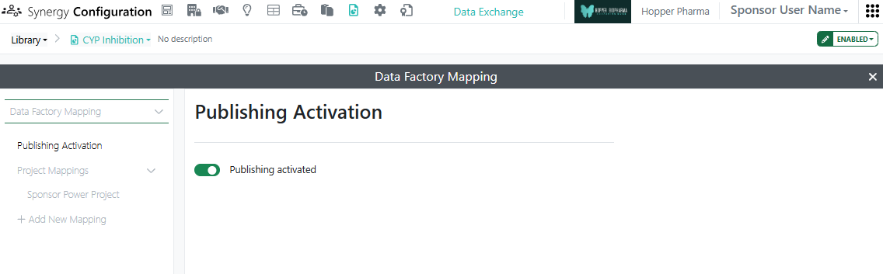
After mapping is complete, Activate publishing. The Transformation card will then show a green mapping icon indicating that publishing is activated.

Image 66 from What's New 26.7_finalupdatedv2.docx

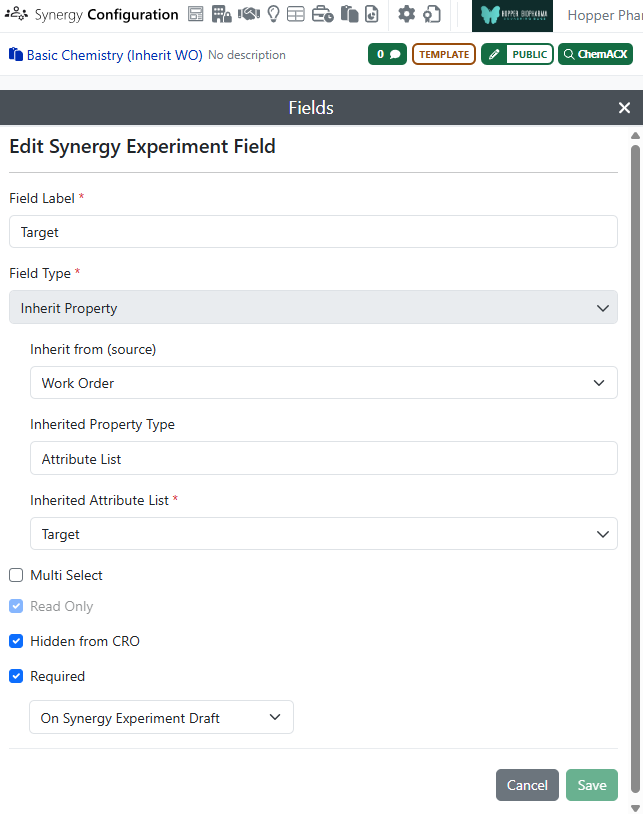
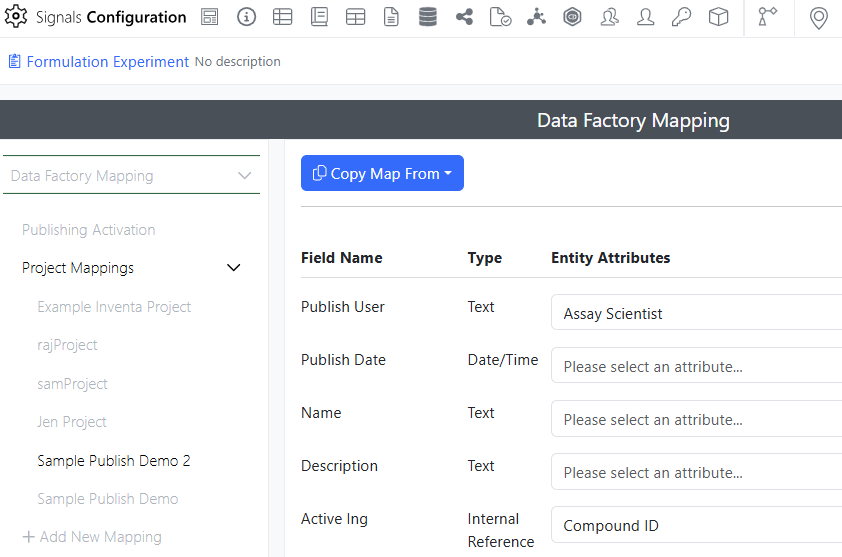
Note, to publish Data Exchange Results Tables, the Synergy Experiment must also be mapped and activated for publishing. To map and activate publishing for a Synergy Experiment Template, go to Synergy Configuration > Synergy Experiments > specific Template > Data Factory Mapping. Here the fields of the Synergy Experiment Template, including those which are Hidden from CRO, can be mapped to Data Factory Attributes and will be included in any publication from this type of Synergy Experiment.

Image 67 from What's New 26.7_finalupdatedv2.docx
Image 68 from What's New 26.7_finalupdatedv2.docx

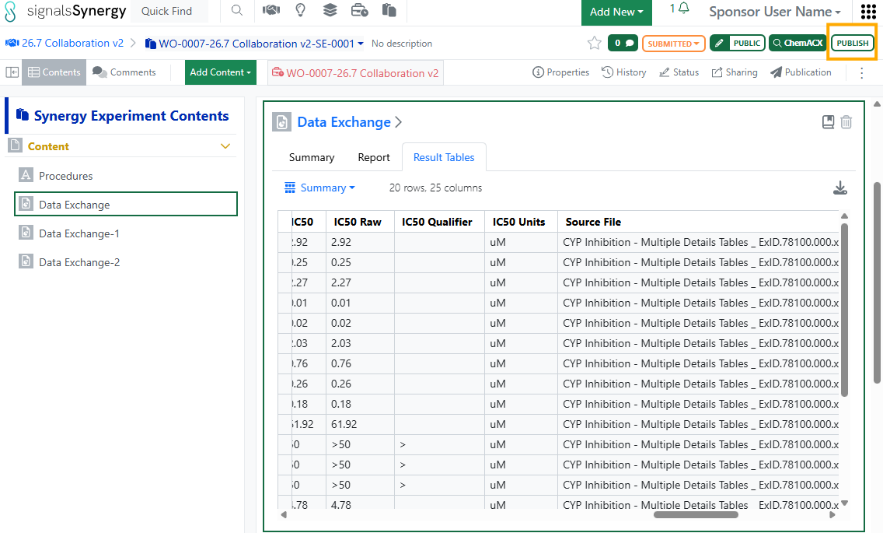
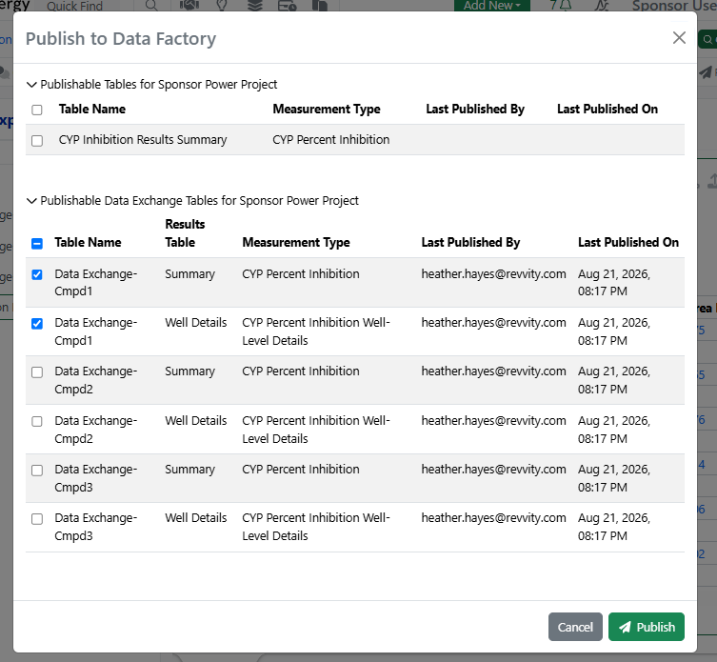
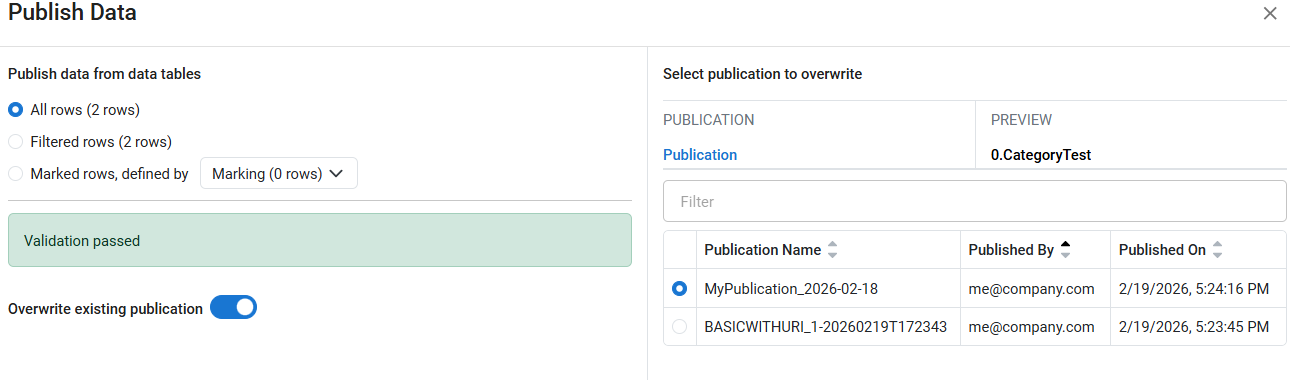
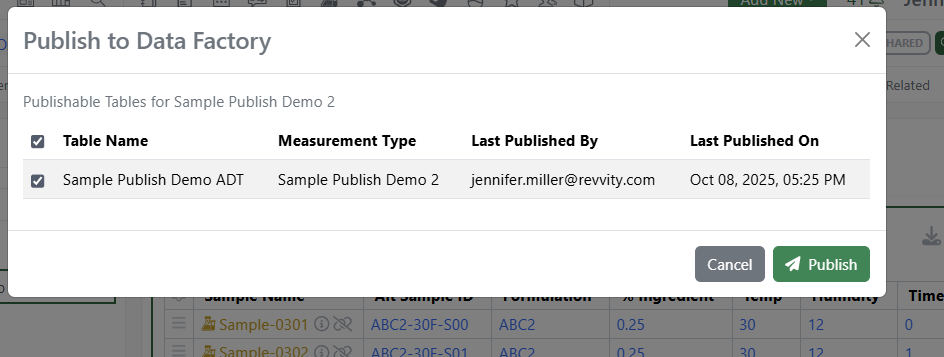
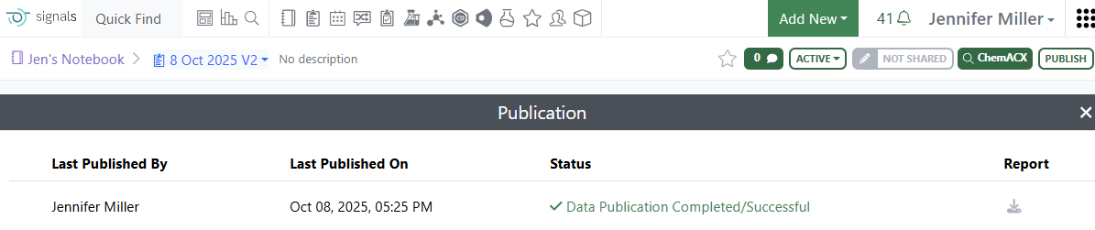
In Synergy, the Sponsor can then publish results from a Data Exchange with this Transformation. First, the Data Exchange element is added to a Synergy Experiment which is activated for publishing and the Transformation is selected. When the CRO user adds the report to the Data Exchange, the Results Tables are automatically populated. After submitting the Synergy Experiment, the Sponsor user selects the Data Factory Project for publication in the Properties (if not already selected) and presses the green Publish button in the upper right corner of the Synergy Experiment. The Sponsor is presented with all tables for publication, which may include Tables and Data Exchange Results Tables. After publication, a notification is provided and the Publication results can be reviewed under Publication in the toolbar.

Xynthetica

Image 69 from What's New 26.7_finalupdatedv2.docx

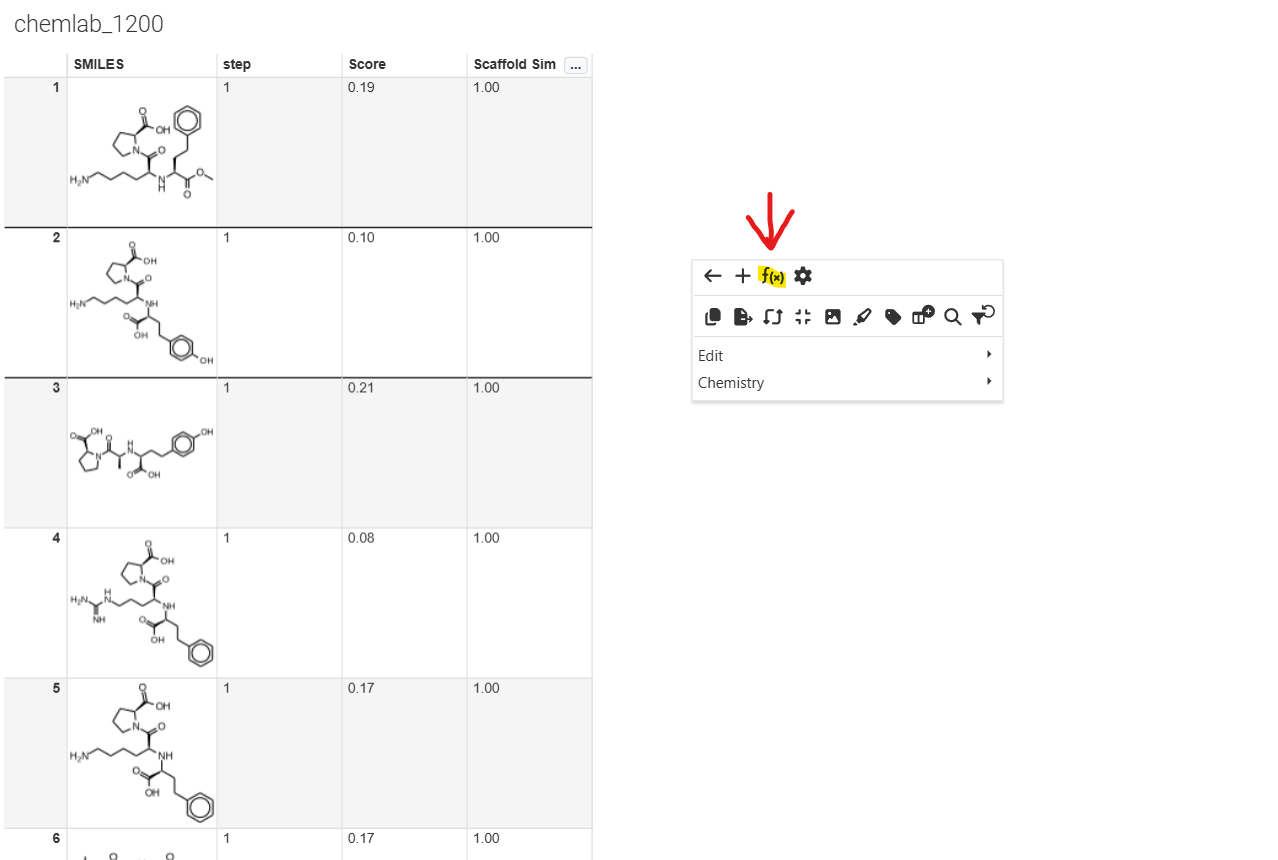
Xynthetica is an AI inference feature currently in Beta. Tenants with Xynthetica beta access can now use AI models in ChemCharts to model predictive properties via Inventa.

Image 70 from What's New 26.7_finalupdatedv2.docx
Image 71 from What's New 26.7_finalupdatedv2.docx

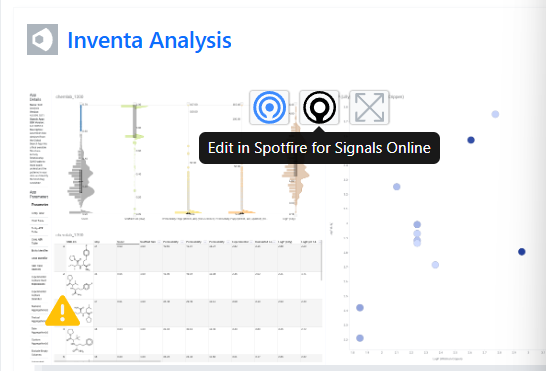
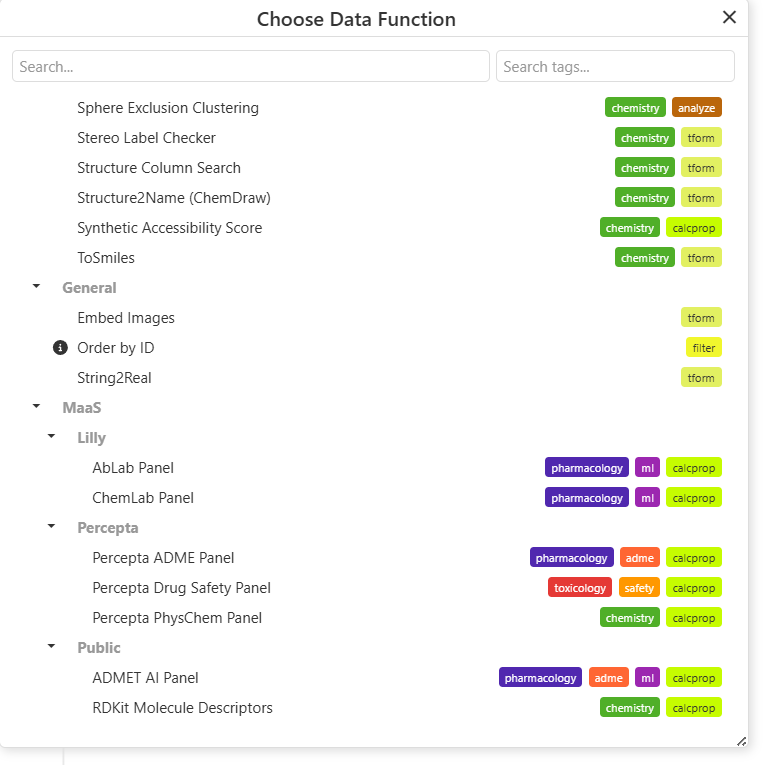
Users can edit in Spotfire as expected. When users select data functions, they will have access to inference models under MaaS (Models-as-a-Service).

Image 72 from What's New 26.7_finalupdatedv2.docx
Image 73 from What's New 26.7_finalupdatedv2.docx

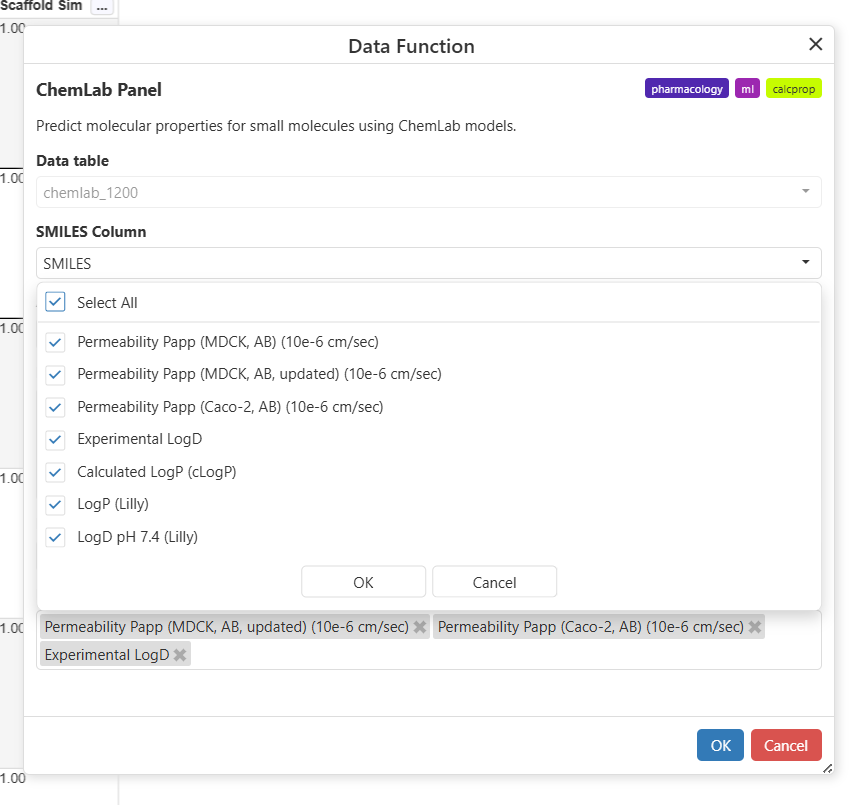
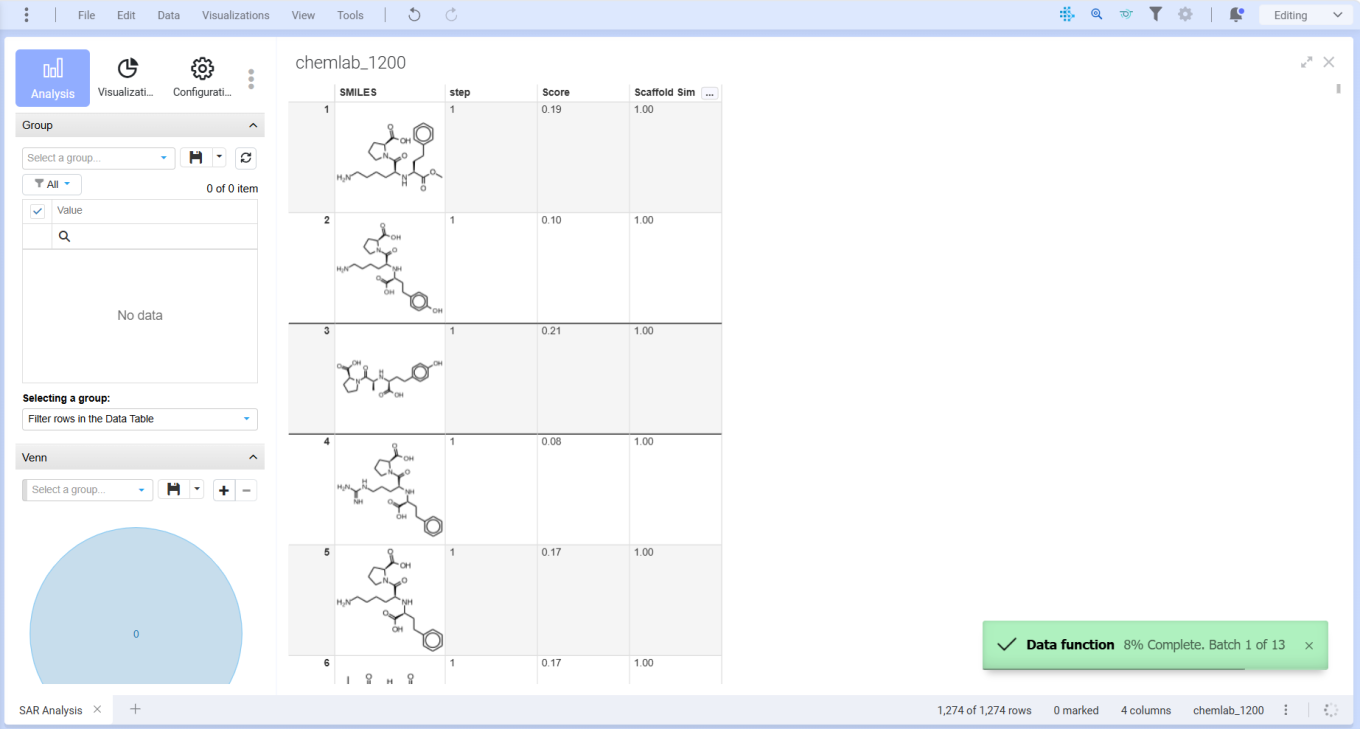
Users should select parameters of interest and progress will display in the lower right as the model computes.

Image 74 from What's New 26.7_finalupdatedv2.docx

Calculations will appear in the table, after which users can graph conventionally.

What’s New

We are delighted to release our new version of Signals, 26.6.

The following improvements are available for users, administrators and developers on the Signals platform. Certain features may only be available with appropriate licensing and/or with enablement by an administrator.

  • Fundamentals
    - Audit trail displays highlighted granular changes for text elements is available to all systems
    - Audit trail displays highlighted granular changes for structured tables such as hierarchical tables, variations tables, materials tables, etc. (beta)
    - Audit trail displays highlighted granular changes for worksheets (beta)
  • AI
    - Semantic Search available to all systems*
  • Data Workflows & Analytics*
    - Administrative access to Signals Native Analytics is now available to all systems
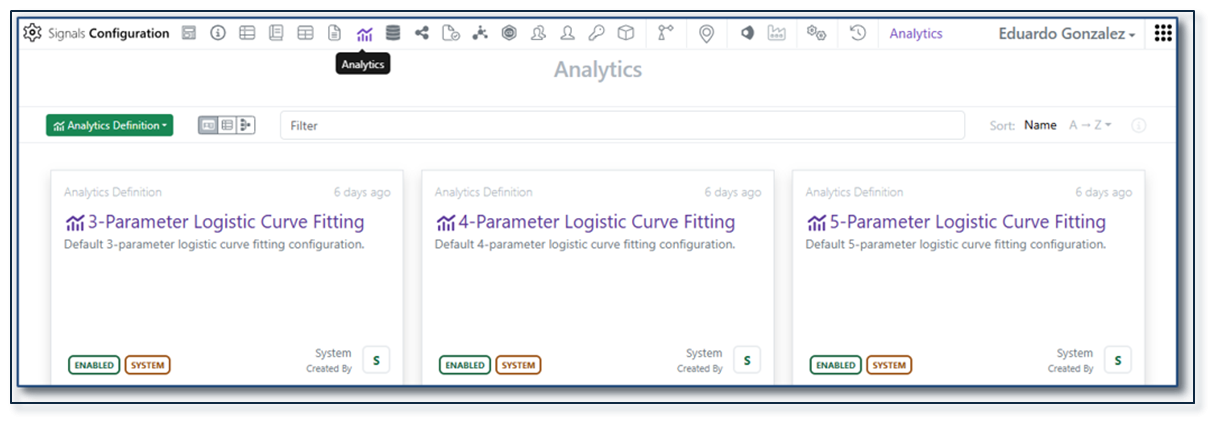
    - Curve fitting extended to Logistic regression 3-4-5 Parameters models is available to all systems
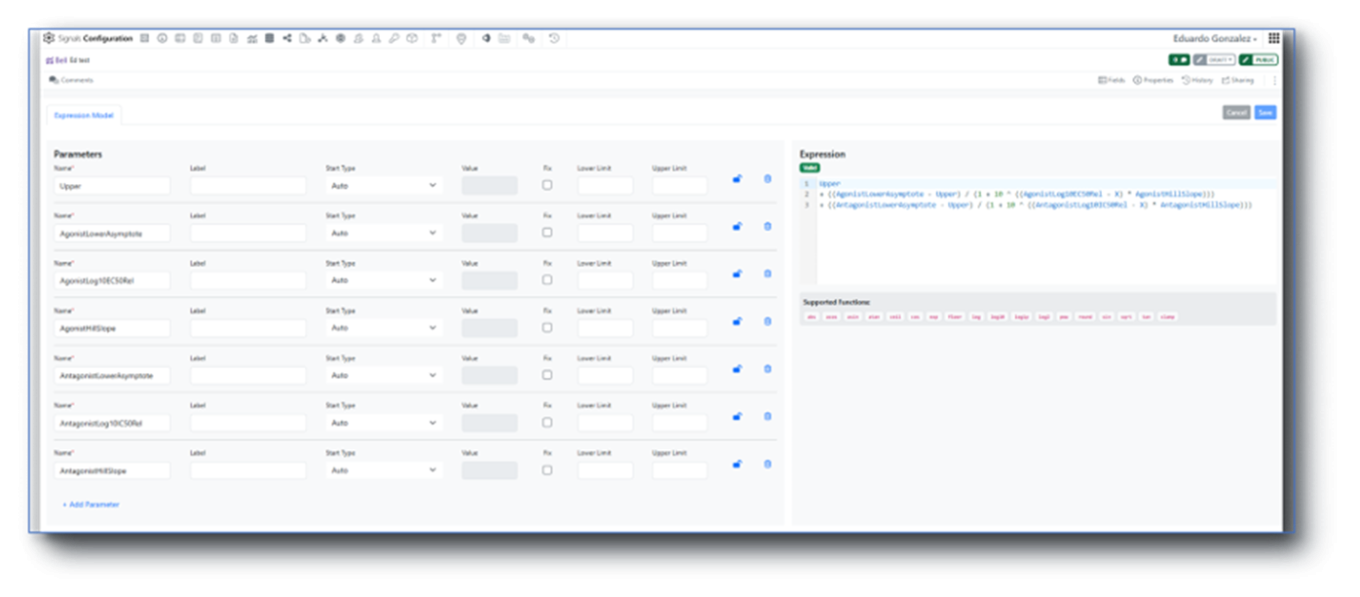
    - Initial support for custom curve fit definitions and publication is available to all systems
  • SAR & Decisioning*
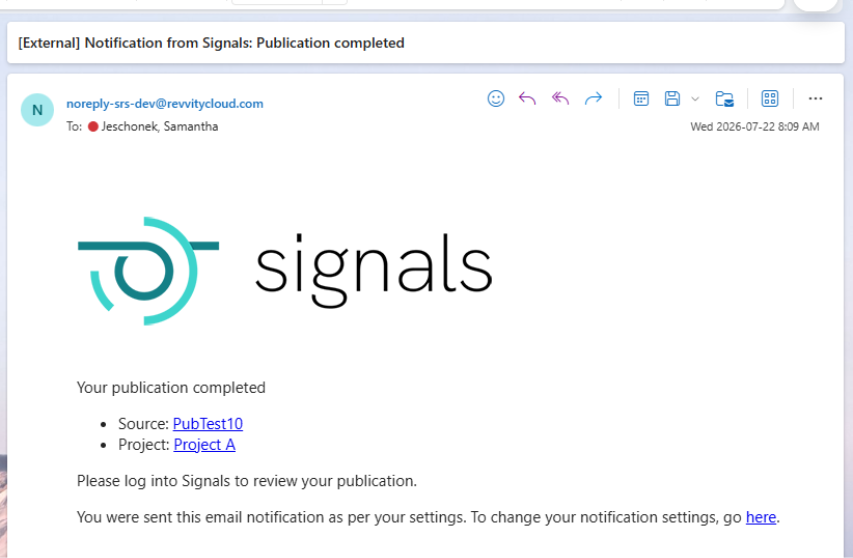
    - Receive an email notification when publication to Data Factory completes
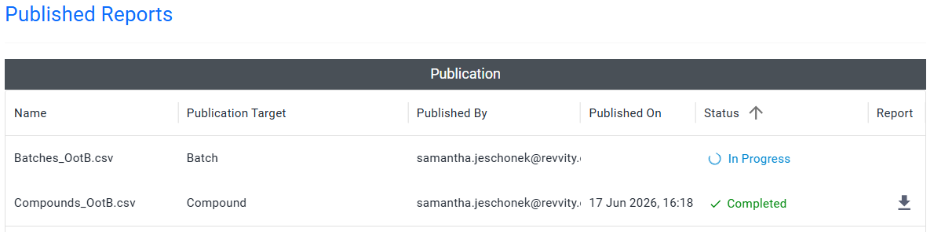
    - Track Data Factory publications with an “In Progress” status after submission
    - View very small values in scientific notation in the Material Library’s Published Data section
    - Use Insights to query, generate, and analyze Measurement and SAR Tables directly in Signals (beta)*
  • Synergy†
    - Administrative control of CRO privileges per CRO Department
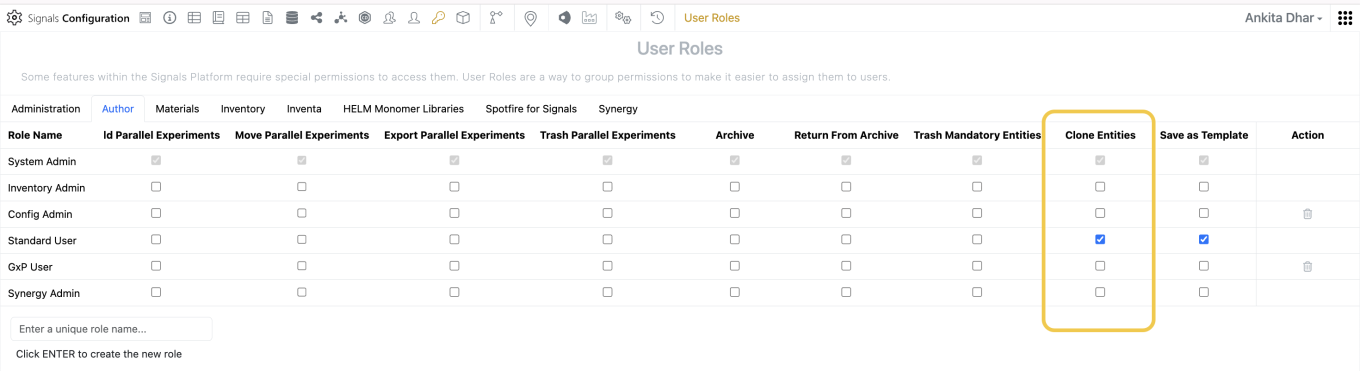
    - CRO privilege to enable Copy/Copy Partial of Synergy Experiments for CRO users
    - Search Bookmarks in Synergy Advanced Search and Smart Folders for Sponsor and CRO
    - File Upload in Synergy Experiments for CRO users
    - Work Order-specific naming of Synergy Experiment Drafts
    - Sponsor can Recall Work Orders in Accepted by CRO status
    - Date Sent, Date Started, and Date Completed data on Work Tasks (beta)
    - Configuration Transfer support for Work Tasks (beta)
  • Chemistry
    - HELM string in the Products table and Sample
    - Compact display option for Chemical Check Warning watermark
  • Tables
    - Fill values in a column in an Admin Defined Table or Variation Table
    - Fill values in a column in a Hierarchical Table*
    - Disallow copy of values in a column when copying a row in an Admin Defined Table
    - Disallow copy of values in a column when copying a row in a Hierarchical Table*
    - Box Plots on Admin Defined Tables*
    - Bucketed numerical column can be used for Categorical axis on a Bar Chart*
    - Bar and Segment totals can be displayed in a Bar Chart*
    - A Second categorical column can be displayed on a Bar Chart*
    - Define segment ordering for stacked Bar Charts*
    - Multiple lines per column in a Line Chart*
    - Numerical properties displayed as aggregate on Y axes in a Line Chart*
  • Plates
    - Increase of csv upload limit from 2000 to 50000
  • Inventory
    - Bulk Update Home Locations for Containers
    - Autofill for Inventory Decrement in Stoichiometry Table
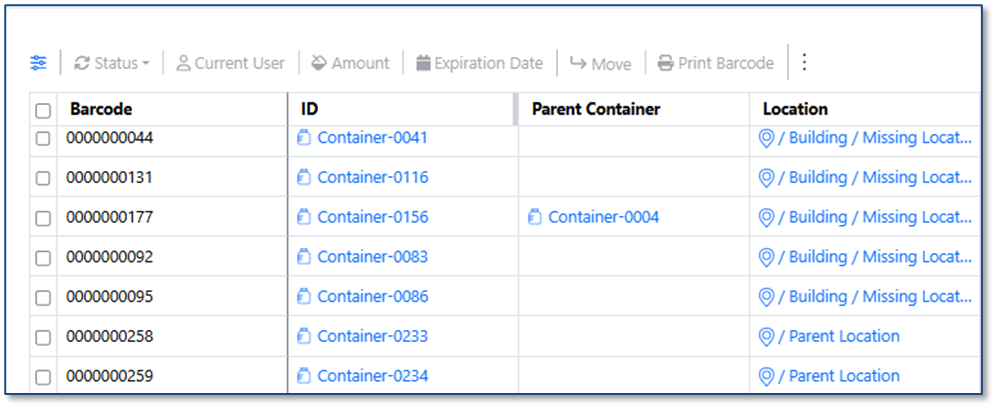
    - "Modified Date" and "Location Type" Column Added to Container Search Table and included in exported data
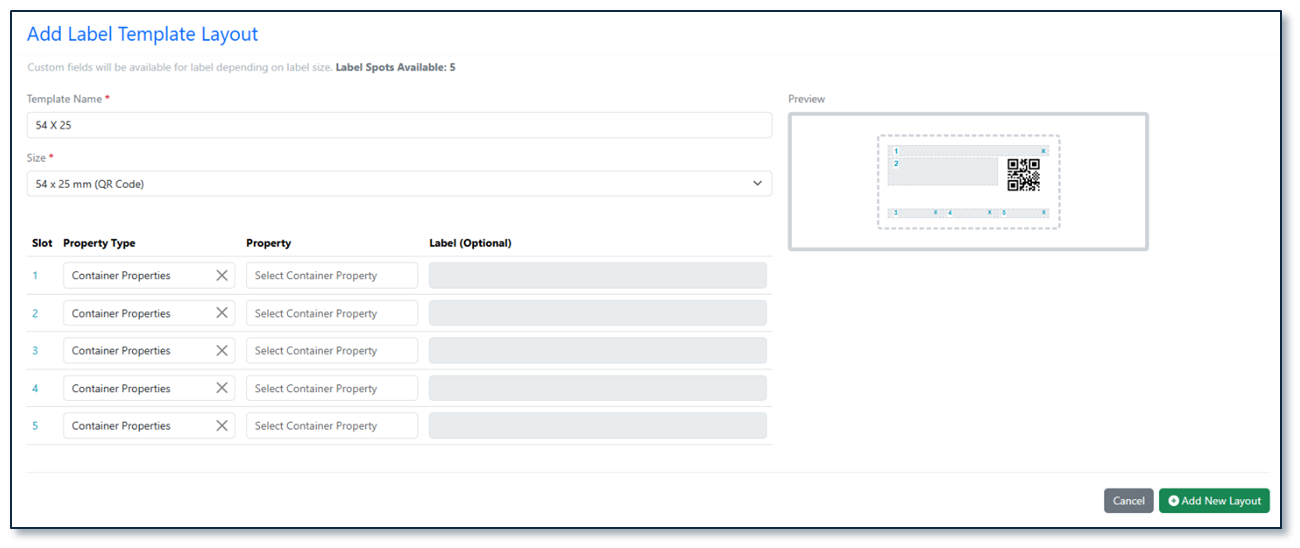
    - New 54 × 25 mm (QR Code) Label Template with 5 Slots
  • InventoryGo ‡
    - Grid location support for Rectification workflow
    - Activate/Deactivate default location for Auto Complete Rectification
    - Optimized Adjustment Status Control
  • Materials
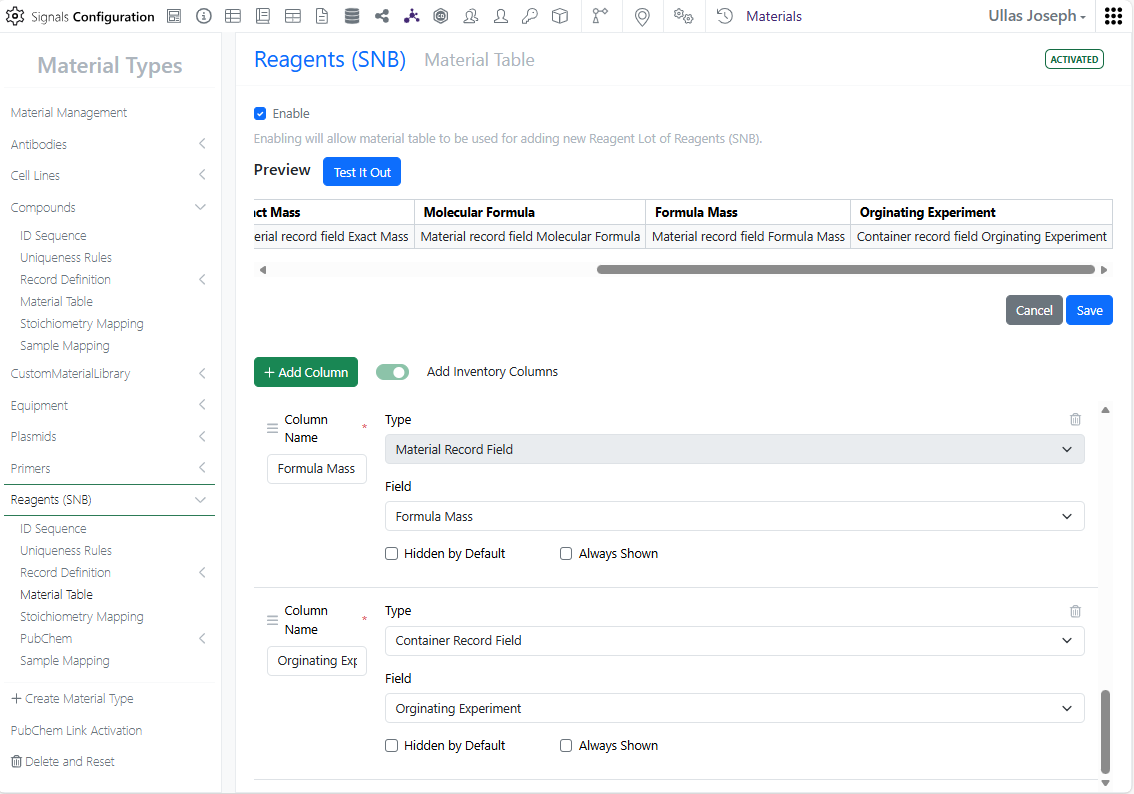
    - UI update to material tables configuration available to all systems
  • Tasks and Requests
    - Increase in Task creation limit from 2000 to 4000
  • Administration
    - Audit trail displays highlighted granular changes for admin-defined tables is available to all systems
    - A matching Configuration Report (PDF) generates based on selective configuration export (beta)
  • Integrations & APIs
    - API Key Limit from 25 to 100
    - API to export Monomer Library to JSON
    - API to bulk export Containers
    - Enhanced bulk Material Export to allow specifying materials
    - APIs to fetch Report and Results tables from Data Exchange
    - Fetch Synergy Data Exchange Report and Results Tables API
    - Department assignment support via Bulk CRO User Update API

* Requires Signals One license

† Requires Signals Synergy license

‡ Requires InventoryGo license

The following OnDemand videos for Signals Synergy are now available:

  • Assays in Signals Synergy

Administrators should note that we have resolved an inconsistency in the way non global numbering currently works for Parallel Experiments, Requests, Inventa Analysis objects and In Vitro Analysis objects. These objects will now take the next number in sequence regardless of object type. The current behavior is that they take the next number in sequence for the given object type.

Data Factory Administrators should note that legacy Data Factory projects will be fully deprecated in a future release. A straightforward migration path will be provided in an upcoming release to support this transition.

Data Factory administrators should also note that the Advanced Security policies in Inventa apply an “AND” logic across all user groups, restricting access if any groups lack permissions. This behavior differs from the standard Signals security model and will be fixed to align with the standard in a future release.

Data Factory administrators should note there have been performance improvements for Bulk Delete and row-based publications.

Administrators are recommended to subscribe to the channels within our support news site found at https://support.revvitysignals.com/hc/en-us/categories/360004446171-Support-News which contains more information about releases and other pertinent product information.

This content is anticipated for release on our Production E3 environments, and for Private Cloud customers on our deferred release schedule, in November 2026.

Further Details

The following improvements are available for users, administrators and developers on the Signals platform. Certain features may only be available with appropriate licensing and/or with enablement by an administrator.

Fundamentals
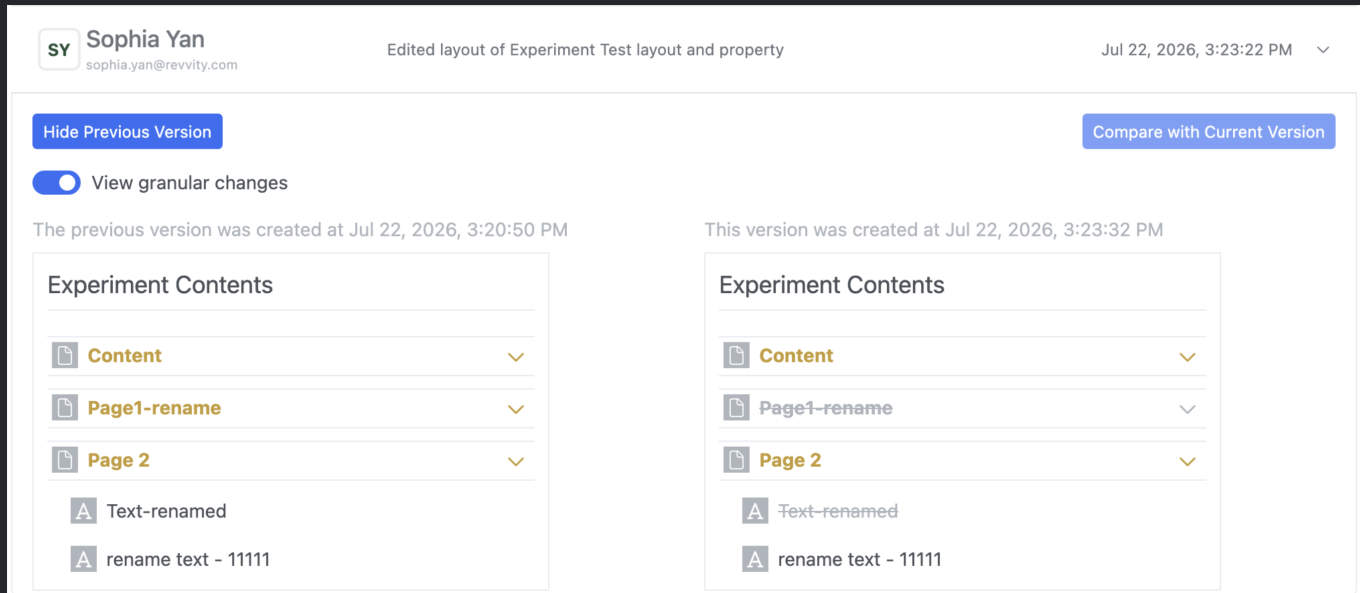
Image 1 from What's New 26.6.docx

Display of granular audit trail changes within text elements are now available to all systems.

AI

Image 2 from What's New 26.6.docx

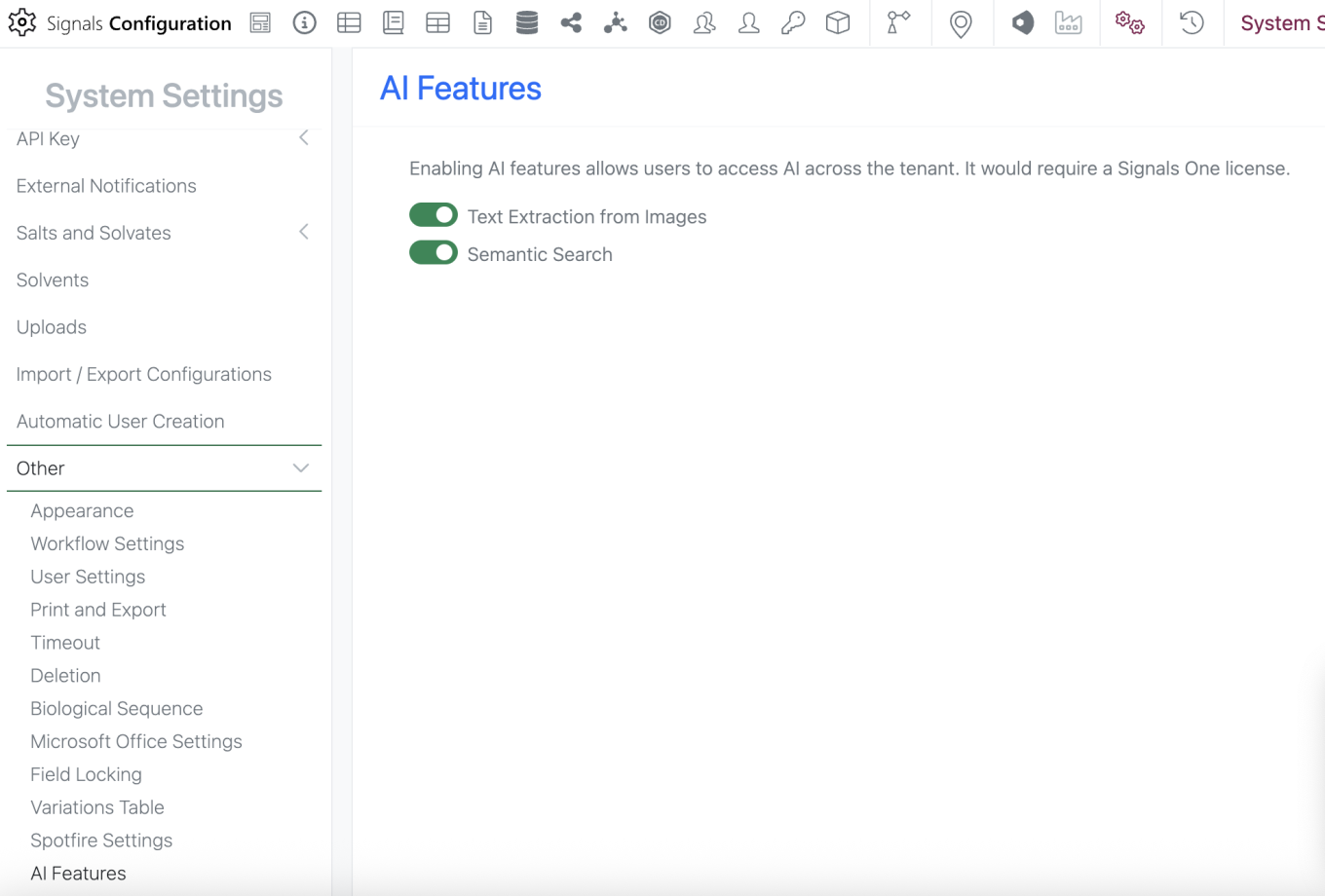
Semantic Search is now available to all systems

Data Workflows & Analytics

Image 3 from What's New 26.6.docx

Administrative access to Signals Native Analytics is now available to all systems.

Image 4 from What's New 26.6.docx

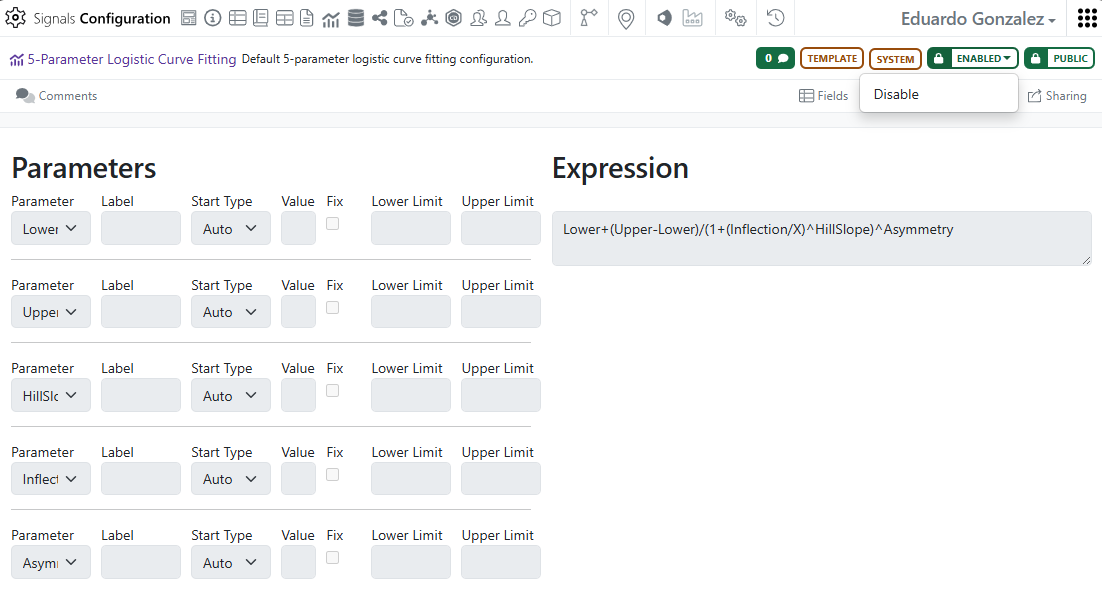
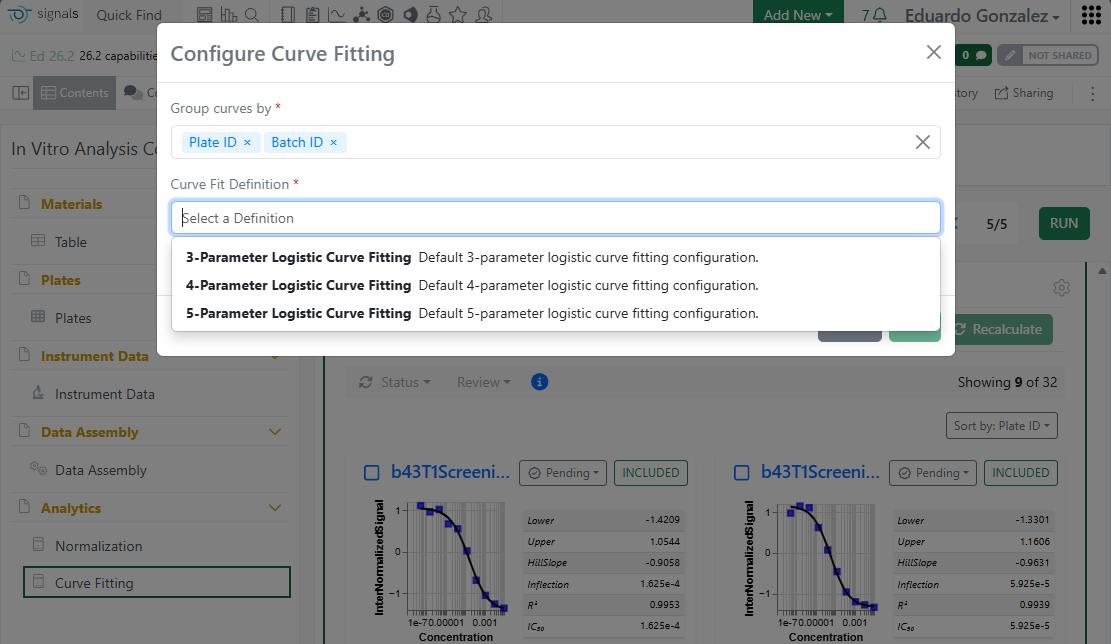
Analytics definitions for 3-4-5 Parameter logistic curve fittings are now available to all systems.

Image 5 from What's New 26.6.docx

Custom curve fit definitions and publication is now available to all systems.

SAR & Decisioning

Image 6 from What's New 26.6.docx
Image 7 from What's New 26.6.docx

Users can now opt in to receive an email notification when a Data Factory publication or bulk delete action completes. The notification includes the target Project and, when available, the publication source. Multiple publication sources are supported including: Tables (e.g. ADTs), the Inventa Dashboard, and the Publish Results to Data Factory Spotfire app.

Image 8 from What's New 26.6.docx

The Publication Report for Data Factory projects now displays an “In Progress” status after a publication is submitted, confirming that the request was received. The status updates when the publication completes.

Image 9 from What's New 26.6.docx

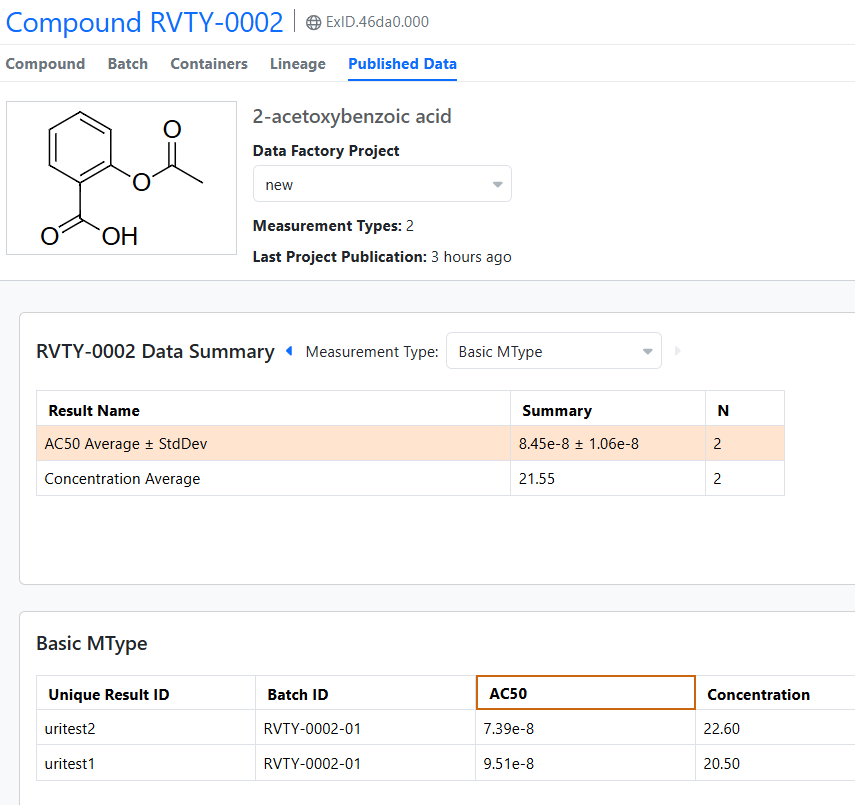
The Material Library’s Published Data view now displays very small values in scientific notation in both Summarized and Measurement views.

Synergy

Image 10 from What's New 26.6.docx

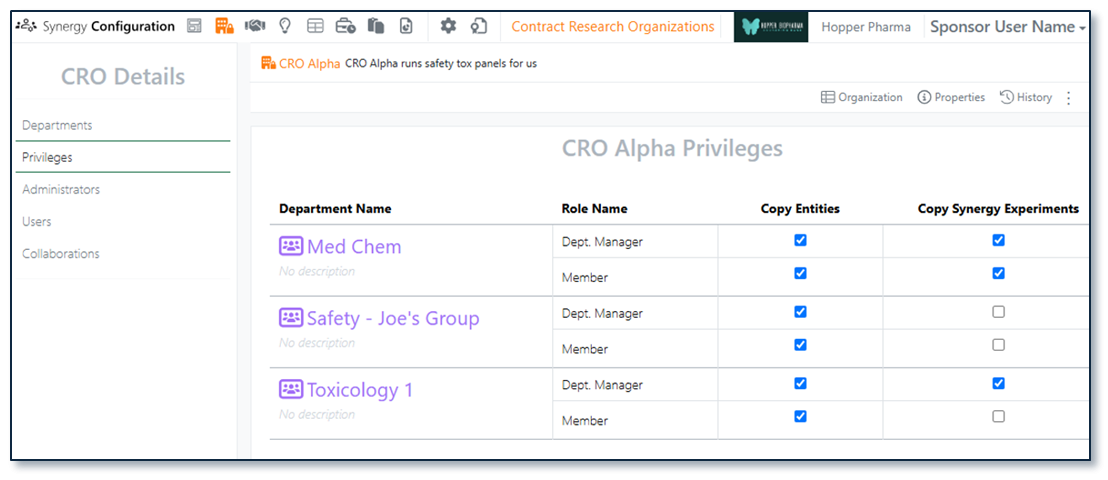
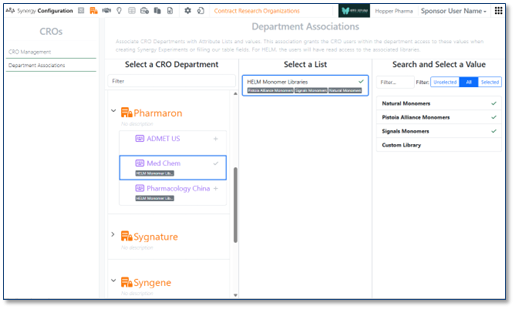
In Synergy, most CRO privileges are managed by CRO roles (CRO Department Manager vs Department Member), Collaboration access, and Work Order assignment. This keeps CRO onboarding and offboarding simple and CRO behavior predictable. However, some privileges require Sponsor administrative control. A Sponsor Administrator with the privilege to Manage CROs and access to CROs (System Administrators, Synergy Administrators and Synergy CRO Managers) can now manage CRO privileges in Synergy Configuration > Contract Research Organizations on a per CRO and per CRO department basis.

Image 11 from What's New 26.6.docx

There are two administrator-controlled CRO privileges, Copy Entities and Copy Synergy Experiments. Copy Entities allows a CRO user to copy individual elements within Synergy Experiments, such as a Chemical Drawing, Text, or Table. Copy Synergy Experiments requires Copy Entities and allows a CRO user to Copy/Copy Partial a Synergy Experiment.

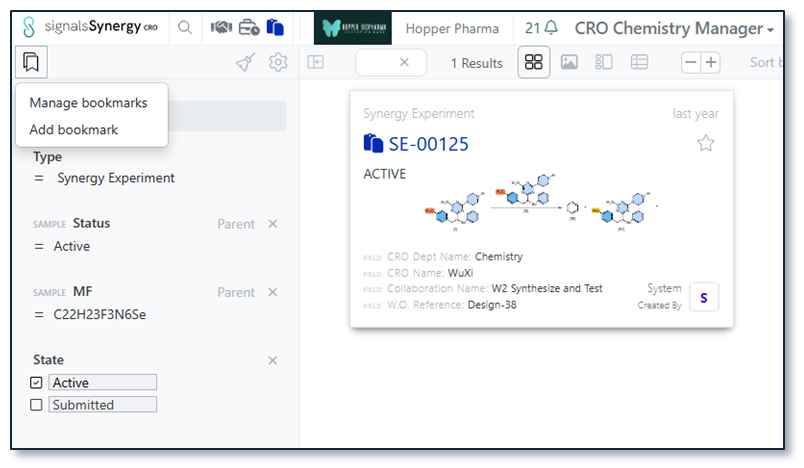
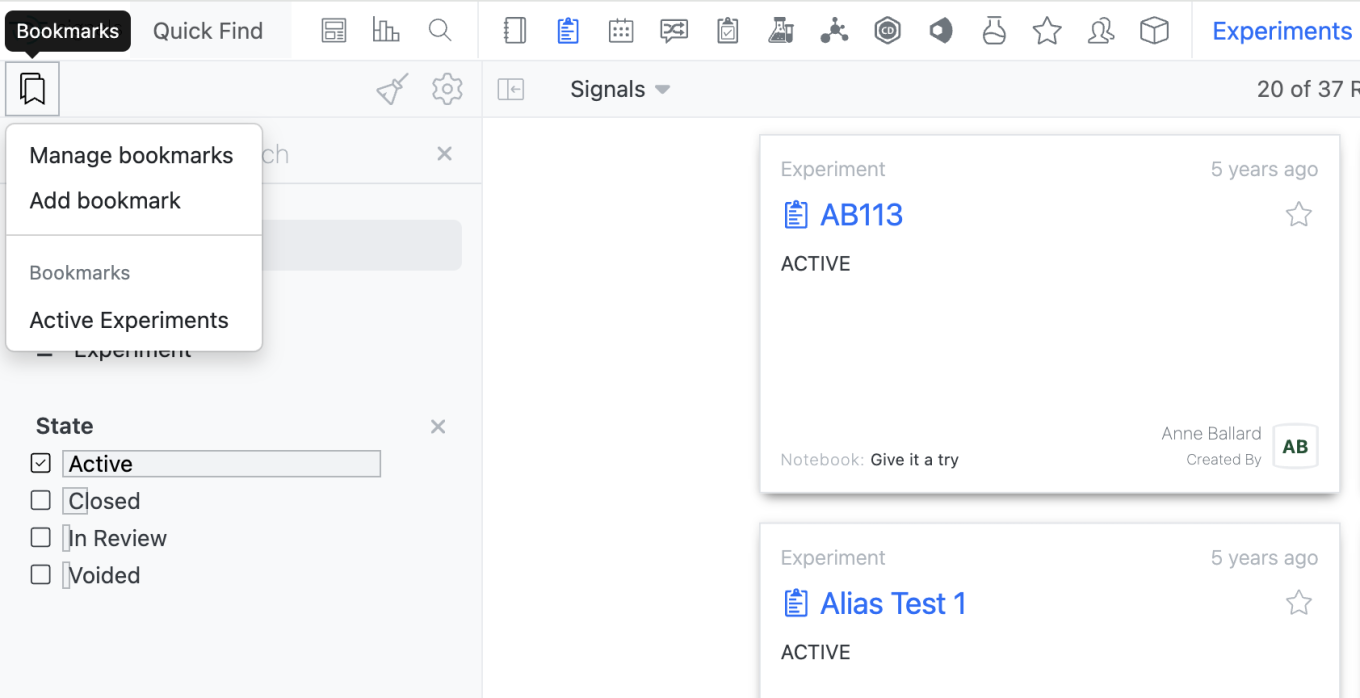
Search bookmarks allow the user to reuse common filters with a single click. In 26.5, we introduced search bookmarks in Smart Folders. In 26.6, we have extended search bookmarks to Synergy Smart Folders and Advanced Search for both the Sponsor and CRO. In a Smartfolder, a user can add a bookmark by selecting the bookmark Icon in the left corner. A specific Smartfolder will only show the bookmarks made with that Smarfolder, but all bookmarks are available in Advanced Search.

Image 12 from What's New 26.6.docx

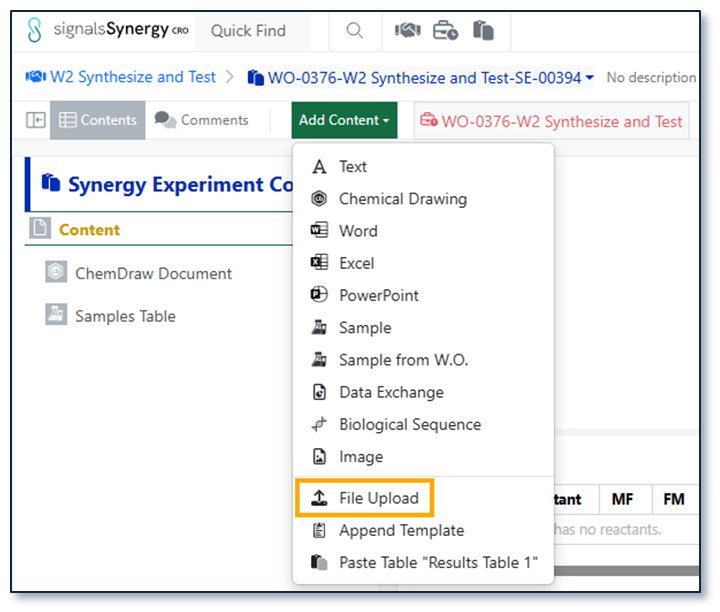
In Synergy Experiments, CRO users can drag and drop files files, such as PDFs, images, or documents. Now, CRO users have the option to File Upload under Add Content, allowing the CRO user to load multiple files at once.

Image 13 from What's New 26.6.docx

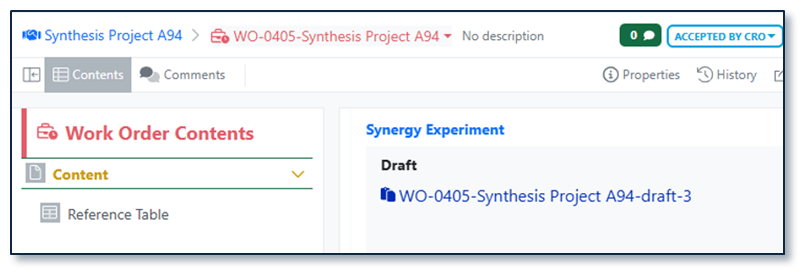
When a Sponsor drafts a Synergy Experiment, the name is always appended with -draft. To provide additional differentiation for Draft Synergy Experiments and ensure Drafts do not consume a number in the Synergy Experiment auto-numbering sequences, Draft Synergy Experiments will be auto-named {Work Order name}-draft. If a Draft is deleted and replaced, subsequent drafts will be appended with a number independent of auto-numbering sequences (e.g., {Work Order name}-draft-1).

Image 14 from What's New 26.6.docx

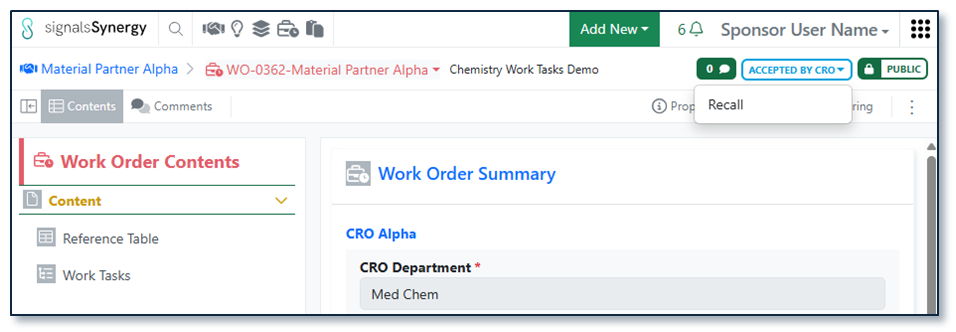
Finally, the Sponsor users can now Recall Work Orders in the status Accepted by CRO. Recalling a Work Order requires Full Control (e.g., authorship or via shared access) to the Work Order. As with Recall on To Do Work Orders, recalling a Work Order removes it from the CRO and returns it to the editable Draft status for the Sponsor.

Chemistry

Image 15 from What's New 26.6.docx

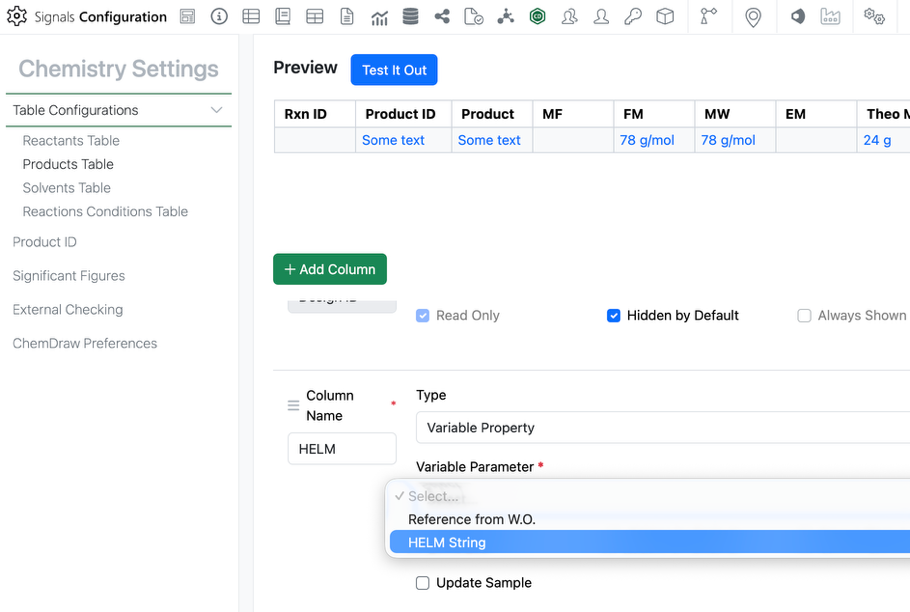
Admins can now add the HELM string as a chemically aware column in the stoich grid. The admin can add a new variable property to the Reactants and/or Products table of the stoich grid. Under variable property is the new HELM String option. This property can only be used once in the table.

This HELM String property will update as the HELM structure is updated.

Image 16 from What's New 26.6.docx

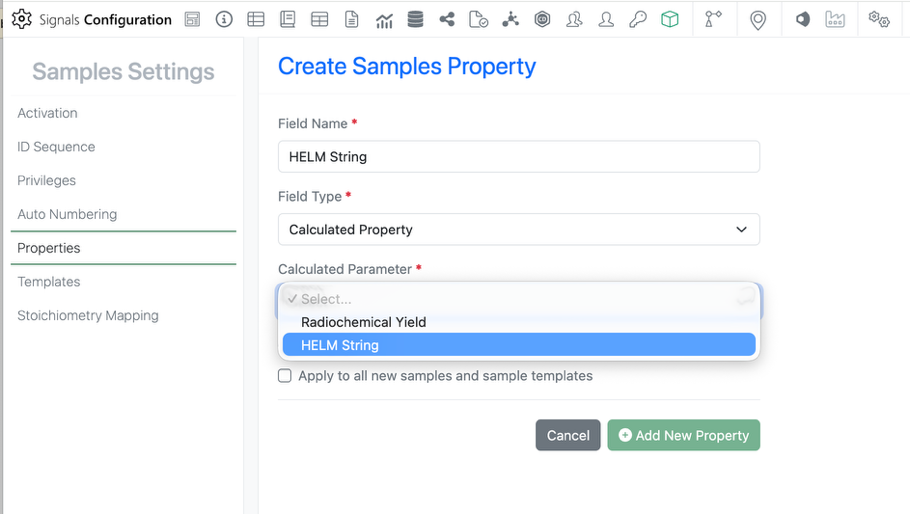
The HELM property is also available in the Sample. Admins can add the property by selecting the field type Calculated Property > HELM String. As with the Stoich property, this option can only be used once.

Image 17 from What's New 26.6.docx

The HELM String property will also be available in the Chemistry autotext as is currently possible with all other stoich properties.

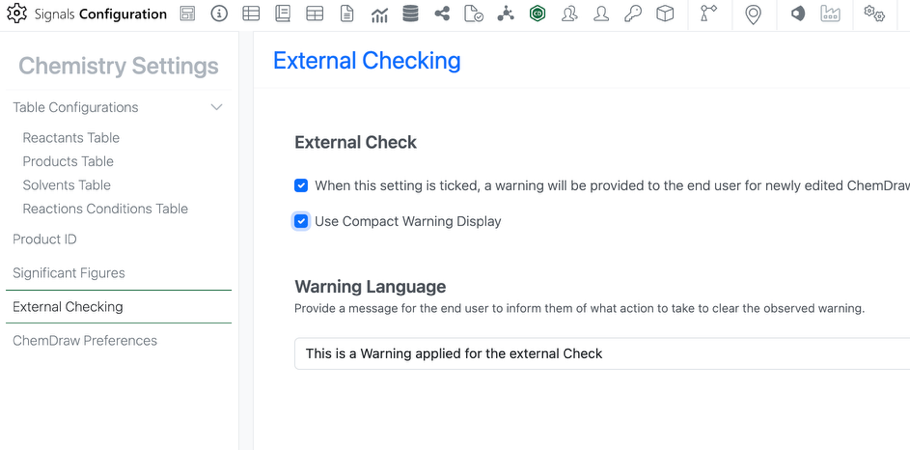
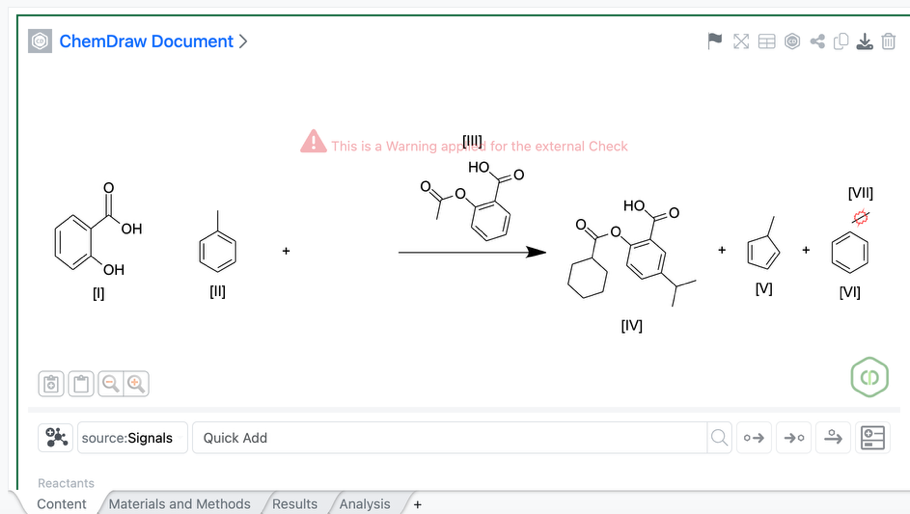
Admins can now utilize a compact view of the chemical check warning. This is especially useful for users working with larger molecule and HELM representations. The compact view can be enabled in the External Checking section of the Chemistry Settings. This is a tenant-wide setting.

Image 18 from What's New 26.6.docx

The compact warning display is smaller and placed near the top of the canvas to be less obstructive of the chemistry.

Tables

Image 19 from What's New 26.6.docx

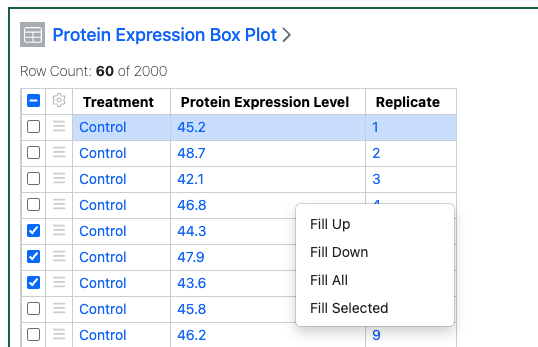
Admin Defined Tables, Variation Tables and Hierarchical Tables now allow users to right-click and fill a given cell value into other rows. The user can select if they Fill Up (all rows above), Fill Down (all rows below) or Fill All. If the user has selected rows they can also fill the selected rows only.

Image 20 from What's New 26.6.docx

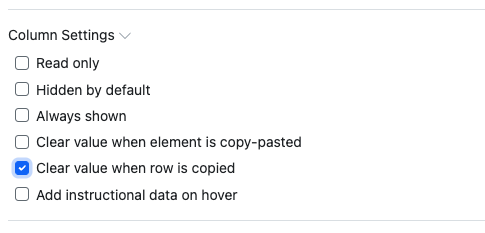
Configuration Administrators can also set that the values in certain columns in Admin Defined Tables and Hierarchical Tables are not copied if a user copies a row.

Image 21 from What's New 26.6.docx

Configuration Administrators can now choose to define a Box Plots on Admin Defined Tables. Similar to the definition of other chart types, administrators can define the Box Plot on the Table template including setting properties for the Categorical and Numeric axes. The admin can also choose if the end user is able to adjust the settings for the chart.

Image 22 from What's New 26.6.docx

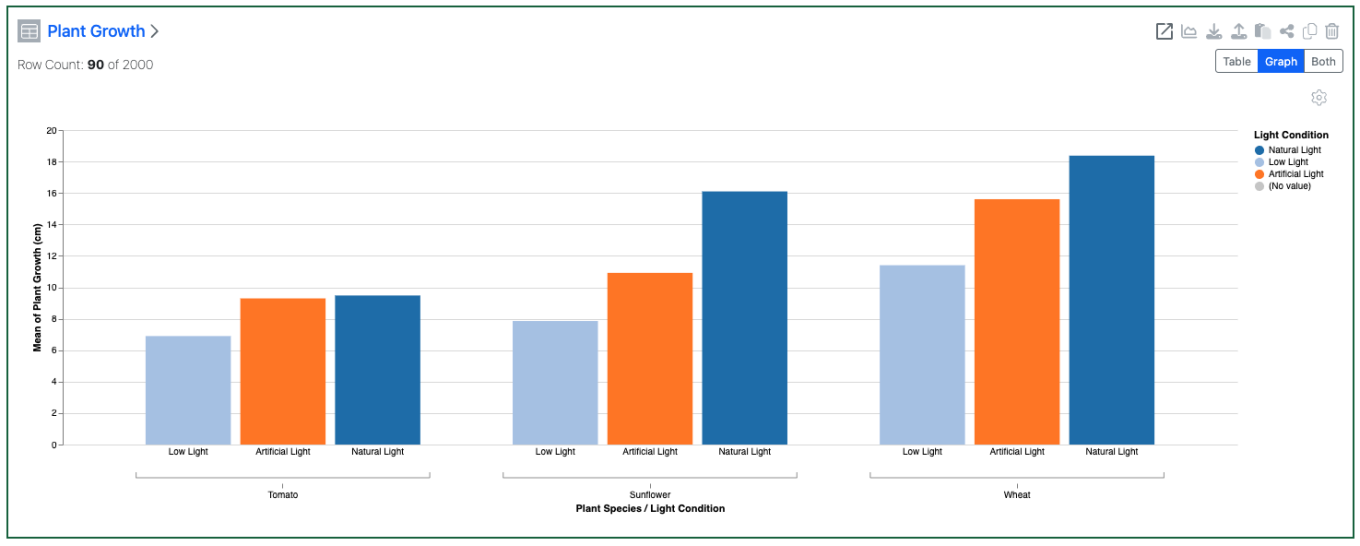
Configuration Admins can now also define numerical values on the categorical axis of barcharts. Admins define a number of buckets for the numerical values to be segmented into. Admins can also define that bar and/or segment values are displayed on the chart.

Image 23 from What's New 26.6.docx

A second categorical property can also be used to display on the categorical axis to allow a side by side vs a stacked bar chart.

Image 24 from What's New 26.6.docx

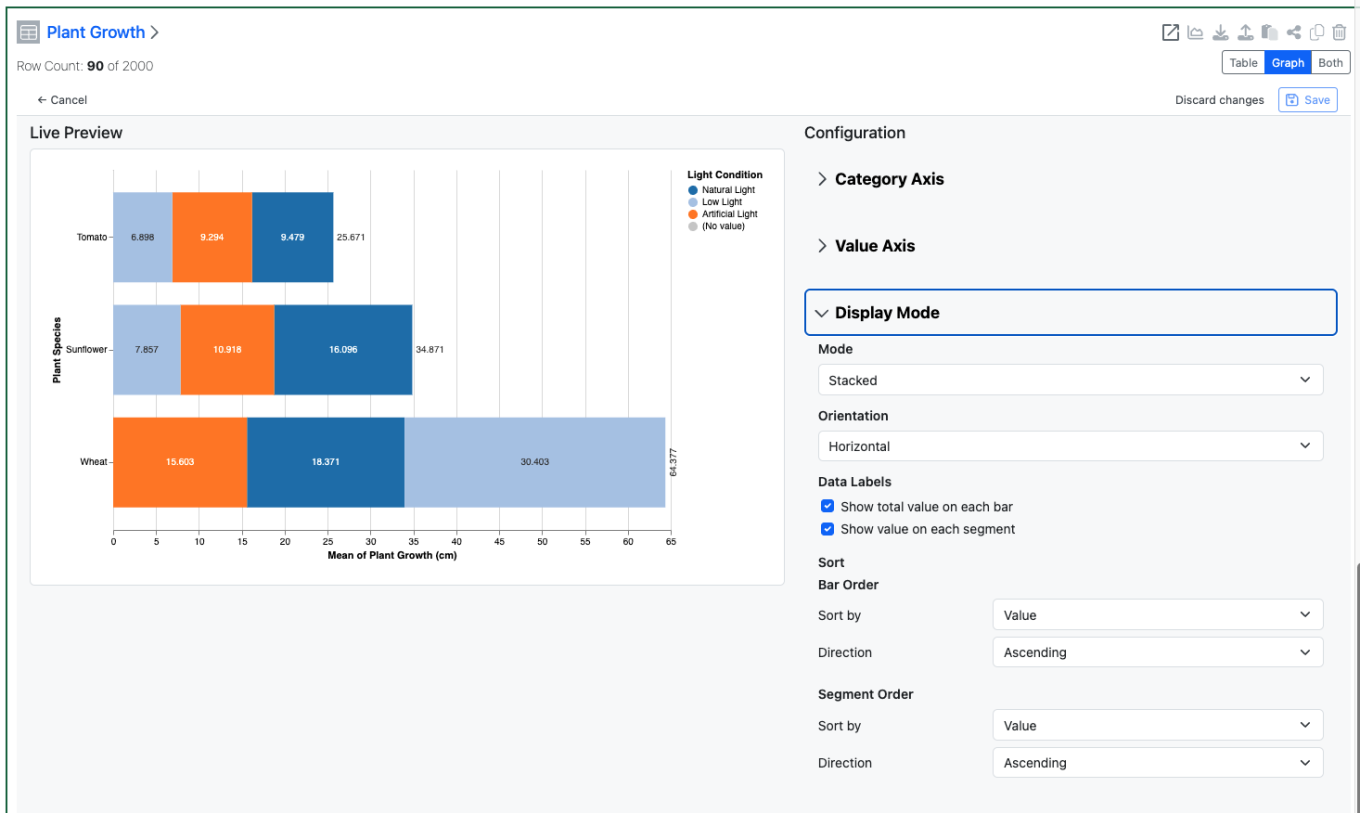
The Configuration Admin can also define either an ordering for the segments in a stacked barchart, either by name or by value.

Image 25 from What's New 26.6.docx

Setting a Color By allows plotting of a single column of data in a Line Chart as multiple lines.

Image 26 from What's New 26.6.docx

An aggregate method can also be defined for the Numerical properties plotted on Y and Secondary Y axes of a Line Chart.

Plates

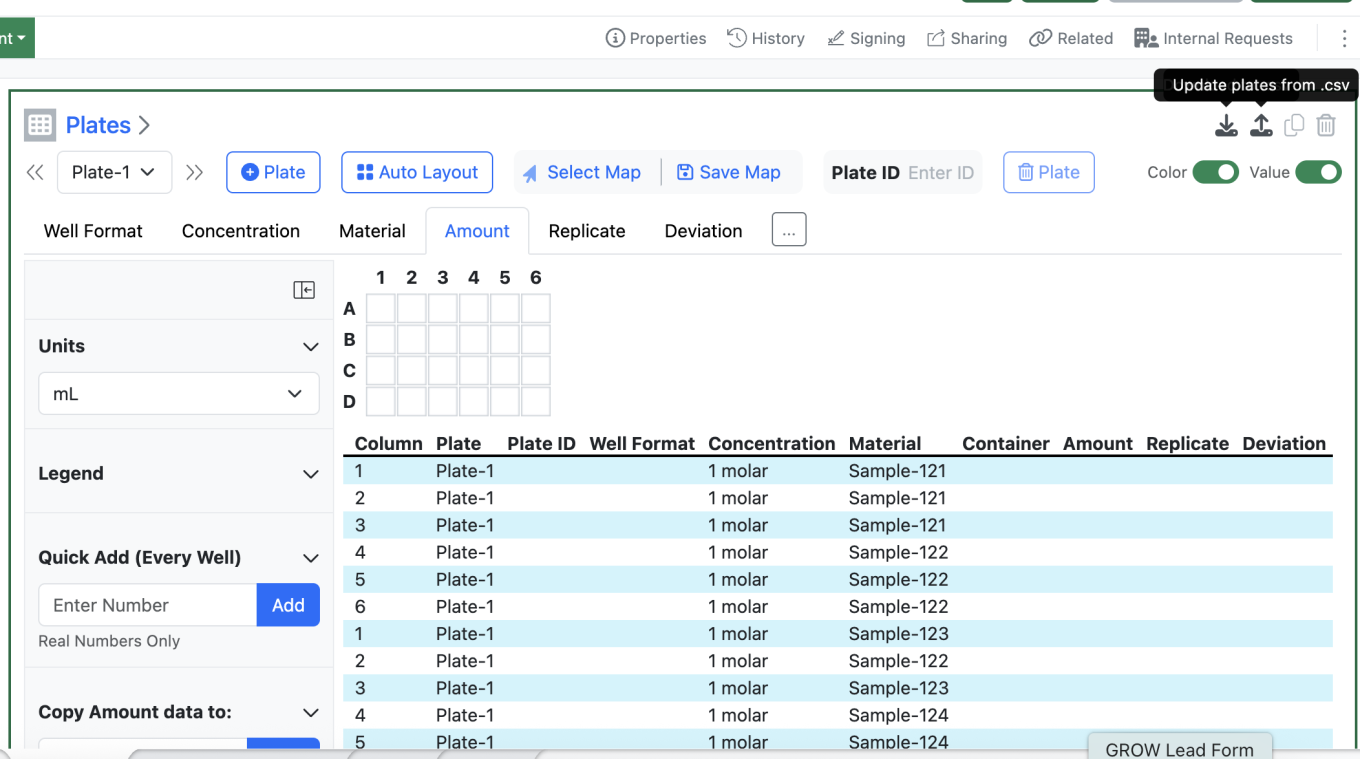
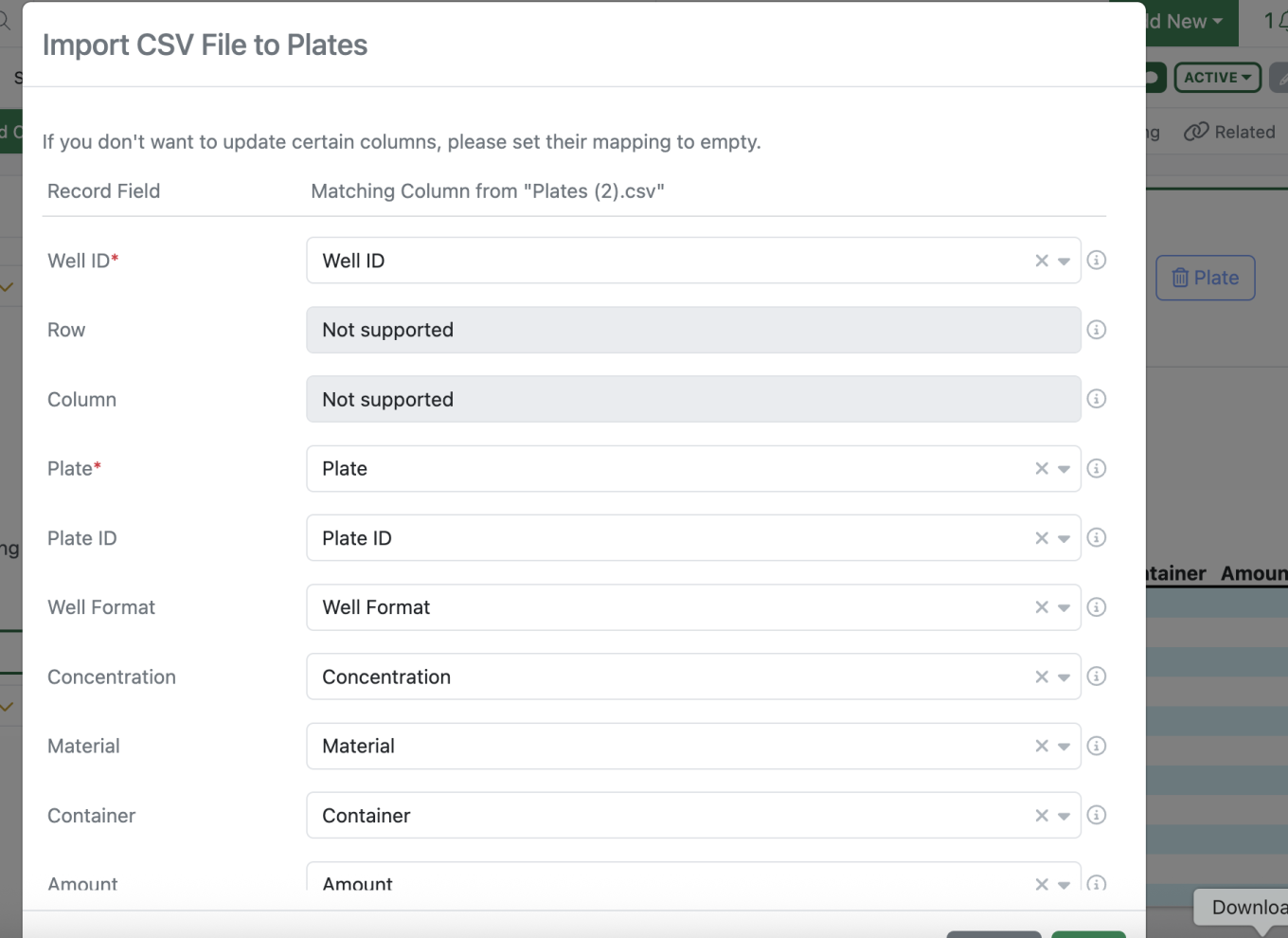
The csv upload maximum has been increased from 2000 rows to 50000 rows to better accommodate multiple large plates. Larger files may take some time to upload.

Inventory

Image 27 from What's New 26.6.docx

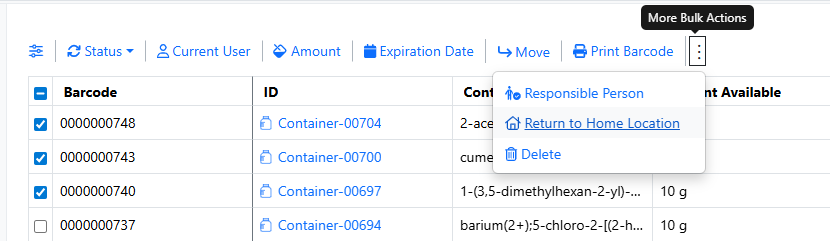
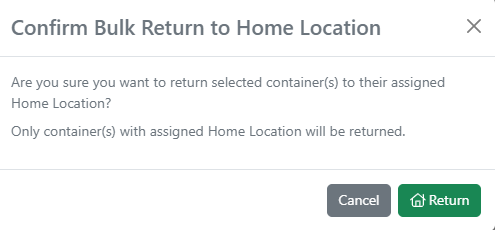
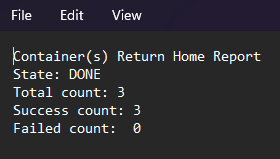
Users can now update the home location for multiple containers at once from the Container Search Table. After selecting containers and choosing Edit Home Location, users can either set the current location as the home location or assign a specific grid or non-grid location using barcode scanning or location search. The operation supports partial success handling, provides a downloadable CSV report containing the Container ID, previous home location, and new home location, and records all changes in the audit trail.

Image 28 from What's New 26.6.docx

The Reactants grid now includes a user-triggered Autofill feature for the Inventory Decrement column. Users can bulk-populate all rows via a header-level Autofill button or update individual rows using a row-level option. The system automatically maps the correct source value based on container unit: Sample Mass for mass-based containers and Volume for volume-based containers. Manually entered values are never overwritten, and containers in Disposed, Final Disposed, or Trashed status are excluded. Clear success/error feedback is provided, with row-specific error icons on hover for troubleshooting.

Image 29 from What's New 26.6.docx

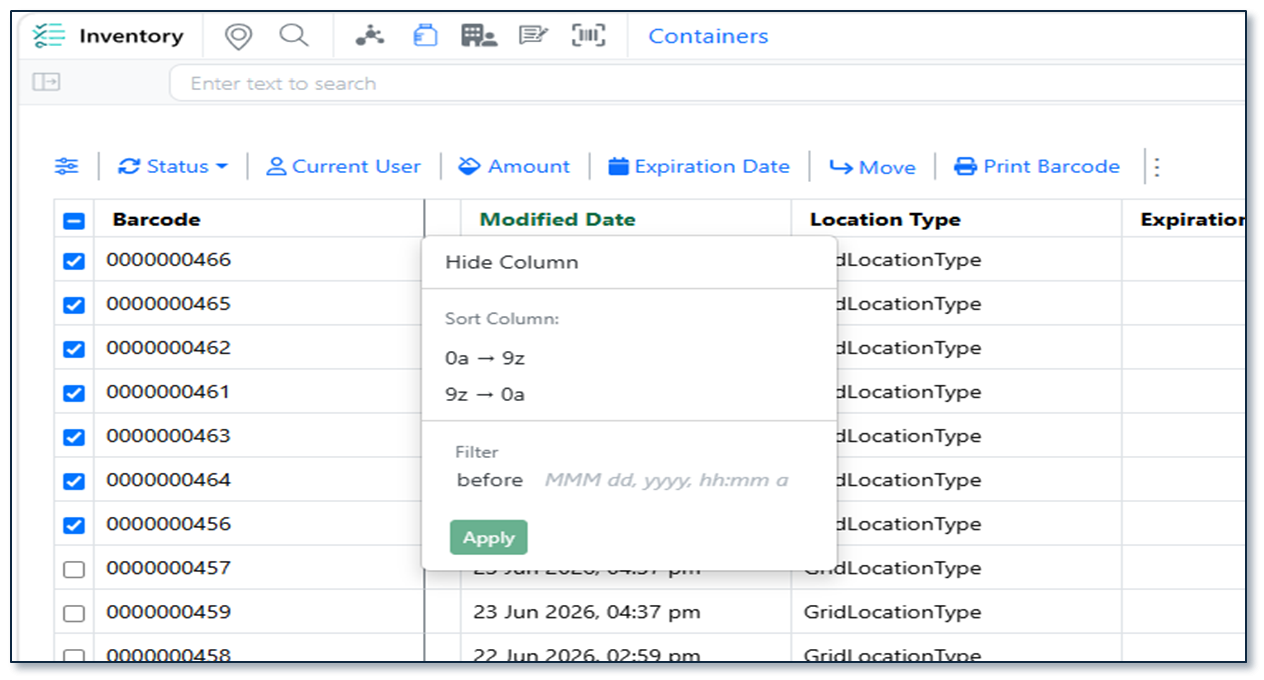
The Container Search Table now includes additional reporting and filtering capabilities with support for both Modified Date and Location Type columns. Users can view, show/hide, filter, sort, and export these fields to quickly identify recently updated containers or locate containers stored in specific location types (such as refrigerators or acid cabinets). Both columns support header-level filtering, are included in CSV/Excel exports (and SDF exports for Modified Date), and enable more efficient reporting, auditing, and offline analysis.

Image 30 from What's New 26.6.docx

A new label template sized 54 × 25 mm is now available for container barcode printing. The label features a QR code along with 5 configurable slots that Admins can map to any container or material property via SN Config. Long location paths are intelligently truncated — displaying from the closest location upward and trimming the beginning if the path exceeds the available space.

InventoryGo

Image 31 from What's New 26.6.docx

Users can now rectify inventory discrepancies involving containers stored in grid locations. The Rectification workflow has been enhanced to support grid-based storage, allowing users to accurately select and update container locations within specific grid cells during reconciliation activities. This improvement streamlines inventory correction processes, improves location accuracy, and ensures grid location assignments are maintained consistently throughout the rectification workflow.

Image 32 from What's New 26.6.docx

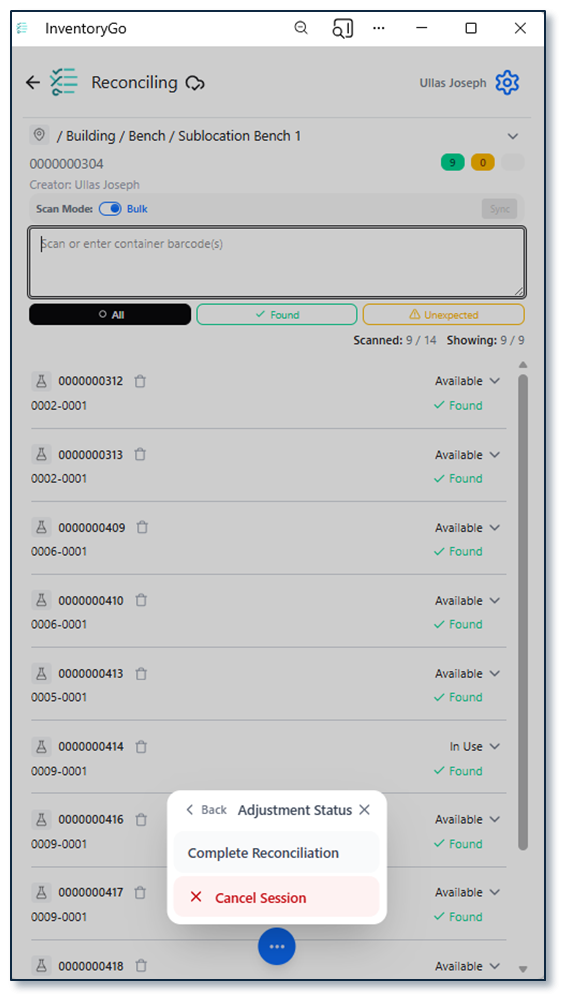
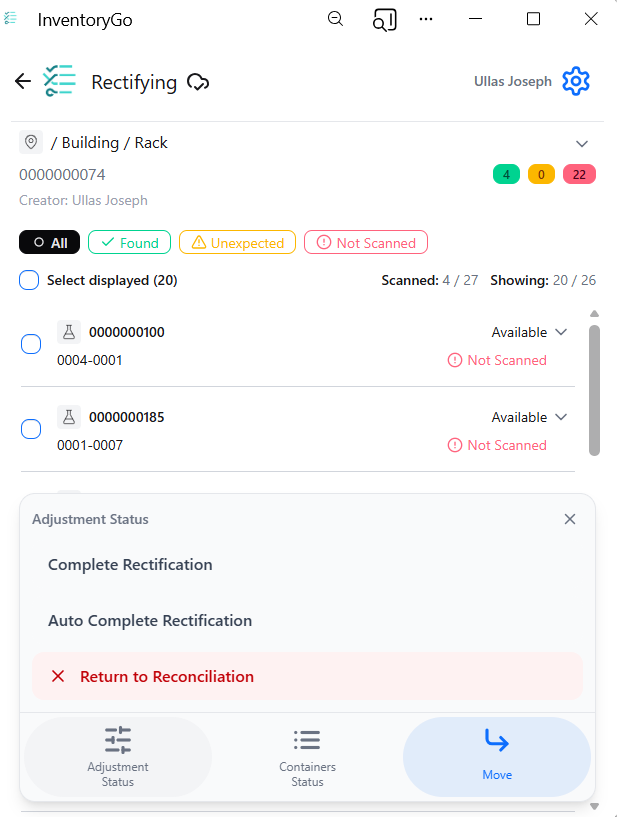
The Adjustment Status control in InventoryGo has been redesigned to improve usability on smaller mobile screens. The previous button bar has been replaced with a compact ellipsis menu, reducing screen clutter and allowing more container information to be displayed without scrolling. Users can still access all adjustment actions while benefiting from a cleaner, more space-efficient interface.

Image 33 from What's New 26.6.docx

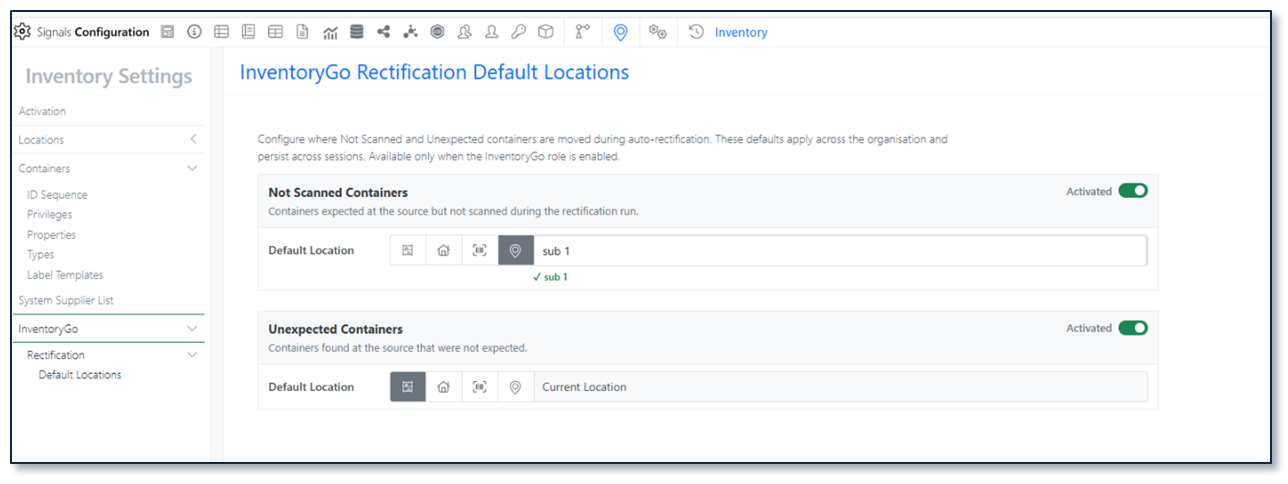
Users can now control whether a location is used as the default location for Auto Complete Rectification by activating or deactivating the setting directly on the location record. This enhancement provides greater flexibility when managing reconciliation workflows, ensuring that only appropriate locations are automatically selected during rectification. By allowing administrators to enable or disable this behavior as needed, organizations can better align auto-completion processes with their inventory management practices and location usage policies.

Materials

Image 34 from What's New 26.6.docx

The user interface for Admin configuration for materials tables in Signals Configuration has been updated and is now available to all systems.

Tasks and Requests

The maximum number of tasks has been increased from 2000 to 4000 to better accommodate workflows that require multiple tasks per sample.

Administration

Image 35 from What's New 26.6.docx

Display of granular audit trail changes within text elements are now available to all systems.

Integrations & APIs

Image 36 from What's New 26.6.docx

We have increased the API key limit from 25 to 100.

Image 37 from What's New 26.6.docx

We have added API support for exporting individual monomer libraries to JSON.

Image 38 from What's New 26.6.docx

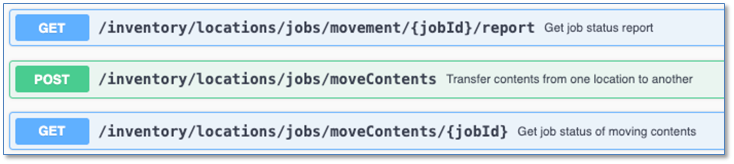
We have added a new set of asynchronous APIs to bulk export containers as either a csv or sdf file, defaulting to csv. This follows our standard pattern for asynchronous APIs of start job, check status, and download the content. You may optionally specify a list of container barcodes to export; if not provided, it will export all containers, up to 600,000. Optionally, you may also include filters to only return containers which match the filters. 'Container Type', 'Status', 'Location', 'Content Entity Type' and 'Material Library' are currently supported filters. Lastly, you must include the set of fields, with a minimum of one, to include in the export. Barcodes, fields, and filters are all specified in the request body to initiate the export job. See the Swagger page for full details and examples.

Image 39 from What's New 26.6.docx
Image 40 from What's New 26.6.docx

We have enhanced existing APIs for bulk exporting material libraries. You may now specify a list of materials, by ID, to export in the request body. If not provided, the entire library will be exported.

Image 41 from What's New 26.6.docx

We have added a new set of APIs for our Synergy product to fetch the list of Data Exchange files, the data exchange report file, and the Data Exchange results table file by table name.

Image 42 from What's New 26.6.docx

We have enhanced the bulk update for CRO users to include updating Departments when including them in a column in the bulk update csv.

Beta Features

The following capabilities are in beta and are available for users, administrators and developers on the Signals platform upon request. Please contact your account representative or our support team if you would like access to the following features.

Fundamentals

Image 43 from What's New 26.6.docx
Image 44 from What's New 26.6.docx
Image 45 from What's New 26.6.docx

Audit trail displays highlighted granular changes for structured tables and worksheets. The structured tables included are the following: variation tables, hierarchical tables, samples tables, materials tables, task tables, work tasks, design tables, synergy experiment tables, & sample tables. When users compare an audit record with a previous version, there is a "view granular changes" toggle. Selecting this toggle will show users a clear visual summary: gray highlighting shows text that was edited or removed, green highlighting shows newly added, and dashed boarder green highlighting indicates updated text (beta).

SAR & Decisioning

Image 46 from What's New 26.6.docx
Image 47 from What's New 26.6.docx
Image 48 from What's New 26.6.docx

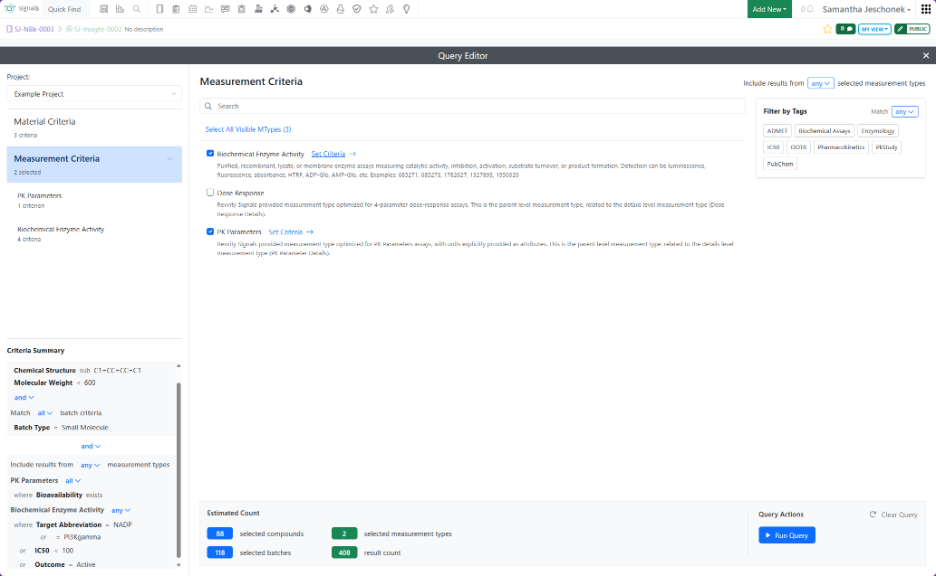
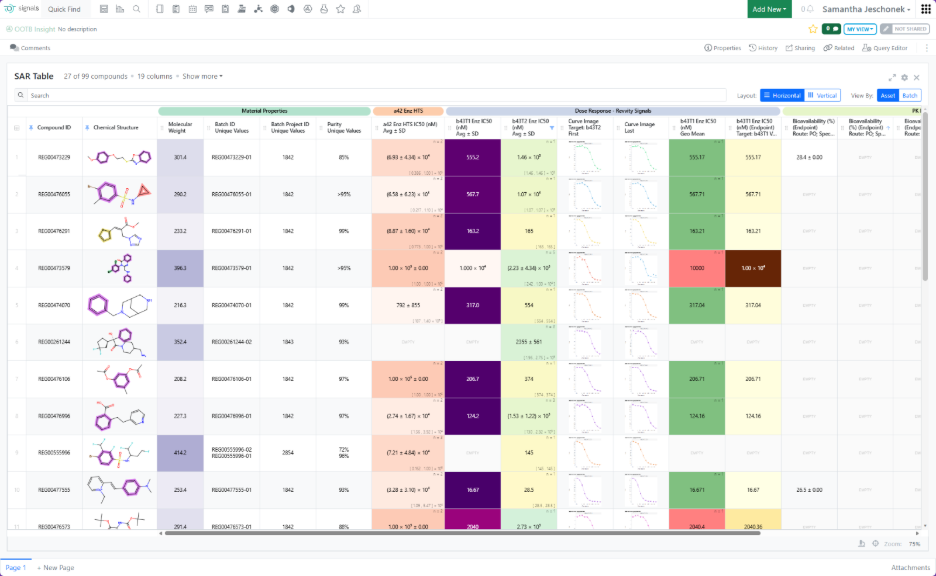
Insights is a new Signals object (beta) that lets users query Data Factory and generate summary or SAR tables directly in Signals. After an Administrator enables the feature, users can create Insights from the Add New menu or the dedicated Smart Folder.

Image 49 from What's New 26.6.docx

When creating an Insight, users define a Data Factory query by specifying criteria for materials, measurements, or both.

Image 50 from What's New 26.6.docx
Image 51 from What's New 26.6.docx
Image 52 from What's New 26.6.docx

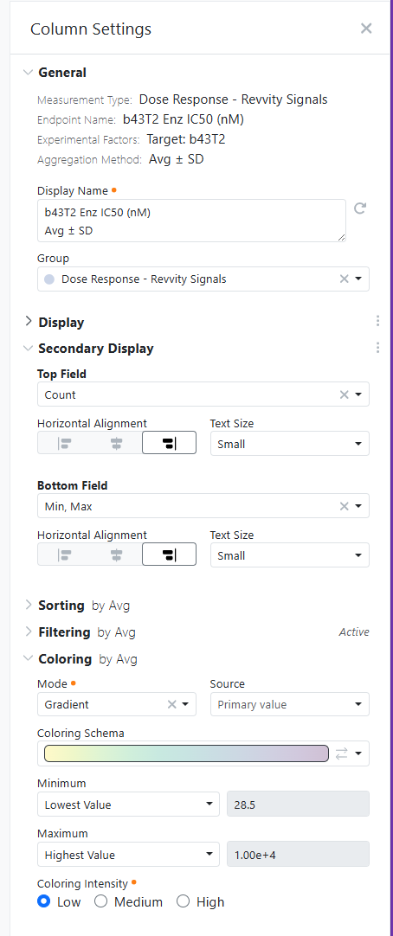
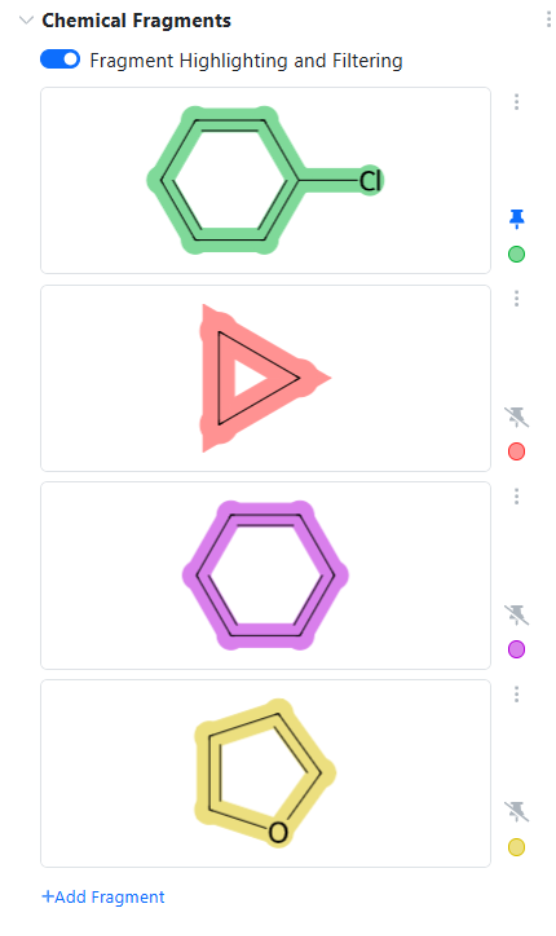
Running the query automatically generates an aggregated summary table, or SAR table, based on the selected criteria. Users can configure the table by renaming columns, controlling numeric display, adding secondary values within cells such as count, applying color options, filtering, and sorting. Some field types, including Chemical Structures, include additional formatting capabilities, such as chemical fragment highlighting. Column settings are available by right clicking the column header.

Image 53 from What's New 26.6.docx

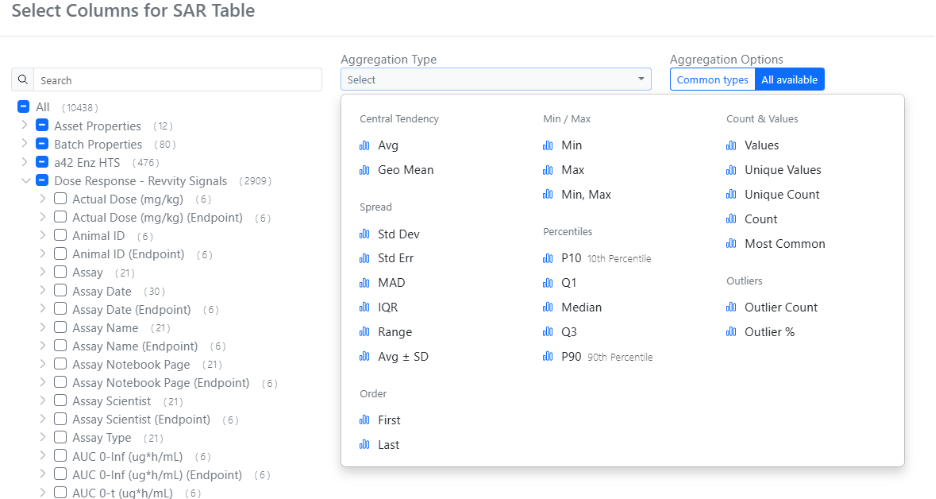
After a query completes, Insights returns a broad set of columns. Users can choose which columns to display from the Column Selector under Show more > More Options, using search and aggregation-type filters to find the most relevant columns.

Image 54 from What's New 26.6.docx

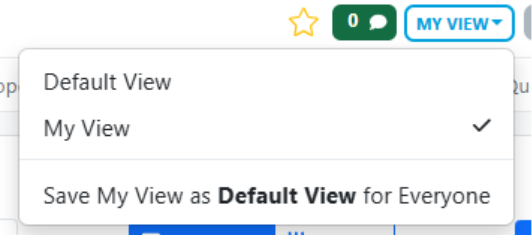
Configuration changes are automatically saved to each user’s personal view and persist locally in the browser. Users with Write access to the Insight can save their personal view (“My View”) as the Default view for all users, supporting a consistent shared layout while preserving individual flexibility.

Image 55 from What's New 26.6.docx
Image 56 from What's New 26.6.docx

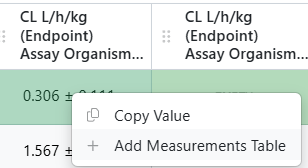
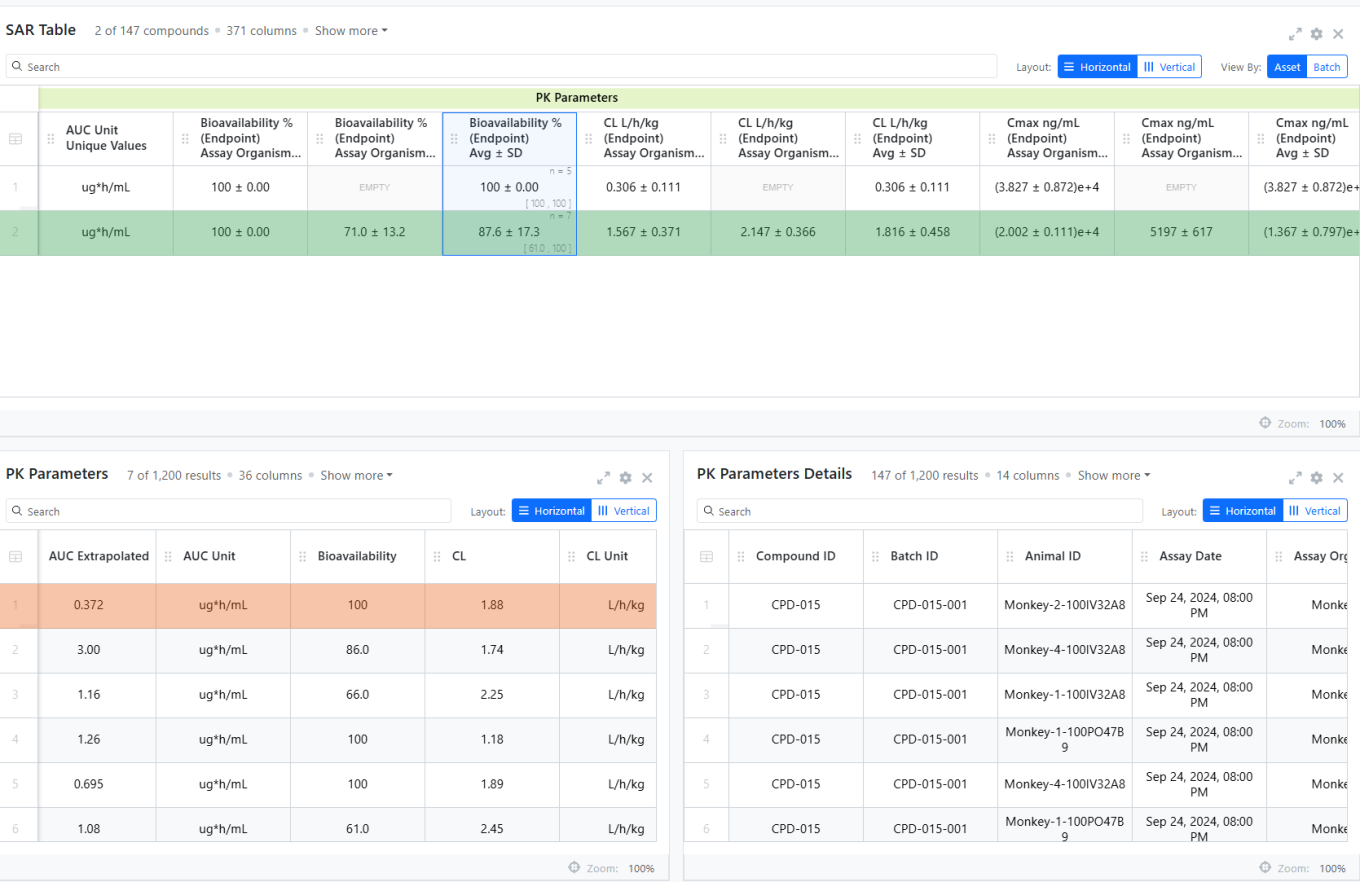
From a summary or SAR table, users can right-click any cell to add the corresponding Measurement table containing the individual rows behind the aggregated result. If the measurement type has an associated Details measurement type, it is retrieved automatically. An Insight can include multiple Measurement tables for different measurement types.

Synergy

Image 57 from What's New 26.6.docx

As part of the existing Synergy Work Tasks beta feature, Work Tasks have several new properties. Sponsors often want to track how long it takes a CRO or CRO Department to perform certain tasks. Thus, Work Tasks now track the date/time the Work Task was sent (Date Sent), started by the CRO (Date Started), and completed by the CRO (Date Completed). These properties are visible on the Work Task, via search, and via API.

Finally, Work Tasks properties and templates are now supported in Configuration Transfer.

Administration

Image 58 from What's New 26.6.docx

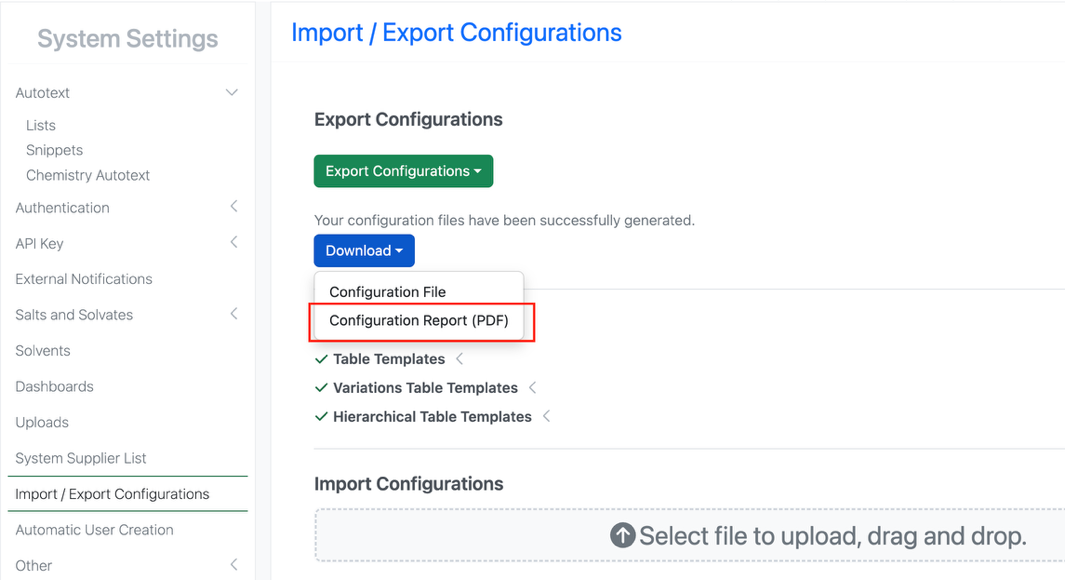
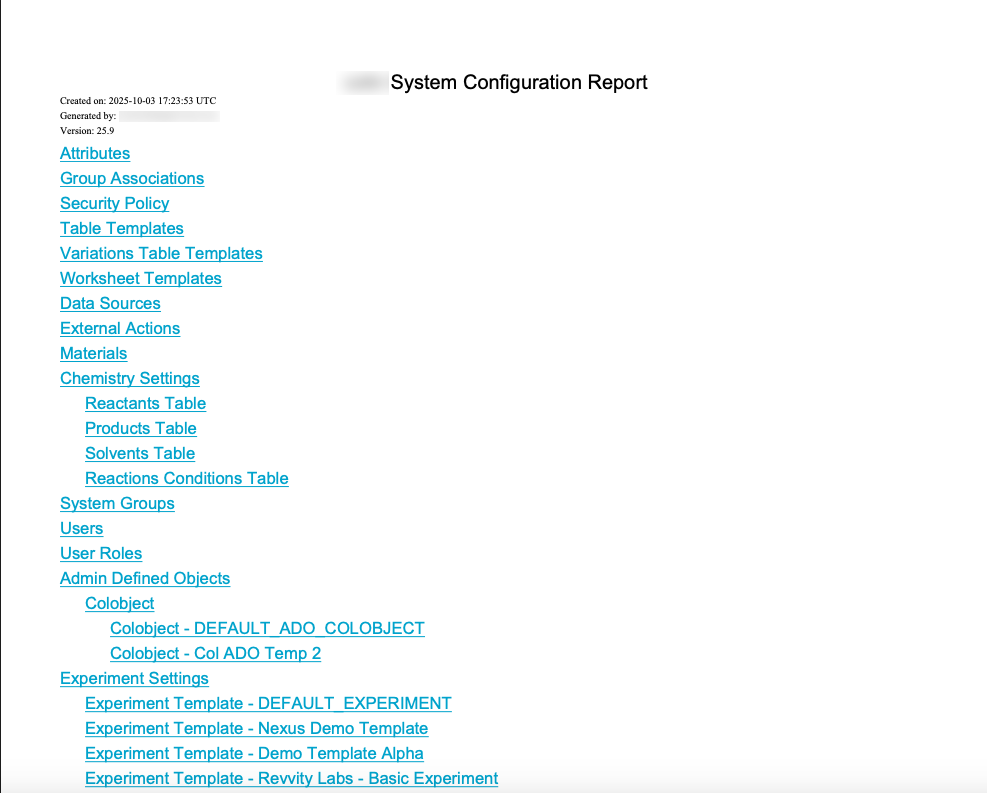
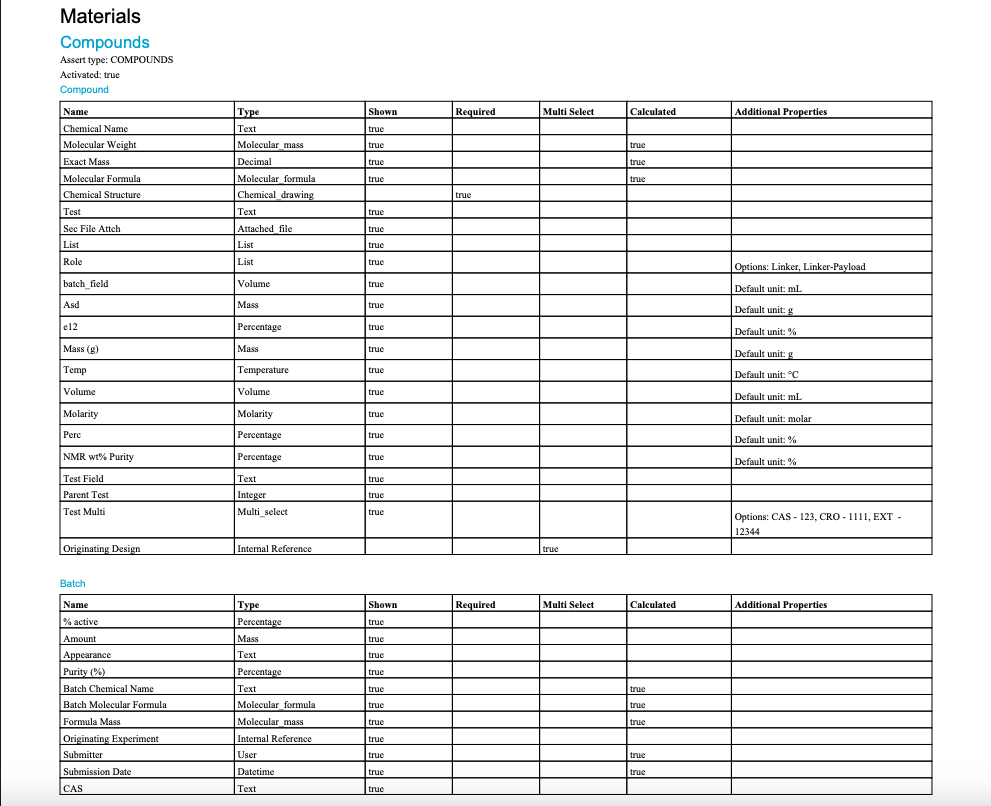
A matching Configuration Report (PDF) generates based on the selective configuration export. When users select specific objects to export during configuration migration, a matching Configuration PDF Report will generate in an export modal based on the object selections made (beta).

What's New

We are delighted to release our new version of Signals, 26.5.

The following improvements are available for users, administrators and developers on the Signals platform. Certain features may only be available with appropriate licensing and/or with enablement by an administrator.

  • Fundamentals
    - Publish ontology fields to Data Factory
    - Bookmarks in Smartfolders
    - Caching of Stoich grid data while Chemical drawing is in Edit mode
    - Addition of “Weeks” as an additional Unit in the Duration Measure
    - Bulk Register Materials from Samples Tables and Samples Summary Tables
    - Display warning message when cloning experiment based on a template user cannot access
  • Data Workflows & Analytics*
    - Additional Quality Control and Curve Fitting metrics
    - Publication of all Quality Control and Curve Fitting metrics
  • Synergy†
    - CRO users can now use CRO Advanced Search to reference items in internal fields
    - External actions on Work Orders
    - Sponsor Admin can bulk update CRO Departments for CRO users
    - Define default values, including Synergy Experiment Template, on Work Tasks Templates (beta)
  • Tables
    - Add a Container to an existing row in an Inventory enabled Admin Defined Table or Variation Table
    - Add a Container to an existing row in an Inventory enabled Hierarchical Table*
    - Line Charts on Admin Defined Tables*
    - Checkbox, Variable Measure and Variable Property can be used on the categorical axis of a Bar Chart on Admin Defined Tables*
  • BioDesign° 
    - Users can now register BioDesign Sequences in a Material Library and reference BioDesign Sequences
  • Inventory
    - Move containers out of grid locations during disposal directly from the container search table
    - Add container properties to the Reactants table
  • InventoryGo ‡
    - Enable Auto Complete Rectification in InventoryGo with configuration to move Not Scanned and Unexpected containers to an admin‑defined location
  • Materials
    - Additional calculated properties for protein complexes
    - UI update to material tables configuration (beta)
    - Mark fields as Read-Only in Materials
  • Administration
    - Use multiple headers with the SciBite CENtree External Ontology Source
    - Selective export for configuration migration (beta)
  • Integrations & Interfaces
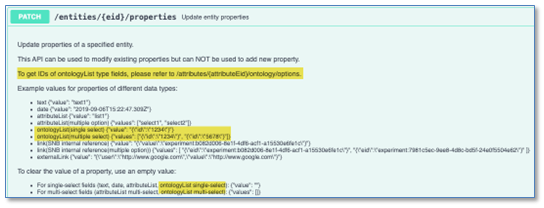
    - Hide/Unhide columns API
    - Move Experiment to new Notebook API
    - Return from Archive API
    - Fetch Individual Material Libraries definitions API
    - Fetch all CRO users API
    - Additional CRO APIs for Chemical Drawings

* Requires Signals One license

† Requires Signals Synergy license

‡ Requires InventoryGo license

° Requires Signals BioDesign License

We also fixed several small bugs in this release. Details of the enhancements are described below.

The following OnDemand videos for Signals Synergy are now available:

  • Recording your Chemical Synthesis in Signals Synergy

Administrators should note that this release includes an upgrade to Spotfire® 14.6 LTS. Users will receive the updated version as part of the standard upgrade experience.

Developers should note the Materials API now includes the calculated property on a field definition only when its value is true. Previously it was inconsistently included (with value false) for admin-defined properties. Note that calculated is true only for certain system-default material properties, and not for admin-defined properties.

All CRO users in the assigned CRO Department can now Start a Work Order. This is a relaxed requirement, which previously required the assigned CRO user or CRO Department Manger to Start Work.

Administrators should note that we are planning to resolve an inconsistency in the way non global numbering currently works for Parallel Experiments, Requests, Inventa Analysis objects and In Vitro Analysis objects. These objects will now take the next number in sequence regardless of object type. The current behavior is that they take the next number in sequence for the given object type. This change will occur in a future release.

Data Factory Administrators should note that legacy Data Factory projects will be fully deprecated in a future release. A straightforward migration path is now available to support this transition. A specific deadline has not yet been scheduled.

Data Factory administrators should also note that the Advanced Security policies in Inventa apply an “AND” logic across all user groups, restricting access if any groups lack permissions. This behavior differs from the standard Signals security model and will be fixed to align with the standard in a future release.

Administrators are recommended to subscribe to the channels within our support news site found at https://support.revvitysignals.com/hc/en-us/categories/360004446171-Support-News which contains more information about releases and other pertinent product information.

This content is anticipated for release on our Production E3 environments, and for Private Cloud customers on our deferred release schedule, in November 2026.

Further Details

The following improvements are available for users, administrators and developers on the Signals platform. Certain features may only be available with appropriate licensing and/or with enablement by an administrator.

Fundamentals

Image 1 from What's New 26.5.docx

Users will now be able to save bookmarks in Smarfolders as they are able to do in Advanced Search. Is a Smartfolder, a user can add a Bookmark by selecting the Bookmark Icon in the left corner. Only bookmarks made within the given Smarfolder will be usable within that Smartfolder.

Image 2 from What's New 26.5.docx

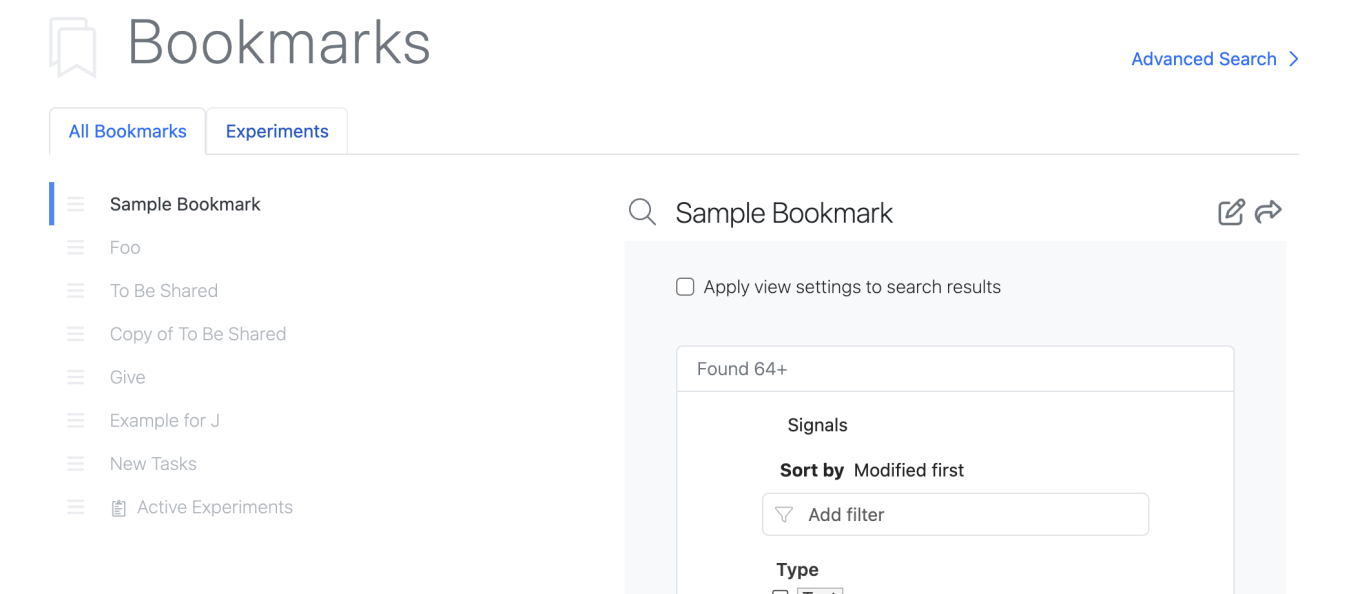
All bookmarks can be utilized in Advanced Search.

The Manage Bookmarks page also reflects the bookmarks available in the Smartfolders.

Image 3 from What's New 26.5.docx

Smartfolders with saved Bookmarks will appear at the top with a tab allowing the user to view bookmarks for that Smartfolder only. Additionally, Smartfolder specific bookmarks are identified with the entity icon in the All Bookmarks list.

In the Chemical Drawing, user entered data in the stoich grid will now be cached as the user is editing the chemical drawing so structures that leave the reaction perception do not lose user entered stoich data. Previously if a structure left the reaction perception or was reordered, user entered data would be cleared.

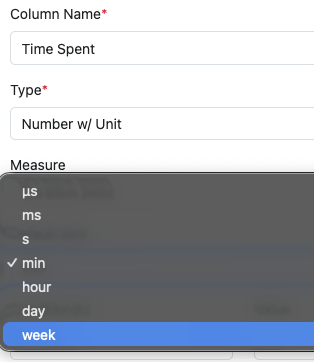
The Number with Unit Measure Duration now supports “week” as an additional Unit.

Image 4 from What's New 26.5.docx

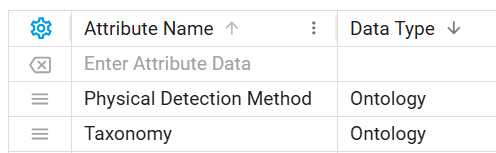
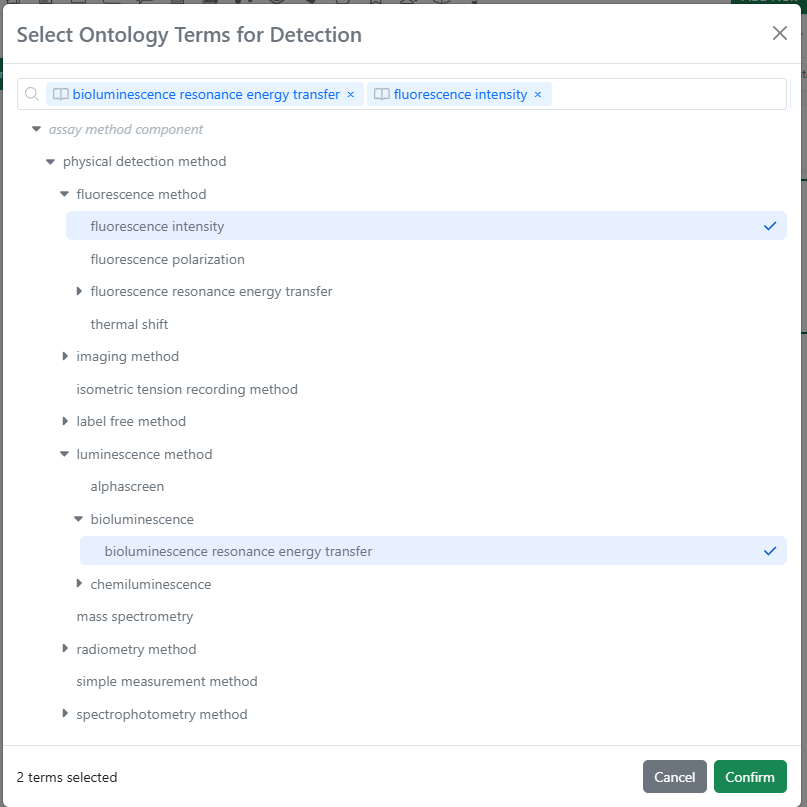
Ontology fields are now supported in Data Factory publication. Data Factory administrators can create ontology-type attributes and use them in publication maps for Signals objects (tables, experiments, materials, and more).

Image 5 from What's New 26.5.docx
Image 6 from What's New 26.5.docx

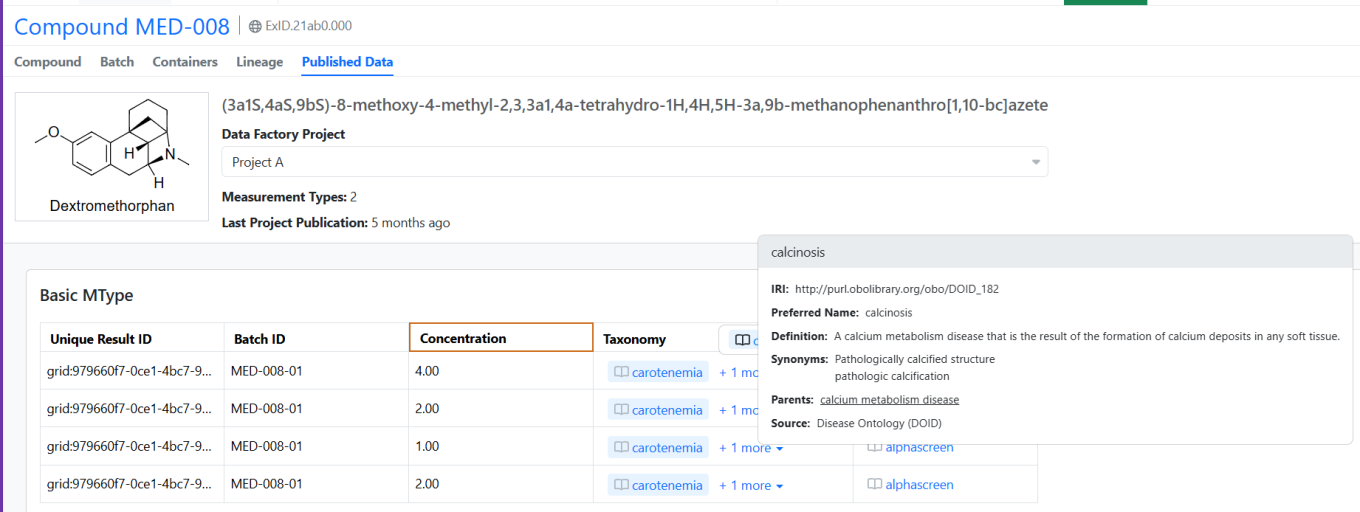
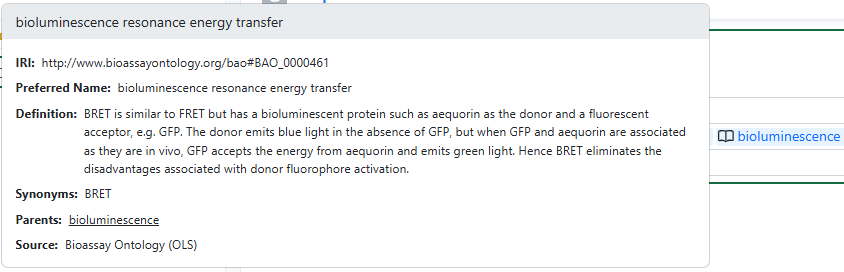
Published terms retain their ontology context in Signals, displaying an ontology indicator with interactive hover details for each term. In Spotfire applications, ontology terms are rendered as plain text.

Image 7 from What's New 26.5.docx

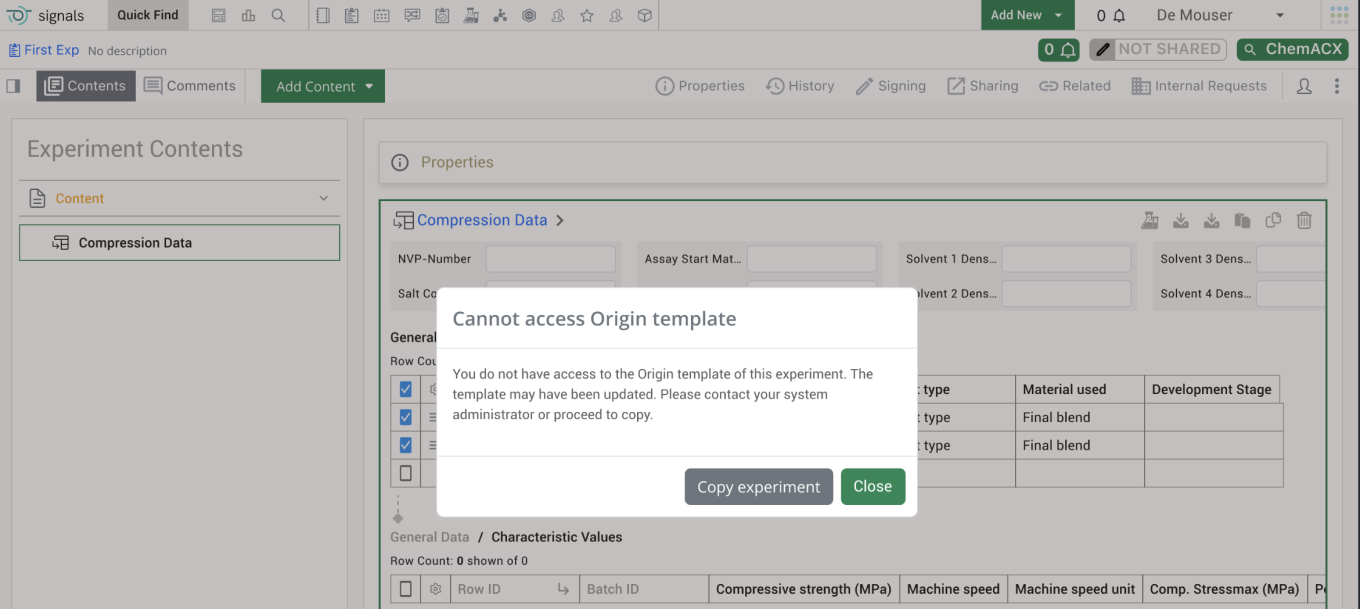
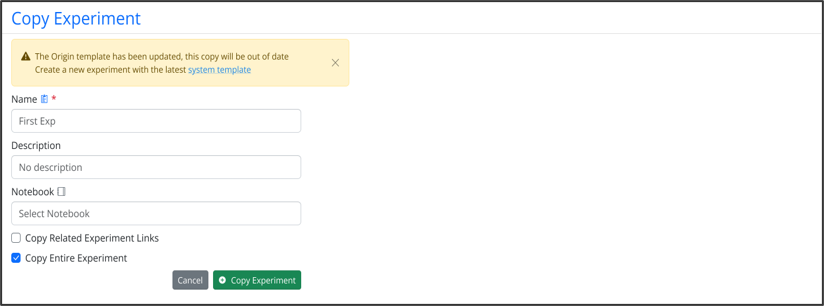
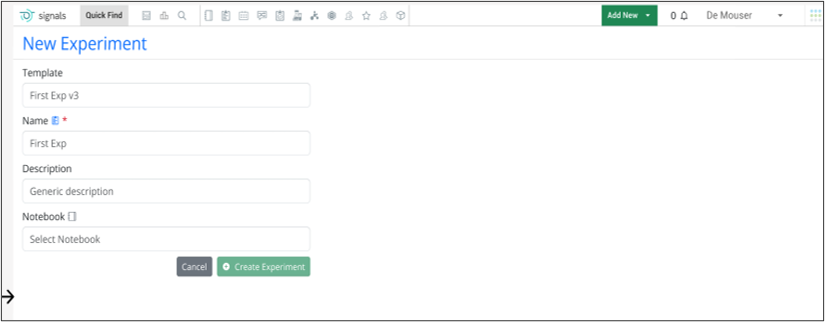
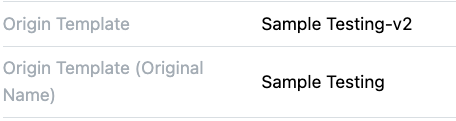
End users will see a warning message when they are cloning an experiment that is based on a template that the end user cannot access. The warning message will alert the end user that they do not have access to the origin template associated with the experiment and the template may have been updated. It also encourages end users to reach out to their administrator to update their access to the template.

Image 8 from What's New 26.5.docx
Image 9 from What's New 26.5.docx

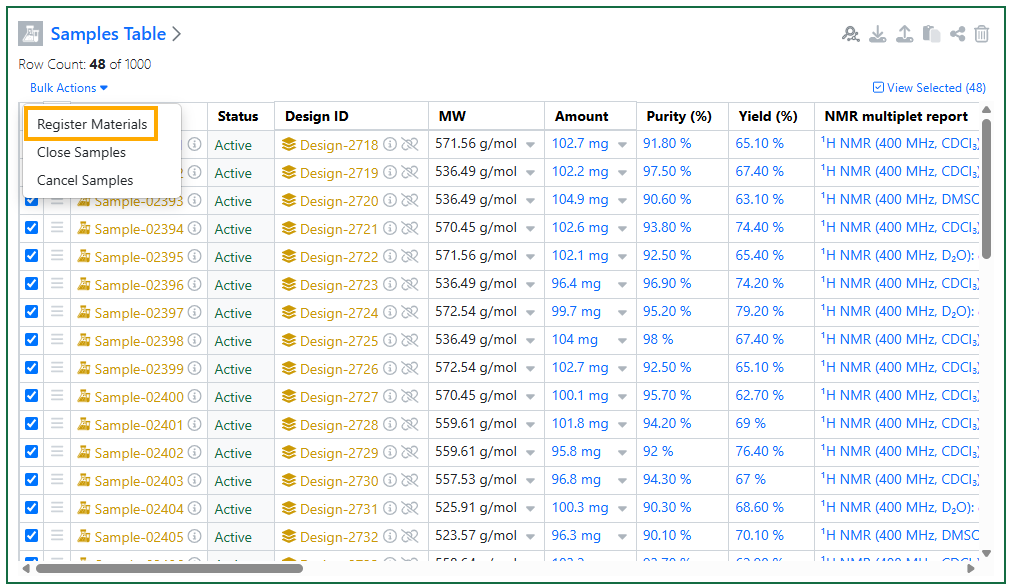
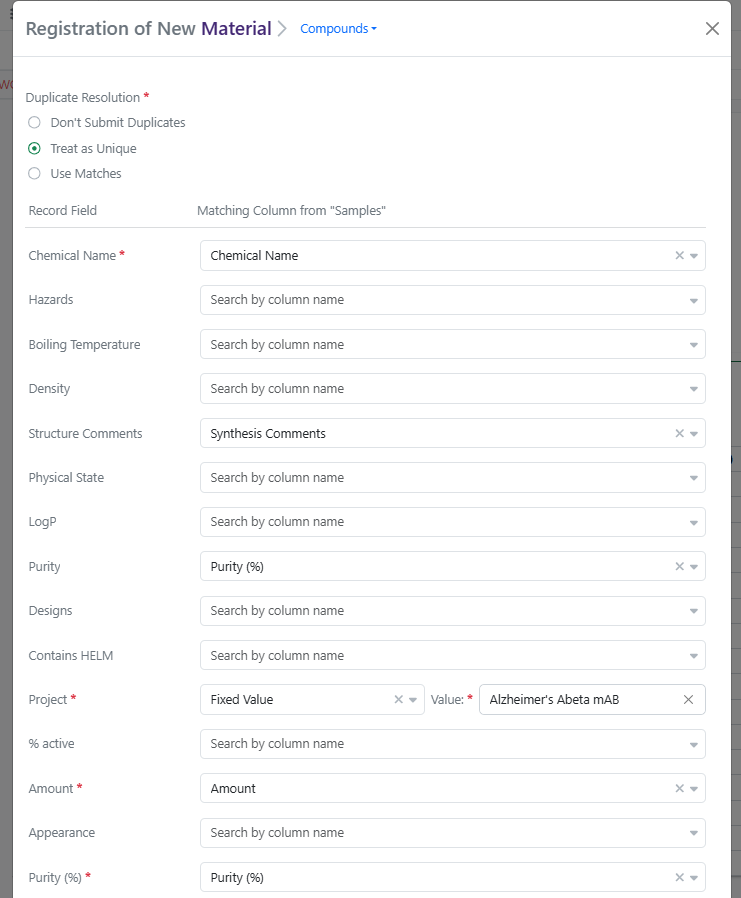
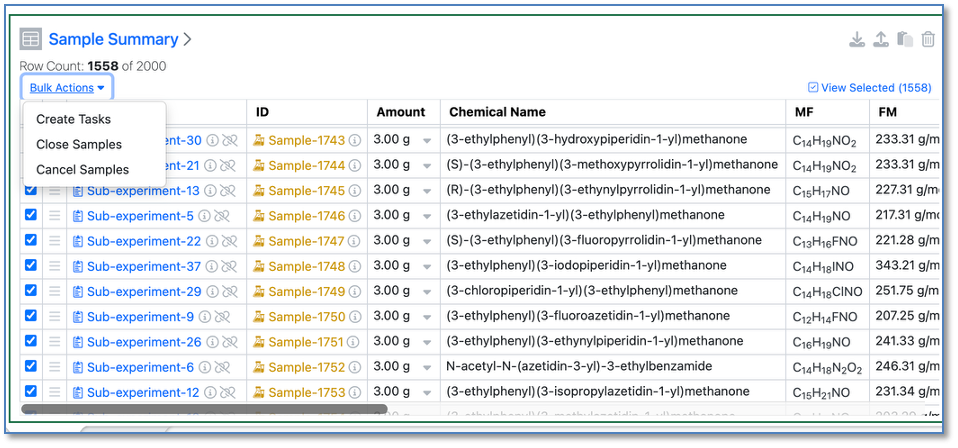
Finally, users can now bulk Register Materials from Samples Tables and from Samples Summary Tables. This feature applies to Experiments, Synergy Experiments, admin-defined custom Objects, and Parallel Experiments. When one or more Active Chemical Samples are selected in a Samples Table, the user can select Bulk Actions > Register Materials. Register Materials will open a modal where the user can select a Compounds or Normalized Compound library and then map Samples columns to Material Record Fields, with an option to apply Fixed Values to all Samples where applicable. (Note: Default mapping of Samples fields to Material fields can be configured by the administrator in Signals Configuration > Materials > Compounds (or other library) > Sample Mapping.) Clicking Register Compounds will start bulk registration, during which the Samples Table will be locked. Any errors with registration will be displayed on the table after registration completes. For tenants with Synergy, if a Sample is related to a Design ID, registration will capture the Originating Design on the Material and update the Design to Synthesis Complete.

Synergy

Image 10 from What's New 26.5.docx
Image 11 from What's New 26.5.docx
Image 12 from What's New 26.5.docx

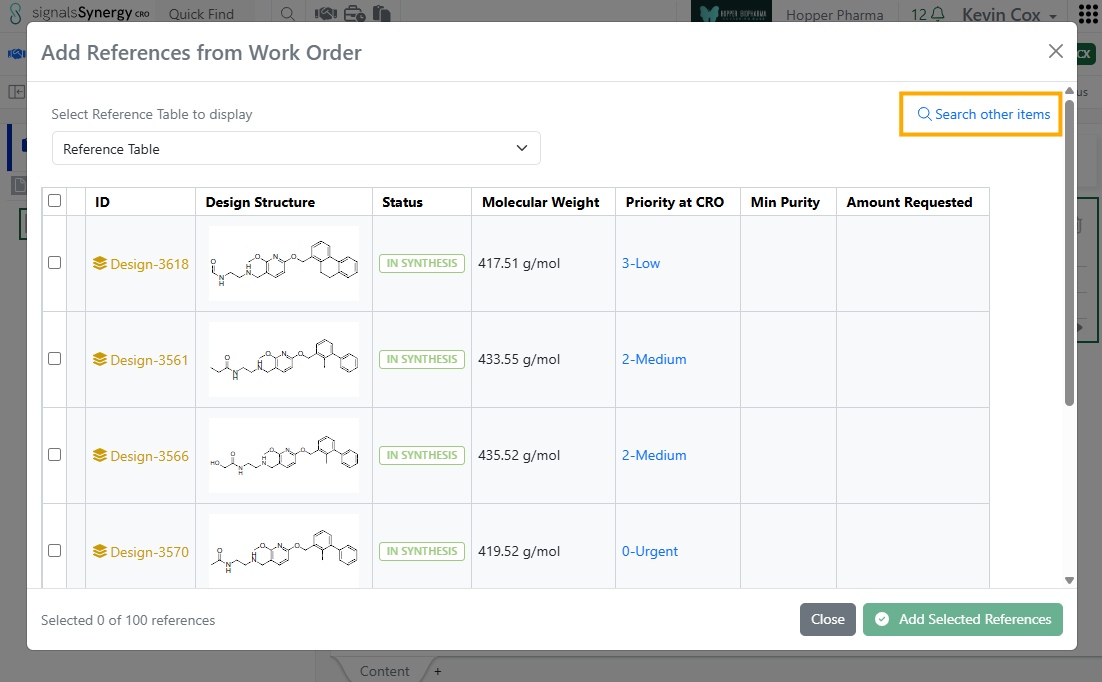
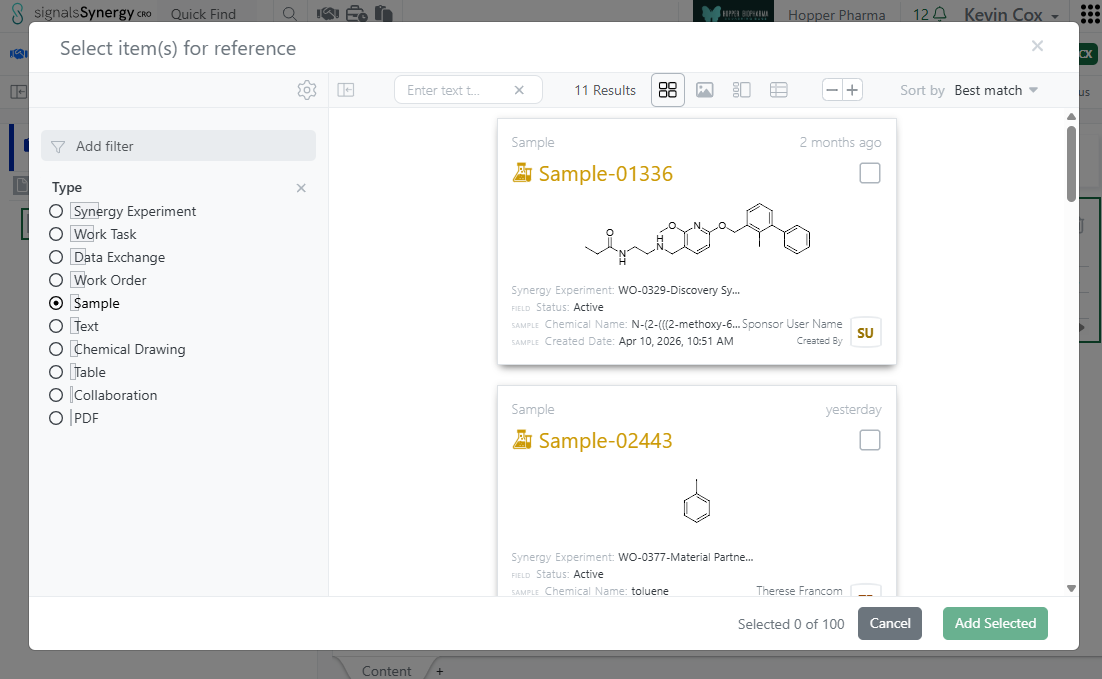
In this release, we expanded the functionality of internal references fields for CRO users. Previously, internal reference fields, such as those in Admin-Defined Tables, always directed the CRO user to Work Order Reference Tables. This allowed the CRO user to reference relevant Designs or Materials in their Synergy Experiments. In 26.5, internal references have been expanded to allow referencing from Work Order Reference Tables or using CRO Advanced Search (any entities they have access). When the CRO user first clicks on the magnifying glass of an internal reference field (such as in cell in a Table), the modal will allow the user to select references from the associated Work Order Reference Tables, assuming the query defined for the internal reference allows for Designs and/or Materials. To search outside the Reference Tables, the CRO user can click on the blue Search other items option, which opens CRO Advanced Search. From Advanced Search, CRO users can reference other items they have access to, such as related Synergy Experiments, Samples, or documents. This functionality applies to internal references in Synergy Experiment Properties, Stoichiometry Tables, Admin-Defined Tables, Samples Tables, Worksheets, and Text.

Image 13 from What's New 26.5.docx

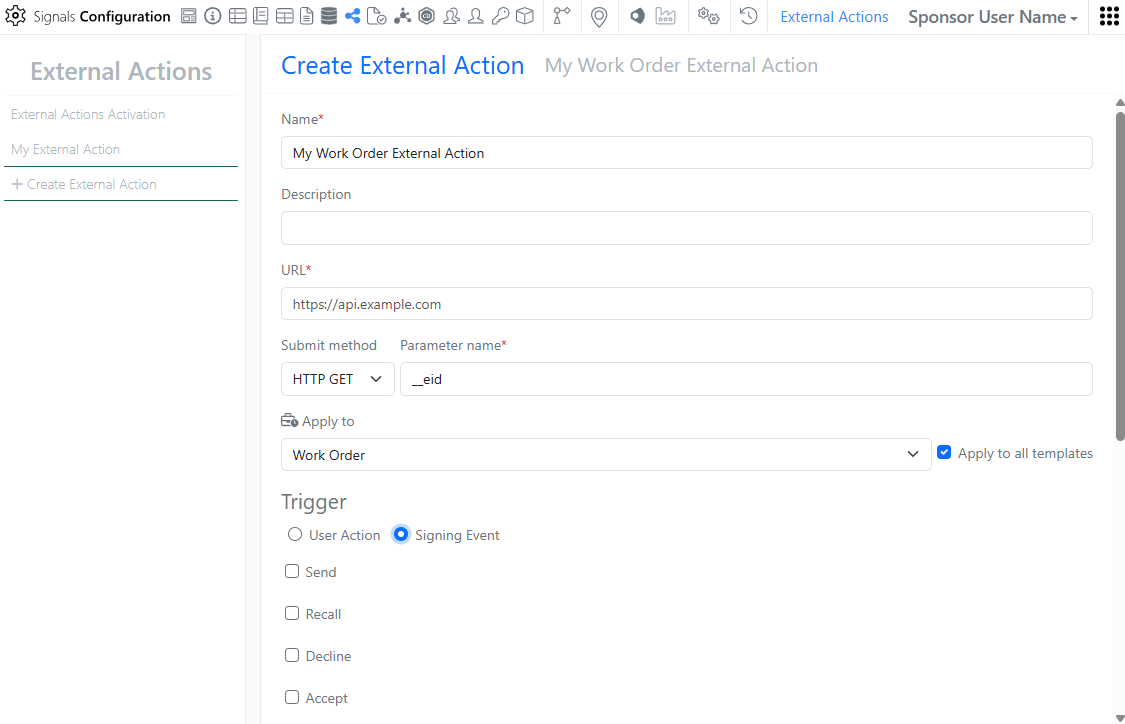
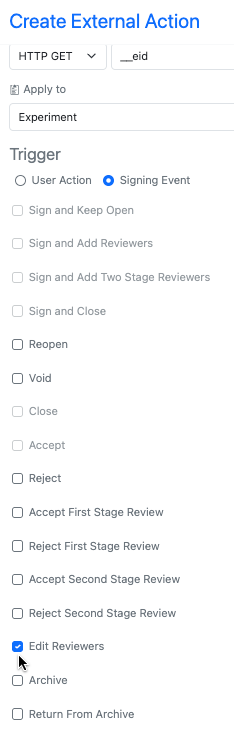
In Signals Configuration, External Actions can now be configured on Work Orders. External Actions can be user triggered or triggered at signing events such as Status changes like Send or Submit. As with other External Actions, the administrator can choose whether to display for the CRO user.

Image 14 from What's New 26.5.docx
Image 15 from What's New 26.5.docx
Image 16 from What's New 26.5.docx

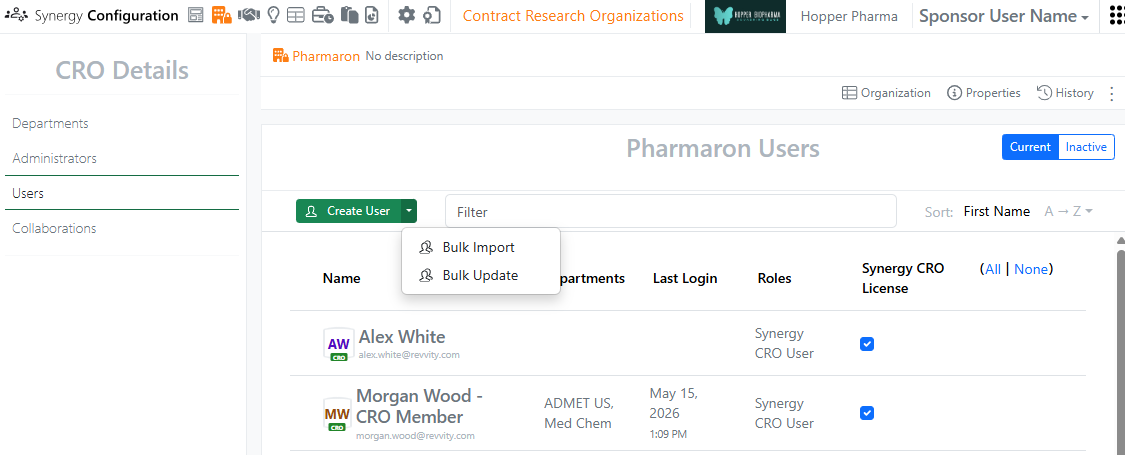
In Synergy Configuration > Contract Research Organizations > specific CRO > Users, Bulk Update CRO users now supports assignment to Departments, as well as setting a user as a Department Manager. A CRO user can be added or removed from Departments and promoted to or demoted from a Department Manager. To see an example of the format, use the Download Current Users button. In the CSV file, Departments are comma separated. For each Department listed, adding |Manager:true will promote the user to a Manager for that CRO Department. Removing |Manager:true will demote the user to only a Member of that CRO Department.

Data Workflows & Analytics

Image 17 from What's New 26.5.docx

Additional Quality Control (QC) and Curve Fitting metrics will now be computed, displayed and available for publication:

- Signal-to-Background (S/B) ratio per plate

- Signal-to-Negative Control (S/N) ratio per plate

- Z` (Prime) Factor per plate

- Absolute EC/IC50 value from curve fit parameters for logistic regression curves

Users will now be able to select which QC and Curve Fitting metrics are published from all the available ones in a flexible manner.

Tables

Image 19 from What's New 26.5.docx

Admin Defined Tables, Variation Tables and Hierarchical Tables now allow Containers to be added to existing rows in Inventory linked tables. If the table uses the Inventory Columns that allow input of Containers, Assets or Batches via an Internal Data Source, the scientist can now add the Container in a subsequent action to adding an Asset or Batch. The scientist can either scan the barcode, or access a view of the appropriate Containers to choose from. Only Containers containing Batches of that Asset can be added.

Image 20 from What's New 26.5.docx
Image 21 from What's New 26.5.docx

Configuration Administrators can now choose to define a Line Chart on Admin Defined Tables. Similar to the definition of Scatter Plots and Bar Charts, administrators can define the Line Chart on the Table template including setting properties for the X, Y and Secondary Y Axes. Admins can also define line properties such as color, marker, thickness, opacity and interpolation. The admin can also choose if the end user is able to adjust the settings for the chart.

Image 22 from What's New 26.5.docx

Configuration Admins can now also define that Checkbox, Variable Measure and Variable Properties can be used on the categorical axis of Bar Charts.

BioDesign

Image 23 from What's New 26.5.docx

Users with a BioDesign and Signals Notebook or Signals One license can now register BioDesign sequences directly to Signals Materials. The sequence type must match the corresponding Material type. Upon successful registration, links are automatically created between the BioDesign Sequence and the Material in both directions.

Inventory

Image 24 from What's New 26.5.docx

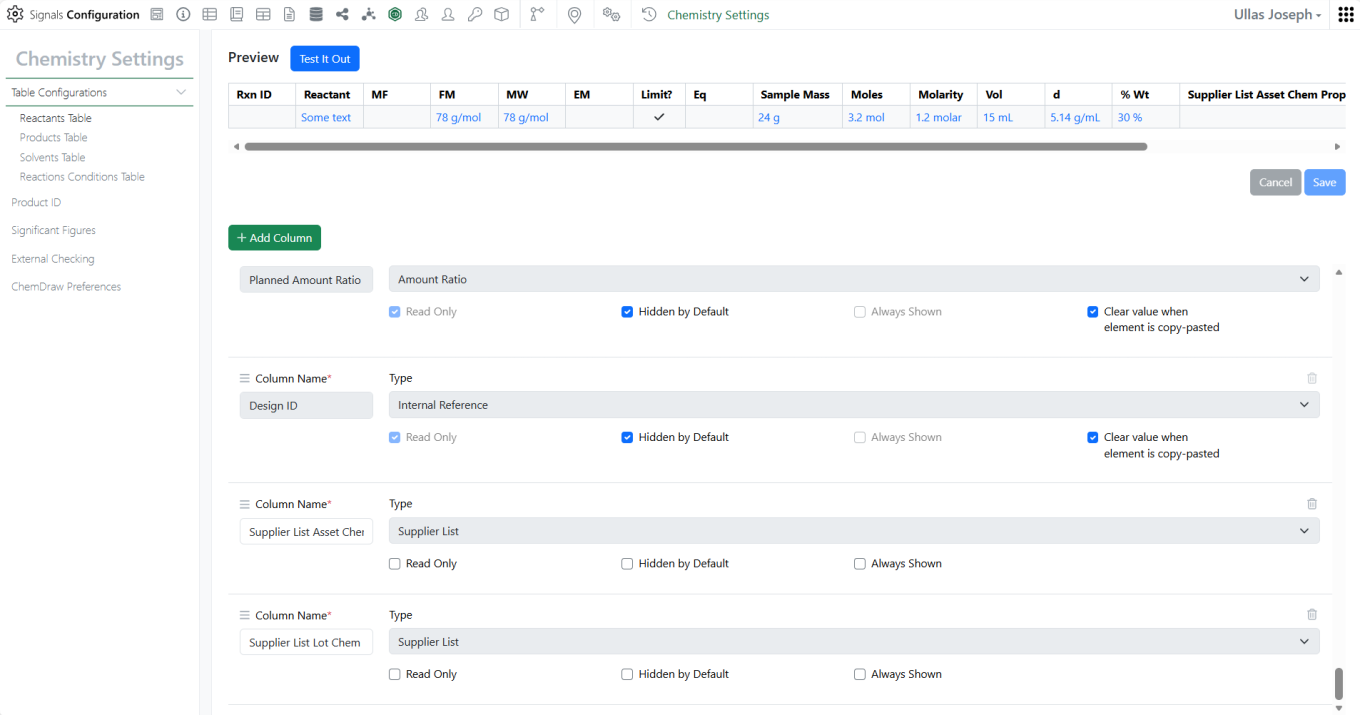
Administrators can now configure container-specific properties to display directly in the Reactants table. Container property columns are available under Container Record Field in the Reactants Table configuration within Chemistry Settings and appear as read-only fields, giving users immediate visibility into container details without leaving the experiment.

Image 25 from What's New 26.5.docx

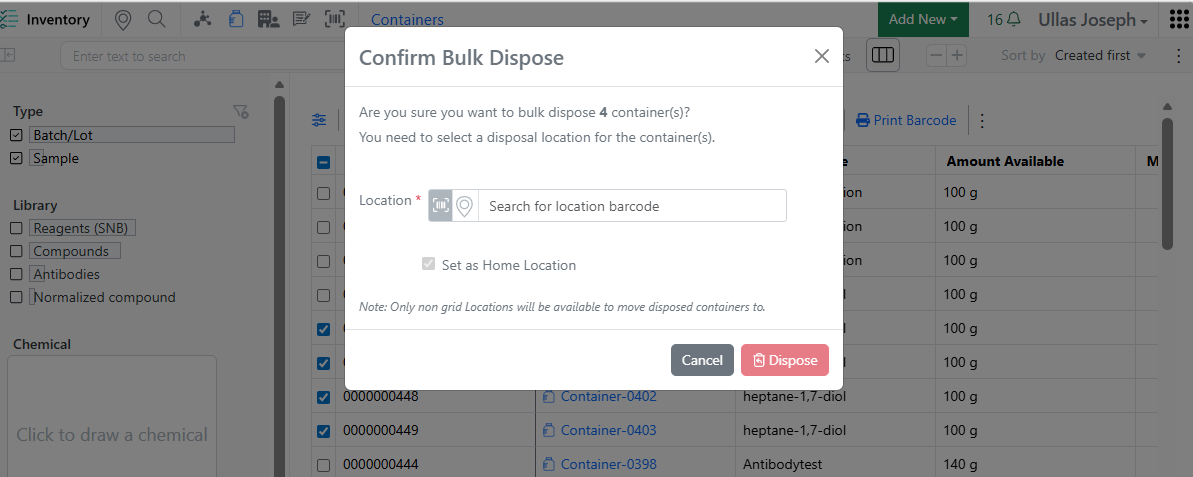
When disposing multiple containers from the Container Search Table, users are now prompted to move grid-located containers to a non-grid location before disposal — consistent with the single-container disposal workflow. This eliminates the need to open and dispose containers one by one, saving time and freeing up grid space more efficiently.

InventoryGo

Image 26 from What's New 26.5.docx
Image 27 from What's New 26.5.docx

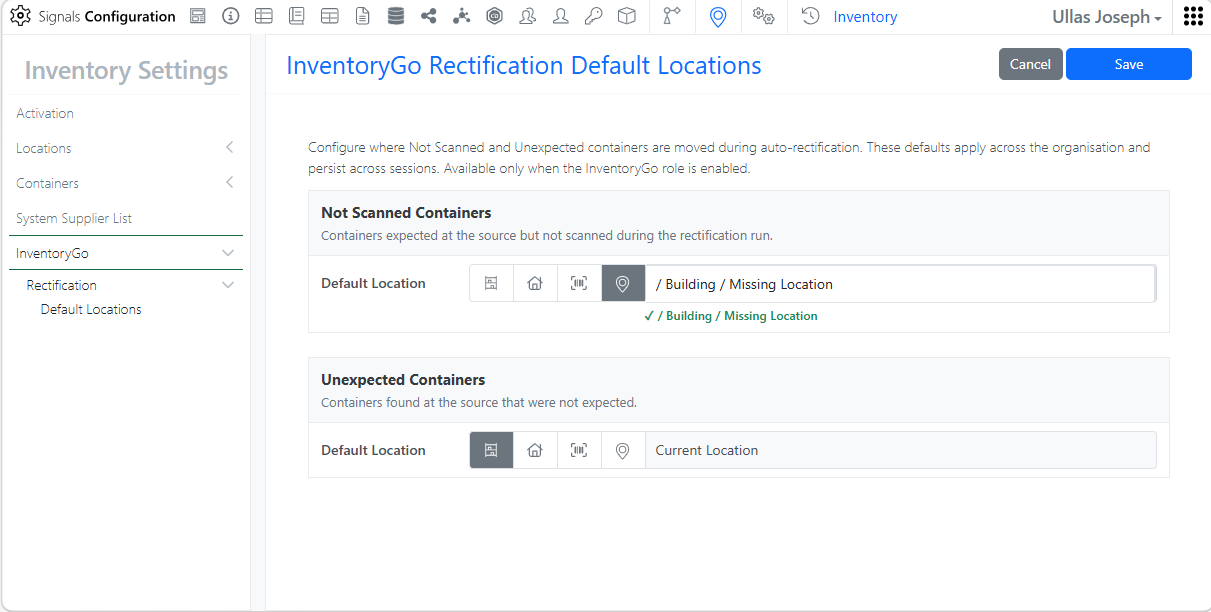
Rectification. Administrators can configure containers to be automatically moved to the currently scanned location or a predefined default location, reducing manual effort and speeding up the rectification workflow.

Materials

Image 28 from What's New 26.5.docx

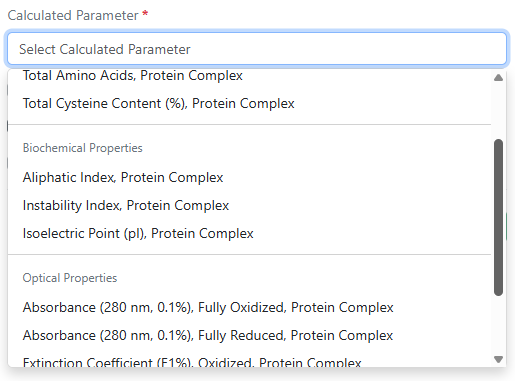
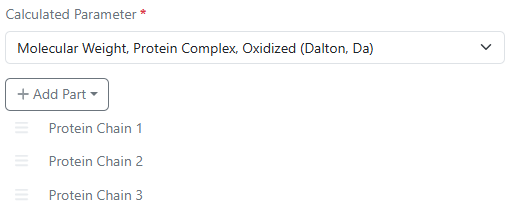
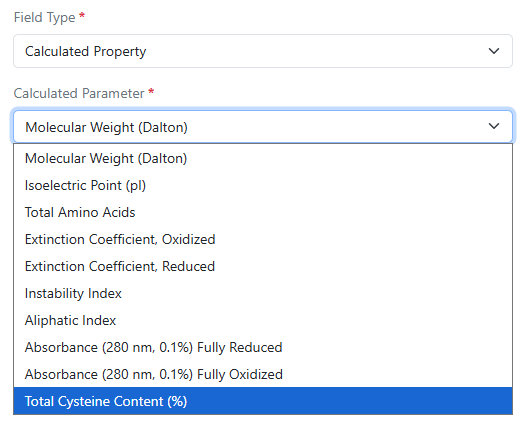
Absorbance (280 nm, 0.1%) fully oxidized, absorbance (280 nm, 0.1%) fully reduced, aliphatic index, instability index, and total cysteine content (%) are now available as additional calculated properties for protein complexes in Custom and Protein library types and in the pre-configured Antibodies library.

Image 29 from What's New 26.5.docx

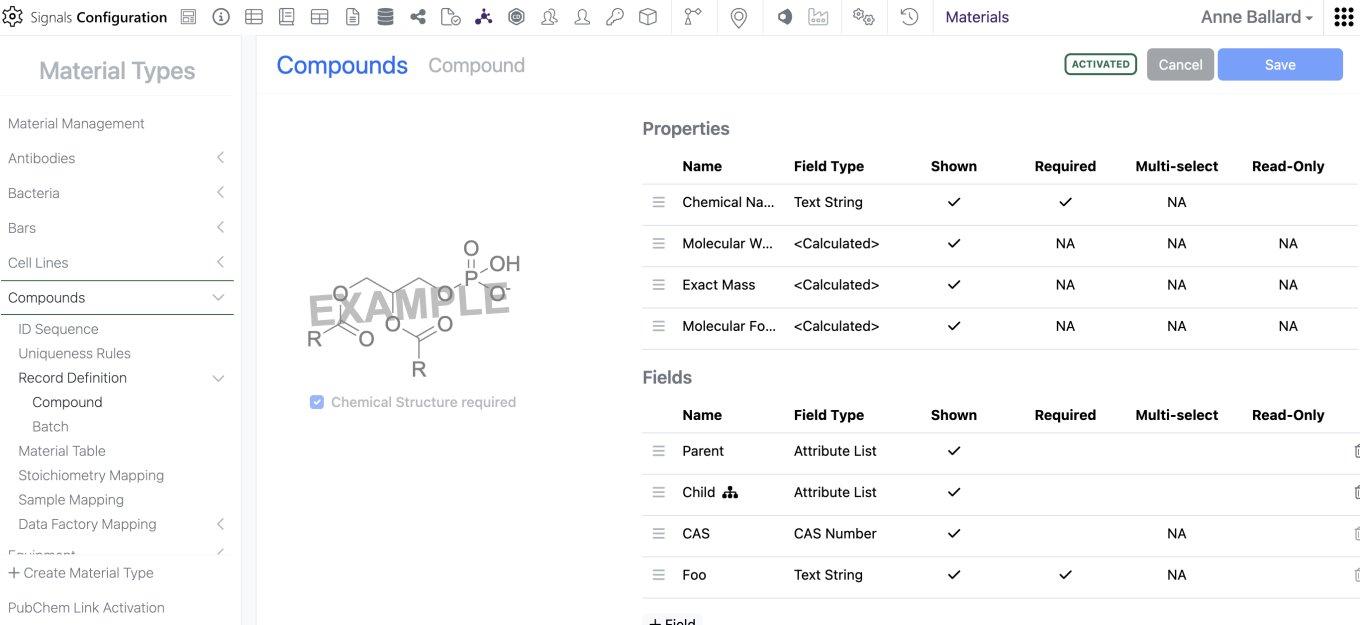
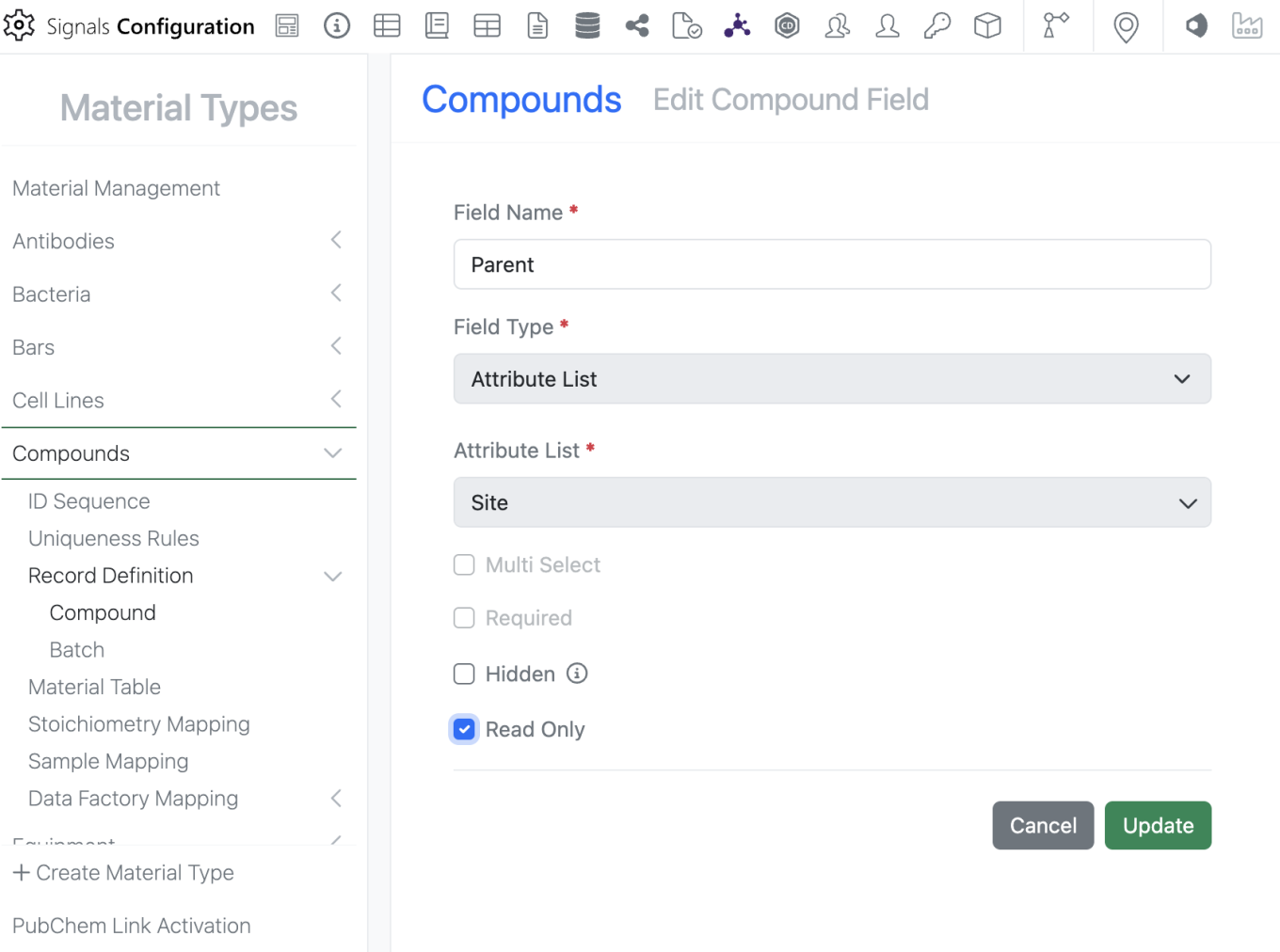
Admins can now mark Material properties “Read-Only” which prevents users from altering the data in the UI but does not limit update via the APIs. This does not alter which properties are available for update via the APIs.

Image 30 from What's New 26.5.docx

To mark a property as “Read-Only”, the admin can edit the property and select the new “Read-Only” option. Please note that a property can either be “Read-Only” OR “Required”, it cannot be marked as both.

Administration

Image 31 from What's New 26.5.docx

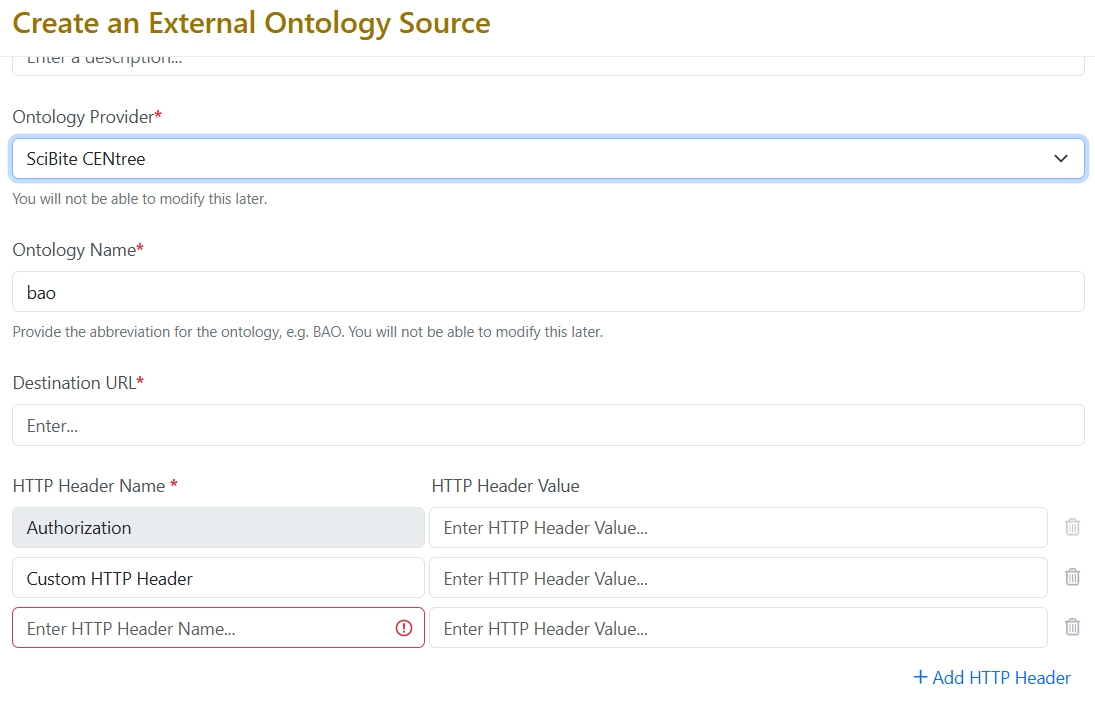
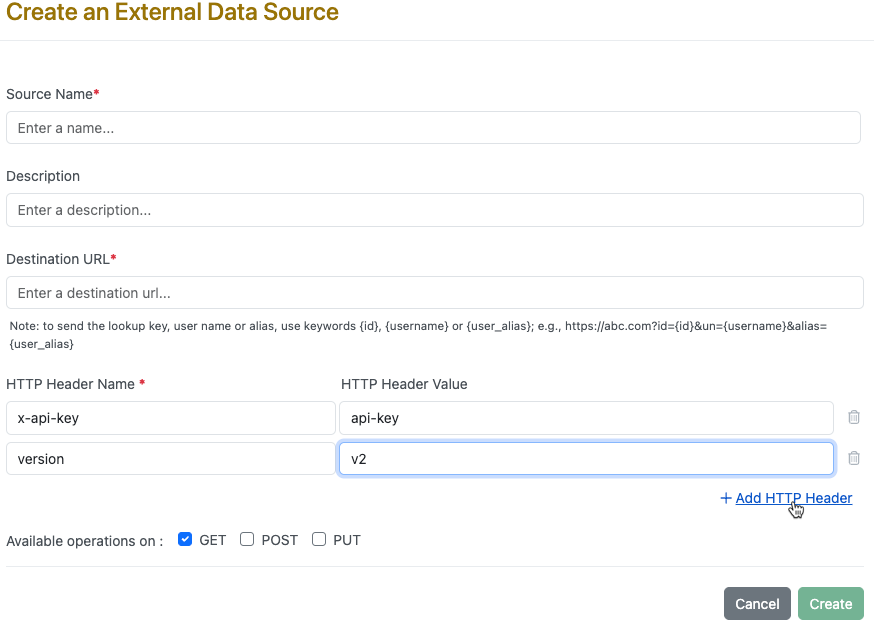
External Ontology Source for the provider SciBite CENtree now support up to twenty custom HTTP headers, enabling compatibility with more complex authentication schemes.

Integrations & Interfaces

Image 32 from What's New 26.5.docx

We have added API support for hiding and unhiding of table columns via API.

Image 33 from What's New 26.5.docx

We have added a new API to move Experiments to different parent Notebooks.

Image 34 from What's New 26.5.docx

We have added new APIs for returning closed entities from an archive state to Closed.

Image 35 from What's New 26.5.docx

We have enhanced existing APIs for fetching the Material Library definitions to allow for specifying the specific Material Library to fetch. This is an optional “name” parameter that when not included will return all libraries definitions.

Image 36 from What's New 26.5.docx
Image 37 from What's New 26.5.docx

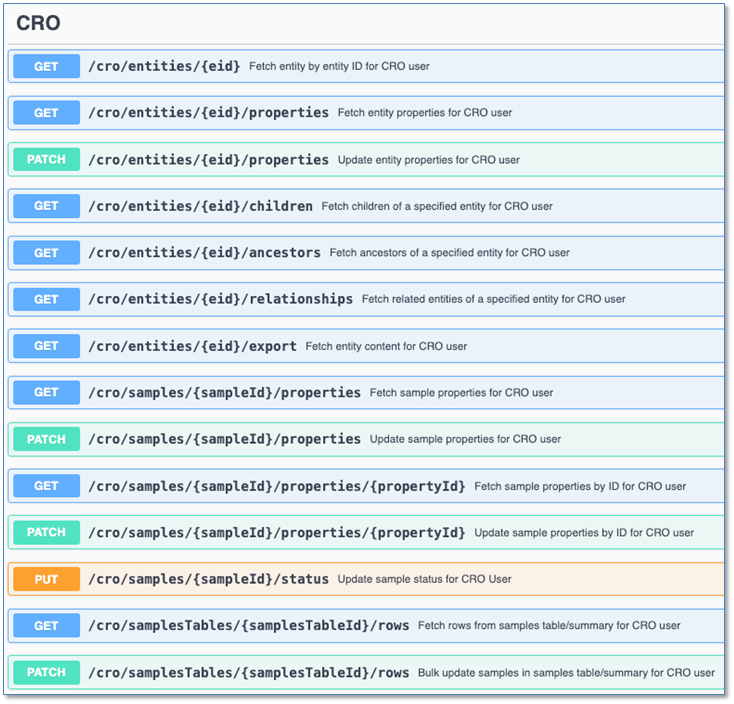
We have enhanced the User fetch API to allow for fetching all CRO users in a tenant. A new “userType” parameter has been added that defaults to “systemStd”. To fetch CRO users this is set to “cro”.

Image 38 from What's New 26.5.docx

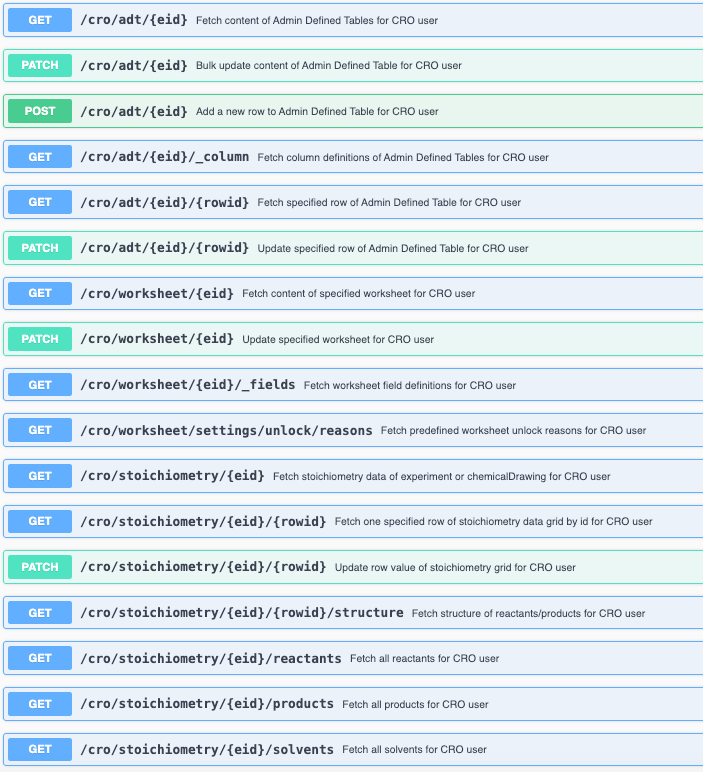
We have enabled additional CRO APIs for interacting with Chemical Drawings. These are intended for use in Sponsor integrations via Bearer Token, CRO users cannot have API keys generated for them.

Beta Features

The following capabilities are in beta and are available for users, administrators and developers on the Signals platform upon request. Please contact your account representative or our support team if you would like access to the following features.

Synergy

Image 39 from What's New 26.5.docx

As part of the existing Synergy Work Tasks beta feature, Work Task Templates now support default values. On a Work Task Template, the administrator can specify the default Synergy Experiment Template to be used or default values for other admin-defined properties. When a Work Task is created from this template, the property will be pre-filled with this default value, but can be adjusted if needed. This ensures the Work Task properties are specified correctly for the CRO and reduces the number of clicks and required manual entry by the Sponsor.

Materials

Image 40 from What's New 26.5.docx

The user interface for Admin configuration for materials tables in Signals Configuration has been updated.

Administration

Image 41 from What's New 26.5.docx
Image 42 from What's New 26.5.docx
Image 43 from What's New 26.5.docx

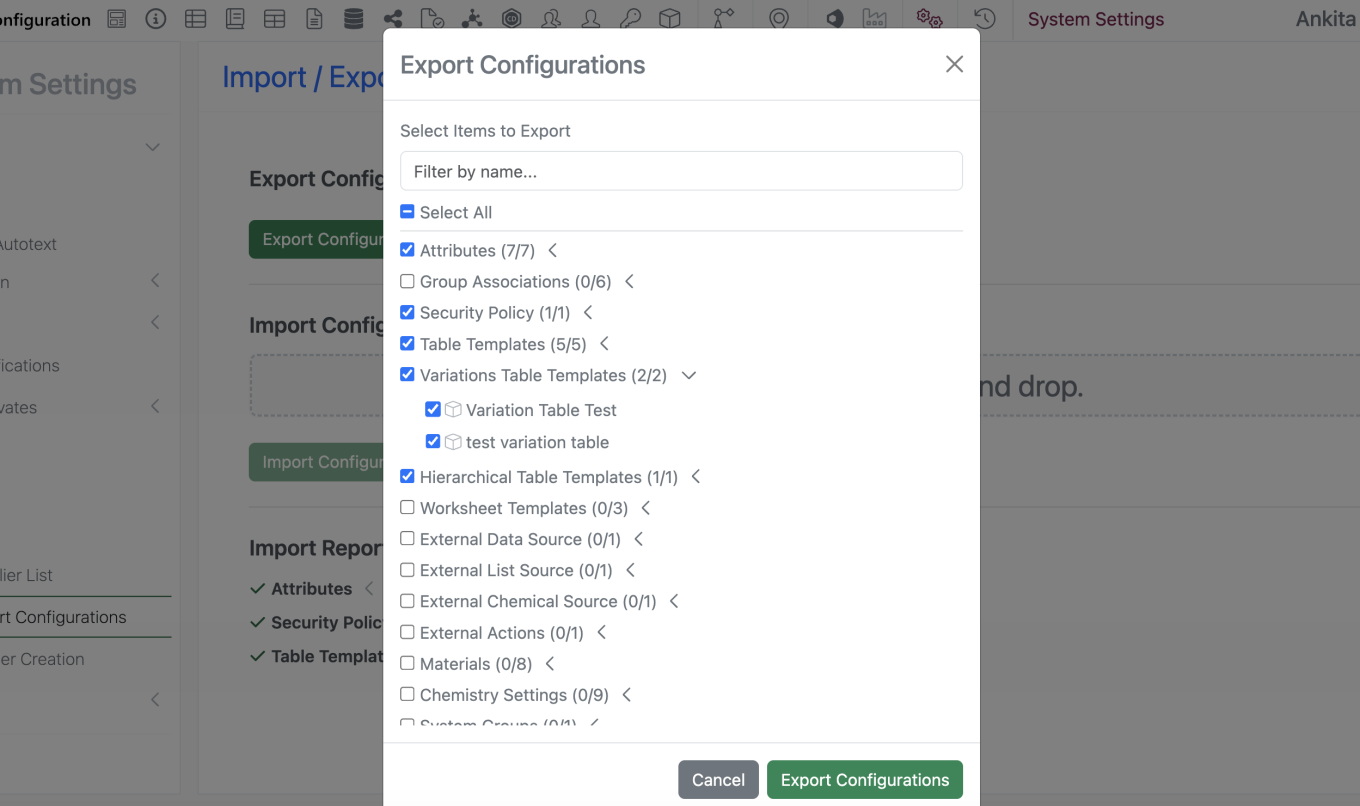
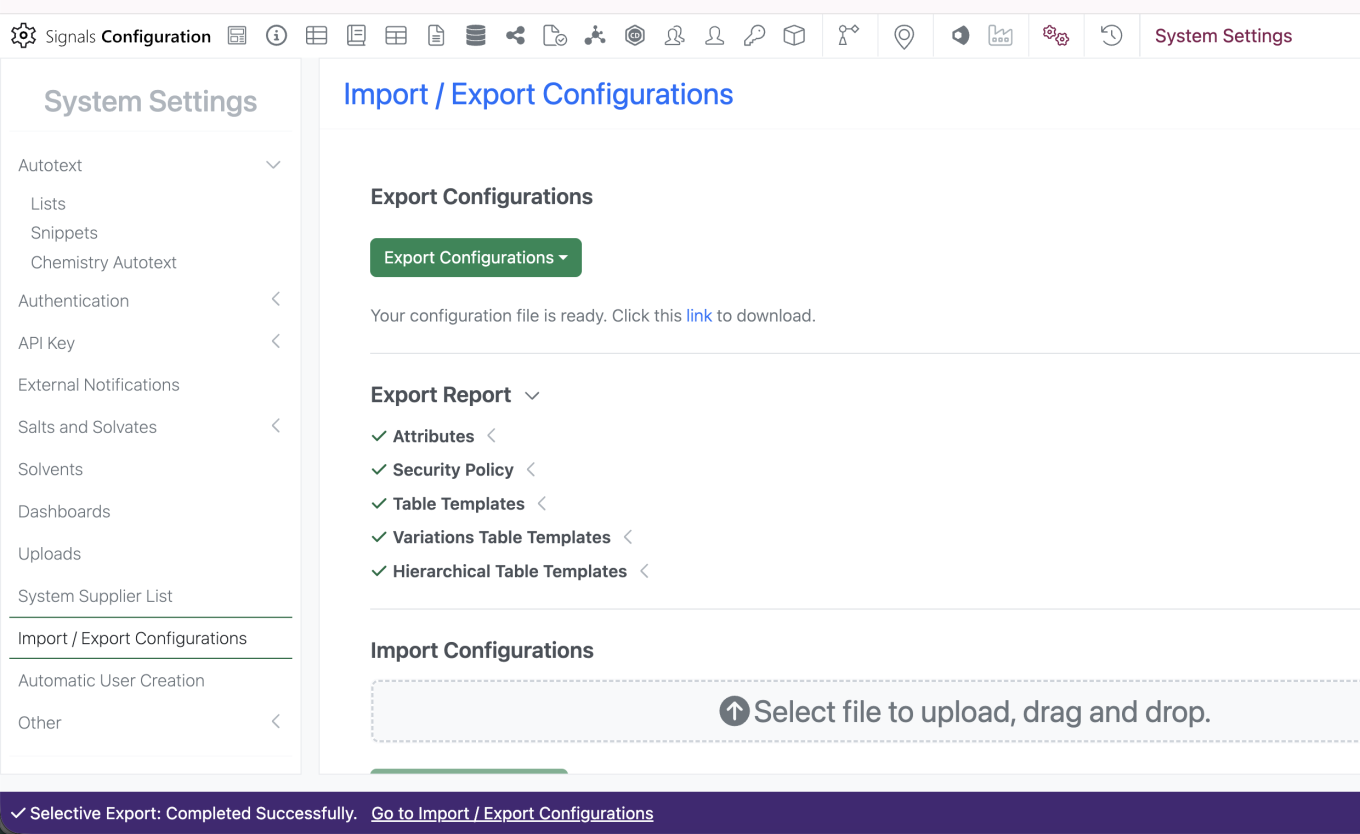
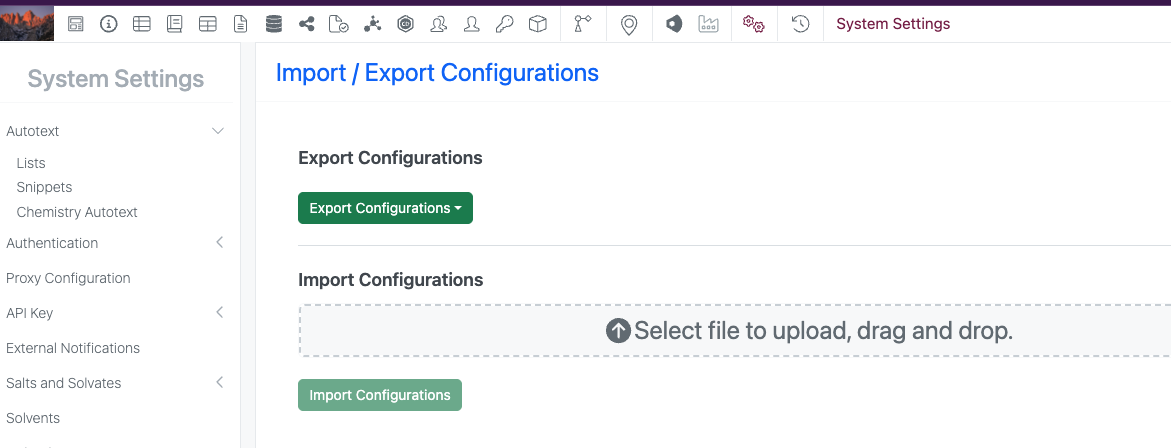
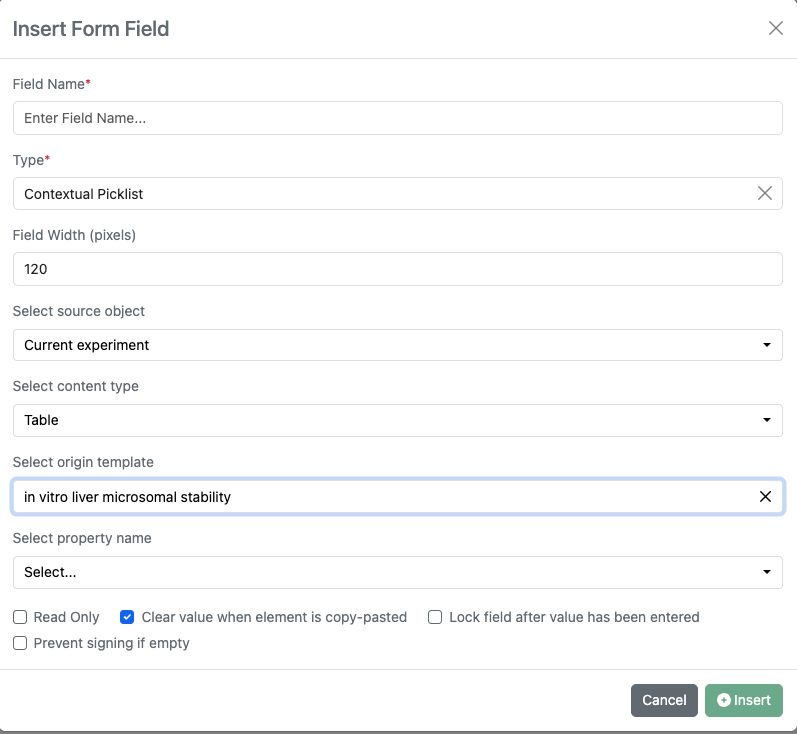
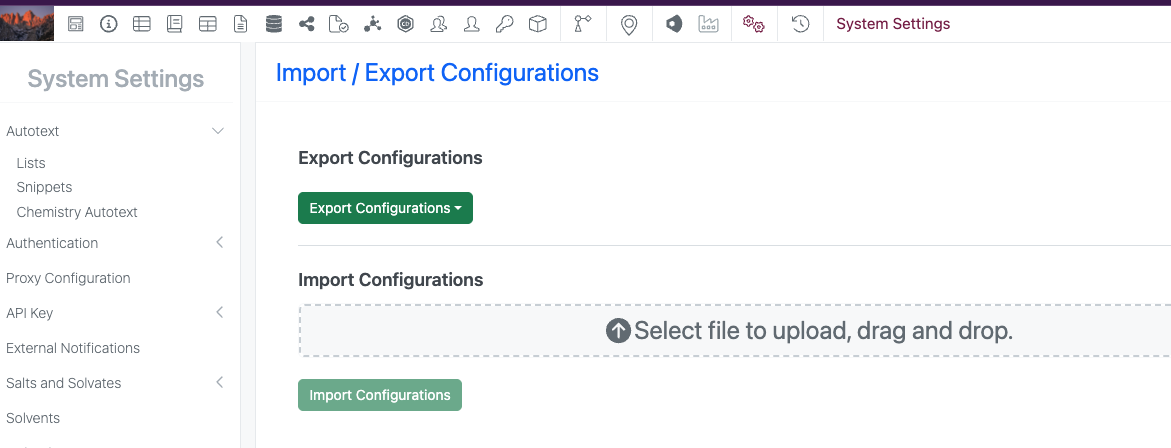
Selective export for configuration migration between tenants is now available. Admins can navigate to the “Import / Export Configurations” interface and select ‘Export Configurations’ > ‘Export File for Import’. Admin is prompted to enter password to navigate to the ‘Export Configurations’ modal. Admin is able to select specific objects to include in the export file and filter by name to narrow down the menu. Admin can select the link to Export the file.

What’s New

We are delighted to release our new version of Signals, 26.4.

The following improvements are available for users, administrators and developers on the Signals platform. Certain features may only be available with appropriate licensing and/or with enablement by an administrator.

  • Fundamentals
    – Ontologies integration allows terms to be used across experiments, materials, tables, and more available to all systems
    – Ontology integration now supported in Synergy, including Collaboration, Idea, Work Order, and Synergy Experiments Templates, as well as Designs and Reference Table fields available to all systems
    – CSV import handling for ontology terms
    – Ontology support for plate templates
    – External Ontology Sources now support SciBite CENtree
    – Audit trail displays highlighted granular changes for text elements (beta)
  • AI
    – Prompt-to-filter (beta)*
  • Data Workflows & Analytics*
    – Data Assembly continuous viewer
    – Median-based robust Normalizations
    – Additional Quality Control metrics
  • SAR & Decisioning*
    – Ontology support on Inventa Analysis templates
    – New ChemCharts Biopolymer data functions
    – ChemCharts Table usability improvements
  • Synergy†
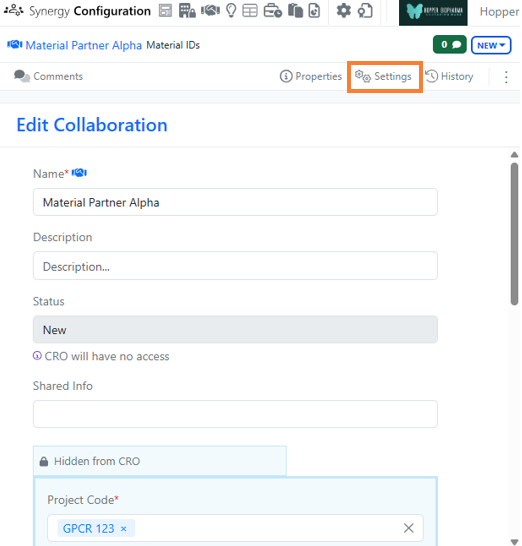
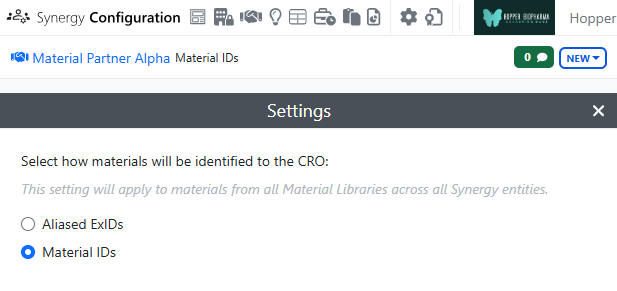
    – Collaboration setting allows Sponsor admin to choose whether to use Material IDs or aliased ExIDs with CROs
    – Search for Synergy Experiments based on Work Order
    – System Snippets are available for CRO users
    – Work Tasks in Work Orders (beta)
  • Chemistry
    – Multi-strand and branched complex biopolymers now supported
    – Upload of rdf file types to External Enumerator
  • Tables
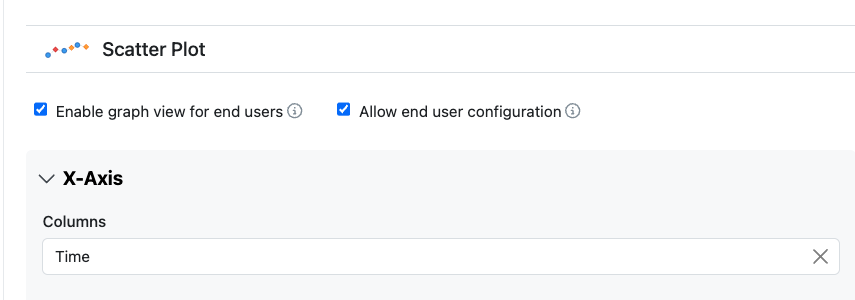
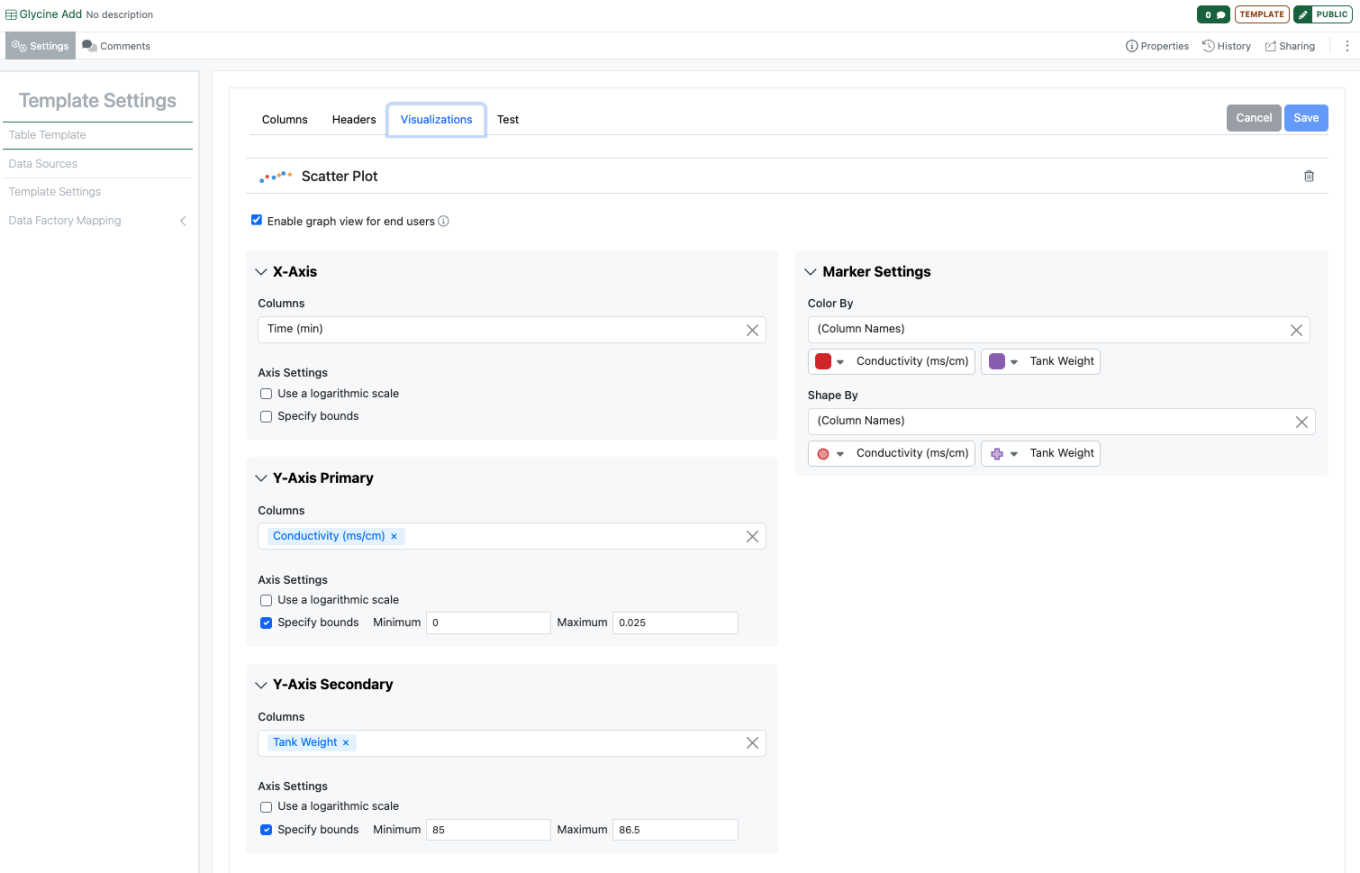
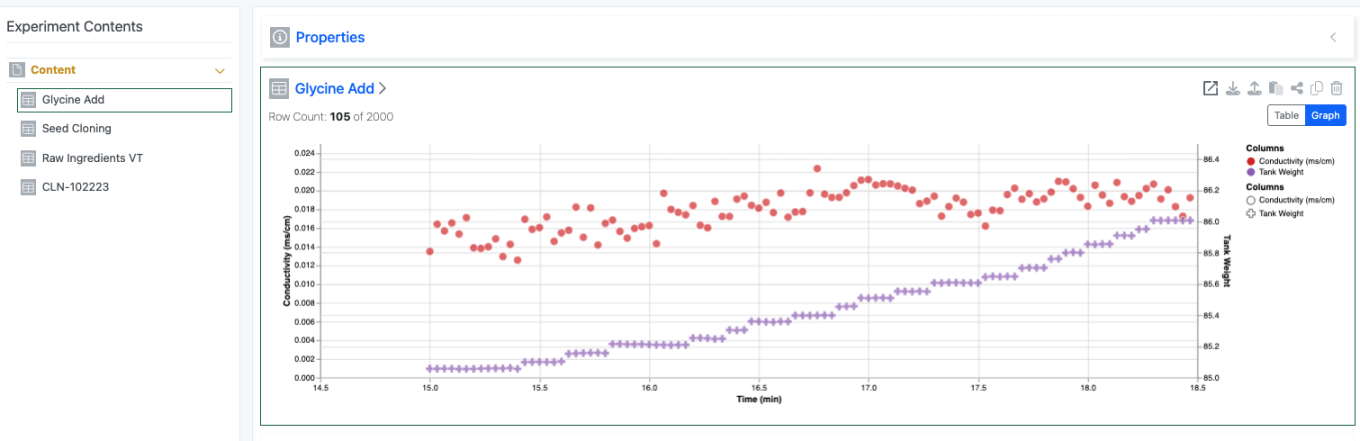
    – Definition and display of Scatter Plots on Admin Defined Tables available to all systems*
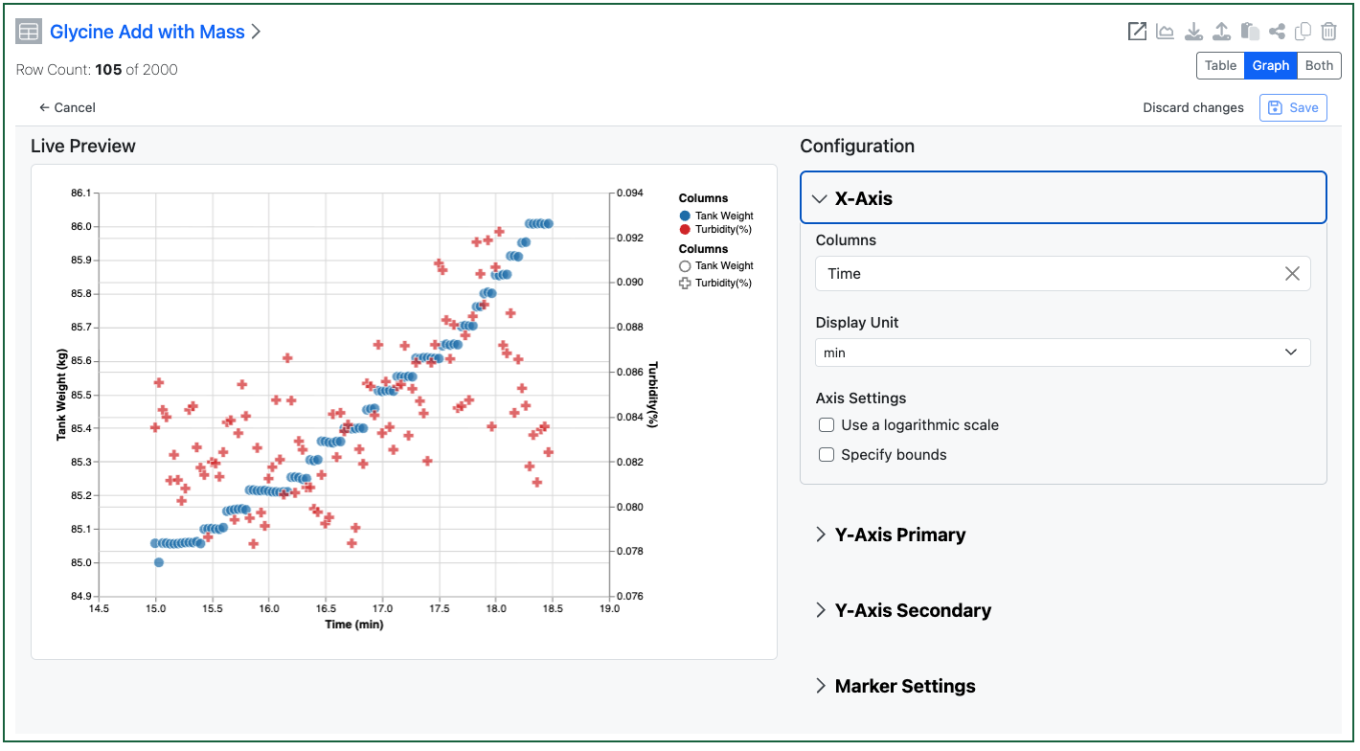
    – End user adjustment of Scatter Plots available to all systems*
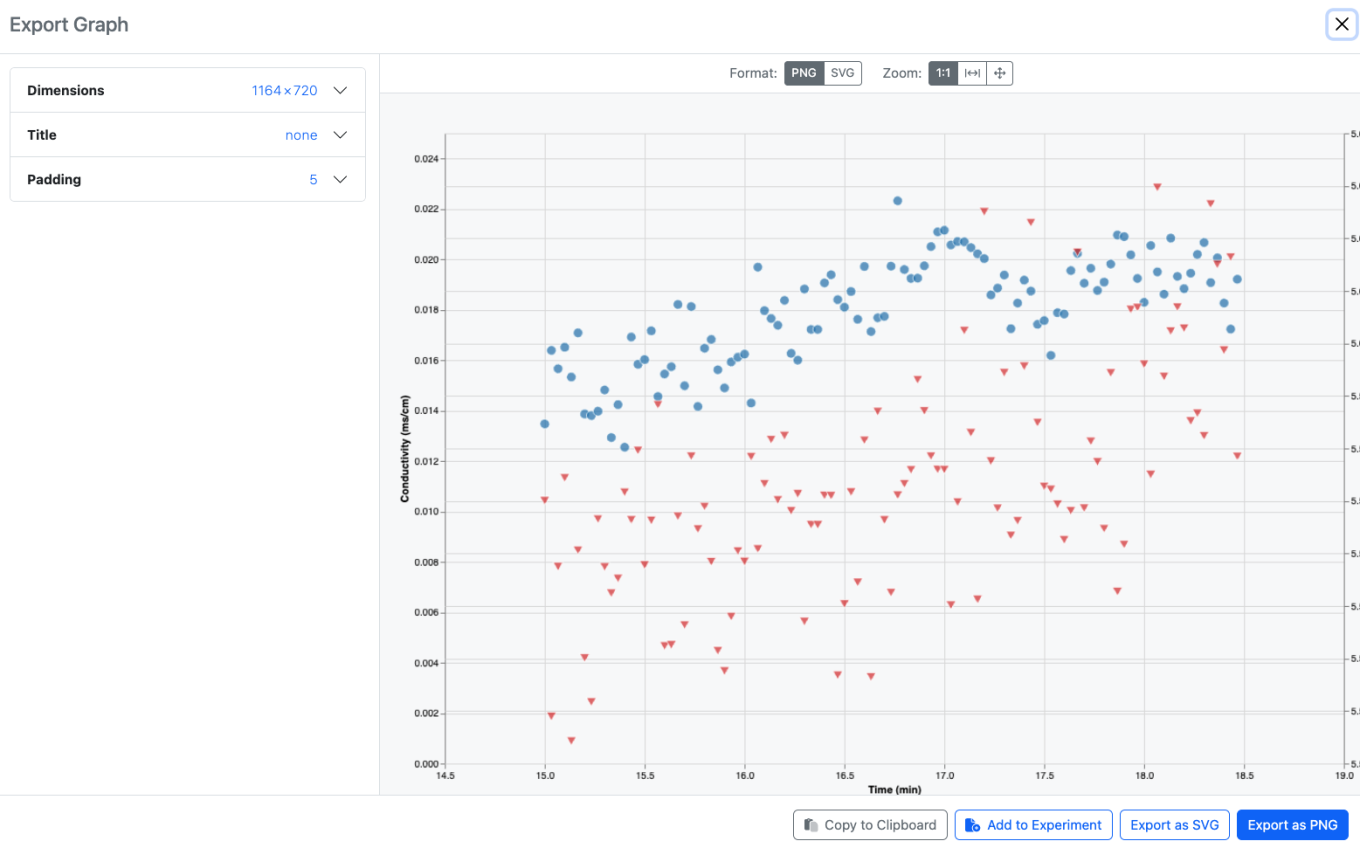
    – Export of image from Scatter Plots available to all systems*
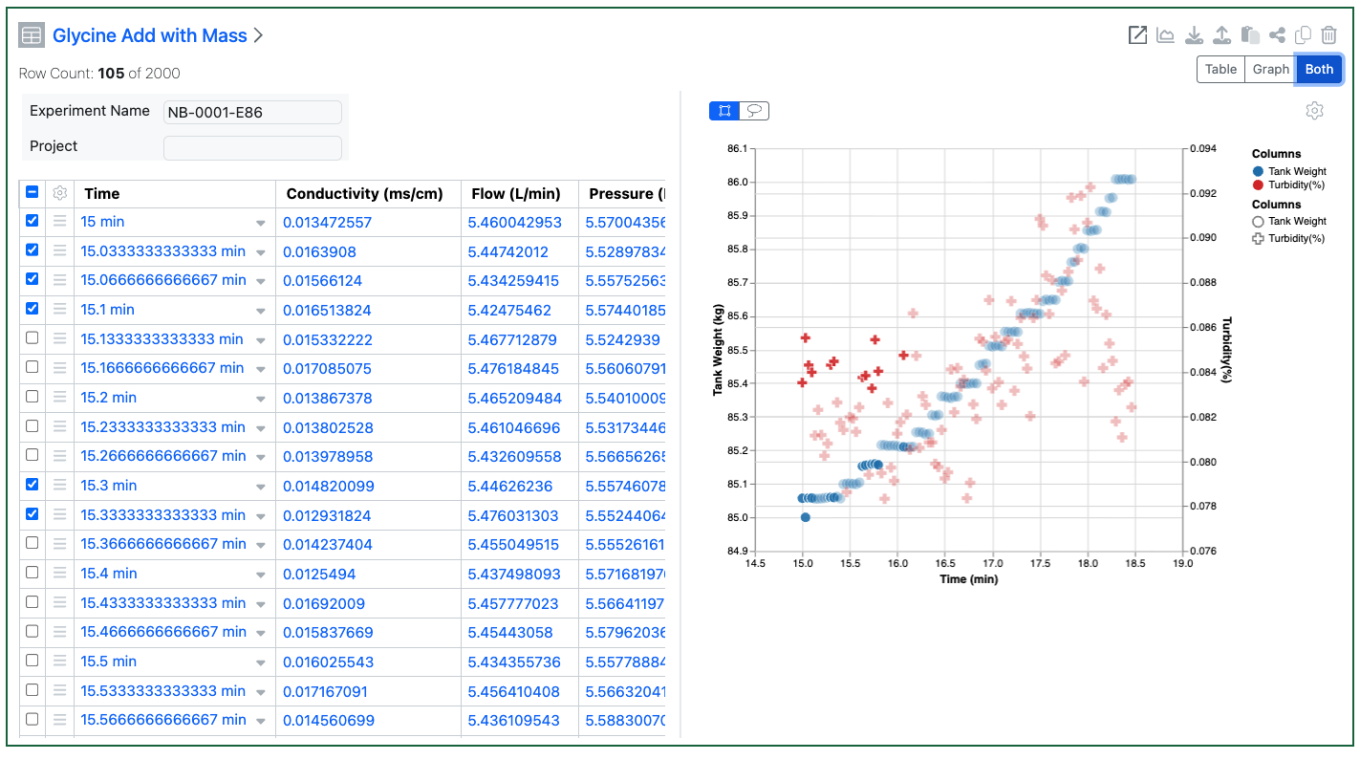
    – Highlight selected rows or points in the Scatter Plot and Table available to all systems*
    – Definition and display of Bar Charts on Admin Defined Tables*
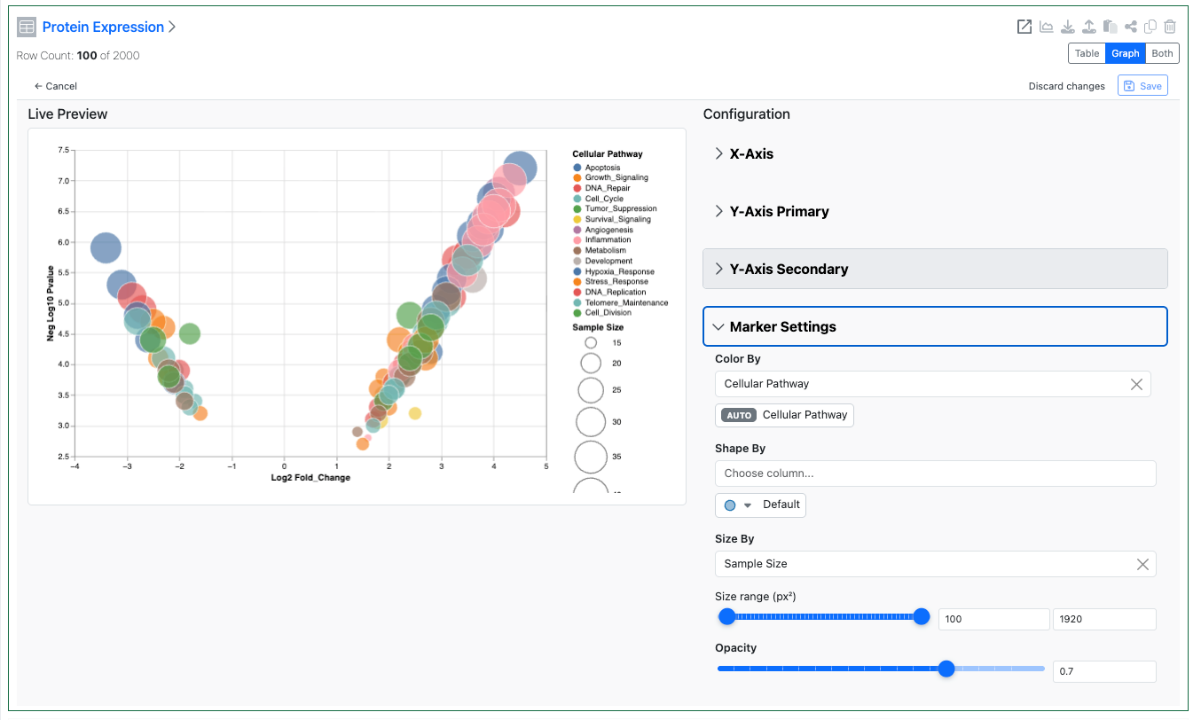
    – Define and display Size By and Transparency on Scatter Plot to enable Bubble Charts on Admin Defined Tables*
  • Inventory
    – Enable container ID and barcode selection directly within Reagent tables
    – Support Inventory Decrement at Sub‑Experiment Level in Parallel Experiments
    – Display container details in Samples table when Material ID is present
    – Multi Select property display in the Container search table
  • InventoryGo‡
    – Flexible reconciliation workflows introduced: Batch vs. Individual scanning options
  • Administration
    – Migration for legacy Data Factory projects
    – ­Spotfire for Signals Online Access privilege available
    – Admin Defined Dashboards
    – Audit trail displays highlighted granular changes for admin-defined tables (beta)
  • Integrations & Interfaces
    – Ontology API Support
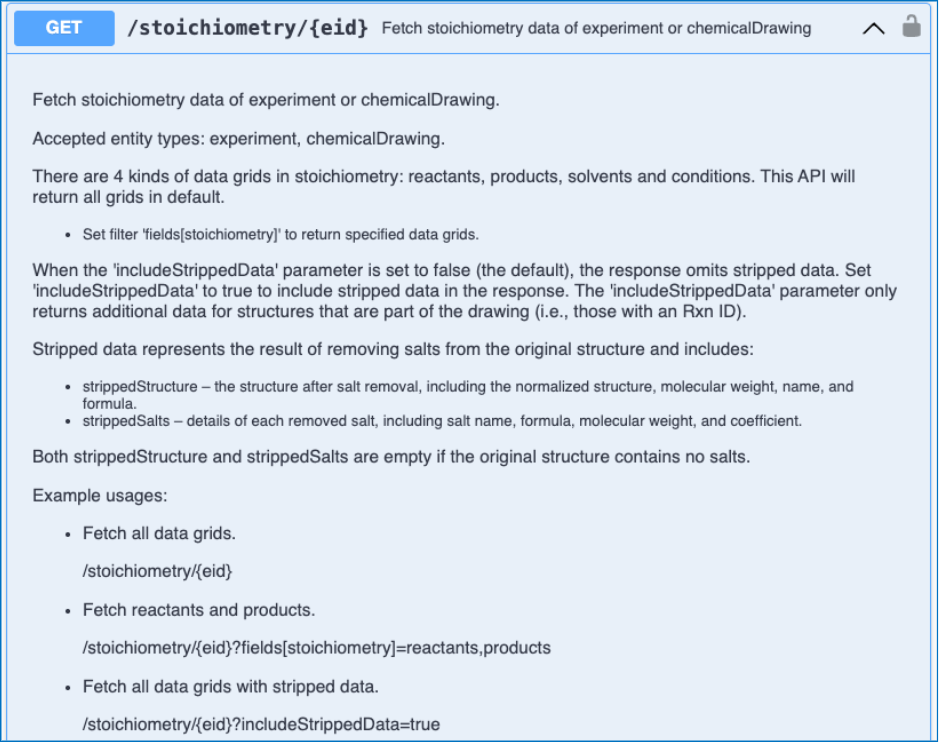
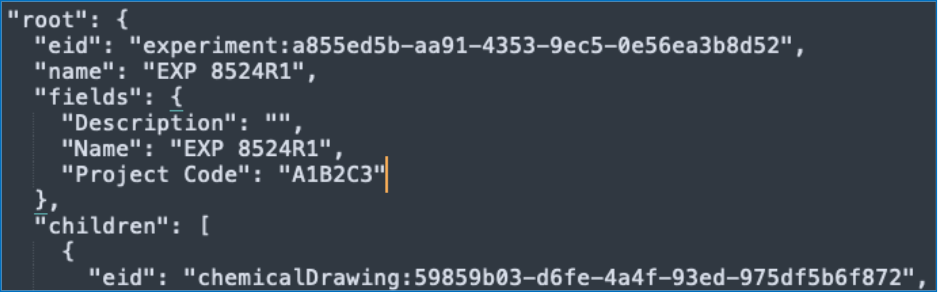
    – Salt Stripping Data for Chemical Drawings fetch API
    – Entity properties on Bulk Export API
    – Update Hierarchical Tables Headers API
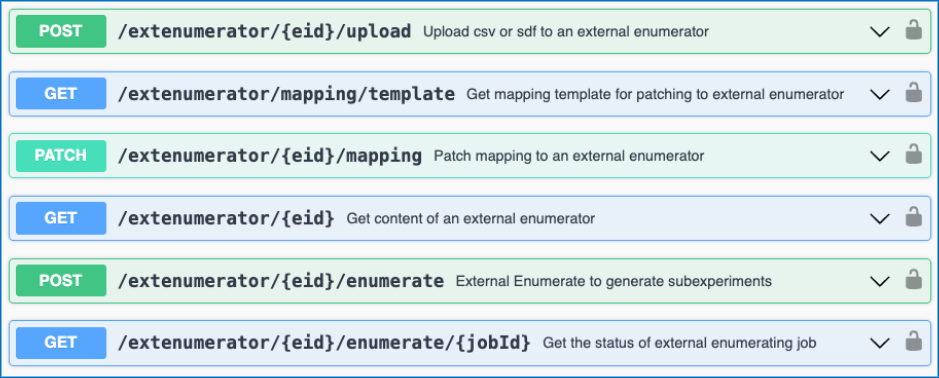
    – External Enumerator via API
    – Bulk create Samples via Summary Table via API

* Requires Signals One license
† Requires Signals Synergy license
‡ Requires InventoryGo license

We also fixed several small bugs in this release. Details of the enhancements are described below.

Administrators are recommended to subscribe to the channels within our support news site found at https://support.revvitysignals.com/hc/en-us/categories/360004446171-Support-News which contains more information about releases and other pertinent product information.

Data Factory administrators should be aware that the Bulk Delete option from the Inventa Dashboard is now available regardless of the “Enable system-generated Unique Result IDs in Spotfire workflows” setting. However, Using Bulk Delete still requires explicit mapping of a Unique Result ID.

Data Factory Administrators should note that legacy Data Factory projects will be fully deprecated in a future release. A straightforward migration path is now available to support this transition. A specific deadline has not yet been scheduled.

Data Factory administrators should also note that the Advanced Security policies in Inventa apply an “AND” logic across all user groups, restricting access if any groups lack permissions. This behavior differs from the standard Signals security model and will be fixed to align with the standard in a future release.

This content is anticipated for release on our Production E3 environments, and for Private Cloud customers on our deferred release schedule, in November 2026.

Further Details

The following improvements are available for users, administrators and developers on the Signals platform. Certain features may only be available with appropriate licensing and/or with enablement by an administrator.

Fundamentals

Image 1 from What's New 26.4-2.docx

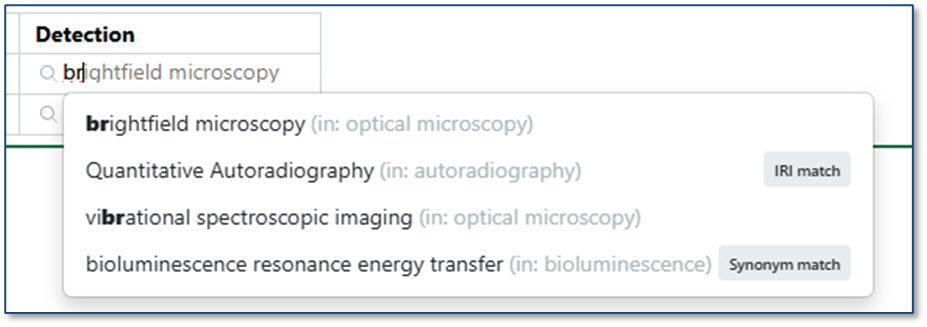
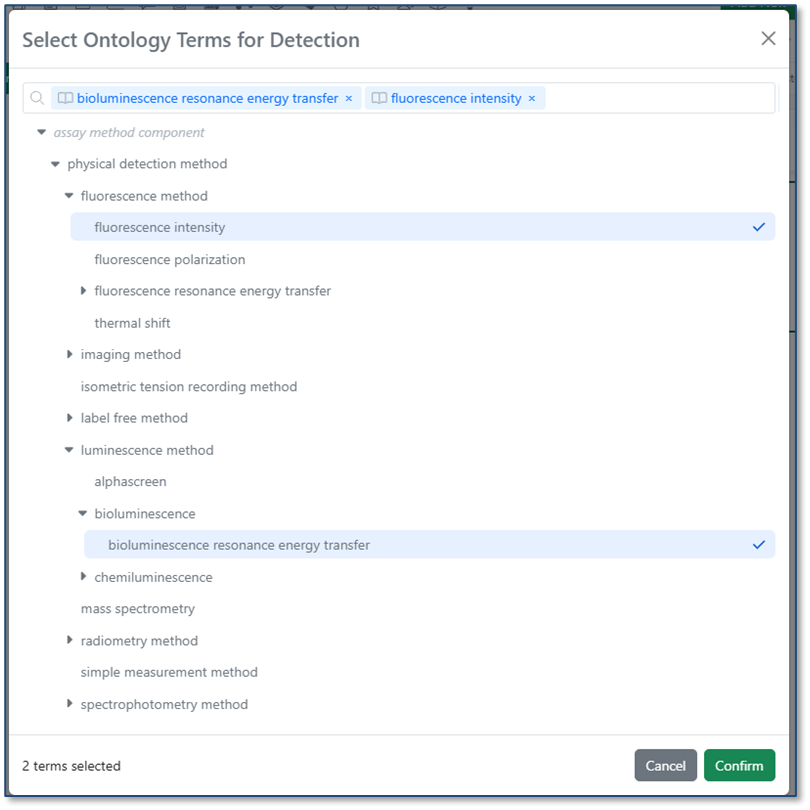
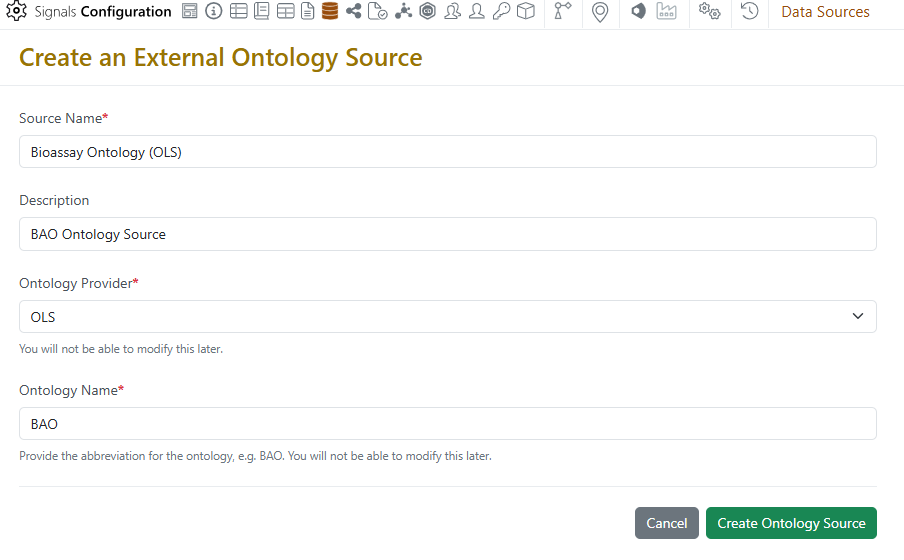
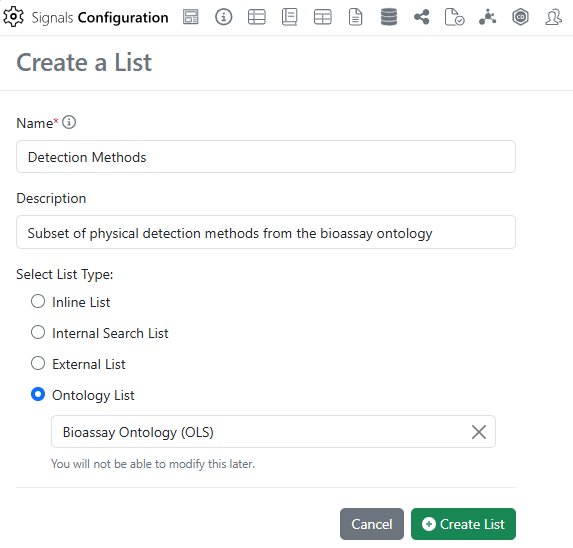
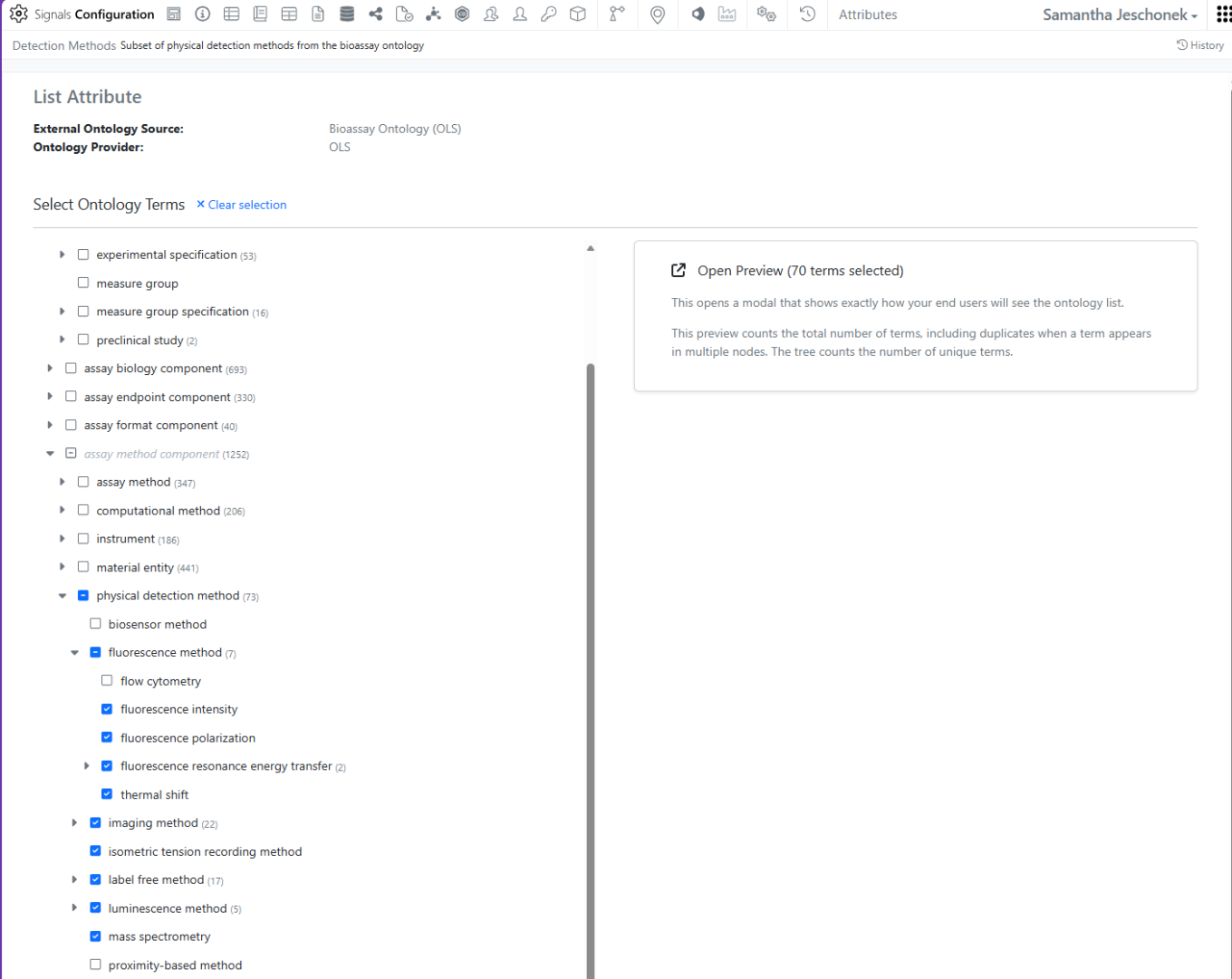
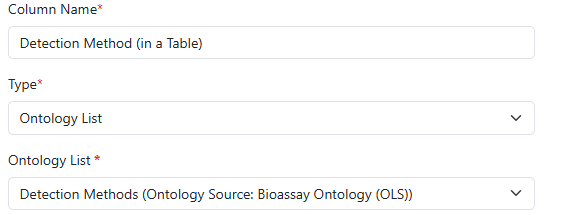
Ontology support is now available for all systems. Administrators may connect to a ontology provider (BioPortal, OLS, or SciBite CENtree) as an External Ontology. Once a specific ontology from that source is connected, Administrators can create a new type of Attribute, Ontology Lists, which contain a subset of terms from the ontology. This Ontology List can be used in templates and properties across signals, including Experiments, Materials, Tables, Samples, Admin Defined Objects, Plates, Inventa Analyses (for Signals One), Synergy Experiments and Design/Reference Tables, and more.

Image 2 from What's New 26.4-2.docx
Image 3 from What's New 26.4-2.docx
Image 4 from What's New 26.4-2.docx

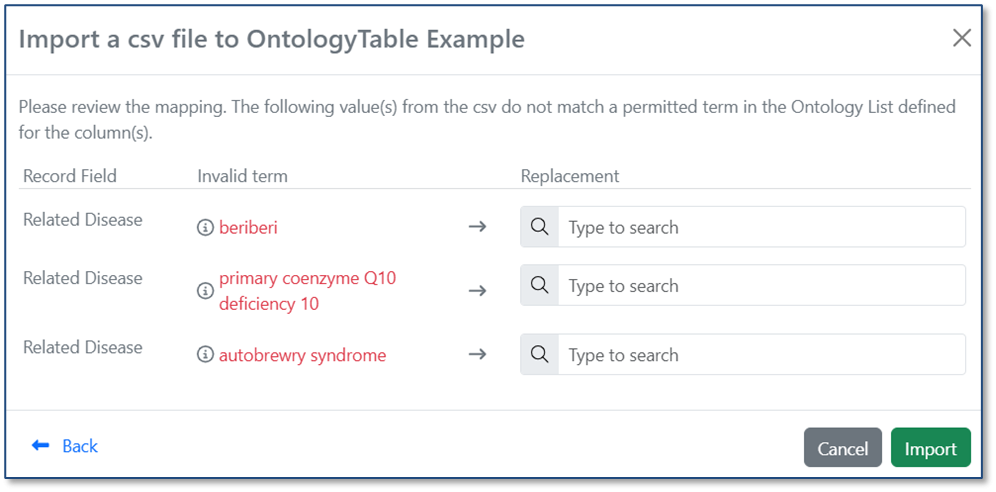
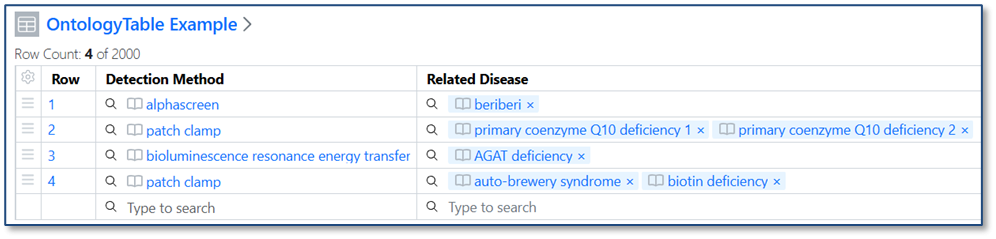
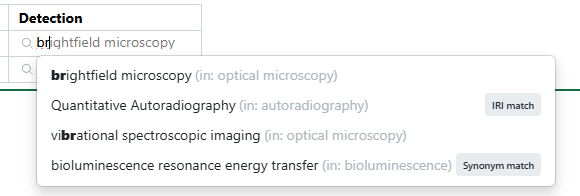
When you import a CSV into a table, ontology values are now validated against the Ontology List for that field. If a value in the CSV matches a term’s preferred name or any synonym, it is automatically mapped to the correct ontology term. If no matching term is found, users can resolve the value during import by selecting the appropriate term from the Ontology List.

Image 5 from What's New 26.4-2.docx
Image 6 from What's New 26.4-2.docx

Data Workflows & Analytics

Image 7 from What's New 26.4-2.docx

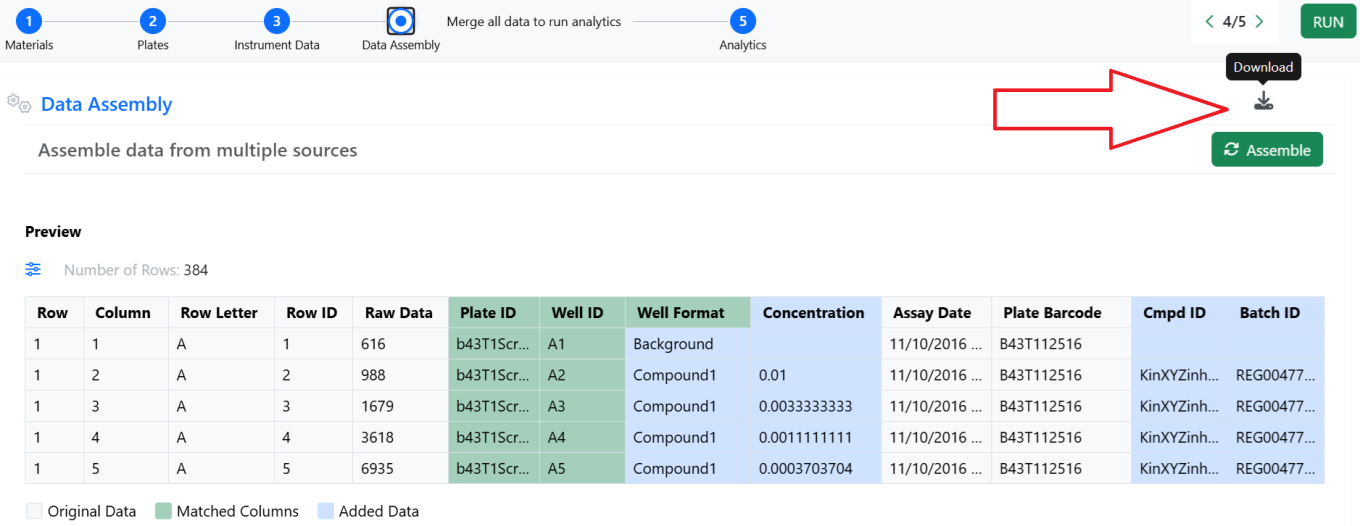
In Signals One, all In Vitro Analysis users will discover that in the Data Assembly step, the 5-rows static preview has been replaced by an interactive viewer with continuous scroll. Numerical and categorical columns can now be filtered, sorted, reordered and hidden to flexibly slice and dice the data that will be used in the Analytics steps. Visual cues indicate the source data of the columns, and which columns were used during the matching process.

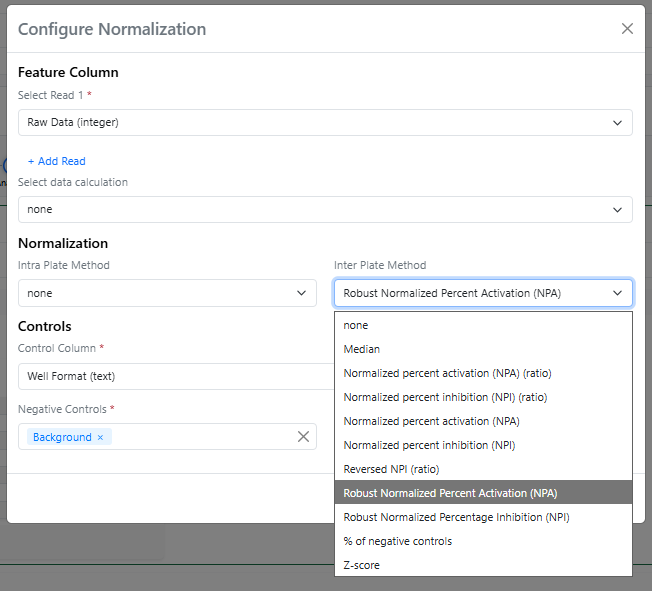
In the Analytics steps of the In Vitro Analysis, a couple of new normalization methods, using the median instead of the average, can now be found in the Inter Plate Method menu, both with the “Robust” prefix.

Image 8 from What's New 26.4-2.docx

The Robust Normalized Percent Activation is calculated using the expression: “(value - median(n)) / (median(p) - median(n)) * 100” while the Robust Normalized Percent Inhibition is calculated using the expression: “(median(p) – value) / (median(p) - median(n)) * 100” (where p and n are the values for positive and negative controls). Median-based normalizations are called "Robust" because they are not heavily influenced by extreme outliers.

Finally, the mean and standard deviation of both positive and negative controls are calculated and added to the Normalization results.

SAR & Decisioning

Image 9 from What's New 26.4-2.docx

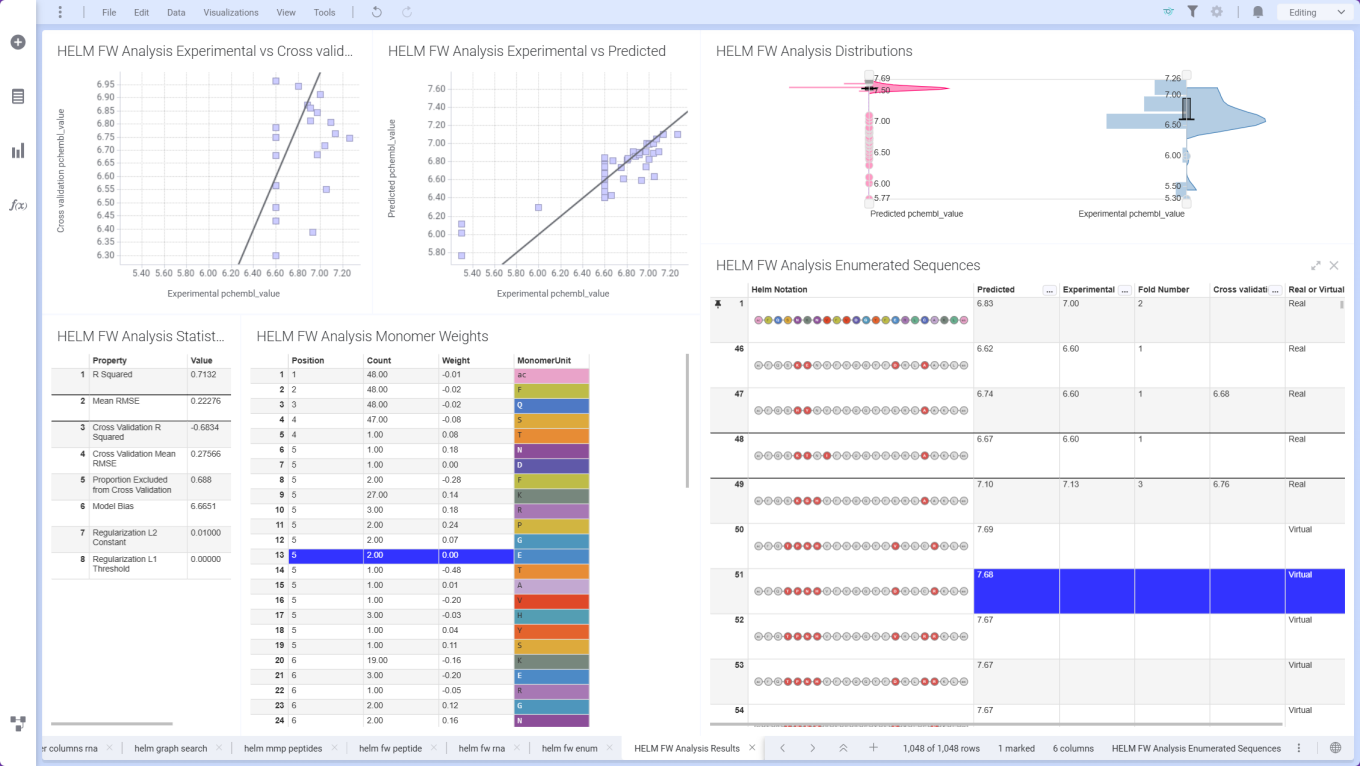
ChemCharts Data Functions introduce Free‑Wilson analysis for HELM sequences, using aligned sequence and property data to quantify position‑specific monomer contributions. Combined with the Free‑Wilson Enumerator, users can design and prioritize novel HELM sequences based on predicted performance.

Image 10 from What's New 26.4-2.docx

ChemCharts Table Visualizations now support a crosshair, which once activated highlights the cell, row number, and column header when moving the mouse.

Synergy

Image 11 from What's New 26.4-2.docx

Synergy now allows the administrator to choose whether to use aliased ExIDs or Material IDs with a CRO on a Collaboration-by-Collaboration basis. An administrator with the privilege Manage Collaborations has access to a new Collaborations Settings menu on a Collaboration where the administrator can choose between aliased ExIDs or Material IDs. The default is ExIDs to support the current behavior. This setting can only be changed while the Collaboration is New (before being sent to the CRO) and no child Work Orders are yet created.

Image 12 from What's New 26.4-2.docx

Image 13 from What's New 26.4-2.docx

If the Collaboration is set to Materials IDs, materials shared via the Reference Table will display with their Material IDs to both the CRO and Sponsor. The Sponsor will not have a toggle to switch between the IDs, indicating that the Material ID will be shared with the CRO.

Image 14 from What's New 26.4-2.docx
Image 15 from What's New 26.4-2.docx

The use of Material IDs persists throughout the Collaboration in all child Work Orders and Synergy Experiments. For example, when a CRO user populates an internal reference column in an admin-defined table or when the Sponsor registers a Sample in a Samples table, the column will display the Material ID for both the Sponsor and CRO.

Image 16 from What's New 26.4-2.docx

If the Collaboration is set to ExIDs (default), materials shared via the Reference Table will display with their ExIDs to the CRO, and the Sponsor will have a toggle to switch between the ExIDs, Material IDs, or both (existing behavior).

Image 17 from What's New 26.4-2.docx

Both Sponsor and CRO users can now search for Synergy Experiments by the associated Work Order ID. The Work Order filter can be added in Advanced Search, typically alongside Type = Synergy Experiment, or to the Synergy Experiments Smart Folder.

Image 18 from What's New 26.4-2.docx

Finally, CRO users can now access and insert System Snippets using the Insert Text Template on any Text element. Note, CRO users cannot save text templates to avoid cluttering the template options for all users.

Image 19 from What's New 26.4-2.docx

Chemistry

Image 20 from What's New 26.4-2.docx

The ChemDraw editor now supports rendering and cleanup of multi-strand and branched complex biopolymers, making these structures easier to display in a clear, aligned, and readable layout.

Image 21 from What's New 26.4-2.docx

Users are now able to load an RDF type file into the External Enumerator for Parallel Experiment enumeration. Fields within the rdf can be mapped into the external enumerator. Reactant order is defined by the rdf file. Solvent and Rxn Conditions are not commonly included in the rdf file and therefore will need to be added manually.

Additional reactants or products can be added manually similarly to what can currently be managed.

Tables

Image 22 from What's New 26.4-2.docx

Scatter Plots are now available to all tenants. End users require a Signals One license to view and edit charts in ADTs.

Image 23 from What's New 26.4-2.docx

Configuration Administrators can now choose to define a Bar Chart on Admin Defined Tables. Similar to the definition of Scatter Plots, administrators can define the Bar Chart on the Table template including setting properties for the value and categorical axis. The chart can be a simple, stacked or 100% stacked bar chart and can be displayed vertically or horizontally. The admin can also choose if the end user is able to adjust the settings for the chart.

Image 24 from What's New 26.4-2.docx

Configuration administrators can also now define a Size By and an Opacity setting for Scatter Charts. These two settings allow for the creation of Bubble Charts using the Scatter Chart type. If the end user is allowed to change chart settings these options are also available directly within the Admin Defined Table.

Inventory

Image 25 from What's New 26.4-2.docx

Users with the right permissions can now assign or reassign containers in cloned or pre-defined experiments, even after container details are cleared, enabling more flexible and accurate inventory workflows in Reagent table.

Image 26 from What's New 26.4-2.docx

Inventory Decrement can now be entered at the sub‑experiment level, allowing users to accurately update container usage when working with parallel, cloned, or reagent‑specific sub‑experiments.

Image 27 from What's New 26.4-2.docx

Container details are now accessible from the Samples table even when a Material ID is provided, ensuring consistent visibility across sample workflows.

Image 28 from What's New 26.4-2.docx

Container multi‑select properties are now available in the Container table, allowing users to view multi‑select container properties directly from the inventory view.

InventoryGo

Image 29 from What's New 26.4-2.docx

A new Scan List mode has been added to reconciliation, allowing users to scan containers in bulk and fetch results on demand, with a toggle to switch between batch and individual scanning for more reliable and faster workflows.

Administration

Image 30 from What's New 26.4-2.docx

A migration path for legacy Data Factory projects is now available. Legacy Data Factory will be deprecated in a future release; administrators are encouraged to migrate to the latest Data Factory as soon as possible. The Legacy Project Migration tool is available from System Settings > Other. Before migrating, review the Migration Guide within the Signals Configuration Guide.

Image 31 from What's New 26.4-2.docx

Migration status and history are captured in the Migration Report.

Image 32 from What's New 26.4-2.docx

After a successful migration, administrators can review the migrated project before committing the changes.

Image 33 from What's New 26.4-2.docx

After you commit, the migrated project is ready to use and can be accessed from the Inventa Dashboard. The legacy project is no longer available for publication or data retrieval in Inventa.

Image 34 from What's New 26.4-2.docx
Image 35 from What's New 26.4-2.docx

Spotfire for Signals Online Access privilege available to control which users can access and substantiate Spotfire for Signals Online. Users without this privilege will be limited to Spotfire for Signals Analyst use.

Image 36 from What's New 26.4-2.docx

Administrators should now be able to create and share dashboards from the SN Config. To edit, share or create dashboards, a user must have the “Manage Dashboards” privilege and access to the SN Config as Admin Defined Dashboards can only be edited or created within the SN Config.

Image 37 from What's New 26.4-2.docx

The new “Dashboards” section can be found in the System Settings. To create a dashboard, the admin should select the green “Create Dashboard” button then they are prompted to enter a dashboard name and description.

Image 38 from What's New 26.4-2.docx

When the admin clicks on “Create Dashboard” they will be brought to the Dashboard edit screen. Here they can add, remove, edit, or resize widgets similarly to what can be done with a personal Dashboard.

Image 39 from What's New 26.4-2.docx

To add a new “Record List”, the most commonly utilized widget, the admin would select “Add Widget” > “Record List”. Under “List Source” the admin can select from a standard set of predefined lists or select “Define List” to create a new search list.

Image 40 from What's New 26.4-2.docx
Image 41 from What's New 26.4-2.docx

Selecting “Define List” > “Click to define query” brings up a search query builder the admin can utilize to define their search list.

Image 42 from What's New 26.4-2.docx

Changes to the selected dashboard are saved by selecting the blue “Apply” in the top right corner.

The admin can then share the dashboard with other users or groups similarly to how sharing is managed in other elements.

Image 43 from What's New 26.4-2.docx

Dashboards are automatically shared with Read access. If a dashboard is shared with write access or full control to a user or group that does not have access to the SN Config, they will be unable to edit or share the dashboard as shared dashboards are Read Only outside of the SN Config.

For end users, their current personal dashboard has now been named “My Dashboard” on the dashboard menu. Users are still able to edit their own “My Dashboard” as they were previously able to do. All shared dashboards appear below “My Dashboard”. If the user selects one of their shared dashboards this selection is sticky.

Integrations & Interfaces

We have added API support for writing to Ontology List fields. These are enhancements to all APIs which write to entities that support Ontology List fields and properties. There are new APIs to fetch and explore Ontology Lists. The “id” values found here are used to set values on Ontology List fields and properties.

Image 45 from What's New 26.4-2.docx
Image 46 from What's New 26.4-2.docx
Image 47 from What's New 26.4-2.docx

We have enhanced the stoichiometry fetch API to include salt stripping data for a Chemical Drawing. This is a new URL parameter (includeStrippedData) which when true will include the stripped structure and the salts that were stripped from the Chemical Drawing as data in the response.

Image 48 from What's New 26.4-2.docx

We have enhanced the API for bulk export of an entity to include the entities properties as part of the table of contents.

Image 49 from What's New 26.4-2.docx

We have added a new API to allow patching of Hierarchical Table headers.

Image 50 from What's New 26.4-2.docx

We have added new APIs to support the External Enumerator for Parallel Experiments. These APIs allow for usage of a csv or sdf file upload for use with the External Enumerator. There are APIs to fetch and update the mapping for the external enumerator. Lastly, there are APIs to kick off the enumeration and check its status.

Image 51 from What's New 26.4-2.docx

We have added new APIs to support the bulk creation of Samples in a Parallel Experiment Summary table. This is an asynchronous job which has two endpoints, first to create the job and second to check the status. There is a URL parameter to support creating multiple samples per row. The request body allows for specifying specific rowIds to create samples from, defaulting to all rows. You may also optionally specify sample properties for all samples created as part of the request body.

Image 52 from What's New 26.4-2.docx

Beta Features

The following capabilities are in beta and are available for users, administrators and developers on the Signals platform upon request. Please contact your account representative or our support team if you would like access to the following features.

Fundamentals

Image 53 from What's New 26.4-2.docx

Audit trail displays highlighted granular changes within records for text elements in experiments and experiment-like objects. When users compare an audit record with a previous version, there is a "view granular changes" toggle. Selecting this toggle will show users a clear visual summary: gray highlighting shows text that was edited or removed and green highlighting shows newly added or updated text.

AI

Image 54 from What's New 26.4-2.docx

We have added a new Beta AI feature allowing a user in Advanced Search to create a filter using a natural language prompt. This filter will be added on top of your existing filters unless the toggle to replace your existing query is enabled. This is limited to Signals One customers.

Synergy

Image 55 from What's New 26.4-2.docx

Works Tasks can now be configured and added to Work Orders to create a series of trackable, assignable, and templateable sub-tasks for a Work Order. Work Task properties and templates can be configured in Synergy Configuration > Work Orders > Work Tasks.
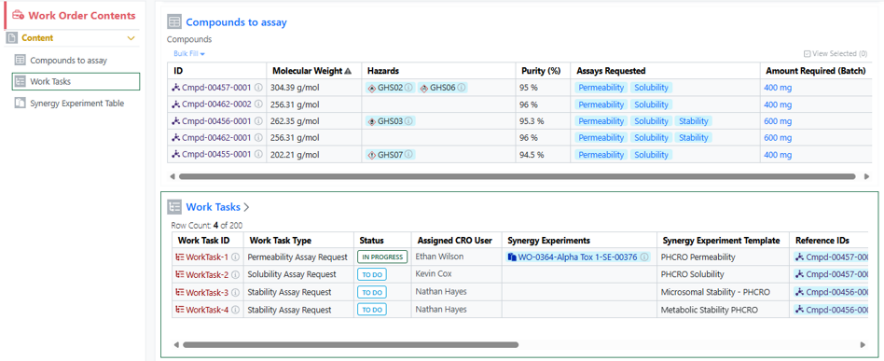
Image 56 from What's New 26.4-2.docx

A Sponsor user can add a Work Task to a Work Order when the Work Order is in an editable status (Draft, To Do, On Hold). The Sponsor can optionally specify a Synergy Experiment Template to be used for the Work Task, as well as specify which References the Work Task applies to.

Image 57 from What's New 26.4-2.docx

Once a Work Order is sent, Work Task(s) Status changes from New to To Do. A CRO Department manager can optionally assign the Work Task(s) to a CRO user. A CRO user can start one or more Work Tasks by selecting the Work Task(s) and creating a New Experiment or adding the Work Task to an Existing Experiment. The Work Task(s) Status then changes from To Do to In Progress.

Image 58 from What's New 26.4-2.docx

Note, when creating a New Experiment, the specified Synergy Experiment Template will be used when applicable. Also, each Work Task can have multiple Synergy Experiments associated, and additional Synergy Experiments can be added to an In Progress Work Task from the Work Task table in the Work Order.

Work Tasks display in a Work Tasks To Do table in each associated Synergy Experiment. When the task is done, the CRO user can Complete the Work Task. Work Task(s) must be Completed before submitting the Synergy Experiment.

Administration

Image 59 from What's New 26.4-2.docx

Audit trail displays highlighted granular changes within audit records for admin-defined tables. When admins or users compare a table audit record with a previous version, there is a "View granular changes" option. Selecting this toggle will show users a clear visual summary: gray highlighting shows data that was edited or removed and green highlighting surrounding table cells reflects newly added data. Green highlighting with a dashed border reflects text that was updated.

What's New

We are delighted to release our new version of Signals, 26.3. This release brings enhancements in In Vitro Analysis, Synergy, Inventory, and Chemistry amongst others. We have extended beta capabilities around graphing in tables and curve fit definitions. The beta capabilities around calculated properties for protein complexes are now available to all systems. Finally, we have also fixed a number of small bugs.

The following improvements are available for users, administrators and developers on the Signals platform. Certain features may only be available with appropriate licensing and/or with enablement by an administrator. 

  • Fundamentals
    – The PDF export of experiments can be converted to local time in ISO 8601 format
  • Data Workflows & Analytics*
    – Personal Templates support in the In Vitro Analysis
    – Initial support for custom curve fit definitions and publication (beta)
  • Synergy†
    – Move Designs Table to different Idea
    – Move Design(s) to different Designs Table or Idea
    – Chemical Search for shared Chemical/Design Structures in Reference Tables for Sponsor and CRO
    – Reference Table property search for Sponsor and CRO
  • Chemistry
    – Support for pairing of multiple RNA/DNA strands to a single sequence
    – Structure searching for monomers in HELM Monomer Curation application
  • Tables
    – End user adjustment of Scatter Plots (beta) *
    – Export of image from Scatter Plots (beta) *
    – Highlight selected rows or points in the Scatter Plot and Table (beta) *
    – Conditional calculations can be contained within conditional calculations
    – Increase component limit from 30 to 50 in the Variation Table
  • Samples
    – Empty Sample tables in Templates
  • Inventory
    – Allow Multiple Additions of the Same Container in Materials Table and Stoichiometry Table
    – Add multiple (same) sublocations to a parent location easily
    – New Labels
  • InventoryGo ‡
    – Reconciliation and Rectification
    – Move
    – Consume
  • Materials
    – Calculated properties for protein complexes available to all systems
    – Inherited Properties for materials available to all systems
    – Log P, predicted pKa, and additional compound calculated properties
    – Configurable display units for calculated molecular weights
  • Search
    – New options for circular and linear Biological sequence searches
  • Administration
    – The 'created at' field in the system audit trail CSV export can be converted to local time in ISO 8601 format
    – Spotfire for Signals Custom Apps Configuration available for Private Cloud exports Spotfire for Signals Online Debug Logs *
  • Integrations & APIs
    – Selected rows in an Hierarchical Table can be identified in an External Action *
    – External Action for Edit Reviewers
    – API to create a Reference Table in a Work Order
    – API to add a reference(s) to a Reference Table
    – API for date based data extraction for SDF
    – Additional Chemical Structure formats for updating Materials
    – PKCE Support for Bearer Token Exchange

* Requires Signals One license
† Requires Signals Synergy license
‡ Requires InventoryGo license
 

We also fixed several small bugs in this release. Details of the enhancements are described below.

Administrators should be aware that we have retired most of the In Vivo Apps from the Signals One App Store in Spotfire. Specifically the following Apps are no longer available: Study Designer, Dose Preparation, Baseline Capture, Sequence Of Events, Sequence File Generator, Mass Spec, Dose Verification, Business Rules, and Data Model Designer. The PK Parameters App continues to be supported and will remain in the Signals App in Spotfire in Signals One.

Administrators should be aware that we will have retired the CRAIS Checker capability from Signals Notebook and Signals One. This capability, which was only available via request, was built to allow integration specifically to the Patcore CRAIS Checker database. Such workflows have been superseded by the Chemical "External Checking" capability which can be used against any chemical compliance database.

Data Factory Administrators should note that legacy Data Factory projects will be fully deprecated in a future release. A straightforward migration path will be provided in an upcoming release to support this transition.

Data Factory administrators should also note that the Advanced Security policies in Inventa apply an "AND" logic across all user groups, restricting access if any groups lack permissions. This behavior differs from the standard Signals security model and will be fixed to align with the standard in a future release.

Administrators are recommended to subscribe to the channels within our support news site found at https://support.revvitysignals.com/hc/en-us/categories/360004446171-Support-News which contains more information about releases and other pertinent product information.

This content is anticipated for release on our Production E3 environments, and for Private Cloud customers on our deferred release schedule, in July 2026.

Further Details 

The following improvements are available for users, administrators and developers on the Signals platform. Certain features may only be available with appropriate licensing and/or with enablement by an administrator.

Fundamentals

The PDF export of experiments can be converted to local time in ISO 8601 format. When end users select the ‘Print to PDF’ option in an experiment, a new setting can be selected to “Use ISO 8601 local time” which will convert timestamps throughout the PDF to local military time with a UTC offset. 

Data Workflows & Analytics

In Signals One, In Vitro Analysis users can now save an instance of an In Vitro Analysis object as a personal Template:

Saved In Vitro Analysis personal Templates become then available for the user for subsequent new analysis.

Synergy

Given the new privilege to Move Designs, a Sponsor user can now move a Designs Table to a different Idea or move selected Design(s) to a different Designs Table. The user must have Full Control to an Idea in order to move Designs. 

As a Sponsor or CRO user, I can now search for my Work Orders based on the content of the Reference Table (e.g., list of Designs to be made or batches to be tested). Reference Tables allows the Sponsor to selectively share a sub-set of Design or Material Asset or Batch properties when requesting Design synthesis or assays to be run. If a Design Structure or Chemical Structure is included in the properties shared to the CRO, the Sponsor and CRO can use Chemical search to find the Work Orders containing a specific structure or sub-structure within Advanced Search or the Work Order Smart Folder. Note that the Chemical filter should be set to Parent to ensure that the Work Order containing the Reference Table is found. 

In addition, non-structure properties shared in the Reference Table can also be used when searching for Work Orders within Advanced Search or the Work Order Smart Folder.

Chemistry

ChemDraw now allows users to draw biopolymers with multiple complementary RNA strands for a single sense strand. When a set of hydrogen-bonded RNA sequences is created, ChemDraw detects the sense strand, identifies each first-degree complementary strand, and automatically places each complement beneath the sense strand according to hydrogen bond positions. The sense backbone is stretched as needed to minimize overlap, enabling side-by-side display of complements with proper alignment.

New capabilities have been added to the HELM Monomer Curation application for filtering and searching monomers based on chemical structures. Available as a button next to the text search field in the HELM Libraries list view, the ‘Structure…’ button opens a structure editor. 

After drawing a structure, users can select from substructure, similarity, full, and exact search options. Selecting ‘Search’ will then initiate the search filter. 

After completing a structure search, the ‘Structure…’ button transforms into an ‘Edit’ button. Selecting this button allows for previewing the structure, making changes to it, or removing it from the search filter. Structure searches can be combined with text-based searches to refine results even further.

Tables

Conditional calculations are now allowed to be used within other conditional calculations, such as within a CASE statement. For example a CASE statement can use another conditional statement such as an IF for each clause. A use case is to enact specific aggregate calculations over restricted values, such as if the sum of a given component in a formulation, such as water, is needed for an additional calculation.

The component limit in the Variation Table has been increased from 30 to 50, enabling more complex experimental designs and reducing the need to split large variations across multiple tables.

Samples

Admins will now be able to add an empty Sample Table to an Experiment or Experiment-like object template using the “Add Content” menu. Only one sample table is allowed in each template, once the sample table has been inserted it will be removed from the “Add Content” menu.

Admins should be able to then move the empty sample table to wherever in the template they would like to have the Sample table. Admins are also able to preselect the columns for the sample table in the template using the gear icon in the left corner.

For an end user, when creating the experiment, if there is an empty sample table in the template the empty sample table will appear in the experiment. When the user adds a sample, it will be added to the existing sample table with the selected columns as defined in the template. This will allow admins to vary which sample columns are shown from template to template without utilizing multiple sample templates.

If a user deletes all samples from the sample table, they will now need to delete the empty sample table with an additional click. The empty sample table can be included in the experiment copy function without including the samples.

Inventory

You can now add the same container multiple times in both the Materials and Stoichiometry tables. This enhancement improves procedure documentation clarity, stoichiometric accuracy, and inventory traceability, especially for workflows involving repeated dosing, split additions, or multi‑step reactions.

You can now quickly create multiple identical sublocations under a single parent location, making it easier to build and manage hierarchical location structures at scale while reducing repetitive setup effort.

New Label – 25 X 25 mm (3 slots, multiline) supports multiline with font size 6

New Label – 50 X 25 mm (3 slots) supports multiline with font size 8

New Label – 38 X 15 mm (QR Code)

New Label – 13 X 13 mm (QR Code)

InventoryGo

InventoryGo introduces mobile‑first inventory workflows that enable Reconciliation and Rectification, along with Move and Consume actions directly from the lab or storage location. Users can quickly reconcile physical inventory against system records, correct discrepancies, move containers between locations, and update consumed quantities through a streamlined, scan‑based experience—improving inventory accuracy, productivity, and audit readiness. InventoryGo is available as an add‑on capability. Please contact your Sales Associate for more information on enabling InventoryGo for your tenant.

Materials

Calculated properties for protein complexes for Custom and Protein material types and the preconfigured Antibodies library are now available to all systems. Molecular weight, isoelectric point, extinction coefficient, and total length can now be computed for complexes comprised of multiple protein parts linked to via internal references.

Inherited properties in all material libraries are now available in all systems. Data field values can now be passed down (i.e. inherited) from one material to another using internal reference links. Updates to the source data are automatically propagated to any inheriting entity and are kept in sync.

Log P, predicted pKa, and additional calculated properties are now available in Compound and Normalized Compound material types and the preconfigured Reagents (SNB) library. Administrators can selectively choose from a variety of physicochemical properties, drug-likeness and ADME predictors, structure and topology, ring system, atomic composition, and stereochemistry calculations.

Administrators now have the ability to choose different display units for calculated molecular weight properties in DNA, RNA, Protein, and Custom material types and the preconfigured Antibodies, Plasmids, and Primers libraries. Options include g/mol, kg/mol, dalton, and kDa.

Search

The Biological Sequence search now includes enhanced topology options to optimize your search results. The Linear option is for standard DNA and protein sequences, while the Circular option is ideal for plasmid searches where your target sequence may span across the junction between the end and start positions of the circular DNA molecule. 

Administration

Signals One Private Cloud environments with Spotfire for Signals Custom Apps enabled now allow the export of Spotfire for Signals Online Debug Logs.

The ‘Createdat’ and ‘modifiedat’ fields in the system audit trail CSV export can be converted to local time in ISO 8601 format. When admins export the system audit trail to CSV, they can adjust the format of timestamps by selecting the “Use ISO 8601 local time” option. This setting will convert the ‘createdAt’ and ‘modifiedat’ timestamps within the CSV to local military time with a UTC offset. 

Integrations & APIs

External Actions configured with a POST action on Hierarchical Tables will now include details of the selected rows and table layers within the body of the response.

We have added a new signing event external action trigger for “Edit Reviewers” this allows for maintaining any external actions used for initially adding reviewers to also be used if those reviewers are edited.

We have enhanced the API for patching material chemical drawings to accept additional chemical structure formats. The API now supports SMILES, InChI, and HELM chemical structures. You must specify the which in the request “Content-type” header. For the new content types the “filename” parameter will be ignored.

We have enhanced existing APIs to allow for creating Reference Tables in Synergy Work Orders. The library and entity type must be included in the request body. This will create a new reference table with no columns configured. Existing APIs for editing the displayed columns should be utilized to show columns.

We have added new APIs to add or delete reference(s) for existing Reference Tables. You must specify the action (create or delete) and the specific entities for the rows being added or deleted.

We have enhanced the search APIs for Signals Data Factory. You may now specify publication-from-date and publication-to-date as URL parameters in ISO 8601 format. This will filter results to the specified ranges.

We have added support for Proof Key for Code Exchange (PKCE) to our Bearer Token authorization flows. This is now an option for all current and future clients. This does not replace or break the Implicit Grant flow, it only adds the additional option. Additional details are available in the admin System Configuration Guide.

Beta Features 

The following capabilities are in beta and are available for users, administrators and developers on the Signals platform upon request. Please contact your account representative or our support team if you would like access to the following features.

Data Workflows & Analytics

Signals Configuration allows creation of custom Analytics definitions for Curve Fitting. A mathematical Expression Editor is now available in conjunction with the settings associated to the expression parameters, which can be locked to ensure consistent start values and limits.

Access to the custom Analytics definitions is restricted to System administrators and Users with the “Manage Analytics Definitions” permission. The multi-line editor checks the validity of the expression that can then be saved, enabled and shared for curve fitting (here an example of a bell-shaped expression).

The custom endpoints of a curve fit can be published for subsequent SAR & Decision Making. 

Tables

Configuration administrators can now give end users the ability to alter the configuration of Scatter Plots. The option to allow end users this ability is defined within the Visualization settings.

The end user can then access the setup of the chart to change the display of the axes etc. Changes are saved on demand if the user has Edit on the Experiment.

The end user can also decide to see the table and graph simultaneously. Selections in the table are highlighted in the graph view, and visa-versa. Users can select in the graph via dragging a rectangle or using a lasso to select an irregular area.

Users can also export an image of the graph, either to their clipboard, or as a downloaded file, or as an Image File directly back into the same experiment. Note that the exported image reflects the saved graph, unsaved changes by the end user will not be shown.

What's New

We are delighted to release our new version of Signals, 26.2. This release brings enhancements in Synergy, Chemistry, Materials, Inventor, SAR and Data Workflows amongst others. We have extended the grid view to the Chemical Reactions smartfolder, we have also provided a warning if users are using an outdated experiment template. We have new beta capabilities around Native Analytics and providing graphs in tables. The beta capabilities around Hierarchical tables, the Configuration Report, the updated admin experience for tables, and the View Published Data in Material libraries are now available to all systems. Finally, we have also fixed a number of small bugs.

The following improvements are available for users, administrators and developers on the Signals platform. Certain features may only be available with appropriate licensing and/or with enablement by an administrator. 

  • Fundamentals
    – Grid View in Chemical Reactions Smartfolder
    – Ontology integration now supported in Synergy, including Collaboration, Idea, Work Order, and Synergy Experiments Templates, as well as Designs and Reference Table fields (beta)
  • Data Workflows & Analytics*
    – Grid view for normalization and curve fitting results
    – Data Parser robust data type selection
    – Administrative access to Signals Native Analytics (beta)
    – Curve fitting extended to Logistic regression 3-4-5 Parameters models (beta)
  • SAR & Decisioning*
    – View Published Data from Material Library is now available to all systems
    – Overwrite Publications via the Publish Results to Data Factory app
    – HELM Matched Monomer Pairs ChemCharts data function
    – Extract GenBank Feature ChemCharts data function
  • Synergy†
    – Advanced Search for CRO users in the CRO application
    – Flexible selection of Synergy Experiment Templates by CRO users in a Work Order
    – Synergy Experiment properties can inherit from Work Order properties
    – Access to HELM Monomer Libraries can now be granted to CRO Departments
    – Append Template to Samples for CRO users
  • Chemistry
    – Predicted pKa calculation added to the ChemDraw Analysis panel
    – Hairpins can now be generated from oligonucleotides with pendant chemical and peptide attachments
    – Auto-pair tool preserves user defined hydrogen bonds when pairing complementary strands and hairpins
    – Auto-pair tool now supports pairing of selected oligonucleotide fragments
  • Tables
    – Hierarchical Tables available to all systems *
    – Total row limit for Hierarchical Tables available to all systems *
    – Header display settings for Hierarchical tables available to all systems *
    – Define Internal or External Data Sources in Hierarchical Tables available to all systems *
    – Add Inventory Columns to Hierarchical Tables available to all systems *
    – Internal Reference column limited to Materials in a Material table in the same containing entity setting available to Hierarchical tables available to all systems *
    – Search of Hierarchical Tables available to all systems *
    – Hierarchical table data optionally included in exported PDF available to all systems *
    – Updated admin experience for Admin Defined Tables and Variation Tables available to all systems
    – Conditional data entry for Number properties in Admin Defined Tables and Variation Tables available to all systems
    – Conditional data entry for Number with Unit properties in Admin Defined Tables and Variation Tables
    – All data in a table can be cleared upon copy
    – Define behavior of Headers in Admin Defined Tables and Variation Tables
    – Data sources in in Admin Defined Tables and Variation Tables can be deleted
    – Hierarchical Tables can be selected as the source for Contextual Lists *
    – Definition and display of Scatter Plots on Admin Defined Tables (beta) *
  • Inventory
    – Add Container Property Fields to Material Tables
    – Add Parent Container field to Containers Search Table
    – Copy path button next to location field
    – Enable Supplier List mapping from Reactants to Material properties with auto‑populate
  • Materials
    – Structure Preview for Materials Table
    – Type in sequence registration in materials table and bulk import
    – List and Attribute List fields in material IDs
  • Administration
    – Configuration Report available to all systems
    – Configuration Transfer of Hierarchical Table Templates available to all systems
    – Hierarchical Tables included in Configuration Report available to all systems
    – Contextual Lists included in Configuration Report available to all systems
    – Warning message displays when users clone experiments that are based on outdated system templates
  • Integrations & APIs
    – Selected rows in an Admin Defined Table can be identified in an External Action
    – Selected rows in a Variation Table can be identified in an External Action
    – Multiple Key:Value headers for Data Sources and Notifications
    – API to fetch Security Policy
    – API to add structures to Chemical Drawings with BILN

* Requires Signals One license
† Requires Signals Synergy license
 

We also fixed several small bugs in this release. Details of the enhancements are described below.

Administrators should be aware that we are planning to retire most of the In Vivo Apps from the Signals One App Store in Spotfire. Specifically the following Apps will no longer be available: Study Designer, Dose Preparation, Baseline Capture, Sequence Of Events, Sequence File Generator, Mass Spec, Dose Verification, Business Rules, and Data Model Designer. The PK Parameters App continue to be supported and will remain in the Signals App in Spotfire in Signals One. We encourage any customers who require assistance with this transition to contact our support organization and/or engage with our Professional Services team. This change is anticipated to happen in our next release, 26.3.

Administrators should be aware that we will be retiring the CRAIS Checker capability from Signals Notebook and Signals One. This capability, which was only available via request, was built to allow integration specifically to the Patcore CRAIS Checker database. Such workflows have been superseded by the Chemical "External Checking" capability which can be used against any chemical compliance database. Any customers still using the CRAIS checker are encouraged to update their workflows to use this capability instead. We encourage any customers who require assistance with this transition to contact our support organization and/or engage with our Professional Services team. The CRAIS Checker capability will be retired by March 31st 2026.

Data Factory administrators should note that the Publication Unique ID and Parent Publication Unique ID generation in the Publish Results to Data Factory app has been updated for robustness and now includes DateTime and the originating Experiment Name.

Data Factory administrators should be aware that the behavior of System Generated IDs has been updated. File-based publications no longer support System Generated IDs.

Data Factory Administrators should note that legacy Data Factory projects will be fully deprecated in a future release. A straightforward migration path will be provided in an upcoming release to support this transition.

Data Factory administrators should also note that the Advanced Security policies in Inventa apply an "AND" logic across all user groups, restricting access if any groups lack permissions. This behavior differs from the standard Signals security model and will be fixed to align with the standard in a future release.

Data Factory administrators should note that POST /api/v2/projects/{projectId}/results/{resultSchemaId}/rows is deprecated. Instead, supply a Unique Result ID and use PUT /api/v2/projects/{projectId}/results/{resultSchemaId}/rows/{rowId}

Administrators are recommended to subscribe to the channels within our support news site found at https://support.revvitysignals.com/hc/en-us/categories/360004446171-Support-News which contains more information about releases and other pertinent product information.

This content is anticipated for release on our Production E3 environments, and for Private Cloud customers on our deferred release schedule, in July 2026.

Further Details 

The following improvements are available for users, administrators and developers on the Signals platform. Certain features may only be available with appropriate licensing and/or with enablement by an administrator.

Fundamentals

The grid view is now available in the Chemical Reactions Smartfolder. As in other grid views, customers will be able to select the properties they want displayed and can sort or filter on properties by selecting the appropriate column header. It should be noted that export is not currently available in the chemical reactions grid view at this time but will become available in a future release.

Data Workflows & Analytics

In addition to the Card view, a Grid, or Table view is now available to review both Normalization and Curve Fitting results. This tabular presentation is not only more compact but also allows hiding or reordering any column (e.g. Signals to Background ratio or IC50) to rank the results.

In the case of the Normalization results, the plate heatmap or the histogram views are available, as shown above.

At the level of the configuration of Parser Definitions, when creating or modifying a Parser Definition, the type of data extracted from the instrument data file is either predefined (and grayed out) or can be selected from a consistent list of options.

SAR & Decisioning

Users may now access Published Data directly from a Material Library. The Published Data tab automatically retrieves results for the selected material, displaying aggregated values by measurement type in a summary table. Interactive tables allow users to drill down to specific measurement results. 

Users can now overwrite an existing publication when publishing results from a Spotfire workflow. In the Publish Results to Data Factory app, selecting Overwrite existing publication allows users to choose a prior publication, which is fully replaced with the new data. Standard users can overwrite only their own publications, while administrators can overwrite publications created by any user.

The latest ChemCharts introduces Matched Monomer Pair (MMP) Analysis for HELM sequences.  HELM MMP Analysis identifies pairs of aligned HELM sequences that differ by a single monomer and quantifies how the substitution impacts numeric properties.  The analysis also generates ranked predicted structures based on the learned MMP effects. 

The new ChemCharts Extract GenBank Feature data function enhances and replaces the now deprecated extract GenBank Regions data function.  Users can extract and split annotated regions from GenBank sequences.

Synergy

CRO users now have access to Advanced Search, including Chemical search, in the Synergy CRO application. CRO users access a dedicated search index with extra security measures, which excludes all hidden from CRO properties and ensures only entities from their CRO and Collaborations. 

When the Sponsor wants to give a CRO flexibility in how they report their data or when the work requested requires varying experimental formats, it may be easier to allow the CRO to select from a set of shared Synergy Experiments rather than specifying a single Synergy Experiment Draft. This is especially useful when requesting multiple assays in one Work Order. On a Work Order Template, an administrator can now choose between Require Synergy Experiment Draft or Allow CRO to choose from shared Templates. When the Work Order is configured to allow the CRO to choose, no Draft Synergy Experiment is required from the Sponsor and the CRO can select from a list of shared Synergy Experiment Templates when adding a Synergy Experiment. Note that Synergy Experiment Templates are shared on a per CRO Department basis in Synergy Configuration > Synergy Experiments > Templates. Finally, when a CRO user creates a Synergy Experiment from a Template, all Hidden from CRO field values must be provided on the Synergy Experiment Template or configured to inherit from the Collaboration or Work Order. 

Synergy Experiment Template attribute list fields can be configured to inherit the property value from the associated Work Order. (Fields can also inherit from the parent Collaboration.) If a field is set to inherit from Work Order, the field will automatically populate with the corresponding value from the associated Work Order. This value is populated either on the Draft Synergy Experiment or when the Synergy Experiment is created from a Template. All subsequent Synergy Experiments created by CRO users will also inherit that value. As a result, the Sponsor or CRO user does not have to repeatedly populate the same property, such as Project Code or Disease Target. Further, Hidden from CRO fields can be populated when a CRO is allowed to select their own Synergy Experiment Template.

Administrators with the privileges Administer Synergy, Manage CROs, and Manage Attributes can now grant CRO Departments access to specific HELM Monomer Libraries. In Synergy Configuration > CROs > Department Associations, administrators can associate one or more HELM Monomer Libraries with a CRO Department. Users in CRO Departments have access to a HELM Monomer Library if and only if they have an association with that library. (No additional configuration is required.) With library access, a user can access to the HELM monomer editor and search the library to add monomers to their chemical drawings. (Note: As always, all users, whether internal or CRO users, can hover to see the structure represented by a monomer notation added to an Experiment, Work Order (e.g., Designs), Synergy Experiment, etc. by another user, independent of their access to a HELM monomer library.)

Finally, the ability to Append Templates to Samples has been extended to CRO users in Synergy Experiments. 

Chemistry

Predicted pKa is now available as a calculated property in the ChemDraw editor Analysis panel. The calculation uses the current selection, supports structures with fewer than 100 heavy atoms, and returns the predicted pKa value, type (acid or base), and atom label. When atom numbering is enabled in the drawing, the corresponding atom number is also shown in the Analysis panel.

Hairpins can now be generated from oligonucleotide sequences that include pendant chemical linkers or peptides by using the auto-pair tool to automatically find base complementarity and place hydrogen bonds to form the hairpin structure.

When there are multiple ways to create a complementary strand or hairpin, the auto-pair tool can now be used after placing one or more hydrogen bonds between nucleobases. ChemDraw then uses those existing hydrogen bonds as a guide, preserves them, finds the best remaining base complementarity, and adds the hydrogen bonds needed to complete the complementary strand or hairpin.

The auto-pair tool now supports partial selections of oligonucleotide strands, pairing compatible nucleobases within the selected regions and adding the corresponding hydrogen bonds between them.

Tables

Hierarchical Tables are available to all systems.

The updates to the administrative experience recently released in beta is now available for all systems.

The update to allow Conditional Data Entry on properties of type Number is also available for all systems.

This capability has also been extended to allow Conditional Data Entry on properties of type Number with Unit in Admin Defined Tables and Variation Tables. Number with Unit properties can be defined with conditions for data entry, ranges can be set and the property set to either not allow an out of range value, or to provide a visual indication when a value does not match.

The administrator can now define that all of the data in an Admin Defined Table, Variation Table or Hierarchical Table is cleared when the table is copied. This setting supersedes any individual settings on the individual properties.

The administrative and end user experience for the definition and display of Headers in Admin Defined Tables and Variation Tables has also been updated to match Hierarchical tables. Headers are displayed in more consistent vertical array. The admin can define the maximum width of the header label, and the data entry fields, to allow optimal alignment. Admins can also define the maximum number of Headers in a vertical section, the Headers are arranged top down in a given section up to the maximum number upon which a new section is started. 

Data sources defined in Admin Defined Tables and Variation Tables can now be removed and replaced. The data source can be removed via the Data Sources panel.

Properties in Hierarchical Tables can now be used as a Source for Contextual Lists.

Inventory

Inventory Admins can now view and add container-specific properties directly in material tables for better experiment decisions and accurate inventory tracking.

The Containers Search Table now displays the Parent Container field, making it easier to identify aliquoted container relationships.

A copy button is now available next to the location path, allowing users to copy the full path as a single line.

Supplier List can now be mapped from Reactants to Material Properties, auto-filling the Material field in the Stoichiometry grid.

Materials

Admins are now able to add the Structure preview to the Materials Table by adding a new column of type “Preview” to the Materials table in the SN Config

For the end users, if the preview is available, they will be able to see the preview of the structure similar to what can be seen when they mouse of the information icon. If they do not have access to the material, they will not see the structure. Similarly, if a structure is not available, the preview will indicate that the structure isn’t available.

End users can now register sequence-based materials such as DNA, RNA, and Proteins and the pre-configured Plasmids library in a materials table and via bulk import by pasting in a sequence. A raw sequence string, FASTA, GenBank, and GenPept entries can be pasted in when registering materials in a materials table:

or by including raw sequence strings during a bulk import:

Administrators can now configure asset material IDs to include List and Attribute List field data when registering a material. Up to four configured fields can be included in the asset ID Sequence and will apply to newly registered materials.

Administration

Configuration Transfer for Hierarchical Tables is now available for all systems. The Configuration Report is also now available for all systems.

Warning message displays when users clone experiments that are based on outdated system templates. If an admin has updated a template and an end user clones an associated experiment or experiment-like object (i.e. parallel experiment, request, ADO, work order), a warning message explaining the copy is using an older template will trigger. The end user will have the option of proceeding with copying or creating a new experiment based on the updated template. 

Integrations & APIs

External Actions on Admin Defined Tables and Variation Tables can now be configured to send selected row IDs. If the action is configured with a POST action, the end user will be able to select individual rows in the table. The resulting call will then contain the individual row IDs in the body of the call.

We have added a new API for fetching a text copy of your tenants Security Policy. This API is only available to System Administrators.

We have added enhanced the API for adding Chemical Structures a chemical drawing to support BILN chemical format. The datatype “biln” and the biln string is passed as a in the request body.

We have enhanced External Notifications, External Data Sources, External Chemical Sources, and External List to allow multiple headers as part of configuration. Existing headers will not be impacted but will allow for additional headers to be added.

Beta Features 

The following capabilities are in beta and are available for users, administrators and developers on the Signals platform upon request. Please contact your account representative or our support team if you would like access to the following features.

Fundamentals
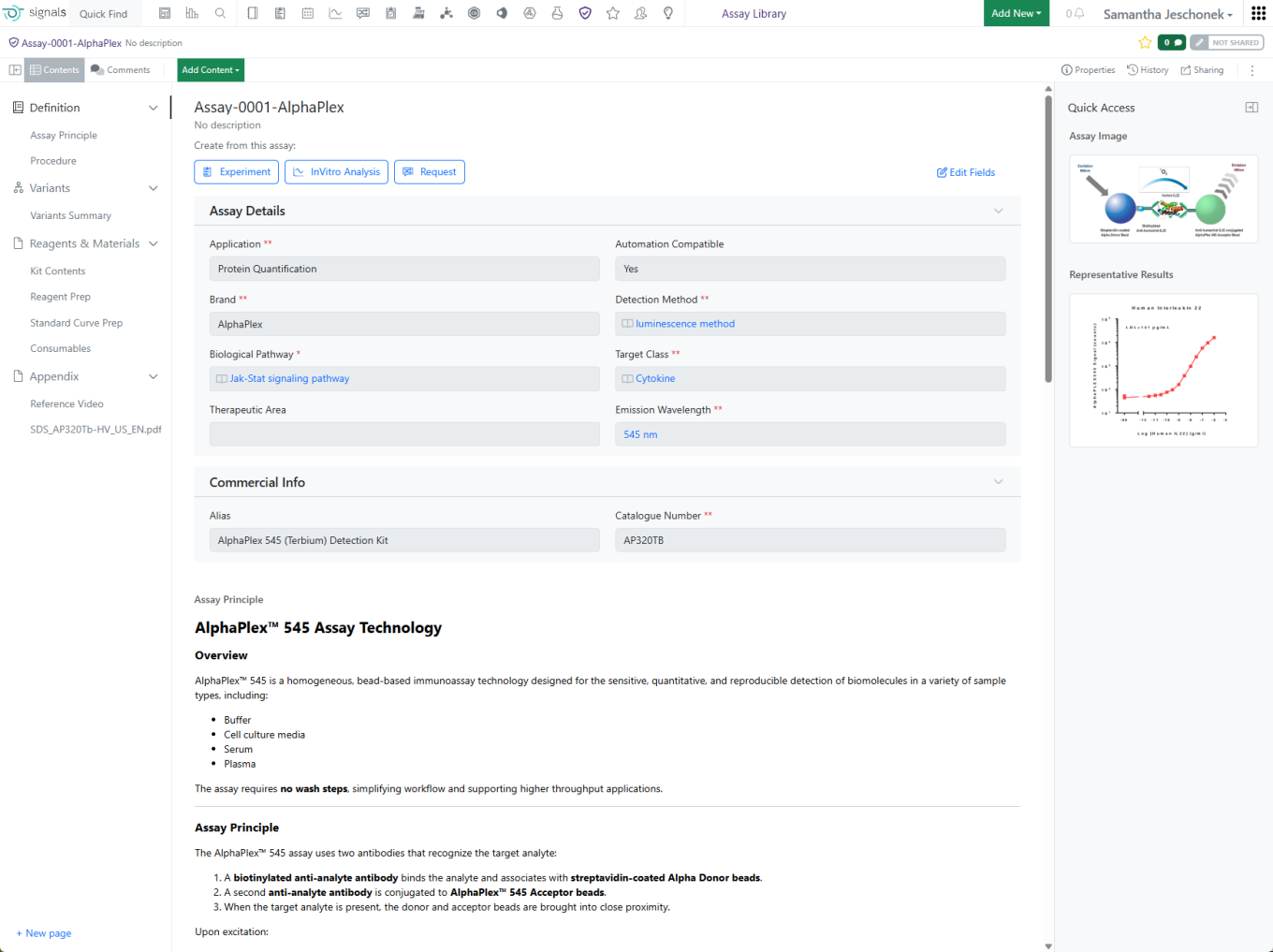
Ontology integration now supported in Synergy, including Collaboration, Idea, Work Order, and Synergy Experiments Templates, as well as Designs and Reference Table fields

Data Workflows & Analytics

Signals Configuration allows access to Analytics definitions.

Access to the Analytics definitions is restricted to System administrators and Users with the “Manage Analytics Definitions” privilege.

The first set of system Analytics definitions provided out of the box are 3-4-5 Parameter logistic curve fittings.

These definitions are currently read-only and can be used in the In Vitro Analysis object, when not disabled.

In an In Vitro Analysis, it is now possible to choose any of the 3, 4 or 5 Parameters logistic curve fittings:

Tables

Administrators can now define Scatter Plots that will be displayed in Admin Defined Tables. Administrators can choose if a Scatter Plot is displayed, choose the properties for the axes, the color and shapes and ranges for the axes. If the administrator has representative data they can view a plot via the Try It Out.

The Scatter plot then appears automatically for the end user once they add data. The end user view is only available to users with a Signals One license.

What's New

We are delighted to release our new version of Signals, 26.1. This release brings enhancements in Tasks, Materials, Data Analytics, Inventory and Tables amongst others. We have new beta capabilities around Ontologies, inherited Material properties and improving the display of tables. The beta capabilities around Contextual Lists are now available to all systems. Finally, we have also fixed a number of small bugs.

The following improvements are available for users, administrators and developers on the Signals platform. Certain features may only be available with appropriate licensing and/or with enablement by an administrator. 

  • Fundamentals
    – Ontologies integration allows terms to be used across experiments, materials, tables, and more (beta)
  • Data Workflows & Analytics*
    – Spotfire-based workflows now integrate the Publish Results to Data Factory app
    – Data Assembly download
  • SAR & Decisioning*
    – Bulk Delete published data via the Inventa Dashboard
  • Chemistry
    – HELM editor now supports monomer structure search
    – LogP calculation now available in the Analysis panel
    – Drag-and-drop of SD/RD files onto the ChemDraw canvas converts to CDXML
    – Generate hairpins from oligonucleotides using the auto-pair tool
    – Allowing for edits to the Material ID in the Stoich grid
    – Updates to Salt Stripping to allow for fractional salts
  • Tables
    – Contextual Lists available to all systems *
    – Internal Reference type properties can be used as source for Contextual Lists available to all systems *
    – Hidden columns in Tables can be temporarily unhidden
    – Calculate Minimum
    – Updated admin experience for Admin Defined Tables and Variation Tables (beta)
    – Conditional data entry for Number properties in Admin Defined Tables and Variation Tables (beta)
  • Worksheets
    – Contextual List property available to all systems *
  • Inventory
    – Display barcode on Location and Container cards in inventory
    – Allow admins to define autofill patterns for grid locations
    – Support bulk export of internal requests
  • Materials
    – Type in sequence registration in Materials Library
    – Lineage viewer Show/Hide Properties UI update
    – Inherited Properties for Materials (beta)
  • Tasks and Requests
    – Updates to the Task Modal to facilitate different modes of task creation
  • Administration
    – Configuration Transfer of Contextual Lists available to all systems
    – Configuration Transfer of Contextual Lists in Worksheets available to all systems
  • Integrations & APIs
    – New API to fetch Signals Version
    – New APIs to support Hierarchical Tables
    – Enhanced API to allow adding Assets to materials table
    – New CRO APIs for file attachment and chemical compliance
    – Enhanced APIs for bulk updating Containers

* Requires Signals One license
† Requires Signals Synergy license
 

We also fixed several small bugs in this release. Details of the enhancements are described below.

Administrators should be aware that the Normalized Compound Salt Stripping tool has now been updated to better handle fractional coefficients by altering how multi-fragment salts are interpreted from the Salt List. This change applies to registrations subsequent to this update, existing compounds will remain with the prior understanding until edited.

Data Factory Administrators should note that the syncing material library may now be changed after deleting any Data Factory projects.

Data Factory Administrators should note that legacy Data Factory projects will be fully deprecated in a future release. A straightforward migration path will be provided in an upcoming release to support this transition.

Data Factory administrators should be aware that the behavior of System Generated IDs will be updated in a future release. File-based publications will no longer support System Generated IDs.

Data Factory administrators should also note that the Advanced Security policies in Inventa apply an "AND" logic across all user groups, restricting access if any groups lack permissions. This behavior differs from the standard Signals security model and will be fixed to align with the standard in a future release.

Administrators should be aware that we will be retiring the CRAIS Checker capability from Signals Notebook and Signals One. This capability, which was only available via request, was built to allow integration specifically to the Patcore CRAIS Checker database. Such workflows have been superseded by the Chemical "External Checking" capability which can be used against any chemical compliance database. Any customers still using the CRAIS checker are encouraged to update their workflows to use this capability instead. We encourage any customers who require assistance with this transition to contact our support organization and/or engage with our Professional Services team. The CRAIS Checker capability will be retired by March 31st 2026.

Administrators are recommended to subscribe to the channels within our support news site found at https://support.revvitysignals.com/hc/en-us/categories/360004446171-Support-News which contains more information about releases and other pertinent product information.

This content is anticipated for release on our Production E3 environments, and for Private Cloud customers on our deferred release schedule, in July 2026.

Further Details 

The following improvements are available for users, administrators and developers on the Signals platform. Certain features may only be available with appropriate licensing and/or with enablement by an administrator.

Data Workflows & Analytics

The new app allowing to publish analysis results, associated to mandatory Compound/Batches pairs, to Data Factory 2.0 is now integrated in the out of the box workflows.

The Data Assembly step of the In Vitro Analysis allows assembling the data from the instrument with multiple sources like plate format information and external lookup tables. It is now possible to download, with the click of a button, the full content of the resulting table.

SAR & Decisioning

Users can now bulk delete published data via the Inventa Dashboard. After uploading a file that contains a list of Unique Result IDs, users can choose “Bulk Delete” to permanently delete those records from Data Factory. Note: System Generated URIs must be disabled by an Administrator in order to use Bulk Delete.

Chemistry

The HELM editor now supports structure-based monomer search alongside text search, using a new 'Structure' button and preview panel in the Peptide, RNA/DNA, and Chem/Blob tabs. Structures can be pasted from common formats (cdxml, cdx, SMILES, molV2000/3000, InChI) and searched as substructure, similar, full, exact, or full including tautomers, with results returned directly in the monomer panel. Structure and text filters can be combined to refine monomer results within the active library.

LogP is now available as a calculated property in the analysis panel of the ChemDraw editor. The calculation is based on the current selection and supports structures containing fewer than 1,000 atoms or 150 heavy atoms.

SD and RD files can now be dragged and dropped onto a ChemDraw canvas and converted automatically to cdxml for continued editing. 

The ‘auto-pair’ tool in the ChemDraw editor can now generate hairpins from a single oligonucleotide sequence. It identifies the region of maximum complementarity within the strand, places hydrogen bonds between complementary nucleobases, and forms a hairpin loop from the remaining unpaired nucleobases.

Users will now be able to unlink the Material ID of chemicals added via the Quick Add. Unlinking the material does not erase the chemical from the drawing. It just removes the Material ID which previously could not be removed or altered.

In an update to the behavior of the Salt Stripper for Normalized Compounds, partial salts will now be fully stripped where previously only whole salt coefficients were recognized. This will not alter the batch level chemical name, MF, or mass values as those are calculated from the unaltered batch structure. This will just allow the salt table to more accurately reflect the stripped salts

Tables

Contextual Lists are now available to systems with a Signals One license.

End users can now temporarily display hidden columns in relevant Tables even if they do not have Edit on the content the Table is in. The Cog icon will now be shown and will display in blue if hidden columns contain data. The hidden columns can be exposed from this menu. The display of the columns is transient and the table will be returned to its original state upon a page refresh. This applies to all relevant tables including Admin Defined Tables, Variation Tables, Hierarchical Tables, Design Tables, Sample Tables and Material Tables.

A Configuration Administrator can also define equations to calculate the minimum of a series of data. The functions MIN and MINOVER allow the selection of the lowest number of a set of data. If applied in a Header, the conditional minimum can be calculated using MINOVER or by nesting an IF functions within MIN.

Worksheets

Contextual List properties into Worksheets is now available to all systems with a Signals One license.

Inventory

Barcodes are now visible on both the Location and Container Card as well as in the List view within Inventory. The display order of barcodes follows the property sequence defined in Location Type and Container Type settings.

Admin users can now define grid autofill behaviour by setting up pattern mappings for Location Types. Available options include User Selection, Left-to-Right Pattern or Top-to-Bottom Pattern. 

This enhancement ensures grid locations are populated according to the pattern selection configured in the Location Type settings.

Inventory users with Export Container permissions can now export Internal Requests in two formats, No Structure (CSV) or SDF.

This enhancement allows users to download and share data in the required structure for further processing or integration with other systems.

Materials

End users can now register sequence-based materials such as DNA, RNA, and Proteins and the pre-configured Plasmids library by copying in a sequence from their clipboard. A sequence string, FASTA, GenBank, and GenPept entries can be pasted in when registering materials in the smart folder.

The material lineage table Show/Hide Properties menu has been updated to more concisely display properties from various material libraries present in the viewer. Material library names now act as a header when scrolling through the list of selectable properties.

Tasks and Requests

The Task creation modal has been updated to more clearly indicate the number of tasks that will be created and allow for a single task to include all references from the Sample Bulk actions as seen below.

The Task creation modal driven from the “Add Content” menu has also been updated for greater parity to task creation from the Sample Table Bulk Actions.

Updates to the helper text at the modal to indicate the total number of tasks that will be created.

Administration

The support for Configuration Transfer of Contextual Lists is now available to all systems with a Signals One license.

Integrations & APIs

We have added a new API for querying your current Signals version.

We have added new APIs to support fetching and updating Hierarchical Tables. These APIs allow you to fetch, create, and update content of hierarchical tables.

We have enhanced our API to allow Assets to be added to the Materials Table without requiring a Batch/Lot. The request body will accept the Asset ID where previously it required a Batch ID.

We have added new APIs to bulk update Responsible Person, Amount, and Expiration Date for Containers. This will update the selected field for all Containers included in the request body. Only one of these fields can be bulk updated at a time for all Containers. 

The API is asynchronous and kicked off in three steps: Create the Bulk Update Field Job -> Check the Status of the Job -> Get a report of a completed Job as a CSV.

We have added new APIs to bulk return Containers to their Home Locations. This will return all the containers to their Home locations. Only containers with a Home location set will be returned.

The API is asynchronous and kicked off in three steps: Create the Return Home Job -> Check the Status of the Job -> Get a report of a completed Job as a CSV.

We have added new APIs specific to our Synergy Product CROs for attaching files and fetching/updating chemical compliance. These allow for specific APIs to be utilized by CRO users. This enables customers External Actions to read and write for CRO users without exposing details that CROs are restricted from seeing or interacting with.

Beta Features 

The following capabilities are in beta and are available for users, administrators and developers on the Signals platform upon request. Please contact your account representative or our support team if you would like access to the following features.

Fundamentals

Ontologies are now supported in Signals.  Administrators may connect to most public ontologies available on either the BioPortal or Ontology Lookup Service (OLS) providers.

After connecting to an External Ontology Source, Administrators can subset a specific Ontology into a new type of Attribute List called an Ontology List. 

Admins can incorporate Ontology Lists into most Templates within Signals where Attribute Lists are already supported, including Material Definitions, Experiment Templates, Table Templates, Worksheet Templates, Sample Properties, and more

When interacting with a field associated with an Ontology List, users can type-ahead to find a term directly (including matching based on synonym).  Alternatively, users can select the magnifying glass icon to browse the hierarchical ontology tree.

You can now split a container into multiple sub-containers with an option to make all aliquot amounts identical. This helps save time and reduce manual entry when preparing multiple identical vials.

When printing Experiments or other objects to PDF, ontology details can be optionally included, which will embed a CSV with ontology metadata, like Preferred Name and IRI.

Tables

The administrative experience for Admin Defined Tables and Variation Tables has been updated to match Hierarchical Tables. This updated design matches that previously released for Hierarchical tables and provides a smoother experience for defining and reordering properties within the table.

Included within the administrative update described above, we have also extended the configuration of Number properties in Admin Defined Tables and Variation Tables. Number properties can be defined with conditions for data entry, ranges can be set and the property set to either not allow an out of range value, or to provide a visual indication when a value does not match.

Materials

Administrators can now configure inherited properties in all material libraries. Data field values can now be passed down (i.e. inherited) from one material to another using internal reference links. Updates to the source data are automatically propagated to any inheriting entity and are kept in sync.

What's New

We are delighted to release our new version of Signals, 25.10. This release brings enhancements in versioning, equations, Variation Tables, Inventory and Synergy amongst others. We have new beta capabilities for viewing published data from Material libraries and around calculating protein properties. We have extended beta capabilities around Hierarchical Tables and Contextual Lists. The beta capabilities around text extraction from images and publishing samples are now available to all systems. Finally, we have also fixed a number of small bugs.

The following improvements are available for users, administrators and developers on the Signals platform. Certain features may only be available with appropriate licensing and/or with enablement by an administrator. 

  • Fundamentals
    – Origin Template (Original Name) property for versioning 
    – Increase of Task creation limit to 2000
  • AI
    –Text Extraction from Images for Signals One customers available to all systems*
    –Admin options to enable/disable AI functionality in Signals One available to all systems*
  • Data Workflows & Analytics*
    –SPR Data Import App available in Spotfire for Signals now supports Carterra file schema versions up to 10
  • SAR & Decisioning*
    –View Published Data from Material Library (beta)
  • Synergy†
    –Failed Status on Work Orders
    –Choice of Work Order transition when submit the only Synergy Experiment
  • Chemistry
    –Inclusion of Barcode to Internal Enumerator mapping
    –Inventory Decrements from Parallel Experiments
    –Context-sensitive ChemDraw floating toolbar
    –Drag-and-drop RXN files onto the ChemDraw canvas converts to CDXML
    –Atom numbers can now be enabled via a checkbox in the Properties panel
  • Admin Defined Tables, Variation Tables and Hierarchical Tables
    –Calculate Number with Unit from a Number property
    –Calculate Maximum
    –Publish Samples available to all systems
    –Updates to the Internal Reference Column Name Configuration
    –Addition of Internal Reference Lookup in Variation Table
    –Copy/Paste with Hidden Rows in a Variant Table
    –Internal Reference type properties can be used as source for Contextual Lists (beta)*
    –Search of Hierarchical Tables (beta)*
    –Hierarchical table data optionally included in exported PDF (beta)*
  • Inventory
    –Updates to Bulk Container Import
    –Return Containers to Home Location
    –Updates to Container Aliquot Workflow
    –Create Sublocations from Parent Location
    –Deleted Locations removed from Recent Locations
  • Materials
    –Loading Measure Added to Number with Unit in Materials
    –Update to Batch/Lot page
    –Calculated properties for protein complexes (beta)
  • ELN Archive
    –Preview ELN Archived Experiment Types directly in search results
  • Administration –Update Definition privilege
    –Spotfire for Signals Custom Apps Configuration available for Private Cloud now tracks Custom App module version*
    –Configuration Transfer of Contextual Lists in Worksheets (beta)
    –Configuration Transfer of Hierarchical Table Templates (beta)
    –Hierarchical Tables included in Configuration Report (beta)
    –Contextual Lists included in Configuration Report (beta)
  • Integrations & APIs
    –New API for exporting Orders
    –New APIs to support Supplier List
    –Enhanced APIs to support Supplier List Fields
    –Enhanced API for Text element export
    –New API to replace Chemical Drawing with a Duplex
    –Enhanced API to allow expanded chemical formats for uniqueness checking
    –New API to update Synergy Experiment Status
    –New API to close Synergy Work Orders
    –Enhanced API to allow creation of Work Orders with templates

* Requires Signals One license
† Requires Signals Synergy license
 

We also fixed several small bugs in this release. Details of the enhancements are described below.

Administrators should be aware that the Normalized Compound Salt Stripping tool will change to better handle fractional coefficients by altering how multi-fragment salts are interpreted from the Salt List. This change will occur in a future release and only apply to registrations subsequent to the change, existing compounds will remain with the prior understanding until edited.

Developers should note that this release addresses an issue with the GET /entities/{eid}/export endpoint, where the response returned an incorrect Content-Type header for Text entities. The header was set to text/plain, while the actual content is text/html. This only applies to text elements created through text file upload.

Data Factory administrators should be aware of several important updates. The latest version of Data Factory has officially exited beta, and all older versions of Data Factory projects and apps are now designated as “Legacy.” As part of this transition, it is no longer possible to create new legacy Data Factory projects through the user interface. We strongly encourage administrators to begin adopting the latest Data Factory features, as legacy projects will be fully deprecated in a future release. A simple migration path will be provided in a future release to support this transition.

Data Factory administrators should also note that the Advanced Security policies in Inventa apply an “AND” logic across all user groups, restricting access if any groups lack permissions. This behavior differs from the standard Signals security model and will be fixed to align with the standard in a future release.

Administrators are recommended to subscribe to the channels within our support news site found at https://support.revvitysignals.com/hc/en-us/categories/360004446171-Support-News which contains more information about releases and other pertinent product information.

This content is anticipated for release on our Production E3 environments, and for Private Cloud customers on our deferred release schedule, in March 2026.

Further Details 

The following improvements are available for users, administrators and developers on the Signals platform. Certain features may only be available with appropriate licensing and/or with enablement by an administrator.

Fundamentals

A new property, called “Origin Template (Original Name)” is now captured on templated content such as ADTs, Variation Tables, Hierarchical tables, Worksheets and Experiments. This searchable property captures the name of the template used to create the item. Unlike the existing Origin Template property, which updates to reflect the current name of the Template will show the name at the time of creation. For items where the definition can be updated, the captured value will be updated if you update the definition. This allows the name of the template to be used to indicate and update the version of the definition. Note that this property is only present for content added or updated after this change.

Users will now be able to create up to 2000 tasks at a time through the task creation modal and via bulk actions. It should be noted the behavior of task creation is unchanged only the limit has been extended.

AI

For tenants with a Signals One license, users will now be able to utilize AI to extract and search by text from Images uploaded to Signals Notebook. This includes files of JPEG, PNG, and TIFF. This will apply to newly uploaded images only. Should a use load an image similar to the one below they would be able to search for it using keywords from the image like Control, Norovirus, etc.

Administrators will now be able to enable or disable new AI features utilizing the AI settings options. AI features still require a Signals One license and infrastructure to function. This just allows the admin more granular control on when these features are made available to end users. This currently only includes Text Extraction from Images for all systems

Data Workflows & Analytics

SPR Data Import App available in Spotfire for Signals now supports Carterra file schema versions up to 10.

Synergy

Sometimes a CRO is unable to successfully complete a Work Order for the Sponsor. For example, synthesis of a Design may fail, even after several successful steps or attempts, each submitted as a Synergy Experiment. Thus, at the time of Work Order submission, the CRO can alternatively submit a Work Order as Failed and provide a reason. The new Failed status is represented on the Work Order Kanban Board and included as an available External Notification.

Previously, in the case where there was only 1 Synergy Experiment for a Work Order, submitting the Synergy Experiment automatically submitted the Work Order. We now allow the user to choose how to transition the Work Order when submitting the 1 Synergy Experiment. The user can Submit the Work Order along with the Synergy Experiment, Fail the Work Order as they submit the Synergy Experiment, or do nothing to the Work Order (e.g., desire to continue adding more Synergy Experiments to the Work Order).

Chemistry

The barcode can now be mapped as part of importing SDFs into the Parallel Experiment internal enumerator along with the container ID. These values should also be visible in the stoich grids for the enumerated subexperiments.

We are now able to support Inventory Decrements from Parallel Experiments. Users may need to unhide the Inventory Decrement, Container ID and Barcode in the table:

Add New Compounds:

Containers will automatically update from Available to In Use and the Current User will update from Unassigned to the logged in user.

Scan or type the barcode into the search bar:

Add the container to the enumeration:

The container ID and Barcode will appear in the table. Users need to type in the full amount they will be removing from the container in the Inventory Decrements. This means that the user needs to know how much they will need for each sub experiment and put the total of that in the Inventory Decrement. This saves the user from having to navigate to every sub experiment to put in the Inventory Decrement:

Once the user types a value in the Inventory Decrement, the Current User, the Status and the Amount Available will be automatically updated. Users need to type in the Inventory Decrement before they enumerate the reaction:

Once the reaction has been enumerated, the Inventory Decrement column can no longer be updated:

Each sub experiment will show the Container ID and the Barcode, but not the Inventory Decrement column. This is done on purpose, so that users do not try to update the Inventory Container from a Sub experiment:

The ChemDraw editor now includes a context-sensitive floating toolbar. When content is selected on the ChemDraw canvas, a toolbar appears above the selection, displaying commonly used tools based on the selected object. As the pointer moves away from the toolbar, it automatically hides to minimize disruption to the editing process.

RXN files can now be dragged and dropped onto a ChemDraw canvas and converted automatically to cdxml for continued editing.

Atom numbers in ChemDraw can now be enabled for a selected object by selecting 'Show atom numbers' in the Atom section of the Properties panel

Admin Defined Tables, Variation Tables and Hierarchical Tables

Configuration Administrators can now define an equation to convert Numbers to Number with Unit properties. The CONVERTNUMBER function can be applied to properties of type Number with Unit. The function follows the format CONVERTNUMBER(Arg1, Arg2, Arg3) where Arg1 is an input property of type Number, Arg2 is the unit within the measure to apply to the Number. Arg3 optionally allows conversion to a different unit within the Measure.

A Configuration Administrator can also define equations to calculate the maximum of a series of data. The functions MAX and MAXOVER allow the selection of the largest of a set of data. If applied in a Header, the conditional maximum can be calculated using MAXOVER or by nesting an IF functions within MAX.

Publish Samples is now available to all systems. We’ve made an update to the Internal Reference Column Name drop down. When using the Internal Reference in configuration, the ability to refence the Internal Reference is not available for fields set to Multi-select. This has been updated to prevent misconfigurations.

If Multi-select is checked the Internal Reference is no long available to select in the Internal Reference Column Name:

Variation tables with hidden rows in the variant can be copy/pasted into. The hidden rows will be skipped over and the values will be added to the next row that is visible:

We’ve added a new Type in the configuration of the Variation Table. This is called Internal Reference Lookup. The purpose of this type is so that the administrator can configure a multi-select (from Materials already referenced in the experiment) that will put the materials into separate rows in the Variation Table.

Administrators should select the new Internal Reference Lookup from the Type drop down menu. Only 1 Internal Reference Lookup column is allowed per table so that the magnifying glass icon is associated with only one Internal Reference Lookup column. Administrator will need to select the “Limit Materials to same containing entity…” The “Show Lookup Icon…” will be automatically selected and greyed out:

When users make a new table in the experiment, they will see the magnifying glass in the top right corner of the table:

When users select the magnifying glass, they will see a list of Materials that are already referenced in the experiment. They can multi select all the Materials they would like to add to the Variation Table:

Selected Materials will be added in separate rows in the Variation Table:

Under the Property Type column Administrators can now choose Sample Properties as an option to be printed on the container labels:

We’ve made an update to the Bulk Container Import to have separate columns for the Material Library/Sample Type and the Material ID (Asset + Batch/Lot). This means that the example files have been updated and any template files that were used previously to bulk import containers, will need to be updated to have the additional column to import the data correctly:

Users can now return a series of containers to their Home Locations. Users can Search or filter for the containers that they would like to have returned to their Home Location on the Containers Search Table:

Once the containers are selected, and the Return to Home Location has been selected the containers with Home Locations will be updated. Any containers with out a Home Location will remain in the Current Location and they will be shown in the report as failures:

You can now split a container into multiple sub-containers with an option to make all aliquot amounts identical. This helps save time and reduce manual entry when preparing multiple identical vials.

Admins can now create a new sublocation directly while viewing a specific location. The parent location is automatically pre-filled in the creation form, making it faster and easier to build hierarchical location structures.

When a user selects a deleted location from the Recent options list, the system now displays a warning: “Location entry could have been trashed or may not exist. Please select a different location.”

After this warning the trashed location is removed from the Recent options list and cannot be reselected. If the user navigates away and returns, the deleted location will not reappear in Recent options. All workflows involving location selection will automatically exclude deleted locations going forward.

Materials

Admins can now utilize the measure Loading (mmol/g) for Number w/ Unit properties in Material Libraries and utilized in Sample mapping.

The Inventory Container Amount column has been moved to be next to Location:

ELN Archive

Support for previewing ELN Archived Experiment Types across all search result views

Administration

Administrators can now define if user can update the definition of tables and Worksheets. The Author privilege “Update Definition” will determine if the Update Definition option is available to users.

Signals One Private Cloud environments with Spotfire for Signals Custom Apps enabled now track module version of Custom Apps.

Integrations & APIs

We have added new APIs for exporting your Orders to a CSV or SDF file. The default value will be CSV. This is an asynchronous API flow with three endpoints to support it. First to initiate the bulk export, this requires a request body specifying the Orders you want to export and the columns you want to export. Second is to check the status of the export job. Third is to download the exported file.

We have added new APIs to fetch and update the Suppliers list. The update requires a well formatted CSV as part of the request. For convenience an example CSV is available via API.

We have enhanced APIs for stoichiometry tables, materials (assets and batches), and containers to support Supplier list field types. You will be required to specify the supplier list by the supplier ID as fetched in the new APIs. Alternatively, the Name and Country of the supplier may be used instead. Below are examples for Assets, Stoichiometry tables, and Containers using the supplier ID.

We have enhanced the entity export API to allow for Text entities to be exported as text files. This is specified using the “format” URL parameter which defaults to HTML if not specified for a text element.

We have added a new API to replace an existing chemical drawing with a paired duplex. The request body must contain two Chemical Drawing entities to be paired.

We have enhanced the API for uniqueness checking of a material to allow for additional chemical structures to be used. The content type must be specified as part of the value object for Chemical Drawing fields. InChI, SMILES, and HELM are now supported in addition to CDXML.

We have added a new API to support updating the Status of a Synergy Experiment. Synergy experiments can be updated from Active to Submitted, Submitted to Closed, Submitted to Active, and from Closed to Submitted based on the “action’ specified in the request.

We have added an enhancement to our APIs to support closing of Work Orders. This is a new action, “approve_and_close” allowed when updating Work Orders via API and transitions a Work Order from Submitted to Closed.

We have enhanced the Work Order creation API to allow for specifying a template as part of the request. It should be noted that if the Work Order template includes a template for the Synergy Experiment associated with the Work Order it will not be automatically created. To achieve this, users should use the API to create the Synergy Experiment after successful creation of the Work Order.

Further Details 

The following capabilities are in beta and are available for users, administrators and developers on the Signals platform upon request. Please contact your account representative or our support team if you would like access to the following features.

SAR & Decisioning

Quickly access published data without leaving the Material Library. The new Published Data tab automatically retrieves results for the selected material, displaying aggregated values by measurement type in a summary table. Interactive tables allow users to drill down to specific measurement results.

Admin Defined Tables, Variation Tables and Hierarchical Tables

Contextual Picklists now allow the use of Internal Reference properties as the source, including IDs from Sample, Task and Material tables, and Internal Search Attribute Lists.

Search is now enabled for Hierarchical Tables. Hierarchical Table is available as an option under the Type query tool. Additionally Hierarchical Table properties are available as individual query facets.

The data from Hierarchical Tables can also now be included in the Exported PDF as an attached .csv file.

Materials

A new set of calculated properties for protein complexes is available upon request for Custom and Protein material types and in the preconfigured Antibodies library. Molecular weight, isoelectric point, extinction coefficient, and total length can now be computed for complexes comprised of multiple protein parts linked to via internal references.

Up to 20 individual protein parts can be specified per calculation.

Updates to any of the underlying protein parts are automatically checked for when viewing the complex material.

Administration

Contextual Lists and Hierarchical Tables are now supported in both the Configuration Transfer process in addition to the new Configuration Report.

What's New

We are delighted to release our new version of Signals, 25.9. This release brings enhancements in Synergy, ChemDraw, Inventory and calculations in Tables, amongst others. We have new beta capabilities for the publish of Samples from Tables and for a Configuration Report, and have extended beta capabilities around Contextual Lists and Hierarchical tables.  The beta capabilities around In Vitro Analysis, Data Factory and Supplier Lists are now available to all systems. Finally, we have also fixed a number of small bugs.

The following improvements are available for users, administrators and developers on the Signals platform. Certain features may only be available with appropriate licensing and/or with enablement by an administrator.

  • Fundamentals
    –Experiment description in the Grid view
    –SDF export for Samples Grid view


  • Data Workflows & Analytics*
    –In Vitro Analysis is now available to all systems
    –Preview of the assembled data In Vitro Analysis is now available to all systems
    –Calculations can be applied when analyzing two instrument readouts In Vitro Analysis is now available to all systems
    –Re-execution of Analytics steps In Vitro Analysis is now available to all systems
    –Improved error handling In Vitro Analysis is now available to all systems
    –Data Factory 2.0 Publishing In Vitro Analysis is now available to all systems
    –Exclusion of Plates or individual Wells In Vitro Analysis is now available to all systems
    –Analytics annotations In Vitro Analysis is now available to all systems
    –Audit log and history In Vitro Analysis
    –Publishing enhancement, including Units publishing In Vitro Analysis
    –Multiple visualization options in normalization QA mode In Vitro Analysis
     
  • SAR & Decisioning*
    –Mapping useability enhancements in Publish Results to Data Factory app is now available to all systems
    –Downloadable report for successful publications is now available to all systems
    –Automapping improvements in Publish Results to Data Factory app is now available to all systems
    –Data Factory projects now support Custom Entity data and Material Sync is now available to all systems
    –System generated IDs can be used when publishing data to Data Factory is now available to all systems
    –Changes to Data Factory’s information design now propagate to published data (excludes legacy projects) is now available to all systems


  • Synergy†
    –Create Work Order from selected Designs in Designs Smart Folder Data Grid view
    –Send internal Experiment content to Work Order for CRO
    –Hidden from CRO properties on Work Orders
    –Custom Work Types
    –Work Order or CRO can be included in auto-naming Sequence Attributes for Synergy Experiments naming


  • Chemistry
    –Name to Structure capability expanded to use ChemACX
    –Periodic table tool now available in ChemDraw editor 
    –Creation of atom lists are now possible in ChemDraw using the periodic table tool
    –Chemical objects can now be copied as 'MOLV3000 (Expanded)'
    –Monomers are now searchable and replaceable when editing biopolymers
    –'Copy As HELM (natural analog)' replaced by 'Copy as FASTA'


  • Admin Defined Tables, Variation Tables and Hierarchical Tables
    –GETVALUE function to convert a Variable Measure to a Number
    –Allow a function to operate on the same column if within ROWOFFSET
    –Calculate the Product or conditional Product of all or some of the values in a column
    –Internal Reference column limited to Materials in a Material table in the same containing entity setting available to Admin Defined Tables
    –Publish Samples (beta)
    –Total row limit for Hierarchical Tables (beta)*
    –Header display settings for Hierarchical tables (beta)*
    –Define Internal or External Data Sources in Hierarchical Tables (beta)*
    –Add Inventory Columns to Hierarchical Tables (beta)*
    –Internal Reference column limited to Materials in a Material table in the same containing entity setting available to Hierarchical tables (beta)*

     
  • Worksheets
    –Contextual List property (beta)*


  • Inventory
    –Map Sample Properties to Container Labels
    –New labels
    –Bulk Print Barcodes from Container Search Table
    –PubChem Update to allow manual selection when CAS has multiple entries
    –Export Material Orders
    –Update to Uniqueness Rule for Reagent Material Libraries
    –Container Status Filter in Location Details View
    –Cancel bulk actions
    –Bulk Import Containers available for all users
    –System Supplier List available for all users
    –System Supplier List available in new container creation workflow available for all users
    –System Supplier List available in new Material Library available for all users
    –System Supplier List available in Chemistry Settings Configuration available for all users
    –Updates to System Supplier list
     
  • Administration
    –Rearchitected SDF Projects, improved performance with row-level updates, and new methods for project creation and data publication is now available to all systems*
    –Configuration Transfer of Contextual Lists (beta)*
    –Configuration Report (beta)


  • Integrations & APIs
    –API support for SMILES on Salts
    –APIs for Bulk Sample Update in Sample Tables
    –Users included in Sign and Add reviewers External Action
    –PATCH Contextual List properties
    –External Notifications for Synergy Designs
    –New CRO specific APIs for interacting with ADTs, Worksheets, and Stoichiometry
     

* Requires Signals One license
† Requires Signals Synergy license
 

We also fixed several small bugs in this release. Details of the enhancements are described below.

Administrators should be aware that the Normalized Compound Salt Stripping tool will change to better handle fractional coefficients by altering how multi-fragment salts are interpreted from the Salt List. This change will occur in a future release and only apply to registrations subsequent to the change, existing compounds will remain with the prior understanding until edited.

Developers should note that this release addresses an issue with the GET /entities/{eid}/export endpoint, where the response returned an incorrect Content-Type header for Text entities. The header was set to text/plain, while the actual content is text/html. This only applies to text elements created through text file upload.

Data Factory administrators should be aware of several important updates. The latest version of Data Factory has officially exited beta, and all older versions of Data Factory projects and apps are now designated as “Legacy.” As part of this transition, it is no longer possible to create new legacy Data Factory projects through the user interface. We strongly encourage administrators to begin adopting the latest Data Factory features, as legacy projects will be fully deprecated in a future release. A simple migration path will be provided in a future release to support this transition.

Data Factory administrators should also note that the Advanced Security policies in Inventa apply an “AND” logic across all user groups, restricting access if any groups lack permissions. This behavior differs from the standard Signals security model and will be fixed to align with the standard in a future release.

Administrators are recommended to subscribe to the channels within our support news site found at https://support.revvitysignals.com/hc/en-us/categories/360004446171-Support-News which contains more information about releases and other pertinent product information.

This content is anticipated for release on our Production E3 environments, and for Private Cloud customers on our deferred release schedule, in March 2026.

Further Details 

The following improvements are available for users, administrators and developers on the Signals platform. Certain features may only be available with appropriate licensing and/or with enablement by an administrator.

Fundamentals

Users will now be able to view the Experiment description, which currently appears on the card view, in the Grid view of the Experiments Smartfolder.

In the Samples Smartfolder, Chemical samples can now be exported to SDF from Samples Grid view by selecting “Export” in the same manner a csv export can be generated. If a selected sample does not have an associated chemical drawing, it will be skipped in the SDF export.

Data Workflows & Analytics

In Vitro Analysis and all previously released capabilities are now available to all systems.

For tenants with a Signals One license, users will now be able to perform In Vitro (screening, assays) data analysis, visualization and results quality control. The first curve fitting method available is the logistic 4 Parameter (4P) fit. 

The activity in each of the In Vitro Analysis steps is now logged and appears in the history of the analysis:

The results published from a deleted In Vitro Analysis will automatically disappear from the Data Factory, in agreement with the principle of Signals constituting the single point of truth. 

Concentration units, defined at the plate level, are now propagated to the results of the analysis published in the Data Factory 2.0:

In the detailed plate view it is now possible to switch the plate heatmap from raw to normalized data:

Moreover, as well as changing the visualization to the histogram view allowing to better compare the data distributions before and after normalization The histogram visualization is fully dynamic, with interactive selection and binning:

SAR & Decisioning

The Data Factory capabilities previously in beta are now fully available across all systems in Signals One. Key updates include support for row-level updates, improved performance, enhanced mapping usability, expanded publication paths, and new public APIs.

Synergy

The Designs Smart Folder Data Grid view allows users to easily manage Designs across multiple Ideas or projects. Users can now easily Create a Work Order from selected Designs in the Designs Smart Folder Data Grid view.

From inside an Experiment, a Sponsor user with the privilege to Create Work Order can now select Create Work Order and include content from the Experiment to share with the CRO. Related Work Orders created from the Experiment are captured and tracked in the Related Work Orders Table within the Experiment, while the newly created Work Order has the Experiment linked in the Originating Experiment property.

Hidden from CRO properties can now be applied to Work Orders, in addition to Collaborations and Synergy Experiments. Hidden from CRO properties allow the Sponsor to protect proprietary metadata from external partners. Synergy or System Admins can mark fields on Work Order Templates as Hidden from CRO; when a Work Order is created from these templates, only the internal Sponsor users can view and/or edit these properties and their values on the Work Order. These properties are never visible to CRO users.

The admin can now define custom Work Types for labeling and organizing Work Orders. Work Types can be marked as Shown/Hidden for simplifying user selection.

Finally, the admin can include the associated Work Order or assigned CRO in an auto-naming number sequence Attribute list in Signals Configuration. When the auto-naming number sequence is used as the Name on a Synergy Experiment Template, the associated Work Order or assigned CRO will be included in the Experiment name.

Chemistry

The Name to Structure capability in ChemDraw now utilizes ChemACX, a unified chemical database containing tens of millions of substances. This enhancement enables conversion of synonyms, trade names, and common names within the database directly to structure representations in the ChemDraw editor. This improvement can be accessed by using the ‘Name to Structure’ tool in the ChemDraw editor or pasting plain text of the structure name onto the ChemDraw canvas.

The periodic table tool, now available in the ChemDraw editor, enables the selection of an element to add to the canvas. When an element is selected from the periodic table, it can replace an atom, selection, or be added to blank space on the ChemDraw canvas.

Creation of atom lists for the generation of generic structures is now possible using the periodic table tool. Upon opening the tool in ChemDraw, users can select the ‘List’ option which will allow the selection of multiple elements. Once the list is generated, selecting 'Apply' will allow the user to place the element list on the canvas in brackets.

Chemical objects on the ChemDraw canvas can now be copied as an expanded V3000 molfile. When using 'Copy As MOLV3000 (Expanded)', a fully expanded version of the chemical object will be copied, including the expansion of all nicknames, labels, and HELM monomers.

The HELM Editor in ChemDraw now supports finding and selecting specific monomers on the canvas for replacement. One or more monomers can be identified and selected simultaneously using the ‘Find….’ dialog in the HELM editor, and all instances found will be selected for replacement.

Selecting a new monomer from the HELM editor replaces all selected monomers on the canvas with the chosen selection. This bulk find and replace capability streamlines large-scale modifications of sequences, enabling rapid transformation of a natural sequence from a FASTA string into a highly complex sequence with custom modifications.

The Copy As options for HELM biopolymers in ChemDraw have been updated. The 'Copy as HELM (natural analog)' function has been replaced by 'Copy as FASTA.' This change more accurately reflects that a FASTA sequence containing all natural analogs will be copied when this option is selected, with no change in the underlying behavior.

Admin Defined Tables, Variation Tables and Hierarchical Tables

The Function GETVALUE has been extended to allow operation on a property of type Variable Measure. The formatting remains the same, whereby the first argument defines the property being input and the second property defines the unit for conversion. Numbers within the same Measure will be converted to the equivalent number with that unit. The function can be used within a CASE statement in order to output numbers across Measures.

A limitation on self referencing of columns has been relaxed. Columns can be self referenced when within a ROFFOFFSET function, avoiding a circular reference. This allows the prior value in a column to be used to calculate the next value in the same column.

New functions to calculate the product of the values in a column have been added. PRODUCT() and PRODUCTOVER() allow calculation of the product of the values, or a conditional subset of the values, either as a column of as a Header.

Properties of type Internal Reference can now be defined to limit to “within the same entity”. This capability, already available in Variation Tables, is now extended to Admin Defined Tables. When selected the list of available references will be limited to Materials referenced in Material Tables within the same Experiment.

Inventory

Under the Property Type column Administrators can now choose Sample Properties as an option to be printed on the container labels:

In the Inventory Container Label Templates we have released 2 new label options: 20 x 12 mm:

150 x 65 mm:

101 x 50 mm:

Users can select containers on the Containers Search Table that they would like to print/re-print barcode/labels for. Select the containers using the checkboxes to the left and choose the Print Barcode option:

The select barcode label size window will appear:

There has been a PubChem update to allow manual selection when CAS has multiple entries. When a given CAS has multiple entries associated in PubChem, the users will now get an option to select which entry they would like to pull the data into the Reagent Library:

Users will see a modal appear when they choose to update the data from PubChem to select from:

Once an option is selected, the data will be updated in the Regent Library:

In the top right corner of the Material Orders page is the new Export Order option:

Users can choose to export as a csv or a SDF:

Reports can be found in the Inventory Bulk Reports  Material Reports  Material Order:

There has been an update to Uniqueness Rules for Reagent Material Libraries. Administrators can select 1 additional required field for uniqueness checking for Reagent Libraries:

This means that when a new Reagent is being created the Structure is checked first, then the CAS number and if both Structure and CAS are empty, the chosen Other Field is used for uniqueness. Users will see the Resolve Duplicates screen if a match is found:

An additional Container Status Filter has been added in the Location Details View. This allows users to choose to see Disposed, Final Disposed, Exhausted containers instead of the default In Use and Available that the page defaults to:

When users initiate an action or a bulk download from the Containers Search Table or from a Move Location Contents or a Move Location, they are now able to cancel the request by navigating to the Inventory Bulk Reports page and choosing the Cancel Job icon:

Please note that some actions are very quick so the Cancel Job option may not appear to work or may not be present at all since the job runs so quickly. Bulk Import Containers is now available for all users:

Please remember that users need the permission to create containers in order to bulk import containers.

System Supplier List is available for all users. In addition, there are a few updates to System Supplier List. Inventory Administrators will see the System Supplier List available in the Inventory Settings page:

Inventory Administrators will be able to sort the System Supplier List by ChemACX or Admin Defined. The sort will keep the Favorite Suppliers at the top of the list and will sort those first and then sort the rest of the Suppliers below:

Integrations & APIs

We have updated our fragments APIs to allow for fetching and updating the SMILES values for Salts.

We have added new APIs to bulk update Samples in a samples table. This is an asynchronous API with two new endpoints. One to kick off the request and one to check the status (Success or Failure). The request body of the first PATCH request requires a well formatted CSV with the first column representing the ID of the sample and the subsequent the properties to be updated.

We have enhanced the External Action for “Sign and Add Reviewers” and “Sign and Add Two Stage Reviewers” to include the selected reviewers in the External Action request body. This is only applicable when submit method is set to POST.

We have enhanced our APIs to support Contextual List fields and columns. This applies to APIs for updating Admin Defined Tables, Variations Tables, and Worksheets. Note that using the External API any text value can be entered into these fields/columns regardless of the contextual list definition.

For our Synergy product we have added External Notifications for Design signing Events. These are included in the Notification Trigger “All Signing Events”.

We have expanded the APIs for our Synergy Product CROs to include Admin Defined Tables, Worksheets, and Stoichiometry. These allow for specific APIs to be utilized by CRO users. This enables customers External Actions to read and write for CRO users without exposing details that CROs are restricted from seeing or interacting with.

Further Details 

The following capabilities are in beta and are available for users, administrators and developers on the Signals platform upon request. Please contact your account representative or our support team if you would like access to the following features.

Admin Defined Tables, Variation Tables and Hierarchical Tables

Publish Samples is a new beta feature. To publish Samples for analysis the configuration will need to be done in at least 2 places and up to 3 depending on where the information is being filled stored or entered. The simplest option is to configure the Sample Template and the Table Template (ADT or Variation Table).

To configure the Sample Template the administrators needs to navigate to the System Objects  Samples  Templates. Choose the Template for the Samples to be published and click the Data Factory Mapping in the top right corner:

Select the Data Factory Project that the Sample data will be published to and click Save and Continue:

For the map to be able to be filled out, the Data Factory Entity Type needs to be selected. Administrators can map the Sample to the Asset or to the Batch/Lot. This is where the configuration depends on where the data will be stored or entered. Administrators can configure the system so that every Sample is an Asset is Data Factory and then associate Variants in a Variation Table as the batch/lots OR a configured field in an ADT can be the batch/lot. Another option the administrator could configure is the Experiment ID as the Asset (or another field on an Experiment/ADO, ex: a Material ID that links back to a Materials Library) and map each Sample as a batch/lot of that ID.

Once the administrator chooses the Data Factory Entity Type, either the Compound ID (if Asset is chosen) or the Batch ID (if Batch/Lot is chosen) the value will automatically fill in the ID row. The ID is expecting an Internal Reference. This means that in the ADT/Variation Table there is expected to be an Internal Reference field that will be filled in (by the user) with a viable Sample ID from Signals Notebook:

Configure any additional entity fields that should be associated with the Sample creation as an entity and Save the map (ex: Purity). Next the administrator should configure the Experiment/ADO template if that is where the asset or any additional should be entered by the user (ex: Date, Scientist…):

After the Experiment/ADO is configured, the ADT or Variation Table where the Samples and the data to be published will be entered will need to be mapped:

If the Asset is in the table, it can be mapped as well. When all the mapping is done then the users will be able to publish the data from their experiments:

The report will be available with the Status once the publication is complete:

Note: Setting up the Data Factory Entity and Measurement Types before configuring Signals Notebook will help ensure a smoother process. Starting with configuring the Experiment/ADO, then Sample Template and then ADT/Variation Table can help with keeping track of the least detailed mapping to the greatest detailed mapping. Administrators should remember to enable the publishing before leaving the configuration of each Template. Samples as the Asset with the Batch/Lot as the Variant Name Samples as the Asset with the Batch/Lot as an additional field in the ADT/Variation Table Experiment/ADO as the Asset and Samples as the Batch/Lot Experiment/ADO additional field as the Asset and Samples as the Batch/Lot Samples as the Batch/Lot with an additional field in the ADT/Variation Table as the Asset Experiment/ADO (or additional field) as the Asset and Variants as the Batch/Lot- if you choose this method be sure that the Variant is configured to be unique for every Variation Table the user may add to the Experiment (ex: Add the Table Name to the Variant)


A total row limit of 2000 rows has been applied to Hierarchical Tables. This limit is applied across all of the table layers.

Administrators can now define properties for display of the headers. Headers are displayed in consecutive vertical blocks of up to four, a maximum number of headers in each block and a definable maximum width of the labels and values.

External and Internal Data Sources can now be applied to the table layers in Hierarchical Tables. Each table layer can have up to one data source applied.

If the data source is an appropriately configured Internal Data Source, Inventory columns can optionally be added to a single data layer. This will add the barcode lookup capability to the ID column, along with Barcode, ContainerID and Inventory Decrement columns.

Properties of type Internal Reference can now be defined to limit to “within the same entity”. This capability, already available in Variation Tables, is now extended to Hierarchical Tables. When selected the list of available references will be limited to Materials referenced in Material Tables within the same Experiment. An additional column of type Variable Property can be added to add the Material Name.

Worksheets

The Contextual List property type has been added to Worksheets.

Administration

Contextual Lists are now included in Configuration Transfer.

This release brings the beta release of a System Configuration Report. This feature allows the generation of a PDF that captures the current configuration settings for a tenant. The Configuration Report is accessed from the Export Configurations dropdown.

What's New

We are delighted to release our new version of Signals, 25.8. This release brings enhancements in our Data Workflows and Analytics, SAR and decisioning, Inventory, Tables and Plates amongst others. We have new beta capabilities for Hierarchical Tables, Contextual Lists and extended beta capabilities around Supplier Lists, Data Factory and InVitro Analysis. Finally, we have also fixed a number of small bugs.

The following improvements are available for users, administrators and developers on the Signals platform. Certain features may only be available with appropriate licensing and/or with enablement by an administrator.

  • AI
      –Admin options to enable/disable AI functionality in Signals One  (Beta)
  • Data Workflows & Analytics 
      –Animal Selection & Group Assignment App with Randomization capabilities is no longer available 
      –Data Factory 2.0 Publishing (beta) 
      –Exclusion of Plates or individual Wells (beta) 
      –Analytics annotations (beta) 
     
  • SAR &Decisioning
      – System generated IDs can be used when publishing data to Data Factory (beta)
      – Changes to Data Factory’s information design now propagate to published data (excludes legacy projects) (beta)
      – ChemCharts manual sequence alignment visualization, HELM enhancements, and structure visualization improvements
     
  • Synergy
      – Copy/Copy Partial of Work Order
      – Bulk create Designs from enumerated Products in Parallel Experiments
     
  • Chemistry
      – Drawing of individual RNA or DNA monomers is now supported in the HELM editor
      – Selection and replacement of multiple monomers at once when using the HELM editor is now possible
     
  • Admin Defined Tables & Variation Tables
      – ROUND function
    – Hierarchical Tables (beta)
    – Contextual Lists (beta)
     
  • Plates
      – Load/update plate via CSV upload
     
  • Inventory
      – 3 New labels 
      – Update to Export Containers for searches that return no results
      – Additional Container Privilege for updating Home Location
      – Search by CAS and select containers in Quick Add in Chemical Drawings
      – Remove link to any container in the Materials Table
      – Bulk Import Containers (beta) 
      – Update to Advanced Search for Home Locations with grid coordinates
      – System Supplier List available in Chemistry Settings Configuration (beta) 
     
  • Materials
      – Option to utilize structure AND additional fields in uniqueness checking
      – Total Cysteine Content (%) for protein sequences
     
  • Adminstration
      – Privilege to create or use personal templates
    – Privilege to copy experiments or entities
     
  • Integrations & APIs
    – Enhanced APIs to allow RXN files for export and replacement of Chemical Drawings
    – API enhanced for adding items to Stoichiometry grids without Chemical Structures
    – New APIs for moving location content to a new location
    – New API to create relationship links between entities
    – API enhanced fetch all samples from a Samples Table
    – New APIs to fetch and update Order details
    – External Notifications for Work Orders
    – New CRO specific APIs for interacting with Entities and Samples
     

We also fixed several small bugs in this release. Details of the enhancements are described below.

Developers should note that we are planning to address an issue with the GET /entities/{eid}/export endpoint, where currently the response returns an incorrect Content-Type header for Text entities. The header is currently set to text/plain, while the actual content is text/html. This only affects text entities created through text file upload. This will be corrected in an upcoming release.


Data Factory administrators should be aware that in an upcoming release you will no longer be able to create Legacy Data Factory projects. We encourage adopting the Data Factory beta features which will soon replace the current (legacy) projects. 


System Administrators of E3 or Private Cloud systems using our validation ready deferred release should be aware of the upcoming change to our patch process. Starting November 2025, we will introduce a planned patch to E3 and select Private Cloud environments approximately 3-4 weeks after the update to Production. These patches will contain resolution to critical issues identified late stage during PQ testing or immediately post-Production. Note: These critical issues can include those not identified via a Sandbox tenant that were not fixed in sufficient time in our Standard releases to be part of the Production update. If no appropriate issues are identified, no patch will be released. The planned timing for the patch will be communicated in the Release Notes. 


Administrators should note that the beta capability “Animal Selection & Group Assignment App with Randomization capabilities” is no longer available. 


Administrators should be aware that the stereochemical annotation of pseudochiral OR centers using the guided stereo tool now will add an additional label which is interpreted as chemically significant. This change only applies to annotations made subsequent to this change, existing compounds will remain with the prior understanding until edited. 


Data Factory administrators should be aware that you can no longer change the data type of an attribute to an incompatible format (e.g.: from chemical structure to date). 


Data Factory administrators should be aware that secondary (AER) maps will now only be handled by the Data Factory backend. You can no longer create nor modify these maps manually. Consequently, the following are breaking changes in Primary APIs: 
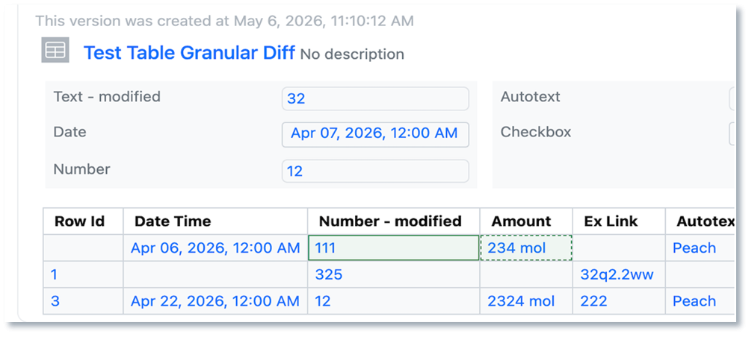
GET /information-design-service/import-maps/{importMapId} no longer returns secondary maps
POST /information-design-service/import-maps/search no longer returns secondary maps
POST /information-design-service/import-maps no longer allow the creation of secondary (AER) maps. This will return a 400 error if attempted. Query parameters and response fields related to secondary maps have been removed. 


The following endpoints will no longer return fields related to secondary maps: 
PATCH /information-design-service/mtypes/{name}
GET /information-design-service/mtypes/{name}
The following endpoints have been marked deprecated and will no longer include fields related to secondary maps: 
GET /information-design-service/attributes/{attributeId}
POST /information-design-service/mtypes
PUT /information-design-service/attributes/{attributeId}
 

Administrators are recommended to subscribe to the channels within our support news site found at https://support.revvitysignals.com/hc/en-us/categories/360004446171-Support-News which contains more information about releases and other pertinent product information.

This content is anticipated for release on our Production E3 environments, and for Private Cloud customers on our deferred release schedule, in March 2026
 

Further Details 

The following improvements are available for users, administrators and developers on the Signals platform. Certain features may only be available with appropriate licensing and/or with enablement by an administrator.

SAR & Decisioning

The ChemCharts “Manual Sequence Alignment Visualization” allows users to manually align biological sequences (including HELM). Drag to align single or multiple residues and modify gaps as needed.

The ChemCharts HELM visualization introduces a handful of customer-requested helper data functions.

Convert biosequence formats using the BILN to HELM data function.

Extract all monomers or monomer units from HELM into a set of columns

Perform HELM substructure or similarity searching using a powerful graph-based comparison of query structure and target structures.

Optionally use a local data table as a monomer source

ChemCharts now supports SVG image format within Table/Gallery visuals, and the Embed Image data function.

There are minor enhancements to the Kinome, Chemistry, Gallery, and Table ChemCharts

In the Kinome visualization, optionally use column names as node labels.

In the Table visualization, there is a new visual indicator for columns with a shadow column assigned.

The Chemistry visualization now supports defining a default structure column, enabling/disabling tooltips for structure search images, specifying the image size in structure searches, and importing/exporting structure searches

Gallery visualizations can now be exported to PDF

Antibody and Nanobody data functions, including Developability Dashboards, now support the ABodyBuilder v3 model

Use the new “Extract Sequence from GenBank” data function to output the sequence into a new column.

Synergy

Sponsor users with the new privilege Clone Entities can Copy or Copy Partial Work Orders. This allows the Sponsor to easily send the same compounds for another assay or easily repeat common Work Orders.

After enumerating Products in a Parallel Experiment in Signals, a Sponsor may want to synthesize the products internally or send the Products off to a CRO for synthesis. On a Sub-Experiment/Products Table in a Parallel Experiment, a Sponsor can now Bulk Create Designs. Created Designs are marked with the Originating Experiment for traceability and are easily sent off in a Work Order for synthesis at a CRO.

Chemistry

Support for drawing individual RNA/DNA monomers has been added to the HELM editor. When editing in the RNA/DNA tab of the HELM Editor, there is a new "None” option available in the dropdown menu for secondary monomers. When “None” is selected, a monomer of that type will not be drawn when the primary monomer is added to the ChemDraw canvas. Additionally, if the user wishes to draw using only the primary monomer (ribose, base or phosphate), a modifier key is available. Selecting alt/option + the monomer will only add the primary monomer to the canvas.

Bulk selection of monomers while in HELM edit mode is now possible by using the 'Shift' key and selecting multiple monomers on the canvas. Once selected, these monomers can be replaced simply by selecting a new monomer in the HELM editor.

Admin Defined Tables & Variation Tables

A new function “ROUND” is available in table calculations, to supplement our exiting ROUNDUP and ROUNDDOWN functions. ROUND uses the method “Rounding half away from zero”, an optional second argument allows definition of which position relative to the decimal point the value is rounded to. If the second argument is absent, the value is rounded to the nearest whole number.

Plates

Users are now able to load or update Plates via a csv upload by selecting “Update plates from csv”.

This brings up a mapping modal which allows the user to map columns from their csv to the associated annotation layers.

Once imported the plate is updated.

Inventory

3 New Labels:
25 x 18 mm:

12 x 12 mm:

89 x 25 mm:

Update to Export Containers for searches that return no results. If the data changed during the export the job would not finish, Users will now see a failure message on the page:

And on the report page:

Additional Container Privilege for updating Home Location. Now users can be given the privilege to update a container’s Home Location. Previously this was reserved for System and Inventory Administrators. Users still need security access to the containers as well as Edit Container privilege to update the Home Location:

Once the user has the privilege to update the Home Location, they can use the vertical 3 dots in the top right corner to open the Edit menu:

Search by CAS and select containers in Quick Add in Chemical Drawings. When users type a CAS number in the Quick Add, associated containers will show as an option:

Users then select the container they would like to add to the Chemical Drawing:

Remove link to any container in the Materials Table via the unlink icon:

Update to Advanced Search for Home Locations with grid coordinates filter:

Users can select a location with a grid coordinate to find which container is supposed to be in that location:

Materials

Admins now have the option of utilizing both the structure rules AND material fields in uniqueness checking during material registration. 

This is an addition to the existing OR option for uniqueness checking. If AND is utilized, a duplicate will only be identified with there is a match on the Structure AND all selected rules.


These options are deactivated if the Structure rules are turned off as all fields will be utilized regardless of selection.
 

Calculated total cysteine content (%) is now available for Protein materials.

Administration

Admins can set a privilege to control users’ ability to copy experiments or entities. The “Clone Entities” privilege allows users to copy and partially copy experiments, and content entities within an experiment. Disabling this privilege from all roles for a user will disable the their ability to copy content.

Admins can also set a privilege to control users’ ability to save or use personal templates. When the “Save as Template” privilege is disabled for users they cannot save nor use Personal Templates. 

When admins disable both the ‘Clone Entities’ and ‘Save as Template’ privileges, end users are forced to use the latest definition of a system template when creating an experiment.  

Integrations & APIs

We have updated our APIs to allow for exporting and replacement of Chemical Drawings with RXN files. A replaced Chemical Drawing will maintain the entities ID while replacing the content from the provided RXN file.

We have added new APIs for adding custom products and reactants to Stoichiometry grids. This enables the ability to add either a product or reactant to a stoichiometry table without need of a chemical structure.

We have added new APIs for moving location content to a new location. This will move all the containers in a location to another location. You will need to provide an option for handling duplicates as part of the request. 


The API is asynchronous and kicked off in three steps: Create the Move Content Job -> Check the Status of the Job -> Get a report of a completed Job.

We have added a new API to create relationship links between entities. The type of relationship: related, repeats, repeated_by, duplicates, duplicated_by, precedes, or preceded_by is required for creating the link.

We have updated our API to allow fetching all Samples in a Samples Table.

We have added new APIs to fetch and update Material Orders.

For our Synergy product we have added External Notifications for Work Order signing Events. These are included in the Notification Trigger “All Signing Events”.

We have added new APIs specific to our Synergy Product CROs. These allow for specific APIs to be utilized by CRO users. This enables customers External Actions to read and write for CRO users without exposing details that CROs are restricted from seeing or interacting with

Further Details 

The following capabilities are in beta and are available for users, administrators and developers on the Signals platform upon request. Please contact your account representative or our support team if you would like access to the following features.

AI

Administrators will now be able to enable or disable new AI features utilizing the AI settings options. AI features still require a Signals One license and infrastructure to function. This just allows the admin more granular control on when these features are made available to end users.

Data Workflows & Analytics

For tenants with a Signals One license, users will now be able to perform In Vitro (screening, assays) data analysis, visualization and results quality control. The first curve fitting method available is the logistic 4 Parameter (4P) fit.


It is now possible to define the mappings of the raw data and curve fit results with the Measurement Types of a Data Factory 2.0 project in the In Vitro Analysis templates.

In addition to the raw data and curve fit results, which are interrelated, a set of general properties can also be mapped for publication.

The users of an In Vitro Analysis template with publishing activated can decide whether both raw data and curve fit related tables or only one of them should be published for their analysis.

In addition to the exclusion of curves and curve data points, it is now possible to exclude whole plates or plate wells from normalization.

The exclusions at the plate or well level affect the normalization and the curve fitting downstream. Therefore, the users are notified that they should recalculate the normalization results.

Successively, downstream steps dependent on the normalization, like the curve fitting, will also need to be recalculated and the user gets another notification.

Plate, well, curve and point-level annotations are now embedded in an In Vitro Analysis. 

All the annotations can be reset and result recalculated in a row by clicking on the global RUN button, while the recalculate buttons maintain the annotation.

SAR & Decisioning

System generated unique result IDs are now available for use with Data Factory (beta) projects in Signals One. When enabled by an Administrator, unique identifiers will be automatically generated for any empty ID values during publication, while preferentially using any explicitly provided identifiers. This feature does not apply to legacy projects.

Data Factory will now propagate changes in entity, attribute, or measurement type design to maps and published data. When making a change to the information design, administrators will be warned if the change will require data reprocessing. Once an admin makes a change requiring data reprocessing, newly published data will be inaccessible until after the admin selects “Reindex Now”, and data finishes processing. When reindexing, all design changes are applied to any existing data or newly published data. Any existing admin-defined maps will continue to work.

When an admin has made changes that require data reprocessing, end-users will see a “New Data Pending” notice, indicating that access to newly published data may be delayed. Previously published data will remain accessible during this time. The label is removed once data finishes processing.

Admin Defined Tables, Variation Tables and Hierarchical Tables

A new tabular content type, Hierarchical Tables, has been added. Hierarchical Table Templates can be defined by an administrator in the Table Templates folder. Hierarchical Tables can contain multiple table layers, with association between an upper row in a table and one or more rows in the lower table, to provide layers of data containing different levels of detail. Hierarchical Tables require the end user to have a Signals One license.

The association between rows can be indicated with “propagating down” an identifier value from a row above. Rows from multiple associated upper rows can be displayed, to add rows however a single parent must be selected.

Available property types include a similar library to in Admin Defined Tables, such as Text, Number, Date/Time, Internal Reference etc. Equations in a table layer or between table layers, or Headers, can be defined. Number properties can also be defined with conditions for data entry, ranges can be set and the property set to either not allow an out of range value, or to provide a visual indication when a value does not match.

A new property type, Contextual Picklists, have been added to ADTs, Variation Tables and Hierarchical Tables. Contextual Picklists allow an administrator to define a logic for generation of a dropdown list, where the values for the list are sourced from other content within the system. This capability is only available to users with a Signals One license.

The source of the list can be defined as coming from the Experiment the user is in. The source is further defined as to the content type, such as an Admin Defined Table. Depending on the content type, the source is further refined to identify the Origin Template. Finally, the Property where the values are found is defined. A dropdown list of the unique values, given the prior definition, is presented to the end user as a dropdown.

The source for the list can also be defined as a different Experiment or similar object (Admin Defined Object etc.) The other Experiment must be defined in the table with an Internal Reference type field.

In addition to choosing data from table type objects, the values in the list can also represent the names of the content items within an Experiment by selecting the option “Experiment child elements”.

The values in the list can also represent the Variant Names from Variation Tables to aid in associating testing or other data on those Variants by selecting “Variant Names” after selecting the Variation Table and Origin Template.

Inventory

Bulk Import Containers into Inventory. Users need to navigate to Inventory, to the Add New menu:

Select a Container Type to activate the Example download and the File Upload:

A csv example file will be created based on the container type properties:

Users need to be able to create containers and have (at least) read access to locations to import containers:

Once the import is started, the progress will be displayed at the bottom of the screen:

When the import is complete a report will be created. If there are any errors, they will appear in the report and the containers with errors will not be created.

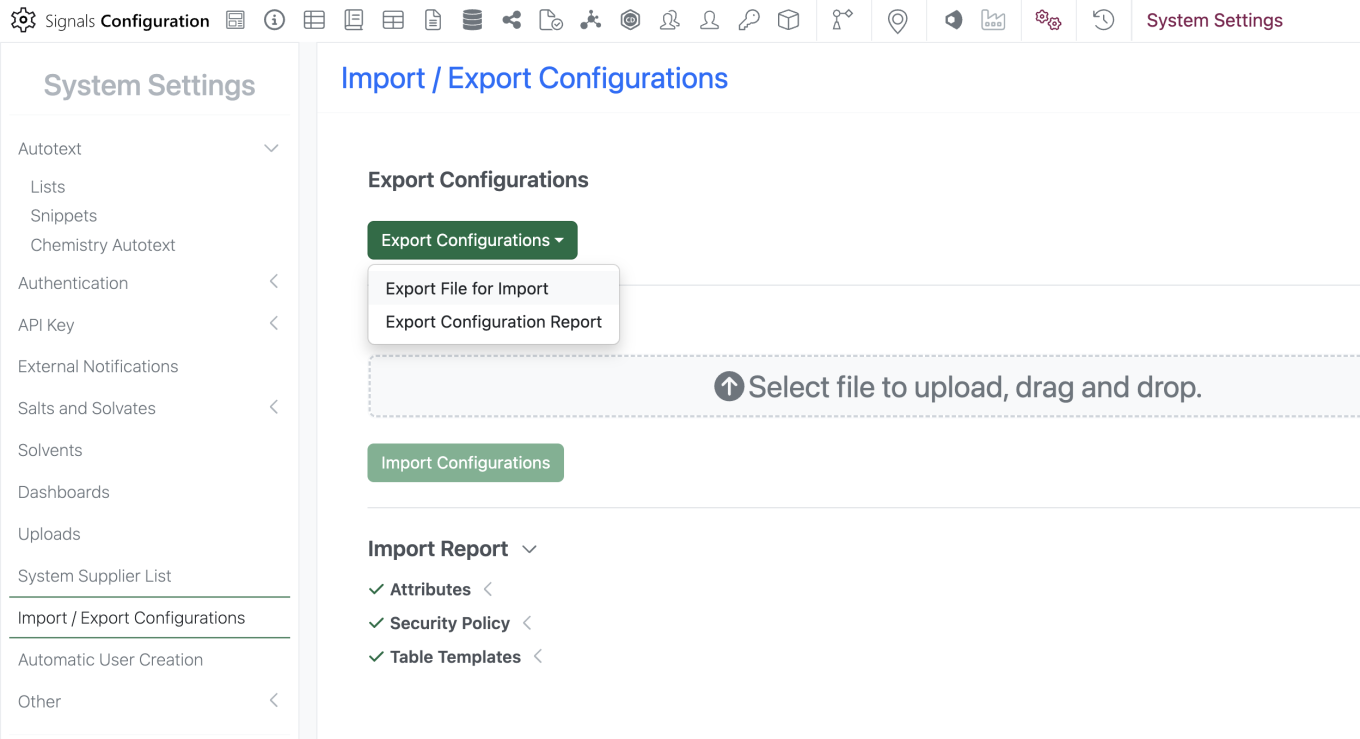
Once complete, the users will be brought to the containers search table with the filter pre-set for the date:

System Supplier List available in Chemistry Settings Configuration. Navigate to the SN Config Chemistry Settings to create a column using the System Supplier List option:

Users will see the column in the stoichiometry table with the favorite suppliers at the top of the alphabetical list: