Search

Your Notifications (0)

There are currently no notifications. You're all set!

What's New

Explore recent and historical product updates for Revvity Signals' Cloud Native SaaS Software 

Clear All Collapse All

12 releases — this page expanded. Collapse

What's New

We are delighted to release our new version of Signals, 25.7. This release brings enhancements in Signals Synergy, our ChemDraw sketcher, Tables, Samples, History, Inventory, Plates and Materials. We have new beta capabilities enabling Semantic Search and extended beta capabilities around the in vitro analysis object, updated data factory and supplier lists. Finally, we have also fixed a number of small bugs.

The following improvements are available for users, administrators and developers on the Signals platform. Certain features may only be available with appropriate licensing and/or with enablement by an administrator.

  • Fundamentals
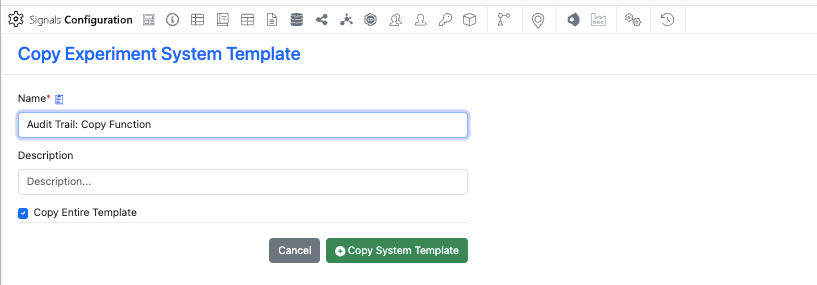
      –The audit trail for System Templates and Experiments captures the previous and current versions of Layout Changes for actions including Rename Page, Add Page, Delete Page, & Reorder Page
      –The “Updated User” audit record within the Admin Audit Trail displays current and previous versions of the specific changes to User metadata
     
  • AI
      –Semantic Search (beta)
     
  • Data Workflows & Analytics 
      –Preview of the assembled data in Vitro Analysis (beta)
      – Calculations can be applied when analyzing two instrument readouts in Vitro Analysis (beta)
      – Re-execution of Analytics steps in Vitro Analysis (beta)
      – Improved error handling in Vitro Analysis (beta)
     
  • SAR & Decisioning
      – Inventa Analysis SAR Groups preview can now be filtered by Data Factory project
      – Integrated Summary App now supports well-level details within the combined unsummarized table.
      – Target Engagement Profiler now uses “continuous” as the default x-axis
      – Data Factory projects now support Custom Entity data and Material Sync (beta)
     
  • Synergy
      – Bulk fill values in Reference Tables for selected rows
      – Sharing of batch salt information to CROs in Reference Tables
      – Status Modified field and filter for Designs and Work Orders
      – Notifications for internal users and groups assigned to Designs
     
  • Chemistry
      – View basic chemical properties in the Analysis panel
      – Add chemical properties directly to the ChemDraw canvas
      – Hydrogen-bonded fragments are treated as a single structure
     
  • Admin Defined Tables & Variation Tables
      – Update to Material selection from experiment to include Name
     
  • Samples
      – Inclusion of Reaction ID in Sample Update Modal
     
  • Plates
      – New Properties Annotation Type
     
  • Inventory
      – System Supplier List available in new Material Library (beta)
      – Exponential notation update on Container Amount on Batch/Lots
     
  • Materials
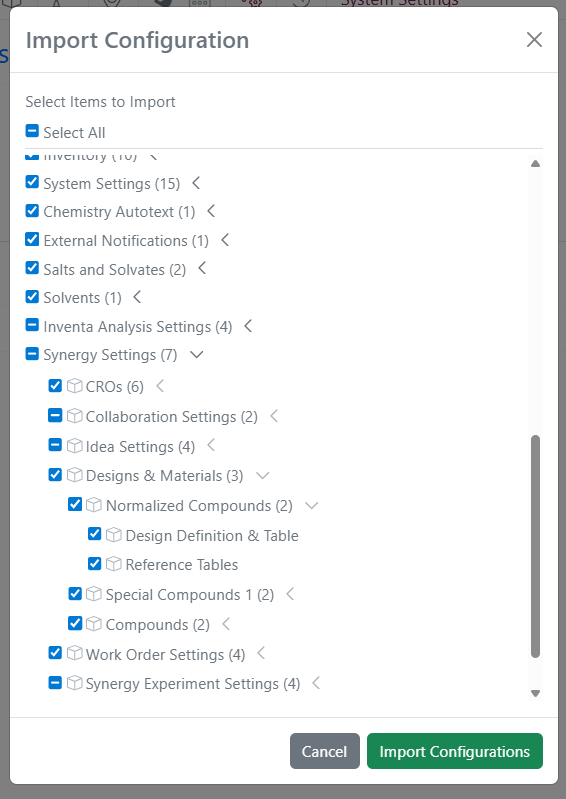
      – Bulk import of salts for compounds
      – Bulk update of salts & solvates for materials
      – 'dd-MM-yyyy' date format for bulk import
     
  • Integrations & APIs
      – New API to recall Synergy Work Order
      – New APIs to move locations to new parent locations
      – New API for creating a material from a material table
      – Download option for Notebook API Yaml Files
     

We also fixed several small bugs in this release. Details of the enhancements are described below.

Administrators should be aware that the stereochemical annotation of pseudochiral OR centers using the guided stereo tool will change to add an additional label which will interpreted as chemically significant. This change will occur in a future release and only apply to annotations made subsequent to the change, existing compounds will remain with the prior understanding until edited.

Administrators are recommended to subscribe to the channels within our support news site found at https://support.revvitysignals.com/hc/en-us/categories/360004446171-Support-News which contains more information about releases and other pertinent product information.

This content is anticipated for release on our Production E3 environments, and for Private Cloud customers on our deferred release schedule, in November 2025.
 

Further Details 

The following improvements are available for users, administrators and developers on the Signals platform. Certain features may only be available with appropriate licensing and/or with enablement by an administrator.

Fundamentals
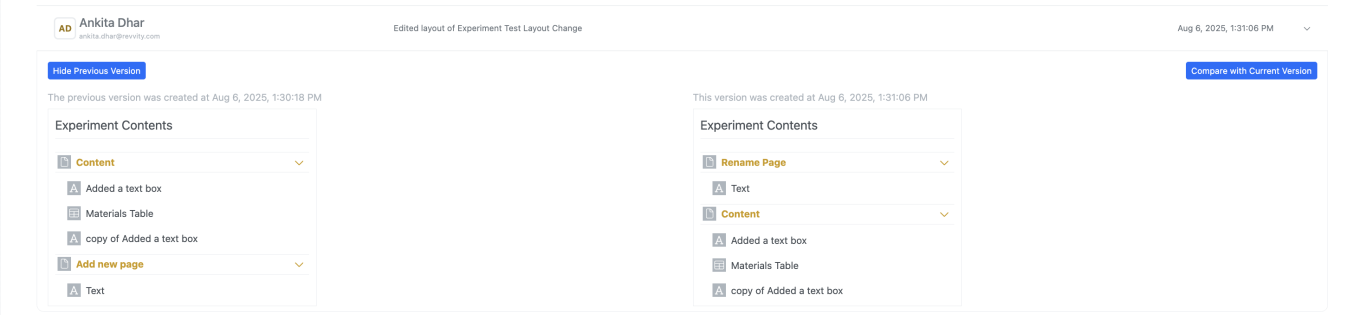
When a user updates the Layout for System Templates and Experiment-like objects, the audit trail captures previous and current versions for the layout changes including Rename Page, Add Page, Delete Page, & Reorder Page. This change only applies to content updated after the update.
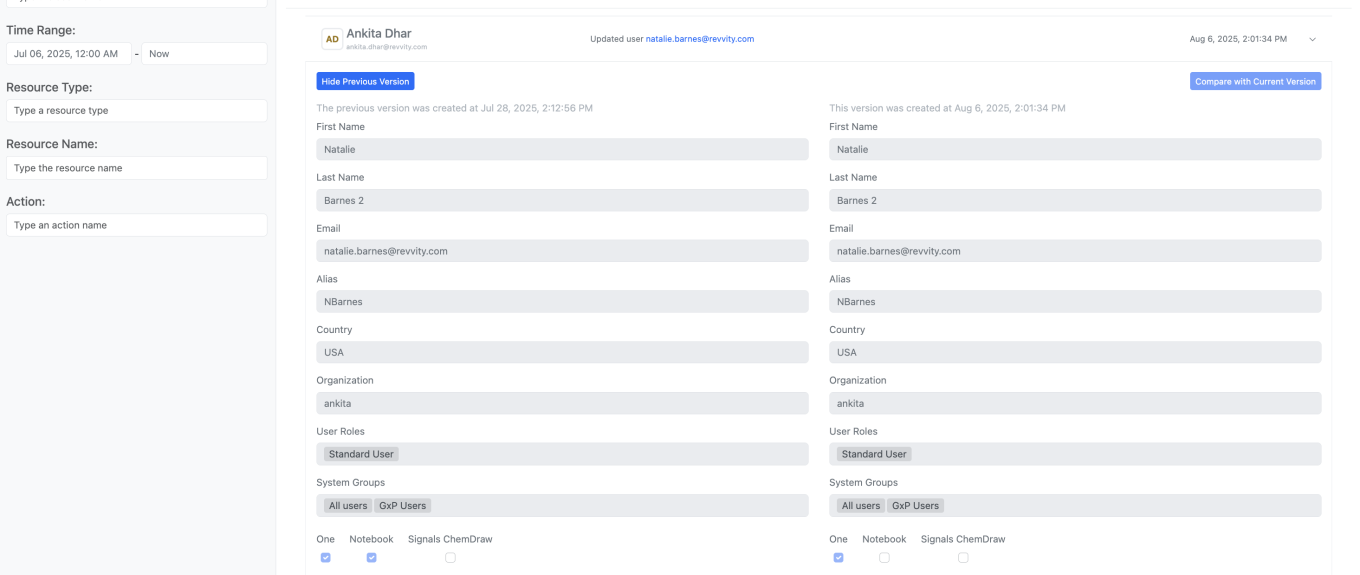
Additionally, when an admin updates metadata within a User’s profile, the “Updated User” audit record within the Admin Audit Trail displays current and previous versions of the specific changes to the user’s metadata.

SAR & Decisioning
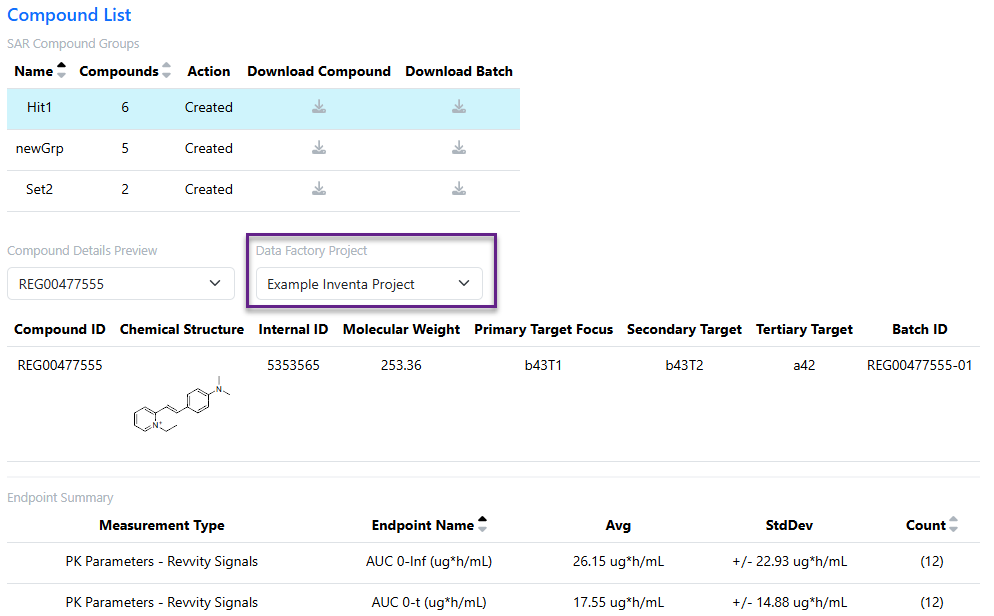
Inventa Analysis users can now filter SAR Groups data by Data Factory project to focus on the most relevant data.
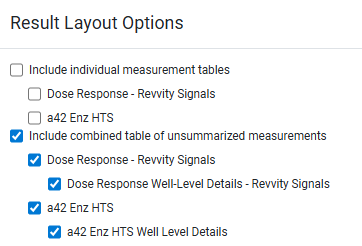
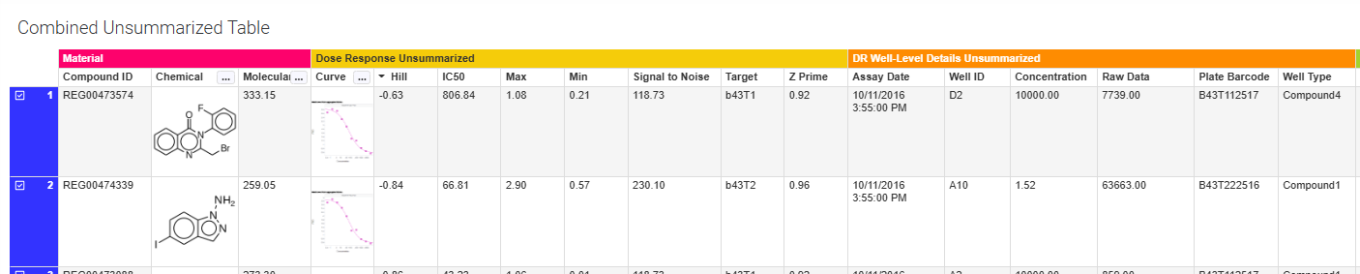
Users can now include Details-level measurement types in the Combined Unsummarized Table within the the Integrated Summary App.
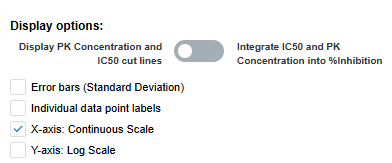
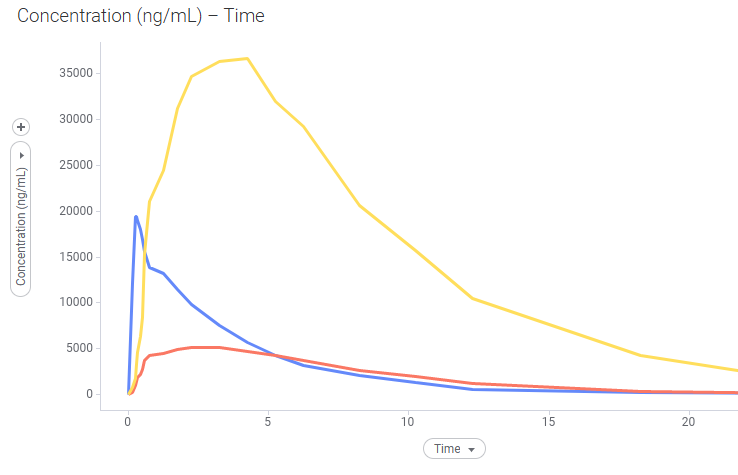
The Target Engagement Profiler now defaults to “continuous” x-axis when viewing Concentration vs. Time, within a convenient checkbox to switch to a categorical view.

Synergy
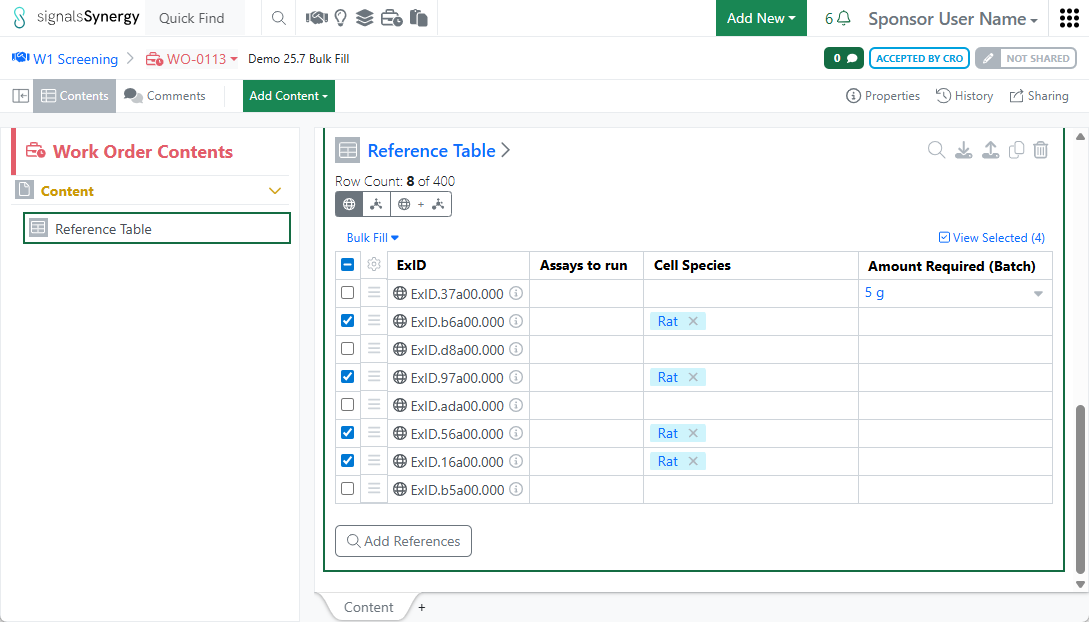
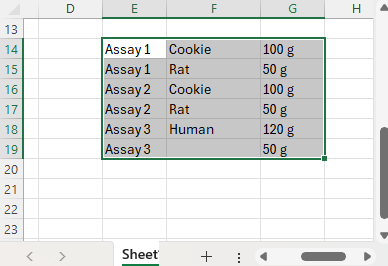
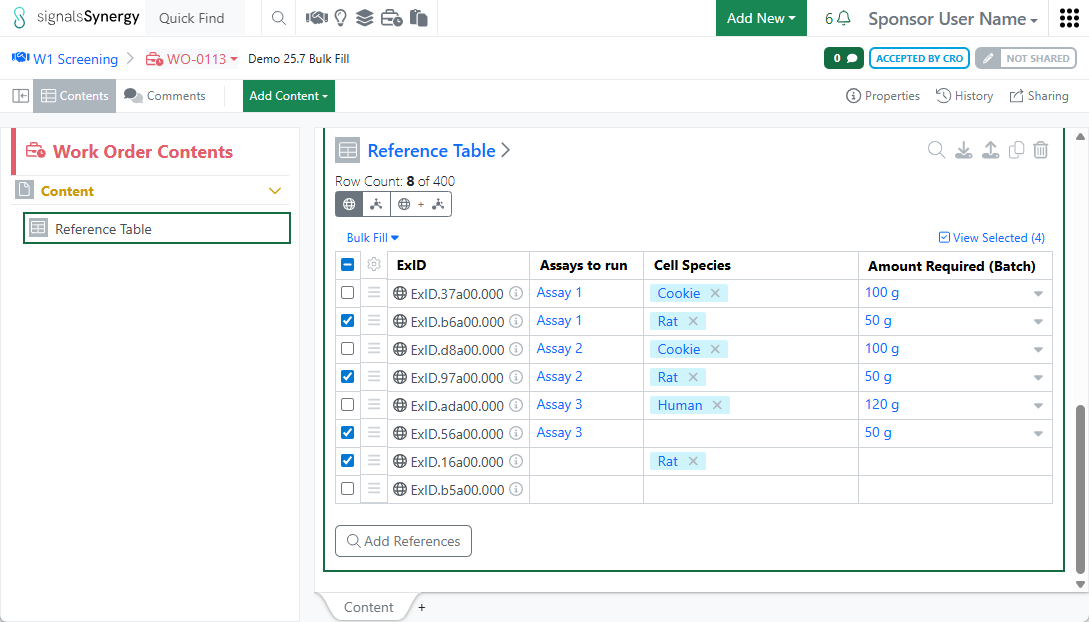
Sponsors often need to provide additional information related to a specific Design or Material (ExID) using Reference Table admin-defined fields. For example, a Sponsor may need to indicate which assays to run on specific compounds or the amount and minimum purity requested for each Design being synthesized. Sponsor users can now Bulk Fill values in Reference Tables using copy-paste from cells within the table or from an excel or csv file.
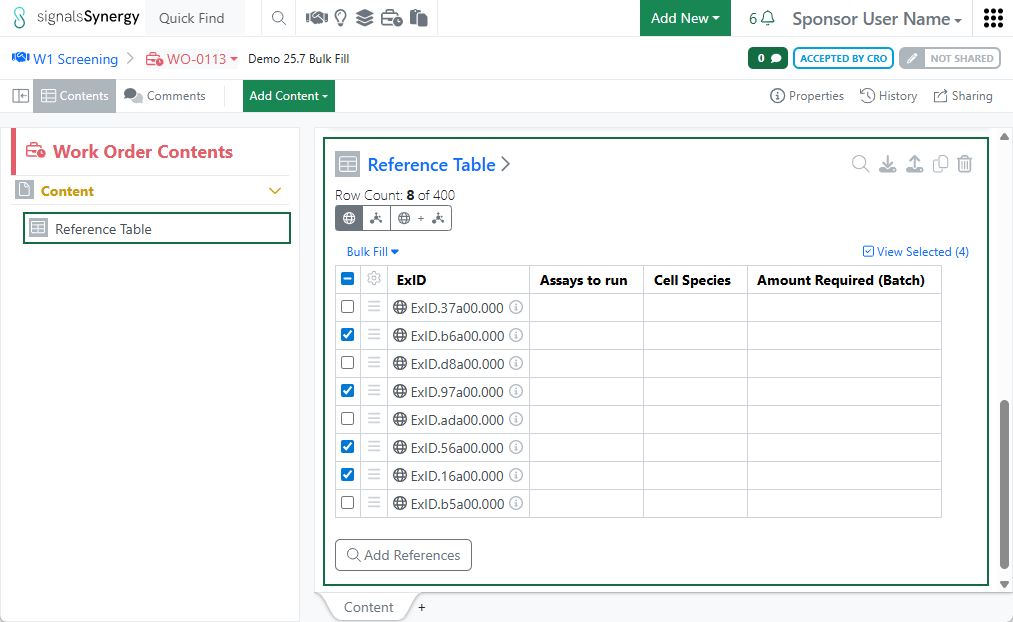
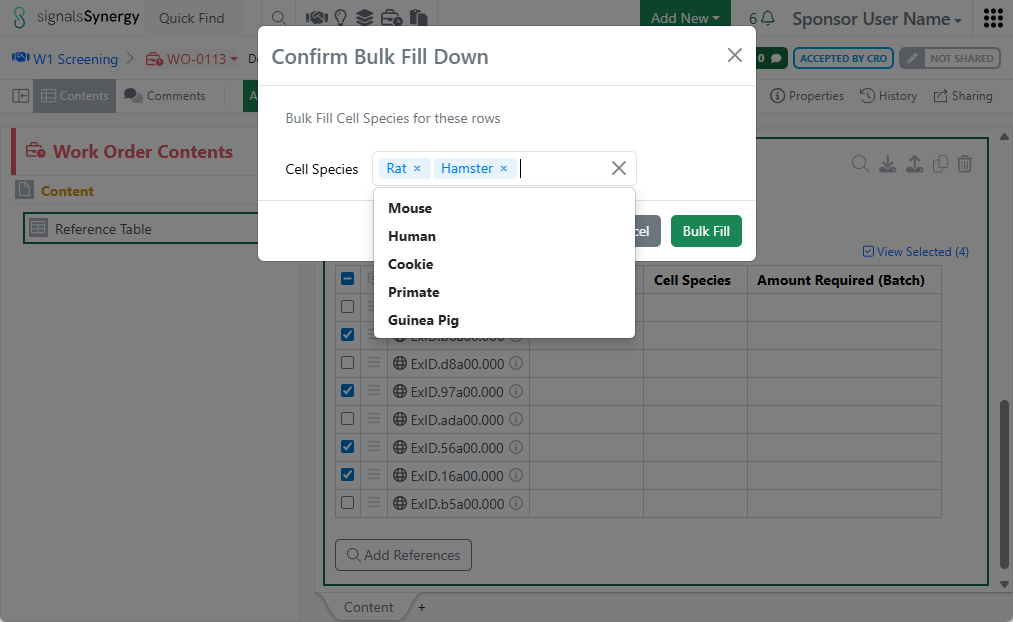
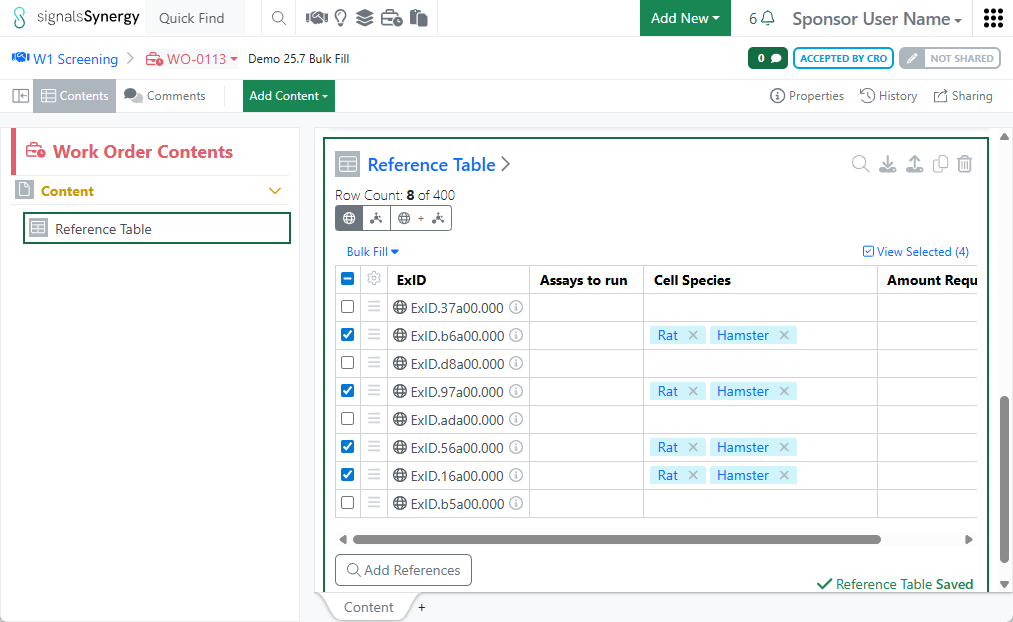
In addition, users can also Bulk Fill multiple cells in a column with the same value. After selecting a set of rows, users choose a column from the Bulk Fill menu and then enter or select a value. After pressing Bulk Fill, the same value is applied to the cells in all selected rows.
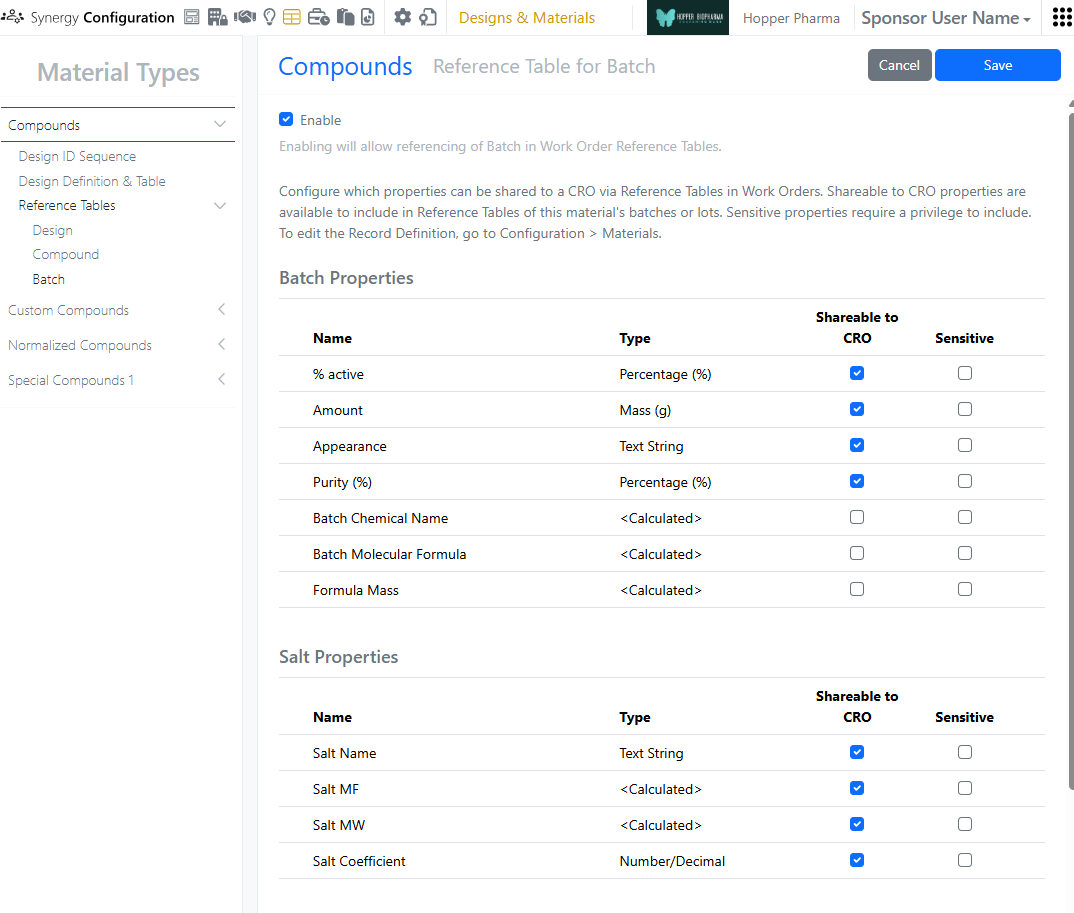
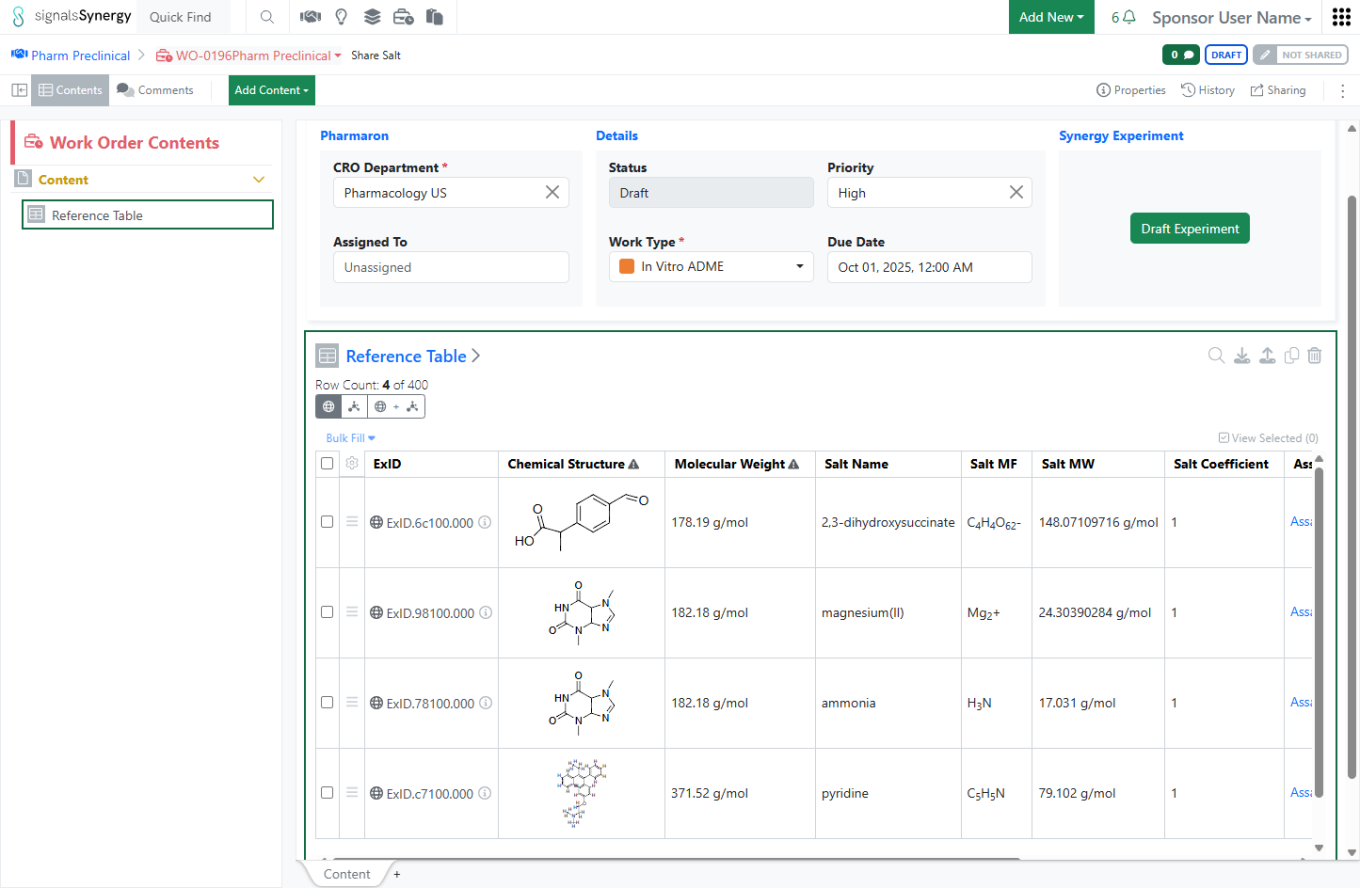
Salt information for a batch may be very important for a CRO to know when running an assay or analysis. Thus, Salt information can now be configured as Shareable to CRO in batch Reference Tables for Material libraries of type Compounds. When set to Shareable to CRO, a Sponsor can include the primary (first) Salt Name, MF, MW, and Coefficient in a batch Reference Table for a CRO Work Order.
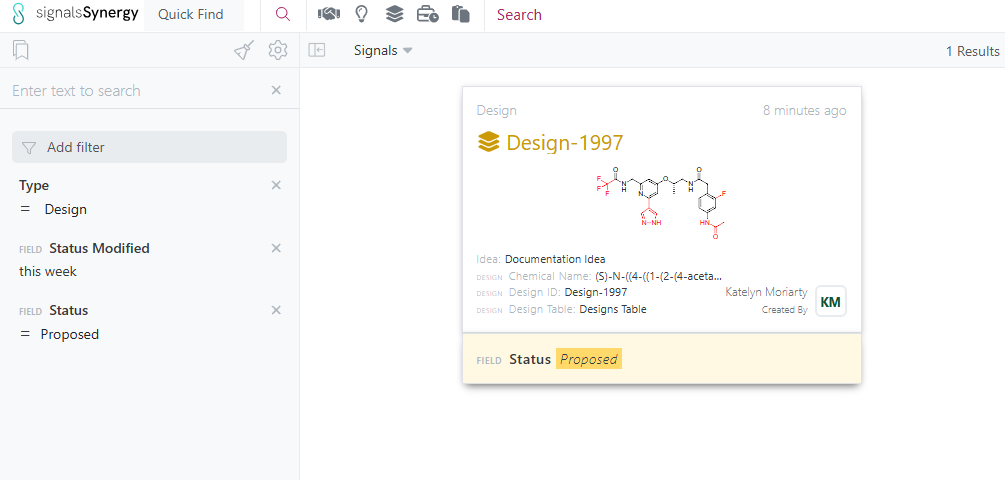
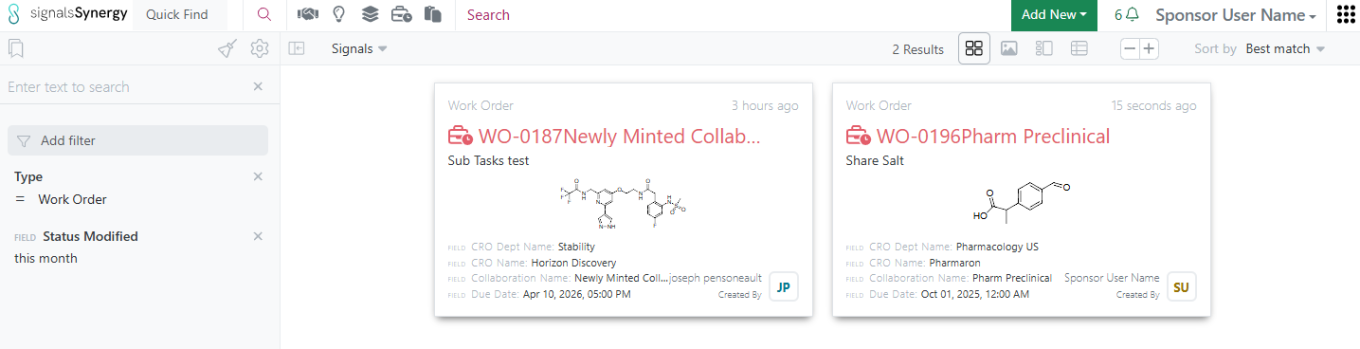
When searching for Work Orders or Designs, it may be useful to search for those that recently changed Statuses. For example, which Work Orders were recently transitioned or which Designs were Proposed or Sent in the last week. Status Modified is a new properties on Work Orders and Designs available in Advanced Search and Smart Folder filters.
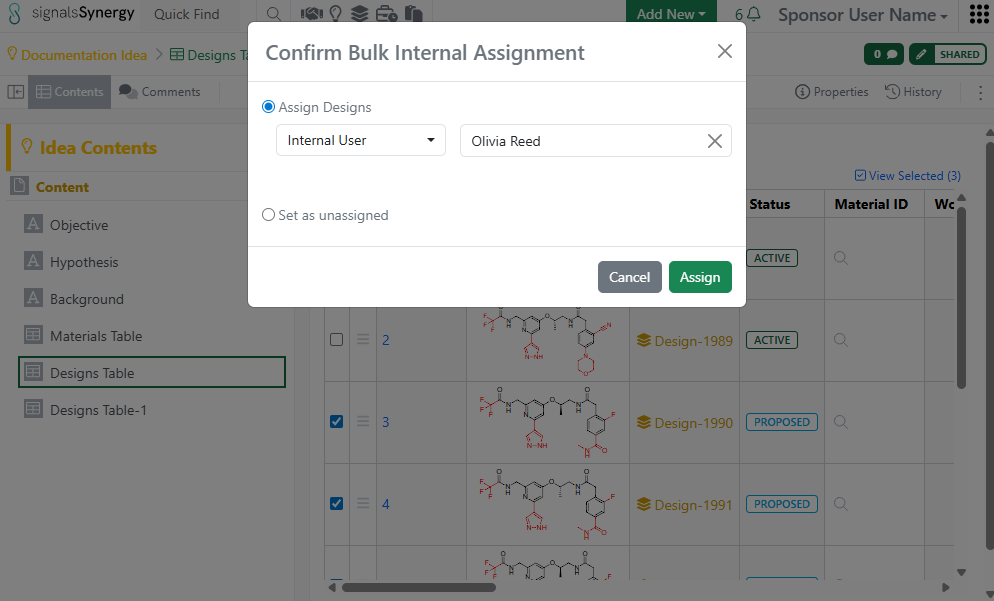
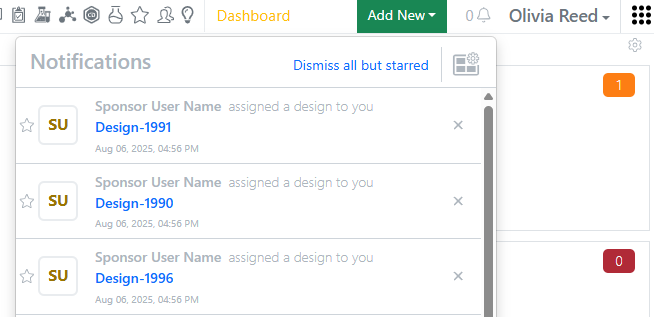
Finally, internal users and user groups now receive a notification (if configured) when a Design is assigned to them.

Chemistry
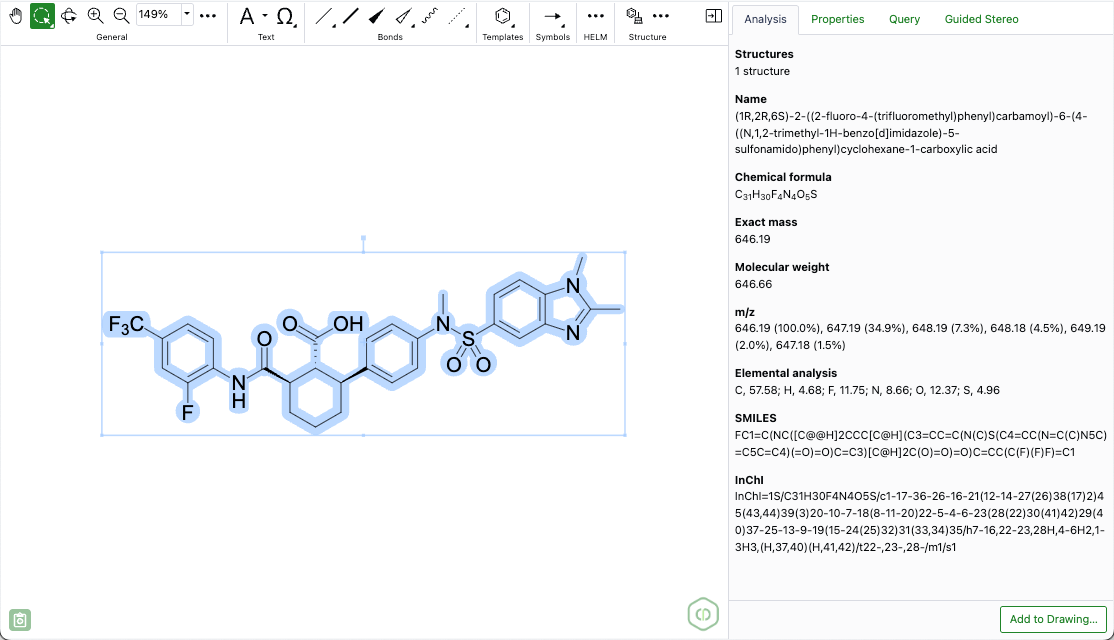
A new 'Analysis' panel in the ChemDraw editor now displays basic chemical properties for structures and biopolymers. These properties are context-sensitive, based on the selection on the canvas, and include information such as chemical name, molecular weight, molecular formula, and exact mass.
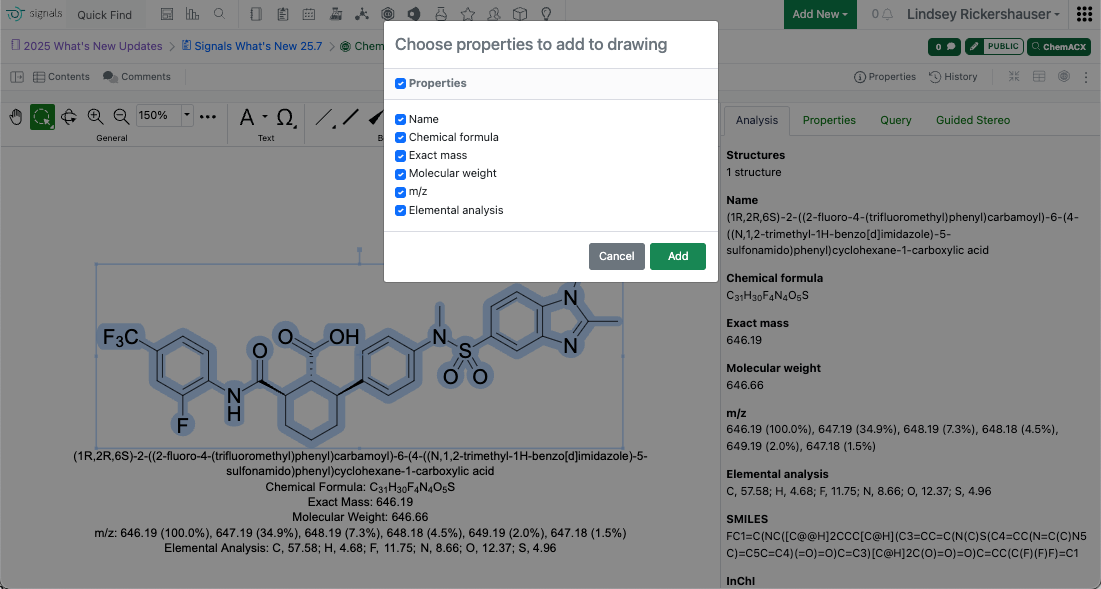
Specific properties from the Analysis Panel can be added directly to the ChemDraw canvas. Clicking the 'Add to Drawing' button at the bottom of the panel opens a window where properties can be selected and pasted onto the canvas.
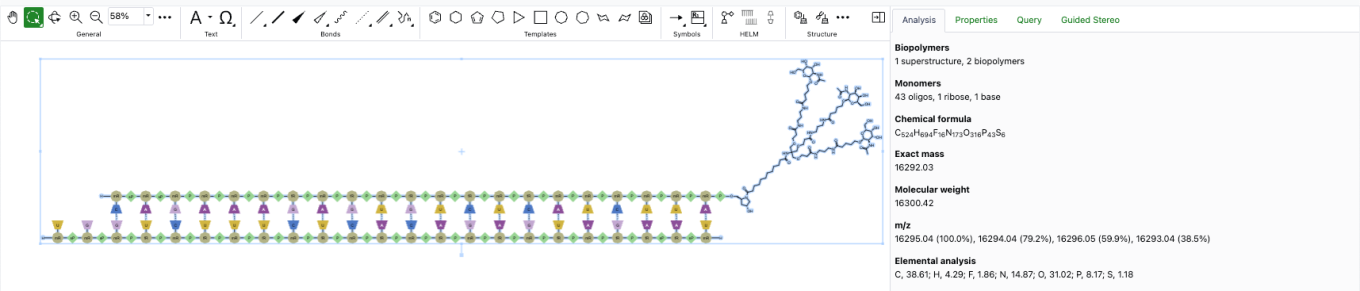
Hydrogen bonded fragments in ChemDraw will now be recognized as a single structure with properties such as molecular weight, molecular formula and exact mass being calculated accordingly.

Admin Defined Tables & Variation Tables
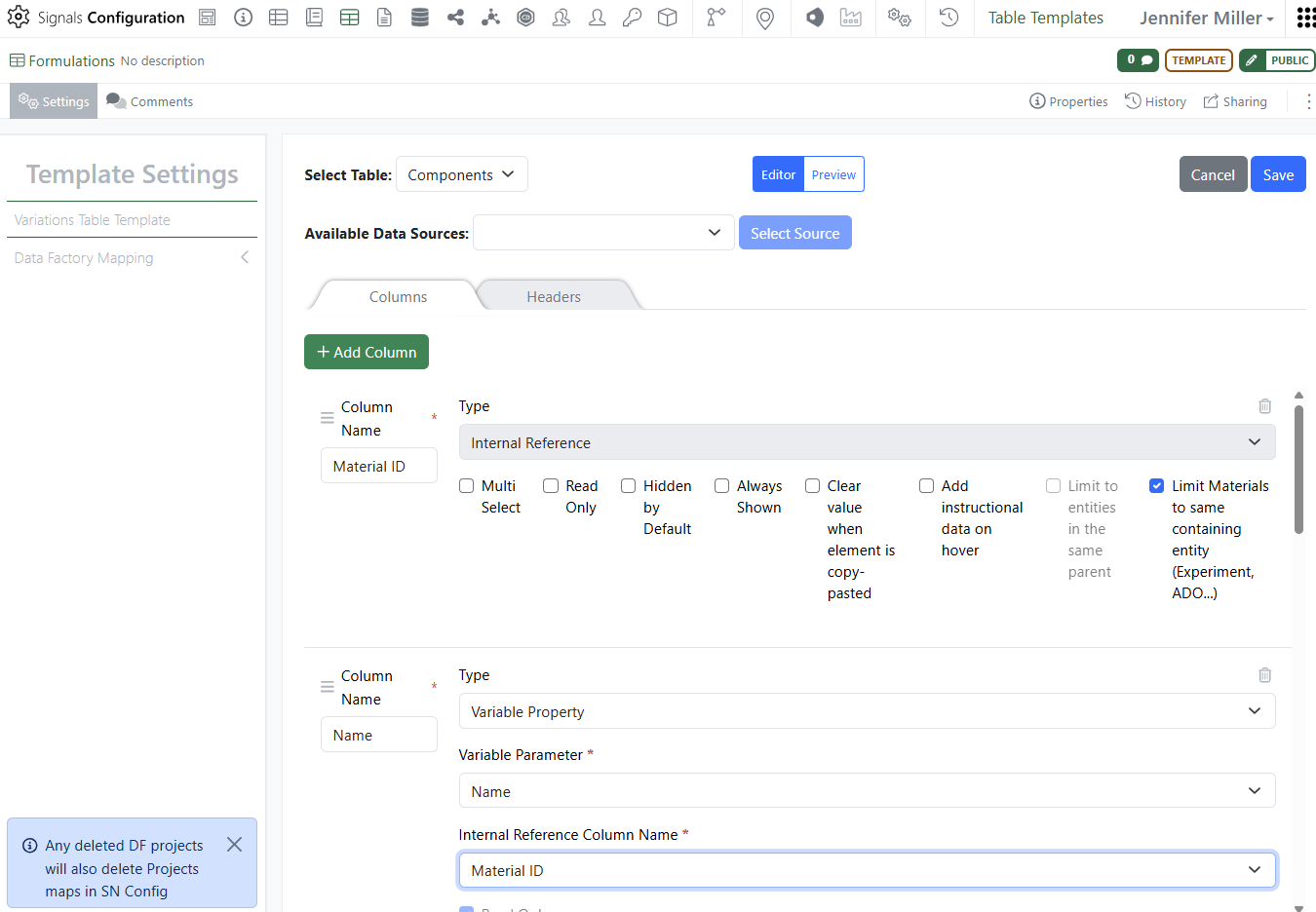
Update to Material selection from experiment to include Name in Variation Table. Administrators will need to add the Material Name field and set it to be of type Variable Property. They will then be able to select the Name for the Variable Parameter and set the Material ID as the Internal Reference Column Name:
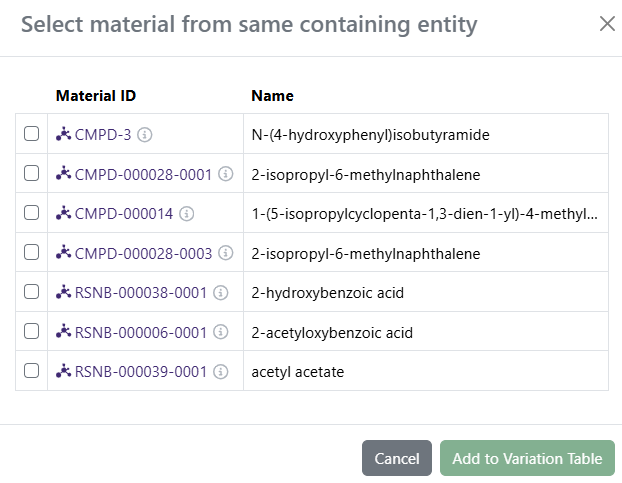
This allows the user when selecting material for the components in the Variation Table, to populate the Name (Chemical or otherwise) at the same time as the Material ID:
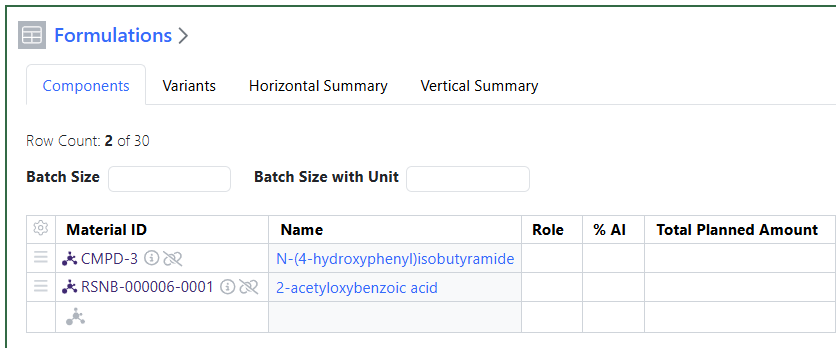
The user will see both columns fill in with data automatically:

Samples
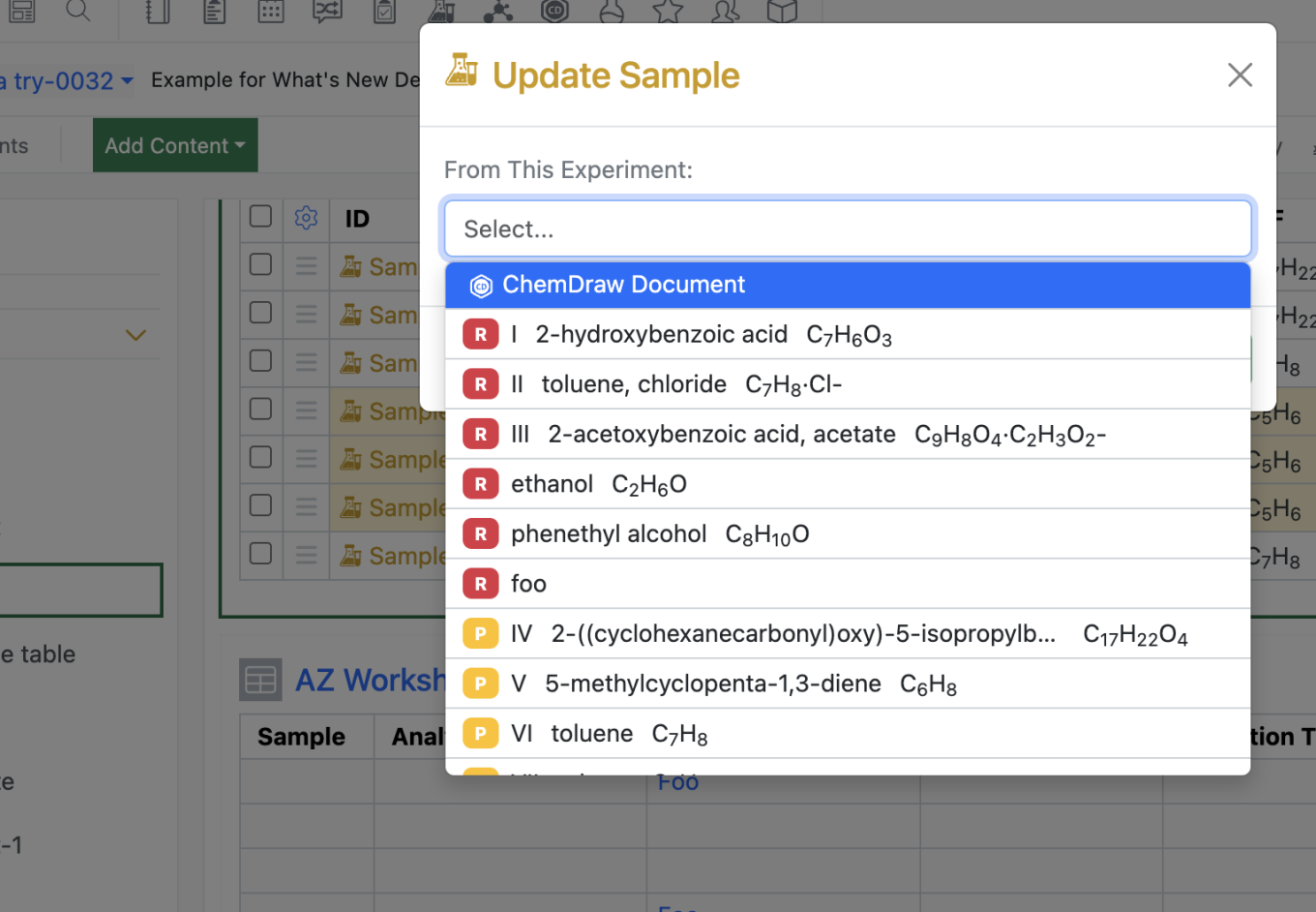
To aid users in selecting the correct structure during the sample update process, we now include the Reaction ID in the sample update modal.

Plates
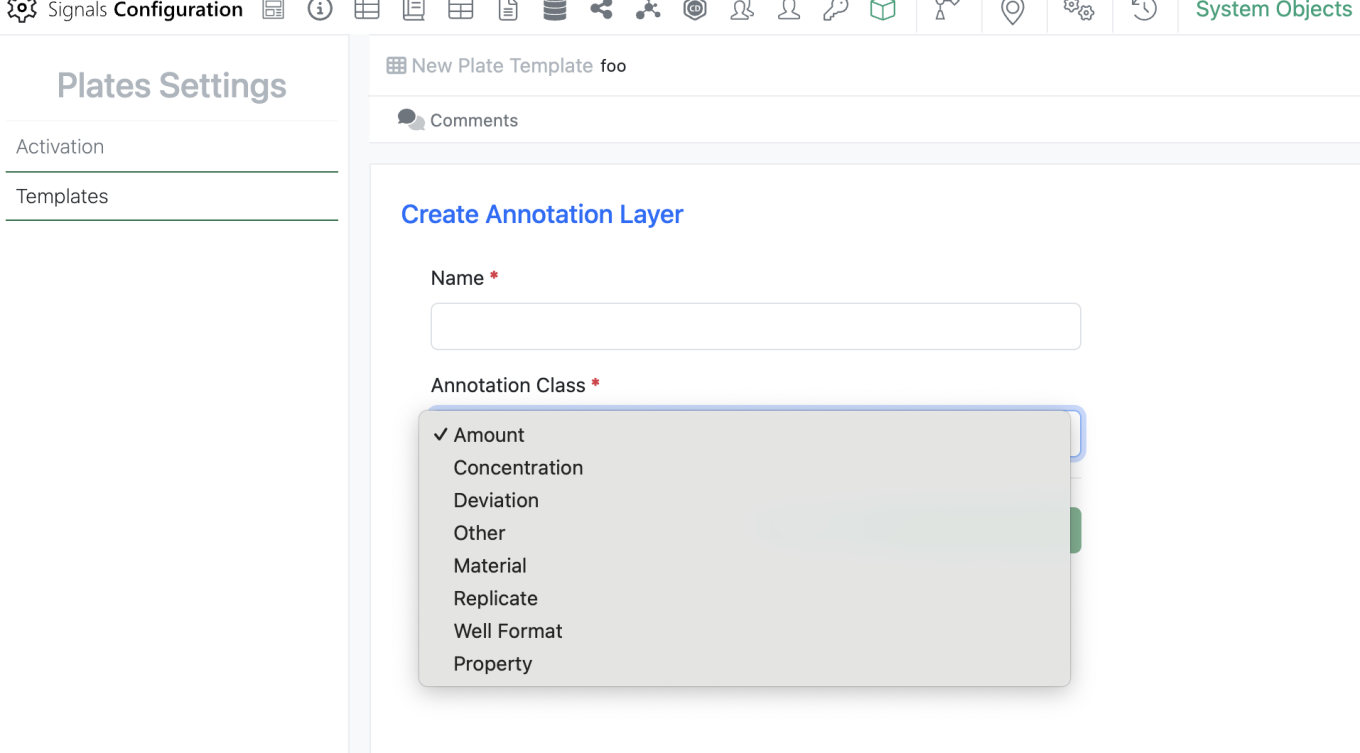
Users can now add a new Annotation layer type, Property. Annotation layers of type Property are collected in a properties tab on the plate and have a single value for every well in the plate.
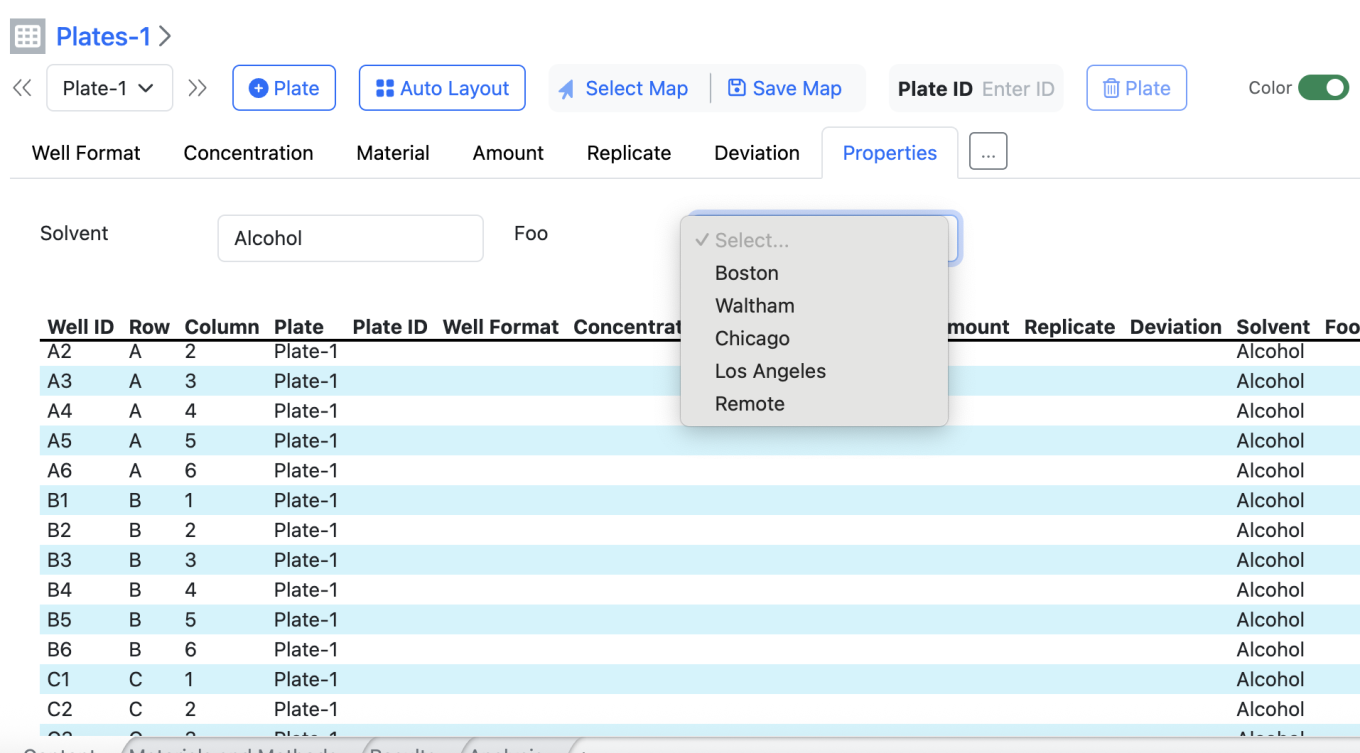
Admins can add Property Annotation layers to plate templates as is currently done with other annotation layers. When end users fill in a value in a property, the value populates for every well in the plate table
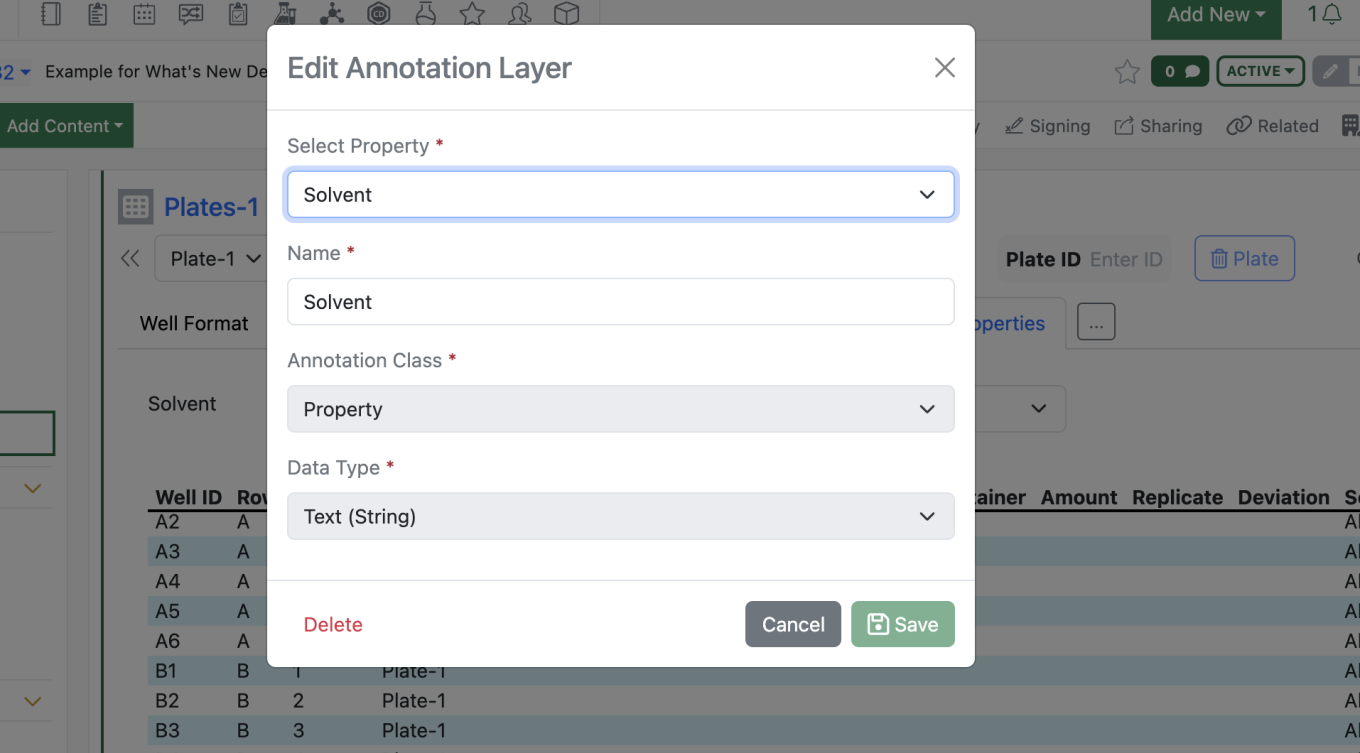
Users can hide or edit the names of the property type annotation layers.

Inventory
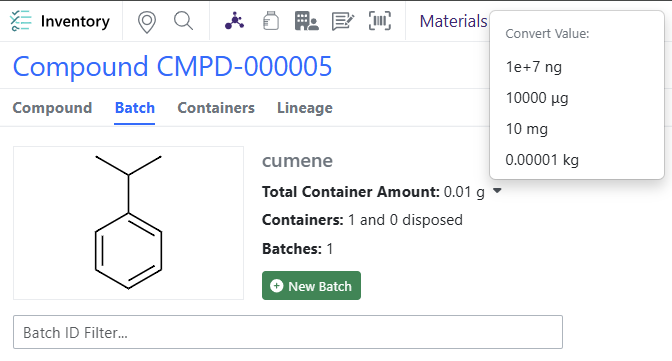
Exponential notation update on Container Amount on Batch/Lots. Scientific notation will appear only after 5 digits (ex: mg in the screenshot)

Materials
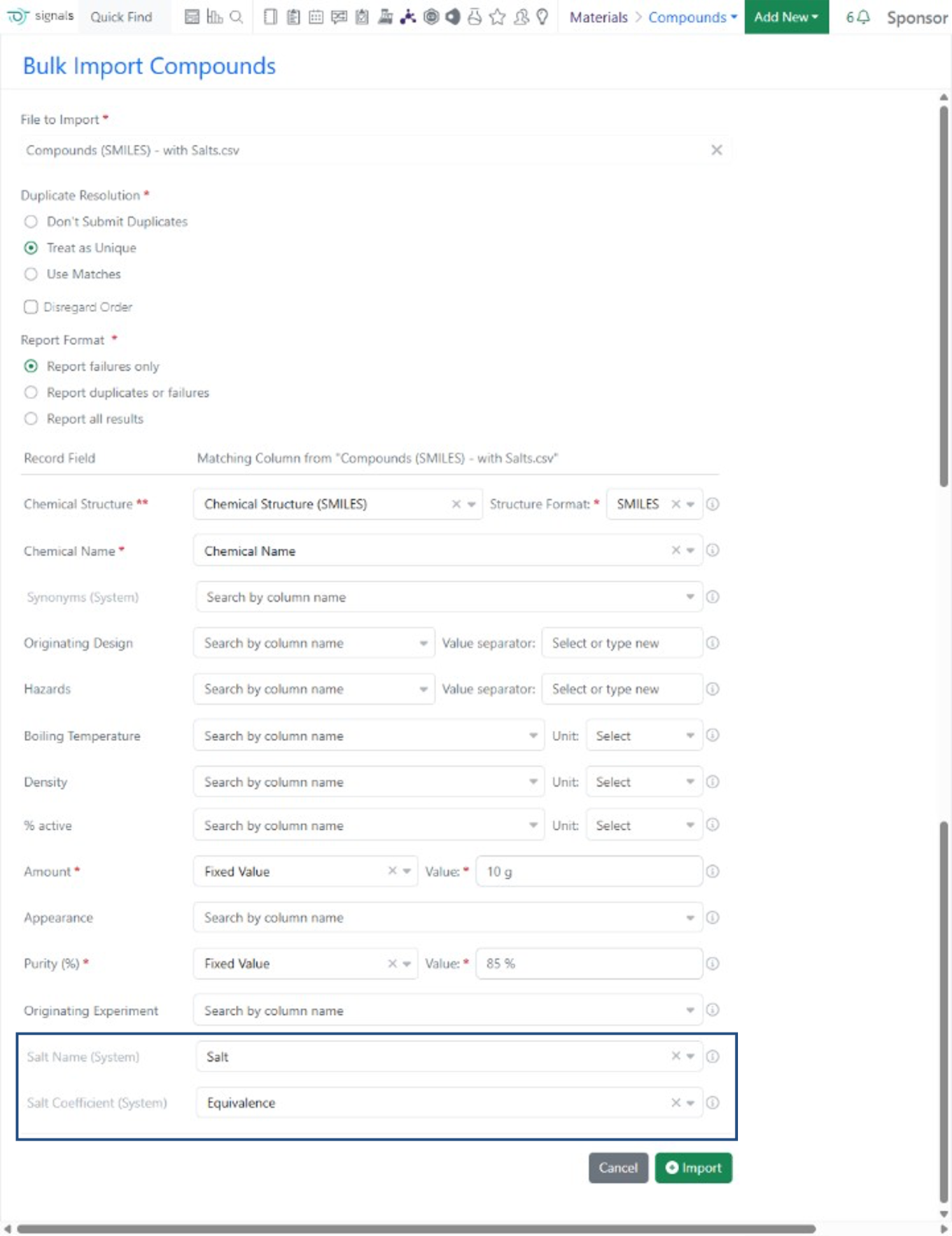
For Materials libraries of type Compounds, Salts can now be included during Bulk Import. Salt Name and Coefficient can be matched to columns in an SD or CSV file. The Salt Name must match an existing system salt (Signals Configuration > System Settings > Salts and Solvates) and only one salt per compound batch is supported.
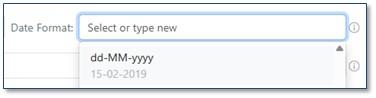
The ‘dd-MM-yyyy’ format (e.g. ’15-02-2019’) is now available as a Date Format option during bulk importing of materials.

Integrations & APIs
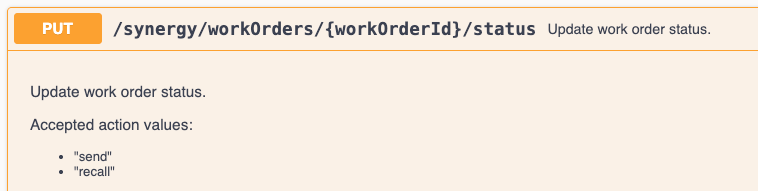
We have updated our Synergy API to support recalling of Work Orders.

PUT /synergy/workOrders/{workOrderId}/status now supports the “recall” action. A Work Order must be in the To-Do state for this action to succeed.
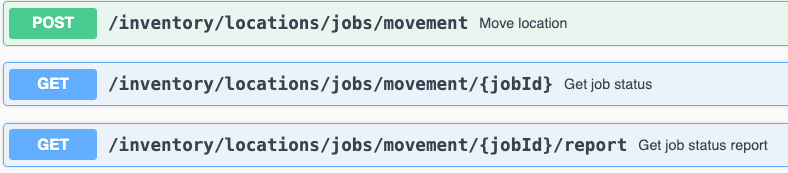
We have added new APIs to move a sub-location to a new parent location. This is an asynchronous API that follows our standard pattern of Begin Move Job, Check Status of Move and Download Report of Move. Only location that include the “movable” system property and have it enabled will be able to move to new parent locations.

We have also added a new API to register a new material from a material table. The table must be configured to allow for material registration in System Configuration. The row being registered as a new material must have all required data for the material to successfully register.
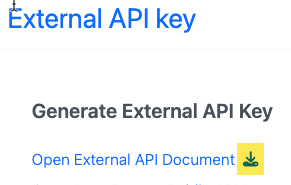
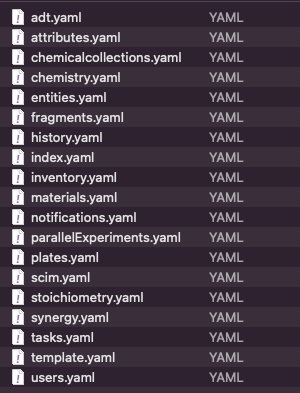
We have also added a method to download all the YAML files which back our Notebook Swagger page via Signals Configuration. This is to make it convenient to access these files for usage with SDK generation tools. They were tested with OpenAPI Generator.

Further Details 

The following capabilities are in beta and are available for users, administrators and developers on the Signals platform upon request. Please contact your account representative or our support team if you would like access to the following features.

AI
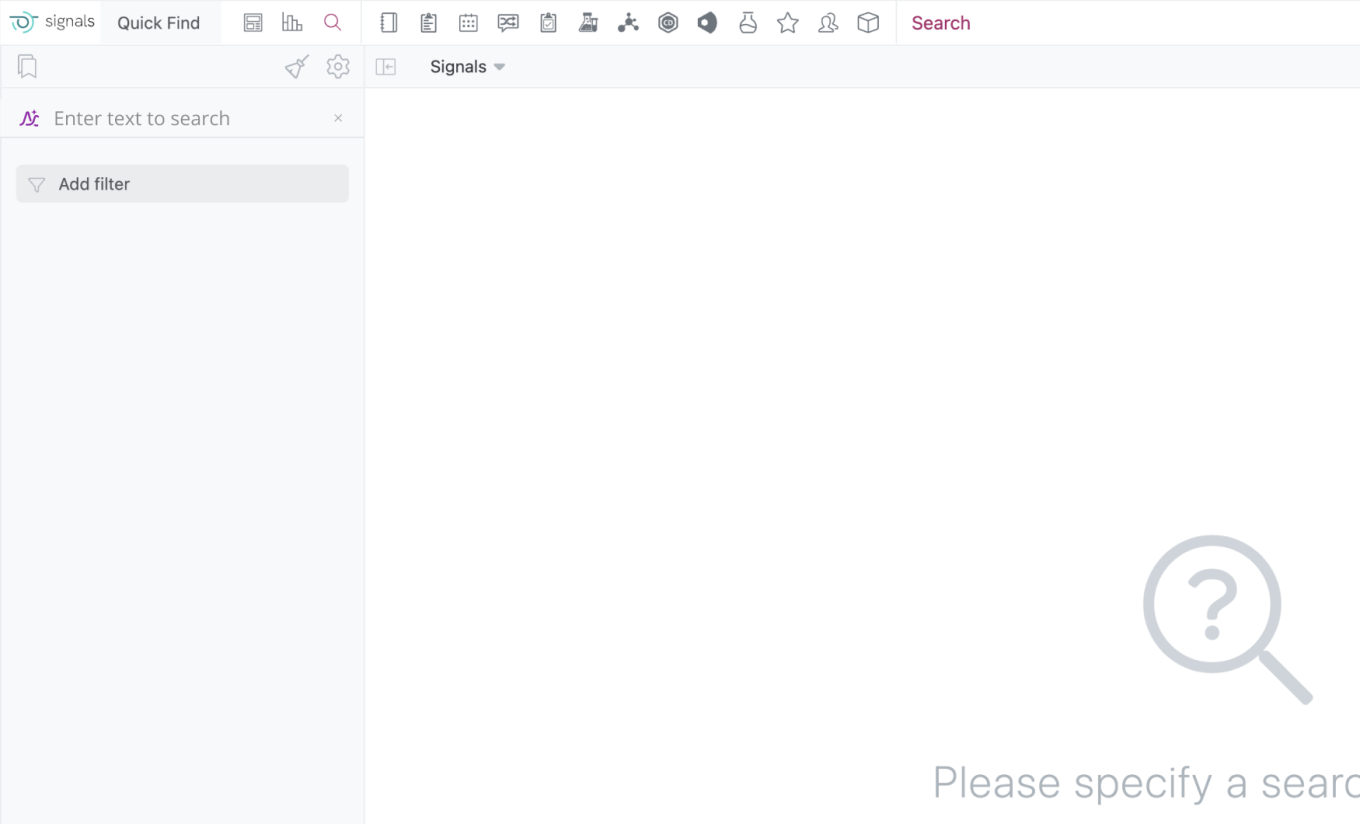
Users with a Signals One license will now have access to the new Semantic Search. Semantic search is an AI-powered method of searching that focuses on understanding the meaning and context of a user's query, rather than just matching keywords. It leverages Natural Language Processing (NLP) and Machine Learning (ML) to interpret the user's intent and deliver more relevant search results.

To enable Semantic Search users just need to click the Sematic Search icon to enable semantic search.

Data Workflows & Analytics
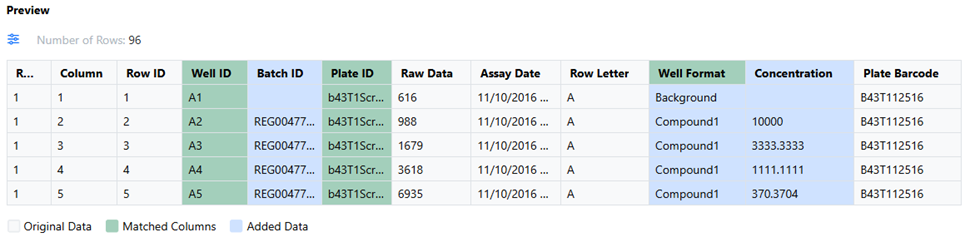
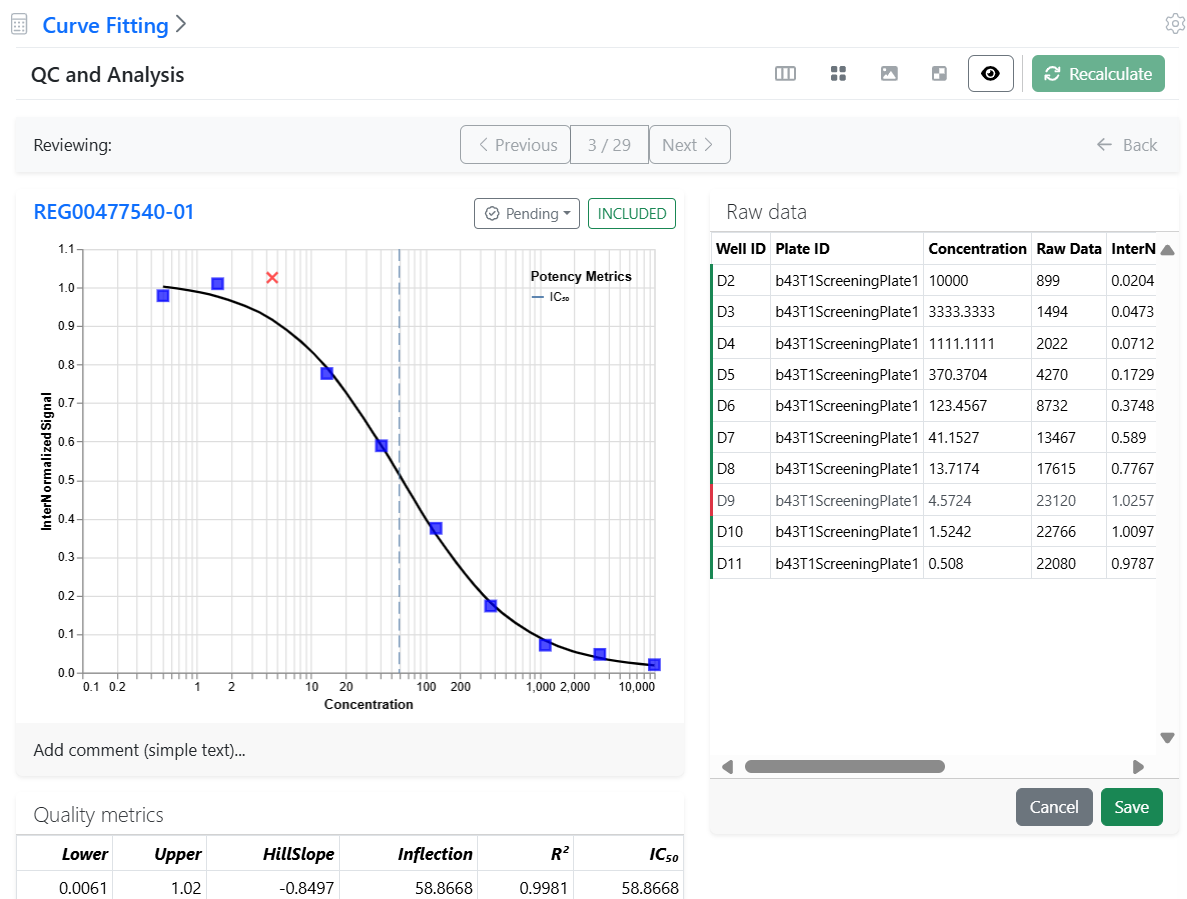
For tenants with a Signals One license, users will now be able to perform In Vitro (screening, assays) data analysis, visualization and results quality control. The first curve fitting method available, is the logistic 4 Parameter (4P) fit.

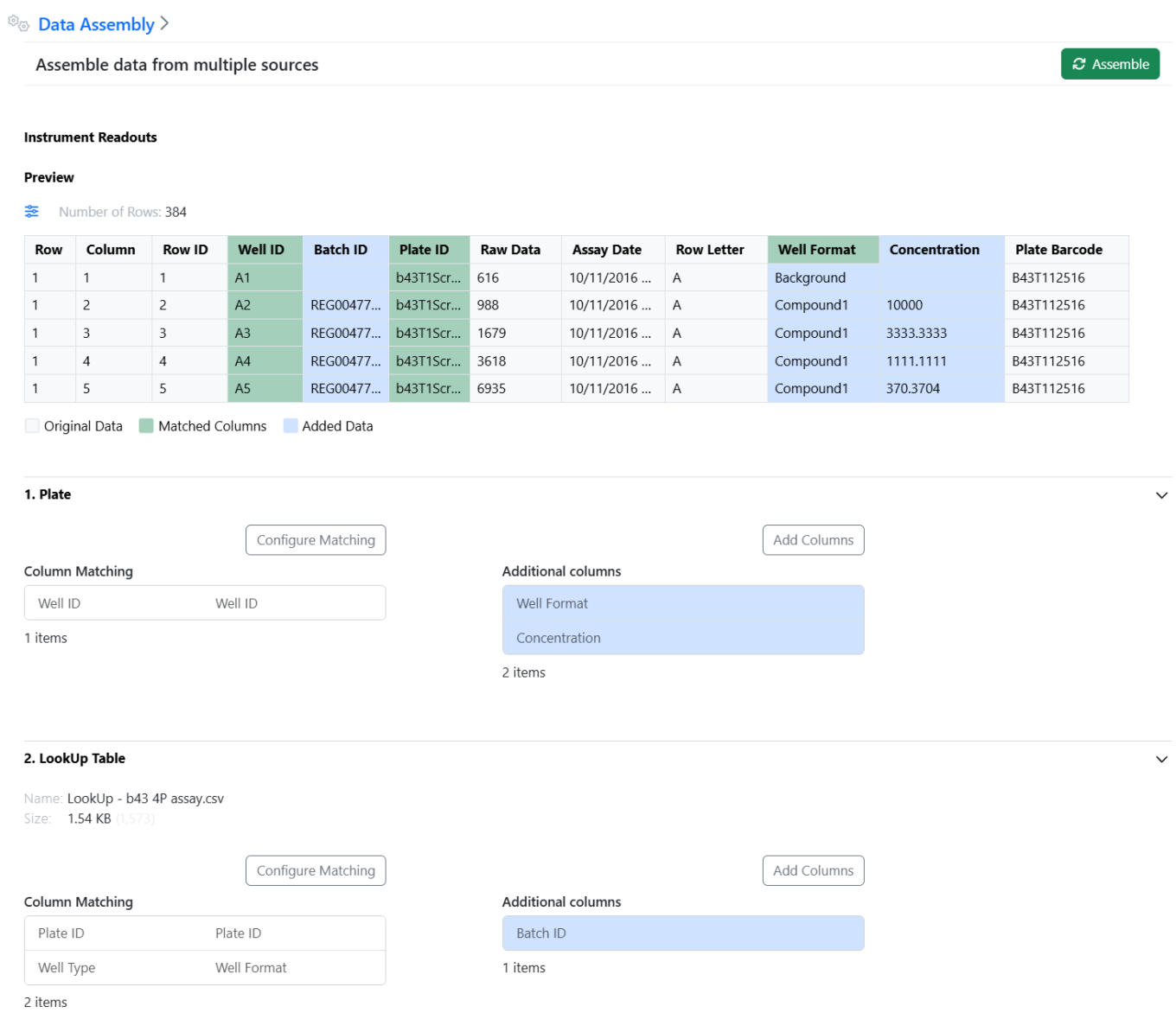
The first rows of data assembled from multiple sources (instruments data, plates, external lookup tables,…) can now be previewed in the Data Assembly.
The Preview highlights the columns used for matching and the columns added to the instrument data. A column first added before being used for matching will have the column header highlighted as “Matched” and the content rows as “Added”. The Preview appears upon assembling the data when pressing the “Assemble” button.

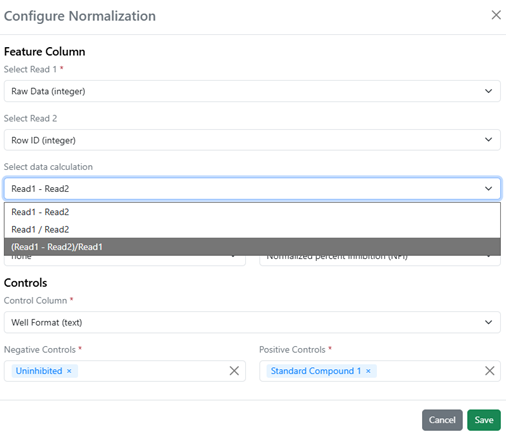
Calculations can be applied when analyzing two instrument readouts in Vitro Analysis. Two instrument readouts can now be used (Read 1 and 2) and combined using a predefined calculation.

When user changes like exclusions or settings modification take place in the analytics steps, each step can be recalculated independently from the other steps using the new “Recalculate” button.
When the next step in the analytics is impacted, the recalculated button of the downstream step is enabled and the user notified that the steps are out of sync (e.g. normalization changes that impact curve fitting).

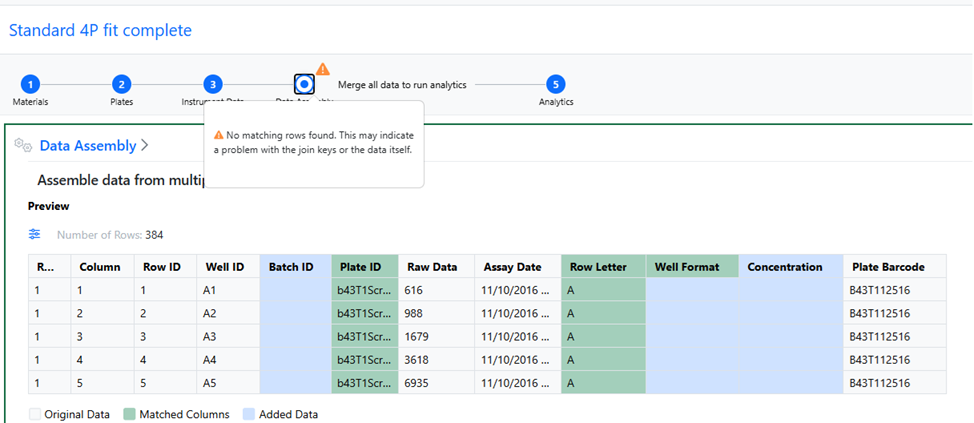
When potential problems are detected, warnings become visible in the user interface to help users identify early on the sources of problems.

In this example, the matching of two columns returns no rows, which is an indication of a wrong selection of columns to match.

SAR & Decisioning
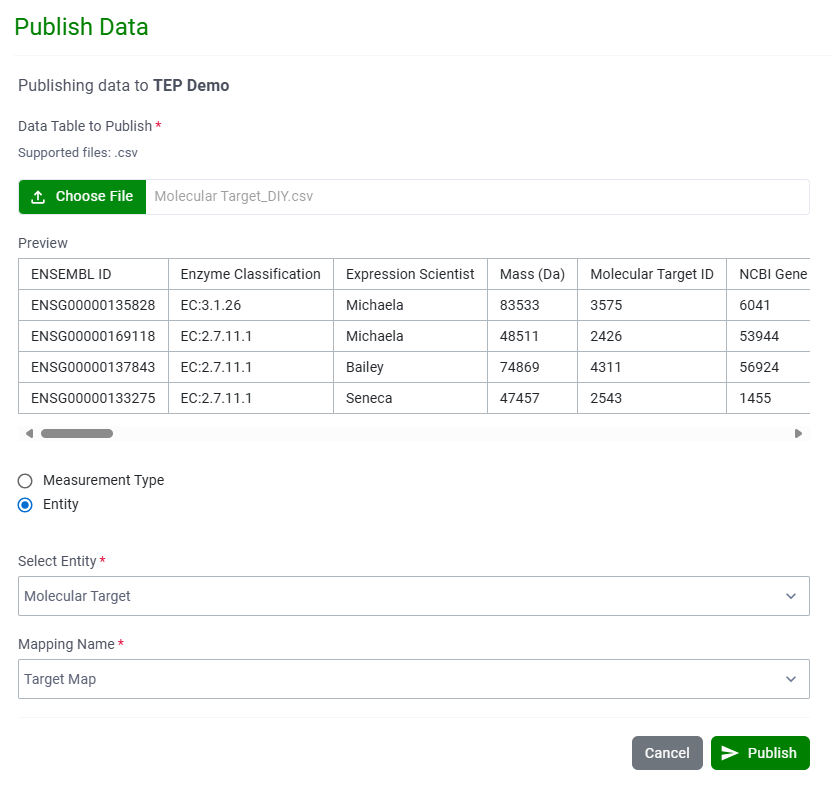
Custom Entity data can now be published directly to Data Factory projects (beta version) from the Inventa Dashboard.
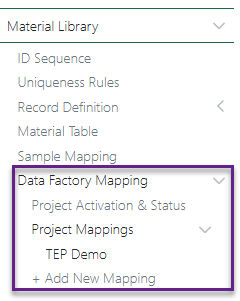
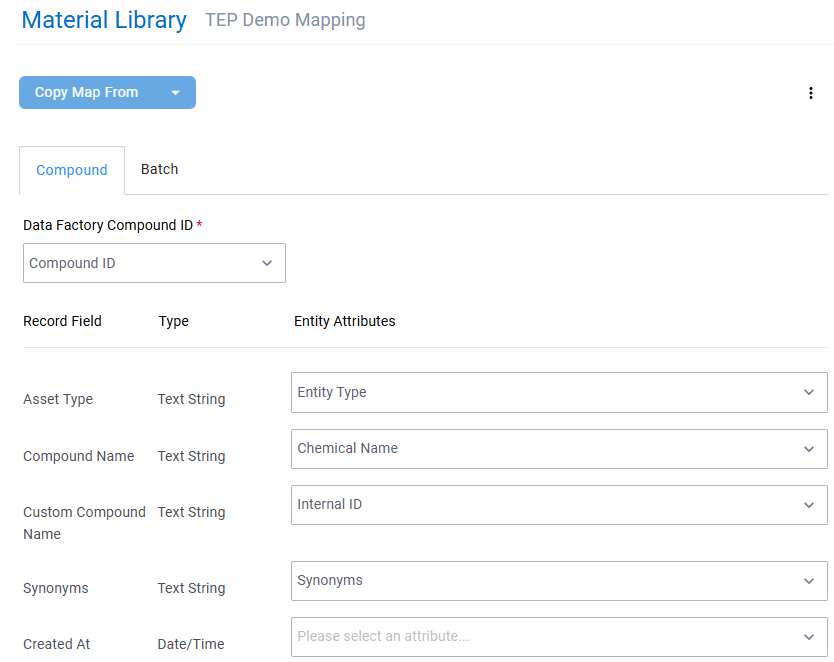
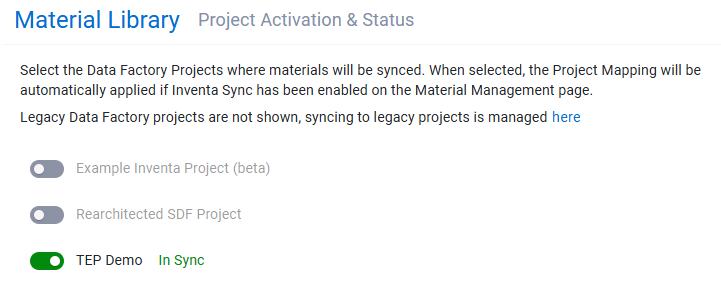
Inventa Sync now supports Data Factory projects (beta version). Map material libraries to projects using the new Data Factory Mapping section (accessible from the Material Management page), then activate sync on a per-project basis though the Project Activation and Status section.

Inventory
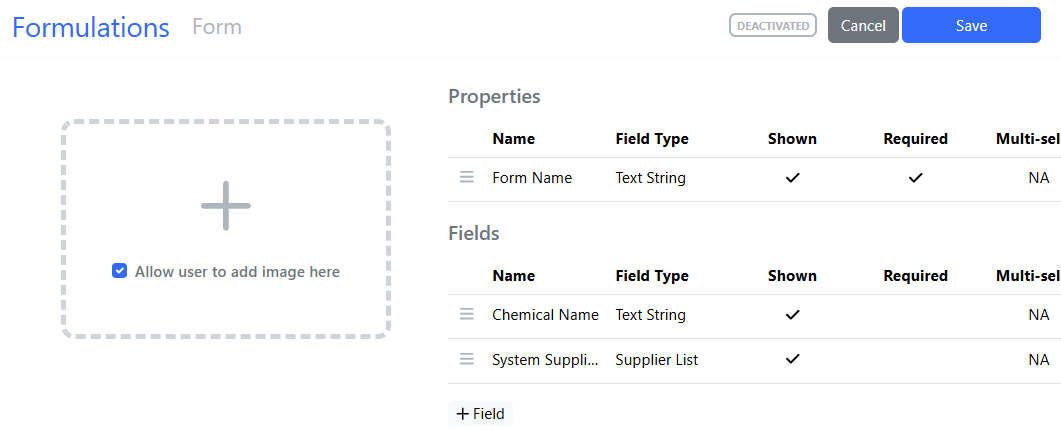
System Supplier List available in Material Library. Administrators can now add the System Supplier List to the Materials Library at both the asset level:
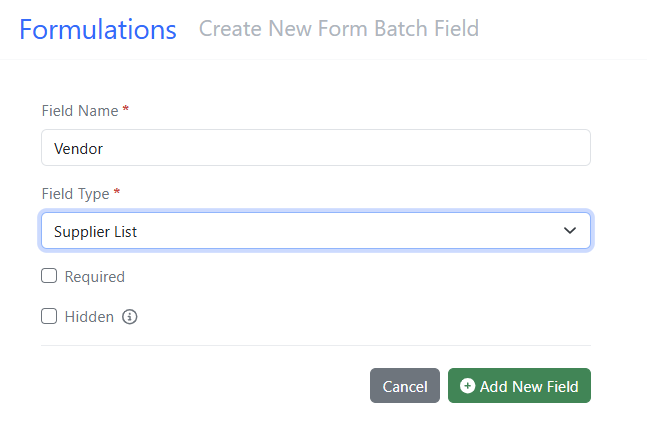
And the batch/lot level:
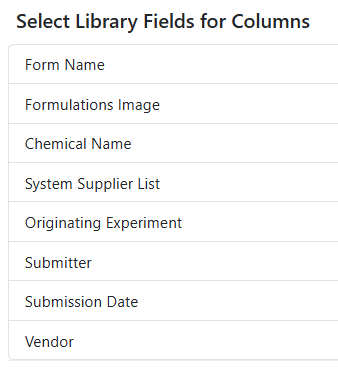
Multiple Fields can be associated with the System Supplier List and can be added to the Materials Table:
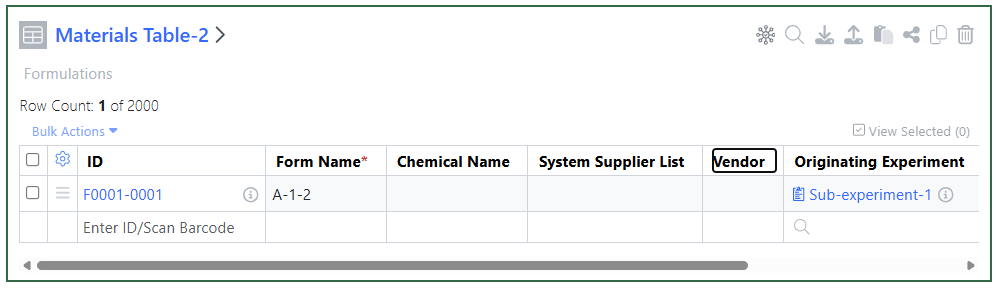
Users will see the fields in the Materials Table when they add them to an Experiment/ADO:
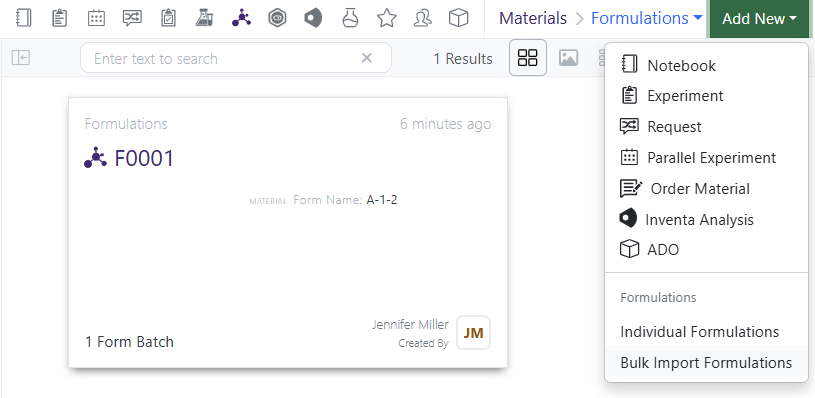
Bulk Import to a Materials Library supports the System Supplier List field type:
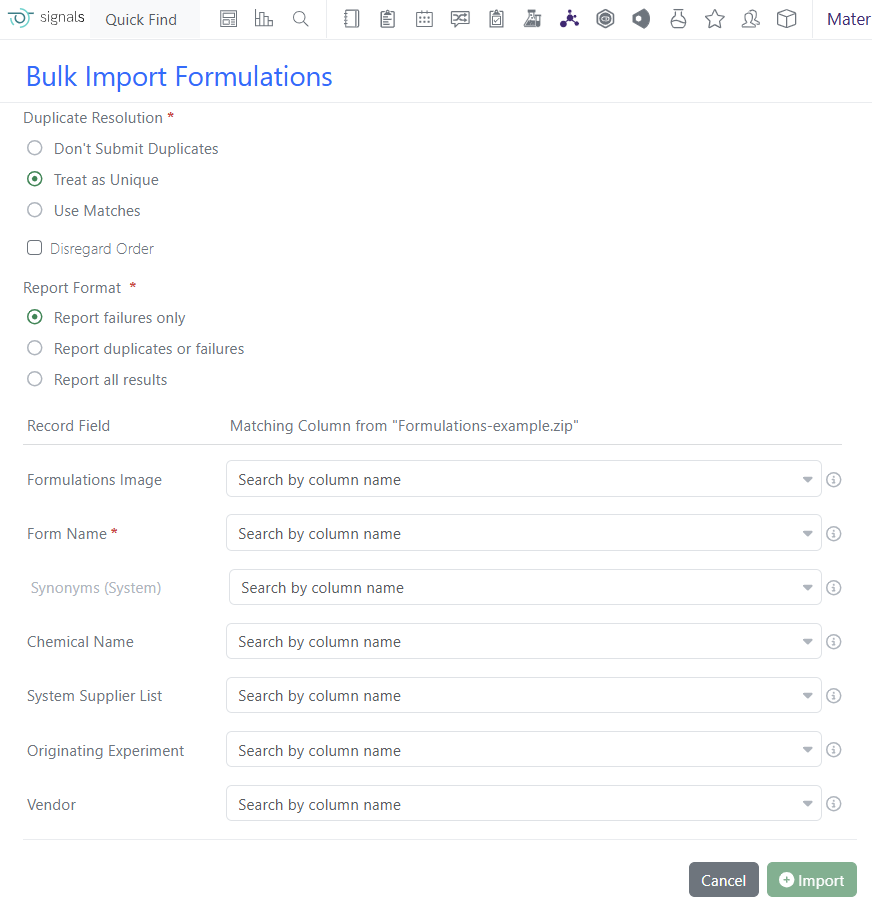
The mapping import screen as well as the example file supports the System Supplier List field:
What's New

We are delighted to release our new version of Signals, 25.6. This release brings enhancements in audit trials, Synergy, Inventory, Variation Tables and Inventa amongst others. We have a new beta capabilities of an In Vitro Analysis object, and extended beta capabilities around publishing results to Data Factory. The beta capabilities around Internal Data Sources in Text Elements are now available to all systems. Finally, we have also fixed a number of small bugs.

The following improvements are available for users, administrators and developers on the Signals platform. Certain features may only be available with appropriate licensing and/or with enablement by an administrator.

  • Fundamentals
      –Audit trail captures the initial state of content upon copying a system template, experiment, or personal template
     
  • AI
      –Schema Updates to support SDK Generation
     
  • Data Workflows & Analytics 
      –In Vitro Analysis (beta)  
  • SAR & Decisioning
      –Internal References support in Inventa Analyses 
      –Integrated Summary App supports “Is Any Of” for numeric attributes 
      –Automapping improvements in Publish Results to Data Factory app (beta) 
     
  • Synergy
      –Support for Normalized Compounds in Synergy Designs and Reference Tables
      –Duplicate check Designs against both Designs and Materials of the same material type
      –Search and filter Designs by Assigned CRO
      –Capture Design ID on Reactants, Products, and Samples created from Designs
      –Synergy Experiment properties can be configured to inherit from Collaboration properties
      –Share Synergy Experiment Templates to CRO Department(s)
      –Append Template to Synergy Experiments for CRO users
      –Configuration Transfer support for Reference Table definitions 
      –Publish Admin Defined Tables from Synergy Experiments to Inventa – available to all systems” 
     
  • Chemistry
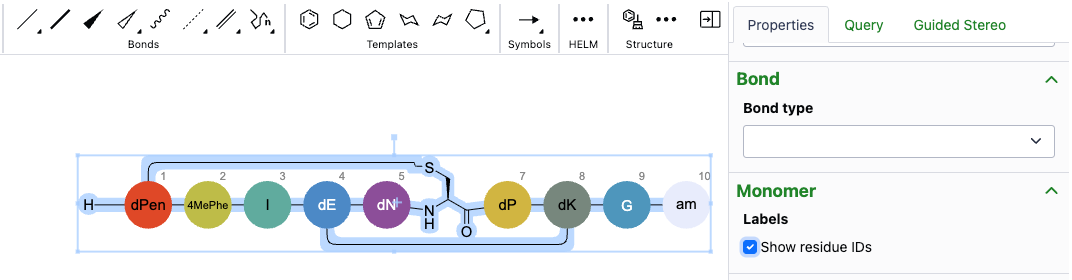
      –Show/hide residue IDs of biopolymers
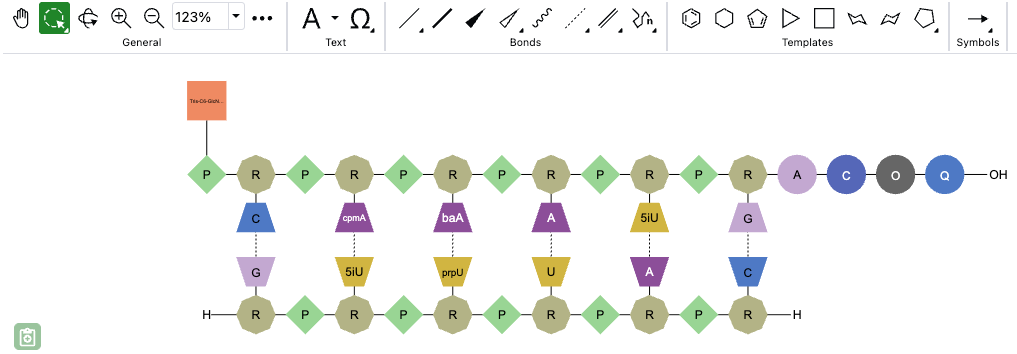
      –Auto-pair tool now accepts RNA/DNA strands with pendant Chem or peptide monomers
      –Enhanced selection behavior for atoms, bonds and structures
      –Attach Data can now be added as chemically significant
     
  • Admin Defined Tables & Variation Tables
      –Include Component Headers in Variant Calculations
      –Update to Publish Variation Table to support variable measures in headers and columns
      –Variation Table Vertical View update for variant hidden rows
     
  • Samples
      –Moles calculation in Samples utilizing Radioactivity
     
  • Plates
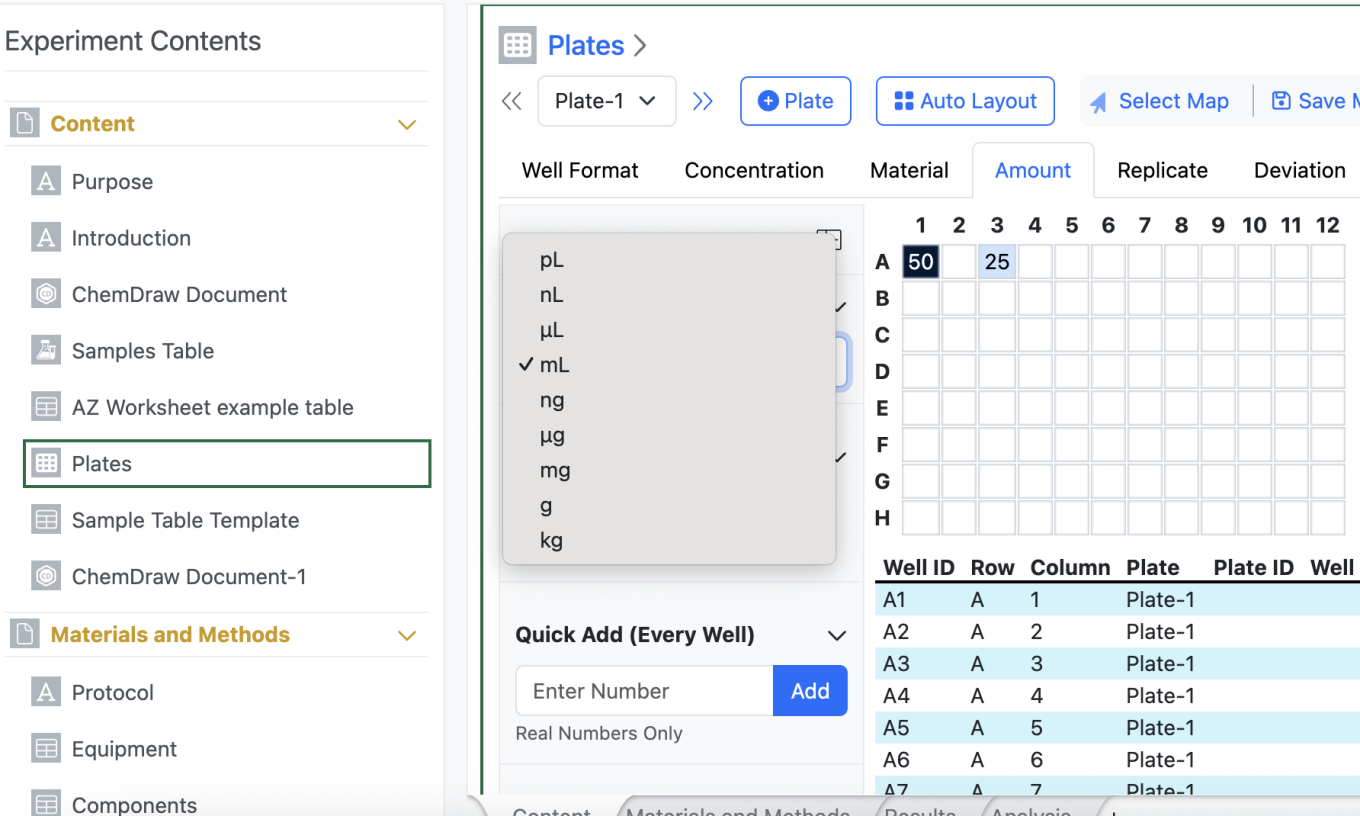
      –Addition of Mass (g) to Amount Annotation Layer in Plates
     
  • Inventory
      –New label
      –Update to Internal Request workflow to include Material ID of registered Samples
     
  • Materials
      –Bulk import with multipart GenPept and Swiss-Prot files
     
  • Administration
      –Spotfire for Signals Access Workflows privilege available
      –Internal Data Sources now available in Autotext available to all systems
      –IDS checkbox to allow admin to specify which sources are available in text element
     
  • Integrations & APIs
      –API for Sequence pairing from two chemical drawings
      –API enhanced to export plates as CSV
      –API to modify CRO users
      –API to fetch CSV example for bulkImport
      –API with additional criteria for Data extraction from SDF
     

We also fixed several small bugs in this release. Details of the enhancements are described below.

Data Factory Administrators should be aware that the maximum number of measurement attributes has been increased to 7000 

Data Factory Administrators should be aware that Dataset warnings are now presented in reverse-chronological order (up to 100) 

Data Factory Administrators should be aware that the primary API GET /job-service/job has been deleted 

Administrators are recommended to subscribe to the channels within our support news site found at https://support.revvitysignals.com/hc/en-us/categories/360004446171-Support-News which contains more information about releases and other pertinent product information.

This content is anticipated for release on our Production E3 environments, and for Private Cloud customers on our deferred release schedule, in November 2025.
 

Further Details 

The following improvements are available for users, administrators and developers on the Signals platform. Certain features may only be available with appropriate licensing and/or with enablement by an administrator.

Fundamentals

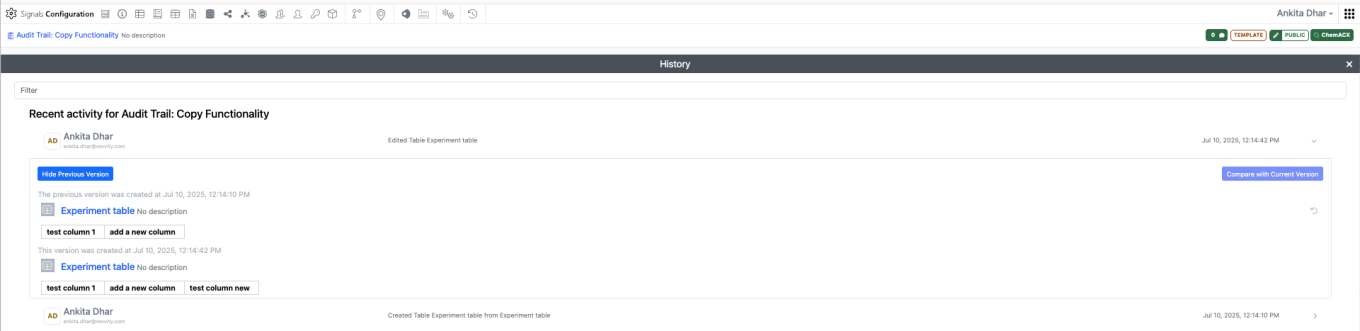
The audit trail now captures the initial state of content when copying a system template, experiment, or personal template. When content is copied, the audit trail logs both 'created' and 'edited' records showing the previous version with the initial content. This enhancement applies only to newly created content and is not retroactive.

AI

The Swagger page for Notebook APIs has been enhanced with better Schema information for API responses. This is in preparation for providing access to YAML files to facilitate SDK Generation through OpenAPI tools.

SAR & Decisioning

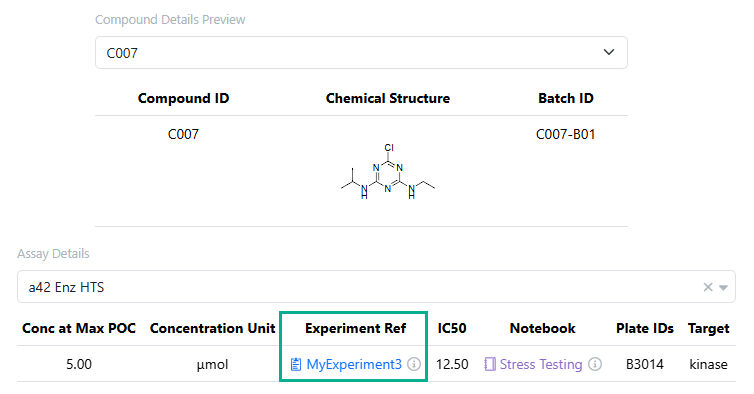
The Assay Details preview section of Inventa Analyses now supports the display of internal references

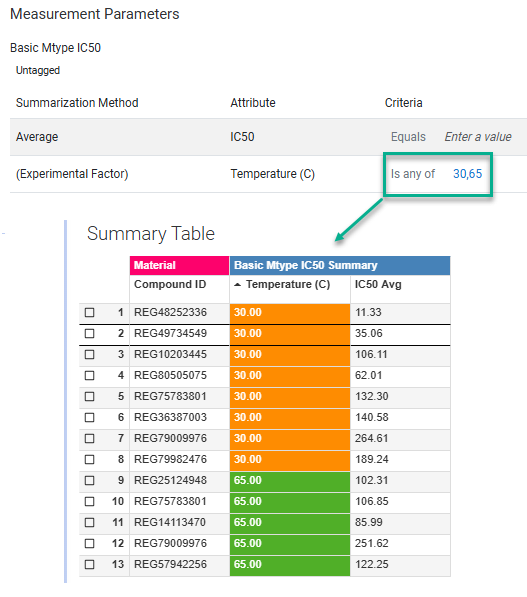
Integrated Summary App support “Is Any Of” for numeric attributes, allowing users to search for a set of numeric criteria.

Synergy

Normalized Compounds are now supported in Synergy for both Designs and Reference Tables. The Normalized Compounds libraries facilitate the registration of materials with a salt-stripped structure as an asset, while still retaining the original raw structure for the batches associated with that asset. Salt stripping is valuable when working with CROs that deliver compounds. To enable a material library of type Normalized Compounds, activate the library for Synergy in Signals Configuration and then configure Designs and Reference Tables in Synergy Configuration.

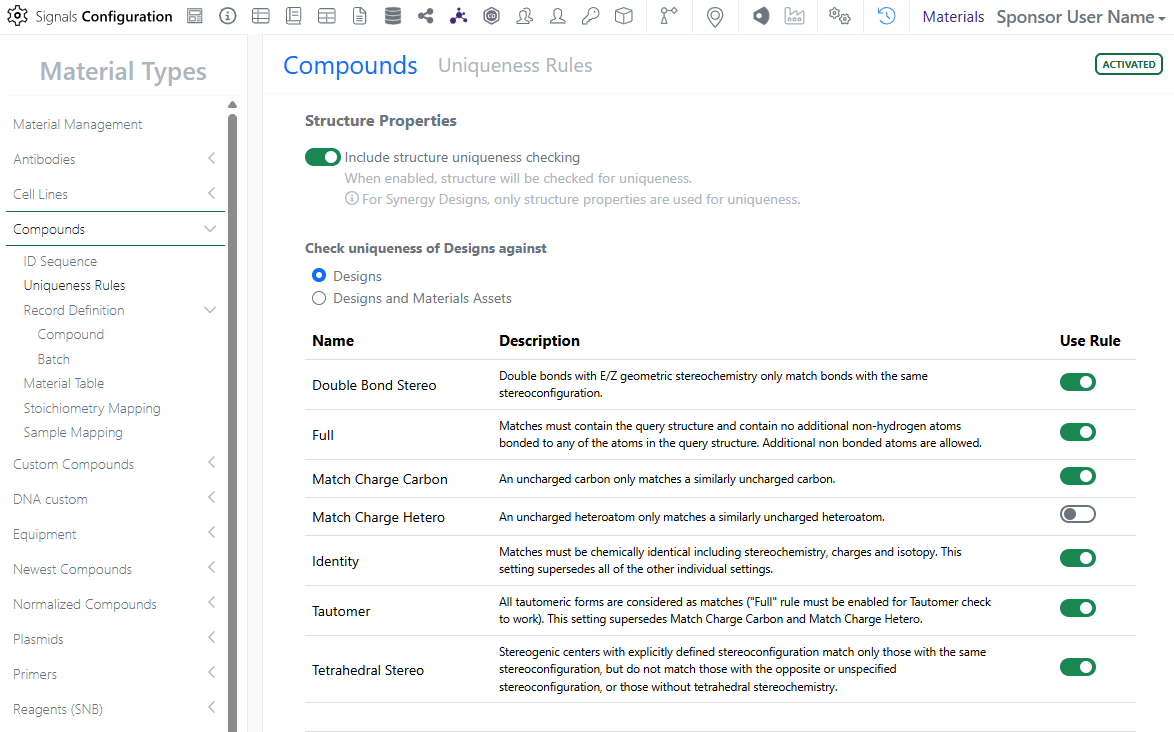
Release 25.6 also brings several new features in Synergy related to Designs. First, when creating or importing Designs, Designs can be checked for uniqueness against Designs only or Designs and Material Assets of the same Material type. The Administrator can change this setting under the Uniqueness Rules for each Material type in Signals Configuration.

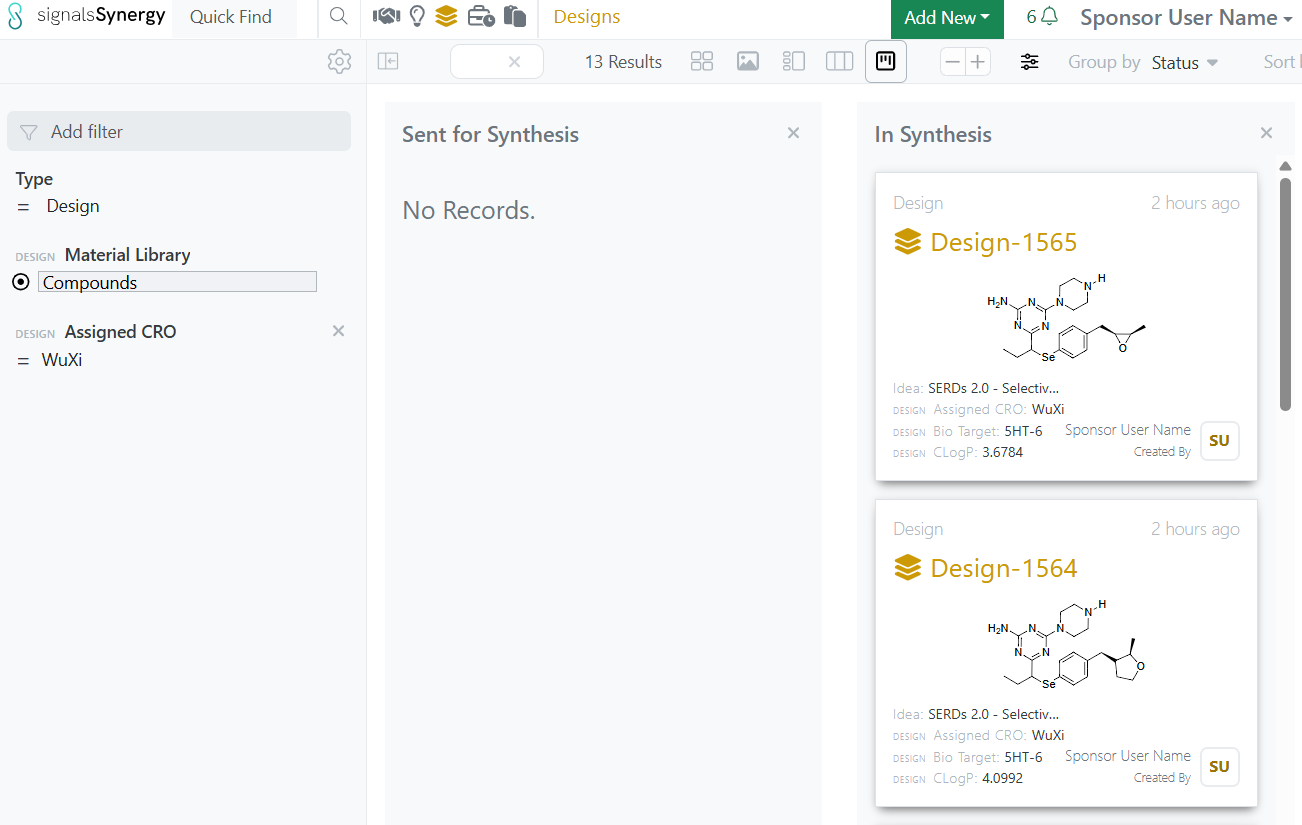
Designs have a new property called Assigned CRO. Assigned CRO is automatically captured when a Design is added to a Work Order for a CRO. Designs can be searched and filtered by Assigned CRO in both Advanced Search.

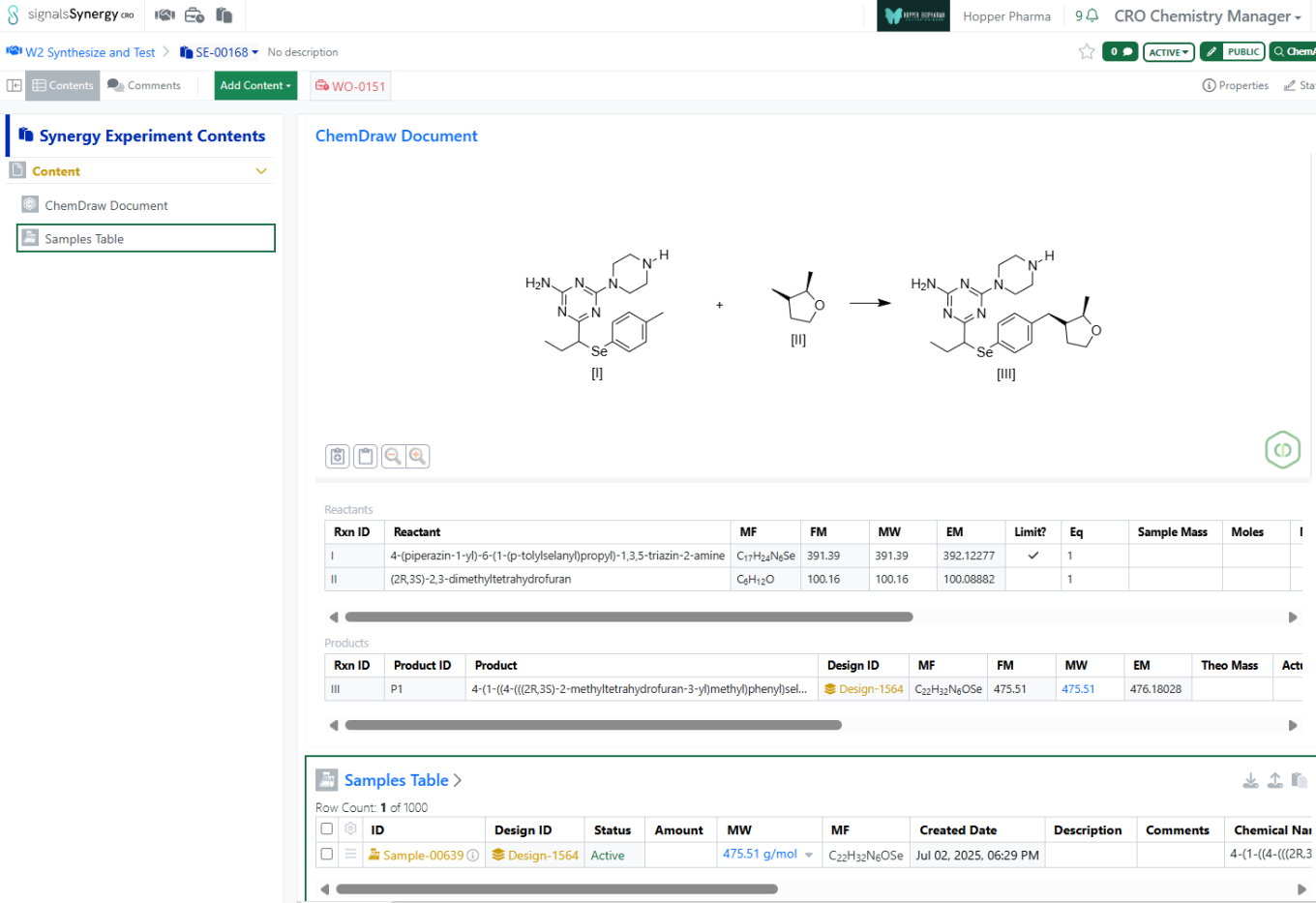
When a CRO user or Sponsor user adds a Design to a Chemical Drawing as a Product or Reactant, the Design ID is captured in the Design ID property in the stoichiometry grid. The Design ID is propagated to subsequently created Samples. If the Sample is then registered, the Originating Design will be added to the Material and the Design status updated to Synthesis Complete. If the Design is added as a Product, the Design ID is also added to the Reference from W.O. property of the Synergy Experiment for ease of search for related Synergy Experiments.

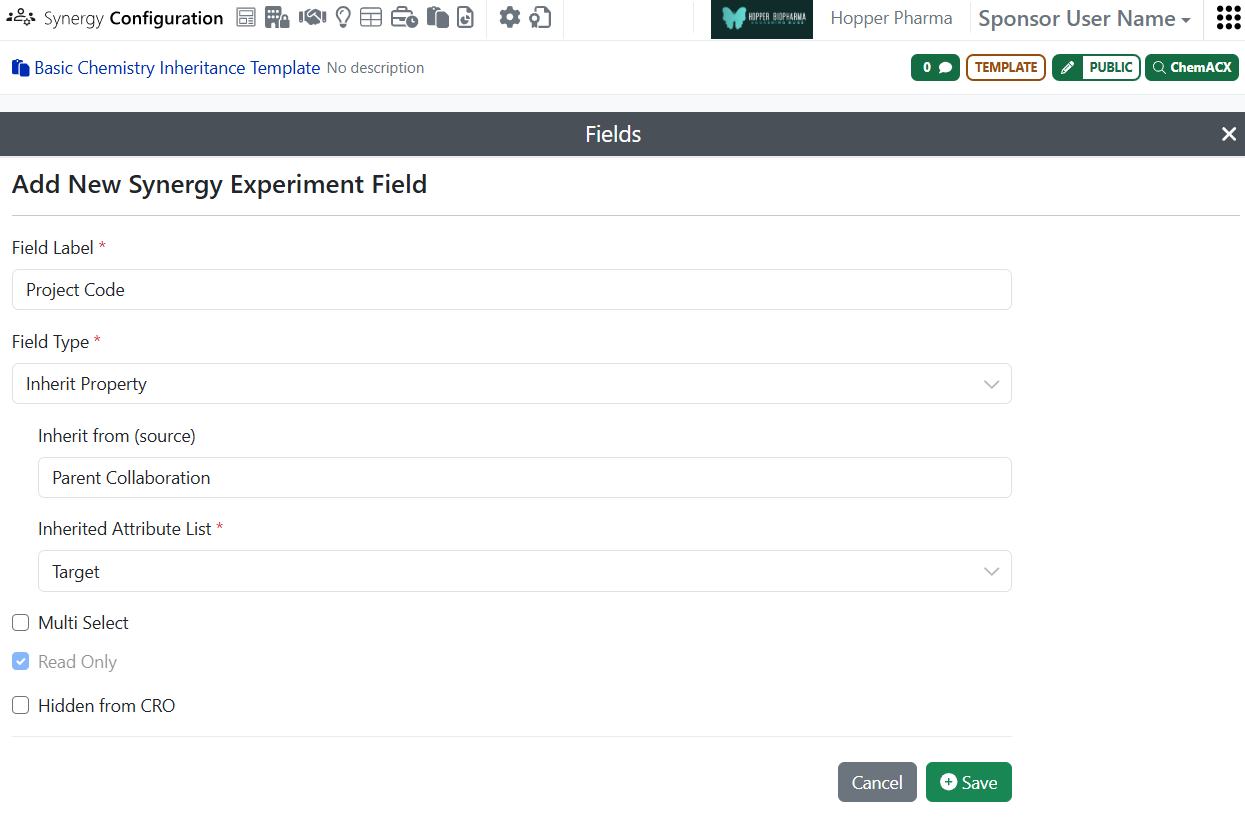
Synergy Experiment Template attribute list fields can be configured to inherit the property from the parent Collaboration. If a field is set to inherit, the field will be automatically populated with the corresponding value from the parent Collaboration on the Draft Synergy Experiment and all subsequent Synergy Experiments created by the CRO users. As a result, the Sponsor or CRO user does not have to repeatedly populate the same property, such as Project Code or Disease Target.

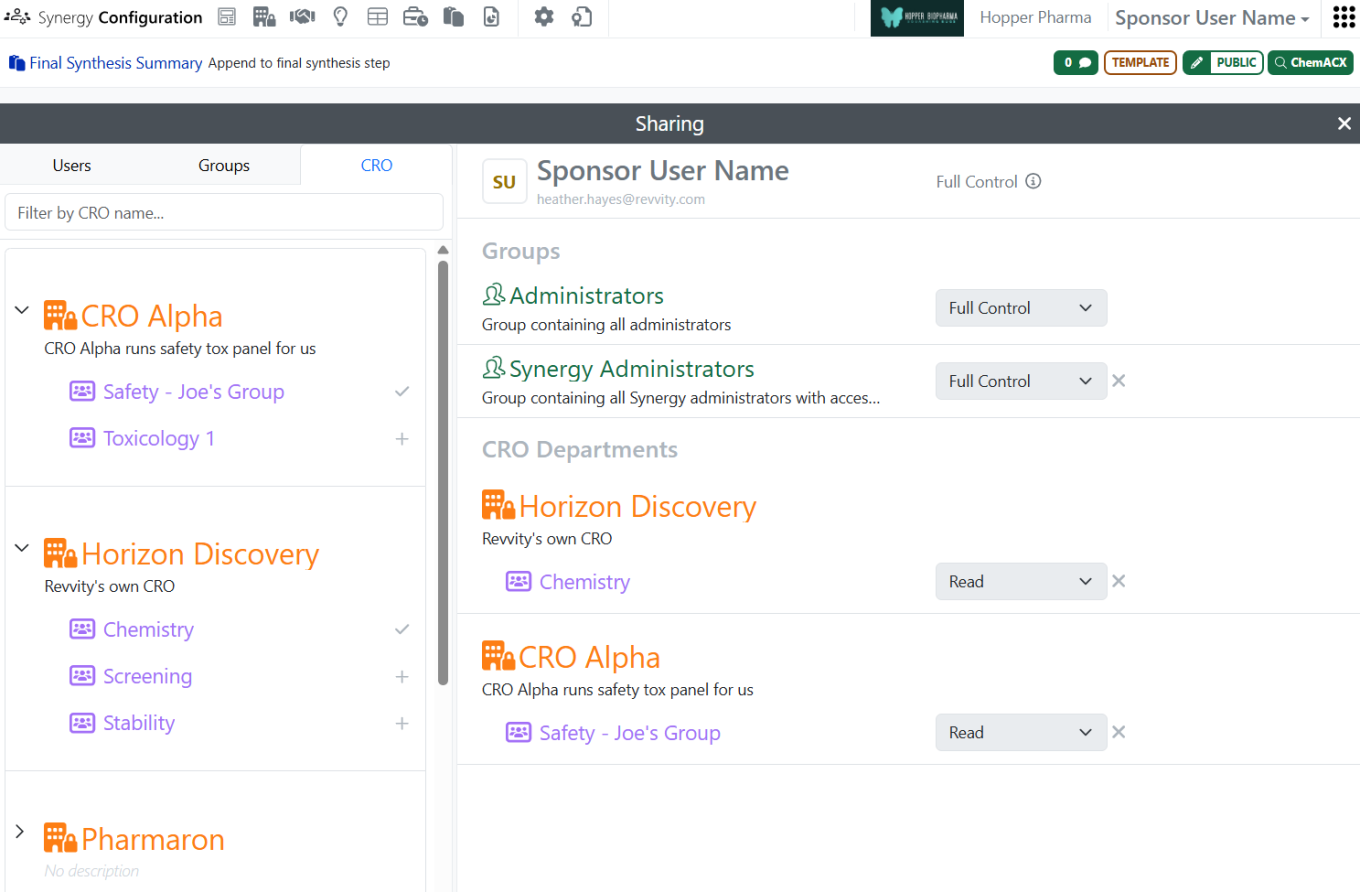
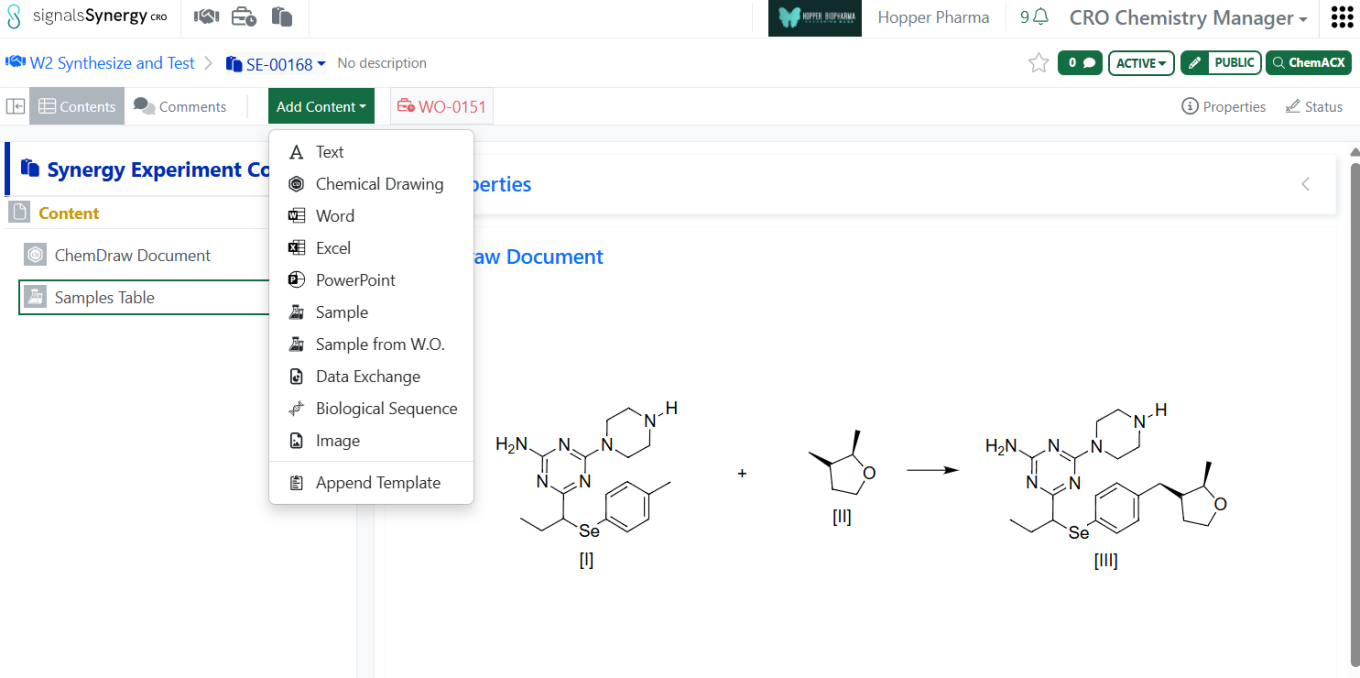
CRO users can now Append Template to a Synergy Experiment. This allows CRO users to add additional content for specific use cases. The Synergy Administrator can share Synergy Experiment Templates to CRO Department(s).

Finally, Configuration Transfer now supports the transfer of Reference Table configuration settings.

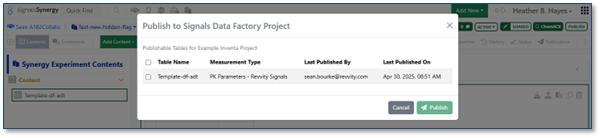
The ability to publish Admin Defined Tables (ADTs) to Data Factory from Synergy Experiments is now available to all systems. Similar to the publication functionality in internal Experiments. Properties of the Synergy Experiment, including those that are Hidden from CRO, and columns of the Tables can be mapped to measurement type attributes in a specified Data Factory project and published by the Sponsor user.

Chemistry

The auto-pair tool has been improved to work with a wider range of RNA and DNA strands. This enhancement allows strands that include additional Chem or peptide monomers when finding the complementarity between strands and placing hydrogen bonds between them.

The auto-pair tool has been improved to work with a wider range of RNA and DNA strands. This enhancement allows strands that include additional Chem or peptide monomers when finding the complementarity between strands and placing hydrogen bonds between them.

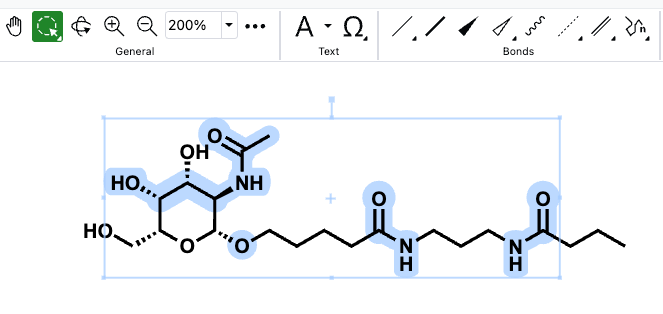
There is now enhanced visualization in ChemDraw when atoms, bonds and structures are selected on the canvas. ChemDraw now individually highlights all the atoms, bonds and structures that are part of the selection, in addition to the selection box that appears upon selection on the canvas. This provides a clear distinction between selected and unselected elements on the canvas.

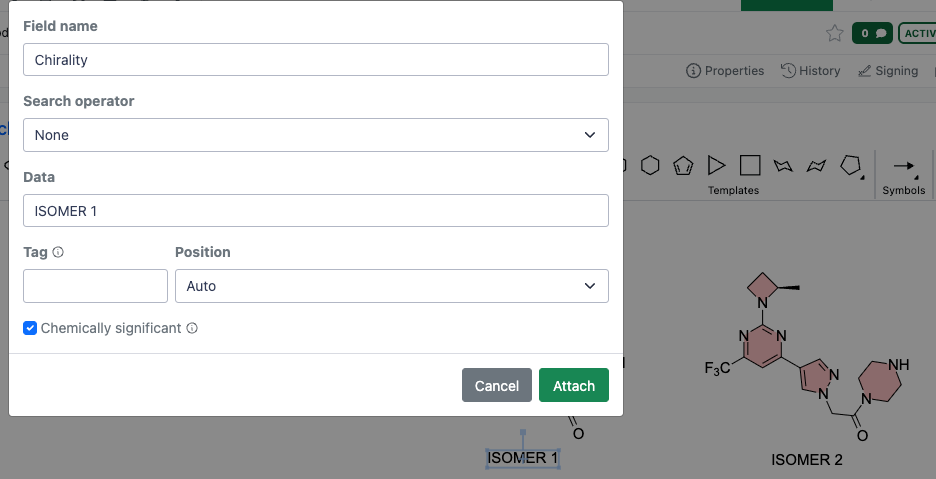
When annotating a molecule or stereocenter in ChemDraw using the 'Attach Data' capability, annotations can now be specified as 'chemically significant'. When this option is selected, annotations become chemically significant and are recognized and honored in chemical searches. Additionally, users can now edit existing annotations by selecting them and reopening the 'Attach Data' dialog in ChemDraw.

Admin Defined Tables & Variation Tables

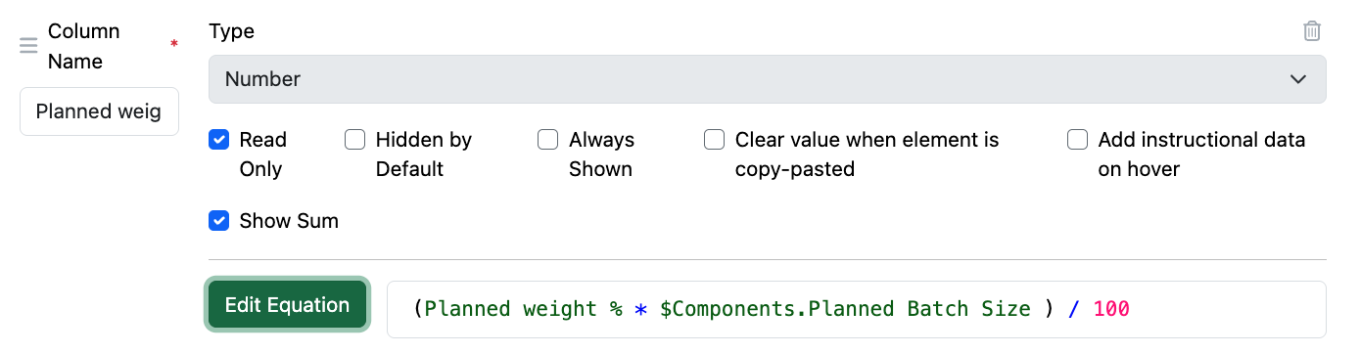
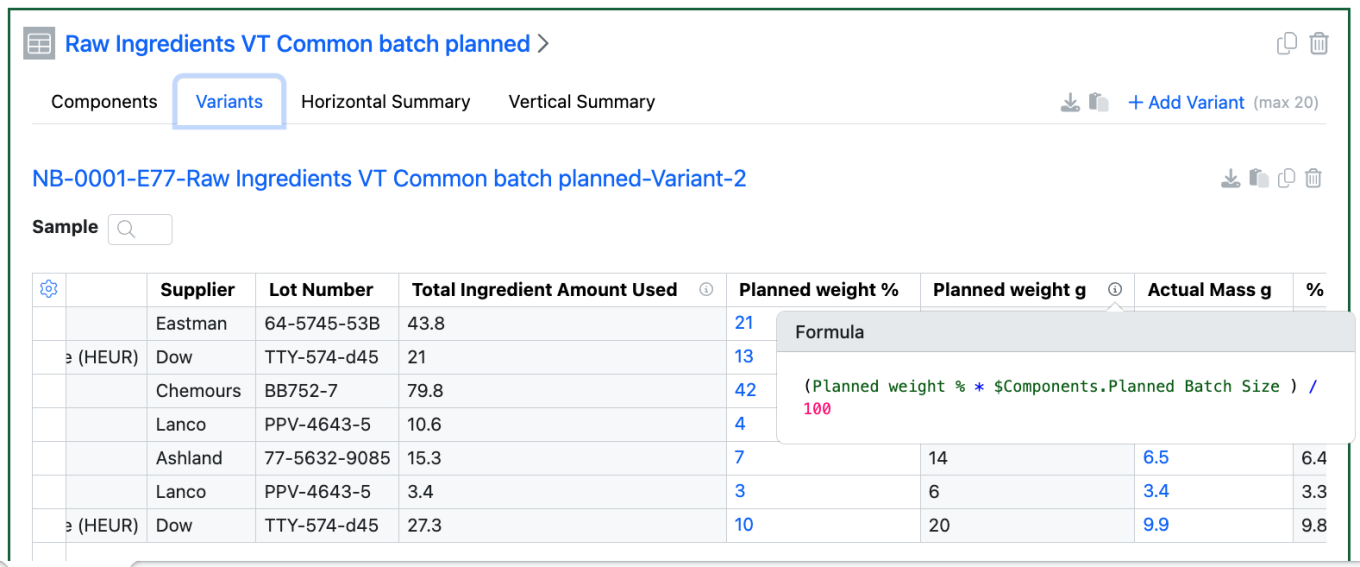
Headers in Components in Variation Tables can now be used in calculations in Variants. The Variant Headers can be found in the selectable properties or can be entered manually.

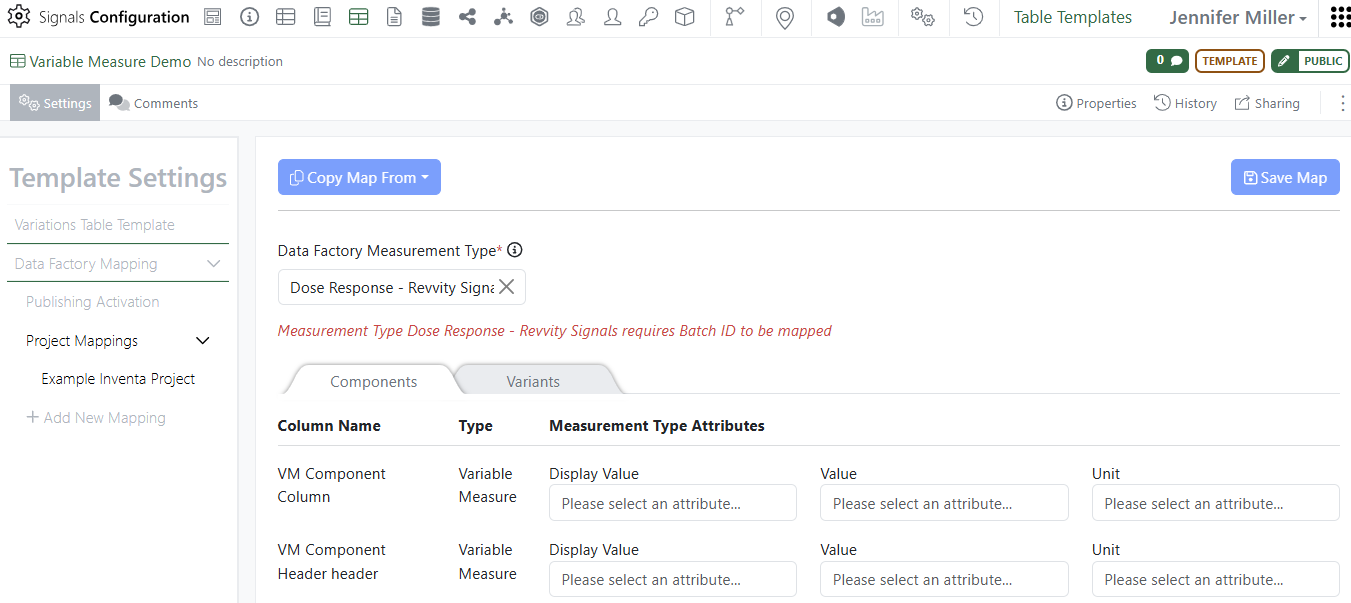
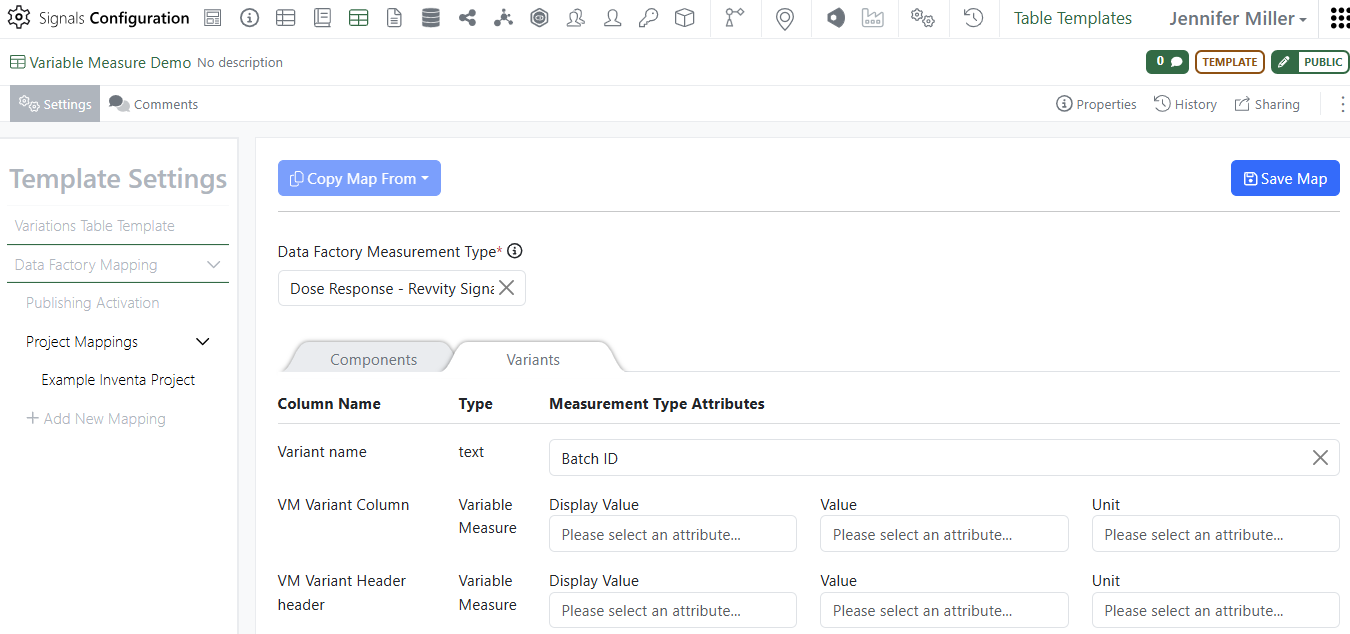
Update to Publish Variation Table to support variable measures in headers and columns. Administrators can now map variable measure field(s) from both columns and headers for both Components and Variants:
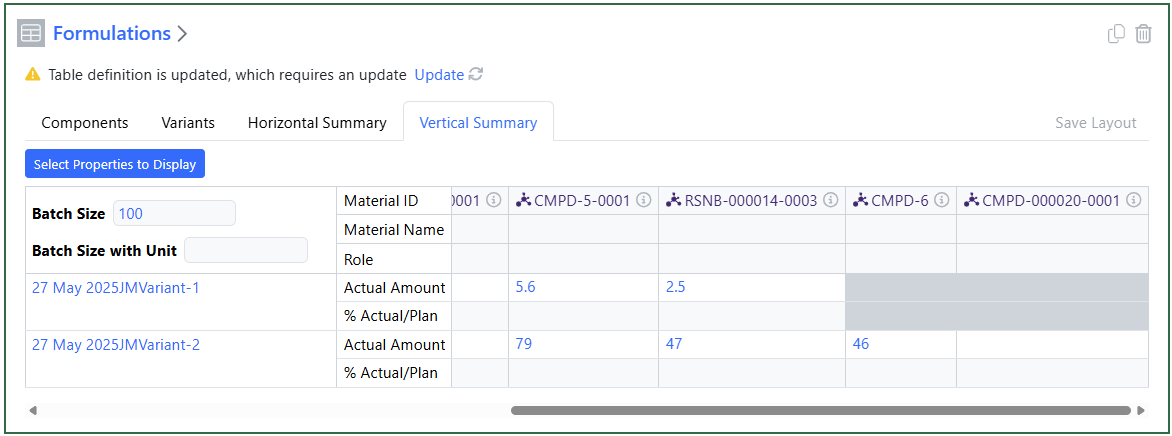
Variation Table Vertical View update for variant hidden rows now is darker gray and will not allow users to type in cells associated with hidden rows:

Samples

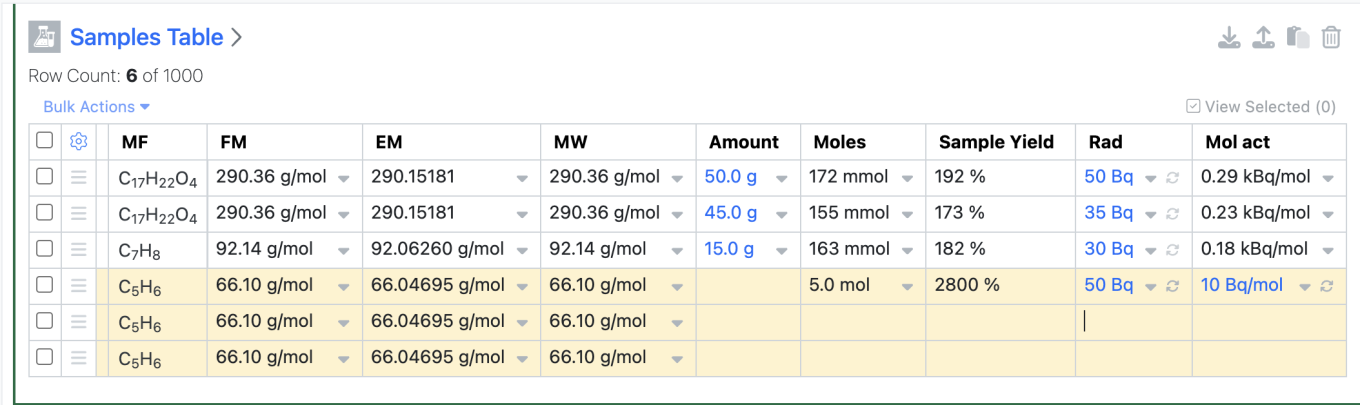
A new Moles calculation in Samples utilizing Radioactivity and Molar Activity is now available. If the user enters Radioactivity and Molar Activity values for a Sample, Moles is calculated as “Moles = Radioactivity / Molar Radioactivity” 
If the user subsequently enters an Amount on the sample, Moles will be recalculated using the Amount and FM as is standard.

Plates

Users can now enter values in the Amount annotation Layer utilizing Mass (g). Values with this new unit are included in the table and export just as the previously available volume amounts.

Inventory

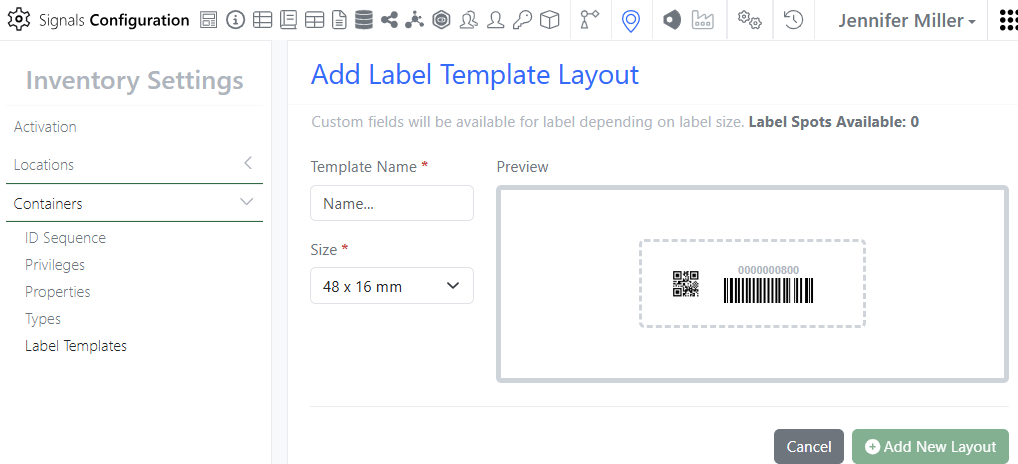
A new 48 by 16 mm label is designed to have the QR code fit inside of a circle that can be added to the top of a tube. The 1-D barcode was designed to fit on a rectangle label next to the circle label and put on the tube vertically:

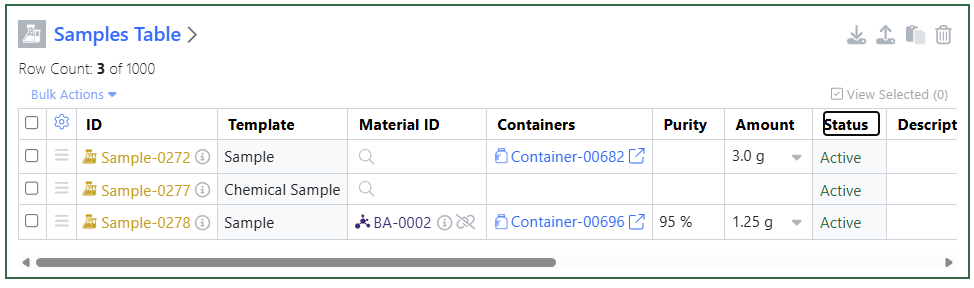
Update to Internal Request workflow to include Material ID of registered Samples. When users register a Sample from the Samples table the Material ID will automatically be filled in.

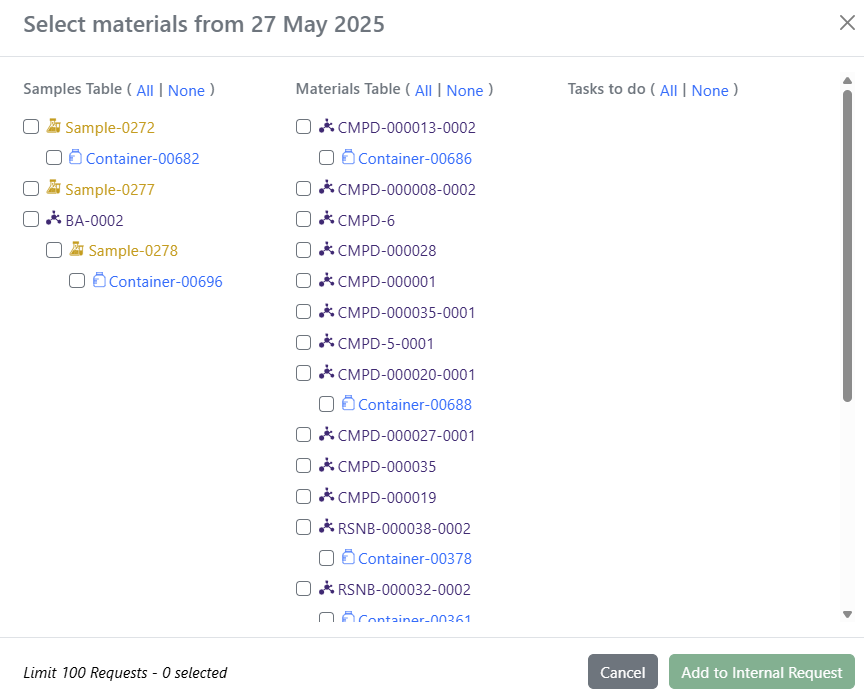
Now in the Internal Request, users will see the Sample ID, the Containers and the Material ID as an option to select from:

Materials

Multipart GenPept, FASTA, and Swiss-Prot files can now be bulk imported into a Proteins material library. Workflows are available to bulk import a collection of single sequence files (current capability), a single multipart file and corresponding meta-data (via .zip folder), or a single multipart file with fixed values (via multipart .gb or .fa file).

Administration

Spotfire for Signals Access Workflows privilege available to control which users can access and substantiate a Spotfire for Signals Workflow. Also controls who can import and export workflows. Users without this privilege can still leverage Workflows embedded within shared DXPs.

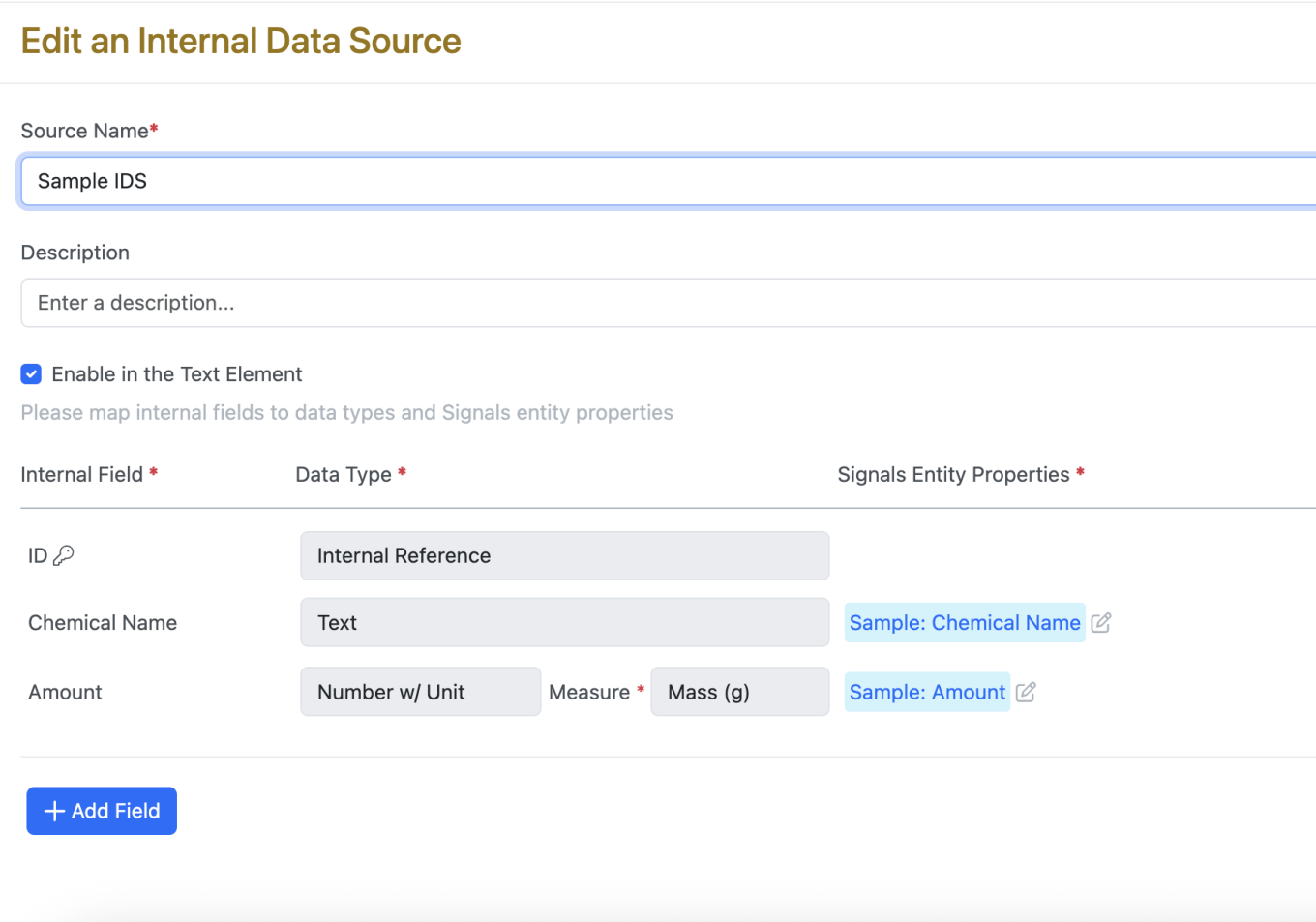
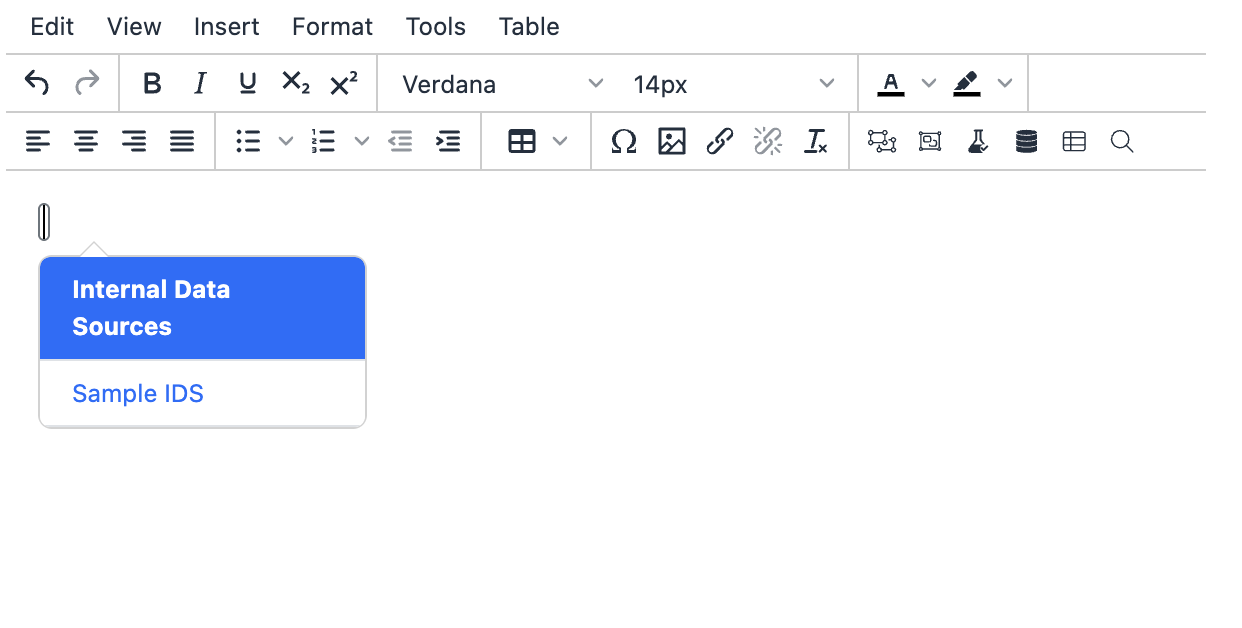
Internal Data Sources now available in Autotext available to all systems. Additionally, Admins are now able to select which Internal Data Sources are available for use in the text element by selecting the checkbox on the IDS in the SN Config.

Once the Admin Enables the IDS in the text element, users will be able to select the IDS to utilize in snippets or in the text element.

Integrations & APIs

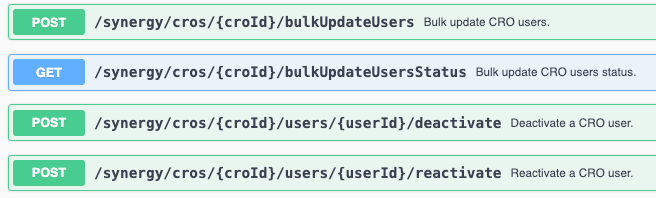
This update brings new APIs to support modifying CRO users in Signals Synergy. Synergy Users for a provided CRO may be updated in bulk. This is an asynchronous API that allows the bulk update status to be checked once initiated via the POST API. The POST API takes a CSV files with User ID,Email,First Name,Last Name,Country,Alias,Licenses. Field are optional as when applicable.

Plates can now be exported as CSV via the External API. To download the plate as a CSV set the “format” URL parameter to “csv”. The default format will be a JSON file if not specified.

The example zip for material bulk import can now be specified to contain a CSV example. To download the zip with a CSV example set the “dataFileType” url parameter to “csv”. The default data type will be SDF if not specified.

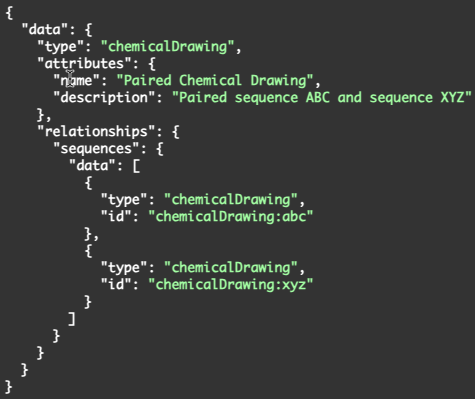
A new API has been added to pair two single oligonucleotide sequences and create a chemical drawing of the paired sequence.

The request takes an eid of a parent as a URL parameter and the body takes two chemical drawings each containing a single oligonucleotide sequence as well as a parent entity. If the pairing is successful a chemical drawing of the resulting pair is added to the provided parent entity.

The parent entity must be capable of having a child chemical drawing.

Two new endpoints have been added to Signals Data Factory for exporting data from projects. 

These endpoints will all or a specific measurement type data by Project. 
 

The request will allow for, and the response will contain a search ID and last document id. Providing these in subsequent requests will allow for pagination, and to only capture data that has comes after the provided last document id. 
 

An optional request body can be used to filter the results further.
 

For all measurement types you can filter on: Entity, Attribute(s), and Tag(s) as well as specify which fields you want returned in the results.
 

For individual measurement types you can filter on: Entity and Attribute(s) as well as specify which fields you want returned in the results.
 

Further Details 

The following capabilities are in beta and are available for users, administrators and developers on the Signals platform upon request. Please contact your account representative or our support team if you would like access to the following features.

Data Workflows & Analytics

For tenants with a Signals One license, users will now be able to perform In Vitro (screening, assays) data analysis, visualization and results quality control. The first curve fitting method available, is the logistic 4 Parameter (4P) fit.  

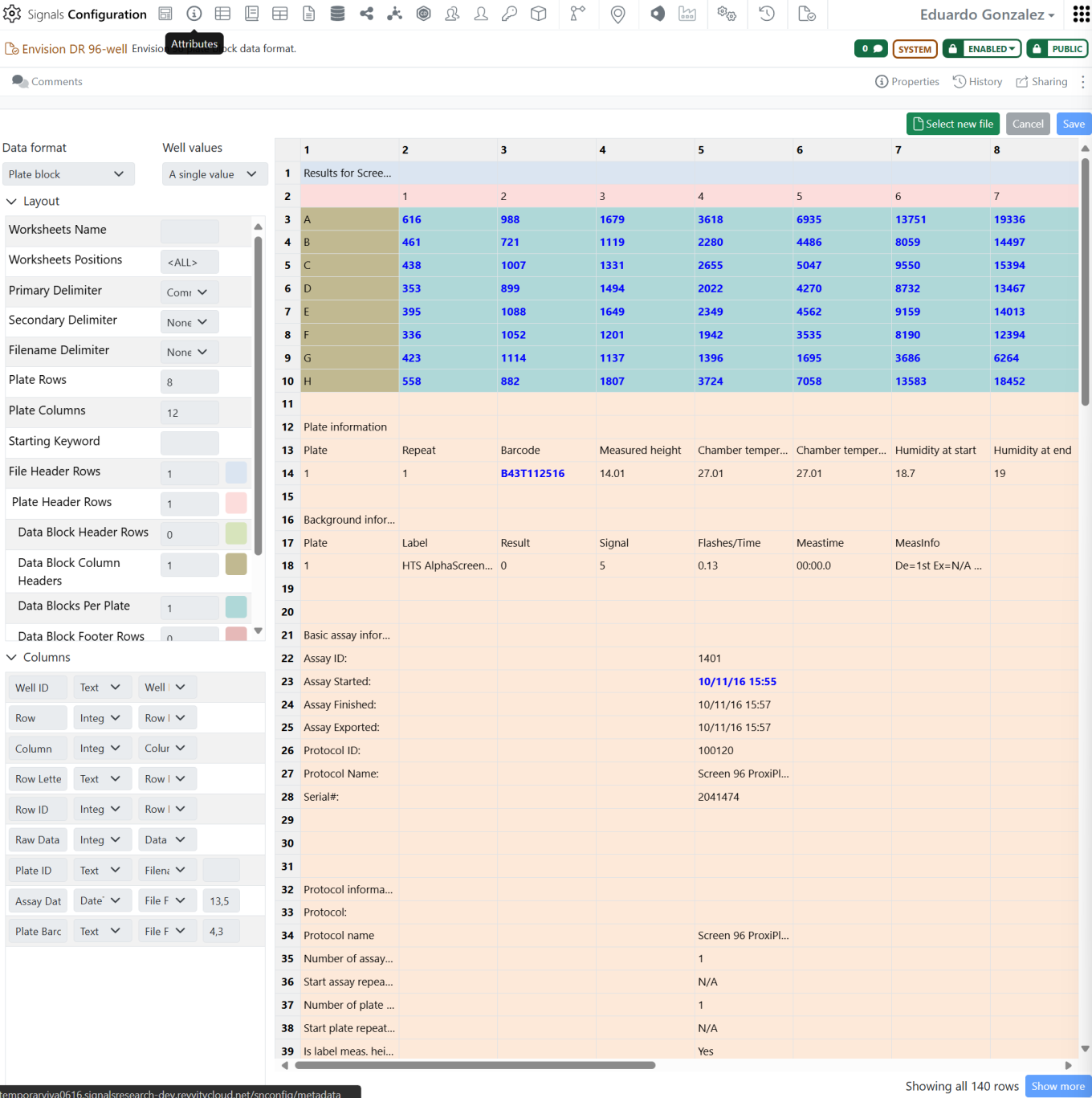
Parsing of instruments output files is now directly available in Signals One to generate analytics-ready tabular data. Some System parser definitions for Revvity plate readers (e.g. EnVision, EnSpire, Operetta,…) are provided out of the box:

The data from the instrument output files can be enriched with the information about the plate format and the materials tested to provide all the information required for the visual analytics steps:

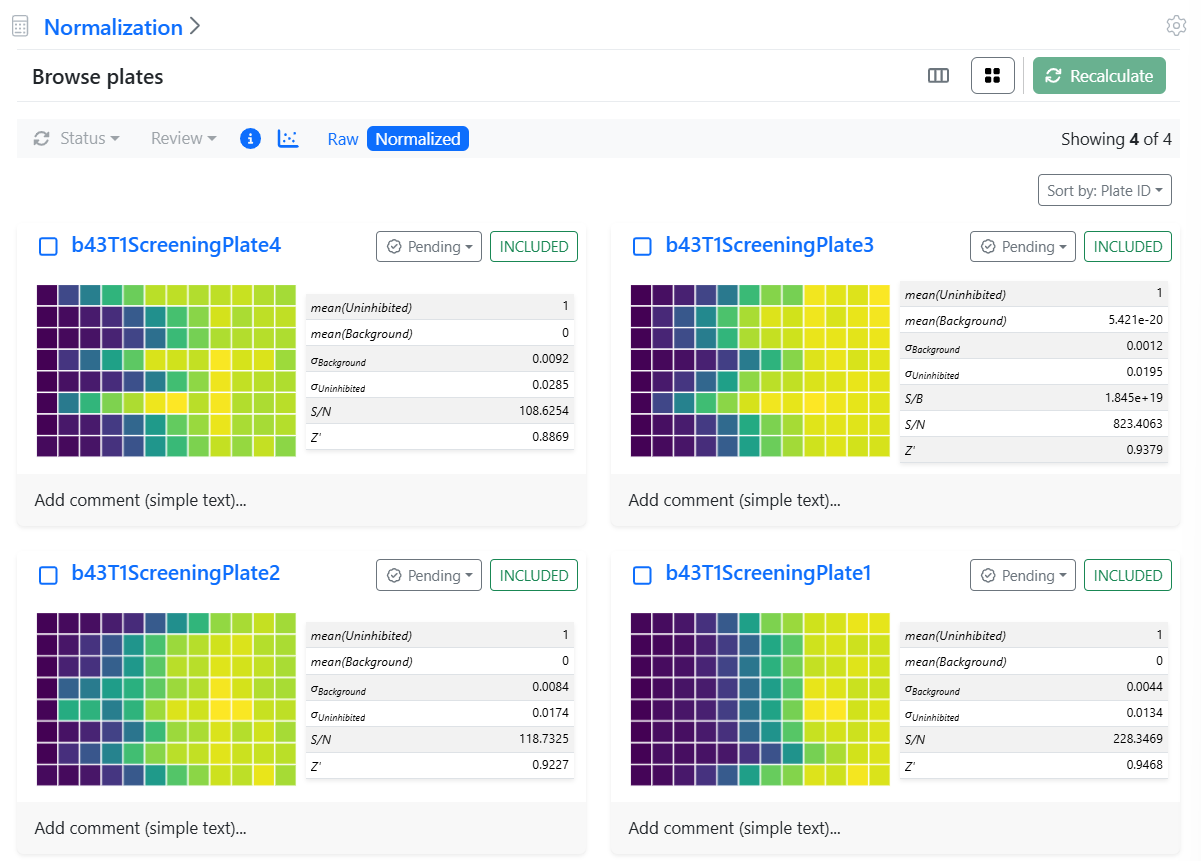
The analysis and visualization is organized in steps. Currently, normalization:

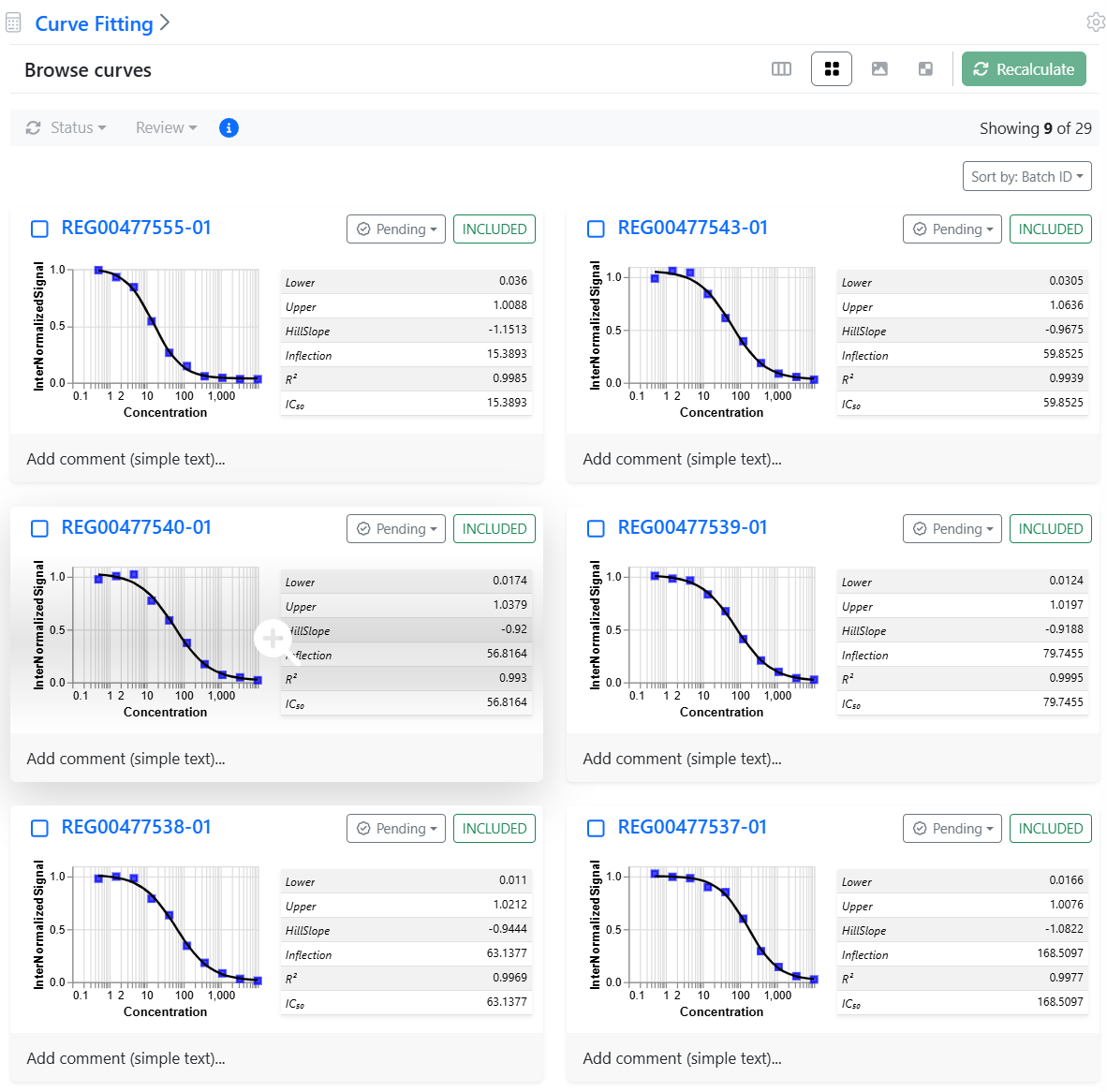
and 4P curve fitting steps are available:

Each curve can be controlled in detail and outliers excluded from the analysis at the level of the data points or even whole curves:

SAR & Decisioning

Minor automapping enhancements were introduced to the Publish Results to Data Factory to prioritize the optimal match, even if the same data table column is associated with multiple attributes.